Free with trial Simple, flat illustration of an electronic calculator with a beige casing. It features a row of black buttons arranged in a grid pattern, with a distinct red button. At the top is a rectangular display screen. The design is minimalistic, emphasizing basic arithmetic functionality, often used for math calculations. Basic arithmetic functionality vectors Calculator Device Flat Illustration. Simple, flat illustration of an electronic calculator with a beige casing. It features a row of black buttons arranged in a. Simple, flat illustration of an electronic calculator with a beige casing. It features a row of black buttons arranged in a grid pattern, with a distinct red button. At the top is a rectangular display screen. The design is minimalistic, emphasizing basic arithmetic functionality, often used for math calculations.
Free with trial A clear illustration of a digital calculator device, representing a basic arithmetic tool. Perfect for finance apps, educational materials, or office supplies. This icon conveys mathematical functionality and precision, ideal for accounting, engineering, or general productivity, vector design Generative AI. Basic arithmetic functionality vectors Digital Calculator Device, Basic Arithmetic Tool Icon, vector design Generative AI. A clear illustration of a digital calculator device, representing a basic. A clear illustration of a digital calculator device, representing a basic arithmetic tool. Perfect for finance apps, educational materials, or office supplies. This icon conveys mathematical functionality and precision, ideal for accounting, engineering, or general productivity, vector design Generative AI
Free with trial Digital calculator featuring a simple interface with a rectangular LCD display showing the number 1,234. 56. The keypad consists of numeric buttons (0-9) and basic arithmetic operators (+, -, *, ), along with C and AC buttons for clearing entries. The button is highlighted in orange. The design is minimalist, with a light gray body and buttons, clearly arranged for functionality and ease of use. Basic arithmetic functionality illustrations Buttons (0-9) and basic arithmetic operators (+, -, *, ), along with. Digital calculator featuring a simple interface with a rectangular LCD display showing the. Digital calculator featuring a simple interface with a rectangular LCD display showing the number 1,234.56. The keypad consists of numeric buttons (0-9) and basic arithmetic operators (+, -, *, ), along with C and AC buttons for clearing entries. The button is highlighted in orange. The design is minimalist, with a light gray body and buttons, clearly arranged for functionality and ease of use.
Free with trial Black and white line drawing of a basic calculator featuring a rectangular display at the top and a grid layout of buttons below. The buttons include numbers 0-9, basic arithmetic operators (+, -, ×, ÷), and function keys such as equals ( ) and clear (C). The design is simple, with rounded edges, emphasizing functionality and ease of use. Basic arithmetic functionality illustrations Line drawing of a basic calculator featuring a rectangular display. Black and white line drawing of a basic calculator featuring a rectangular display at the top. Black and white line drawing of a basic calculator featuring a rectangular display at the top and a grid layout of buttons below. The buttons include numbers 0-9, basic arithmetic operators (+, -, ×, ÷), and function keys such as equals ( ) and clear (C). The design is simple, with rounded edges, emphasizing functionality and ease of use.
Free with trial Solar-powered calculator with a rectangular layout, white body, and black buttons. Displays "12345" on its digital screen. Features basic arithmetic function keys (+, -, x, ÷), percentage, and memory buttons. The solar panel is located above the display, ensuring functionality in various lighting conditions. Compact and portable, suitable for everyday calculations. Basic arithmetic functionality illustrations Arithmetic function keys (+, -, x, ), percentage, and memory. Solar-powered calculator with a rectangular layout, white body, and black buttons. Displays '12345. Solar-powered calculator with a rectangular layout, white body, and black buttons. Displays "12345" on its digital screen. Features basic arithmetic function keys (+, -, x, ÷), percentage, and memory buttons. The solar panel is located above the display, ensuring functionality in various lighting conditions. Compact and portable, suitable for everyday calculations.
Free with trial A straightforward vector illustration of a calculator icon featuring a prominent plus sign, symbolizing basic arithmetic and calculation. This clear graphic is ideal for financial apps, educational tools, or any content related to numerical operations. Its simple design ensures broad recognition and functionality. High-resolution and versatile, vector design Generative AI. Basic arithmetic functionality vectors Basic Calculator Icon with Plus Sign. Simple Math Operations, vector design Generative AI. A straightforward vector illustration of a calculator icon featuring a. A straightforward vector illustration of a calculator icon featuring a prominent plus sign, symbolizing basic arithmetic and calculation. This clear graphic is ideal for financial apps, educational tools, or any content related to numerical operations. Its simple design ensures broad recognition and functionality. High-resolution and versatile, vector design Generative AI
Free with trial Line drawing of a basic handheld calculator with a rectangular display screen, multiple round buttons including numeric keys (0-9), arithmetic operators (+, -, ×, ÷), and additional functions such as memory recall (MRC) and currency conversion (M¥). The design is simple, emphasizing functionality. The calculator's outlines are bold, with a focus on its essential components, reflecting a classic layout typical of portable calculators used for mathematical calculations and everyday tasks. Basic arithmetic functionality illustrations Operators (+, -, , ), and additional functions such as memory. Line drawing of a basic handheld calculator with a rectangular display screen, multiple round. Line drawing of a basic handheld calculator with a rectangular display screen, multiple round buttons including numeric keys (0-9), arithmetic operators (+, -, ×, ÷), and additional functions such as memory recall (MRC) and currency conversion (M¥). The design is simple, emphasizing functionality. The calculator's outlines are bold, with a focus on its essential components, reflecting a classic layout typical of portable calculators used for mathematical calculations and everyday tasks.
Free with trial White electronic calculator with a digital display showing numbers in black. The keypad includes numbers 0-9, basic arithmetic operations, memory and percentage functions. The display reads "710. 600", inverted, resembling the word "hello". The calculator has a sleek, rectangular design with rounded edges, typical of a standard office calculator. It includes a "C CE" button for clearing entries, indicating its common use for quick calculations. The minimalist design adds to its functionality, making it user-friendly for various arithmetic tasks. Basic arithmetic functionality illustrations White electronic calculator with a digital display showing numbers in black. The keypad includes numbers 0-9, basic arithmetic operations, memory and
Free with trial Electronic calculator with a digital display showing "0. " Features large, tactile buttons with numerical and function keys, including basic arithmetic operations and advanced functions like memory recall. The keypad includes black, gray, and red colored buttons for differentiation. A solar panel is integrated at the top, suggesting dual power sources: solar and battery. The brand name "ELERBLY" is visible. Compact and practical for everyday calculations, this device combines functionality with user-friendly design. Basic arithmetic functionality illustrations Solar and battery. The brand name ELERBLY is visible. Compact and practical. Electronic calculator with a digital display showing '0.' Features large, tactile. Electronic calculator with a digital display showing "0." Features large, tactile buttons with numerical and function keys, including basic arithmetic operations and advanced functions like memory recall. The keypad includes black, gray, and red colored buttons for differentiation. A solar panel is integrated at the top, suggesting dual power sources: solar and battery. The brand name "ELERBLY" is visible. Compact and practical for everyday calculations, this device combines functionality with user-friendly design.
Free with trial Line drawing of a calculator with a digital display showing "0. " Features rectangular buttons labeled with numerals, basic arithmetic functions (+, -, x, ÷), and memory options (MR, M-, M+, GC). The layout is typical of a standard handheld calculator. The style is minimalist and outlined in black on a white background, emphasizing the simplicity and functionality of the device. Basic arithmetic functionality illustrations Minimalist and outlined in black on a white background, emphasizing the. Line drawing of a calculator with a digital display showing '0.' Features rectangular. Line drawing of a calculator with a digital display showing "0." Features rectangular buttons labeled with numerals, basic arithmetic functions (+, -, x, ÷), and memory options (MR, M-, M+, GC). The layout is typical of a standard handheld calculator. The style is minimalist and outlined in black on a white background, emphasizing the simplicity and functionality of the device.
Free with trial Calculator with a black casing and grey buttons shows "10000" on its display. It features basic arithmetic functions, including memory operations (M+, M-, MRC). A red "CC" button is present, indicating clear functionality. A ballpoint pen with a black body and gold trim rests across the device, pointing towards the number "5" key. The arrangement suggests a context of calculation or financial work. The background is plain white, highlighting the objects. Basic arithmetic functionality illustrations Calculator with a black casing and grey buttons shows \'10000\' on its display. Calculator with a black casing and grey buttons shows '10000' on its display. It. Calculator with a black casing and grey buttons shows "10000" on its display. It features basic arithmetic functions, including memory operations (M+, M-, MRC). A red "CC" button is present, indicating clear functionality. A ballpoint pen with a black body and gold trim rests across the device, pointing towards the number "5" key. The arrangement suggests a context of calculation or financial work. The background is plain white, highlighting the objects.
Free with trial A standard electronic calculator with a dark blue gray body and a digital LCD display screen at the top. It features a variety of buttons including numerical keys basic arithmetic operations and additional functionality keys like percentage memory recall and tax calculation. The layout is compact and organized typical for handheld use. Basic arithmetic functionality illustrations A dark blue gray body and a digital LCD display screen at the. A standard electronic calculator with a dark blue gray body and a digital LCD display screen at. A standard electronic calculator with a dark blue gray body and a digital LCD display screen at the top. It features a variety of buttons including numerical keys basic arithmetic operations and additional functionality keys like percentage memory recall and tax calculation. The layout is compact and organized typical for handheld use.
Free with trial Graphical illustration of a simple electronic calculator displaying the number 1,234. 56 on its screen. The calculator features a minimalistic design with grey buttons for numbers, a red button for clear (C), and orange buttons for basic functions (division, multiplication, subtraction, addition). It also includes a percentage and a plus minus key. The layout is typical of basic calculators used for arithmetic calculations, emphasizing functionality and ease of use. Basic arithmetic functionality illustrations Illustration of a simple electronic calculator displaying the. Graphical illustration of a simple electronic calculator displaying the number 1,234.56 on its. Graphical illustration of a simple electronic calculator displaying the number 1,234.56 on its screen. The calculator features a minimalistic design with grey buttons for numbers, a red button for clear (C), and orange buttons for basic functions (division, multiplication, subtraction, addition). It also includes a percentage and a plus minus key. The layout is typical of basic calculators used for arithmetic calculations, emphasizing functionality and ease of use.
Free with trial A basic electronic calculator on a white background. It displays the number 123456. 78 on an LCD screen. The calculator has a rectangular shape and features a solar panel at the top. The keypad includes number keys basic arithmetic function keys and additional buttons like percentage and memory functions. The keys are arranged in a standard layout with distinct colors for specific functions such as a red clear button and blue functionality keys. The overall design is simple and functional. Basic arithmetic functionality illustrations And memory functions. The keys are arranged in a standard layout. A basic electronic calculator on a white background. It displays the number 123456.78 on an LCD. A basic electronic calculator on a white background. It displays the number 123456.78 on an LCD screen. The calculator has a rectangular shape and features a solar panel at the top. The keypad includes number keys basic arithmetic function keys and additional buttons like percentage and memory functions. The keys are arranged in a standard layout with distinct colors for specific functions such as a red clear button and blue functionality keys. The overall design is simple and functional.
Free with trial A standard digital calculator with a large display shows a sequence of numbers "1234567890". It features a sleek silver and black design, with a solar panel at the top. Black plastic buttons include numerical keys, basic arithmetic operators, and memory functions. The calculator is placed on lined paper, suggesting a setting for work, school, or budgeting. The arrangement highlights functionality for calculations in various environments. Basic arithmetic functionality illustrations Calculator with a large display shows a sequence of numbers 123456789. A standard digital calculator with a large display shows a sequence of numbers '1234567890. A standard digital calculator with a large display shows a sequence of numbers "1234567890". It features a sleek silver and black design, with a solar panel at the top. Black plastic buttons include numerical keys, basic arithmetic operators, and memory functions. The calculator is placed on lined paper, suggesting a setting for work, school, or budgeting. The arrangement highlights functionality for calculations in various environments.
Free with trial This image depicts a golden, retro-designed calculator with a prominent display screen at the top. The device features a variety of buttons including numbers, basic arithmetic functions, percentage, square root, and memory functions. The layout and design suggest functionality reminiscent of calculators from the late 20th century, combining both aesthetic appeal and practical use. Basic arithmetic functionality illustrations A sleek vintage-style calculator with a golden casing and functional buttons. This image depicts a golden, retro-designed calculator with a prominent display. This image depicts a golden, retro-designed calculator with a prominent display screen at the top. The device features a variety of buttons including numbers, basic arithmetic functions, percentage, square root, and memory functions. The layout and design suggest functionality reminiscent of calculators from the late 20th century, combining both aesthetic appeal and practical use
Free with trial The image shows a close-up view of a scientific calculator with a magnifying glass placed over the number keys. The magnifying glass highlights the keys, emphasizing the precision and functionality of the calculator. The calculator includes standard numerical keys, basic arithmetic operations, and additional scientific functions. The keys are clearly labeled, and the overall design suggests a. Basic arithmetic functionality illustrations Magnifying glass examining keys on a scientific calculator. The image shows a close-up view of a scientific calculator with a magnifying glass placed over the. The image shows a close-up view of a scientific calculator with a magnifying glass placed over the number keys. The magnifying glass highlights the keys, emphasizing the precision and functionality of the calculator. The calculator includes standard numerical keys, basic arithmetic operations, and additional scientific functions. The keys are clearly labeled, and the overall design suggests a
Free with trial Digital calculator with a rectangular body and a grid of dark gray square buttons each slightly raised. The top portion features an LCD screen without visible text. The body is light gray giving a clean appearance. It appears in a slightly tilted perspective on a white background highlighting its simplicity and functionality. This type of calculator is commonly used for basic arithmetic operations in educational and office settings. Basic arithmetic functionality illustrations Each slightly raised. The top portion features an LCD screen. Digital calculator with a rectangular body and a grid of dark gray square buttons each slightly. Digital calculator with a rectangular body and a grid of dark gray square buttons each slightly raised. The top portion features an LCD screen without visible text. The body is light gray giving a clean appearance. It appears in a slightly tilted perspective on a white background highlighting its simplicity and functionality. This type of calculator is commonly used for basic arithmetic operations in educational and office settings.
Free with trial A standard electronic calculator with a large, digital display showing numbers 0 to 9. The calculator has a rectangular shape with a silver and black body. It features a solar panel and buttons for basic mathematical operations, including addition, subtraction, multiplication, and division. Buttons are black, with functional buttons like "AC" and "ON" in red, and numerical keys in white. The design is ergonomic, suitable for desktop use, typically used for arithmetic calculations. Basic arithmetic functionality illustrations Ntricacies of the folding mechanism, combining both functionality. A standard electronic calculator with a large, digital display showing numbers 0 to 9. The. A standard electronic calculator with a large, digital display showing numbers 0 to 9. The calculator has a rectangular shape with a silver and black body. It features a solar panel and buttons for basic mathematical operations, including addition, subtraction, multiplication, and division. Buttons are black, with functional buttons like "AC" and "ON" in red, and numerical keys in white. The design is ergonomic, suitable for desktop use, typically used for arithmetic calculations.
Free with trial Illustration of a basic white calculator with a large display screen and a numeric keypad. The device features a layout with numbers from 0 to 9, as well as basic function buttons on the right. An embedded screen is positioned above the keypad, designed to show calculations. The minimalist design emphasizes functionality, typical of pocket calculators used for simple arithmetic tasks. Basic arithmetic functionality illustrations Screen is positioned above the keypad, designed to show calculation. Illustration of a basic white calculator with a large display screen and a numeric keypad. Illustration of a basic white calculator with a large display screen and a numeric keypad. The device features a layout with numbers from 0 to 9, as well as basic function buttons on the right. An embedded screen is positioned above the keypad, designed to show calculations. The minimalist design emphasizes functionality, typical of pocket calculators used for simple arithmetic tasks.
Free with trial A digital calculator with a solar panel is placed on a transparent glass surface. The calculator's display shows the number "765," and it features three buttons below the screen. The design is sleek with a metallic finish, combining functionality with modern aesthetics, likely used for basic arithmetic operations while harnessing solar energy for power. Basic arithmetic functionality illustrations Calculator's display shows the number 765, and it features three buttons. A digital calculator with a solar panel is placed on a transparent glass surface. The. A digital calculator with a solar panel is placed on a transparent glass surface. The calculator's display shows the number "765," and it features three buttons below the screen. The design is sleek with a metallic finish, combining functionality with modern aesthetics, likely used for basic arithmetic operations while harnessing solar energy for power.
Free with trial A detailed illustration of a modern abacus with colorful beads arranged in rows, featuring red, blue, yellow, and green beads, used for teaching and learning basic arithmetic skills in an educational setting. The abacus is shown in a clean, white background, highlighting its design and functionality for hands-on learning and calculation practice. Basic arithmetic functionality illustrations Colorful Abacus Tool for Counting and Learning Mathematics. A detailed illustration of a modern abacus with colorful beads arranged in rows, featuring red, blue. A detailed illustration of a modern abacus with colorful beads arranged in rows, featuring red, blue, yellow, and green beads, used for teaching and learning basic arithmetic skills in an educational setting. The abacus is shown in a clean, white background, highlighting its design and functionality for hands-on learning and calculation practice
Free with trial A sleek, modern gray calculator featuring numeric keys from 0 to 9, basic arithmetic functions, and memory buttons. The image showcases a clean, minimalist design ideal for financial, educational, or office use. The calculator is presented in a neutral setting, emphasizing its functionality and design. Basic arithmetic functionality illustrations Gray calculator with number keys and basic functions isolated on white background. A sleek, modern gray calculator featuring numeric keys from 0 to 9, basic. A sleek, modern gray calculator featuring numeric keys from 0 to 9, basic arithmetic functions, and memory buttons. The image showcases a clean, minimalist design ideal for financial, educational, or office use. The calculator is presented in a neutral setting, emphasizing its functionality and design
Free with trial Blue calculator white background illustration casing arithmetic, size image, simplicity functionality blue calculator white background. Basic arithmetic functionality illustrations Blue calculator white background. Illustration casing arithmetic, size image, simplicity functionality AI generated. blue calculator white background illustration casing arithmetic, size image, simplicity functionality blue calculator white background
Free with trial The image displays four smartphone screens side by side, each showcasing a different calculator app interface. Each screen has a green confirmation button labeled 'OK' or 'Done' at the bottom, indicating a step in the calculation process or input completion. The apps appear to be designed for different functionalities, such as basic arithmetic, scientific calculations, and unit conversions. Basic arithmetic functionality illustrations Mobile phone screens showing various calculator app interfaces with confirmation buttons. The image displays four smartphone screens side by side, each. The image displays four smartphone screens side by side, each showcasing a different calculator app interface. Each screen has a green confirmation button labeled 'OK' or 'Done' at the bottom, indicating a step in the calculation process or input completion. The apps appear to be designed for different functionalities, such as basic arithmetic, scientific calculations, and unit conversions
Free with trial A sleek calculator featuring a minimalistic design is shown. It has buttons for addition, subtraction, multiplication, and division, primarily aimed at everyday calculations. Basic arithmetic functionality illustrations Simple calculator design used for basic arithmetic operations in modern applications. A sleek calculator featuring a minimalistic design is shown. It has buttons. A sleek calculator featuring a minimalistic design is shown. It has buttons for addition, subtraction, multiplication, and division, primarily aimed at everyday calculations.
Free with trial A sleek, modern calculator featuring a grid of gray keys, including numbers, basic operations, and function buttons. The design is clean and minimalistic, ideal for use in business, office, or educational contexts. The image highlights the simplicity and functionality of the device, making it versatile for various stock needs. Basic arithmetic functionality illustrations Minimalist calculator with gray keys on a plain background. A sleek, modern calculator featuring a grid of gray keys, including numbers, basic operations, and. A sleek, modern calculator featuring a grid of gray keys, including numbers, basic operations, and function buttons. The design is clean and minimalistic, ideal for use in business, office, or educational contexts. The image highlights the simplicity and functionality of the device, making it versatile for various stock needs
Free with trial This image features a vibrant blue calculator with contrasting yellow buttons. The digital display shows the number sequence 12345678, highlighting its functionality for basic calculations. Basic arithmetic functionality illustrations Bright blue calculator with yellow buttons displaying numbers 12345678 isolated on white background. This image features a vibrant blue calculator with. This image features a vibrant blue calculator with contrasting yellow buttons. The digital display shows the number sequence 12345678, highlighting its functionality for basic calculations
Free with trial A black calculator design with a clear digital display and numbered buttons is placed on a plain white background. This design represents simplicity in performing basic math tasks. Basic arithmetic functionality illustrations Simple black calculator design on a white background for basic math calculations. A black calculator design with a clear digital display and numbered buttons is. A black calculator design with a clear digital display and numbered buttons is placed on a plain white background. This design represents simplicity in performing basic math tasks.
Free with trial The image shows a modern black scientific calculator with blue buttons. The display screen is illuminated and clearly shows the number 54321. The calculator has various function buttons including basic arithmetic operations, percentage, memory functions, and scientific functions like sine, cosine, and tangent. The overall design is clean and minimalistic, with a focus on functionality and ease of. Basic arithmetic functionality illustrations A sleek black calculator displaying the number 54321 prominently on its screen. The image shows a modern black scientific calculator with blue buttons. The. The image shows a modern black scientific calculator with blue buttons. The display screen is illuminated and clearly shows the number 54321. The calculator has various function buttons including basic arithmetic operations, percentage, memory functions, and scientific functions like sine, cosine, and tangent. The overall design is clean and minimalistic, with a focus on functionality and ease of
Free with trial This image features a clean, black icon of a scientific calculator, presented on a stark white background. The calculator includes a display screen and a full keypad with numerical digits (0-9), basic arithmetic operators (+, -, *, ), and advanced scientific functions such as square root, power, sine, cosine, logarithm, and natural logarithm. The design is minimalist and modern, emphasizing clarity and functionality. This versatile graphic can be used for educational materials, financial applications, technology interfaces, business presentations, or any design requiring a clear representation of calculation, mathematics, or data processing. It conveys concepts of accuracy, intelligence, and problem-solving. Basic arithmetic functionality vectors Scientific Calculator Icon Vector Illustration for Math and Finance. This image features a clean, black icon of a scientific calculator, presented on a stark. This image features a clean, black icon of a scientific calculator, presented on a stark white background. The calculator includes a display screen and a full keypad with numerical digits (0-9), basic arithmetic operators (+, -, *, ), and advanced scientific functions such as square root, power, sine, cosine, logarithm, and natural logarithm. The design is minimalist and modern, emphasizing clarity and functionality. This versatile graphic can be used for educational materials, financial applications, technology interfaces, business presentations, or any design requiring a clear representation of calculation, mathematics, or data processing. It conveys concepts of accuracy, intelligence, and problem-solving.
Free with trial This captivating macro shot reveals the intricate design of a scientific calculator's buttons. Each button, meticulously detailed, represents a fundamental mathematical operation, from basic arithmetic to advanced functions like logarithms and trigonometric calculations. The image highlights the precision and functionality of the calculator, perfect for students tackling complex homework. Basic arithmetic functionality illustrations Detailed Closeup of Scientific Calculator Buttons A Powerful Tool for Accounting Math Homework and More. This captivating macro shot reveals the intricate design. This captivating macro shot reveals the intricate design of a scientific calculator's buttons. Each button, meticulously detailed, represents a fundamental mathematical operation, from basic arithmetic to advanced functions like logarithms and trigonometric calculations. The image highlights the precision and functionality of the calculator, perfect for students tackling complex homework
Free with trial Black and white minimalist icon of an abacus. Features two vertical posts and five horizontal rods, each with five beads. The silhouette design emphasizes a clean, simple aesthetic, typical for digital or educational representations. The horizontal alignment of beads suggests functionality in basic arithmetic operations. The icon is centered on a white background, enhancing its clarity and focus. Basic arithmetic functionality vectors Minimalist abacus icon with two vertical posts and multiple horizontal rods with beads. Black and white minimalist icon of an abacus. Features two vertical posts. Black and white minimalist icon of an abacus. Features two vertical posts and five horizontal rods, each with five beads. The silhouette design emphasizes a clean, simple aesthetic, typical for digital or educational representations. The horizontal alignment of beads suggests functionality in basic arithmetic operations. The icon is centered on a white background, enhancing its clarity and focus.
Free with trial A close-up shot of a blue calculator with a clear digital display showing the numbers 1234567890. The calculator has a standard keypad with numeric buttons, arithmetic operation buttons, and a clear button. The device is presented against a plain white background, highlighting its design and functionality. Basic arithmetic functionality illustrations A blue calculator with a digital display showing numbers. A close-up shot of a blue calculator with a clear digital display showing the numbers 1234567890. The. A close-up shot of a blue calculator with a clear digital display showing the numbers 1234567890. The calculator has a standard keypad with numeric buttons, arithmetic operation buttons, and a clear button. The device is presented against a plain white background, highlighting its design and functionality
Free with trial Simple calculator icon with flat geometric buttons on a light blue background designed for easy digital interaction and user-. Friendly functionality. Basic arithmetic functionality vectors Simple calculator icon with flat geometric buttons on a light blue background designed for easy digital interaction and user-. Friendly functionality
Free with trial The image showcases a modern calculator resting on a polished wooden surface. The calculator has a sleek, silver and gray design, with clearly visible buttons and a digital display showing a numerical calculation. The display indicates a complex mathematical equation along with a clear result. The calculator has a functional layout, with the standard buttons for numbers, arithmetic operations (addition, subtraction, multiplication, and division), and memory functions (MRC, M+, M-). The background features a blurred image of bookshelves, suggesting a study or office setting. The wood grain is visible on the surface, creating a warm and professional feel to the image. The overall lighting is soft and even, highlighting the calculator's details without harsh shadows. The image conveys a sense of precision and efficiency. The focus is sharpest on the calculator itself, drawing the viewer's attention to its functionality and design. Basic arithmetic functionality illustrations A Close-Up View of a Modern Calculator on a Wooden Surface. The image showcases a modern calculator resting on a polished wooden surface. The calculator has a. The image showcases a modern calculator resting on a polished wooden surface. The calculator has a sleek, silver and gray design, with clearly visible buttons and a digital display showing a numerical calculation. The display indicates a complex mathematical equation along with a clear result. The calculator has a functional layout, with the standard buttons for numbers, arithmetic operations (addition, subtraction, multiplication, and division), and memory functions (MRC, M+, M-). The background features a blurred image of bookshelves, suggesting a study or office setting. The wood grain is visible on the surface, creating a warm and professional feel to the image. The overall lighting is soft and even, highlighting the calculator's details without harsh shadows. The image conveys a sense of precision and efficiency. The focus is sharpest on the calculator itself, drawing the viewer's attention to its functionality and design.
Free with trial A minimalist vector illustration showcases a calculator featuring clear buttons and a digital display. Basic arithmetic functionality vectors Vector illustration of a calculator designed with flat line art, emphasizing simplicity and functionality for everyday. A minimalist vector illustration. A minimalist vector illustration showcases a calculator featuring clear buttons and a digital display.
Free with trial Simplistic drawing of a bee features a smiling face, large curved wings, and distinctive segmented body. The body segments have mathematical symbols and numbers. Antennae are visible, ending with small circles. Small flowers and a butterfly adorn the corners. The design is playful and educational, suitable for teaching basic arithmetic. The bee's wings and body segments emphasize movement and functionality in a cartoon style. generated by ai. Basic arithmetic functionality illustrations Simplistic drawing of a bee features a smiling face, large curved wings, and distinctive segmented body. The body segments have mathematical symbols and
Free with trial A line art illustration of a calculator featuring a blank display at the top. Below the display are nine circular buttons arranged in a 3x3 grid, representing numbers. To the right of this grid are three rectangular buttons, differing in size, indicating function keys. The overall shape is rectangular, with rounded corners, rendered in bold black lines. The design is simple and minimalist, emphasizing basic functionality. Basic arithmetic functionality vectors Calculator with blank display and number buttons in line art style. A line art illustration of a calculator featuring a blank display at the top. Below the. A line art illustration of a calculator featuring a blank display at the top. Below the display are nine circular buttons arranged in a 3x3 grid, representing numbers. To the right of this grid are three rectangular buttons, differing in size, indicating function keys. The overall shape is rectangular, with rounded corners, rendered in bold black lines. The design is simple and minimalist, emphasizing basic functionality.
Free with trial A close-up shot of a portable electronic calculator with a green backlit LCD screen displaying the digits 123456789. The calculator has a standard keypad with numerical buttons, function keys, and red 'AC' and '+ -' buttons. The device is presented against a clean white background, highlighting its design and functionality. Basic arithmetic functionality illustrations A digital calculator with a bright green illuminated display showing numbers. A close-up shot of a portable electronic calculator with a green backlit LCD screen. A close-up shot of a portable electronic calculator with a green backlit LCD screen displaying the digits 123456789. The calculator has a standard keypad with numerical buttons, function keys, and red 'AC' and '+ -' buttons. The device is presented against a clean white background, highlighting its design and functionality
Free with trial Calculator on a wooden table next to printed financial documents. Papers labeled "Summary," "Sales Report," and "Finance Report" display bar and line graphs in blue. Each sheet contains quarterly financial data with columns for totals, income, expenses, and tax. A pen rests on the "Finance Report," suggesting analysis or annotation. The calculator has large buttons and a clear display, indicating functionality for basic arithmetic operations. The overall setup suggests financial planning or analysis. Basic arithmetic functionality illustrations Monthly Budget Report and Calculator. Calculator on a wooden table next to printed financial documents. Papers labeled 'Summary,' 'Sales Report,' and 'Finance. Calculator on a wooden table next to printed financial documents. Papers labeled "Summary," "Sales Report," and "Finance Report" display bar and line graphs in blue. Each sheet contains quarterly financial data with columns for totals, income, expenses, and tax. A pen rests on the "Finance Report," suggesting analysis or annotation. The calculator has large buttons and a clear display, indicating functionality for basic arithmetic operations. The overall setup suggests financial planning or analysis.
Free with trial Explore this simple black and white calculator icon, perfect for educational materials, digital platforms, or financial applications, emphasizing clarity and utility. Basic arithmetic functionality vectors Simple Black and White Icon of a Calculator for Educational Use. Explore this simple black and white calculator icon, perfect for educational materials, digital. Explore this simple black and white calculator icon, perfect for educational materials, digital platforms, or financial applications, emphasizing clarity and utility
Free with trial A sleek, minimalist white calculator is presented on a plain white background. The device features a blank rectangular screen and a set of simple, flat buttons with basic mathematical symbols and numbers. The design is clean and uncluttered, emphasizing its functionality and modern aesthetic. Basic arithmetic functionality illustrations Minimalist White Calculator with Blank Screen and Simple Buttons on White Background image. A sleek, minimalist white calculator is presented on a plain white. A sleek, minimalist white calculator is presented on a plain white background. The device features a blank rectangular screen and a set of simple, flat buttons with basic mathematical symbols and numbers. The design is clean and uncluttered, emphasizing its functionality and modern aesthetic
Free with trial The image shows a compact, retro-style pocket calculator with a built-in calendar displayed on the front cover. The device features a yellow and blue color scheme, with a digital display at the top showing '300'. The calculator has a standard layout of numeric and function keys, including basic operations like addition, subtraction, multiplication, and division. The design suggests functionality. Basic arithmetic functionality illustrations Vintage pocket calculator with digital display and calendar function on the front cover. The image shows a compact, retro-style pocket calculator with a built-in. The image shows a compact, retro-style pocket calculator with a built-in calendar displayed on the front cover. The device features a yellow and blue color scheme, with a digital display at the top showing '300'. The calculator has a standard layout of numeric and function keys, including basic operations like addition, subtraction, multiplication, and division. The design suggests functionality
Free with trial Outline of a rectangular calculator featuring a display screen at the top and four rows of round buttons below. Arranged in a grid, the buttons are uniform in size and evenly spaced. The design is simple and minimalistic, emphasizing basic functionality for mathematical and accounting tasks. The calculator appears in a black-and-white line drawing style against a plain white background. Basic arithmetic functionality vectors Calculator outline with display screen and round buttons for math and accounting. Outline of a rectangular calculator featuring a display screen at the top and. Outline of a rectangular calculator featuring a display screen at the top and four rows of round buttons below. Arranged in a grid, the buttons are uniform in size and evenly spaced. The design is simple and minimalistic, emphasizing basic functionality for mathematical and accounting tasks. The calculator appears in a black-and-white line drawing style against a plain white background.
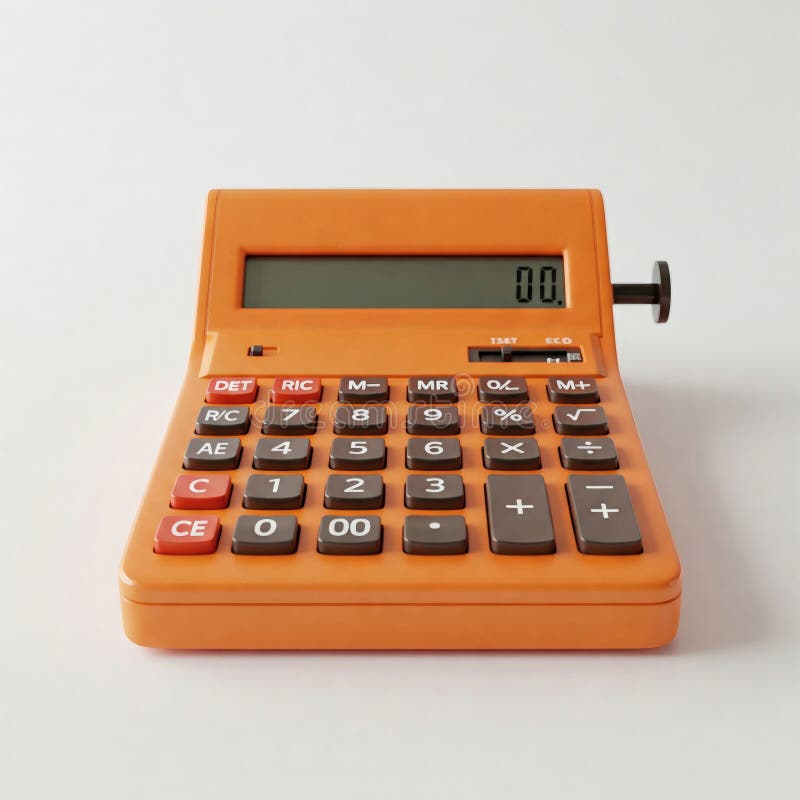
Free with trial A vibrant orange calculator featuring a standard keypad layout with black and red buttons. Its digital display shows "00" and it includes a paper roll holder on the side. Positioned on a white background, this front view highlights the calculator's design and functionality often used for basic arithmetic and accounting tasks. Basic arithmetic functionality illustrations Orange calculator isolated on white background. 3d illustration. Front view. A vibrant orange calculator featuring a standard keypad layout with black and red. A vibrant orange calculator featuring a standard keypad layout with black and red buttons. Its digital display shows "00" and it includes a paper roll holder on the side. Positioned on a white background, this front view highlights the calculator's design and functionality often used for basic arithmetic and accounting tasks.
 Sign in