Free with trial The image showcases a modern calculator resting on a polished wooden surface. The calculator has a sleek, silver and gray design, with clearly visible buttons and a digital display showing a numerical calculation. The display indicates a complex mathematical equation along with a clear result. The calculator has a functional layout, with the standard buttons for numbers, arithmetic operations (addition, subtraction, multiplication, and division), and memory functions (MRC, M+, M-). The background features a blurred image of bookshelves, suggesting a study or office setting. The wood grain is visible on the surface, creating a warm and professional feel to the image. The overall lighting is soft and even, highlighting the calculator's details without harsh shadows. The image conveys a sense of precision and efficiency. The focus is sharpest on the calculator itself, drawing the viewer's attention to its functionality and design. Basic function buttons illustrations A Close-Up View of a Modern Calculator on a Wooden Surface. The image showcases a modern calculator resting on a polished wooden surface. The calculator has a. The image showcases a modern calculator resting on a polished wooden surface. The calculator has a sleek, silver and gray design, with clearly visible buttons and a digital display showing a numerical calculation. The display indicates a complex mathematical equation along with a clear result. The calculator has a functional layout, with the standard buttons for numbers, arithmetic operations (addition, subtraction, multiplication, and division), and memory functions (MRC, M+, M-). The background features a blurred image of bookshelves, suggesting a study or office setting. The wood grain is visible on the surface, creating a warm and professional feel to the image. The overall lighting is soft and even, highlighting the calculator's details without harsh shadows. The image conveys a sense of precision and efficiency. The focus is sharpest on the calculator itself, drawing the viewer's attention to its functionality and design.
Free with trial A black long-sleeve henley shirt featuring a button front. Ideal for casual wear, it combines comfort and style, perfect for any season. Basic function buttons illustrations Black Long-Sleeve Henley Shirt for Men with Buttons Front and Simple Design. A black long-sleeve henley shirt featuring a button front. Ideal for casual wear, it. A black long-sleeve henley shirt featuring a button front. Ideal for casual wear, it combines comfort and style, perfect for any season
Free with trial Three small, brightly colored calculators are arranged side-by-side on a white background. The calculators are yellow, purple, and blue, each featuring a digital display and a numeric keypad with various function buttons. The simple, clean design makes them appear like educational or toy items. Basic function buttons illustrations Three colorful small calculators with digital displays and number pads on a white background Keywords: calculator, math, education. Three small, brightly colored. Three small, brightly colored calculators are arranged side-by-side on a white background. The calculators are yellow, purple, and blue, each featuring a digital display and a numeric keypad with various function buttons. The simple, clean design makes them appear like educational or toy items
Free with trial The image depicts a handheld calculator suitable for basic mathematical calculations. Basic function buttons illustrations A teal calculator with red and beige buttons shows a simple math problem on its screen. The image depicts a handheld calculator suitable for basic mathematical. The image depicts a handheld calculator suitable for basic mathematical calculations
Free with trial A standard black desktop calculator with a clear LCD screen and a full numeric keypad, including function buttons. Basic function buttons illustrations A black desktop calculator with a large display and number pad. A standard black desktop calculator with a clear LCD screen and a full numeric keypad, including. A standard black desktop calculator with a clear LCD screen and a full numeric keypad, including function buttons
Free with trial Simple black and white outline of a vending machine featuring a display screen and buttons, representing automated food and drink purchase in a minimalist design. Basic function buttons vectors Simple Outline of a Vending Machine with Buttons and Display Screen. Simple black and white outline of a vending machine featuring a display screen and buttons. Simple black and white outline of a vending machine featuring a display screen and buttons, representing automated food and drink purchase in a minimalist design
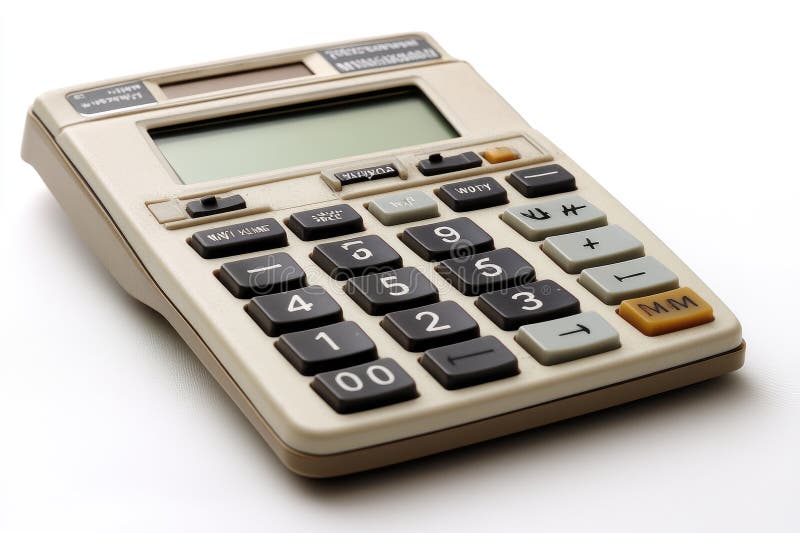
Free with trial This image shows a vintage calculator, its beige casing showing signs of age. The buttons are dark, and the display is clear, showcasing a classic design. This image was generated by AI for illustrative purposes. Basic function buttons illustrations Vintage Calculator. This image shows a vintage calculator, its beige casing showing signs of age. The buttons are dark, and the display is clear, showcasing a. This image shows a vintage calculator, its beige casing showing signs of age. The buttons are dark, and the display is clear, showcasing a classic design. This image was generated by AI for illustrative purposes.
Free with trial A contemporary gray and black calculator, featuring a clear digital screen displaying a '0', surrounded by numerous buttons for mathematical operations, isolated on white. Basic function buttons illustrations Modern calculator with a digital display showing zero, isolated on white background. A contemporary gray and black calculator, featuring a clear digital screen. A contemporary gray and black calculator, featuring a clear digital screen displaying a '0', surrounded by numerous buttons for mathematical operations, isolated on white
Free with trial A sleek, black corded telephone featuring a numeric keypad and basic function buttons, ideal for office or home use. The device includes a handset with a coiled cord and a small speaker grille on the body. Basic function buttons illustrations Black corded office telephone with numeric keypad. A sleek, black corded telephone featuring a numeric keypad and basic function buttons, ideal for office or. A sleek, black corded telephone featuring a numeric keypad and basic function buttons, ideal for office or home use. The device includes a handset with a coiled cord and a small speaker grille on the body
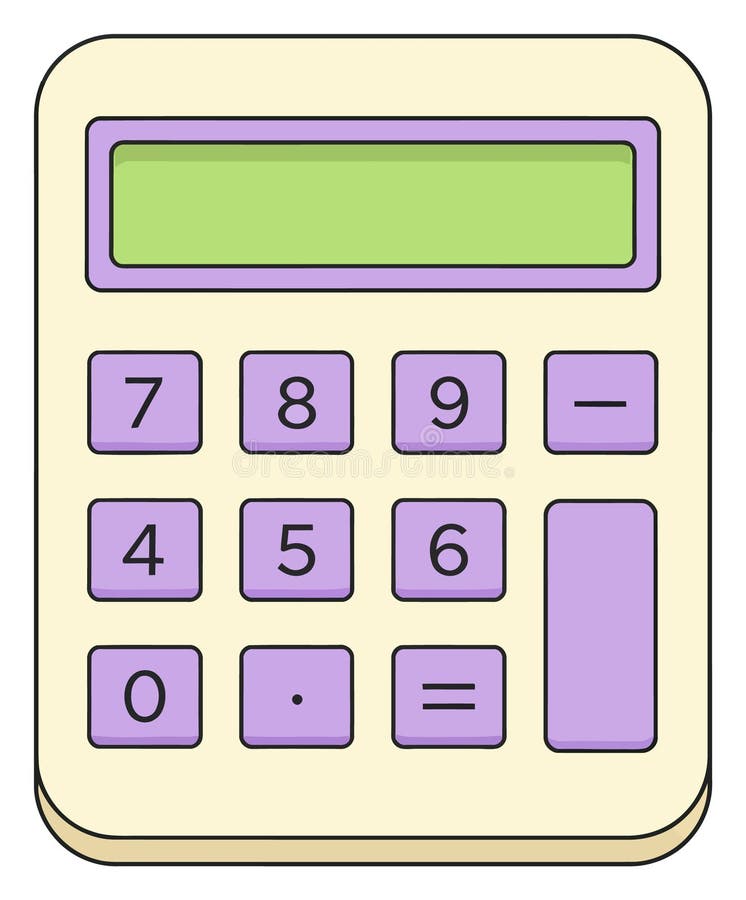
Free with trial A charming flat design illustration of a basic calculator. Featuring a light yellow body, vibrant purple buttons, and a bright green display screen, all outlined in black for a clean, cartoonish look. The keypad includes numbers 0, 4-9, and essential arithmetic operations like minus and equals, along with a prominent unlabelled button. This simple graphic is ideal for educational content, financial applications, technology blogs, or any design needing a clear and friendly representation of computation, mathematics, or accounting. Basic function buttons vectors Simple Flat Design Calculator Illustration. A charming flat design illustration of a basic calculator. Featuring a light yellow body, vibrant purple buttons, and. A charming flat design illustration of a basic calculator. Featuring a light yellow body, vibrant purple buttons, and a bright green display screen, all outlined in black for a clean, cartoonish look. The keypad includes numbers 0, 4-9, and essential arithmetic operations like minus and equals, along with a prominent unlabelled button. This simple graphic is ideal for educational content, financial applications, technology blogs, or any design needing a clear and friendly representation of computation, mathematics, or accounting.
Free with trial A classic green mechanical calculator with a digital display showing zero, featuring basic functions like addition, subtraction, multiplication, and division. Perfect for retro-themed designs or educational materials. Basic function buttons illustrations Green vintage calculator displaying zero on screen. A classic green mechanical calculator with a digital display showing zero, featuring basic functions like. A classic green mechanical calculator with a digital display showing zero, featuring basic functions like addition, subtraction, multiplication, and division. Perfect for retro-themed designs or educational materials
Free with trial A pack of simple black triangular pointers, play buttons, and fast-forward-style arrows encased in minimal geometric outlines for video and audio interfaces. Basic function buttons vectors Minimal Media Player and Triangle Arrow Icons. A pack of simple black triangular pointers, play buttons, and fast-forward-style arrows encased in minimal. A pack of simple black triangular pointers, play buttons, and fast-forward-style arrows encased in minimal geometric outlines for video and audio interfaces.
Free with trial Basic Calculator Device. A calculator with numeric and function keys on a white background. Basic function buttons illustrations Basic Calculator Device. A calculator with numeric and function keys on a white background
Free with trial A close-up, angled shot of a bright blue calculator. The digital screen displays the numbers 1234567890. The calculator features a standard numerical keypad, function buttons, and a solar panel at the top. The object is isolated against a clean white background, emphasizing its form and function. Basic function buttons illustrations A blue calculator with a digital display showing numbers and a white background. A close-up, angled shot of a bright blue calculator. The digital screen displays. A close-up, angled shot of a bright blue calculator. The digital screen displays the numbers 1234567890. The calculator features a standard numerical keypad, function buttons, and a solar panel at the top. The object is isolated against a clean white background, emphasizing its form and function
Free with trial A collection of various outline user interface icons featuring buttons, arrows, and navigation symbols. Basic function buttons vectors Set of minimalist black outline icons for user interface and web application design elements. A collection of various outline user interface icons featuring. A collection of various outline user interface icons featuring buttons, arrows, and navigation symbols
Free with trial The image shows a sleek, white calculator with a digital display illuminated, showing the sequence of numbers 1234567890. The device features various function buttons including basic arithmetic operations, percentage, memory functions, and additional keys like ATC (auto total calculation) and CE (clear entry). The calculator has a clean, minimalist design with a black trim around the display and a. Basic function buttons illustrations A classic calculator displaying a sequence of numbers from 1 to 9. The image shows a sleek, white calculator with a digital display illuminated, showing the. The image shows a sleek, white calculator with a digital display illuminated, showing the sequence of numbers 1234567890. The device features various function buttons including basic arithmetic operations, percentage, memory functions, and additional keys like ATC (auto total calculation) and CE (clear entry). The calculator has a clean, minimalist design with a black trim around the display and a
Free with trial The image shows a modern, black-colored calculator with a digital display currently showing '000'. The calculator has standard buttons including numbers, basic arithmetic operations like addition, subtraction, multiplication, and division, as well as additional functions such as square root, percentage, memory functions (M+, M-, MC, MR), and an all-clear (AC) button. The layout is typical of a. Basic function buttons illustrations A sleek black calculator displaying the number zero zero zero on its screen. The image shows a modern, black-colored calculator with a digital display currently. The image shows a modern, black-colored calculator with a digital display currently showing '000'. The calculator has standard buttons including numbers, basic arithmetic operations like addition, subtraction, multiplication, and division, as well as additional functions such as square root, percentage, memory functions (M+, M-, MC, MR), and an all-clear (AC) button. The layout is typical of a
Free with trial The image depicts a colorful calculator with a predominantly purple casing. The calculator has a digital display showing the number 12345. It features a variety of buttons including numbers, basic arithmetic operations like addition and subtraction, percentage, square root, and memory functions. The buttons are in bright colors such as green, yellow, red, and blue for easy identification. Basic function buttons illustrations A vibrant purple calculator displaying a numerical result on its screen. The image depicts a colorful calculator with a predominantly purple casing. The. The image depicts a colorful calculator with a predominantly purple casing. The calculator has a digital display showing the number 12345. It features a variety of buttons including numbers, basic arithmetic operations like addition and subtraction, percentage, square root, and memory functions. The buttons are in bright colors such as green, yellow, red, and blue for easy identification
Free with trial The image shows a modern blue calculator with a digital display at the top. It features a standard layout with number keys from 0 to 9, basic arithmetic operators like addition, subtraction, multiplication, and division, alongside additional function keys such as equals and clear. The calculator has a sleek design with rounded edges and a bright yellow equals button. Basic function buttons illustrations A blue calculator with yellow buttons ready for arithmetic operations. The image shows a modern blue calculator with a digital display at the top. It features a. The image shows a modern blue calculator with a digital display at the top. It features a standard layout with number keys from 0 to 9, basic arithmetic operators like addition, subtraction, multiplication, and division, alongside additional function keys such as equals and clear. The calculator has a sleek design with rounded edges and a bright yellow equals button
Free with trial A simple, clean line drawing of a calculator. The illustration features a basic calculator design with a display screen, number buttons, and function keys. The minimalist style makes it suitable for various design purposes, from educational materials to financial applications and website icons. It can be used to represent math, accounting, finance, or general calculation concepts. Basic function buttons illustrations Calculator Outline Icon. A simple, clean line drawing of a calculator. The illustration features a basic calculator design with a display screen, number buttons. A simple, clean line drawing of a calculator. The illustration features a basic calculator design with a display screen, number buttons, and function keys. The minimalist style makes it suitable for various design purposes, from educational materials to financial applications and website icons. It can be used to represent math, accounting, finance, or general calculation concepts.
Free with trial Simple Black Calculator Icon with Rounded Corners and Display Screen. Basic function buttons vectors A clean and simple black icon representing a calculator with a blank display screen and a set of numeric buttons, featuring. Simple Black Calculator Icon with. Simple Black Calculator Icon with Rounded Corners and Display Screen
Free with trial A close-up shot of a portable electronic calculator with a green backlit LCD screen displaying the digits 123456789. The calculator has a standard keypad with numerical buttons, function keys, and red 'AC' and '+ -' buttons. The device is presented against a clean white background, highlighting its design and functionality. Basic function buttons illustrations A digital calculator with a bright green illuminated display showing numbers. A close-up shot of a portable electronic calculator with a green backlit LCD screen. A close-up shot of a portable electronic calculator with a green backlit LCD screen displaying the digits 123456789. The calculator has a standard keypad with numerical buttons, function keys, and red 'AC' and '+ -' buttons. The device is presented against a clean white background, highlighting its design and functionality
Free with trial Simple Black Remote Control Device Icon Shape Symbol. Basic function buttons vectors A simple black icon representing a remote control device with multiple buttons and a circular navigation pad, symbolizing control. Simple Black Remote Control. Simple Black Remote Control Device Icon Shape Symbol
Free with trial Flat Design Black Abstract Electronic Device with Screen and Buttons Icon. Basic function buttons vectors A simple, flat black icon representing an abstract electronic device, possibly a portable gadget or control panel, with a screen. Flat Design Black Abstract. Flat Design Black Abstract Electronic Device with Screen and Buttons Icon
Free with trial The image displays a compact, solar-powered calculator featuring a minimalist and modern design. The calculator has a solar panel on the top left corner, ensuring it is powered by sunlight. The display screen is located at the top center, showing a digital readout and a small battery indicator icon. Below the display, there are multiple function buttons including basic arithmetic operations,. Basic function buttons illustrations A sleek solar-powered calculator with a clean and modern design for precise computations. The image displays a compact, solar-powered calculator featuring a. The image displays a compact, solar-powered calculator featuring a minimalist and modern design. The calculator has a solar panel on the top left corner, ensuring it is powered by sunlight. The display screen is located at the top center, showing a digital readout and a small battery indicator icon. Below the display, there are multiple function buttons including basic arithmetic operations,
Free with trial This collection presents eight different styles of magnifying glass icons suitable for search, zoom in, and zoom out functions in user interfaces. Rendered by Ai, these simple, line-based vector graphics are ideal for web and application design. Basic function buttons vectors Magnifying Glass Icons Set - Search and Zoom. This collection presents eight different styles of magnifying glass icons suitable for search, zoom in, and zoom. This collection presents eight different styles of magnifying glass icons suitable for search, zoom in, and zoom out functions in user interfaces. Rendered by Ai, these simple, line-based vector graphics are ideal for web and application design
Free with trial This image features a simple, flat-design calculator with a clean, minimalist aesthetic. The digital display shows the amount '$350', indicating a monetary value. The calculator has a standard layout with buttons for numbers, basic arithmetic operations (+, -, ×, ÷), and additional functions like clear (C AC), decimal point, and percentage. It is ideal for use in educational materials, financial presentations, invoicing templates, budgeting apps, and any visual content related to money, calculations, or business concepts. The neutral color scheme makes it versatile for various design projects. Basic function buttons illustrations Calculator Displaying Three Hundred Fifty Dollars. This image features a simple, flat-design calculator with a clean, minimalist aesthetic. The digital display. This image features a simple, flat-design calculator with a clean, minimalist aesthetic. The digital display shows the amount '$350', indicating a monetary value. The calculator has a standard layout with buttons for numbers, basic arithmetic operations (+, -, ×, ÷), and additional functions like clear (C AC), decimal point, and percentage. It is ideal for use in educational materials, financial presentations, invoicing templates, budgeting apps, and any visual content related to money, calculations, or business concepts. The neutral color scheme makes it versatile for various design projects.
Free with trial A clean and simple black and white illustration of the universal play and pause button icons. This minimalist, flat design features a solid black triangle for 'play' and two vertical bars for 'pause', isolated on a white background. These universally recognized symbols are essential for any media player interface, perfect for web design, mobile applications, user interface (UI UX) development, software, presentations, and multimedia projects. The vector style ensures scalability and easy integration into various digital and print media, representing concepts of start, stop, and control. Basic function buttons vectors Play and Pause Button Icons for Media Player. A clean and simple black and white illustration of the universal play and pause button icons. This minimalist, flat. A clean and simple black and white illustration of the universal play and pause button icons. This minimalist, flat design features a solid black triangle for 'play' and two vertical bars for 'pause', isolated on a white background. These universally recognized symbols are essential for any media player interface, perfect for web design, mobile applications, user interface (UI UX) development, software, presentations, and multimedia projects. The vector style ensures scalability and easy integration into various digital and print media, representing concepts of start, stop, and control.
Free with trial This image shows a stylized, vintage calculator with a dark blue and gray color scheme. The device features a prominent digital display at the top, currently showing '00'. Below the display, there are various function buttons including basic arithmetic operations, memory functions, and percentage keys. The calculator has a retro design, reminiscent of calculators from the late 20th century. Basic function buttons illustrations A classic blue calculator displaying the number zero zero on its screen. This image shows a stylized, vintage calculator with a dark blue and gray color scheme. This image shows a stylized, vintage calculator with a dark blue and gray color scheme. The device features a prominent digital display at the top, currently showing '00'. Below the display, there are various function buttons including basic arithmetic operations, memory functions, and percentage keys. The calculator has a retro design, reminiscent of calculators from the late 20th century
Free with trial The image features a minimalist black calculator icon with a clear layout. It consists of a screen and a grid of buttons, perfect for representing math-related topics. Basic function buttons illustrations Simple black calculator icon suitable for business and educational purposes. The image features a minimalist black calculator icon with a clear layout. It. The image features a minimalist black calculator icon with a clear layout. It consists of a screen and a grid of buttons, perfect for representing math-related topics.
Free with trial Flat style calculator icon kawaii. Vector illustration. Basic function buttons vectors Flat style calculator icon kawaii. Vector illustration
Free with trial The image displays a compact, solar-powered calculator featuring a minimalist and modern design. The calculator has a solar panel on the top left corner, ensuring it is powered by sunlight. The display screen is located at the top center, showing a digital readout and a small battery indicator icon. Below the display, there are multiple function buttons including basic arithmetic operations,. Basic function buttons illustrations A sleek solar-powered calculator with a clean and modern design for precise computations. The image displays a compact, solar-powered calculator featuring a. The image displays a compact, solar-powered calculator featuring a minimalist and modern design. The calculator has a solar panel on the top left corner, ensuring it is powered by sunlight. The display screen is located at the top center, showing a digital readout and a small battery indicator icon. Below the display, there are multiple function buttons including basic arithmetic operations,
Free with trial The image shows a sleek, blue handheld calculator with a digital display showing the number 12746. The calculator has a standard keypad layout including number keys, basic arithmetic operators, and additional function buttons such as square root, percentage, and memory functions. The design is modern and compact, suitable for everyday use in offices, schools, or at home. Basic function buttons illustrations A blue calculator displaying the number twelve thousand seven hundred forty-six. The image shows a sleek, blue handheld calculator with a digital display showing. The image shows a sleek, blue handheld calculator with a digital display showing the number 12746. The calculator has a standard keypad layout including number keys, basic arithmetic operators, and additional function buttons such as square root, percentage, and memory functions. The design is modern and compact, suitable for everyday use in offices, schools, or at home
Free with trial Four black silhouette illustrations of printers with paper featuring horizontal lines, suggesting text. Each printer has a distinct design, some with circular buttons on the side. The images are simple and display a transparent background, allowing for easy integration into various documents or designs. The uniformity in style highlights the basic shape and function of a standard printer. Basic function buttons vectors 4 printer illustrations, black silhouette, transparent background. Four black silhouette illustrations of printers with paper featuring horizontal lines. Four black silhouette illustrations of printers with paper featuring horizontal lines, suggesting text. Each printer has a distinct design, some with circular buttons on the side. The images are simple and display a transparent background, allowing for easy integration into various documents or designs. The uniformity in style highlights the basic shape and function of a standard printer.
Free with trial The image shows a compact, yellow scientific calculator featuring a variety of functions including basic arithmetic operations, percentage calculations, square roots, and more. The calculator has a clear display screen at the top, with a series of buttons below for inputting numbers and selecting functions. The buttons are color-coded, with red buttons for operations such as subtraction and. Basic function buttons illustrations A yellow scientific calculator with multiple functions and a clear display screen. The image shows a compact, yellow scientific calculator featuring a variety of. The image shows a compact, yellow scientific calculator featuring a variety of functions including basic arithmetic operations, percentage calculations, square roots, and more. The calculator has a clear display screen at the top, with a series of buttons below for inputting numbers and selecting functions. The buttons are color-coded, with red buttons for operations such as subtraction and
Free with trial A simple gray calculator with a clear digital display showing '0. 00' is isolated on a white background, ready for calculations. Basic function buttons illustrations Gray Calculator with Digital Display on White. A simple gray calculator with a clear digital display showing '0.00' is isolated on a white background, ready for. A simple gray calculator with a clear digital display showing '0.00' is isolated on a white background, ready for calculations.
Free with trial Simple Electronic Calculator with Numeric Keypad and Display. AI generated. Basic function buttons vectors Simple Electronic Calculator with Numeric Keypad and Display. AI generated
Free with trial The image depicts a colorful calculator with a predominantly purple casing. The calculator has a digital display showing the number 12345. It features a variety of buttons including numbers, basic arithmetic operations like addition and subtraction, percentage, square root, and memory functions. The buttons are in bright colors such as green, yellow, red, and blue for easy identification. Basic function buttons illustrations A vibrant purple calculator displaying a numerical result on its screen. The image depicts a colorful calculator with a predominantly purple casing. The. The image depicts a colorful calculator with a predominantly purple casing. The calculator has a digital display showing the number 12345. It features a variety of buttons including numbers, basic arithmetic operations like addition and subtraction, percentage, square root, and memory functions. The buttons are in bright colors such as green, yellow, red, and blue for easy identification
Free with trial This image showcases a sophisticated beige calculator, ideal for representing finance, mathematics, or business concepts. The clean design and neutral color make it versatile for various applications. Basic function buttons illustrations Stylish Beige Calculator, Modern Accounting Device. This image showcases a sophisticated beige calculator, ideal for representing finance, mathematics, or. This image showcases a sophisticated beige calculator, ideal for representing finance, mathematics, or business concepts. The clean design and neutral color make it versatile for various applications.
Free with trial The image shows a scientific calculator with various function buttons next to a spring-loaded mechanical pencil on a flat surface. The calculator features a display screen and keys for basic arithmetic, memory functions, and percentage calculations. The pencil is positioned diagonally, suggesting readiness for writing or taking notes, likely associated with financial or mathematical tasks. Basic function buttons illustrations Calculator and pencil ready for financial calculations and notes isolated on white background. The image shows a scientific calculator with various function. The image shows a scientific calculator with various function buttons next to a spring-loaded mechanical pencil on a flat surface. The calculator features a display screen and keys for basic arithmetic, memory functions, and percentage calculations. The pencil is positioned diagonally, suggesting readiness for writing or taking notes, likely associated with financial or mathematical tasks
Free with trial Stylized Black Rounded Square Calculator Icon with Display and Buttons. Basic function buttons illustrations A simple, bold black icon representing a calculator with a rounded rectangular display screen and a keypad featuring circular and. Stylized Black Rounded Square. Stylized Black Rounded Square Calculator Icon with Display and Buttons
Free with trial This clean, minimalist digital features a standard office calculator displayed against a stark white background. The device includes a clear LCD screen showing a zero, along with a full array of numerical and mathematical function buttons in shades of blue and grey, perfect for business or educational design projects. Basic function buttons vectors A clean digital of a basic office calculator on white background. This clean, minimalist digital features a standard office calculator displayed against a stark. This clean, minimalist digital features a standard office calculator displayed against a stark white background. The device includes a clear LCD screen showing a zero, along with a full array of numerical and mathematical function buttons in shades of blue and grey, perfect for business or educational design projects
Free with trial Black Rounded Rectangle Remote Control Icon with Power and Volume Buttons. Basic function buttons vectors A simple black icon on a white background features a rounded rectangle shape representing a remote control with a power symbol and. Black Rounded Rectangle. Black Rounded Rectangle Remote Control Icon with Power and Volume Buttons
Free with trial A vibrant yellow calculator and a bright blue calculator are displayed side-by-side, showcasing their digital screens and keypads, ideal for various calculations. Basic function buttons illustrations Two Colorful Calculators - Yellow and Blue Digital Devices for Math and Finance. A vibrant yellow calculator and a bright blue calculator are displayed side-by. A vibrant yellow calculator and a bright blue calculator are displayed side-by-side, showcasing their digital screens and keypads, ideal for various calculations
Free with trial A black calculator with a digital display and numerous buttons is presented in a clear, isolated view against a stark white background, highlighting its design. Basic function buttons vectors Black calculator isolated on transparent background. A black calculator with a digital display and numerous buttons is presented in a clear, isolated view. A black calculator with a digital display and numerous buttons is presented in a clear, isolated view against a stark white background, highlighting its design
Free with trial Bold monochrome printer machine pictogram with a flat silhouette look, connected to print document, printout and paper output, useful for office designs, apps and everyday interface elements, built as a scalable vector shape that works well in toolbars, buttons, menus, infographics and business designs. Basic function buttons vectors Printer machine icon, basic glyph element for toolbars. Bold monochrome printer machine pictogram with a flat silhouette look, connected to print document. Bold monochrome printer machine pictogram with a flat silhouette look, connected to print document, printout and paper output, useful for office designs, apps and everyday interface elements, built as a scalable vector shape that works well in toolbars, buttons, menus, infographics and business designs
Free with trial This image shows a vibrant, colorful calculator displaying the number 1907. Perfect for illustrating concepts related to finance, mathematics, budgeting, or education. The bright colors make it visually appealing and attention-grabbing. Basic function buttons illustrations Colorful Calculator Displaying 1907, Financial Calculation Concept. This image shows a vibrant, colorful calculator displaying the number 1907. Perfect for. This image shows a vibrant, colorful calculator displaying the number 1907. Perfect for illustrating concepts related to finance, mathematics, budgeting, or education. The bright colors make it visually appealing and attention-grabbing.
Free with trial This image showcases a whimsical, green apple-shaped calculator designed to resemble a fruit. It features a leaf stem on top and a display screen at the upper front, along with standard calculator buttons including numbers, basic arithmetic operations, and additional functions like percentage, square root, memory functions, and more. The playful design makes it an appealing and unique gadget for. Basic function buttons illustrations Playful green apple-shaped calculator with leaf stem. This image showcases a whimsical, green apple-shaped calculator designed to resemble a fruit. It features a. This image showcases a whimsical, green apple-shaped calculator designed to resemble a fruit. It features a leaf stem on top and a display screen at the upper front, along with standard calculator buttons including numbers, basic arithmetic operations, and additional functions like percentage, square root, memory functions, and more. The playful design makes it an appealing and unique gadget for
Free with trial A sleek beige calculator, perfect for office or home use, showcasing a modern design and user-friendly interface. Basic function buttons illustrations Beige Calculator, Modern Design, Office Supplies. A sleek beige calculator, perfect for office or home use, showcasing a modern design and user-friendly. A sleek beige calculator, perfect for office or home use, showcasing a modern design and user-friendly interface.
Free with trial This image shows a classic, beige-colored electronic calculator with a digital display showing the sequence '1234567890'. The calculator features a standard layout with number keys, basic arithmetic operation buttons (+, -, ×, ÷), and additional function keys such as square root, percentage, and clear (C). The design reflects older models that were widely used in offices and schools before the. Basic function buttons illustrations Vintage calculator displaying a sequence of numbers on its screen. This image shows a classic, beige-colored electronic calculator with a digital display showing. This image shows a classic, beige-colored electronic calculator with a digital display showing the sequence '1234567890'. The calculator features a standard layout with number keys, basic arithmetic operation buttons (+, -, ×, ÷), and additional function keys such as square root, percentage, and clear (C). The design reflects older models that were widely used in offices and schools before the
Free with trial A clean, minimalist cross symbol or X mark icon rendered in a solid blue-grey color. The design features rounded ends on the thick, intersecting bars, creating a modern and versatile graphic element suitable for user interface design, web buttons, error indicators, or cancellation markers. The simple, flat style ensures high readability and clarity, making it an effective visual tool for digital applications, instructional graphics, and various creative projects requiring a clear negative or stop indicator. Basic function buttons vectors Simple Blue Grey Cross Symbol or X Mark Icon for User Interface Design. A clean, minimalist cross symbol or X mark icon rendered in a solid blue-grey color. The. A clean, minimalist cross symbol or X mark icon rendered in a solid blue-grey color. The design features rounded ends on the thick, intersecting bars, creating a modern and versatile graphic element suitable for user interface design, web buttons, error indicators, or cancellation markers. The simple, flat style ensures high readability and clarity, making it an effective visual tool for digital applications, instructional graphics, and various creative projects requiring a clear negative or stop indicator.
Free with trial Vector illustration of a calculator with clear button layout and display, designed in minimalist black outline style, simple and functional. Generative AI. Basic function buttons vectors Calculator icon with simple black outline and rectangular buttons for basic arithmetic functions vector design. Vector illustration of a calculator with clear. Vector illustration of a calculator with clear button layout and display, designed in minimalist black outline style, simple and functional. Generative AI
Free with trial The image shows a vintage-style blue calculator placed on a desk. The calculator has a numeric keypad with buttons for numbers, basic arithmetic operations, and additional functions. Behind it, there is a partially visible notepad with a pen resting on top, suggesting a workspace or office setting. The calculator has a simple, functional design with a small digital display at the top. Basic function buttons illustrations Classic blue calculator on a desk with notepad and pen. The image shows a vintage-style blue calculator placed on a desk. The calculator has a numeric keypad. The image shows a vintage-style blue calculator placed on a desk. The calculator has a numeric keypad with buttons for numbers, basic arithmetic operations, and additional functions. Behind it, there is a partially visible notepad with a pen resting on top, suggesting a workspace or office setting. The calculator has a simple, functional design with a small digital display at the top
Free with trial A bright, cheerful calculator perfect for back-to-school, office, or home use. Its vibrant colors and simple design make it appealing to all ages. Basic function buttons illustrations Colorful Calculator, a Fun and Functional Design for Math and Finance. A bright, cheerful calculator perfect for back-to-school, office, or home use. Its. A bright, cheerful calculator perfect for back-to-school, office, or home use. Its vibrant colors and simple design make it appealing to all ages.
Free with trial The image displays a vintage-style green calculator featuring a digital display at the top and a variety of function buttons below. The buttons include basic arithmetic operations (addition, subtraction, multiplication, division), percentage, square root, and memory functions (MR-, M+, M-, and ON C). The calculator also has a decimal point button and a couple of zero buttons, one labeled '00'. The. Basic function buttons illustrations Vintage green scientific calculator with memory functions. The image displays a vintage-style green calculator featuring a digital display at the top and a. The image displays a vintage-style green calculator featuring a digital display at the top and a variety of function buttons below. The buttons include basic arithmetic operations (addition, subtraction, multiplication, division), percentage, square root, and memory functions (MR-, M+, M-, and ON C). The calculator also has a decimal point button and a couple of zero buttons, one labeled '00'. The
Free with trial A bright and cheerful plastic calculator, perfect for adding a pop of color to your projects. Ideal for back-to-school, education, or finance-related designs. Basic function buttons illustrations Colorful Plastic Calculator with Display, Math Tool for Calculation. A bright and cheerful plastic calculator, perfect for adding a pop of color to your projects. A bright and cheerful plastic calculator, perfect for adding a pop of color to your projects. Ideal for back-to-school, education, or finance-related designs.
Free with trial The image shows a stylized purple calculator placed next to a rolled-up receipt and a few gold coins. The calculator has a numeric keypad and basic function buttons, while the coins and receipt suggest themes of accounting, finance, or budgeting. The scene is set on a light blue sheet of paper, giving it a clean and organized appearance. Basic function buttons illustrations Purple calculator with receipt roll and gold coins on a sheet of paper. The image shows a stylized purple calculator placed next to a rolled-up receipt and a few. The image shows a stylized purple calculator placed next to a rolled-up receipt and a few gold coins. The calculator has a numeric keypad and basic function buttons, while the coins and receipt suggest themes of accounting, finance, or budgeting. The scene is set on a light blue sheet of paper, giving it a clean and organized appearance
Free with trial This image features a clear, transparent plastic vintage calculator with a digital display showing the number 0. 00. The word 'TAX' is creatively spelled out using small sticky notes placed on top of the calculator. The calculator has a variety of function buttons including percentage (%), tax (%), memory functions (MR, M-, M, MC), and basic arithmetic operations. The design and layout suggest it. Basic function buttons illustrations Vintage calculator displaying tax calculation with percentage key highlighted isolated on white background. This image features a clear, transparent plastic. This image features a clear, transparent plastic vintage calculator with a digital display showing the number 0.00. The word 'TAX' is creatively spelled out using small sticky notes placed on top of the calculator. The calculator has a variety of function buttons including percentage (%), tax (%), memory functions (MR, M-, M, MC), and basic arithmetic operations . The design and layout suggest it
Free with trial Simple black and white drawing of a portable electronic calculator, useful for financial and calculation needs. Basic function buttons vectors Outline of a basic calculator with numerical keys and function buttons, suitable for finance or math concepts. Simple black and white drawing of a portable. Simple black and white drawing of a portable electronic calculator, useful for financial and calculation needs
Free with trial The image shows a traditional electronic calculator placed on a flat surface. Next to it is a spiral-bound notepad and a pen, suggesting a setup for manual calculations, financial planning, or record-keeping. The calculator has standard numeric and function keys, including basic arithmetic operations and percentage buttons. The monochromatic style gives it a timeless, utilitarian appearance. Basic function buttons illustrations Classic desk calculator with pen and notepad for financial planning and calculations isolated on white background. The image shows a traditional electronic. The image shows a traditional electronic calculator placed on a flat surface. Next to it is a spiral-bound notepad and a pen, suggesting a setup for manual calculations, financial planning, or record-keeping. The calculator has standard numeric and function keys, including basic arithmetic operations and percentage buttons. The monochromatic style gives it a timeless, utilitarian appearance
Free with trial Joystick. Vector illustration decorative design. Basic function buttons vectors Joystick. Vector illustration decorative design
Free with trial Joystick. Vector illustration decorative design. Basic function buttons vectors Joystick. Vector illustration decorative design
 Sign in