Free with trial The image showcases a bright green call button set against a transparent background, designed for web applications and services to enhance user communication. Its modern and user-friendly interface symbolizes connectivity and service support, making it ideal for technology-focused platforms. This graphic element provides an actionable indicator for users to initiate contact easily. The design is generated with AI. Button functionality vectors Bright Green Call Button with Transparent Background for Web Applications and Services. The image showcases a bright green call button set against a transparent. The image showcases a bright green call button set against a transparent background, designed for web applications and services to enhance user communication. Its modern and user-friendly interface symbolizes connectivity and service support, making it ideal for technology-focused platforms. This graphic element provides an actionable indicator for users to initiate contact easily. The design is generated with AI.
Free with trial Elevate your audio content with this minimalist podcast play button. Designed for a clean, modern aesthetic, this play button seamlessly integrates into any digital platform, from podcast apps to websites. Its simple, geometric form speaks volumes, focusing on the core action: initiating playback. This design prioritizes user experience, ensuring a quick and intuitive interaction for listeners. Button functionality illustrations Effortless Audio Experience A Modern Podcast Play Button Design for Seamless Listening. Elevate your audio content with this minimalist podcast play button. Elevate your audio content with this minimalist podcast play button. Designed for a clean, modern aesthetic, this play button seamlessly integrates into any digital platform, from podcast apps to websites. Its simple, geometric form speaks volumes, focusing on the core action: initiating playback. This design prioritizes user experience, ensuring a quick and intuitive interaction for listeners
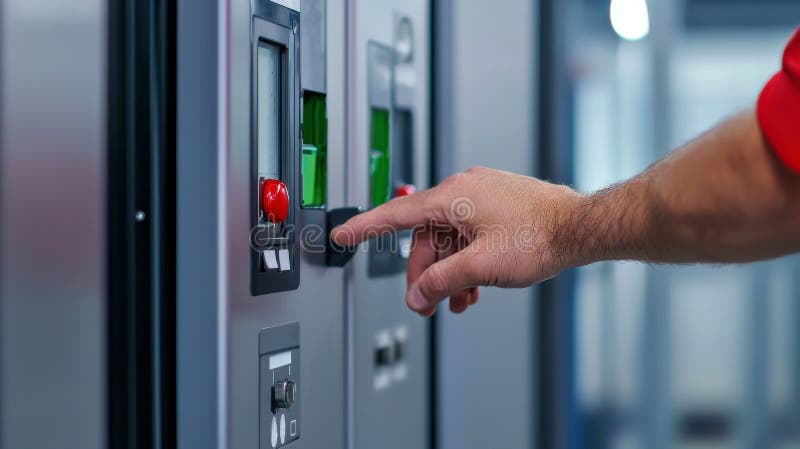
Free with trial A close-up view of a hand pressing a button on a control panel in an industrial environment, highlighting technology and operation. Button functionality illustrations Close-Up of Hand Operating Control Panel Button with Indicators in Industrial Setting. A close-up view of a hand pressing a button on a control panel in an. A close-up view of a hand pressing a button on a control panel in an industrial environment, highlighting technology and operation
Free with trial Finger Pressing Activate Button - Close-up of a finger pressing a glowing activate button on a interface. Technology, activation, and innovation concept. Elegant empty space crafted for branding, ads, and product presentations. Suitable for marketing campaigns and creative displays. Button functionality illustrations Finger Pressing Activate Button - Close-up of a finger pressing a glowing activate button on a interface. Technology, activation. And innovation concept. Finger Pressing Activate Button - Close-up of a finger pressing a glowing activate button on a interface. Technology, activation, and innovation concept. Elegant empty space crafted for branding, ads, and product presentations. Suitable for marketing campaigns and creative displays.
Free with trial Minimalist 3D icon in white square for drag and drop functionality isolated on white background. Button functionality illustrations Minimalist 3D icon in white square for drag and drop functionality isolated on white background.
Free with trial A stylish rose pink wallet is displayed flat on a light background, showcasing its sleek design and button closure, creating a modern and chic accessory. Button functionality illustrations Elegant rose pink wallet with button closure resting on a smooth surface in bright light. A stylish rose pink wallet is displayed flat on a light background. A stylish rose pink wallet is displayed flat on a light background, showcasing its sleek design and button closure, creating a modern and chic accessory.
Free with trial The image showcases an isolated upload icon button displayed on a clean white background. The button features a simple design, showcasing an upward-facing arrow on a rectangular symbol reminiscent of a file. This graphic element is commonly used in digital interfaces, signifying the action of uploading files or data to a system. The clear and minimalistic approach of the design emphasizes its. Button functionality vectors Isolated upload icon button featuring arrow on white background for digital applications. The image showcases an isolated upload icon button displayed on a clean. The image showcases an isolated upload icon button displayed on a clean white background. The button features a simple design, showcasing an upward-facing arrow on a rectangular symbol reminiscent of a file. This graphic element is commonly used in digital interfaces, signifying the action of uploading files or data to a system. The clear and minimalistic approach of the design emphasizes its
Free with trial A red circular button with a white pause symbol surrounded by a turquoise circle and arrows for custom use, Press pause Customizable Flat Illustration. Button functionality vectors A red circular button with a white pause symbol surrounded by a turquoise circle and arrows for custom use, Press pause. Customizable Flat Illustration
Free with trial Modern light switch in a bright office environment, emphasizing clean design and functionality ,Generative AI. Button functionality illustrations Modern light switch in a bright office environment, emphasizing clean design and functionality. Generative AI
Free with trial This computer mouse is equipped with multiple buttons and a scroll wheel that can be customized to suit individual preferences. The additional buttons offer enhanced functionality, allowing for quick access to various commands and functions. The scroll wheel can be tailored to adjust scrolling speed or perform specific actions, providing personalized control over navigation and interaction. This mouse is perfect for those who require advanced customization options for their computing needs, whether it be gaming, design work, or productivity tasks, offering a seamless and tailored user experience. Button functionality illustrations Multi-button computer mouse with a customizable scroll wheel for personalized control. This computer mouse is equipped with multiple buttons and a scroll wheel. This computer mouse is equipped with multiple buttons and a scroll wheel that can be customized to suit individual preferences. The additional buttons offer enhanced functionality, allowing for quick access to various commands and functions. The scroll wheel can be tailored to adjust scrolling speed or perform specific actions, providing personalized control over navigation and interaction. This mouse is perfect for those who require advanced customization options for their computing needs, whether it be gaming, design work, or productivity tasks, offering a seamless and tailored user experience.
Free with trial This computer mouse is equipped with multiple buttons and a scroll wheel that can be customized to suit individual preferences. The additional buttons offer enhanced functionality, allowing for quick access to various commands and functions. The scroll wheel can be tailored to adjust scrolling speed or perform specific actions, providing personalized control over navigation and interaction. This mouse is perfect for those who require advanced customization options for their computing needs, whether it be gaming, design work, or productivity tasks, offering a seamless and tailored user experience. Button functionality illustrations Multi-button computer mouse with a customizable scroll wheel for personalized control. This computer mouse is equipped with multiple buttons and a scroll wheel. This computer mouse is equipped with multiple buttons and a scroll wheel that can be customized to suit individual preferences. The additional buttons offer enhanced functionality, allowing for quick access to various commands and functions. The scroll wheel can be tailored to adjust scrolling speed or perform specific actions, providing personalized control over navigation and interaction. This mouse is perfect for those who require advanced customization options for their computing needs, whether it be gaming, design work, or productivity tasks, offering a seamless and tailored user experience.
Free with trial A bright and colorful illustration featuring a pause button design on a turquoise background, creating a playful vibe, Press pause Customizable Semi Flat Illustration. Button functionality vectors A bright and colorful illustration featuring a pause button design on a turquoise background, creating a playful vibe, Press pause. Customizable Semi Flat
Free with trial Square button set within a circular pattern creating an engaging ripple effect of digital interaction. Button functionality illustrations Square button set within a circular pattern creating an engaging ripple effect of digital interaction.
Free with trial Close-up of a human finger pressing a glowing button on a circuit board, representing technology interaction, detailed background. Button functionality illustrations Close-up of a human finger pressing a glowing button on a circuit board, representing technology interaction. Detailed background
Free with trial A playful cartoon design featuring a customizable play button atop vibrant shapes, ideal for digital use, Press play Customizable Cartoon Illustration. Button functionality vectors A playful cartoon design featuring a customizable play button atop vibrant shapes, ideal for digital use, Press play Customizable. Cartoon Illustration
Free with trial Keyboard green Restart button, symbolizing the concept of a fresh start, rebooting, or beginning anew in a digital or metaphorical sense. Button functionality illustrations Keyboard green Restart button, symbolizing the concept of a fresh start, rebooting, or beginning anew in a digital or metaphorical. Sense
Free with trial Keyboard green Restart button, symbolizing the concept of a fresh start, rebooting, or beginning anew in a digital or metaphorical sense. Button functionality illustrations Keyboard green Restart button, symbolizing the concept of a fresh start, rebooting, or beginning anew in a digital or metaphorical. Sense
Free with trial This captivating panoramic image showcases a diverse array of colorful web buttons, meticulously designed for a seamless and engaging user experience. From subtle gradients to bold, contrasting colors, each button element embodies modern UI design principles. Notice the variety of shapes, sizes, and textures, reflecting the ever-evolving landscape of digital interfaces. These UI elements are. Button functionality illustrations Vibrant Web Button Collection A Stunning Showcase of Modern UI Design Trends for Engaging User Interfaces. This captivating panoramic image showcases a diverse. This captivating panoramic image showcases a diverse array of colorful web buttons, meticulously designed for a seamless and engaging user experience. From subtle gradients to bold, contrasting colors, each button element embodies modern UI design principles. Notice the variety of shapes, sizes, and textures, reflecting the ever-evolving landscape of digital interfaces. These UI elements are
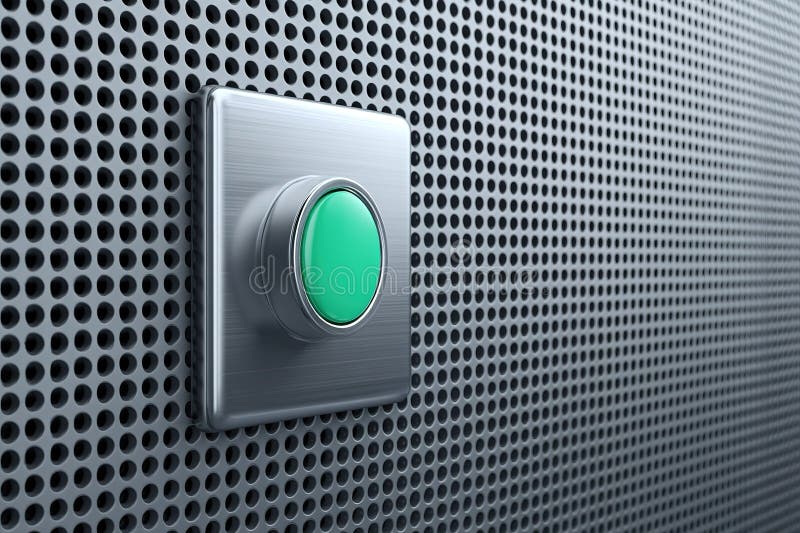
Free with trial A shiny green button is prominently fixed to a brushed metal panel featuring a patterned surface. The. Button functionality illustrations Bright green button mounted on textured metallic surface in modern design setting for interactive applications. A shiny green button is prominently fixed to a. A shiny green button is prominently fixed to a brushed metal panel featuring a patterned surface. The
Free with trial A detailed illustration of an electric kettle, commonly used for boiling water. Its design and functionality are highlighted, showcasing its efficiency and convenience. Button functionality vectors Illustration of an electric kettle, showcasing its design and functionality for boiling water quickly and efficiently. A detailed illustration of an electric. A detailed illustration of an electric kettle, commonly used for boiling water. Its design and functionality are highlighted, showcasing its efficiency and convenience
Free with trial A red cancel button with a white cross appears on a turquoise circular backdrop, showcasing a minimalist and modern design aesthetic. Button functionality vectors A red cancel button with a white cross appears on a turquoise circular backdrop, showcasing a minimalist and modern design. Aesthetic
Free with trial A vibrant, customizable button illustration showcasing a semi-flat design with layered colors on a bright red background. Button functionality vectors A vibrant, customizable button illustration showcasing a semi-flat design with layered colors on a bright red background.
Free with trial Crafting a compelling online registration experience starts with a visually engaging register button. This captivating button, a crucial element in user interfaces, is more than just a clickable element it's a gateway to online forms, memberships, and subscriptions. A well-designed register button, seamlessly integrated into the website design, can significantly impact conversion rates and user. Button functionality illustrations Elevate Your Website with a Stunning Register Button A Guide to Captivating User Interfaces for Online Registration. Crafting a compelling online registration. Crafting a compelling online registration experience starts with a visually engaging register button. This captivating button, a crucial element in user interfaces, is more than just a clickable element it's a gateway to online forms, memberships, and subscriptions. A well-designed register button, seamlessly integrated into the website design, can significantly impact conversion rates and user
Free with trial Editable Vector Toggle Button Icon Showing Red Off and Green On Isolated on White for User Interface Needs. This high-quality vector illustration features a clean and modern toggle button design showcasing the classic green "ON" and red "OFF" states. Presented in an isolated white background and EPS file format,it is ideal for use in web interfaces, app dashboards, control panels, user experience designs, and digital technology symbols. Its strong color contrast, minimalist style, and clear symbolism make it instantlyrecognizable and practical for any UI or UX-related project. This graphic is optimized to be versatile, scalable, and easy to integrate into both web and print-based designs. Unlike many overcomplicated toggledesigns, this vector maintains simplicity while effectively communicating function. Whether you're designing software interfaces, mobile apps, websites, or instructional materials, this toggle button vector isengineered to enhance clarity and functionality across your creative work. Button functionality vectors Editable Vector Toggle Button Icon Showing Red Off and Green On Isolated on White for User Interface Needs. This high-quality vector illustration features a. Editable Vector Toggle Button Icon Showing Red Off and Green On Isolated on White for User Interface Needs.This high-quality vector illustration features a clean and modern toggle button design showcasing the classic green "ON" and red "OFF" states. Presented in an isolated white background and EPS file format,it is ideal for use in web interfaces, app dashboards, control panels, user experience designs, and digital technology symbols. Its strong color contrast, minimalist style, and clear symbolism make it instantlyrecognizable and practical for any UI or UX-related project. This graphic is optimized to be versatile, scalable, and easy to integrate into both web and print-based designs. Unlike many overcomplicated toggledesigns, this vector maintains simplicity while effectively communicating function. Whether you're designing software interfaces, mobile apps, websites, or instructional materials, this toggle button vector isengineered to enhance clarity and functionality across your creative work.
Free with trial Detailed view of a yellow button switch on a blue wall, highlighting the contrast of colors and textures, creating a modern and stylish atmosphere. Button functionality illustrations Close-up of a blue wall with a yellow button switch, showcasing vibrant colors and textures, emphasizing modern design and. Detailed view of a yellow button. Detailed view of a yellow button switch on a blue wall, highlighting the contrast of colors and textures, creating a modern and stylish atmosphere
Free with trial A minimalist icon of a freezer, isolated on a white background, symbolizes refrigeration and food storage. The clean design represents appliance functionality. Button functionality vectors Vector art of a minimalist icon of a freezer, , representing refrigeration, food storage, and appliance functionality in a clean. A minimalist icon of a freezer. A minimalist icon of a freezer, isolated on a white background, symbolizes refrigeration and food storage. The clean design represents appliance functionality
Free with trial Car interior close-up features sleek modern air conditioning vent, hazard light button. Focus on vent horizontal slats, control knob. Detailed view of automotive dashboard design,. Button functionality illustrations Car interior close-up features sleek modern air conditioning vent, hazard light button. Focus on vent horizontal slats, control. Knob. Detailed view of. Car interior close-up features sleek modern air conditioning vent, hazard light button. Focus on vent horizontal slats, control knob. Detailed view of automotive dashboard design,.
Free with trial A colorful button design showcases customizable features, with disproportionate illustrations creating a unique and playful aesthetic during an afternoon project. Button functionality vectors A colorful button design showcases customizable features, with disproportionate illustrations creating a unique and playful. Aesthetic during an afternoon
Free with trial This top-down, aerial photography UI button showcases a clean, minimalist design perfect for modern applications. The sharp, bright lighting and subtle shadows create a sophisticated aesthetic while maintaining a clear focus on user interaction. The elevated perspective adds depth and visual interest, drawing the eye to the simple, geometric shape of the button. This digital component is ideal. Button functionality illustrations Elevated Aerial Photography UI Button A Clean Minimalist Design for Seamless User Interaction and Positive Enhancements. This top-down, aerial photography UI. This top-down, aerial photography UI button showcases a clean, minimalist design perfect for modern applications. The sharp, bright lighting and subtle shadows create a sophisticated aesthetic while maintaining a clear focus on user interaction. The elevated perspective adds depth and visual interest, drawing the eye to the simple, geometric shape of the button. This digital component is ideal
Free with trial Close up of keyboard featuring prominent Join us button, inviting engagement and interaction. sleek design emphasizes modern technology and communication. Generative AI. Button functionality illustrations Close up of keyboard featuring prominent Join us button inviting engagement and interaction sleek design emphasizes modern. Close up of keyboard featuring. close up of keyboard featuring prominent Join us button, inviting engagement and interaction. sleek design emphasizes modern technology and communication. Generative AI
Free with trial A purple utility knife with green accents is isolated on white, blending functionality with a playful color scheme for everyday tasks, crafts, and office use. Button functionality vectors Vector art of a purple utility knife features a green grip and accents, blending functionality with a playful color scheme for. A purple utility knife with green. A purple utility knife with green accents is isolated on white, blending functionality with a playful color scheme for everyday tasks, crafts, and office use
Free with trial Stylized illustration of a smartphone with a black frame and a touchscreen interface. The screen displays a grid of red squares arranged in three columns and four rows, resembling app icons. A grey rectangular bar is situated beneath the grid, possibly representing navigation or home functionality. The phone has a circular home button at the bottom center. The background is a light grey gradient. This minimalistic design highlights basic smartphone functionality through simplified representation. Button functionality vectors Flat design mobile phone vector with red app squares, smartphone technology icon for application concepts and UI UX presentations. Stylized illustration of a. Stylized illustration of a smartphone with a black frame and a touchscreen interface. The screen displays a grid of red squares arranged in three columns and four rows, resembling app icons. A grey rectangular bar is situated beneath the grid, possibly representing navigation or home functionality. The phone has a circular home button at the bottom center. The background is a light grey gradient. This minimalistic design highlights basic smartphone functionality through simplified representation.
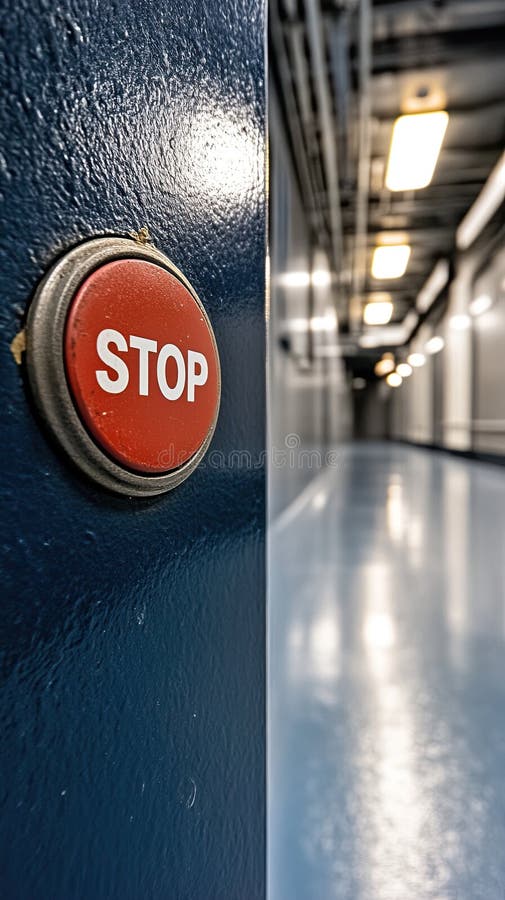
Free with trial Close-up of a red stop button prominently displaying STOP, situated on a grey metal surface, highlighting industrial. Safety features. AI generated. Button functionality illustrations Close-up of a red stop button prominently displaying STOP, situated on a grey metal surface, highlighting industrial. Safety features. AI generated
Free with trial Close-up of a red stop button prominently displaying STOP, situated on a grey metal surface, highlighting industrial. Safety features. AI generated. Button functionality illustrations Close-up of a red stop button prominently displaying STOP, situated on a grey metal surface, highlighting industrial. Safety features. AI generated
Free with trial A minimalist black and white line art icon depicting a mobile device screen. Inside, a silhouette of a user profile is shown with sound waves emanating from its head, symbolizing an audio message or speech. Below the profile, a triangular play button indicates playback functionality. This vector illustration represents concepts like voice notes, podcasts, audio calls, sound recording, or multimedia communication, ideal for app interfaces, web design, or technology-related content. Button functionality vectors Audio Message Playback Interface Icon. A minimalist black and white line art icon depicting a mobile device screen. Inside, a silhouette of a user profile is. A minimalist black and white line art icon depicting a mobile device screen. Inside, a silhouette of a user profile is shown with sound waves emanating from its head, symbolizing an audio message or speech. Below the profile, a triangular play button indicates playback functionality. This vector illustration represents concepts like voice notes, podcasts, audio calls, sound recording, or multimedia communication, ideal for app interfaces, web design, or technology-related content.
Free with trial This image features a sleek and stylish modern lounge chair. The chair is upholstered in dark leather with a button-tufted backrest, providing a touch of elegance and comfort. The frame is made of polished stainless steel with a distinctive X-shaped base, giving it a contemporary and sophisticated look. The chair is designed for both style and functionality, making it a perfect addition to any. Button functionality vectors Modern leather lounge chair. This image features a sleek and stylish modern lounge chair. The chair is upholstered in dark leather with a button-tufted backrest. This image features a sleek and stylish modern lounge chair. The chair is upholstered in dark leather with a button-tufted backrest, providing a touch of elegance and comfort. The frame is made of polished stainless steel with a distinctive X-shaped base, giving it a contemporary and sophisticated look. The chair is designed for both style and functionality, making it a perfect addition to any
Free with trial The image depicts a hand holding a smartphone with a noticeable crack on the screen, affecting the display. The phone appears to be an older model with a physical home button, and the background suggests it is being used outside, likely in a park or garden area. The crack is prominent and appears to be disrupting the touch functionality of the screen. Button functionality illustrations A smartphone screen showing a cracked display held by a person outdoors. The image depicts a hand holding a smartphone with a noticeable crack on the screen. The image depicts a hand holding a smartphone with a noticeable crack on the screen, affecting the display. The phone appears to be an older model with a physical home button, and the background suggests it is being used outside, likely in a park or garden area. The crack is prominent and appears to be disrupting the touch functionality of the screen
Free with trial The image shows a plain white insulated tumbler cup with a smooth, cylindrical body and a matching silver-colored lid. The lid features a push-button sealing mechanism, designed for keeping beverages hot or cold. The tumbler appears to be made of durable material suitable for travel and daily use, emphasizing functionality and modern aesthetics. Button functionality illustrations Stylish insulated travel tumbler with a sleek metallic lid. The image shows a plain white insulated tumbler cup with a smooth, cylindrical body and a matching. The image shows a plain white insulated tumbler cup with a smooth, cylindrical body and a matching silver-colored lid. The lid features a push-button sealing mechanism, designed for keeping beverages hot or cold. The tumbler appears to be made of durable material suitable for travel and daily use, emphasizing functionality and modern aesthetics
Free with trial Electrical power plug icon featuring a universal on and off button symbol, indicating connection, energy, and device functionality for various electronic equipment. Button functionality vectors Power plug connecting to an electrical device icon. Electrical power plug icon featuring a universal on and off button symbol, indicating connection, energy, and. Electrical power plug icon featuring a universal on and off button symbol, indicating connection, energy, and device functionality for various electronic equipment
Free with trial Password change form interface featuring a padlock icon at the top for security representation. Three fields: "Current Password," "New Password," and "Confirm New Password," each with a lock symbol and visibility toggle. The new password entry features a progress bar indicating strength, with a minimum of 8 characters. A blue "Update Password" button is at the bottom. Background includes abstract gear and shield icons on a light blue backdrop, suggesting safety and functionality. Button functionality vectors Change Password Password Change Form With Lock. Password change form interface featuring a padlock icon at the top for security representation. Three fields: '. Password change form interface featuring a padlock icon at the top for security representation. Three fields: "Current Password," "New Password," and "Confirm New Password," each with a lock symbol and visibility toggle. The new password entry features a progress bar indicating strength, with a minimum of 8 characters. A blue "Update Password" button is at the bottom. Background includes abstract gear and shield icons on a light blue backdrop, suggesting safety and functionality.
Free with trial A vibrant vector illustration depicting a grey smartphone with a bright blue screen, actively scanning a QR code. A dynamic red laser line indicates the scanning process, accompanied by icons for a camera and wireless signal, emphasizing connectivity. Below the screen are a blue rectangular button and two circular buttons, one featuring a home icon. This clean, isolated graphic represents modern mobile technology, digital transactions, app functionality, and seamless access to information, perfect for themes related to e-commerce, smart devices, and digital services. Button functionality illustrations Smartphone Scanning QR Code Illustration. A vibrant vector illustration depicting a grey smartphone with a bright blue screen, actively scanning a QR code. A. A vibrant vector illustration depicting a grey smartphone with a bright blue screen, actively scanning a QR code. A dynamic red laser line indicates the scanning process, accompanied by icons for a camera and wireless signal, emphasizing connectivity. Below the screen are a blue rectangular button and two circular buttons, one featuring a home icon. This clean, isolated graphic represents modern mobile technology, digital transactions, app functionality, and seamless access to information, perfect for themes related to e-commerce, smart devices, and digital services.
Free with trial This is a modern logo design featuring a shopping cart icon overlayed with a play button, suggesting video commerce or streaming shopping functionality. Rendered by Ai, this image effectively combines elements of e-commerce and media for a distinctive brand identity. Button functionality illustrations ShopNow Video Shopping Cart Logo Design. This is a modern logo design featuring a shopping cart icon overlayed with a play button, suggesting video commerce or. This is a modern logo design featuring a shopping cart icon overlayed with a play button, suggesting video commerce or streaming shopping functionality. Rendered by Ai, this image effectively combines elements of e-commerce and media for a distinctive brand identity
Free with trial Vector graphics show a baby boys' polo shirt in front and back views on a dark background. The shirt features short sleeves, a soft collar, and a two-button placket. It depicts subtle stitching details on the hem, sleeves, and collar. The design highlights simplicity and functionality suitable for casual wear. Button functionality illustrations Baby Boys Polo Shirt Vector Set Front Back View Flat Design. Vector graphics show a baby boys' polo shirt in front and back views on a dark background. The shirt. Vector graphics show a baby boys' polo shirt in front and back views on a dark background. The shirt features short sleeves, a soft collar, and a two-button placket. It depicts subtle stitching details on the hem, sleeves, and collar. The design highlights simplicity and functionality suitable for casual wear.
Free with trial Vector graphics show a baby boys' polo shirt in front and back views on a dark background. The shirt features short sleeves, a soft collar, and a two-button placket. It depicts subtle stitching details on the hem, sleeves, and collar. The design highlights simplicity and functionality suitable for casual wear. Button functionality illustrations Baby Boys Polo Shirt Vector Set Front Back View Flat Design. Vector graphics show a baby boys' polo shirt in front and back views on a dark background. The shirt. Vector graphics show a baby boys' polo shirt in front and back views on a dark background. The shirt features short sleeves, a soft collar, and a two-button placket. It depicts subtle stitching details on the hem, sleeves, and collar. The design highlights simplicity and functionality suitable for casual wear.
Free with trial Vector graphics show a baby boys' polo shirt in front and back views on a dark background. The shirt features short sleeves, a soft collar, and a two-button placket. It depicts subtle stitching details on the hem, sleeves, and collar. The design highlights simplicity and functionality suitable for casual wear. Button functionality illustrations Baby Boys Polo Shirt Vector Set Front Back View Flat Design. Vector graphics show a baby boys' polo shirt in front and back views on a dark background. The shirt. Vector graphics show a baby boys' polo shirt in front and back views on a dark background. The shirt features short sleeves, a soft collar, and a two-button placket. It depicts subtle stitching details on the hem, sleeves, and collar. The design highlights simplicity and functionality suitable for casual wear.
Free with trial Vector set of minimalist black and white icons representing energy and power concepts. Icons include symbols such as a power button, lightning bolt, battery, light bulb, arrows indicating flow, sun, and electrical plug. Each icon is designed with simple lines and shapes, focusing on clarity and functionality. The arrangement is in a 3x5 grid, emphasizing uniformity and consistency in design. Button functionality vectors Minimalist Black and White Energy and Power Icons Vector Set. Vector set of minimalist black and white icons representing energy and power concepts. Icons. Vector set of minimalist black and white icons representing energy and power concepts. Icons include symbols such as a power button, lightning bolt, battery, light bulb, arrows indicating flow, sun, and electrical plug. Each icon is designed with simple lines and shapes, focusing on clarity and functionality. The arrangement is in a 3x5 grid, emphasizing uniformity and consistency in design.
Free with trial Business banner template featuring a modern design with geometric shapes in blue hues. The left side has a white, curved overlay, creating a smooth transition to the right. The text "UNLOCKING VALUE FOR PARTNERS" is prominently displayed in white font on a blue polygonal background. A "CONTACT US" button further enhances functionality. The banner dimensions are 728x210 pixels, and the layout is editable, suitable for corporate or partnership themes. No specific location information is provided. Button functionality vectors Business banner template abstract background best for website social media. Business banner template featuring a modern design with geometric shapes in blue hues. Business banner template featuring a modern design with geometric shapes in blue hues. The left side has a white, curved overlay, creating a smooth transition to the right. The text "UNLOCKING VALUE FOR PARTNERS" is prominently displayed in white font on a blue polygonal background. A "CONTACT US" button further enhances functionality. The banner dimensions are 728x210 pixels, and the layout is editable, suitable for corporate or partnership themes. No specific location information is provided.
Free with trial A flathead screwdriver featuring a durable metallic shaft with a precision flat tip, designed for driving or removing screws. The handle is ergonomically shaped with a textured yellow and black rubber grip for enhanced comfort and control during use. A small red button is integrated into the handle, possibly for bit storage or additional functionality. Button functionality illustrations Ergonomic flathead screwdriver with yellow and black grip. A flathead screwdriver featuring a durable metallic shaft with a precision flat tip, designed for. A flathead screwdriver featuring a durable metallic shaft with a precision flat tip, designed for driving or removing screws. The handle is ergonomically shaped with a textured yellow and black rubber grip for enhanced comfort and control during use. A small red button is integrated into the handle, possibly for bit storage or additional functionality
Free with trial A high-quality photograph showcases a handsome executive desk chair featuring rich brown leather upholstery and traditional button tufting. The chair includes rolled arms, detailed nailhead trim, and a functional five-star wood base with casters, Rendered by Ai for professional product visualization purposes. This furniture piece blends vintage aesthetics with modern office functionality, perfect. Button functionality illustrations Classic brown tufted leather swivel desk chair. A high-quality photograph showcases a handsome executive desk chair featuring rich brown leather upholstery and. A high-quality photograph showcases a handsome executive desk chair featuring rich brown leather upholstery and traditional button tufting. The chair includes rolled arms, detailed nailhead trim, and a functional five-star wood base with casters, Rendered by Ai for professional product visualization purposes. This furniture piece blends vintage aesthetics with modern office functionality, perfect
Free with trial This image showcases a modern, white three-pole circuit breaker designed for electrical installations. The device features three visible poles for phase connections, each equipped with screw terminals for secure wiring. The front panel includes a test button and a visible trip indicator, essential for functionality checks and maintenance. The breaker is mounted on a sturdy base with gold-colored. Button functionality illustrations Modern three-pole circuit breaker with terminal connections. This image showcases a modern, white three-pole circuit breaker designed for electrical. This image showcases a modern, white three-pole circuit breaker designed for electrical installations. The device features three visible poles for phase connections, each equipped with screw terminals for secure wiring. The front panel includes a test button and a visible trip indicator, essential for functionality checks and maintenance. The breaker is mounted on a sturdy base with gold-colored
Free with trial Email verification screen with a gray mail icon above the word "Verification. " Below, text states, "We sent a code to your email. " A blue button labeled "RESEND CODE" includes a countdown timer (01:48). Instructions to "Try again when the timer expires" are beneath the button. The design is minimalistic with a focus on functionality, commonly used in digital authentication processes. Button functionality vectors Verification Code Resend Email Verification With Email Icon. Email verification screen with a gray mail icon above the word 'Verification.' Below, text states, '. Email verification screen with a gray mail icon above the word "Verification." Below, text states, "We sent a code to your email." A blue button labeled "RESEND CODE" includes a countdown timer (01:48). Instructions to "Try again when the timer expires" are beneath the button. The design is minimalistic with a focus on functionality, commonly used in digital authentication processes.
Free with trial A high-quality 3D rendered glossy blue interface button featuring diagonal arrows representing expansion or resizing functionality for digital user experiences. Button functionality illustrations Glossy 3D blue icon with diagonal arrows for resizing interface. A high-quality 3D rendered glossy blue interface button featuring diagonal arrows representing. A high-quality 3D rendered glossy blue interface button featuring diagonal arrows representing expansion or resizing functionality for digital user experiences.
Free with trial The image depicts a vibrant purple wallet with a glossy finish. The wallet is designed with a flap that is secured by a button closure. Inside the wallet, several cards are neatly arranged, partially visible. The overall design is sleek and modern, emphasizing functionality and style. Button functionality illustrations Purple wallet with cards. The image depicts a vibrant purple wallet with a glossy finish. The wallet is designed with a flap that is secured by a button closure. The image depicts a vibrant purple wallet with a glossy finish. The wallet is designed with a flap that is secured by a button closure. Inside the wallet, several cards are neatly arranged, partially visible. The overall design is sleek and modern, emphasizing functionality and style
Free with trial This clean, minimalist icon depicts a digital screen, resembling a tablet or smartphone display. Inside, a black silhouette of a person's head and shoulders is prominently featured, accompanied by sound wave graphics emanating from the side, symbolizing speech or audio. Below, a classic play button triangle indicates media playback functionality. A small dot at the top suggests a camera or sensor. This versatile icon effectively represents concepts like voice messages, audio calls, podcasts, online meetings, webinars, or any digital content involving spoken communication and playback. Ideal for UI UX design, apps, websites, and presentations related to communication, media, and technology. Button functionality vectors Voice Communication and Media Playback Icon on Digital Screen. This clean, minimalist icon depicts a digital screen, resembling a tablet or smartphone display. This clean, minimalist icon depicts a digital screen, resembling a tablet or smartphone display. Inside, a black silhouette of a person's head and shoulders is prominently featured, accompanied by sound wave graphics emanating from the side, symbolizing speech or audio. Below, a classic play button triangle indicates media playback functionality. A small dot at the top suggests a camera or sensor. This versatile icon effectively represents concepts like voice messages, audio calls, podcasts, online meetings, webinars, or any digital content involving spoken communication and playback. Ideal for UI UX design, apps, websites, and presentations related to communication, media, and technology.
Free with trial A detailed illustration of a digital pressure gauge with a clear analog dial and digital display, featuring a red on off button and a power cord, designed for monitoring technology in industrial or mechanical settings. The gauge shows a reading of 25 PSI, indicating normal pressure levels, and is connected to a blue power cable with a plug. The design is clean and modern, emphasizing functionality. Button functionality illustrations Illustration of Digital Pressure Gauge with Monitoring Tech for Industrial Use. A detailed illustration of a digital pressure gauge with a clear analog dial and. A detailed illustration of a digital pressure gauge with a clear analog dial and digital display, featuring a red on off button and a power cord, designed for monitoring technology in industrial or mechanical settings. The gauge shows a reading of 25 PSI, indicating normal pressure levels, and is connected to a blue power cable with a plug. The design is clean and modern, emphasizing functionality
Free with trial This image depicts a modern smartphone displaying a clean, minimalist email application interface. It highlights key design features like an inbox, compose button, and message list. The sleek layout emphasizes user-friendly design and intuitive navigation, reflecting contemporary app aesthetics and functionality. Button functionality vectors Smartphone interface showcasing minimalist email application design elements. This image depicts a modern smartphone displaying a clean, minimalist email. This image depicts a modern smartphone displaying a clean, minimalist email application interface. It highlights key design features like an inbox, compose button, and message list. The sleek layout emphasizes user-friendly design and intuitive navigation, reflecting contemporary app aesthetics and functionality
Free with trial A minimalist black vector icon featuring a play button inside a circular arrow for restart functionality. Button functionality vectors Black Restart Play Icon Vector Graphic Isolated on White Background. A minimalist black vector icon featuring a play button inside a circular arrow for restart. A minimalist black vector icon featuring a play button inside a circular arrow for restart functionality
Free with trial A detailed illustration of a modern flashlight, rendered in a clean, vector style. The image showcases the flashlight's metallic body, the power button, and the light source. The design emphasizes functionality and a sleek aesthetic. Suitable for illustrations related to technology, outdoor activities, emergency preparedness, and product design. The image is presented on a clean white background, enhancing its versatility for various applications. Button functionality illustrations Modern Flashlight Illustration. A detailed illustration of a modern flashlight, rendered in a clean, vector style. The image showcases the flashlight's metallic. A detailed illustration of a modern flashlight, rendered in a clean, vector style. The image showcases the flashlight's metallic body, the power button, and the light source. The design emphasizes functionality and a sleek aesthetic. Suitable for illustrations related to technology, outdoor activities, emergency preparedness, and product design. The image is presented on a clean white background, enhancing its versatility for various applications.
Free with trial The image depicts a handheld barcode scanner in a vibrant pink color. The device is ergonomically designed with a white handle for a comfortable grip. It features a small screen and button on the top, indicating its functionality for scanning barcodes efficiently. The scanner is likely used in retail or inventory management settings. Button functionality illustrations Pink handheld barcode scanner. The image depicts a handheld barcode scanner in a vibrant pink color. The device is ergonomically designed with a white handle for. The image depicts a handheld barcode scanner in a vibrant pink color. The device is ergonomically designed with a white handle for a comfortable grip. It features a small screen and button on the top, indicating its functionality for scanning barcodes efficiently. The scanner is likely used in retail or inventory management settings
Free with trial Two-prong European plug attached to a grey electrical cord. The cord features a white inline switch with a turquoise button. The plug has a standard cylindrical shape and metallic prongs. The cord is neatly coiled around itself, and the background is plain white, highlighting the item's functionality and design simplicity. Button functionality illustrations White Electrical Plug-In Adapter Socket with Red On Off Switch. Two-prong European plug attached to a grey electrical cord. The cord features a white inline. Two-prong European plug attached to a grey electrical cord. The cord features a white inline switch with a turquoise button. The plug has a standard cylindrical shape and metallic prongs. The cord is neatly coiled around itself, and the background is plain white, highlighting the item's functionality and design simplicity.
Free with trial A black smartphone outline with a white screen on a light gray background. The design is symmetrical, featuring a rectangular shape with rounded corners. There is a circular button at the bottom center and a small, elongated speaker slot at the top. The minimalistic design emphasizes simplicity and functionality, creating a clean, modern look. Button functionality vectors Symmetrical black smartphone outline with white screen on light gray. A black smartphone outline with a white screen on a light gray background. The design is. A black smartphone outline with a white screen on a light gray background. The design is symmetrical, featuring a rectangular shape with rounded corners. There is a circular button at the bottom center and a small, elongated speaker slot at the top. The minimalistic design emphasizes simplicity and functionality, creating a clean, modern look.
Free with trial Glossy green square button featuring a white telephone handset symbol with signal waves. This modern user interface element represents communication, connectivity, and mobile calling functionality. Button functionality illustrations 3D Green Phone Call App Icon. Glossy green square button featuring a white telephone handset symbol with signal waves. This modern user interface element. Glossy green square button featuring a white telephone handset symbol with signal waves. This modern user interface element represents communication, connectivity, and mobile calling functionality.
Free with trial Silver cylindrical spray bottle with a sleek, metallic finish on a white background. Features a smooth surface, a rounded cap, and a push-button mechanism at the top for dispensing contents. Designed for portability and ease of use, common in personal care or household products. The minimalist design emphasizes functionality and elegance. Button functionality vectors Luxury Silver Cosmetic Spray Bottle Mockup Isolated on White Background. Silver cylindrical spray bottle with a sleek, metallic finish on a white background. Silver cylindrical spray bottle with a sleek, metallic finish on a white background. Features a smooth surface, a rounded cap, and a push-button mechanism at the top for dispensing contents. Designed for portability and ease of use, common in personal care or household products. The minimalist design emphasizes functionality and elegance.
Free with trial The image depicts a sleek, modern smartphone resting on a minimalist, light-colored surface. The phone appears to be an iPhone, identifiable by its home button and the circular camera lens. The background is plain and uncluttered, emphasizing the phone's design and functionality. The lighting is soft, casting gentle shadows and highlighting the phone's smooth finish. Button functionality illustrations Smartphone on a minimalist surface. Ai Generated. The image depicts a sleek, modern smartphone resting on a minimalist, light-colored surface. The phone appears. The image depicts a sleek, modern smartphone resting on a minimalist, light-colored surface. The phone appears to be an iPhone, identifiable by its home button and the circular camera lens. The background is plain and uncluttered, emphasizing the phone's design and functionality. The lighting is soft, casting gentle shadows and highlighting the phone's smooth finish
Free with trial The image shows a sleek, copper-toned stainless steel water bottle featuring a secure lid with a push-button opening mechanism. The bottle includes a built-in carabiner handle on one side, providing both functionality and convenience for outdoor activities, travel, or everyday use. Its shiny, reflective surface adds a touch of elegance and durability to its design. Button functionality illustrations Stylish copper-colored stainless steel water bottle with carabiner handle. The image shows a sleek, copper-toned stainless steel water bottle featuring a secure. The image shows a sleek, copper-toned stainless steel water bottle featuring a secure lid with a push-button opening mechanism. The bottle includes a built-in carabiner handle on one side, providing both functionality and convenience for outdoor activities, travel, or everyday use. Its shiny, reflective surface adds a touch of elegance and durability to its design
Free with trial A 3D rendered iPhone with a modern design and prominent home button sits against a pristine white background, featuring a clear black and white airplane icon centered on its screen with the text Airplane Mode displayed directly below it, oriented toward the right side of the image to create a clean and professional visual representation of mobile device functionality and flight mode settings for. Button functionality illustrations IPhone displaying airplane mode icon with text on screen against clean white background. A 3D rendered iPhone with a modern design and prominent home button sits. A 3D rendered iPhone with a modern design and prominent home button sits against a pristine white background, featuring a clear black and white airplane icon centered on its screen with the text Airplane Mode displayed directly below it, oriented toward the right side of the image to create a clean and professional visual representation of mobile device functionality and flight mode settings for
Free with trial A stainless steel travel mug with a black handle and lid stands on a white background. The matte silver surface reflects light subtly, while the black lid a push-button mechanism. The ergonomic handle is positioned for easy carrying, and the overall suggests functionality for hot or cold beverages. The minimalist aesthetic makes it modern kitchens or outdoor use. Button functionality illustrations Stainless steel travel mug with black handle and lid on white background. A stainless steel travel mug with a black handle and lid stands on a white background. A stainless steel travel mug with a black handle and lid stands on a white background. The matte silver surface reflects light subtly, while the black lid a push-button mechanism. The ergonomic handle is positioned for easy carrying, and the overall suggests functionality for hot or cold beverages. The minimalist aesthetic makes it modern kitchens or outdoor use
Free with trial A detailed illustration of a compact, cylindrical smart device featuring a Wi-Fi signal indicator, a circuit board design on top, a small button, and a green LED light, emphasizing modern technology and connectivity. The device is depicted in a clean, minimalistic style with a focus on its wireless capabilities and electronic functionality, suitable for representing IoT or smart home concepts. Button functionality illustrations Illustration of a smart wireless device with Wi-Fi connectivity and electronic components. A detailed illustration of a compact, cylindrical smart device. A detailed illustration of a compact, cylindrical smart device featuring a Wi-Fi signal indicator, a circuit board design on top, a small button, and a green LED light, emphasizing modern technology and connectivity. The device is depicted in a clean, minimalistic style with a focus on its wireless capabilities and electronic functionality, suitable for representing IoT or smart home concepts
Free with trial Futuristic circuit board with intricate golden lines on a sleek black surface. Central circular button features raised concentric rings, creating a sense of depth. The golden lines form complex patterns, highlighting a modern, high-tech design. The layout suggests a blend of functionality and aesthetics, characteristic of advanced electronic components. Button functionality illustrations Close up of a futuristic circuit board with glowing golden lines and a central button.jpeg. Futuristic circuit board with intricate golden lines on a sleek black. Futuristic circuit board with intricate golden lines on a sleek black surface. Central circular button features raised concentric rings, creating a sense of depth. The golden lines form complex patterns, highlighting a modern, high-tech design. The layout suggests a blend of functionality and aesthetics, characteristic of advanced electronic components.
Free with trial The image features a professional video camera mounted on a tripod. The camera is equipped with various essential components, including a large lens, a microphone, and a viewfinder. The camera has a prominent play button on its body, indicating its functionality for recording and playback. The overall design is sleek and professional, suitable for high-quality video production. Button functionality vectors Professional video camera on a tripod. The image features a professional video camera mounted on a tripod. The camera is equipped with various essential. The image features a professional video camera mounted on a tripod. The camera is equipped with various essential components, including a large lens, a microphone, and a viewfinder. The camera has a prominent play button on its body, indicating its functionality for recording and playback. The overall design is sleek and professional, suitable for high-quality video production
Free with trial A white electric toothbrush featuring a sleek and ergonomic design, equipped with soft blue bristles for effective cleaning. The toothbrush has a power button and battery indicator near the base, suggesting rechargeable functionality. It is designed for optimal oral hygiene with a comfortable grip and efficient brushing mechanism. Button functionality vectors Modern electric toothbrush with blue bristles and sleek design. A white electric toothbrush featuring a sleek and ergonomic design, equipped with soft blue. A white electric toothbrush featuring a sleek and ergonomic design, equipped with soft blue bristles for effective cleaning. The toothbrush has a power button and battery indicator near the base, suggesting rechargeable functionality. It is designed for optimal oral hygiene with a comfortable grip and efficient brushing mechanism
Free with trial A modern wireless computer mouse featuring a smooth pastel gradient finish transitioning from soft blue to mint green and lavender purple. The minimalist device rests on a clean surface, showcasing its ergonomic curved design, scroll wheel, and subtle button separation. Ideal for technology, office, gaming, and digital lifestyle concepts, this sleek peripheral combines functionality with contemporary aesthetic appeal for creative and professional environments. Button functionality illustrations Pastel Gradient Wireless Computer Mouse on Clean Surface Modern Tech Accessory. A modern wireless computer mouse featuring a smooth pastel gradient finish. A modern wireless computer mouse featuring a smooth pastel gradient finish transitioning from soft blue to mint green and lavender purple. The minimalist device rests on a clean surface, showcasing its ergonomic curved design, scroll wheel, and subtle button separation. Ideal for technology, office, gaming, and digital lifestyle concepts, this sleek peripheral combines functionality with contemporary aesthetic appeal for creative and professional environments.
Free with trial The image showcases a sleek, modern stainless steel travel mug designed for thermal insulation. The mug features a double-walled construction to maintain beverage temperature, with a matte silver finish. The lid is two-toned, combining a darker base with a silver top, and includes a push-button mechanism for opening and closing. The overall design suggests durability and functionality for daily. Button functionality illustrations Stainless steel insulated travel mug with double-walled design and two-tone lid. The image showcases a sleek, modern stainless steel travel mug designed for. The image showcases a sleek, modern stainless steel travel mug designed for thermal insulation. The mug features a double-walled construction to maintain beverage temperature, with a matte silver finish. The lid is two-toned, combining a darker base with a silver top, and includes a push-button mechanism for opening and closing. The overall design suggests durability and functionality for daily
Free with trial This image depicts a modern tablet device featuring a slim black border and a large, blank screen. The tablet has a minimalist design with rounded edges and a single home button located at the bottom center of the front face. The overall appearance suggests a sleek, contemporary look, likely designed for functionality and portability. Button functionality vectors Sleek modern tablet device with minimalist design and black frame. This image depicts a modern tablet device featuring a slim black border and a large, blank. This image depicts a modern tablet device featuring a slim black border and a large, blank screen. The tablet has a minimalist design with rounded edges and a single home button located at the bottom center of the front face. The overall appearance suggests a sleek, contemporary look, likely designed for functionality and portability
Free with trial The image showcases a pair of classic white men's boxer shorts. The boxer shorts are designed with a functional fly, featuring a button closure. The waistband is elastic, ensuring a comfortable fit. The shorts are depicted from both the front and side views, highlighting their design and functionality. The fabric appears to be soft and breathable, suitable for everyday wear. Button functionality illustrations Classic white men\'s boxer shorts with functional fly. The image showcases a pair of classic white men's boxer shorts. The boxer shorts are designed with a. The image showcases a pair of classic white men's boxer shorts. The boxer shorts are designed with a functional fly, featuring a button closure. The waistband is elastic, ensuring a comfortable fit. The shorts are depicted from both the front and side views, highlighting their design and functionality. The fabric appears to be soft and breathable, suitable for everyday wear
Free with trial This image shows a sleek, minimalist white circular device, likely a smart home speaker or sensor, attached to a metallic ring. The design is clean and modern, featuring a single button or sensor on the front. The device is set against a neutral, gradient gray background, emphasizing its simplicity and functionality. Button functionality illustrations Minimalist white smart home device with ring attachment on a neutral background. This image shows a sleek, minimalist white circular device, likely a smart home. This image shows a sleek, minimalist white circular device, likely a smart home speaker or sensor, attached to a metallic ring. The design is clean and modern, featuring a single button or sensor on the front. The device is set against a neutral, gradient gray background, emphasizing its simplicity and functionality
Free with trial A horizontal UI element featuring three translucent, circular buttons arranged side-by-side on a checkered background. Each button has a soft, glassy texture with a subtle gradient and a thin, dark border. The first button contains a stylized envelope icon, the second displays a simple circle-within-a-circle motif, and the third features a magnifying glass icon, representing search functionality. Button functionality illustrations Three circular user interface buttons featuring minimalist mail, circle, and search line icons. A horizontal UI element featuring three translucent, circular. A horizontal UI element featuring three translucent, circular buttons arranged side-by-side on a checkered background. Each button has a soft, glassy texture with a subtle gradient and a thin, dark border. The first button contains a stylized envelope icon, the second displays a simple circle-within-a-circle motif, and the third features a magnifying glass icon, representing search functionality
Free with trial This image features a sleek, dark grey wearable wristband, possibly a fitness tracker or smart band, isolated on a clean white background. Its minimalist design includes a smooth, flexible strap and a central module with a single, light grey oval button. The modern aesthetic suggests applications in health monitoring, sports, personal safety, or general wearable technology. The clear, professional studio shot emphasizes its contemporary design and functionality. Button functionality illustrations Modern Dark Grey Wearable Smart Band on White. This image features a sleek, dark grey wearable wristband, possibly a fitness tracker or smart band, isolated on a. This image features a sleek, dark grey wearable wristband, possibly a fitness tracker or smart band, isolated on a clean white background. Its minimalist design includes a smooth, flexible strap and a central module with a single, light grey oval button. The modern aesthetic suggests applications in health monitoring, sports, personal safety, or general wearable technology. The clear, professional studio shot emphasizes its contemporary design and functionality.
Free with trial A bright yellow folder icon featuring a blue circular button with a white downward arrow symbol, indicating download functionality. Clean, modern design perfect for web, app, or presentation use. Button functionality illustrations Yellow folder icon with blue download arrow. A bright yellow folder icon featuring a blue circular button with a white downward arrow symbol, indicating download. A bright yellow folder icon featuring a blue circular button with a white downward arrow symbol, indicating download functionality. Clean, modern design perfect for web, app, or presentation use
Free with trial A minimalist black power symbol on a white background, universally recognized for initiating or ceasing electronic device operation. Button functionality illustrations Universal power button symbol icon representing start stop and on off functionality. A minimalist black power symbol on a white background, universally. A minimalist black power symbol on a white background, universally recognized for initiating or ceasing electronic device operation
 Sign in