Free with trial The image depicts a complex network visualization featuring numerous interconnected nodes and pathways. Lines radiate outward from a dense central hub, creating symmetrical branches that spread across the image. The pathways are dotted with small markers, indicating points of connection or transition. The overall structure suggests a system of relationships, possibly representing data flow, neural. Density data points illustrations Complex network diagram with interconnected nodes and pathways converging at a central point. The image depicts a complex network visualization featuring. The image depicts a complex network visualization featuring numerous interconnected nodes and pathways. Lines radiate outward from a dense central hub, creating symmetrical branches that spread across the image. The pathways are dotted with small markers, indicating points of connection or transition. The overall structure suggests a system of relationships, possibly representing data flow, neural
Free with trial High-resolution map of the United States, rendered in a vibrant green glow. The map highlights population density and urban areas, with a stylized representation of city lights. The dark background accentuates the green light patterns, creating a unique and visually striking image. Ideal for use in articles or presentations about population distribution, urban planning, or nighttime imagery of the USA. Density data points illustrations USA Night Light Map - Green Glow. High-resolution map of the United States, rendered in a vibrant green glow. The map highlights population density and urban. High-resolution map of the United States, rendered in a vibrant green glow. The map highlights population density and urban areas, with a stylized representation of city lights. The dark background accentuates the green light patterns, creating a unique and visually striking image. Ideal for use in articles or presentations about population distribution, urban planning, or nighttime imagery of the USA.
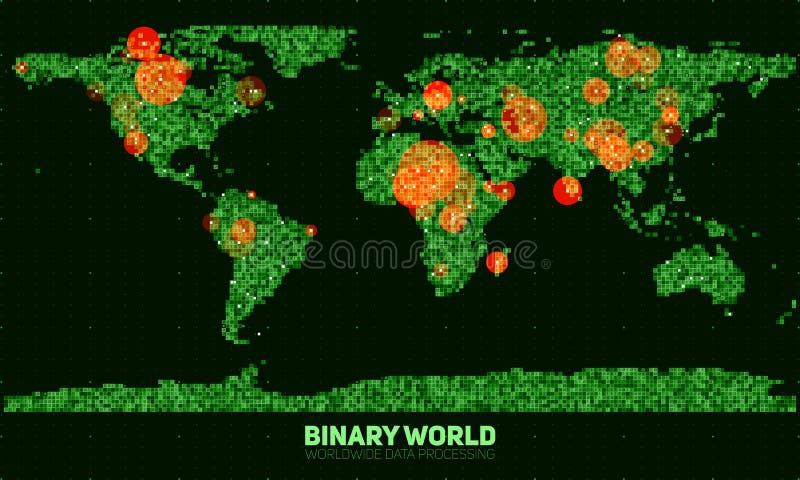
Free with trial Vector abstract binary world map. Continents constructed from green binary numbers. Global information network. Worldwide network. International data. Highlighted points of interest on the map. Density data points vectors Vector abstract binary world map. Continents constructed from green binary numbers. Global information network. Worldwide network. International data
Free with trial This stunning visualization of North America's interconnectedness, generated by AI, showcases major cities and their network connections. The glowing nodes represent urban centers, while the lines depict communication and transportation pathways, illustrating the complex web of modern infrastructur. Density data points illustrations North America Network Map. This stunning visualization of North America's interconnectedness, generated by AI, showcases major cities and their network. This stunning visualization of North America's interconnectedness, generated by AI, showcases major cities and their network connections. The glowing nodes represent urban centers, while the lines depict communication and transportation pathways, illustrating the complex web of modern infrastructur
Free with trial The image shows a heatmap overlay on a map of an urban area, with varying colors indicating different density levels of data points. The central area has a high concentration of data points marked by a dense cluster of purple dots, surrounded by concentric orange and green zones representing lower density. The map includes road networks, buildings, and possibly other urban features outlined in. Density data points illustrations Heatmap visualization of population density in a city center with data points. The image shows a heatmap overlay on a map of an urban area, with varying colors. The image shows a heatmap overlay on a map of an urban area, with varying colors indicating different density levels of data points. The central area has a high concentration of data points marked by a dense cluster of purple dots, surrounded by concentric orange and green zones representing lower density. The map includes road networks, buildings, and possibly other urban features outlined in
Free with trial The image displays a heatmap overlaid on a geographic map with varying color intensities indicating the density of data points. Darker red and brown colors represent higher densities, while lighter pink and white areas indicate lower densities. The map includes a central region with a dense cluster of data points, surrounded by sparser areas. Green patches likely represent parks, forests, or. Density data points illustrations Heatmap visualization showing density of data points across a geographic region. The image displays a heatmap overlaid on a geographic map with varying color. The image displays a heatmap overlaid on a geographic map with varying color intensities indicating the density of data points. Darker red and brown colors represent higher densities, while lighter pink and white areas indicate lower densities. The map includes a central region with a dense cluster of data points, surrounded by sparser areas. Green patches likely represent parks, forests, or
Free with trial The image displays a global map across nine panels, each showing population density, urban areas, and data points marked by various symbols and colors. The maps highlight different regions of the world, with color gradients representing population density, where darker areas indicate higher densities. Overlaid symbols and markers likely represent specific data points or locations of interest,. Density data points illustrations Global map with population density and data points overlay isolated on transparent background, isolated on white background. The image displays a global map. The image displays a global map across nine panels, each showing population density, urban areas, and data points marked by various symbols and colors. The maps highlight different regions of the world, with color gradients representing population density, where darker areas indicate higher densities. Overlaid symbols and markers likely represent specific data points or locations of interest,
Free with trial This image depicts a scatter plot with numerous multicolored data points that appear to be concentrated in a few dense clusters. The clusters vary in density and spread, with some areas showing tightly packed points and others more dispersed. The visualization likely represents a form of dimensionality reduction technique, such as t-SNE or PCA, which is often used to illustrate high-dimensional. Density data points illustrations A colorful scatter plot visualization showing clustered data points with varied density. This image depicts a scatter plot with numerous multicolored data points. This image depicts a scatter plot with numerous multicolored data points that appear to be concentrated in a few dense clusters. The clusters vary in density and spread, with some areas showing tightly packed points and others more dispersed. The visualization likely represents a form of dimensionality reduction technique, such as t-SNE or PCA, which is often used to illustrate high-dimensional
Free with trial The image consists of four scatter plots arranged in a 2x2 grid. Each plot displays data points colored in a gradient from yellow (high density) to red (lower density) against a light pink background, with the highest density regions marked by black outlines. The plots show different clustering patterns, likely representing variations in data distribution or algorithmic outputs. Density data points illustrations Visualization of data points clustered by density and coloring intensity isolated on transparent background, isolated on white. The image consists of four. The image consists of four scatter plots arranged in a 2x2 grid. Each plot displays data points colored in a gradient from yellow (high density) to red (lower density) against a light pink background, with the highest density regions marked by black outlines. The plots show different clustering patterns, likely representing variations in data distribution or algorithmic outputs
Free with trial The image is a circular heatmap displaying the density and distribution of data points within a city. The center of the circle, marked by a high concentration of dark red and black, represents the most densely populated area, likely the downtown or central business district. Surrounding this core, the density gradually decreases, transitioning to lighter shades of orange, yellow, and white as the. Density data points illustrations Heatmap visualizing density and distribution of urban data points. The image is a circular heatmap displaying the density and distribution of data points within. The image is a circular heatmap displaying the density and distribution of data points within a city. The center of the circle, marked by a high concentration of dark red and black, represents the most densely populated area, likely the downtown or central business district. Surrounding this core, the density gradually decreases, transitioning to lighter shades of orange, yellow, and white as the
Free with trial A world map with dots and data points showing population density. In different regions. Density data points illustrations A world map with dots and data points showing population density. In different regions
Free with trial The image displays a circular heatmap with varying color intensities indicating the density of data points. The center of the circle is the most concentrated area, shown in dark red, with gradients transitioning to lighter shades of pink and orange as the density decreases outward. Surrounding the circular heatmap are irregular, pixelated regions in shades of green, orange, and yellow, suggesting. Density data points illustrations Heatmap visualization showing density distribution of data points isolated on transparent background, isolated on white background. The image displays a circular. The image displays a circular heatmap with varying color intensities indicating the density of data points. The center of the circle is the most concentrated area, shown in dark red, with gradients transitioning to lighter shades of pink and orange as the density decreases outward. Surrounding the circular heatmap are irregular, pixelated regions in shades of green, orange, and yellow, suggesting
Free with trial A three-dimensional scatter plot illustrating a dense cluster of data points with varying colors ranging from yellow to brown, representing different values or categories. The plot is viewed from an angled perspective, showing a spread of data points concentrated in the center with a gradual decrease in density towards the edges. The background is plain white, and the axes are not labeled,. Density data points illustrations 3d scatter plot of financial data points with varying density and colors isolated on transparent background, isolated on white. A three-dimensional scatter plot. A three-dimensional scatter plot illustrating a dense cluster of data points with varying colors ranging from yellow to brown, representing different values or categories. The plot is viewed from an angled perspective, showing a spread of data points concentrated in the center with a gradual decrease in density towards the edges. The background is plain white, and the axes are not labeled,
Free with trial A world map with dots and data points showing population density. In different regions. Density data points illustrations A world map with dots and data points showing population density. In different regions
Free with trial The image is a hexagonal heatmap overlaying a geographic area, with color gradients ranging from white to dark red indicating varying data densities. Darker red areas indicate higher density or concentration of data points, while lighter colors represent lower density. The heatmap is centered on a region with significant urban development, and the hexagonal grid provides a clear visualization of. Density data points illustrations Hexagonal heatmap visualization showing data density across a geographic region. The image is a hexagonal heatmap overlaying a geographic area, with color. The image is a hexagonal heatmap overlaying a geographic area, with color gradients ranging from white to dark red indicating varying data densities. Darker red areas indicate higher density or concentration of data points, while lighter colors represent lower density. The heatmap is centered on a region with significant urban development, and the hexagonal grid provides a clear visualization of
Free with trial This image depicts a scatter plot with a dense cluster of data points in the center and more dispersed points extending outward. The plot features a significant concentration of points near the origin, indicating a high density of data in this region. The points gradually thin out as they move away from the center, suggesting a decrease in data density. The axes are labeled with tick marks, but no. Density data points vectors Scatter plot of data points with central cluster. This image depicts a scatter plot with a dense cluster of data points in the center and more dispersed points. This image depicts a scatter plot with a dense cluster of data points in the center and more dispersed points extending outward. The plot features a significant concentration of points near the origin, indicating a high density of data in this region. The points gradually thin out as they move away from the center, suggesting a decrease in data density. The axes are labeled with tick marks, but no
Free with trial The image depicts a heatmap overlaid on a geographic map, illustrating data density and distribution across a region. The heatmap uses a gradient color scale ranging from dark to light green, with dark areas indicating higher concentrations of data points. The central region, which is darkest, suggests the highest density of data, while surrounding areas fade into lighter shades, indicating lower. Density data points illustrations Heatmap visualization showing data density and distribution across a geographic region. The image depicts a heatmap overlaid on a geographic map, illustrating. The image depicts a heatmap overlaid on a geographic map, illustrating data density and distribution across a region. The heatmap uses a gradient color scale ranging from dark to light green, with dark areas indicating higher concentrations of data points. The central region, which is darkest, suggests the highest density of data, while surrounding areas fade into lighter shades, indicating lower
Free with trial This image depicts a scatter plot visualization with hexagonal binning, where data points are aggregated into hexagonal bins to show density variations. The plot uses a gradient of blue shades to indicate different densities, with darker shades representing higher concentrations of data points. This type of plot is useful for identifying patterns and trends in spatial data distributions, often. Density data points illustrations Scatter plot visualization of data points in blue hexagonal binning. This image depicts a scatter plot visualization with hexagonal binning, where data points. This image depicts a scatter plot visualization with hexagonal binning, where data points are aggregated into hexagonal bins to show density variations. The plot uses a gradient of blue shades to indicate different densities, with darker shades representing higher concentrations of data points. This type of plot is useful for identifying patterns and trends in spatial data distributions, often
Free with trial The image depicts a map of Italy divided into regions, each shaded in different intensities of gray to represent varying levels of data density or concentration. Some areas are highlighted in yellow, indicating higher or critical data values, while a circular inset on the left side shows a close-up view of a specific region with detailed data points. The map uses a gradient from light to dark gray. Density data points illustrations A map showcasing the regions of italy with varying levels of data density. The image depicts a map of Italy divided into regions, each shaded in different. The image depicts a map of Italy divided into regions, each shaded in different intensities of gray to represent varying levels of data density or concentration. Some areas are highlighted in yellow, indicating higher or critical data values, while a circular inset on the left side shows a close-up view of a specific region with detailed data points. The map uses a gradient from light to dark gray
Free with trial The image displays a series of circular heatmaps overlaid on a world map, highlighting data clusters in various regions. Each heatmap uses a gradient of colors from yellow (low density) to red (high density), with black dots representing individual data points concentrated in specific areas. Arrows point from these clusters to small area charts showing detailed data trends, while icons of plants. Density data points illustrations Heatmap visualization of global data points with geographical clusters. The image displays a series of circular heatmaps overlaid on a world map, highlighting. The image displays a series of circular heatmaps overlaid on a world map, highlighting data clusters in various regions. Each heatmap uses a gradient of colors from yellow (low density) to red (high density), with black dots representing individual data points concentrated in specific areas. Arrows point from these clusters to small area charts showing detailed data trends, while icons of plants
Free with trial The image depicts a scatter plot visualization of data points grouped and color-coded by some form of hierarchical or density-based clustering algorithm. The clusters are represented by differently colored regions, with some regions densely packed with data points while others are more sparsely populated. The grid-like background and the layout suggest a structured approach to data representation, possibly for analytical or machine learning purposes. Created by AI. Density data points illustrations Visualization of interconnected data points with hierarchical clustering. The image depicts a scatter plot visualization of data points grouped and color-coded. The image depicts a scatter plot visualization of data points grouped and color-coded by some form of hierarchical or density-based clustering algorithm. The clusters are represented by differently colored regions, with some regions densely packed with data points while others are more sparsely populated. The grid-like background and the layout suggest a structured approach to data representation, possibly for analytical or machine learning purposes. Created by AI.
Free with trial The image depicts a 3D heatmap with two distinct clusters of data points. The top cluster is colored in shades of red, orange, and yellow, indicating high data density. The bottom cluster is colored in shades of green and brown, representing another dense data region. The heatmap uses grid-based coloring to show intensity variations, with brighter colors (yellow, white) marking the most. Density data points illustrations 3D heatmap visualization showing data density across multiple dimensions. The image depicts a 3D heatmap with two distinct clusters of data points. The top. The image depicts a 3D heatmap with two distinct clusters of data points. The top cluster is colored in shades of red, orange, and yellow, indicating high data density. The bottom cluster is colored in shades of green and brown, representing another dense data region. The heatmap uses grid-based coloring to show intensity variations, with brighter colors (yellow, white) marking the most
Free with trial A detailed 3D rendering of a world map showcasing data density with glowing points representing network activity and global connectivity. Density data points illustrations Digital world map with glowing data points 3d rendering global network connectivity. A detailed 3D rendering of a world map showcasing data density with glowing. A detailed 3D rendering of a world map showcasing data density with glowing points representing network activity and global connectivity
Free with trial The image displays a heatmap visualization with varying color intensities representing data density or values across different geographical or spatial regions. The colors range from dark brown in high-density areas to lighter shades and white in low-density areas, indicating the concentration of data points or measurements in distinct zones. Density data points illustrations Heatmap visualization showing data density and distribution across regions. The image displays a heatmap visualization with varying color intensities. The image displays a heatmap visualization with varying color intensities representing data density or values across different geographical or spatial regions. The colors range from dark brown in high-density areas to lighter shades and white in low-density areas, indicating the concentration of data points or measurements in distinct zones
Free with trial The image shows four different 3D scatter plots, each representing data points in a three-dimensional space. Each plot uses a combination of green and blue markers to indicate different data clusters or categories. The top-left plot features tightly clustered green points with some blue outliers, the top-right plot shows a more dispersed green cluster with blue points scattered throughout, the. Density data points illustrations 3d scatter plots visualizing data points with various density distributions. The image shows four different 3D scatter plots, each representing data points in a. The image shows four different 3D scatter plots, each representing data points in a three-dimensional space. Each plot uses a combination of green and blue markers to indicate different data clusters or categories. The top-left plot features tightly clustered green points with some blue outliers, the top-right plot shows a more dispersed green cluster with blue points scattered throughout, the
Free with trial The image shows a 3D scatter plot representing molecular structure data, with points color-coded by density levels ranging from green to red. The central region is highlighted with a white box, indicating a focused area of interest. The plot is overlaid on a background of molecular representations, suggesting a detailed analysis of spatial arrangements and interactions within the structure. Density data points illustrations 3d scatter plot of molecular structure data with color-coded density levels. The image shows a 3D scatter plot representing molecular structure data, with points. The image shows a 3D scatter plot representing molecular structure data, with points color-coded by density levels ranging from green to red. The central region is highlighted with a white box, indicating a focused area of interest. The plot is overlaid on a background of molecular representations, suggesting a detailed analysis of spatial arrangements and interactions within the structure
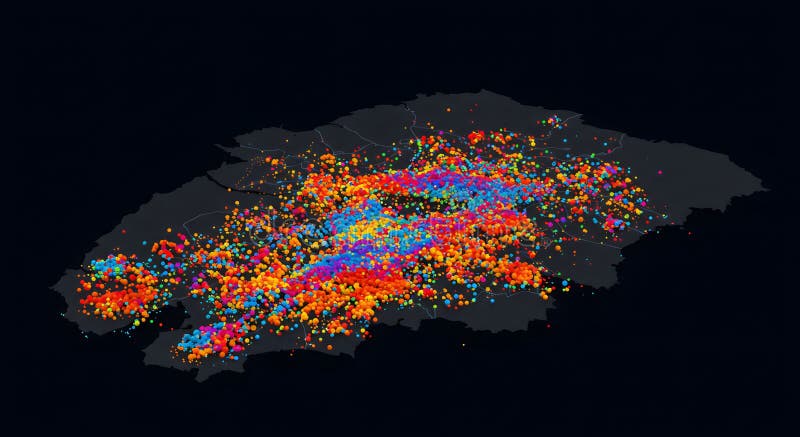
Free with trial The image presents a 3D model of a city with a heatmap overlay indicating population density. The highest densities are marked in red and orange near the top center, gradually transitioning to cooler colors like yellow, blue, and gray as density decreases toward the outskirts. Data points float above the model, likely representing specific demographic or statistical information. The model includes. Density data points illustrations 3D heatmap visualization of city population density with floating data points. The image presents a 3D model of a city with a heatmap overlay indicating. The image presents a 3D model of a city with a heatmap overlay indicating population density. The highest densities are marked in red and orange near the top center, gradually transitioning to cooler colors like yellow, blue, and gray as density decreases toward the outskirts. Data points float above the model, likely representing specific demographic or statistical information. The model includes
Free with trial The image depicts a dense network of interconnected data points represented by small squares, forming a structured and balanced circular pattern. The data points are colored in varying shades of blue, pink, and purple, with some regions highlighted in black, indicating areas of higher density or significance. Radiating lines extend from the center, creating radial connections that intersect with. Density data points illustrations Visualization of data points and connections in a complex network. The image depicts a dense network of interconnected data points represented by small squares. The image depicts a dense network of interconnected data points represented by small squares, forming a structured and balanced circular pattern. The data points are colored in varying shades of blue, pink, and purple, with some regions highlighted in black, indicating areas of higher density or significance. Radiating lines extend from the center, creating radial connections that intersect with
Free with trial This image displays a geospatial data visualization representing population density and urban distribution across a geographical region. The color gradient ranges from green (low density) to red and yellow (high density), with darker areas indicating urban centers or zones of high population concentration. The grid-like pattern suggests data points mapped onto specific geographic coordinates, with. Density data points illustrations Geospatial data visualization showing population density and urban distribution. This image displays a geospatial data visualization representing population. This image displays a geospatial data visualization representing population density and urban distribution across a geographical region. The color gradient ranges from green (low density) to red and yellow (high density), with darker areas indicating urban centers or zones of high population concentration. The grid-like pattern suggests data points mapped onto specific geographic coordinates, with
Free with trial This image is a heatmap-style visualization that represents data distribution across a geographic-like layout. The heatmap uses a gradient color scheme ranging from light shades (indicating lower density or value) to darker shades and bright colors (indicating higher density or value), with a prominent cluster of high-density data points in the center-left region and more dispersed, sparser data. Density data points illustrations Visualization of data distribution across different regions with density variations. This image is a heatmap-style visualization that represents data. This image is a heatmap-style visualization that represents data distribution across a geographic-like layout. The heatmap uses a gradient color scheme ranging from light shades (indicating lower density or value) to darker shades and bright colors (indicating higher density or value), with a prominent cluster of high-density data points in the center-left region and more dispersed, sparser data
Free with trial The image displays a heat map overlay on a geographic map, highlighting areas of varying data density through color gradients. Red and orange regions indicate high-density areas, while green and yellow areas represent lower density. The map includes interconnected nodes and data points, suggesting connections or interactions within the dense regions. Density data points illustrations Heat map visualization showing data density and distribution across a geographic area. The image displays a heat map overlay on a geographic map, highlighting. The image displays a heat map overlay on a geographic map, highlighting areas of varying data density through color gradients. Red and orange regions indicate high-density areas, while green and yellow areas represent lower density. The map includes interconnected nodes and data points, suggesting connections or interactions within the dense regions
Free with trial The image is a grayscale map of the United States with highlighted regions in yellow and orange, indicating varying intensities or concentrations of data points. The darker the shade, the higher the density of data points in those areas. The distribution shows clusters in the Midwest, Northeast, and parts of the West, with some isolated areas in the South and Southwest. A purple marker with a. Density data points illustrations Map showing distribution of data points across the united states with intensity gradient. The image is a grayscale map of the United States with highlighted. The image is a grayscale map of the United States with highlighted regions in yellow and orange, indicating varying intensities or concentrations of data points. The darker the shade, the higher the density of data points in those areas. The distribution shows clusters in the Midwest, Northeast, and parts of the West, with some isolated areas in the South and Southwest. A purple marker with a
Free with trial The image displays a scatter plot with numerous small blue dots distributed randomly across a white background. Some areas have denser clusters of dots, while others are more sparse, creating a visual representation of data points or coordinates. The overall arrangement appears to form a rough rectangular shape with irregular density variations. Density data points illustrations A scatter plot of blue dots showing data points across a white background isolated on transparent background. The image displays a scatter plot with numerous. The image displays a scatter plot with numerous small blue dots distributed randomly across a white background. Some areas have denser clusters of dots, while others are more sparse, creating a visual representation of data points or coordinates. The overall arrangement appears to form a rough rectangular shape with irregular density variations
Free with trial This scatter plot visualizes data points with different densities and colors, indicating clusters within the dataset. The x-axis and y-axis represent the data's two dimensions, while the color gradient from blue to red signifies the density of the data points, with red areas indicating higher density. Density data points illustrations Scatter plot displaying clusters of data points with varying densities and colors. This scatter plot visualizes data points with different densities and colors. This scatter plot visualizes data points with different densities and colors, indicating clusters within the dataset. The x-axis and y-axis represent the data's two dimensions, while the color gradient from blue to red signifies the density of the data points, with red areas indicating higher density
Free with trial Printed results from a densimeter featuring graphs and data points summarizing the density analysis of bamboo lamellae, providing valuable insights for research and industrial. Density data points illustrations Density analysis of bamboo lamellae showing detailed graphs and data points. Printed results from a densimeter featuring graphs and data points summarizing the. Printed results from a densimeter featuring graphs and data points summarizing the density analysis of bamboo lamellae, providing valuable insights for research and industrial
Free with trial The image displays a heatmap with a circular pattern at the center, surrounded by concentric rings of varying density. The core area is densely populated, transitioning to lower densities outward in red, orange, yellow, and green hues. The background consists of a grid with light gray alternating to white squares. Surrounding the heatmap are irregular clusters of data points in shades of pink,. Density data points illustrations Heatmap visualization of a circular data pattern with mixed density zones isolated on transparent background, isolated on white. The image displays a heatmap. The image displays a heatmap with a circular pattern at the center, surrounded by concentric rings of varying density. The core area is densely populated, transitioning to lower densities outward in red, orange, yellow, and green hues. The background consists of a grid with light gray alternating to white squares. Surrounding the heatmap are irregular clusters of data points in shades of pink,
Free with trial The image is a heatmap representing data density or intensity across a geographic area. The map uses a color gradient scale from green to red, where green indicates lower intensity or density and red indicates higher intensity or density. The central region of the map shows the highest concentration of data points, depicted in darker shades of red and orange, while the outer edges have lower. Density data points illustrations Heatmap visualization illustrating data density across a geographic region isolated on transparent background, isolated on white. The image is a heatmap. The image is a heatmap representing data density or intensity across a geographic area. The map uses a color gradient scale from green to red, where green indicates lower intensity or density and red indicates higher intensity or density. The central region of the map shows the highest concentration of data points, depicted in darker shades of red and orange, while the outer edges have lower
Free with trial The image displays a three-dimensional scatter plot consisting of numerous small cubes and spheres in various colors, ranging from green and yellow to red and orange. The data points appear to form clusters and gradients, with some regions denser or more concentrated than others. A central sphere, possibly representing a focal point or origin, is highlighted in white, with a dashed circular line. Density data points illustrations 3d scatter plot of data points with color gradients representing density or value isolated on transparent background, isolated on. The image displays a three. The image displays a three-dimensional scatter plot consisting of numerous small cubes and spheres in various colors, ranging from green and yellow to red and orange. The data points appear to form clusters and gradients, with some regions denser or more concentrated than others. A central sphere, possibly representing a focal point or origin, is highlighted in white, with a dashed circular line
Free with trial The image displays a geographic map of a region divided into numerous irregularly shaped polygons, each filled with varying shades of orange and red. The color gradient likely represents different values or intensities, with darker shades indicating higher values. The map appears to be a heatmap or choropleth, used commonly in data visualization to represent spatial data such as population density. Density data points illustrations Visualization of data points across a geographic region with varied density isolated on transparent background, isolated on white. The image displays a. The image displays a geographic map of a region divided into numerous irregularly shaped polygons, each filled with varying shades of orange and red. The color gradient likely represents different values or intensities, with darker shades indicating higher values. The map appears to be a heatmap or choropleth, used commonly in data visualization to represent spatial data such as population density
Free with trial This image displays a geographical heatmap with a color gradient ranging from light to dark, indicating varying levels of data density or intensity across a map. The central region shows a higher concentration of data points, depicted in darker shades of red and purple, while the outer regions have fewer data points, represented in lighter colors such as beige and white. A distinct X-shaped. Density data points illustrations Heatmap visualization of geographical data distribution and density patterns isolated on transparent background, isolated on white. This image displays a. This image displays a geographical heatmap with a color gradient ranging from light to dark, indicating varying levels of data density or intensity across a map. The central region shows a higher concentration of data points, depicted in darker shades of red and purple, while the outer regions have fewer data points, represented in lighter colors such as beige and white. A distinct X-shaped
Free with trial The image depicts a geographic heatmap showing the density or intensity of data points across a region. Areas with higher density are represented in warmer colors like red and orange, while lower density areas are shown in cooler hues like yellow and white. The map includes a detailed representation of land and water boundaries, with urban areas exhibiting higher concentrations of data points. A. Density data points illustrations Heatmap of data distribution across a geographic region with varying density isolated on transparent background, isolated on white. The image depicts a. The image depicts a geographic heatmap showing the density or intensity of data points across a region. Areas with higher density are represented in warmer colors like red and orange, while lower density areas are shown in cooler hues like yellow and white. The map includes a detailed representation of land and water boundaries, with urban areas exhibiting higher concentrations of data points. A
Free with trial The image shows a heatmap representing the spatial distribution of data points across a geographic region, with varying densities indicated by colors ranging from yellow (low density) to red (high density). The map includes a coastline with adjacent land and water areas, and the data appears concentrated in certain inland and coastal zones, suggesting higher activity or presence in those areas. Density data points illustrations Heatmap visualizing spatial distribution of data points across a geographic region isolated on transparent background, isolated on. The image shows a heatmap. The image shows a heatmap representing the spatial distribution of data points across a geographic region, with varying densities indicated by colors ranging from yellow (low density) to red (high density). The map includes a coastline with adjacent land and water areas, and the data appears concentrated in certain inland and coastal zones, suggesting higher activity or presence in those areas
Free with trial The image depicts a hexagonal grid overlay on a geographic area, with each hexagon filled with a color gradient ranging from light beige to dark red. The color intensity appears to indicate density or frequency of data points, with darker reds concentrated in specific regions, particularly in the southeastern area, and lighter colors spread more sparsely across the rest of the map. The grid. Density data points illustrations Visual representation of data clusters with varying density across a geographic area isolated on transparent background, isolated. The image depicts a hexagonal. The image depicts a hexagonal grid overlay on a geographic area, with each hexagon filled with a color gradient ranging from light beige to dark red. The color intensity appears to indicate density or frequency of data points, with darker reds concentrated in specific regions, particularly in the southeastern area, and lighter colors spread more sparsely across the rest of the map. The grid
Free with trial The image displays a heatmap overlaid on a geographic map, illustrating varying data densities across different regions. The color gradient transitions from dark to light, with darker shades indicating higher density or intensity of data points, and lighter shades representing lower density. The map appears to cover a large landmass with coastal boundaries, featuring areas of concentrated activity. Density data points illustrations Heatmap visualization showing data density across a geographic region. The image displays a heatmap overlaid on a geographic map, illustrating varying data. The image displays a heatmap overlaid on a geographic map, illustrating varying data densities across different regions. The color gradient transitions from dark to light, with darker shades indicating higher density or intensity of data points, and lighter shades representing lower density. The map appears to cover a large landmass with coastal boundaries, featuring areas of concentrated activity
Free with trial This image displays a world map with colorful, clustered data points overlaid on each continent. The visual representation appears to highlight various concentrations of information, possibly indicating population density, internet activity, or another form of geographic data distribution. The clusters vary in color intensity and size, suggesting different levels of data concentration or. Density data points illustrations A vibrant global map showcasing diverse data points across continents. This image displays a world map with colorful, clustered data points overlaid on each. This image displays a world map with colorful, clustered data points overlaid on each continent. The visual representation appears to highlight various concentrations of information, possibly indicating population density, internet activity, or another form of geographic data distribution. The clusters vary in color intensity and size, suggesting different levels of data concentration or
Free with trial This image depicts a heatmap with varying intensities of color, where pink and purple shades indicate different levels of data density or frequency. The map appears to cover a geographical region with higher concentrations of data points in the central and lower sections, gradually fading outward. The surrounding white areas suggest lower data presence or significance. The color gradient from pink. Density data points illustrations A colorful heatmap visualization representing data density across a region. This image depicts a heatmap with varying intensities of color, where pink and purple. This image depicts a heatmap with varying intensities of color, where pink and purple shades indicate different levels of data density or frequency. The map appears to cover a geographical region with higher concentrations of data points in the central and lower sections, gradually fading outward. The surrounding white areas suggest lower data presence or significance. The color gradient from pink
Free with trial The image shows a map of the United States with a heatmap overlay. The heatmap displays a dense cluster of data points primarily concentrated in the northeastern region of the country, extending southward along the eastern seaboard and into the Midwest. The density of the points decreases as they move westward, with fewer scattered points visible in the western half of the country. The map uses a. Density data points illustrations Heatmap of data points overlaid on a map of the united states. The image shows a map of the United States with a heatmap overlay. The heatmap displays a dense. The image shows a map of the United States with a heatmap overlay. The heatmap displays a dense cluster of data points primarily concentrated in the northeastern region of the country, extending southward along the eastern seaboard and into the Midwest. The density of the points decreases as they move westward, with fewer scattered points visible in the western half of the country. The map uses a
Free with trial The image displays a heatmap overlaid on a geographic map, where color intensity represents varying levels of data density. Darker areas indicate higher concentrations of data points, while lighter areas show lower density. The map includes a boundary or region of interest highlighted with a distinct color, likely representing a focus area for analysis. Density data points illustrations Heatmap visualizing data density and distribution across a geographic region. The image displays a heatmap overlaid on a geographic map, where color intensity. The image displays a heatmap overlaid on a geographic map, where color intensity represents varying levels of data density. Darker areas indicate higher concentrations of data points, while lighter areas show lower density. The map includes a boundary or region of interest highlighted with a distinct color, likely representing a focus area for analysis
Free with trial This image depicts a scatter plot featuring numerous data points arranged in a diagonal cluster. The points are color-coded with a gradient transitioning from cyan through green, yellow, orange, to red, creating a rainbow effect. The plot appears to show a trend or pattern within the data, likely representing a relationship between two variables. The visualization emphasizes density and. Density data points illustrations A vibrant scatter plot with a rainbow gradient illustrating clustered data points. This image depicts a scatter plot featuring numerous data points arranged in a. This image depicts a scatter plot featuring numerous data points arranged in a diagonal cluster. The points are color-coded with a gradient transitioning from cyan through green, yellow, orange, to red, creating a rainbow effect. The plot appears to show a trend or pattern within the data, likely representing a relationship between two variables. The visualization emphasizes density and
Free with trial The image depicts a stylized world map with glowing city lights and scattered data points in various colors including red, yellow, and purple. The map appears to be a heat map or data visualization, with bright lines converging towards urban areas, suggesting population density or activity hotspots. The background is a light gradient, and the overall aesthetic combines elements of geography with. Density data points illustrations Artistic representation of a world map with glowing city lights and data points. The image depicts a stylized world map with glowing city lights and scattered. The image depicts a stylized world map with glowing city lights and scattered data points in various colors including red, yellow, and purple. The map appears to be a heat map or data visualization, with bright lines converging towards urban areas, suggesting population density or activity hotspots. The background is a light gradient, and the overall aesthetic combines elements of geography with
Free with trial The image depicts a stylized world map with various regions highlighted in different shades of green and yellow, indicating varying levels of data density or activity. The map is overlaid with a network of lines connecting different points and regions, suggesting connectivity or interaction between areas. Small circular markers in purple and black are scattered across the map, possibly. Density data points illustrations Interactive map of global regions with data visualization and connectivity points. The image depicts a stylized world map with various regions highlighted in. The image depicts a stylized world map with various regions highlighted in different shades of green and yellow, indicating varying levels of data density or activity. The map is overlaid with a network of lines connecting different points and regions, suggesting connectivity or interaction between areas. Small circular markers in purple and black are scattered across the map, possibly
Free with trial The image shows three 3D scatter plots arranged side by side, each depicting a spherical distribution of data points colored in green, yellow, and red. The clusters appear to be segmented into distinct regions, with some outliers scattered around. The plots are enclosed within a cubic bounding box, and the points are rendered with a high density, indicating detailed data clustering. Each plot has. Density data points illustrations 3d scatter plot visualization of clustered data points in a spherical distribution. The image shows three 3D scatter plots arranged side by side, each depicting. The image shows three 3D scatter plots arranged side by side, each depicting a spherical distribution of data points colored in green, yellow, and red. The clusters appear to be segmented into distinct regions, with some outliers scattered around. The plots are enclosed within a cubic bounding box, and the points are rendered with a high density, indicating detailed data clustering. Each plot has
Free with trial This image displays a heatmap overlaid with a hexagonal binning pattern to represent the density and distribution of data points across a two-dimensional plane. The color gradient ranges from light to dark, indicating low to high density of data points respectively. The hexagonal bins provide a clear visual representation of clusters and areas with varying concentrations of data points, with a. Density data points illustrations Heatmap visualization showing density and distribution patterns in a spatial data set. This image displays a heatmap overlaid with a hexagonal binning pattern to. This image displays a heatmap overlaid with a hexagonal binning pattern to represent the density and distribution of data points across a two-dimensional plane. The color gradient ranges from light to dark, indicating low to high density of data points respectively. The hexagonal bins provide a clear visual representation of clusters and areas with varying concentrations of data points, with a
Free with trial This captivating visualization showcases a normal distribution, a fundamental concept in statistics and probability. The aerial data, meticulously collected and color-coded, is represented as a bell curve, graphically illustrating the probability density function. The smooth, symmetrical curve demonstrates how the probability of data points occurring within specific ranges is highest around the. Density data points illustrations Visualizing Probability Density Aerial Data Demonstrates a Normal Distribution Bell Curve. This captivating visualization showcases a normal distribution, a. This captivating visualization showcases a normal distribution, a fundamental concept in statistics and probability. The aerial data, meticulously collected and color-coded, is represented as a bell curve, graphically illustrating the probability density function. The smooth, symmetrical curve demonstrates how the probability of data points occurring within specific ranges is highest around the
Free with trial This image is a hexagonal heatmap displaying the density of data points across a geographical area. The color gradient ranges from light yellow to dark purple, with dark purple indicating the highest concentration of points. The distribution appears uneven, with clusters of high density in the central and northern regions, and sparser regions along the edges, suggesting areas of high activity or. Density data points illustrations Visualization of clustered data points representing population density or spatial distribution. This image is a hexagonal heatmap displaying the density of data. This image is a hexagonal heatmap displaying the density of data points across a geographical area. The color gradient ranges from light yellow to dark purple, with dark purple indicating the highest concentration of points. The distribution appears uneven, with clusters of high density in the central and northern regions, and sparser regions along the edges, suggesting areas of high activity or
Free with trial This professional 3D render showcases a Big Data neural grid represented by a complex crystal lattice data hub. High-density golden light nodes are positioned at every intersection to symbolize active processing points within a vast neural network. The transparent geometric structure visualizes organized information flow and advanced artificial intelligence architecture. This premium imagery is ideally suited for technology sector branding, scientific research presentations, and digital infrastructure concepts. The brilliant contrast between the glowing nodes and the deep blue background emphasizes the power of modern data analytics. Density data points illustrations Big Data Neural Grid with Crystal Lattice Data Hub, High-Density Golden Light Nodes and Neural Network Pathways. This professional 3D render showcases a Big. This professional 3D render showcases a Big Data neural grid represented by a complex crystal lattice data hub. High-density golden light nodes are positioned at every intersection to symbolize active processing points within a vast neural network. The transparent geometric structure visualizes organized information flow and advanced artificial intelligence architecture. This premium imagery is ideally suited for technology sector branding, scientific research presentations, and digital infrastructure concepts. The brilliant contrast between the glowing nodes and the deep blue background emphasizes the power of modern data analytics.
Free with trial The image displays a heatmap overlaid on a geographical map, with varying shades of gray and black representing different data densities or values. The central region of the map has a high density of data points, indicated by black and dark gray areas, while lighter gray and white areas indicate lower density regions. Some spots are highlighted in yellow, suggesting significant data points or. Density data points illustrations A heatmap visualization showing data density across a geographic region isolated on transparent background, isolated on white. The image displays a heatmap. The image displays a heatmap overlaid on a geographical map, with varying shades of gray and black representing different data densities or values. The central region of the map has a high density of data points, indicated by black and dark gray areas, while lighter gray and white areas indicate lower density regions. Some spots are highlighted in yellow, suggesting significant data points or
Free with trial The image displays a t-distributed stochastic neighbor embedding (t-SNE) visualization, a technique used for dimensionality reduction to visualize high-dimensional data in two dimensions. The plot features numerous colored clusters, each representing different groups or categories of data points. The clusters vary in shape and density, with some appearing dense and compact while others are more. Density data points illustrations A colorful t-sne visualization of data points clustered in a high-dimensional space isolated on transparent background, isolated. The image displays a t. The image displays a t-distributed stochastic neighbor embedding (t-SNE) visualization, a technique used for dimensionality reduction to visualize high-dimensional data in two dimensions. The plot features numerous colored clusters, each representing different groups or categories of data points. The clusters vary in shape and density, with some appearing dense and compact while others are more
Free with trial The image displays a world map overlaid with a heatmap and data point clusters. The heatmap uses a gradient of colors to represent density or intensity of data, with purple indicating high concentration and yellow indicating lower concentration. Data clusters are marked with red dots, showing specific locations of interest or high activity. The map highlights regions with significant data points,. Density data points illustrations Visual representation of data points across a geographic heatmap with clusters isolated on transparent background, isolated on. The image displays a world map. The image displays a world map overlaid with a heatmap and data point clusters. The heatmap uses a gradient of colors to represent density or intensity of data, with purple indicating high concentration and yellow indicating lower concentration. Data clusters are marked with red dots, showing specific locations of interest or high activity. The map highlights regions with significant data points,
Free with trial The image illustrates a world map with data visualization overlays depicting population density, urbanization, and geographic distribution. Bright colors such as green, yellow, and red highlight varying population densities and concentrations in different regions. The map uses a grid-based system to represent data points, with zoomed-in sections emphasizing detailed urban and rural areas. The. Density data points illustrations Global data representation showing population density and urbanization patterns isolated on transparent background, isolated on. The image illustrates a world. The image illustrates a world map with data visualization overlays depicting population density, urbanization, and geographic distribution. Bright colors such as green, yellow, and red highlight varying population densities and concentrations in different regions. The map uses a grid-based system to represent data points, with zoomed-in sections emphasizing detailed urban and rural areas. The
Free with trial The image displays four circular data visualizations, each showing clusters of colored points distributed across a spherical surface. The clusters vary in density and color, with the first image featuring sparse green clusters, the second showing denser yellow-green clusters, the third highlighting more concentrated blue and green clusters, and the fourth exhibiting a mix of orange, purple, and. Density data points illustrations Visualization of dynamic clustering of data points in a spherical layout isolated on transparent background, isolated on white. The image displays four circular. The image displays four circular data visualizations, each showing clusters of colored points distributed across a spherical surface. The clusters vary in density and color, with the first image featuring sparse green clusters, the second showing denser yellow-green clusters, the third highlighting more concentrated blue and green clusters, and the fourth exhibiting a mix of orange, purple, and
Free with trial The image shows three-dimensional visualizations of data points arranged in a structured, layered format resembling stacked bricks. The data points are color-coded, with yellow, orange, green, and purple hues indicating varying intensity, density, or classification within the dataset. The visualizations appear to represent a volumetric or spatial distribution, likely used in fields such as medical. Density data points illustrations Visual representation of 3d data points in a layered brick-like structure. isolated on transparent background, isolated on white. The image shows three. The image shows three-dimensional visualizations of data points arranged in a structured, layered format resembling stacked bricks. The data points are color-coded, with yellow, orange, green, and purple hues indicating varying intensity, density, or classification within the dataset. The visualizations appear to represent a volumetric or spatial distribution, likely used in fields such as medical
Free with trial The image displays a heatmap overlaid on a geographic map, with varying colors representing different data densities. The central region of the map exhibits the highest density in dark blue, indicating a concentration of data points. Surrounding areas show decreasing density with lighter shades of blue and green. The edges of the map display sparse data points in white and light green. The heatmap. Density data points illustrations Heatmap visualization showing data density and distribution across a geographic region isolated on transparent background,. The image displays a heatmap overlaid. The image displays a heatmap overlaid on a geographic map, with varying colors representing different data densities. The central region of the map exhibits the highest density in dark blue, indicating a concentration of data points. Surrounding areas show decreasing density with lighter shades of blue and green. The edges of the map display sparse data points in white and light green. The heatmap
Free with trial A forest satellite map with overlaid colored data points showing carbon density and environmental monitoring across mountainous region, Generative AI. Density data points illustrations Forest satellite map with overlaid colored data points showing carbon density and environmental monitoring across mountainous. A forest satellite map with. A forest satellite map with overlaid colored data points showing carbon density and environmental monitoring across mountainous region, Generative AI
Free with trial The image depicts a heatmap overlaid on a geographic map, with varying color intensities indicating the density and distribution of data points. The colors range from green (low density) through yellow and orange to red (high density), with some areas showing purple clusters. Urban areas and regions with higher data concentration are highlighted in warmer colors, suggesting higher activity or. Density data points illustrations Heatmap visualization showing data density and distribution across a geographic region isolated on transparent background,. The image depicts a heatmap overlaid. The image depicts a heatmap overlaid on a geographic map, with varying color intensities indicating the density and distribution of data points. The colors range from green (low density) through yellow and orange to red (high density), with some areas showing purple clusters. Urban areas and regions with higher data concentration are highlighted in warmer colors, suggesting higher activity or
Free with trial A 3D visualization showing population density across a region. Color-coded points represent varying population density levels. Density data points illustrations 3D Visualization of Population Density Across a Geographic Region using Color-Coded Data Points. A 3D visualization showing population density across a region. A 3D visualization showing population density across a region. Color-coded points represent varying population density levels
Free with trial A stylized world map highlighting urban density with colorful points and shaded regions, emphasizing city clusters and distribution. Density data points illustrations Colorful map of urban density and points. A stylized world map highlighting urban density with colorful points and shaded regions, emphasizing city clusters and. A stylized world map highlighting urban density with colorful points and shaded regions, emphasizing city clusters and distribution
Free with trial This image is a heatmap representing data density or intensity across the United States. The map uses varying shades of gray to indicate areas of low to high density, with some regions highlighted in bright colors such as green, yellow, orange, red, and purple, suggesting higher concentrations or significance in those areas. The brightest spots are clustered in specific regions, particularly in. Density data points illustrations Heatmap showing data density across the United States. This image is a heatmap representing data density or intensity across the United States. The map uses. This image is a heatmap representing data density or intensity across the United States. The map uses varying shades of gray to indicate areas of low to high density, with some regions highlighted in bright colors such as green, yellow, orange, red, and purple, suggesting higher concentrations or significance in those areas. The brightest spots are clustered in specific regions, particularly in
Free with trial This image shows a grayscale map of the world with a dense scattering of points primarily concentrated around the North American continent. The points seem to represent data locations or occurrences, possibly indicating population density, data collection sites, or other geographical data points. The map is oriented with North America on the left side and the points are more densely packed over. Density data points illustrations Detailed grayscale map of the world with scattered points. This image shows a grayscale map of the world with a dense scattering of points primarily concentrated. This image shows a grayscale map of the world with a dense scattering of points primarily concentrated around the North American continent. The points seem to represent data locations or occurrences, possibly indicating population density, data collection sites, or other geographical data points. The map is oriented with North America on the left side and the points are more densely packed over
Free with trial A minimalist infographic featuring a dot plot chart, effectively displaying the frequency and distribution of discrete data points. This clear graphic is perfect for simple statistical presentations, survey results, or educational materials. It offers a straightforward way to visualize data density, ideal for accessible and precise communication, vector design Generative AI. Density data points vectors Dot Plot Data Distribution Chart, vector design Generative AI. A minimalist infographic featuring a dot plot chart, effectively displaying the frequency and. A minimalist infographic featuring a dot plot chart, effectively displaying the frequency and distribution of discrete data points. This clear graphic is perfect for simple statistical presentations, survey results, or educational materials. It offers a straightforward way to visualize data density, ideal for accessible and precise communication, vector design Generative AI
Free with trial This image depicts a heatmap, a graphical representation of data where individual values are displayed in a matrix format using varying shades of color. The central region shows the highest density or concentration, indicated by darker green hues, while lighter shades and yellow represent lower densities. The peripheral areas fade into lighter colors, suggesting sparse data points or minimal. Density data points illustrations Heatmap visualization of data density and distribution patterns. This image depicts a heatmap, a graphical representation of data where individual values are. This image depicts a heatmap, a graphical representation of data where individual values are displayed in a matrix format using varying shades of color. The central region shows the highest density or concentration, indicated by darker green hues, while lighter shades and yellow represent lower densities. The peripheral areas fade into lighter colors, suggesting sparse data points or minimal
Free with trial The image is a geographical heatmap that depicts the distribution and density of data points across a specific region, likely representing population, activity, or another metric. The map uses varying shades of orange and green to indicate different levels of density, with darker and more saturated colors showing higher concentrations. There are distinct clusters visible in several areas,. Density data points illustrations Heatmap of geographic data distribution with highlighted clusters. The image is a geographical heatmap that depicts the distribution and density of data points. The image is a geographical heatmap that depicts the distribution and density of data points across a specific region, likely representing population, activity, or another metric. The map uses varying shades of orange and green to indicate different levels of density, with darker and more saturated colors showing higher concentrations. There are distinct clusters visible in several areas,
Free with trial The image shows a 3D visualization of a city's data density, represented by a layered heatmap with varying colors from red to yellow to green. The structure appears to be a dense urban area with high concentrations of data points in certain areas, particularly in the center, indicating higher activity or density. The visualization uses a gradient to represent different levels of data intensity,. Density data points illustrations Visualization of city data density with a gradient heatmap overlay. The image shows a 3D visualization of a city's data density, represented by a layered heatmap. The image shows a 3D visualization of a city's data density, represented by a layered heatmap with varying colors from red to yellow to green. The structure appears to be a dense urban area with high concentrations of data points in certain areas, particularly in the center, indicating higher activity or density. The visualization uses a gradient to represent different levels of data intensity,
Free with trial This image showcases a visually striking fractal pattern composed of numerous small purple dots, forming an elegant arc shape. The density and distribution of the dots create a sense of depth and movement, resembling a cosmic or organic bloom. The gradient effect and intricate branching suggest a complex mathematical or natural process, evoking a sense of wonder and beauty in abstract data. Density data points illustrations A vibrant purple fractal arc resembling a cosmic bloom of data points. This image showcases a visually striking fractal pattern composed of numerous small purple. This image showcases a visually striking fractal pattern composed of numerous small purple dots, forming an elegant arc shape. The density and distribution of the dots create a sense of depth and movement, resembling a cosmic or organic bloom. The gradient effect and intricate branching suggest a complex mathematical or natural process, evoking a sense of wonder and beauty in abstract data
Free with trial The image shows a map visualization with colored hexagonal bins representing data density or distribution across a geographic area. Hexagons are color-coded with gradients ranging from green to blue, where green areas indicate higher data concentration and blue areas show lower density. The map highlights urban and rural regions with varying data points, and the colors blend smoothly across. Density data points illustrations Map visualization showing data distribution across different regions. The image shows a map visualization with colored hexagonal bins representing data density. The image shows a map visualization with colored hexagonal bins representing data density or distribution across a geographic area. Hexagons are color-coded with gradients ranging from green to blue, where green areas indicate higher data concentration and blue areas show lower density. The map highlights urban and rural regions with varying data points, and the colors blend smoothly across
Free with trial This image is a heatmap visualization representing the density and distribution of geographic data points across a region. The color gradient ranges from dark purple in less dense areas to bright yellow in high-density clusters, indicating concentrations of data points. Notable clusters are visible in the central and southeastern regions, with some isolated high-density areas in the southwest and. Density data points illustrations Heatmap visualization of geographic data distribution and clustering. This image is a heatmap visualization representing the density and distribution of. This image is a heatmap visualization representing the density and distribution of geographic data points across a region. The color gradient ranges from dark purple in less dense areas to bright yellow in high-density clusters, indicating concentrations of data points. Notable clusters are visible in the central and southeastern regions, with some isolated high-density areas in the southwest and
Free with trial This image is a heatmap overlaying a geographic map, displaying the intensity of data points across different regions. The gradient ranges from light yellow to dark green, where darker green indicates higher concentrations of data points. The map highlights several regions with significant data activity, particularly in the eastern, southern, and western parts of the map, while central areas show. Density data points illustrations Heatmap of geographic distribution with varying intensity of data points. This image is a heatmap overlaying a geographic map, displaying the intensity of data. This image is a heatmap overlaying a geographic map, displaying the intensity of data points across different regions. The gradient ranges from light yellow to dark green, where darker green indicates higher concentrations of data points. The map highlights several regions with significant data activity, particularly in the eastern, southern, and western parts of the map, while central areas show
 Sign in