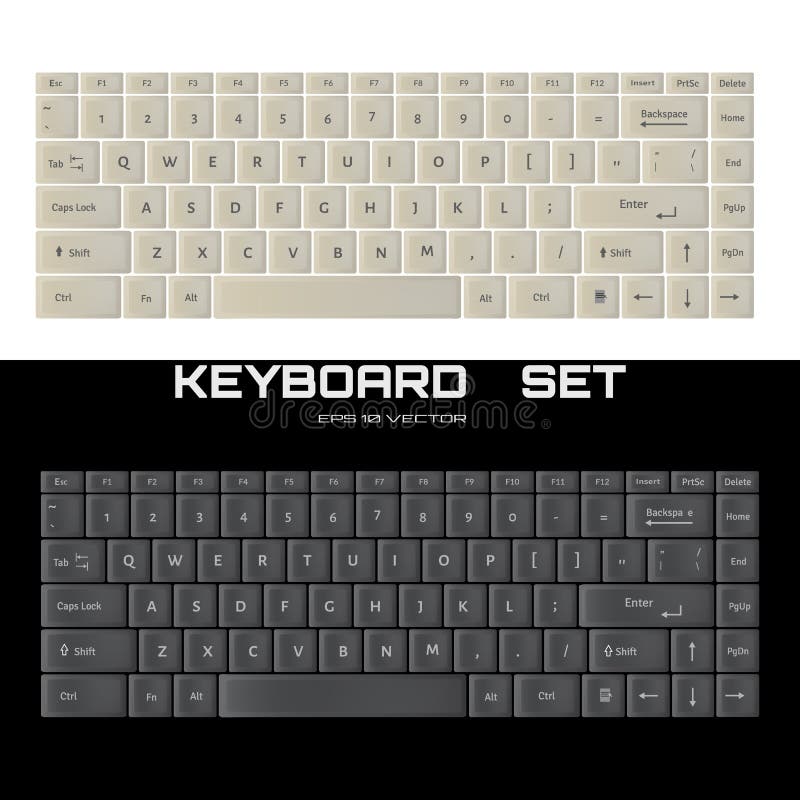
Free with trial Function keys F1 to F12 on black computer keyboard, in groups of four keys. Function keys illustrations Computer keyboard function keys, black. Function keys F1 to F12 on black computer keyboard, in groups of four keys. Function keys F1 to F12 on black computer keyboard, in groups of four keys.
Free with trial Sleek portable handheld calculator featuring numeric keypad and various function keys. With electronic device display silver gray. exquisite background. Function keys illustrations Sleek portable handheld calculator featuring numeric keypad and various function keys. With electronic device display silver gray. exquisite background
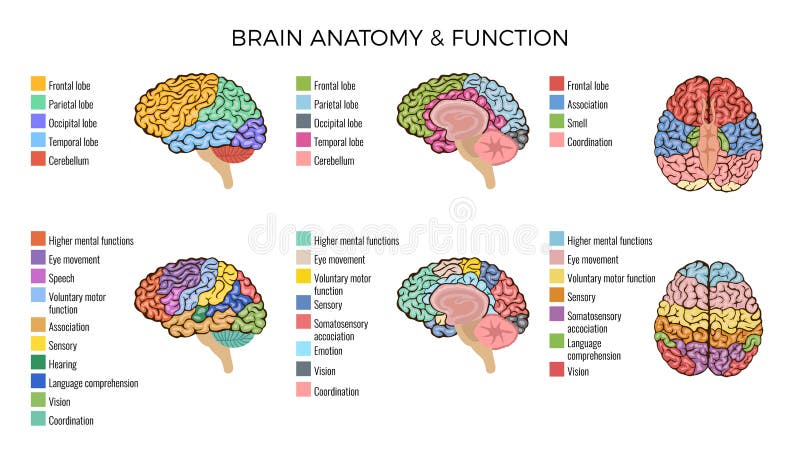
Free with trial Human Brain Parts Composition. Human brain anatomy function area mind system infographic composition with text legend keys and colorful areas vector illustration. Function keys vectors Human Brain Parts Composition. Human brain anatomy function area mind system infographic composition with text legend keys and colorful areas vector illustration
Free with trial Human brain anatomy function area mind system infographic composition with text legend keys and colorful areas vector illustration. Function keys vectors Brain Anatomy Functions Composition. Human brain anatomy function area mind system infographic composition with text legend keys and colorful areas vector. Human brain anatomy function area mind system infographic composition with text legend keys and colorful areas vector illustration
Free with trial Virtual keyboard in perspective. View, glowing keys and reflection on blue background. Function keys vectors Virtual keyboard in perspective. View, glowing keys and reflection on blue background
Free with trial This image showcases a sleek, modern calculator with a grey and black color scheme. The device features a large display currently showing '88888888'. It includes a variety of function keys such as basic arithmetic operations (+, -, x, ÷), percentage (%), square root (√), and memory functions (MR, M+, M-, MC). The AC button is highlighted in red for emphasis, and the calculator appears to be. Function keys illustrations Modern calculator displaying 88888888 with various function keys visible. This image showcases a sleek, modern calculator with a grey and black color scheme. The. This image showcases a sleek, modern calculator with a grey and black color scheme. The device features a large display currently showing '88888888'. It includes a variety of function keys such as basic arithmetic operations (+, -, x, ÷), percentage (%), square root (√), and memory functions (MR, M+, M-, MC). The AC button is highlighted in red for emphasis, and the calculator appears to be
Free with trial WASD keys illustration. WASD keys, game control keyboard buttons. Gaming and cybersport symbol. Vector illustration. Function keys vectors WASD keys illustration. WASD keys, game control keyboard buttons. Gaming and cybersport symbol. Vector illustration
Free with trial An illustration of a keyboard with keys labeled as Blog. Function keys illustrations Blog keyboard. An illustration of a keyboard with keys labeled as Blog. An illustration of a keyboard with keys labeled as Blog.
Free with trial Ctrl z keyboard keys. Button on flat style. Isolated vector. Sign. Function keys vectors Ctrl z keyboard keys. Button on flat style. Isolated vector. Sign
Free with trial This image shows a transparent vintage-style electronic calculator that exposes its internal components. The calculator features a TAX function button, along with standard numerical and mathematical operation keys such as addition, subtraction, multiplication, and division. The keys are labeled with typical functions like ON C, MR, M+, M-, and others. The internal wiring and circuit board are. Function keys illustrations Vintage calculator with transparent casing revealing internal tax function keys. This image shows a transparent vintage-style electronic calculator that exposes. This image shows a transparent vintage-style electronic calculator that exposes its internal components. The calculator features a TAX function button, along with standard numerical and mathematical operation keys such as addition, subtraction, multiplication, and division. The keys are labeled with typical functions like ON C, MR, M+, M-, and others. The internal wiring and circuit board are
Free with trial Keyboard. A generic computer keyboard layout. Function keys illustrations Keyboard. A generic computer keyboard layout
Free with trial Touch screen mobile phone. Vector illustration of touch screen mobile phone while calling, with keypad. related to new mobile technology and portable devices. Function keys vectors Touch screen mobile phone. Vector illustration of touch screen mobile phone while calling, with keypad. related to new mobile technology and portable devices
Free with trial A partial view of a computer keyboard with the focus on the F1 or help key. Isolated on a white background. Function keys illustrations Keyboard help key. A partial view of a computer keyboard with the focus on the F1 or help key. Isolated on a white background. A partial view of a computer keyboard with the focus on the F1 or help key. Isolated on a white background.
Free with trial A detailed illustration of a retro-style wooden keyboard with labeled keys, function buttons, and media controls, perfect for vintage-themed projects or tech illustrations. Function keys illustrations Vintage wooden keyboard with function keys illustration. A detailed illustration of a retro-style wooden keyboard with labeled keys, function buttons, and media. A detailed illustration of a retro-style wooden keyboard with labeled keys, function buttons, and media controls, perfect for vintage-themed projects or tech illustrations
Free with trial Computer. Handmade illustration of a computer. Function keys vectors Computer. Handmade illustration of a computer
Free with trial Ball and programming. Function keys vectors Ball and programming. Ball php and programming
Free with trial Love Notebook. Handmade illustration of a notebook with hearts coming out from an email. Function keys illustrations Love Notebook. Handmade illustration of a notebook with hearts coming out from an email
Free with trial Computer keyboard illustration blending traditional layout with modern design. Features standard QWERTY keys in black, upper section lower section incorporates a blue solar panel texture. Wired connection via an attached cable with a USB plug. Housing is rectangular, with rounded corners for a sleek appearance. Upper function keys, arrow keys, and a numeric keypad are present, enhancing usability. Design implies a concept integrating solar power with digital devices, promoting energy-efficient technology applications in everyday electronics. Function keys illustrations Function keys, arrow keys, and a numeric keypad are present,. Computer keyboard illustration blending traditional layout with modern design. Features standard. Computer keyboard illustration blending traditional layout with modern design. Features standard QWERTY keys in black, upper section lower section incorporates a blue solar panel texture. Wired connection via an attached cable with a USB plug. Housing is rectangular, with rounded corners for a sleek appearance. Upper function keys, arrow keys, and a numeric keypad are present, enhancing usability. Design implies a concept integrating solar power with digital devices, promoting energy-efficient technology applications in everyday electronics.
Free with trial Notebook. Handmade illustration of a notebook. Function keys illustrations Notebook. Handmade illustration of a notebook
Free with trial Computer. Vector scene of the computer on turn blue background. Function keys vectors Computer. Vector scene of the computer on turn blue background
Free with trial Teamwork and team sphere. Teamwork, ball and team sphere. Function keys vectors Teamwork and team sphere. Teamwork, ball and team sphere
Free with trial Line drawing of a calculator on a white background, featuring a rectangular display screen showing "0. " It includes numerical keys 0-9 and various function keys such as addition, subtraction, multiplication, and division, indicated by symbols. Dedicated buttons for memory functions are present, labeled "M+," "M-," and "MC. " The employs clean, continuous lines, giving it a minimalist and modern appearance. Function keys illustrations 0-9 and various function keys such as addition, subtraction,. Line drawing of a calculator on a white background, featuring a rectangular display screen showing. Line drawing of a calculator on a white background, featuring a rectangular display screen showing "0." It includes numerical keys 0-9 and various function keys such as addition, subtraction, multiplication, and division, indicated by symbols. Dedicated buttons for memory functions are present, labeled "M+," "M-," and "MC." The employs clean, continuous lines, giving it a minimalist and modern appearance.
Free with trial An illustration of a keyboard with a big button labeled as translate. Function keys illustrations Translate button. An illustration of a keyboard with a big button labeled as translate. An illustration of a keyboard with a big button labeled as translate.
Free with trial Internet. Handmade illustration of a notebook and internet page. Function keys illustrations Internet. Handmade illustration of a notebook and internet page
Free with trial Office. Handmade illustration of many computers. Function keys illustrations Office. Handmade illustration of many computers
Free with trial A modern keyboard and mouse set on a light gray background. The keyboard is compact with white keys and gray function keys, including additional buttons on the right side, possibly for programming or shortcuts. The mouse is wireless, featuring a scroll wheel and buttons for navigation. Designed in a minimalist and sleek style, the set is suitable for a clean and efficient workspace arrangement. The layout suggests functionality geared towards productivity and ergonomics. Function keys illustrations Function keys, including additional buttons on the right side,. A modern keyboard and mouse set on a light gray background. The keyboard is compact with white. A modern keyboard and mouse set on a light gray background. The keyboard is compact with white keys and gray function keys, including additional buttons on the right side, possibly for programming or shortcuts. The mouse is wireless, featuring a scroll wheel and buttons for navigation. Designed in a minimalist and sleek style, the set is suitable for a clean and efficient workspace arrangement. The layout suggests functionality geared towards productivity and ergonomics.
Free with trial TABTab computer key button on white background. Tab button symbol. Tab key sign. Function keys vectors TABTab computer key button on white background. flat style. Tab button symbol. Tab key sign. TABTab computer key button on white background. Tab button symbol. TABTab computer key button on white background. Tab button symbol. Tab key sign
Free with trial Vector illustration of Virtual keyboard in perspective view, glowing keys and reflection on dark background. Function keys vectors Virtual keyboard. Vector illustration of Virtual keyboard in perspective view, glowing keys and reflection on dark background. Vector illustration of Virtual keyboard in perspective view, glowing keys and reflection on dark background.
Free with trial The enzyme-substrate model, also known as the lock and key model, is a conceptual framework used to describe the interaction between enzymes and their substrates. In this model, enzymes are considered as "locks" and substrates as "keys". Just like a specific key fits into a specific lock, each enzyme has a specific active site that accommodates its substrate(s) in a complementary manner. Function keys vectors Enzyme substrate model. The enzyme-substrate model, also known as the lock and key model, is a conceptual framework used to describe the interaction between. The enzyme-substrate model, also known as the lock and key model, is a conceptual framework used to describe the interaction between enzymes and their substrates. In this model, enzymes are considered as "locks" and substrates as "keys". Just like a specific key fits into a specific lock, each enzyme has a specific active site that accommodates its substrate(s) in a complementary manner.
Free with trial Compact wireless keyboard with a QWERTY layout featuring black keys and gray casing. Includes function keys a number pad and dedicated multimedia controls. The design is sleek and modern suitable for efficient typing. Function keys illustrations Includes function keys a number pad and dedicated multimedia. Compact wireless keyboard with a QWERTY layout featuring black keys and gray casing. Includes. Compact wireless keyboard with a QWERTY layout featuring black keys and gray casing. Includes function keys a number pad and dedicated multimedia controls. The design is sleek and modern suitable for efficient typing.
Free with trial A blue computer keyboard with a standard QWERTY layout, including function keys, arrow keys, and control keys, is displayed on a clean, white background, emphasizing its design and functionality. Function keys illustrations Blue Computer Keyboard with Standard Layout and Function Keys. A blue computer keyboard with a standard QWERTY layout, including function keys, arrow keys, and. A blue computer keyboard with a standard QWERTY layout, including function keys, arrow keys, and control keys, is displayed on a clean, white background, emphasizing its design and functionality
Free with trial Compact handheld calculator with a rectangular design. Features a solar panel at the top, followed by a digital display screen. Below the screen is a numeric keypad with numbers 0-9 and basic arithmetic function keys including addition, subtraction, multiplication, and division. The calculator also includes buttons for memory recall (MRC), percentage, and power functions. The body is predominantly gray with contrasting black, white, and gray buttons. Positioned against a plain white background. Function keys illustrations Arithmetic function keys including addition, subtraction, multiplication. Compact handheld calculator with a rectangular design. Features a solar panel at the. Compact handheld calculator with a rectangular design. Features a solar panel at the top, followed by a digital display screen. Below the screen is a numeric keypad with numbers 0-9 and basic arithmetic function keys including addition, subtraction, multiplication, and division. The calculator also includes buttons for memory recall (MRC), percentage, and power functions. The body is predominantly gray with contrasting black, white, and gray buttons. Positioned against a plain white background.
Free with trial Gray and white computer keyboard alongside a wireless mouse. The keyboard features standard QWERTY layout with function keys and number pad. Keys are mostly white with some gray labeling. The mouse, matching in color, includes a scroll wheel and power button symbol. Both devices have a sleek, modern design, suitable for office or home use. Set against a clean, white background. Function keys illustrations The keyboard features standard QWERTY layout with function keys and. Gray and white computer keyboard alongside a wireless mouse. The keyboard features standard. Gray and white computer keyboard alongside a wireless mouse. The keyboard features standard QWERTY layout with function keys and number pad. Keys are mostly white with some gray labeling. The mouse, matching in color, includes a scroll wheel and power button symbol. Both devices have a sleek, modern design, suitable for office or home use. Set against a clean, white background.
Free with trial A black electronic calculator labeled FINANCE CALC model D 1207VL is positioned on a flat green background. The calculator features a digital display screen at the top with a variety of buttons including numerical keys basic arithmetic operators and additional functions like memory recall MRC and grand total GT. The buttons are mostly black with some gray and orange function keys arranged in a grid layout commonly seen in standard calculators used in finance and accounting. Function keys illustrations Function keys arranged in a grid layout commonly seen in standard. A black electronic calculator labeled FINANCE CALC model D 1207VL is positioned on a flat. A black electronic calculator labeled FINANCE CALC model D 1207VL is positioned on a flat green background. The calculator features a digital display screen at the top with a variety of buttons including numerical keys basic arithmetic operators and additional functions like memory recall MRC and grand total GT. The buttons are mostly black with some gray and orange function keys arranged in a grid layout commonly seen in standard calculators used in finance and accounting.
Free with trial F1-F12 function keys grayscale keyboard hotkey set. System controls. Commands layout. Input hardware. Minimal shortcut keys. Monochrome combination buttons for productivity. Vector illustration. Function keys vectors F1-F12 function keys grayscale keyboard hotkey set. System controls. Commands layout. Input hardware. Minimal shortcut keys. Monochrome combination buttons for
Free with trial F1-F12 function keys computer keyboard shortcut set. System controls. Commands layout. Input hardware. Hotkey combo buttons for pc and laptop. Fast software efficiency. Flat vector illustration. Function keys vectors F1-F12 function keys computer keyboard shortcut set. System controls. Commands layout. Input hardware. Hotkey combo buttons for pc and laptop. Fast software
Free with trial The image shows a close-up view of a standard computer keyboard with a black and white color scheme. The keyboard features a numeric keypad on the right side, a set of function keys (F1 to F12) at the top, and a row of multimedia or special function keys. The keys are well-spaced with a black background and white inscriptions, including letters, numbers, and symbols. The layout appears to be a. Function keys illustrations Black and white keyboard with numeric keypad and function keys. The image shows a close-up view of a standard computer keyboard with a black and white color. The image shows a close-up view of a standard computer keyboard with a black and white color scheme. The keyboard features a numeric keypad on the right side, a set of function keys (F1 to F12) at the top, and a row of multimedia or special function keys. The keys are well-spaced with a black background and white inscriptions, including letters, numbers, and symbols. The layout appears to be a
Free with trial A slim full size gray computer keyboard is shown at an angle against a clean white background with its lettering and key layout clearly visible. The low profile keys include a long space bar navigation and function keys and a separate numeric keypad on the right. Soft shadows beneath the keyboard add gentle depth to the otherwise minimal evenly lit product scene. Function keys illustrations Bar navigation and function keys and a separate numeric keypad on the. A slim full size gray computer keyboard is shown at an angle against a clean white. A slim full size gray computer keyboard is shown at an angle against a clean white background with its lettering and key layout clearly visible. The low profile keys include a long space bar navigation and function keys and a separate numeric keypad on the right. Soft shadows beneath the keyboard add gentle depth to the otherwise minimal evenly lit product scene.
Free with trial White QWERTY keyboard vector illustration on a black background. The design features function keys labeled F1 to F12 at the top and standard key arrangements below. The keyboard includes a visible cord, extending upward from the top center. Text at the bottom reads "VECTOR ICS6" in white, emphasizing the digital nature of the artwork. Blue stripes are placed between the rows of keys for aesthetic contrast. Function keys illustrations Function keys labeled F1 to F12 at the top and standard key arrangements. White QWERTY keyboard vector illustration on a black background. The design features. White QWERTY keyboard vector illustration on a black background. The design features function keys labeled F1 to F12 at the top and standard key arrangements below. The keyboard includes a visible cord, extending upward from the top center. Text at the bottom reads "VECTOR ICS6" in white, emphasizing the digital nature of the artwork. Blue stripes are placed between the rows of keys for aesthetic contrast.
Free with trial A closeup view of a keyboard layout featuring number and function keys isolated on a transparent background , detailed texture. Function keys illustrations Keyboard Layout with Number and Function Keys Ideal for Tech and Office Themes. A closeup view of a keyboard layout featuring number and function keys isolated. A closeup view of a keyboard layout featuring number and function keys isolated on a transparent background , detailed texture
Free with trial The image showcases a sleek, modern laptop with a dark finish. The laptop is open, revealing a keyboard with function keys and a touchpad. The design is minimalistic, emphasizing functionality and style. The laptop appears to be positioned on a flat surface, highlighting its slim profile and modern aesthetic. Function keys illustrations Sleek, modern laptop with touchpad and function keys. The image showcases a sleek, modern laptop with a dark finish. The laptop is open, revealing a keyboard. The image showcases a sleek, modern laptop with a dark finish. The laptop is open, revealing a keyboard with function keys and a touchpad. The design is minimalistic, emphasizing functionality and style. The laptop appears to be positioned on a flat surface, highlighting its slim profile and modern aesthetic
Free with trial A compact keyboard with a sleek minimalist design. The keys are black and arranged in a standard QWERTY layout enclosed in a metallic frame with rounded corners. It features additional function keys on the top row and a power button in the upper right corner. The keyboard has a clean modern aesthetic suitable for efficient typing and ergonomic use. Function keys illustrations Additional function keys on the top row and a power button in the upper. A compact keyboard with a sleek minimalist design. The keys are black and arranged in a. A compact keyboard with a sleek minimalist design. The keys are black and arranged in a standard QWERTY layout enclosed in a metallic frame with rounded corners. It features additional function keys on the top row and a power button in the upper right corner. The keyboard has a clean modern aesthetic suitable for efficient typing and ergonomic use.
Free with trial Calculator with digital display and various function keys on a white background, isolated for finance and mathematics concepts, front view is presented as a high-quality commercial visual asset. The image clearly emphasizes calculator within a clean and isolated composition. The subject is centered on a plain background to maximize design flexibility. Professional lighting enhances depth, detail,. Function keys illustrations Calculator with digital display and various function keys on a white background, isolated for finance and mathematics concepts,. Front view is presented as a. Calculator with digital display and various function keys on a white background, isolated for finance and mathematics concepts, front view is presented as a high-quality commercial visual asset. The image clearly emphasizes calculator within a clean and isolated composition. The subject is centered on a plain background to maximize design flexibility. Professional lighting enhances depth, detail,
Free with trial A blue calculator with a digital display showing zero, featuring various function keys and number buttons. Function keys illustrations Blue calculator with digital display and function keys isolated on white background. A blue calculator with a digital display showing zero, featuring various. A blue calculator with a digital display showing zero, featuring various function keys and number buttons
Free with trial A pink desk calculator featuring a digital display and various function keys for mathematical calculations. Function keys illustrations Pink desk calculator with digital display and function keys. A pink desk calculator featuring a digital display and various function keys for mathematical. A pink desk calculator featuring a digital display and various function keys for mathematical calculations
Free with trial A black compact wireless keyboard with a standard QWERTY layout is placed on a vibrant green background. The keys are flat and evenly spaced with function keys and a number row visible at the top. The design is sleek and modern emphasizing a minimalist aesthetic. The placement on the bright green surface creates a striking visual contrast highlighting the keyboard s dark color and contemporary style. Function keys illustrations Are flat and evenly spaced with function keys and a number row visible. A black compact wireless keyboard with a standard QWERTY layout is placed on a vibrant. A black compact wireless keyboard with a standard QWERTY layout is placed on a vibrant green background. The keys are flat and evenly spaced with function keys and a number row visible at the top. The design is sleek and modern emphasizing a minimalist aesthetic. The placement on the bright green surface creates a striking visual contrast highlighting the keyboard s dark color and contemporary style.
Free with trial A desktop calculator with a broad display and raised number and function keys sits on a glass tabletop, representing everyday arithmetic and financial calculations. Its large keypad includes percentage, memory, clear, and basic-operation buttons, while soft indoor light reflects across the surface. The close, angled view emphasizes the practical controls and familiar design of an office computing tool. Function keys illustrations Function keys sits on a glass tabletop, representing everyday. A desktop calculator with a broad display and raised number and function keys sits on a glass. A desktop calculator with a broad display and raised number and function keys sits on a glass tabletop, representing everyday arithmetic and financial calculations. Its large keypad includes percentage, memory, clear, and basic-operation buttons, while soft indoor light reflects across the surface. The close, angled view emphasizes the practical controls and familiar design of an office computing tool.
Free with trial A simplistic line drawing of a computer keyboard and mouse on a plain background. The keyboard features a standard QWERTY layout, including function keys (F1-F12) and a number row. The mouse is positioned to the right of the keyboard, with a basic two-button design and a scroll wheel. Both items are depicted with minimal detail, using gray outlines and a uniform style, giving an impression of a digital or icon. Function keys illustrations QWERTY layout, including function keys (F1-F12) and a number. A simplistic line drawing of a computer keyboard and mouse on a plain background. The keyboard. A simplistic line drawing of a computer keyboard and mouse on a plain background. The keyboard features a standard QWERTY layout, including function keys (F1-F12) and a number row. The mouse is positioned to the right of the keyboard, with a basic two-button design and a scroll wheel. Both items are depicted with minimal detail, using gray outlines and a uniform style, giving an impression of a digital or icon.
Free with trial A calculator and a notebook are displayed on a plain surface. The calculator features a digital display showing the numbers 123456789, with standard function keys including arithmetic operations. The notebook is open with lined pages, and a wooden pencil with a red eraser is placed diagonally across it. The objects are arranged neatly, suggesting a work or study setting. Function keys illustrations The numbers 123456789, with standard function keys including. A calculator and a notebook are displayed on a plain surface. The calculator features a digital. A calculator and a notebook are displayed on a plain surface. The calculator features a digital display showing the numbers 123456789, with standard function keys including arithmetic operations. The notebook is open with lined pages, and a wooden pencil with a red eraser is placed diagonally across it. The objects are arranged neatly, suggesting a work or study setting.
Free with trial A wireless keyboard features a compact design with a gray frame and black keys. The keys highlight standard QWERTY layout including function keys and a numeric keypad on the side. At the top right there s an On Off switch and a connection indicator light. The keyboard designed for efficiency and portability is set against a plain white background. Function keys illustrations Standard QWERTY layout including function keys and a numeric keypad. A wireless keyboard features a compact design with a gray frame and black keys. The keys. A wireless keyboard features a compact design with a gray frame and black keys. The keys highlight standard QWERTY layout including function keys and a numeric keypad on the side. At the top right there s an On Off switch and a connection indicator light. The keyboard designed for efficiency and portability is set against a plain white background.
Free with trial A flat design illustration featuring a minimalist keyboard and mouse on a light background. The keyboard includes a standard QWERTY layout with additional function keys and symbols. Its color scheme is gray and white, and the keys are evenly spaced. The accompanying mouse shares the same gray tone, featuring a streamlined, oval shape with a single scroll wheel button. Both are positioned side by side, commonly found in digital or tech-related graphics. Function keys illustrations Keyboard includes a standard QWERTY layout with additional function keys and. A flat design illustration featuring a minimalist keyboard and mouse on a light. A flat design illustration featuring a minimalist keyboard and mouse on a light background. The keyboard includes a standard QWERTY layout with additional function keys and symbols. Its color scheme is gray and white, and the keys are evenly spaced. The accompanying mouse shares the same gray tone, featuring a streamlined, oval shape with a single scroll wheel button. Both are positioned side by side, commonly found in digital or tech-related graphics.
Free with trial This image features a black calculator with a prominent red AC button and various function keys, displayed on a clean white background. The calculator is positioned at an angle, showcasing its sleek design and user-friendly interface. Function keys illustrations Black calculator with red ac button and various function keys isolated on white background. This image features a black calculator with a prominent red AC button. This image features a black calculator with a prominent red AC button and various function keys, displayed on a clean white background. The calculator is positioned at an angle, showcasing its sleek design and user-friendly interface
Free with trial A wall mounted home security keypad system with a sleek rectangular design. It features a central digital display screen above a numeric keypad which includes buttons for numbers 0 9 as well as function keys labeled AWAY HOME STAY and PANIC. The device is primarily white with black accents likely functioning as a component of a larger alarm or security system for residential use. Function keys illustrations Which includes buttons for numbers 0 9 as well as function keys. A wall mounted home security keypad system with a sleek rectangular design. It features a. A wall mounted home security keypad system with a sleek rectangular design. It features a central digital display screen above a numeric keypad which includes buttons for numbers 0 9 as well as function keys labeled AWAY HOME STAY and PANIC. The device is primarily white with black accents likely functioning as a component of a larger alarm or security system for residential use.
Free with trial A close-up image of a retro-style blue calculator featuring numeric keys, function buttons, and a small display for calculations. Function keys illustrations Blue handheld calculator with numeric and function keys. A close-up image of a retro-style blue calculator featuring numeric keys, function buttons, and a small. A close-up image of a retro-style blue calculator featuring numeric keys, function buttons, and a small display for calculations
Free with trial Logo for Acuity an AI accounting platform. Features a stylized calculator with numeric and function keys including a dollar sign and percentage symbol. Above it a graphical brain is depicted connected by geometric lines suggesting a neural network. The colors are primarily shades of blue and orange conveying a modern technological theme. The text ACUITY AI ACCOUNTING PLATFORM appears below in bold navy blue font. Function keys illustrations Features a stylized calculator with numeric and function keys. Logo for Acuity an AI accounting platform. Features a stylized calculator with numeric and. Logo for Acuity an AI accounting platform. Features a stylized calculator with numeric and function keys including a dollar sign and percentage symbol. Above it a graphical brain is depicted connected by geometric lines suggesting a neural network. The colors are primarily shades of blue and orange conveying a modern technological theme. The text ACUITY AI ACCOUNTING PLATFORM appears below in bold navy blue font.
Free with trial A large gray calculator with visible buttons, including pink and gray function keys. The screen displays the number "100. " Beside it stands a woman with long black hair, wearing a black dress and shoes, interacting with the device. The concept plays with scale, making the calculator appear massive in comparison to the figure. The background is plain white, emphasizing the calculator and the figure. Function keys illustrations A large gray calculator with visible buttons, including pink and gray function keys. The screen displays the number '100.' Beside it stands a woman with long. A large gray calculator with visible buttons, including pink and gray function keys. The screen displays the number "100." Beside it stands a woman with long black hair, wearing a black dress and shoes, interacting with the device. The concept plays with scale, making the calculator appear massive in comparison to the figure. The background is plain white, emphasizing the calculator and the figure.
Free with trial Closeup Keyboard With Function Keys. Macro view of a computer keyboard showing function keys and modifier keys. Function keys illustrations Closeup Keyboard With Function Keys. Macro view of a computer keyboard showing function keys and modifier keys
Free with trial Clean and modern white keyboard featuring standard alphabet keys, function row, and numeric keypad for office or home use. Function keys illustrations Minimalist white keyboard with function keys and arrow pad. Clean and modern white keyboard featuring standard alphabet keys, function row, and numeric keypad. Clean and modern white keyboard featuring standard alphabet keys, function row, and numeric keypad for office or home use
Free with trial Handheld payment terminal with a black plastic body featuring a compact design. The device has a keypad with numeric buttons function keys and colored icons for call cancel and enter operations. The display is centered above the keypad and the terminal is equipped with contactless payment capabilities evident from the NFC symbol. A small slot is located at the front for card insertion. The device is tilted slightly showing its sleek and ergonomic design for ease of use. Function keys illustrations Numeric buttons function keys and colored icons for call cancel and. Handheld payment terminal with a black plastic body featuring a compact design. The device. Handheld payment terminal with a black plastic body featuring a compact design. The device has a keypad with numeric buttons function keys and colored icons for call cancel and enter operations. The display is centered above the keypad and the terminal is equipped with contactless payment capabilities evident from the NFC symbol. A small slot is located at the front for card insertion. The device is tilted slightly showing its sleek and ergonomic design for ease of use.
Free with trial A black wireless keyboard with a compact and minimalist design featuring a QWERTY layout and function keys F1 F12 along the top. It includes standard keys such as letters numbers and arrows and additional function keys like Page Up Page Down and Home. The keyboard is slim and lightweight with a modern appearance showcasing Logi branding in the top right corner. Function keys illustrations Such as letters numbers and arrows and additional function keys like. A black wireless keyboard with a compact and minimalist design featuring a QWERTY layout. A black wireless keyboard with a compact and minimalist design featuring a QWERTY layout and function keys F1 F12 along the top. It includes standard keys such as letters numbers and arrows and additional function keys like Page Up Page Down and Home. The keyboard is slim and lightweight with a modern appearance showcasing Logi branding in the top right corner.
Free with trial This image shows a compact keyboard featuring both number and function keys. The keyboard includes essential keys such as the shift, space bar, return, and various other standard keys. It is designed to be minimalist and efficient for typing and data entry purposes. Function keys illustrations Compact keyboard with number and function keys. This image shows a compact keyboard featuring both number and function keys. The keyboard includes essential keys. This image shows a compact keyboard featuring both number and function keys. The keyboard includes essential keys such as the shift, space bar, return, and various other standard keys. It is designed to be minimalist and efficient for typing and data entry purposes
Free with trial This image displays a monochromatic, vintage-inspired computer keyboard layout. The keys include a standard QWERTY arrangement, function keys (F1-F12), and additional media control keys. Some function keys (F4-F10) and the Esc key are highlighted in green, indicating their active or special status. The keyboard also features standard modifier keys such as Ctrl, Alt, Shift, and Windows keys, along. Function keys illustrations Vintage-style computer keyboard with highlighted function keys. This image displays a monochromatic, vintage-inspired computer keyboard layout. The keys include. This image displays a monochromatic, vintage-inspired computer keyboard layout. The keys include a standard QWERTY arrangement, function keys (F1-F12), and additional media control keys. Some function keys (F4-F10) and the Esc key are highlighted in green, indicating their active or special status. The keyboard also features standard modifier keys such as Ctrl, Alt, Shift, and Windows keys, along
Free with trial Invoice document features a bold blue header and detailed itemized charges, totaling $120. 00. To its right, a digital calculator displays the number 123. 45. The calculator has an ON C button, a green check button, and numeric and function keys on its keypad. The layout suggests a business or financial context, highlighting tools used for calculations and transactions. The background is plain white, emphasizing the invoice and calculator elements. Function keys illustrations Button, a green check button, and numeric and function keys on its. Invoice document features a bold blue header and detailed itemized charges, totaling $120.00. Invoice document features a bold blue header and detailed itemized charges, totaling $120.00. To its right, a digital calculator displays the number 123.45. The calculator has an ON C button, a green check button, and numeric and function keys on its keypad. The layout suggests a business or financial context, highlighting tools used for calculations and transactions. The background is plain white, emphasizing the invoice and calculator elements.
Free with trial Black and white computer keyboard with QWERTY layout, function keys (F1-F10), and control keys, accompanied by a black wired mouse. The keyboard features a clean, minimalist design with clearly labeled keys, while the mouse has a standard two-button configuration and a central scroll wheel. Both devices are set against a light grey background, emphasizing their sleek, modern appearance. Function keys illustrations With QWERTY layout, function keys (F1-F10), and control keys,. Black and white computer keyboard with QWERTY layout, function keys (F1-F10), and control keys. Black and white computer keyboard with QWERTY layout, function keys (F1-F10), and control keys, accompanied by a black wired mouse. The keyboard features a clean, minimalist design with clearly labeled keys, while the mouse has a standard two-button configuration and a central scroll wheel. Both devices are set against a light grey background, emphasizing their sleek, modern appearance.
Free with trial Solar-powered calculator with a rectangular layout, white body, and black buttons. Displays "12345" on its digital screen. Features basic arithmetic function keys (+, -, x, ÷), percentage, and memory buttons. The solar panel is located above the display, ensuring functionality in various lighting conditions. Compact and portable, suitable for everyday calculations. Function keys illustrations Arithmetic function keys (+, -, x, ), percentage, and memory. Solar-powered calculator with a rectangular layout, white body, and black buttons. Displays '12345. Solar-powered calculator with a rectangular layout, white body, and black buttons. Displays "12345" on its digital screen. Features basic arithmetic function keys (+, -, x, ÷), percentage, and memory buttons. The solar panel is located above the display, ensuring functionality in various lighting conditions. Compact and portable, suitable for everyday calculations.
Free with trial Illustration of a computer keyboard on an orange background. The keyboard layout features standard QWERTY keys, function keys labeled F1 to F8, and various control and navigation keys. Each key is outlined in black and filled with white, while the function keys have a blue accent. A black cable extends from the top. The image includes bold text reading "VECTOR IPSON" at the bottom right, possibly indicating a design placeholder. The overall design has a flat, minimalist style with long shadow effects. Function keys illustrations Outlined in black and filled with white, while the function keys have a. Illustration of a computer keyboard on an orange background. The keyboard layout. Illustration of a computer keyboard on an orange background. The keyboard layout features standard QWERTY keys, function keys labeled F1 to F8, and various control and navigation keys. Each key is outlined in black and filled with white, while the function keys have a blue accent. A black cable extends from the top. The image includes bold text reading "VECTOR IPSON" at the bottom right, possibly indicating a design placeholder. The overall design has a flat, minimalist style with long shadow effects.
Free with trial Rectangular black mechanical keyboard with a standard layout including function keys a numeric keypad and a USB cable. It rests on a textured green desk mat atop a wooden surface contrasting with the keyboard s matte finish. The keycaps are visible highlighting the keyboards practical design. Function keys illustrations A standard layout including function keys a numeric keypad and a. Rectangular black mechanical keyboard with a standard layout including function keys a numeric. Rectangular black mechanical keyboard with a standard layout including function keys a numeric keypad and a USB cable. It rests on a textured green desk mat atop a wooden surface contrasting with the keyboard s matte finish. The keycaps are visible highlighting the keyboards practical design.
Free with trial Illustration of a stylized calculator with a blue background. The display shows colorful graphs including bar and pie charts. Numerical keypad includes standard digits, basic operational symbols, and function keys labeled "ORC," "MRL," "OT," and "MC. " The design presents a mix of classical calculator features with enhanced data visualization elements, emphasizing analytical capabilities. Function keys illustrations Basic operational symbols, and function keys labeled ORC, MRL, OT, and. Illustration of a stylized calculator with a blue background. The display shows colorful. Illustration of a stylized calculator with a blue background. The display shows colorful graphs including bar and pie charts. Numerical keypad includes standard digits, basic operational symbols, and function keys labeled "ORC," "MRL," "OT," and "MC." The design presents a mix of classical calculator features with enhanced data visualization elements, emphasizing analytical capabilities.
Free with trial This image depicts a sleek, contemporary remote control featuring a grid of blue backlit numeric keys from 0 to 9, along with additional function keys such as channel up down, volume control, and navigation buttons. The remote has a minimalist design with a grey body and red power and input buttons on either side. The illuminated keys suggest it is designed for easy use in low-light conditions,. Function keys illustrations Modern remote control with illuminated numeric and function keys. This image depicts a sleek, contemporary remote control featuring a grid of blue backlit. This image depicts a sleek, contemporary remote control featuring a grid of blue backlit numeric keys from 0 to 9, along with additional function keys such as channel up down, volume control, and navigation buttons. The remote has a minimalist design with a grey body and red power and input buttons on either side. The illuminated keys suggest it is designed for easy use in low-light conditions,
Free with trial A clean flat vector icon showcasing common function keys (e. g. , ESC, arrow keys). jpg from a keyboard, representing essential computer shortcuts and controls. Ideal for productivity tips, software tutorials, or quick reference guides, simplifying user interaction with digital commands, vector design Generative AI. Function keys vectors Function Keys for Computer Shortcuts, vector design Generative AI. A clean flat vector icon showcasing common function keys (e.g., ESC, arrow keys).jpg from a. A clean flat vector icon showcasing common function keys (e.g., ESC, arrow keys).jpg from a keyboard, representing essential computer shortcuts and controls. Ideal for productivity tips, software tutorials, or quick reference guides, simplifying user interaction with digital commands, vector design Generative AI
Free with trial Black computer keyboard with a standard US QWERTY layout. Includes function keys (F1-F12), numeric keypad on the right, arrow keys, and control keys such as Ctrl, Alt, and Shift. The keys have a matte finish and are set into a rectangular casing with rounded edges. Function keys illustrations Includes function keys (F1-F12), numeric keypad on the right, arrow keys,. Black computer keyboard with a standard US QWERTY layout. Includes function keys (F1. Black computer keyboard with a standard US QWERTY layout. Includes function keys (F1-F12), numeric keypad on the right, arrow keys, and control keys such as Ctrl, Alt, and Shift. The keys have a matte finish and are set into a rectangular casing with rounded edges.
Free with trial The image shows a close-up view of a standard computer keyboard with a black and white color scheme. The keyboard features a numeric keypad on the right side, a set of function keys (F1 to F12) at the top, and a row of multimedia or special function keys. The keys are well-spaced with a black background and white inscriptions, including letters, numbers, and symbols. The layout appears to be a. Function keys illustrations Black and white keyboard with numeric keypad and function keys. The image shows a close-up view of a standard computer keyboard with a black and white color. The image shows a close-up view of a standard computer keyboard with a black and white color scheme. The keyboard features a numeric keypad on the right side, a set of function keys (F1 to F12) at the top, and a row of multimedia or special function keys. The keys are well-spaced with a black background and white inscriptions, including letters, numbers, and symbols. The layout appears to be a
Free with trial Wooden keyboard illustration features a full QWERTY layout with function keys. Keys are shaded in various wood tones, enhancing a natural aesthetic. Each key is rectangular, and the overall keyboard has rounded corners, maintaining a cohesive wooden theme. The background is transparent, isolating the keyboard for a standalone view, highlighting its unique material and design concept. Function keys illustrations Keys are shaded in various wood tones, enhancing a natural aesthetic. Wooden keyboard illustration features a full QWERTY layout with function keys. Keys are. Wooden keyboard illustration features a full QWERTY layout with function keys. Keys are shaded in various wood tones, enhancing a natural aesthetic. Each key is rectangular, and the overall keyboard has rounded corners, maintaining a cohesive wooden theme. The background is transparent, isolating the keyboard for a standalone view, highlighting its unique material and design concept.
Free with trial Modern digital door lock system includes a horizontal silver handle, a rectangular solar panel, and a keypad. The solar panel features a series of blue photovoltaic cells for energy harnessing, positioned above the metallic handle. The keypad displays numbers (1-9) and function keys (*, 0, #) on a black casing, facilitating code entry for access. This setup showcases integration of renewable energy with security technology, emphasizing sustainability and convenience. Function keys illustrations And function keys (*, 0, #) on a black casing, facilitating code entry. Modern digital door lock system includes a horizontal silver handle, a rectangular solar. Modern digital door lock system includes a horizontal silver handle, a rectangular solar panel, and a keypad. The solar panel features a series of blue photovoltaic cells for energy harnessing, positioned above the metallic handle. The keypad displays numbers (1-9) and function keys (*, 0, #) on a black casing, facilitating code entry for access. This setup showcases integration of renewable energy with security technology, emphasizing sustainability and convenience.
Free with trial Close-up view of various electronic remote control buttons arranged on a clean white background. The collection features black navigation and function keys with colorful red, green, and yellow buttons, including playback, directional, menu, and control symbols. Function keys illustrations Close-Up of Remote Control Buttons with Colorful Function Keys on White Background. Close-up view of various electronic remote control buttons arranged on a. Close-up view of various electronic remote control buttons arranged on a clean white background. The collection features black navigation and function keys with colorful red, green, and yellow buttons, including playback, directional, menu, and control symbols
Free with trial A comprehensive flat design vector illustration of a full-size computer keyboard, featuring dedicated media controls and a full array of function keys. Ideal for power users, productivity setups, or advanced computing. Represents a versatile input device designed for efficiency and extensive control over digital tasks, vector design Generative AI. Function keys vectors Full-Size Computer Keyboard with Media Controls and Function Keys, vector design Generative AI. A comprehensive flat design vector illustration of a full-size. A comprehensive flat design vector illustration of a full-size computer keyboard, featuring dedicated media controls and a full array of function keys. Ideal for power users, productivity setups, or advanced computing. Represents a versatile input device designed for efficiency and extensive control over digital tasks, vector design Generative AI
Free with trial Blue scientific calculator with keys. A sleek blue calculator with numeric and function keys displayed in a clean, modern design for professional use. Function keys illustrations Blue scientific calculator with keys. A sleek blue calculator with numeric and function keys displayed in a clean, modern design for professional use
Free with trial A detailed scientific calculator with a display showing the number 12345 and various function keys including trigonometric and mathematical operations. Function keys vectors Scientific calculator with various mathematical and trigonometric function keys displayed in black and white. A detailed scientific calculator with a display. A detailed scientific calculator with a display showing the number 12345 and various function keys including trigonometric and mathematical operations
Free with trial The image shows a blue handheld calculator with a digital display showing the number 12345. The calculator has a variety of function keys including numerical digits, basic arithmetic operations (+, -, ×, ÷), and additional function buttons such as AC, %, and more. The buttons are arranged in a typical layout, and the device appears to be in a transparent, semi-transparent background setting. Function keys illustrations A blue calculator displaying a numerical value of 12345 on its screen with various function keys. The image shows a blue handheld calculator with a digital. The image shows a blue handheld calculator with a digital display showing the number 12345. The calculator has a variety of function keys including numerical digits, basic arithmetic operations (+, -, ×, ÷), and additional function buttons such as AC, %, and more. The buttons are arranged in a typical layout, and the device appears to be in a transparent, semi-transparent background setting
 Sign in