Free with trial Seven technology internet business websites are standing upright with a reflection. There is one big one and smaller ones fading in back. Has white isolated background. Input option illustrations Technology Internet Websites Reflection. Seven technology internet business websites are standing upright with a reflection. There is one big one and smaller. Seven technology internet business websites are standing upright with a reflection. There is one big one and smaller ones fading in back. Has white isolated background.
Free with trial Six technology internet business websites are standing upright. They have a 3-D perspective. Has white isolated background. Input option illustrations Technology Internet Websites Standing Up. Six technology internet business websites are standing upright. They have a 3-D perspective. Has white isolated. Six technology internet business websites are standing upright. They have a 3-D perspective. Has white isolated background.
Free with trial Four technology internet business websites are standing upright. the is one big one and three small ones leaning on it. Has white isolated background. Input option illustrations Technology Internet Websites Standing. Four technology internet business websites are standing upright. the is one big one and three small ones leaning on it. Four technology internet business websites are standing upright. the is one big one and three small ones leaning on it. Has white isolated background.
Free with trial Checking. 3D concept with the computer mouse over white bakground. Input option illustrations Checking. 3D concept with the computer mouse over white bakground
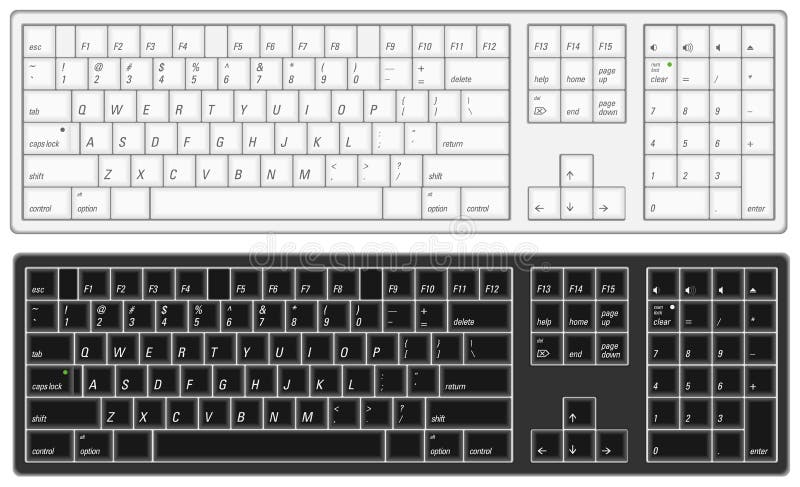
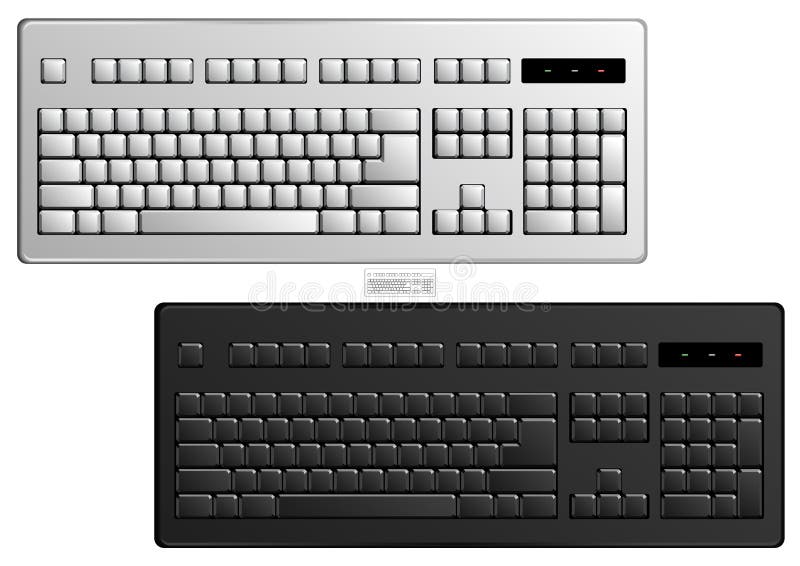
Free with trial Illustration of a computer keyboard with option of black or white. Input option vectors Computer Keyboard. Illustration of a computer keyboard with option of black or white. Illustration of a computer keyboard with option of black or white.
Free with trial A business man is using the internet and is about to push on the mouse. A glow wave is coming out of his finger. Input option illustrations Computer Internet Mouse Man. A business man is using the internet and is about to push on the mouse. A glow wave is coming out of his finger. A business man is using the internet and is about to push on the mouse. A glow wave is coming out of his finger.
Free with trial A male's finger is searching and pointing at an internet website and there are many web choices on a white background. Use it for a communication, commerce or a research concept. Input option illustrations Finger Pointing at Internet Websites. A male's finger is searching and pointing at an internet website and there are many web choices on a white background. Use. A male's finger is searching and pointing at an internet website and there are many web choices on a white background. Use it for a communication, commerce or a research concept.
Free with trial An abstract internet computer background with a globe of the Earth on one side and a keyboard on the other side. There is a circuit board in the background with binary numbers faded. A url internet address is being typed out. Input option illustrations Abstract Internet Computer Background. An abstract internet computer background with a globe of the Earth on one side and a keyboard on the other side. There is. An abstract internet computer background with a globe of the Earth on one side and a keyboard on the other side. There is a circuit board in the background with binary numbers faded. A url internet address is being typed out.
Free with trial A business man is using the internet and is about to push on the mouse. A glow wave is coming out of his finger and into a globe. There is a map of the Earth and technology images in the background. Input option illustrations Computer Internet Mouse Man with Earth. A business man is using the internet and is about to push on the mouse. A glow wave is coming out of his finger and into. A business man is using the internet and is about to push on the mouse. A glow wave is coming out of his finger and into a globe. There is a map of the Earth and technology images in the background.
Free with trial Seven technology internet business websites are standing upright with a reflection. There is one big one and smaller ones fading in back. Has black isolated background. Input option illustrations Web Technology Internet Websites Reflection. Seven technology internet business websites are standing upright with a reflection. There is one big one and smaller. Seven technology internet business websites are standing upright with a reflection. There is one big one and smaller ones fading in back. Has black isolated background.
Free with trial A wave pattern has technology photos such as an enter key on a keyboard, a globe and an internet address being typed out with a cursor. Input option illustrations Rainbow Internet Technology Wave Background. A wave pattern has technology photos such as an enter key on a keyboard, a globe and an internet address being typed. A wave pattern has technology photos such as an enter key on a keyboard, a globe and an internet address being typed out with a cursor.
Free with trial Basic Computer Keyboard Vector Art. With option of black or white. Include keyboard pattern line art. Input option vectors Basic Computer Keyboard Vector Art. With option of black or white. Include keyboard pattern line art
Free with trial Green or Red - Yes or No - Buttons. Two buttons - one with a check mark for a positive answer, and one with an x for a negative answer. Input option illustrations Green or Red - Yes or No - Buttons. Two buttons - one with a check mark for a positive answer, and one with an x for a negative answer
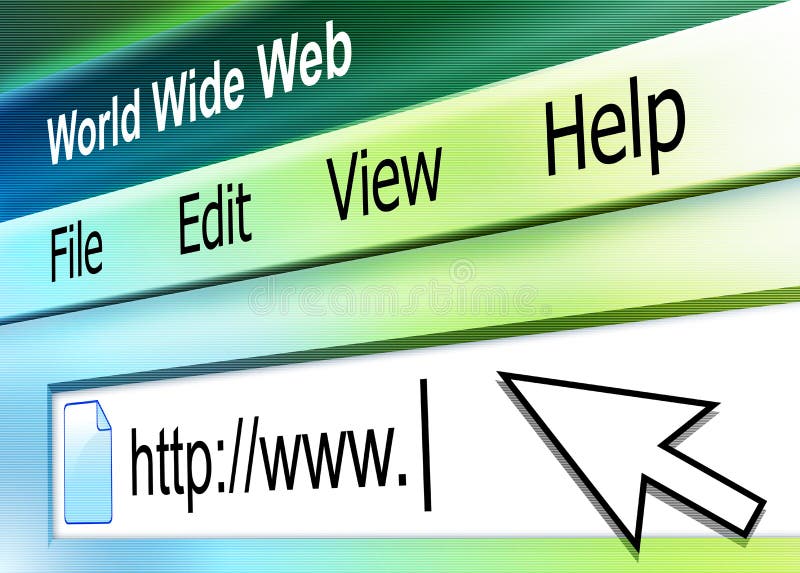
Free with trial A closeup of a technology internet url address being typed out on a computer screen. A mouse is on the right corner. Input option illustrations Internet Search Computer Screen. A closeup of a technology internet url address being typed out on a computer screen. A mouse is on the right corner. A closeup of a technology internet url address being typed out on a computer screen. A mouse is on the right corner.
Free with trial A bright blue and green closeup of a technology internet url address is being typed out on a computer screen. A mouse if on the right corner. Input option illustrations Abstract Internet Search Address Screen. A bright blue and green closeup of a technology internet url address is being typed out on a computer screen. A mouse if. A bright blue and green closeup of a technology internet url address is being typed out on a computer screen. A mouse if on the right corner.
Free with trial Set of check mark Ok confirm accept voice symbol icon web design elements and mobile applications vector. Input option vectors Set of check mark Ok confirm accept voice symbol. Icon web design elements and mobile applications vector
Free with trial Decision making architects, choice tree, marketing concept, psychology and neuroscience, mindset, vector mono line icon. Input option vectors Target group, decision making, bias concept, choose options, creative thinking. Decision making architects, choice tree, marketing concept, psychology and. Decision making architects, choice tree, marketing concept, psychology and neuroscience, mindset, vector mono line icon
Free with trial Education word cloud. Written on a chalkboard. Input option illustrations Education word cloud. Written on a chalkboard
Free with trial E-learning word cloud. Written on a chalkboard. Input option illustrations E-learning word cloud. Written on a chalkboard
Free with trial Checking. 3D concept with the phone and cursor. Input option illustrations Checking. 3D concept with the phone and cursor
Free with trial Vote. 3D concept with computer mouse over white reflective background. Input option illustrations Vote. 3D concept with computer mouse over white reflective background
Free with trial Abstract digital web header set. Vector illustration. Input option vectors Abstract digital web header set. Vector illustration
Free with trial Decision making architects, choice tree, marketing concept, psychology and neuroscience, mindset, vector mono line icon. Input option vectors Target group, decision making, bias concept, choose options, creative thinking. Decision making architects, choice tree, marketing concept, psychology and. Decision making architects, choice tree, marketing concept, psychology and neuroscience, mindset, vector mono line icon
Free with trial Infographic with white a head on the grey background. Input option vectors White Heads Icon Set. Infographic with white a head on the grey background. Infographic with white a head on the grey background.
Free with trial Three steps option infographic template for your business presentation or workflow input. Input option vectors Three steps option infographic template for your business presentation or workflow input
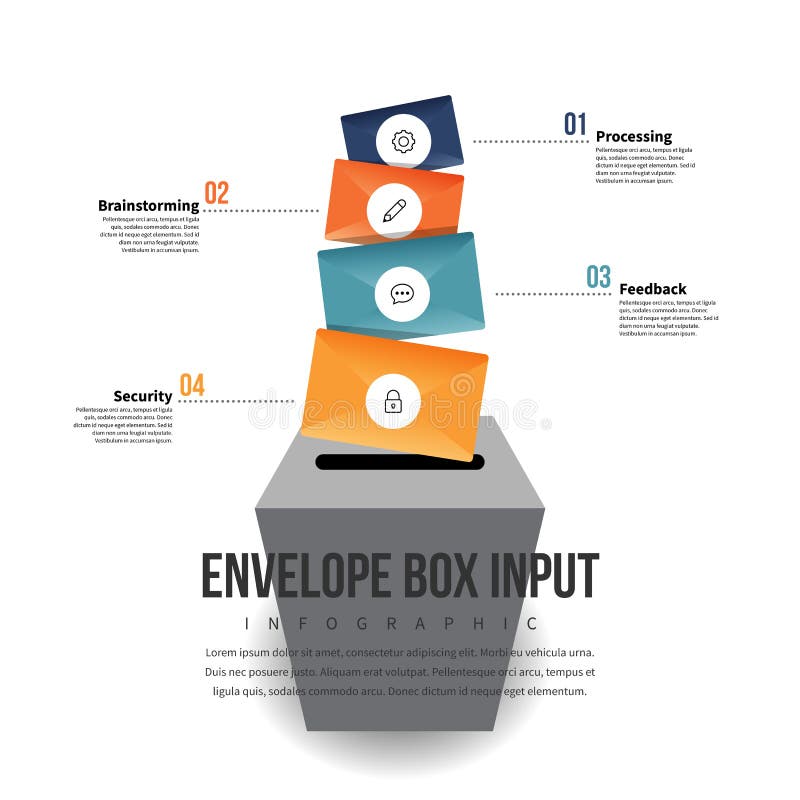
Free with trial Vector illustration of envelope box input infographic design element. Input option vectors Envelope Box Input Infographic. Vector illustration of envelope box input infographic design element. Vector illustration of envelope box input infographic design element.
Free with trial Neumorphic UI buttons. Modern minimal web layout with input fields. Square or round blank interface elements. White display graphic shapes set. Vector digital panel icons with shadow and copy space. Input option vectors Neumorphic UI buttons. Modern minimal web layout with input fields. Square or round interface elements. White graphic. Neumorphic UI buttons. Modern minimal web. Neumorphic UI buttons. Modern minimal web layout with input fields. Square or round blank interface elements. White display graphic shapes set. Vector digital panel icons with shadow and copy space
Free with trial Input Process Output Infographic. Vector illustration. Input option vectors Input Process Output Infographic. Vector illustration
Free with trial Essential useful modern keyboard key buttons pack. Software navigation guidance. Rounded keycap icons for pc keypad. Isolated vector illustration. Computer typing elements. Input device component set. Input option vectors Essential useful modern keyboard key buttons pack. Software navigation guidance. Rounded keycap icons for pc keypad. Isolated vector illustration. Computer
Free with trial Right click grayscale computer mouse. Opening context menu action in software. Minimal rounded peripheral device. Cursor control button isolated. Vector illustration. PC navigation. Input hardware. Input option vectors Right click grayscale computer mouse. Opening context menu action in software. Minimal rounded peripheral device. Cursor control button isolated. Vector
Free with trial Computer mouse and check mark. In the design of the information related to checking. Input option illustrations Computer mouse and check mark. In the design of the information related to checking
Free with trial Checking. 3D concept the cursor and checking mark. Input option illustrations Checking. 3D concept the cursor and checking mark
Free with trial Keyboard with solution key. Digital keyboard with solution key. Input option vectors Keyboard with solution key. Digital keyboard with solution key
Free with trial Illustration of cost-benefit analysis definition explained in four steps. Input option illustrations Cost benefit analysis on a colorful notes. Illustration of cost-benefit analysis definition explained in four steps. Illustration of cost-benefit analysis definition explained in four steps.
Free with trial Two persons select right choice using mouse. Two 3d persons are using mouse to select the right choice. Input option illustrations Two persons select right choice using mouse. Two 3d persons are using mouse to select the right choice
Free with trial Blue computer mouse connect to cubes structure. In the design of information related to internet. Input option illustrations Blue computer mouse connect to cubes structure. In the design of information related to internet
Free with trial Keyboard with solution key. Digital keyboard with solution key. Input option vectors Keyboard with solution key. Digital keyboard with solution key
Free with trial Abstract presentation template. With five different options for input. Input option illustrations Abstract presentation template. With five different options for input
Free with trial Green mouse and tick mark. Isolated on white background. 3d rendered. Input option illustrations Green mouse and tick mark. Isolated on white background.3d rendered
Free with trial Vector Black Toggle Switch Set. Realistic Toggle Switch. On Off Button, Modern Toggle Switch for User Interface, App, Web, Settings, Technology. UI Element, Control Panel. Input option vectors Vector Black Toggle Switch Set. Realistic Toggle Switch. On Off Button, Modern Toggle Switch for User Interface, App, Web. Settings, Technology. UI Element
Free with trial Infographic design. Stair with open doors. Vector illustration. Input option vectors Infographic design. Stair with open doors. Vector illustration.
Free with trial Checking with smart phone. The image was made by Adobe Illustrator. Input option illustrations Checking with smart phone. The image was made by Adobe Illustrator
Free with trial Different graphic elements set. Modern smartphone interface. Design. Input option vectors Different graphic elements set. Modern smartphone interface. Design
Free with trial Infographic with white a head on the grey background. Eps 10 file. Input option vectors Black Heads Icon Set. Infographic with white a head on the grey background. Eps 10 file. Infographic with white a head on the grey background. Eps 10 file.
Free with trial E-mail button. Young man pressing e-mail button. Input option illustrations E-mail button. Young man pressing e-mail button
Free with trial Black tablet with email symbols with blue world ma. P background. Input option vectors Black tablet with email symbols with blue world ma. P background
Free with trial Download button on computer keyboard. Internet download button on black computer keyboard. Input option vectors Download button on computer keyboard. Internet download button on black computer keyboard
Free with trial Blue computer mouse connect to cubes structure. 3D render on white background. Input option illustrations Blue computer mouse connect to cubes structure. Blue computer mouse connect to abstract cubes structure. 3D render on white background
Free with trial Check uncheck concept, Checkbox set with blank and checked checkbox line art vector icon for apps and websites. Check uncheck concept, Checkbox set with blank. Input option illustrations Check uncheck concept, Checkbox set with blank and checked checkbox line art vector icon for apps and websites. Check uncheck concept, Checkbox set with blank
Free with trial Check uncheck concept, Checkbox set with blank and checked checkbox line art vector icon for apps and websites. Stock Vector. Illustration. Input option illustrations Check uncheck concept, Checkbox set with blank and checked checkbox line art vector icon for apps and websites. Stock Vector. Illustration
Free with trial Tablet computer with e mail. In color background. Input option illustrations Tablet computer with e mail. In color background
Free with trial Hand pushing touch screen button background. Input option illustrations Hand pushing touch screen button background. Hand pushing touch screen button on blue background
Free with trial A minimalist icon representing a user profile. The icon features a circular camera symbol on the left side, indicating the ability to upload or capture a profile picture. On the right side, there is a rectangular text input field, suggesting the option to enter or edit user information. The design is clean and modern, with a light color scheme. Input option illustrations Minimalist user profile icon with camera and text input field isolated on white background. A minimalist icon representing a user profile. The icon features a. A minimalist icon representing a user profile. The icon features a circular camera symbol on the left side, indicating the ability to upload or capture a profile picture. On the right side, there is a rectangular text input field, suggesting the option to enter or edit user information. The design is clean and modern, with a light color scheme
Free with trial The image shows a small, rounded blue cube device featuring two green checkmarks on the top half, indicating completed or confirmed actions, and a blank rectangular input field below them, suggesting the option to add or modify additional information. Input option illustrations Blue cube-shaped device with two checked options and a blank input field. The image shows a small, rounded blue cube device featuring two green checkmarks on the. The image shows a small, rounded blue cube device featuring two green checkmarks on the top half, indicating completed or confirmed actions, and a blank rectangular input field below them, suggesting the option to add or modify additional information
Free with trial Search interface with transparent input field. Vector isolated option menu and navigation control icons, refresh and close symbols. Website header, mobile application and dashboard layout. Input option vectors Glass UI icon, elements for search interface field. Search interface with transparent input field. Vector isolated option menu and navigation control icons. Search interface with transparent input field. Vector isolated option menu and navigation control icons, refresh and close symbols. Website header, mobile application and dashboard layout
Free with trial More option. A more option button is a user interface control that opens additional commands, actions, or settings. Input option vectors More option. A more option button is a user interface control that opens additional commands, actions, or settings
Free with trial CMD Option ESC computer keyboard shortcut. Forced quit function to close unresponsive frozen application. Hotkey combo buttons for pc and laptop. Fast software efficiency. Flat vector illustration. Input option vectors CMD Option ESC computer keyboard shortcut. Forced quit function to close unresponsive frozen application. Hotkey combo buttons for pc and laptop. Fast software
Free with trial Option Command D computer keyboard shortcut. Toggle dock visibility. Interface control. Desktop management. Hotkey combo buttons for pc and laptop. Fast software efficiency. Flat vector illustration. Input option vectors Option Command D computer keyboard shortcut. Toggle dock visibility. Interface control. Desktop management. Hotkey combo buttons for pc and laptop. Fast
Free with trial CMD Option Power computer keyboard shortcut. Sleep mode. Hibernate system command. Standby function. Hotkey combo buttons for pc and laptop. Fast software efficiency. Flat vector illustration. Input option vectors CMD Option Power computer keyboard shortcut. Sleep mode. Hibernate system command. Standby function. Hotkey combo buttons for pc and laptop. Fast software
Free with trial Dock CMD Option H computer keyboard shortcut. Hide all open applications except active one. Minimize window. Hotkey combo buttons for pc and laptop. Fast software efficiency. Flat vector illustration. Input option vectors Dock CMD Option H computer keyboard shortcut. Hide all open applications except active one. Minimize window. Hotkey combo buttons for pc and laptop. Fast
Free with trial CMD Option CTRL Power computer keyboard shortcut. Forced quit all applications and perform system shutdown. Hotkey combo buttons for pc and laptop. Fast software efficiency. Flat vector illustration. Input option vectors CMD Option CTRL Power computer keyboard shortcut. Forced quit all applications and perform system shutdown. Hotkey combo buttons for pc and laptop. Fast
Free with trial Login screen with email and password fields. Above, an illustration shows two people with a padlock icon. Below the fields, there's a "Remember Me" checkbox and "Forgot Password? " link. A prominent blue "Login" button is centered. At the bottom, there's a "Sign Up" option for new users. The design is minimalist with a white background and uses icons like an envelope and a lock to indicate input fields for email and password. Input option vectors Login To Your Account With Email Input. Login screen with email and password fields. Above, an illustration shows two people with a padlock icon. Below the. Login screen with email and password fields. Above, an illustration shows two people with a padlock icon. Below the fields, there's a "Remember Me" checkbox and "Forgot Password?" link. A prominent blue "Login" button is centered. At the bottom, there's a "Sign Up" option for new users. The design is minimalist with a white background and uses icons like an envelope and a lock to indicate input fields for email and password.
Free with trial Set of Web Form Interface Input Field Icons and UI Elements. A collection of linear vector icons representing common web form input fields and interface elements. Input option vectors Set of Web Form Interface Input Field Icons and UI Elements. A collection of linear vector icons representing common web form input fields and interface elements
Free with trial The image depicts a person interacting with a touchscreen interface, selecting an option from a list of choices. The interface displays several checkboxes, with one of them checked, indicating the selected choice. The background is blurred, focusing on the hand and the screen, suggesting a modern, digital environment. Input option illustrations Selecting an option on a touchscreen interface. The image depicts a person interacting with a touchscreen interface, selecting an option from a list of choices. The image depicts a person interacting with a touchscreen interface, selecting an option from a list of choices. The interface displays several checkboxes, with one of them checked, indicating the selected choice. The background is blurred, focusing on the hand and the screen, suggesting a modern, digital environment
Free with trial These clean and modern search input fields showcase microphone icons that enhance the voice search functionality. Input option vectors A Minimalistic Search Interface Featuring an Intuitive Voice Input Option for Users. These clean and modern search input fields showcase microphone icons that. These clean and modern search input fields showcase microphone icons that enhance the voice search functionality
Free with trial CMD Option I grayscale keyboard hotkey. Open browser developer tools. Inspect web page source code. Minimal shortcut keys. Monochrome combination buttons for productivity. Vector illustration. Input option vectors CMD Option I grayscale keyboard hotkey. Open browser developer tools. Inspect web page source code. Minimal shortcut keys. Monochrome combination buttons for
Free with trial CMD Option I computer keyboard shortcut. Open browser developer tools. Inspect web page source code. Hotkey combo buttons for pc and laptop. Fast software efficiency. Flat vector illustration. Input option vectors CMD Option I computer keyboard shortcut. Open browser developer tools. Inspect web page source code. Hotkey combo buttons for pc and laptop. Fast software
Free with trial CMD Option ESC grayscale keyboard hotkey. Forced quit function to close unresponsive frozen application. Minimal shortcut keys. Monochrome combination buttons for productivity. Vector illustration. Input option vectors CMD Option ESC grayscale keyboard hotkey. Forced quit function to close unresponsive frozen application. Minimal shortcut keys. Monochrome combination buttons
Free with trial Option Command D grayscale keyboard hotkey. Toggle dock visibility. Interface control. Desktop management. Minimal shortcut keys. Monochrome combination buttons for productivity. Vector illustration. Input option vectors Option Command D grayscale keyboard hotkey. Toggle dock visibility. Interface control. Desktop management. Minimal shortcut keys. Monochrome combination
Free with trial Option Command W grayscale keyboard hotkey. Close all open windows and folders in application. Web browser. Minimal shortcut keys. Monochrome combination buttons for productivity. Vector illustration. Input option vectors Option Command W grayscale keyboard hotkey. Close all open windows and folders in application. Web browser. Minimal shortcut keys. Monochrome combination
Free with trial The image depicts a feedback survey interface featuring a text input field at the top and four colorful buttons below it. Each button represents a different response option: a green smiley face for happy, a blue checkmark for neutral, a red frowning face for unhappy, and a blue blank button for no opinion. Input option illustrations Feedback survey interface. The image depicts a feedback survey interface featuring a text input field at the top and four colorful buttons below it. Each button. The image depicts a feedback survey interface featuring a text input field at the top and four colorful buttons below it. Each button represents a different response option: a green smiley face for happy, a blue checkmark for neutral, a red frowning face for unhappy, and a blue blank button for no opinion
Free with trial Dock CMD Option H grayscale keyboard hotkey. Hide all open applications except active one. Minimize window. Minimal shortcut keys. Monochrome combination buttons for productivity. Vector illustration. Input option vectors Dock CMD Option H grayscale keyboard hotkey. Hide all open applications except active one. Minimize window. Minimal shortcut keys. Monochrome combination
Free with trial Option Command W computer keyboard shortcut. Close all open windows and folders in application. Web browser. Hotkey combo buttons for pc and laptop. Fast software efficiency. Flat vector illustration. Input option vectors Option Command W computer keyboard shortcut. Close all open windows and folders in application. Web browser. Hotkey combo buttons for pc and laptop. Fast
Free with trial Shift Option CMD Q computer keyboard shortcut. Immediate logout. Instant log out. System exit shut down. Hotkey combo buttons for pc and laptop. Fast software efficiency. Flat vector illustration. Input option vectors Shift Option CMD Q computer keyboard shortcut. Immediate logout. Instant log out. System exit shut down. Hotkey combo buttons for pc and laptop. Fast software
Free with trial CMD Option CTRL Power grayscale keyboard hotkey. Forced quit all applications and perform system shutdown. Minimal shortcut keys. Monochrome combination buttons for productivity. Vector illustration. Input option vectors CMD Option CTRL Power grayscale keyboard hotkey. Forced quit all applications and perform system shutdown. Minimal shortcut keys. Monochrome combination
Free with trial Stylish and modern search input fields that feature a microphone icon, enabling convenient voice search options. Input option vectors Modern search bars now come equipped with an innovative voice input option to enhance usability. Stylish and modern search input fields that feature a microphone. Stylish and modern search input fields that feature a microphone icon, enabling convenient voice search options
Free with trial Interface checked box illustration selection tick, option choice, input widget interface checked box. Input option illustrations Interface checked box. Illustration selection tick, option choice, input widget AI generated. interface checked box illustration selection tick, option choice, input widget interface checked box
Free with trial CMD Option Power grayscale keyboard hotkey. Sleep mode. Hibernate system command. Standby function. Minimal shortcut keys. Monochrome combination buttons for productivity. Vector illustration. Input option vectors CMD Option Power grayscale keyboard hotkey. Sleep mode. Hibernate system command. Standby function. Minimal shortcut keys. Monochrome combination buttons for
Free with trial This minimalist black and white line art illustration features a human hand with its index finger pointing directly at a series of ten hollow circles arranged in two rows. The simple, clean design emphasizes interaction, selection, and decision-making. It's ideal for conveying concepts like choosing an option, data input, user interface interaction, counting, or educational guidance. The vector graphic is suitable for web design, app development, presentations, or any project requiring a clear, symbolic representation of touch or selection. Input option vectors Index Finger Selecting Options Line Art Icon. This minimalist black and white line art illustration features a human hand with its index finger pointing directly. This minimalist black and white line art illustration features a human hand with its index finger pointing directly at a series of ten hollow circles arranged in two rows. The simple, clean design emphasizes interaction, selection, and decision-making. It's ideal for conveying concepts like choosing an option, data input, user interface interaction, counting, or educational guidance. The vector graphic is suitable for web design, app development, presentations, or any project requiring a clear, symbolic representation of touch or selection.
 Sign in