Free with trial Enhance your website functionality with these meticulously designed toggle button icons, representing 'open' and 'close' states. Ideal for interactive web features that require user engagement. Interactive toggle switch component vectors Toggle Button Icons for Web Design: Open and Close Feature. Enhance your website functionality with these meticulously designed toggle button icons, representing. Enhance your website functionality with these meticulously designed toggle button icons, representing 'open' and 'close' states. Ideal for interactive web features that require user engagement.
Free with trial Modern Glassmorphism UI elements set. User interface design featuring various buttons and toggle controls. Vector illustration. Interactive toggle switch component vectors Modern Glassmorphism UI elements set. User interface design featuring various buttons and toggle controls. Vector illustration
Free with trial A clean vector illustration of a green toggle switch or on off button, ready for user interface design. This versatile component is perfect for apps, websites, or any digital platform requiring interactive controls and clear functional indicators. vector design Generative AI. Interactive toggle switch component vectors Green Toggle Switch On Off Button User Interface Vector, vector design Generative AI. A clean vector illustration of a green toggle switch or on off button. A clean vector illustration of a green toggle switch or on off button, ready for user interface design. This versatile component is perfect for apps, websites, or any digital platform requiring interactive controls and clear functional indicators. vector design Generative AI
Free with trial A clean vector icon of an off toggle switch, symbolizing control, settings, disabling features, or user interface elements. Essential for apps, websites, or device management. A basic interactive component, vector design Generative AI. Interactive toggle switch component vectors Toggle Switch Off Icon for User Interface Control, vector design Generative AI. A clean vector icon of an off toggle switch, symbolizing control, settings. A clean vector icon of an off toggle switch, symbolizing control, settings, disabling features, or user interface elements. Essential for apps, websites, or device management. A basic interactive component, vector design Generative AI
Free with trial A high-quality 3D render of a rounded rectangular toggle switch interface element, featuring a grey housing and a vibrant cyan blue sliding button, isolated on a clean white background for UI design projects. Interactive toggle switch component illustrations A minimalist interactive toggle switch component with a bright blue button on a white background. A high-quality 3D render of a rounded rectangular toggle switch. A high-quality 3D render of a rounded rectangular toggle switch interface element, featuring a grey housing and a vibrant cyan blue sliding button, isolated on a clean white background for UI design projects
Free with trial A high-quality 3D render of a rounded rectangular toggle switch interface element, featuring a grey housing and a vibrant cyan blue sliding button, isolated on a clean white background for UI design projects. Interactive toggle switch component illustrations A minimalist interactive toggle switch component with a bright blue button on a white background. A high-quality 3D render of a rounded rectangular toggle switch. A high-quality 3D render of a rounded rectangular toggle switch interface element, featuring a grey housing and a vibrant cyan blue sliding button, isolated on a clean white background for UI design projects
Free with trial Showcase your mobile application's intuitive controls with these sleek, lime green toggle switch mockups. Perfect for user interface (UI) and user experience (UX) design, these 3D renderings provide a compelling visual representation of on off switches and app sliders. Ideal for app development and product design teams, these interactive elements are a key component of a user-friendly digital. Interactive toggle switch component illustrations Modern Toggle Switch Mockups for Mobile App UI Design Clean Minimalist 3D Renderings for User Interface Elements. Showcase your mobile application's intuitive. Showcase your mobile application's intuitive controls with these sleek, lime green toggle switch mockups. Perfect for user interface (UI) and user experience (UX) design, these 3D renderings provide a compelling visual representation of on off switches and app sliders. Ideal for app development and product design teams, these interactive elements are a key component of a user-friendly digital
Free with trial Realistic toggle switch collection on and off states with soft shadows, rounded design, and modern user interface style. Interactive toggle switch component vectors Realistic toggle switch set with on and off states modern ui control button vector illustration. Realistic toggle switch collection on and off states with soft. Realistic toggle switch collection on and off states with soft shadows, rounded design, and modern user interface style.
Free with trial Golden UI toggle switch set on dark background. Premium user interface button elements. Vector illustration. Interactive toggle switch component vectors Golden UI toggle switch set on dark background. Premium user interface button elements. Vector illustration
Free with trial Modern UI toggle switch and slider for day and night mode settings. User interface web control. Vector illustration. Interactive toggle switch component vectors Modern UI toggle switch and slider for day and night mode settings. User interface web control. Vector illustration
Free with trial 3D rendered toggle switch in on state with teal pill body and salmon button center, white background, perfect for UI design kits and settings interfaces. Interactive toggle switch component illustrations 3D Toggle Switch ON State Icon Teal Pill Navy Salmon Button Transparent Background. 3D rendered toggle switch in on state with teal pill body and salmon button. 3D rendered toggle switch in on state with teal pill body and salmon button center, white background, perfect for UI design kits and settings interfaces
Free with trial Toggle Switch UI Vector Icon Set. Toggle Switch UI scalable design Icon Set vol 952. Interactive toggle switch component vectors Toggle Switch UI Vector Icon Set. Toggle Switch UI scalable design Icon Set vol 952
Free with trial Locked and Unlocked Toggle Switch Button Vector Illustration. Locked and Unlocked Toggle Switch Button for app. Interactive toggle switch component vectors Locked and Unlocked Toggle Switch Button Vector Illustration. Locked and Unlocked Toggle Switch Button for app
Free with trial Modern UI toggle switch buttons with sleek metallic design on dark background. Web interface element. Vector illustration. Interactive toggle switch component vectors Modern UI toggle switch buttons with sleek metallic design on dark background. Web interface element. Vector illustration
Free with trial Disabling Toggle Switch UI Interface Elements. Vol 8822. Interactive toggle switch component vectors Disabling Toggle Switch UI Interface Elements. Vol 8822
Free with trial Toggle Switch UI Element Icon Set. Vol 32601. Interactive toggle switch component vectors Toggle Switch UI Element Icon Set. Vol 32601
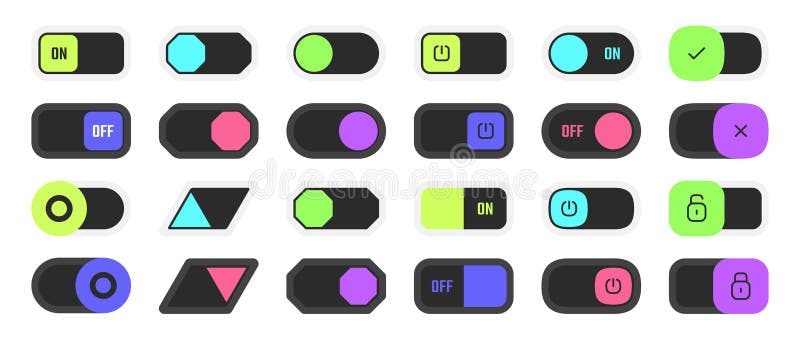
Free with trial Toggle switch and selection control UI overlay element set. On off sliders. Settings states for mobile applications. Colorful flat vector user interface component pack. Isolated graphic illustration. Interactive toggle switch component vectors Toggle switch and selection control UI overlay element set. On off sliders. Settings states for mobile applications. Colorful flat vector user interface
Free with trial A digital illustration of a rectangular green button with the word 'Merge' in white text and a white gear icon in the center, accompanied by a blue toggle switch labeled 'auto-squash' below it, set against a clean white background, representing a user interface design element for merging or automating processes in software applications. Interactive toggle switch component illustrations Green merge button with gear icon and blue auto-squash toggle switch. A digital illustration of a rectangular green button with the word 'Merge' in white text. A digital illustration of a rectangular green button with the word 'Merge' in white text and a white gear icon in the center, accompanied by a blue toggle switch labeled 'auto-squash' below it, set against a clean white background, representing a user interface design element for merging or automating processes in software applications
Free with trial Toggle switch buttons. Red green indicators. Neumorphic round Vector controls. Status interface element. EPS 10. Interactive toggle switch component vectors Toggle switch buttons. Red green indicators. Neumorphic round Vector controls. Status interface element. EPS 10
Free with trial Purple outlined toggle switch button UI element. Purple outlined toggle switch button graphic interface element isolated on white background flat linear style. Interactive toggle switch component illustrations Purple outlined toggle switch button UI element. Purple outlined toggle switch button graphic interface element isolated on white background flat linear style
Free with trial A 3D rendered toggle switch button in light blue color with a white toggle on a blue background, ideal for UI UX design, web development, and application interfaces. Interactive toggle switch component vectors 3D Toggle Switch Button. A 3D rendered toggle switch button in light blue color with a white toggle on a blue background, ideal for UI UX design, web development. A 3D rendered toggle switch button in light blue color with a white toggle on a blue background, ideal for UI UX design, web development, and application interfaces.
Free with trial A flat minimalist icon representing a toggle switch feature with a computer mouse cursor arrow. Interactive toggle switch component vectors Black and White Toggle Switch Icon with Computer Mouse Cursor Pointer Vector Illustration. A flat minimalist icon representing a toggle switch feature with a. A flat minimalist icon representing a toggle switch feature with a computer mouse cursor arrow
Free with trial Toggle switch and selection control modern black and white UI element set. On off sliders. Settings states. Isolated monochrome vector interface component pack for app design in minimal style. Interactive toggle switch component vectors Toggle switch and selection control modern black and white UI element set. On off sliders. Settings states. Isolated monochrome vector interface component pack
Free with trial Minimalist toggle switch icon for user interface and digital navigation. Interactive toggle switch component vectors Minimalist toggle switch icon for user interface design and mobile application navigation controls. Minimalist toggle switch icon for user interface and digital. minimalist toggle switch icon for user interface and digital navigation
Free with trial Vector light mode switch. User interface button. Toggle element control. Gray and white modern design. EPS 10. Interactive toggle switch component vectors Vector light mode switch. User interface button. Toggle element control. Gray and white modern design. EPS 10
Free with trial This image presents three distinct variations of a toggle switch icon, including a red outline, a solid black silhouette, and a black line art version, arranged horizontally. Interactive toggle switch component vectors Minimalist toggle switch icon set displaying three different graphical styles featuring rectangular bases. This image presents three distinct variations of a. This image presents three distinct variations of a toggle switch icon, including a red outline, a solid black silhouette, and a black line art version, arranged horizontally
Free with trial A realistic 3D of a grey toggle switch set to the off position, designed with a clean, modern aesthetic on a white background. Interactive toggle switch component illustrations A 3d rendered toggle switch button in the off position, featuring a grey circular slider and the word off, isolated on white. A realistic 3D of a grey toggle. A realistic 3D of a grey toggle switch set to the off position, designed with a clean, modern aesthetic on a white background
Free with trial Mobile application interface toggle switch icons rendered in outline solid flat and circular button styles for user interface design with software application website. Interactive toggle switch component vectors Mobile application interface toggle switch icons rendered in outline solid flat and circular button styles for user interface. Design with software application
Free with trial Day and night mode toggle switch ui icons in four distinct graphic styles for mobile application interfaces and web design. Elements. Interactive toggle switch component vectors Day and night mode toggle switch ui icons in four distinct graphic styles for mobile application interfaces and web design. Elements
Free with trial This vector shows a toggle switch with ON and OFF positions. The switch has a green checkmark in the ON position and a red X in the OFF position. The background is a light gray color. The vector is a simple graphic illustration of a common user interface element. Interactive toggle switch component vectors A simple toggle switch with ON and OFF positions on a gray background. This vector shows a toggle switch with ON and OFF positions. The switch has a green. This vector shows a toggle switch with ON and OFF positions. The switch has a green checkmark in the ON position and a red X in the OFF position. The background is a light gray color. The vector is a simple graphic illustration of a common user interface element
Free with trial Clean and modern toggle switch icons in on and off states, ideal for user interface design and digital applications. Interactive toggle switch component vectors Minimalist toggle switch icons in light and dark mode for UI design. Clean and modern toggle switch icons in on and off states, ideal for user interface design. Clean and modern toggle switch icons in on and off states, ideal for user interface design and digital applications
Free with trial A bright yellow toggle switch slider is shown in a top-down view against a white background. The slider features an oval-shaped yellow body with a white circular button positioned in the center, suggesting it is in the "on" or active position. Below the main slider is a thin, horizontal yellow bar, possibly representing the track or base of the switch. The object has a smooth, matte finish and a. Interactive toggle switch component illustrations Yellow Toggle Switch Slider with White Circular Button on White Background control. A bright yellow toggle switch slider is shown in a top-down view against a. A bright yellow toggle switch slider is shown in a top-down view against a white background. The slider features an oval-shaped yellow body with a white circular button positioned in the center, suggesting it is in the "on" or active position. Below the main slider is a thin, horizontal yellow bar, possibly representing the track or base of the switch. The object has a smooth, matte finish and a
Free with trial Collection of modern toggle switch UI elements representing on and off states for digital interfaces and applications. Interactive toggle switch component illustrations Toggle switch icons set for user interface design and apps. Collection of modern toggle switch UI elements representing on and off states for digital interfaces. Collection of modern toggle switch UI elements representing on and off states for digital interfaces and applications
Free with trial This image was created using Generative AI. A pair of toggle switch buttons, one black and one white, on a plain background. Interactive toggle switch component vectors Black and white toggle switch buttons. This image was created using Generative AI. A pair of toggle switch buttons, one black and one white, on a plain. This image was created using Generative AI. A pair of toggle switch buttons, one black and one white, on a plain background
Free with trial This image was created using Generative AI. Switch buttons for turning devices on or off, toggle controls, user interface elements. Interactive toggle switch component vectors Switch buttons on and off toggle controls. This image was created using Generative AI. Switch buttons for turning devices on or off, toggle controls, user. This image was created using Generative AI. Switch buttons for turning devices on or off, toggle controls, user interface elements
Free with trial This graphic displays two stylized toggle switch elements, presented vertically. The top switch is in an 'on' state, indicated by a bright blue circular knob against a darker blue background with a lighter blue accent. The bottom switch is in an 'off' state, featuring a gray circular knob on a similar blue background. The design is clean, modern, and uses flat design principles with subtle gradients for depth. These elements are ideal for illustrating user interface controls, digital settings, or conceptualizing activation and deactivation. Interactive toggle switch component vectors Toggle Switch UI Elements: On and Off States. This graphic displays two stylized toggle switch elements, presented vertically. The top switch is in an 'on' state. This graphic displays two stylized toggle switch elements, presented vertically. The top switch is in an 'on' state, indicated by a bright blue circular knob against a darker blue background with a lighter blue accent. The bottom switch is in an 'off' state, featuring a gray circular knob on a similar blue background. The design is clean, modern, and uses flat design principles with subtle gradients for depth. These elements are ideal for illustrating user interface controls, digital settings, or conceptualizing activation and deactivation.
Free with trial A minimalist blue toggle switch is displayed against a white background. The switch features a rounded rectangular base in a vibrant blue color, with a smooth, white circular slider positioned to the right, indicating an 'on' or active state. The design is clean and modern, representing a control element in technology or user interfaces. Interactive toggle switch component illustrations Blue toggle switch with a white circular slider on a white background control button. A minimalist blue toggle switch is displayed against a white background. A minimalist blue toggle switch is displayed against a white background. The switch features a rounded rectangular base in a vibrant blue color, with a smooth, white circular slider positioned to the right, indicating an 'on' or active state. The design is clean and modern, representing a control element in technology or user interfaces
Free with trial A simple, three-dimensional blue rectangular slider switch is shown in its off position. The white circular toggle is positioned on the left side of the blue track. The object is isolated on a clean white background, making it suitable for technology or interface design concepts. Interactive toggle switch component illustrations Blue Rectangular Slider Switch In Off Position On White Background toggle button. A simple, three-dimensional blue rectangular slider switch is shown in its off. A simple, three-dimensional blue rectangular slider switch is shown in its off position. The white circular toggle is positioned on the left side of the blue track. The object is isolated on a clean white background, making it suitable for technology or interface design concepts
Free with trial Toggle switch buttons. Green red indicators. Neumorphic round Vector controls. Minimalist interface element. EPS 10. Interactive toggle switch component vectors Toggle switch buttons. Green red indicators. Neumorphic round Vector controls. Minimalist interface element. EPS 10
Free with trial A clean, minimalist toggle switch icon rendered in a flat design style. The graphic features a rounded rectangular container with a circular slider element, commonly used in mobile apps, websites, and software interfaces to represent an on or off state. The design uses a professional blue color palette, making it suitable for technology, digital transformation, and user experience design projects requiring intuitive control elements. Interactive toggle switch component vectors Modern Toggle Switch Icon for User Interface Design and Software Applications. A clean, minimalist toggle switch icon rendered in a flat design style. The. A clean, minimalist toggle switch icon rendered in a flat design style. The graphic features a rounded rectangular container with a circular slider element, commonly used in mobile apps, websites, and software interfaces to represent an on or off state. The design uses a professional blue color palette, making it suitable for technology, digital transformation, and user experience design projects requiring intuitive control elements.
Free with trial This image was created using Generative AI. Simple black line art toggle switch icon. On and off state indicator for digital interfaces. Clean style symbol for web and app design. Minimalist UI element for user experience. Interactive toggle switch component vectors Minimal On Off Toggle Switch Icon Black Outline White Background User Interface Element. This image was created using Generative AI. Simple black line art toggle. This image was created using Generative AI. Simple black line art toggle switch icon. On and off state indicator for digital interfaces. Clean style symbol for web and app design. Minimalist UI element for user experience
Free with trial A high-quality 3D-rendered toggle switch with a glossy blue frame and a dual-color slider in cyan and green, perfect for modern digital interfaces, app design, or tech-related stock imagery. The clean and professional aesthetic makes it versatile for various tech and UI projects. Interactive toggle switch component illustrations A sleek modern toggle switch with a dual-color slider in vibrant cyan and green for digital interface design. A high-quality 3D-rendered toggle switch with a. A high-quality 3D-rendered toggle switch with a glossy blue frame and a dual-color slider in cyan and green, perfect for modern digital interfaces, app design, or tech-related stock imagery. The clean and professional aesthetic makes it versatile for various tech and UI projects
Free with trial Minimalistic toggle switch design for user interface elements and modern applications. Generated by AI. Interactive toggle switch component illustrations Minimalistic toggle switch design for user interface elements and modern applications. Generated by AI
Free with trial Four toggle switch icons are displayed: top left in black outline, top right filled black, bottom left filled blue, and bottom right in blue outline. Each icon features a rectangular shape with a circular indicator, representing the switch's on off positions. The design is minimalistic and digital, suitable for user interface applications like dark and light mode toggles. Each icon conveys an interactive element, designed for easy visual differentiation of states. Set against a plain white background, the design emphasizes clarity. Interactive toggle switch component vectors On and Off toggle switch buttons. Dark mode, light mode. Toggle button. 4 icons. Four toggle switch icons are displayed: top left in black outline, top right. Four toggle switch icons are displayed: top left in black outline, top right filled black, bottom left filled blue, and bottom right in blue outline. Each icon features a rectangular shape with a circular indicator, representing the switch's on off positions. The design is minimalistic and digital, suitable for user interface applications like dark and light mode toggles. Each icon conveys an interactive element, designed for easy visual differentiation of states. Set against a plain white background, the design emphasizes clarity.
Free with trial A semi-flat illustration showcasing a customizable toggle switch design ideal for user interfaces, Toggle Customizable Semi Flat Illustration. Interactive toggle switch component vectors A semi-flat illustration showcasing a customizable toggle switch design ideal for user interfaces, Toggle Customizable Semi Flat. Illustration
Free with trial This meticulously crafted 3D render showcases a minimalist toggle switch button, a crucial element in modern user interfaces. The clean lines and smooth transitions embody the spirit of Material Design, ensuring a visually appealing and user-friendly experience. The realistic 3D rendering effectively portrays the tactile quality of the switch, conveying a sense of responsiveness and immediacy. Interactive toggle switch component illustrations Modern Material Design Toggle Switch A 3D Rendered OnOff Button for Minimalist User Interfaces Explore the sleek design. This meticulously crafted 3D render. This meticulously crafted 3D render showcases a minimalist toggle switch button, a crucial element in modern user interfaces. The clean lines and smooth transitions embody the spirit of Material Design, ensuring a visually appealing and user-friendly experience. The realistic 3D rendering effectively portrays the tactile quality of the switch, conveying a sense of responsiveness and immediacy.
Free with trial This aerial perspective showcases cutting-edge toggle switch designs within a state-of-the-art technological setting. The image emphasizes the seamless integration of user interfaces with digital systems, highlighting the crucial role of these switches in facilitating connectivity and interaction. Notice the intricate details of the switch mechanisms, emphasizing the precision engineering and. Interactive toggle switch component illustrations Innovative Toggle Switch Designs An Aerial Perspective on Modern User Interaction and Digital Connectivity in HighTech. This aerial perspective showcases cutting. This aerial perspective showcases cutting-edge toggle switch designs within a state-of-the-art technological setting. The image emphasizes the seamless integration of user interfaces with digital systems, highlighting the crucial role of these switches in facilitating connectivity and interaction. Notice the intricate details of the switch mechanisms, emphasizing the precision engineering and
Free with trial A 3D rendering of two toggle switches, one in green and one in red, against a white background. The green switch is in the 'on' position, while the red switch is in the 'off' position. The image is suitable for use in UI UX design, technology, and modern interface concepts. Interactive toggle switch component vectors 3D Rendering of Toggle Switches in Green and Red. A 3D rendering of two toggle switches, one in green and one in red, against a white background. The green. A 3D rendering of two toggle switches, one in green and one in red, against a white background. The green switch is in the 'on' position, while the red switch is in the 'off' position. The image is suitable for use in UI UX design, technology, and modern interface concepts.
Free with trial Lock and unlock button. Digital security switch. Modern UI element. Minimalist interface component. EPS 10. Interactive toggle switch component vectors Lock and unlock button. Digital security switch. Modern UI element. Minimalist interface component. EPS 10
Free with trial A clean interface button design featuring a soft glowing sun symbol set within a simple rounded rectangular toggle frame. Interactive toggle switch component illustrations Minimalist toggle switch showing bright illuminated icon on light neutral background with interface. A clean interface button design featuring a soft glowing sun. A clean interface button design featuring a soft glowing sun symbol set within a simple rounded rectangular toggle frame
Free with trial A red electrical switch with a white, circular knob is shown in a studio shot against a white background. The word OFF is clearly visible in white lettering on the red casing. The switch appears to be in the off position, suggesting control over power or a circuit. Interactive toggle switch component illustrations Red Electrical Switch with White Knob Labeled OF on White Background Power Switch Toggle Switch. A red electrical switch with a white, circular knob is shown in. A red electrical switch with a white, circular knob is shown in a studio shot against a white background. The word OFF is clearly visible in white lettering on the red casing. The switch appears to be in the off position, suggesting control over power or a circuit
Free with trial A sleek collection of user interface buttons and toggle switches are displayed on a dark background, featuring start stop controls and various on off states. This contemporary design for interactive elements was Rendered by Ai, perfect for app development or web interfaces. Interactive toggle switch component illustrations Graphieiry UI Buttons and Toggle Switches. A sleek collection of user interface buttons and toggle switches are displayed on a dark background, featuring start. A sleek collection of user interface buttons and toggle switches are displayed on a dark background, featuring start stop controls and various on off states. This contemporary design for interactive elements was Rendered by Ai, perfect for app development or web interfaces
Free with trial Discover this detailed vector illustration presenting a diverse collection of gradient UI toggle switches and sliders. Designed with a clean, flat, and modern aesthetic, these interactive buttons effectively represent 'on' and 'off' states. Optimized as isolated icons in EPS format, they are perfect assets for user interface (UI) and user experience (UX) design, web applications, mobile apps, and any digital platform requiring intuitive controls and interactive elements. Enhance your projects with these colorful and functional graphic components. Interactive toggle switch component vectors Vector Illustration of Gradient UI Toggle Switches with On or Off States. Essential Control Buttons for Modern Web and Mobile Apps. Discover this detailed vector. Discover this detailed vector illustration presenting a diverse collection of gradient UI toggle switches and sliders. Designed with a clean, flat, and modern aesthetic, these interactive buttons effectively represent 'on' and 'off' states. Optimized as isolated icons in EPS format, they are perfect assets for user interface (UI) and user experience (UX) design, web applications, mobile apps, and any digital platform requiring intuitive controls and interactive elements. Enhance your projects with these colorful and functional graphic components.
Free with trial A minimalist red slider switch is depicted against a plain white background. The switch is elongated and rounded at the ends. A circular white button is positioned within a horizontal slot on the red body of the switch, indicating its current state. A small circular indentation is visible at the other end of the switch. The object has a smooth, glossy finish. Interactive toggle switch component illustrations Red Slider Switch with White Circular Button on White Background toggle switch on off. A minimalist red slider switch is depicted against a plain white. A minimalist red slider switch is depicted against a plain white background. The switch is elongated and rounded at the ends. A circular white button is positioned within a horizontal slot on the red body of the switch, indicating its current state. A small circular indentation is visible at the other end of the switch. The object has a smooth, glossy finish
Free with trial This image showcases various user interface components, including buttons, toggles, icons, search bars, sliders, and progress indicators. It highlights different states such as active, hover, disabled, and on off toggles for designing interactive and user-friendly applications. Useful for developers and designers focusing on UI UX. Interactive toggle switch component vectors Comprehensive Guide to UI Elements and Interactive Component Designs. This image showcases various user interface components, including buttons, toggles, icons. This image showcases various user interface components, including buttons, toggles, icons, search bars, sliders, and progress indicators. It highlights different states such as active, hover, disabled, and on off toggles for designing interactive and user-friendly applications. Useful for developers and designers focusing on UI UX
Free with trial This image features a simple yet effective graphic illustration of day and night toggle switches. The switches are set against a clean light gray background, making it easy to focus on the icons and their meaning. The sun and moon symbols are used to represent day and night, respectively, and the toggle switches provide an interactive element to the design. Interactive toggle switch component vectors A graphic illustration of day and night toggle switches on a light gray background. This image features a simple yet effective graphic illustration of day and. This image features a simple yet effective graphic illustration of day and night toggle switches. The switches are set against a clean light gray background, making it easy to focus on the icons and their meaning. The sun and moon symbols are used to represent day and night, respectively, and the toggle switches provide an interactive element to the design
Free with trial This vector features a graphic illustration of four toggle buttons in different colors, including red, green, white, and gray, set against a clean gray background. The toggle buttons are depicted in a simple, modern style, making them suitable for use in digital interfaces, user experience design, and other applications where interactive controls are needed. The illustration showcases a visually. Interactive toggle switch component vectors A graphic illustration of four toggle buttons in different colors on a gray background. This vector features a graphic illustration of four toggle buttons in. This vector features a graphic illustration of four toggle buttons in different colors, including red, green, white, and gray, set against a clean gray background. The toggle buttons are depicted in a simple, modern style, making them suitable for use in digital interfaces, user experience design, and other applications where interactive controls are needed. The illustration showcases a visually
Free with trial Vector graphic of a smartphone interface showing green toggle switches for settings or feature activation in apps. Interactive toggle switch component illustrations Mobile application toggle switch UI design element. Vector graphic of a smartphone interface showing green toggle switches for settings or feature activation in. Vector graphic of a smartphone interface showing green toggle switches for settings or feature activation in apps
Free with trial A clean, minimalist UI icon featuring two toggle switches, one in the on position and one in the off position. The design uses a flat, modern aesthetic with dark grey shapes on a light grey rounded square background. This graphic is ideal for representing user interface settings, system preferences, feature activation, or digital control panels in web and mobile application design. Interactive toggle switch component illustrations Toggle Switch UI Icon Representing On and Off States for Digital Interfaces. A clean, minimalist UI icon featuring two toggle switches, one in the on position. A clean, minimalist UI icon featuring two toggle switches, one in the on position and one in the off position. The design uses a flat, modern aesthetic with dark grey shapes on a light grey rounded square background. This graphic is ideal for representing user interface settings, system preferences, feature activation, or digital control panels in web and mobile application design.
Free with trial A set of three glossy, rounded 3D toggle switches in blue, green, and orange colors. High-quality isolated graphic elements for user interface design and mobile application navigation. Interactive toggle switch component vectors 3D Glossy Toggle Switch UI Elements Set Isolated on Transparent Background. A set of three glossy, rounded 3D toggle switches in blue, green, and orange colors. A set of three glossy, rounded 3D toggle switches in blue, green, and orange colors. High-quality isolated graphic elements for user interface design and mobile application navigation.
Free with trial This minimalist orange switch button, perfectly isolated against a pristine white backdrop, is ideal for various design applications. Its clean lines and vibrant color make it a compelling choice for user interface (UI) design, web development, and graphic design projects. The isolated nature of the image ensures precise placement and seamless integration into any digital environment. The. Interactive toggle switch component illustrations Modern Orange Toggle Switch Isolated on White Background for User Interface Design and Web Development. This minimalist orange switch button, perfectly isolated. This minimalist orange switch button, perfectly isolated against a pristine white backdrop, is ideal for various design applications. Its clean lines and vibrant color make it a compelling choice for user interface (UI) design, web development, and graphic design projects. The isolated nature of the image ensures precise placement and seamless integration into any digital environment. The
Free with trial Neumorphic UI toggle switches and slider control. Neumorphic UI toggle switches and slider control for modern app interface design. Vector illustration. Interactive toggle switch component vectors Neumorphic UI toggle switches and slider control. Neumorphic UI toggle switches and slider control for modern app interface design. Vector illustration
Free with trial Modern neomorphism toggle switches in on and off states. Modern neomorphism toggle switches in on and off states for user interface design. Vector illustration. Interactive toggle switch component vectors Modern neomorphism toggle switches in on and off states. Modern neomorphism toggle switches in on and off states for user interface design. Vector illustration
Free with trial Modern golden toggle switches for user interface design. Glossy metallic button for web app. Vector illustration. Interactive toggle switch component vectors Modern golden toggle switches for user interface design. Glossy metallic button for web app. Vector illustration
Free with trial Golden UI toggle switches in on and off positions. Modern interface elements for web and app. Vector illustration. Interactive toggle switch component vectors Golden UI toggle switches in on and off positions. Modern interface elements for web and app. Vector illustration
Free with trial Modern dark mode toggle switches with blue glowing activation. UI element for interface design. Vector illustration. Interactive toggle switch component vectors Modern dark mode toggle switches with blue glowing activation. UI element for interface design. Vector illustration
Free with trial A set of modern, glossy 3D toggle switches rendered in a purple and blue gradient style, ideal for mobile or web UI design concepts and digital interface elements. Interactive toggle switch component illustrations Glossy purple and blue 3D UI toggle switches set. A set of modern, glossy 3D toggle switches rendered in a purple and blue gradient style, ideal for mobile or. A set of modern, glossy 3D toggle switches rendered in a purple and blue gradient style, ideal for mobile or web UI design concepts and digital interface elements.
Free with trial Toggle switch button in on and off, block and unblock positions. Vector user interface design and app controls, settings or interactive dashboards. Activation and approval, enable and disable actions. Interactive toggle switch component vectors Enable and disable actions buttons and switches. Toggle switch button in on and off, block and unblock positions. Vector user interface design and app controls. Toggle switch button in on and off, block and unblock positions. Vector user interface design and app controls, settings or interactive dashboards. Activation and approval, enable and disable actions
Free with trial A modern settings interface featuring a gradient panel with dark mode toggle, sun icon indicator, and rounded action buttons. Interactive toggle switch component vectors Modern settings interface with dark mode toggle design. A modern settings interface featuring a gradient panel with dark mode toggle, sun icon indicator, and. A modern settings interface featuring a gradient panel with dark mode toggle, sun icon indicator, and rounded action buttons
Free with trial Switch Button On State Modern Design. A sleek on state switch button with modern design and subtle shadow effect on a pastel background. Generative AI. Interactive toggle switch component illustrations Switch Button On State Modern Design. A sleek on state switch button with modern design and subtle shadow effect on a pastel background. Generative AI
Free with trial Power button icon. Red status indicator. Circular control Vector symbol. Neumorphism switch element. EPS 10. Interactive toggle switch component vectors Power button icon. Red status indicator. Circular control Vector symbol. Neumorphism switch element. EPS 10
Free with trial Two toggle buttons with distinct symbols, X and Z, in different colors, set against a clean white background, ideal for user interface design concepts. Interactive toggle switch component vectors Toggle Buttons with X and Z Symbols. Two toggle buttons with distinct symbols, X and Z, in different colors, set against a clean white background, ideal for user. Two toggle buttons with distinct symbols, X and Z, in different colors, set against a clean white background, ideal for user interface design concepts.
Free with trial Simple push switch design, industrial component 3d render, control interface element, round mechanical part, neutral hardware mockup, plain style. Interactive toggle switch component illustrations Minimalist white plastic button with glossy finish and circular base. Simple push switch design, industrial component 3d render, control interface element, round. Simple push switch design, industrial component 3d render, control interface element, round mechanical part, neutral hardware mockup, plain style
Free with trial Set of 3D toggle switches and UI sliders with glossy round knobs in orange and light blue. Modern claymorphism interface controls for mobile apps and web design template. Interactive toggle switch component vectors Set of 3D toggle switches and UI sliders with glossy round knobs in orange and light blue. Modern claymorphism interface controls. For mobile apps and web
Free with trial A bright red sliding switch with a white circular button is shown in isolation on a white background. The switch has a smooth, elongated oval shape with rounded edges. A small hole is visible at one end, and a larger cutout allows the white button to slide. Interactive toggle switch component illustrations Red Sliding Switch With White Button On White Background slider. A bright red sliding switch with a white circular button is shown in isolation on a white. A bright red sliding switch with a white circular button is shown in isolation on a white background. The switch has a smooth, elongated oval shape with rounded edges. A small hole is visible at one end, and a larger cutout allows the white button to slide
Free with trial This image features a modern graphic design of two toggle buttons on a light gray background, representing on and off states, user interface elements used in digital products, software, and applications to enable or disable features, settings, or options, promoting interaction, control, and customization. Interactive toggle switch component vectors A modern graphic design of two toggle buttons on a light gray background. This image features a modern graphic design of two toggle buttons on a light gray. This image features a modern graphic design of two toggle buttons on a light gray background, representing on and off states, user interface elements used in digital products, software, and applications to enable or disable features, settings, or options, promoting interaction, control, and customization
Free with trial A clean, modern user interface design featuring three distinct white cards against a light grey background. The left card shows a circular gauge with an orange indicator, while the top right card features vertical slider controls, and the bottom right card displays interactive toggle switches in both active and inactive states. Interactive toggle switch component vectors Minimalist interface design displaying interactive dashboard widgets with controls and data meters. A clean, modern user interface design featuring three. A clean, modern user interface design featuring three distinct white cards against a light grey background. The left card shows a circular gauge with an orange indicator, while the top right card features vertical slider controls, and the bottom right card displays interactive toggle switches in both active and inactive states
Free with trial A modern 3D rendered user interface concept featuring various interactive elements on a dark, abstract background. The design includes a login form, input fields with placeholder data, profile icons, and distinct buttons like 'Sad mood' and a toggle switch. The minimalist aesthetic with soft colors and subtle shadows creates a clean, professional look. This image is ideal for showcasing web design, app development, user experience (UX) principles, digital interaction, and technology concepts, emphasizing data entry and user engagement. Interactive toggle switch component illustrations Modern 3D User Interface Elements on Dark Background. A modern 3D rendered user interface concept featuring various interactive elements on a dark, abstract. A modern 3D rendered user interface concept featuring various interactive elements on a dark, abstract background. The design includes a login form, input fields with placeholder data, profile icons, and distinct buttons like 'Sad mood' and a toggle switch. The minimalist aesthetic with soft colors and subtle shadows creates a clean, professional look. This image is ideal for showcasing web design, app development, user experience (UX) principles, digital interaction, and technology concepts, emphasizing data entry and user engagement.
Free with trial This vector depicts a simple graphic illustration of an on and off switch with red and green buttons. The switch is a common interface element used to control various electronic devices and applications. The red button indicates the off position, while the green button represents the on position. This visual representation is widely used in digital products and services to provide users with an. Interactive toggle switch component vectors A simple graphic illustration of an on and off switch with red and green buttons. This vector depicts a simple graphic illustration of an on and off switch with. This vector depicts a simple graphic illustration of an on and off switch with red and green buttons. The switch is a common interface element used to control various electronic devices and applications. The red button indicates the off position, while the green button represents the on position. This visual representation is widely used in digital products and services to provide users with an
Free with trial Power button icon. Green status indicator. Circular control Vector symbol. Neumorphism switch element. EPS 10. Interactive toggle switch component vectors Power button icon. Green status indicator. Circular control Vector symbol. Neumorphism switch element. EPS 10
 Sign in