Free with trial A striking 3D dark blue gear icon featuring a dynamic refresh arrow at its center, presented against a clean light gray backdrop. Ideal for themes of settings, updates, or processes. Interface function illustrations Smooth dark blue 3D gear icon with a refresh arrow on a subtle light gray background. A striking 3D dark blue gear icon featuring a dynamic refresh arrow at its. A striking 3D dark blue gear icon featuring a dynamic refresh arrow at its center, presented against a clean light gray backdrop. Ideal for themes of settings, updates, or processes
Free with trial Human hand securely holding sleek white portable electronic device focus on human hand holding small white electronic device. Generative AI. Interface function illustrations Human hand securely holding sleek white portable electronic device focus on human hand holding small white electronic device. Generative AI
Free with trial A close-up view of hands typing on a laptop keyboard, surrounded by colorful programming code, symbolizing the immense world of software development and technology. Xenic. Interface function illustrations Close-up of Hands Typing on Keyboard Surrounded by Code and Programming Syntax Representing Software Development and. A close-up view of hands typing on a laptop. A close-up view of hands typing on a laptop keyboard, surrounded by colorful programming code, symbolizing the immense world of software development and technology. Xenic
Free with trial Explore the cutting-edge technology in a modern science lab. This image captures the essence of innovation and exploration in research and data analysis. Interface function illustrations Innovative Technology in a Modern Science Lab. Explore the cutting-edge technology in a modern science lab. This image captures the essence of innovation and. Explore the cutting-edge technology in a modern science lab. This image captures the essence of innovation and exploration in research and data analysis
Free with trial A sleek AI voice assistant is displayed prominently in a modern living room setting, emphasizing technology's role in creating a stylish and comfortable atmosphere at night. Interface function illustrations Modern AI Voice Assistant in Stylish Living Room Setting at Night. A sleek AI voice assistant is displayed prominently in a modern living room setting. A sleek AI voice assistant is displayed prominently in a modern living room setting, emphasizing technology's role in creating a stylish and comfortable atmosphere at night
Free with trial A high-tech digital level indicator featuring a sleek metallic casing and a vibrant green glowing display. The instrument includes fine measuring scales and precise alignment markers, symbolizing balance, measurement, accuracy, and technological advancement. Isolated on a clean white background, this 3D render is perfect for industrial design, engineering presentations, UI design elements, quality control concepts, architecture, and construction industry themes requiring a modern aesthetic. Interface function illustrations Modern Digital Level Indicator with Green Glow. A high-tech digital level indicator featuring a sleek metallic casing and a vibrant green glowing display. The. A high-tech digital level indicator featuring a sleek metallic casing and a vibrant green glowing display. The instrument includes fine measuring scales and precise alignment markers, symbolizing balance, measurement, accuracy, and technological advancement. Isolated on a clean white background, this 3D render is perfect for industrial design, engineering presentations, UI design elements, quality control concepts, architecture, and construction industry themes requiring a modern aesthetic.
Free with trial 3D car rental app showcasing vehicle selections with filter features. 3D mobile car rental app highlights vehicle variety with easy filters and booking. Interface function illustrations 3D car rental app showcasing vehicle selections with filter features. 3D mobile car rental app highlights vehicle variety with easy filters and booking
Free with trial Browser address bar with http text, accompanied by a diagram of interconnected elements, symbolizing navigation, internet, and process overview. Ideal for technology, web design, SEO, innovation. Interface function vectors Web Address Bar with Simplified Workflow Concept in Minimalist Design. Browser address bar with http text, accompanied by a diagram of interconnected elements. Browser address bar with http text, accompanied by a diagram of interconnected elements, symbolizing navigation, internet, and process overview. Ideal for technology, web design, SEO, innovation
Free with trial Red circular pause button with a glossy finish and long shadow. AI generated. Interface function vectors Red circular pause button with a glossy finish and long shadow. AI generated
Free with trial A clean reference sheet presents twenty pagination icons in a five-column grid on a pale gray background, with dark teal outlines and lettering and soft gray rounded-square tiles. The designs include first, previous, next and last arrows numbered page buttons and ranges ellipsis and page indicators selected and unselected states a dropdown, jump-to-page field, and total-page symbol. Bold uppercase labels identify each function, while the evenly spaced layout and restrained palette give the interface elements a clear, orderly appearance. Interface function vectors Pagination Pages Icon Set With First With Prev. A clean reference sheet presents twenty pagination icons in a five-column grid on a pale gray background, with. A clean reference sheet presents twenty pagination icons in a five-column grid on a pale gray background, with dark teal outlines and lettering and soft gray rounded-square tiles. The designs include first, previous, next and last arrows numbered page buttons and ranges ellipsis and page indicators selected and unselected states a dropdown, jump-to-page field, and total-page symbol. Bold uppercase labels identify each function, while the evenly spaced layout and restrained palette give the interface elements a clear, orderly appearance.
Free with trial A modern smartphone with a white screen and a yellow border is displayed against a white background. The screen features a prominent yellow percentage sign enclosed in a square bracket icon, suggesting a discount or offer. Below this, a large, yellow "PAY" button is centered, indicating a mobile payment function. Interface function illustrations Smartphone Displaying Percentage Sign and Pay Button for Mobile Payment image photo. A modern smartphone with a white screen and a yellow border is displayed. A modern smartphone with a white screen and a yellow border is displayed against a white background. The screen features a prominent yellow percentage sign enclosed in a square bracket icon, suggesting a discount or offer. Below this, a large, yellow "PAY" button is centered, indicating a mobile payment function
Free with trial Mute : mute is a function that turns off sound temporarily on an audio or video device. Interface function vectors Illustration of mute. Mute : mute is a function that turns off sound temporarily on an audio or video device. mute : mute is a function that turns off sound temporarily on an audio or video device.
Free with trial A vibrant collection of computer accessories and gadgets displayed in a neat layout, perfect for illustrating technology concepts or digital tools. Interface function illustrations Colorful Computer Accessories and Gadgets in a Clean Layout. A vibrant collection of computer accessories and gadgets displayed in a neat layout, perfect for. A vibrant collection of computer accessories and gadgets displayed in a neat layout, perfect for illustrating technology concepts or digital tools
Free with trial A business professional engages with a digital tablet in a modern office, illustrating agile management through interactive icons and data visualization for efficient strategy execution. Tessel. Interface function illustrations Business Professional Using Digital Tablet for Agile Management with Interactive Icons and Data Visualization in. A business professional engages with a digital. A business professional engages with a digital tablet in a modern office, illustrating agile management through interactive icons and data visualization for efficient strategy execution. Tessel
Free with trial A vibrant image showcasing six pastel-colored app icons arranged on a pink background, perfect for digital design. Interface function illustrations Colorful App Icons on Pink Background - Modern Digital Design. A vibrant image showcasing six pastel-colored app icons arranged on a pink background, perfect for. A vibrant image showcasing six pastel-colored app icons arranged on a pink background, perfect for digital design
Free with trial A vibrant illustration showcasing a collection of colorful app icons arranged on a yellow square, representing modern digital design. Interface function illustrations Colorful App Icons on a Yellow Square - Modern Digital Design. A vibrant illustration showcasing a collection of colorful app icons arranged on a yellow square. A vibrant illustration showcasing a collection of colorful app icons arranged on a yellow square, representing modern digital design
Free with trial A minimalist vector illustration of a search bar, featuring a gradient-colored magnifying glass icon on a sleek gray input field. This clean design provides a contemporary and unobtrusive search function, ideal for modern websites, mobile applications, or digital platforms that prioritize a streamlined user experience and sophisticated aesthetic, vector design Generative AI. Interface function vectors Minimal Search Bar: Gradient Magnifying Glass on Gray Field, vector design Generative AI. A minimalist vector illustration of a search bar, featuring a gradient. A minimalist vector illustration of a search bar, featuring a gradient-colored magnifying glass icon on a sleek gray input field. This clean design provides a contemporary and unobtrusive search function, ideal for modern websites, mobile applications, or digital platforms that prioritize a streamlined user experience and sophisticated aesthetic, vector design Generative AI
Free with trial Menu Icon. Isolated on White Background. Interface function illustrations Menu Icon. Isolated on White Background
Free with trial Audio mute symbol icon displayed in grey tones to denote a quiet sound volume control. AI generated. Interface function illustrations Audio mute symbol icon displayed in grey tones to denote a quiet sound volume control. AI generated
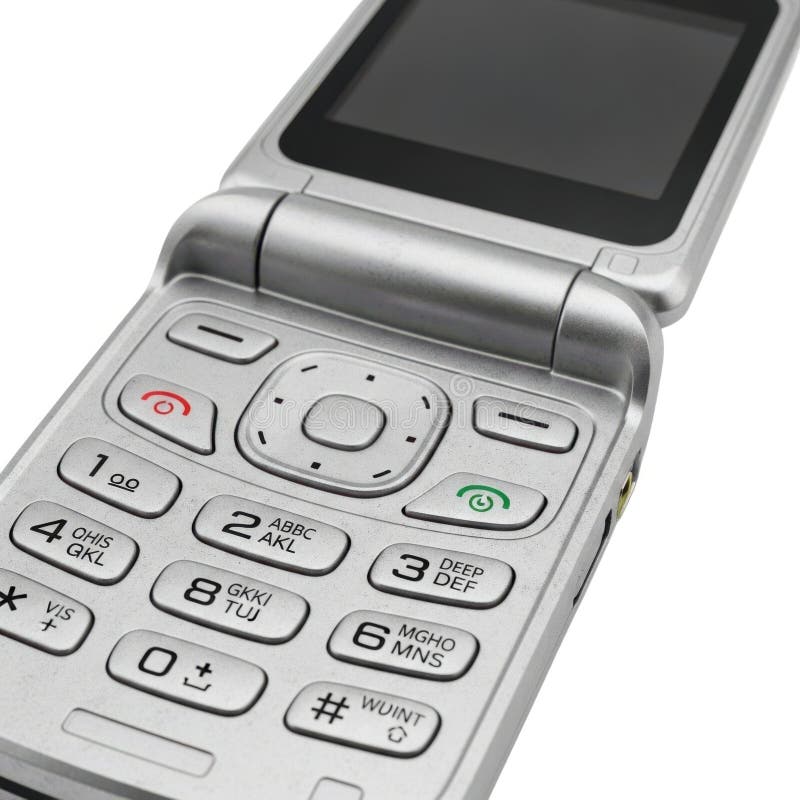
Free with trial A detailed, close-up view of a silver flip mobile phone, highlighting its tactile keypad with numbers and function buttons, and a portion of its display screen. Interface function illustrations Retro silver flip phone closeup showing numeric keypad and screen interface technology. A detailed, close-up view of a silver flip mobile phone, highlighting its. A detailed, close-up view of a silver flip mobile phone, highlighting its tactile keypad with numbers and function buttons, and a portion of its display screen
Free with trial A minimalist black vector icon representing the share function, featuring an arrow pointing upward from a square, for content export and digital sharing. Interface function vectors Share Icon: Minimalist Black Vector Symbol of Content Export and Digital Sharing. A minimalist black vector icon representing the share function, featuring an. A minimalist black vector icon representing the share function, featuring an arrow pointing upward from a square, for content export and digital sharing.
Free with trial A high-resolution 3D rendering of a single red gear wheel with a metallic center, isolated on a white background. Perfect for industrial, engineering, or machinery concepts. Interface function illustrations Red Gear Wheel: 3D Render of Industrial Cog. A high-resolution 3D rendering of a single red gear wheel with a metallic center, isolated on a white background. A high-resolution 3D rendering of a single red gear wheel with a metallic center, isolated on a white background. Perfect for industrial, engineering, or machinery concepts.
Free with trial The image shows a minimalist remote control with a rounded, ergonomic design. The front features a small digital screen at the top, likely for displaying channel numbers or other information. Below the screen, there are twelve evenly spaced circular buttons, probably for navigating through channels, adjusting volume, and accessing other functions. Beneath these buttons, there is a single elongated. Interface function illustrations A sleek and modern remote control device with a digital display and multiple buttons isolated on white background. The image shows a minimalist remote control. The image shows a minimalist remote control with a rounded, ergonomic design. The front features a small digital screen at the top, likely for displaying channel numbers or other information. Below the screen, there are twelve evenly spaced circular buttons, probably for navigating through channels, adjusting volume, and accessing other functions. Beneath these buttons, there is a single elongated
Free with trial Modern fit band complements apple watch design, enhancing both form and function ,Generative ai. Interface function illustrations Sleek fit band integration with smart watch seamless blend of style and functionality. Modern fit band complements apple watch design, enhancing both form and. Modern fit band complements apple watch design, enhancing both form and function ,Generative ai
Free with trial Eight illuminated square icons showcase a variety of digital concepts including a globe, calculator, shopping cart, profile, home, search, and lock, suggesting online functionality and services. Interface function illustrations Collection of glossy square icons representing diverse digital services and functions. Eight illuminated square icons showcase a variety of digital concepts. Eight illuminated square icons showcase a variety of digital concepts including a globe, calculator, shopping cart, profile, home, search, and lock, suggesting online functionality and services
Free with trial An abstract icon representing a sound wave or audio signal. The central element consists of vertical grey bars of varying heights, mimicking an equalizer or audio meter. These are framed by four blue corner brackets, suggesting a scanning or capturing function. The icon is presented in a clean, modern style on a white background, suitable for technology or communication-related concepts. Interface function illustrations Abstract Sound Wave Icon with Blue Corner Brackets on a White Background audio music. An abstract icon representing a sound wave or audio signal. The central. An abstract icon representing a sound wave or audio signal. The central element consists of vertical grey bars of varying heights, mimicking an equalizer or audio meter. These are framed by four blue corner brackets, suggesting a scanning or capturing function. The icon is presented in a clean, modern style on a white background, suitable for technology or communication-related concepts
Free with trial A clear vector icon featuring forward and back buttons, perfect for navigation, media players, or interactive interfaces. This intuitive design ensures user-friendly control, making it ideal for web design, mobile apps, or presentation tools. Its clean lines provide immediate recognition and functionality, vector design Generative AI. Interface function vectors Forward and Back Buttons Icon: Navigation & Media Controls, vector design Generative AI. A clear vector icon featuring forward and back buttons, perfect for. A clear vector icon featuring forward and back buttons, perfect for navigation, media players, or interactive interfaces. This intuitive design ensures user-friendly control, making it ideal for web design, mobile apps, or presentation tools. Its clean lines provide immediate recognition and functionality, vector design Generative AI
Free with trial Light bulb icon with cursor symbol representing navigation, user interaction, and digital control. Ideal for online systems, website usage, application interfaces, and technology solutions. Interface function vectors Navigation Idea Light Bulb Icon with Cursor Symbol Representing User Interaction and Digital Control Concept. Light bulb icon with cursor symbol representing. Light bulb icon with cursor symbol representing navigation, user interaction, and digital control. Ideal for online systems, website usage, application interfaces, and technology solutions
Free with trial This image illustrates a stylized robotic hand pressing down on a glowing blue submit button, rendered in a clean sketch style on a textured. Interface function illustrations Mechanical robotic finger pressing a digital submit button for online data. This image illustrates a stylized robotic hand pressing down on a glowing blue submit. This image illustrates a stylized robotic hand pressing down on a glowing blue submit button, rendered in a clean sketch style on a textured
Free with trial AI powers intelligent networks by linking data, enhancing real-time analytics, securing communication, and improving system efficiency and automation. Vouch. Interface function illustrations AI-driven intelligent network architecture Vouch. AI powers intelligent networks by linking data, enhancing real-time analytics, securing communication, and. AI powers intelligent networks by linking data, enhancing real-time analytics, securing communication, and improving system efficiency and automation. Vouch
Free with trial AI powers intelligent networks by linking data, enhancing real-time analytics, securing communication, and improving system efficiency and automation. Vouch. Interface function illustrations AI-driven intelligent network architecture Vouch. AI powers intelligent networks by linking data, enhancing real-time analytics, securing communication, and. AI powers intelligent networks by linking data, enhancing real-time analytics, securing communication, and improving system efficiency and automation. Vouch
Free with trial A bright yellow button featuring a double right arrow symbol, indicating a fast forward or skip action, commonly used in media players. Interface function illustrations Yellow button with double right arrows for fast forward action. A bright yellow button featuring a double right arrow symbol, indicating a fast forward or skip. A bright yellow button featuring a double right arrow symbol, indicating a fast forward or skip action, commonly used in media players
Free with trial Black icon bundle of a home symbol with an energy bolt, perfect for power management tools, smart home systems, and efficiency dashboards. Interface function vectors Home Symbol with Energy Bolt Black Icon Bundle for Power and Efficiency Applications. Black icon bundle of a home symbol with an energy bolt, perfect for power. Black icon bundle of a home symbol with an energy bolt, perfect for power management tools, smart home systems, and efficiency dashboards
Free with trial A bold flat vector illustration of a minus or 'X' button icon, commonly used to represent removal, deletion, or cancellation in digital interfaces. This clear symbol is ideal for UI UX design, software applications, or any graphic requiring a straightforward indicator for negative actions or closing elements, vector design Generative AI. Interface function vectors Minus X button icon, representing removal or cancellation, vector design Generative AI. A bold flat vector illustration of a minus or 'X' button icon, commonly. A bold flat vector illustration of a minus or 'X' button icon, commonly used to represent removal, deletion, or cancellation in digital interfaces. This clear symbol is ideal for UI UX design, software applications, or any graphic requiring a straightforward indicator for negative actions or closing elements, vector design Generative AI
Free with trial A grid of 40 uniformly sized red square icons, each featuring a single white symbol hearts, play buttons, and other media-related symbols dominate. Interface function illustrations A grid of 40 uniformly sized red square icons, each featuring a. Single white symbol hearts, play buttons, and other media-related symbols dominate
Free with trial Eight simple, red vector icons depicting camera, heart, play, upload, and settings symbols on a white background. They feature clean lines and a minimalist aesthetic. Interface function illustrations Eight simple, red vector icons depicting camera, heart, play, up. Load, and settings symbols on a white background. They feature clean lines and a minimalist
Free with trial A single, shiny blue power button with a white symbol is presented against a clean white background, representing the concept of starting, stopping, or technology. Interface function illustrations Glossy blue power button symbol on white background, technology and startup concept. A single, shiny blue power button with a white symbol is presented against a. A single, shiny blue power button with a white symbol is presented against a clean white background, representing the concept of starting, stopping, or technology
Free with trial A modern gray smartphone with a blue trim is displayed vertically against a white background. Centered on the screen is a prominent red circular icon containing a white outline of a telephone receiver, signifying a call or communication function. The overall presentation is clean and minimalist. Interface function illustrations Gray Smartphone with a Red Circle Containing a White Phone Receiver Icon on a White Background. A modern gray smartphone with a blue trim is displayed vertically. A modern gray smartphone with a blue trim is displayed vertically against a white background. Centered on the screen is a prominent red circular icon containing a white outline of a telephone receiver, signifying a call or communication function. The overall presentation is clean and minimalist
Free with trial A macro perspective of an office printers control panel, where the illuminated power button signals the start of a new task. This image captures the moment of activation, representing the beginning of a productive workflow, business operations, and modern office technology in action. Interface function illustrations Office Printer Control Panel with Illuminated Power Button. A macro perspective of an office printers control panel, where the illuminated power button signals. A macro perspective of an office printers control panel, where the illuminated power button signals the start of a new task. This image captures the moment of activation, representing the beginning of a productive workflow, business operations, and modern office technology in action
Free with trial A close-up, angled view of a silver electronic control panel. The surface is brushed metal with numerous square buttons and several rotary knobs. Many of the buttons are illuminated with a bright blue light around their edges. A small digital screen displays the numbers 300 02. The overall aesthetic is sleek and technological, with a dark background that emphasizes the illuminated elements. Interface function illustrations Silver control panel with illuminated blue buttons and knobs electronic device technology. A close-up, angled view of a silver electronic control panel. The. A close-up, angled view of a silver electronic control panel. The surface is brushed metal with numerous square buttons and several rotary knobs. Many of the buttons are illuminated with a bright blue light around their edges. A small digital screen displays the numbers 300 02. The overall aesthetic is sleek and technological, with a dark background that emphasizes the illuminated elements
Free with trial A minimal set created for UI and UX designers working on tech products, coding platforms, and modern digital tools. Interface function vectors A minimal set created for UI and UX designers working on tech products, coding platforms, and modern digital tools.
Free with trial This is a vibrant, colorful illustration of a calculator app icon. The design features a white calculator with a dark grey display and brightly colored buttons. It's perfect for a mobile app or website needing a visually appealing calculation tool. Interface function illustrations Colorful Calculator App Icon. This is a vibrant, colorful illustration of a calculator app icon. The design features a white calculator with a dark grey display. This is a vibrant, colorful illustration of a calculator app icon. The design features a white calculator with a dark grey display and brightly colored buttons. It's perfect for a mobile app or website needing a visually appealing calculation tool.
Free with trial Neural Network Brain Connection Nodes. 3D brain model with blue glowing network nodes and lines. Interface function illustrations Neural Network Brain Connection Nodes. 3D brain model with blue glowing network nodes and lines
Free with trial Futuristic AI Assistant Concept with Robotic Hand and Iconic Symbols Representing Music, Video, Image, and Creativity in a Digital Landscape Quark. Interface function illustrations Futuristic AI Assistant Concept with Robotic Hand and Iconic Symbols Representing Music, Video, Image, and Creativity in. A Digital Landscape Quark
Free with trial This image features a compact, blue digital calculator with a clean and modern design. The calculator has a prominent display screen showing the number '0', indicating it is ready for use. The keys include basic arithmetic operations like addition (+), subtraction (-), multiplication (x), and division (÷). Additional function keys such as memory functions (MC, MR+, M-, M+), percentage (%), and. Interface function vectors A sleek blue digital calculator showcasing essential mathematical functions and keys for precise computations. This image features a compact, blue digital. This image features a compact, blue digital calculator with a clean and modern design. The calculator has a prominent display screen showing the number '0', indicating it is ready for use. The keys include basic arithmetic operations like addition (+), subtraction (-), multiplication (x), and division (÷). Additional function keys such as memory functions (MC, MR+, M-, M+), percentage (%), and
Free with trial A white, three-dimensional cursor arrow icon is depicted floating slightly above a plain white background. The arrow has a sharp, defined shape with subtle shading that gives it depth. The overall presentation is clean, minimalist, and modern, highlighting its function as a digital selection tool. Interface function illustrations White 3D Cursor Arrow Icon Floating on White Background mouse pointer computer icon. A white, three-dimensional cursor arrow icon is depicted floating slightly. A white, three-dimensional cursor arrow icon is depicted floating slightly above a plain white background. The arrow has a sharp, defined shape with subtle shading that gives it depth. The overall presentation is clean, minimalist, and modern, highlighting its function as a digital selection tool
Free with trial A futuristic robot hand gestures towards a colorful coding screen, symbolizing advanced AI programming assistance in a modern tech landscape, highlighting innovation and automation. Cyphers. Interface function illustrations Futuristic Robot Hand Gesturing Towards Screen Displaying Colorful Code for AI Programming Assistance in a Modern. A futuristic robot hand gestures towards a. A futuristic robot hand gestures towards a colorful coding screen, symbolizing advanced AI programming assistance in a modern tech landscape, highlighting innovation and automation. Cyphers
Free with trial A 3D rendered icon featuring a purple rounded square with a white circle in the center. Inside the white circle is a purple upward-pointing arrow above a stylized tray shape, representing an upload function. The icon is presented on a clean white background. Interface function illustrations 3D Icon of a Purple Upload Symbol with a White Circle on a White Background arrow. A 3D rendered icon featuring a purple rounded square with a white circle in. A 3D rendered icon featuring a purple rounded square with a white circle in the center. Inside the white circle is a purple upward-pointing arrow above a stylized tray shape, representing an upload function. The icon is presented on a clean white background
Free with trial A minimalist, 3D rendered search bar icon is presented on a white background. The search bar is elongated and rounded, with a clean white input field bordered by a subtle blue outline. To the left of the input field, a small, stylized magnifying glass icon in blue signifies the search function. The design is simple, modern, and universally recognizable, ideal for web or application interfaces. Interface function illustrations Minimalist search bar icon with a magnifying glass on a white background search engine symbol. A minimalist, 3D rendered search bar icon is presented on a white. A minimalist, 3D rendered search bar icon is presented on a white background. The search bar is elongated and rounded, with a clean white input field bordered by a subtle blue outline. To the left of the input field, a small, stylized magnifying glass icon in blue signifies the search function. The design is simple, modern, and universally recognizable, ideal for web or application interfaces
Free with trial Explore the intricate design of microfluidic lab-on-a-chip technology showcasing tiny circuits and components, perfect for advanced research and scientific innovation. Interface function illustrations Detailed Close-Up of Microfluidic Lab-on-a-Chip Technology Circuit. Explore the intricate design of microfluidic lab-on-a-chip technology showcasing tiny. Explore the intricate design of microfluidic lab-on-a-chip technology showcasing tiny circuits and components, perfect for advanced research and scientific innovation
Free with trial Experience the intricate beauty of a glowing purple brain, symbolizing the complexity of the human mind and the advancements in artificial intelligence and technology. Interface function illustrations Vibrant digital brain unveiling the power of artificial intelligence and neural networks. Experience the intricate beauty of a glowing purple brain, symbolizing. Experience the intricate beauty of a glowing purple brain, symbolizing the complexity of the human mind and the advancements in artificial intelligence and technology
Free with trial Modern laptop with blank screen and keyboard. A sleek, modern laptop with a blank screen and keyboard, placed on a flat surface. Interface function illustrations Modern laptop with blank screen and keyboard. A sleek, modern laptop with a blank screen and keyboard, placed on a flat surface
Free with trial A close-up shot of a metallic, silver power button symbol against a clean white background. The button is centrally positioned and features a circular design with a vertical line at the top. The image conveys themes of technology, control, and the start or end of a process. It's suitable for illustrating concepts related to energy, electronics, and digital interfaces. Interface function illustrations Silver Power Button Isolated on White. A close-up shot of a metallic, silver power button symbol against a clean white background. The button is centrally. A close-up shot of a metallic, silver power button symbol against a clean white background. The button is centrally positioned and features a circular design with a vertical line at the top. The image conveys themes of technology, control, and the start or end of a process. It's suitable for illustrating concepts related to energy, electronics, and digital interfaces.
Free with trial Three notification bell icons with exclamation marks are displayed in a row. The first icon is yellow with a red exclamation mark, conveying alertness or importance. The other two icons are black, featuring similar designs with exclamation marks. Each bell has a rounded top, circular bottom, and slightly flared sides, creating a classic bell shape. The combination of colors and symbols emphasizes their function as alert notifications or reminders. Interface function illustrations Notification Bell Exclamation Mark Icon Vector Illustration. Three notification bell icons with exclamation marks are displayed in a row. The first icon is. Three notification bell icons with exclamation marks are displayed in a row. The first icon is yellow with a red exclamation mark, conveying alertness or importance. The other two icons are black, featuring similar designs with exclamation marks. Each bell has a rounded top, circular bottom, and slightly flared sides, creating a classic bell shape. The combination of colors and symbols emphasizes their function as alert notifications or reminders.
Free with trial Flat colored telephone call icon combined with refresh symbol representing call updates, data synchronization, system reload functions, and digital communication management processes. Interface function vectors Telephone Call with Refresh Symbol Flat Colored Icon for Update and Synchronization. Flat colored telephone call icon combined with refresh symbol representing. Flat colored telephone call icon combined with refresh symbol representing call updates, data synchronization, system reload functions, and digital communication management processes
Free with trial Modern air conditioner unit with digital display. White and silver window air conditioner showing temperature and time. Interface function vectors Modern air conditioner unit with digital display. White and silver window air conditioner showing temperature and time
Free with trial A series of four showing a hand interacting with a smartphone touchscreen using various swipe gestures. The depict left swipe, right swipe, upward swipe, and diagonal swipe actions. These visuals are ideal for tutorials, user manuals, app interfaces, and educational materials to demonstrate touchscreen navigation techniques. Interface function illustrations Hand Gestures for Touchscreen Swipe Instructions. A series of four showing a hand interacting with a smartphone touchscreen using various swipe gestures. The. A series of four showing a hand interacting with a smartphone touchscreen using various swipe gestures. The depict left swipe, right swipe, upward swipe, and diagonal swipe actions. These visuals are ideal for tutorials, user manuals, app interfaces, and educational materials to demonstrate touchscreen navigation techniques.
Free with trial A graphic illustration showcasing various essential sewing tools and supplies in a clean, black and white silhouette style. Interface function vectors Collection of sewing notions icons for crafting and tailoring. A graphic illustration showcasing various essential sewing tools and supplies in a clean, black. A graphic illustration showcasing various essential sewing tools and supplies in a clean, black and white silhouette style.
Free with trial A futuristic robotic hand interacts with compliance framework icons, symbolizing technology role in governance and accountability in a digital landscape. Ledger. Interface function illustrations Futuristic Robotic Hand Interacting with Compliance Framework Icons in a Digital Environment with Cityscape Background. A futuristic robotic hand interacts with. A futuristic robotic hand interacts with compliance framework icons, symbolizing technology role in governance and accountability in a digital landscape. Ledger
Free with trial This image showcases a metallic gear shaft featuring intricate machining and precise components, ideal for engineering and mechanical design projects. Interface function illustrations Metallic Gear Shaft with Detailed Machining and Precision Components for Mechanical Engineering Applications. This image showcases a metallic gear shaft. This image showcases a metallic gear shaft featuring intricate machining and precise components, ideal for engineering and mechanical design projects
Free with trial Black Handheld Digital Device with Buttons and Screen. Image. Interface function illustrations Black Handheld Digital Device with Buttons and Screen. AI Generated Image. Black Handheld Digital Device with Buttons and Screen. Image
Free with trial A collection of four computer keyboard keys presented in a line: a small square key, a long rectangular key, an L-shaped key with arrows, and a large rectangular key with an arrow, isolated on white. Interface function vectors Set of computer keyboard keys including shift and enter, isolated on transparent background. A collection of four computer keyboard keys presented in a line: a. A collection of four computer keyboard keys presented in a line: a small square key, a long rectangular key, an L-shaped key with arrows, and a large rectangular key with an arrow, isolated on white
Free with trial A red AI-activated button embedded in a digital circuit board, symbolizing machine learning startup, control systems, and smart tech integration. Interface function illustrations Red AI Button on Digital Circuit Board. A red AI-activated button embedded in a digital circuit board, symbolizing machine learning startup, control systems, and. A red AI-activated button embedded in a digital circuit board, symbolizing machine learning startup, control systems, and smart tech integration.
Free with trial An image showing a hand holding a modern smartphone with a sleek design. The screen is blurred, making it difficult to discern any specific content or application displayed. The phone appears to be in use, possibly for browsing, messaging, or another app function. Interface function illustrations Person holding a smartphone displaying a blurred screen isolated on white background. An image showing a hand holding a modern smartphone with a sleek design. An image showing a hand holding a modern smartphone with a sleek design. The screen is blurred, making it difficult to discern any specific content or application displayed. The phone appears to be in use, possibly for browsing, messaging, or another app function
Free with trial Close up shows human hand wearing futuristic mechanical glove,Generative AI. Interface function illustrations Person s hand interacts with advanced robotic glove device close up shows human hand wearing futuristic mechanical glove. Close up shows human hand wearing. Close up shows human hand wearing futuristic mechanical glove,Generative AI
Free with trial A close-up shot shows a finger pressing the screen of a smartphone, activating a glowing circular icon. The scene is lit by dramatic shadows. Interface function illustrations Finger pressing a smartphone screen with a glowing circle icon. A close-up shot shows a finger pressing the screen of a smartphone, activating a glowing circular. A close-up shot shows a finger pressing the screen of a smartphone, activating a glowing circular icon. The scene is lit by dramatic shadows
Free with trial A collection of 24 black line art icons related to search and sorting functions. Icons include filters, sorting (ascending descending), and search tools like magnifying glasses. They depict actions such as sorting alphabetically (A-Z, Z-A), by number, or by category. Some icons represent features like targeted search, document search, custom filter, and group search. The icons are uniformly styled, emphasizing simplicity and effectiveness for user interfaces. Interface function vectors Collection of search and sorting icons filters magnifying glass ascending and descending order with search result, line art. A collection of 24 black line art. A collection of 24 black line art icons related to search and sorting functions. Icons include filters, sorting (ascending descending), and search tools like magnifying glasses. They depict actions such as sorting alphabetically (A-Z, Z-A), by number, or by category. Some icons represent features like targeted search, document search, custom filter, and group search. The icons are uniformly styled, emphasizing simplicity and effectiveness for user interfaces.
Free with trial Close-up view of a modern car diagnostic device displayed on a vehicle's dashboard. The device shows diagnostic information. Great for automotive, technology, and repair concepts. Interface function illustrations Modern Car Diagnostic Device on Dashboard. Close-up view of a modern car diagnostic device displayed on a vehicle's dashboard. The device shows diagnostic. Close-up view of a modern car diagnostic device displayed on a vehicle's dashboard. The device shows diagnostic information. Great for automotive, technology, and repair concepts.
Free with trial This image shows a biofeedback device, likely used for relaxation or therapy. The device's screen displays various readings, and its buttons suggest multiple functions. This detailed close-up was generated by AI, showcasing the device's complexity. Interface function illustrations Biofeedback Device. This image shows a biofeedback device, likely used for relaxation or therapy. The device's screen displays various readings, and its buttons. This image shows a biofeedback device, likely used for relaxation or therapy. The device's screen displays various readings, and its buttons suggest multiple functions. This detailed close-up was generated by AI, showcasing the device's complexity.
Free with trial A persons finger touches a blank screen on a wall-mounted smart home device, indicating control and automation. Interface function illustrations Close-up of a hand interacting with a smart home control panel. A persons finger touches a blank screen on a wall-mounted smart home device, indicating control. A persons finger touches a blank screen on a wall-mounted smart home device, indicating control and automation
Free with trial Person pressing power button on modern office printer control panel, initiating work in a professional workspace. Interface function illustrations Person& x27;s hand interacting with a white multifunction printer, pressing a glowing button to start or turn on the device. Person pressing power button on. Person pressing power button on modern office printer control panel, initiating work in a professional workspace
Free with trial Four white rounded-square control icons are arranged in a horizontal row against a dark navy background: play, pause, stop, and a schedule symbol combining a clock with a calendar. The labels beneath the icons identify each function, while subtle diagonal shapes add depth to the otherwise minimal graphic. Strong contrast and clean, simple linework give the design a clear interface-like appearance. Interface function vectors Four Control Icons Control Buttons With Play Button. Four white rounded-square control icons are arranged in a horizontal row against a dark navy background. Four white rounded-square control icons are arranged in a horizontal row against a dark navy background: play, pause, stop, and a schedule symbol combining a clock with a calendar. The labels beneath the icons identify each function, while subtle diagonal shapes add depth to the otherwise minimal graphic. Strong contrast and clean, simple linework give the design a clear interface-like appearance.
Free with trial Glowing Blue Lines Human Profile Digital Art. Cybernetic Head of Data Points and Networks. Illuminated Geometric Brain Web in Profile. Interface function illustrations Futuristic AI Neural Network Head Illustration. Glowing Blue Lines Human Profile Digital Art. Cybernetic Head of Data Points and Networks. Illuminated Geometric. Glowing Blue Lines Human Profile Digital Art. Cybernetic Head of Data Points and Networks. Illuminated Geometric Brain Web in Profile.
Free with trial Glowing Blue Lines Human Profile Digital Art. Cybernetic Head of Data Points and Networks. Illuminated Geometric Brain Web in Profile. Interface function illustrations Futuristic AI Neural Network Head Illustration. Glowing Blue Lines Human Profile Digital Art. Cybernetic Head of Data Points and Networks. Illuminated Geometric. Glowing Blue Lines Human Profile Digital Art. Cybernetic Head of Data Points and Networks. Illuminated Geometric Brain Web in Profile.
Free with trial Glowing Blue Lines Human Profile Digital Art. Cybernetic Head of Data Points and Networks. Illuminated Geometric Brain Web in Profile. Interface function illustrations Futuristic AI Neural Network Head Illustration. Glowing Blue Lines Human Profile Digital Art. Cybernetic Head of Data Points and Networks. Illuminated Geometric. Glowing Blue Lines Human Profile Digital Art. Cybernetic Head of Data Points and Networks. Illuminated Geometric Brain Web in Profile.
Free with trial Glowing Blue Lines Human Profile Digital Art. Cybernetic Head of Data Points and Networks. Illuminated Geometric Brain Web in Profile. Interface function illustrations Futuristic AI Neural Network Head Illustration. Glowing Blue Lines Human Profile Digital Art. Cybernetic Head of Data Points and Networks. Illuminated Geometric. Glowing Blue Lines Human Profile Digital Art. Cybernetic Head of Data Points and Networks. Illuminated Geometric Brain Web in Profile.
Free with trial A variety of interactive buttons with icons for actions like learning, feedback, contact, and more. Interface function vectors Collection of interactive buttons with popular action icons for various online functions. A variety of interactive buttons with icons for actions like learning. A variety of interactive buttons with icons for actions like learning, feedback, contact, and more.
Free with trial An interactive button icon designed specifically for users to easily skip advertisements in online videos and media. Interface function vectors The Skip Ads Button improves user experience on digital media platforms and applications. An interactive button icon designed specifically for users to easily. An interactive button icon designed specifically for users to easily skip advertisements in online videos and media
Free with trial Displaying upward-arrow chart icon floating at data dashboard, with droplet and recycle symbols. Digital, analytics, technology, statistics, finance, data visualization, futuristic. Interface function illustrations Displaying upward-arrow chart icon floating at data dashboard, with droplet and recycle symbols. Digital, analytics, technology, statistics, finance, data
Free with trial Switch Icon. Isolated on White Background. Interface function illustrations Switch Icon. Isolated on White Background
 Sign in