Free with trial This is a simple black and white calculator icon, perfect for digital applications and print materials, representing finance, education, or technology themes. Interface function vectors Simple Black and White Calculator Icon Design for Digital Use and Print. This is a simple black and white calculator icon, perfect for digital applications and. This is a simple black and white calculator icon, perfect for digital applications and print materials, representing finance, education, or technology themes
Free with trial A minimalist vector icon of a 3D cube with grid lines, isolated on a clean background, suitable for design and technology use. Interface function illustrations Abstract geometric cube with grid lines icon isolated. A minimalist vector icon of a 3D cube with grid lines, isolated on a clean background, suitable for design. A minimalist vector icon of a 3D cube with grid lines, isolated on a clean background, suitable for design and technology use
Free with trial A bright blue, rounded square icon representing settings or controls is shown against a white background. The icon features three white horizontal sliders, each with a circular knob, indicating adjustable parameters or levels. Interface function illustrations Blue 3D Icon with Three Horizontal Sliders for Settings or Controls image photo. A bright blue, rounded square icon representing settings or controls is shown. A bright blue, rounded square icon representing settings or controls is shown against a white background. The icon features three white horizontal sliders, each with a circular knob, indicating adjustable parameters or levels
Free with trial A clean, minimalist image of a white wireless keyboard set against a bright white background. The keyboard is angled slightly, showcasing its sleek design and the arrangement of the keys. This image is ideal for illustrating concepts related to technology, productivity, remote work, and modern office environments. It can be used in articles, websites, or marketing materials. Interface function illustrations Modern White Wireless Keyboard on White Background. A clean, minimalist image of a white wireless keyboard set against a bright white background. The keyboard is. A clean, minimalist image of a white wireless keyboard set against a bright white background. The keyboard is angled slightly, showcasing its sleek design and the arrangement of the keys. This image is ideal for illustrating concepts related to technology, productivity, remote work, and modern office environments. It can be used in articles, websites, or marketing materials.
Free with trial A black and white outline of a battery icon is displayed on a white background. Inside the battery shape, there are three distinct symbols: a plus sign on the left, a power button symbol in the center, and a minus sign on the right. The icon represents battery status or power management. Interface function illustrations Battery Icon with Plus Minus and Power Symbol on White Background energy charge. A black and white outline of a battery icon is displayed on a white background. A black and white outline of a battery icon is displayed on a white background. Inside the battery shape, there are three distinct symbols: a plus sign on the left, a power button symbol in the center, and a minus sign on the right. The icon represents battery status or power management
Free with trial This artistic silhouette of a smartphone captures the essence of modern technology, showcasing its sleek design and essential role in daily communication and interaction. Interface function vectors Black silhouette of a smartphone on a white background artistic design. This artistic silhouette of a smartphone captures the essence of modern technology. This artistic silhouette of a smartphone captures the essence of modern technology, showcasing its sleek design and essential role in daily communication and interaction
Free with trial Hand activating a computer's power button, initiating startup sequence,Generative AI. Interface function illustrations Closeup of hand engaging computer power button, initiating the digital realm. Hand activating a computer's power button, initiating startup sequence,Generative. Hand activating a computer's power button, initiating startup sequence,Generative AI
Free with trial A collection of thin line icons representing software development, programming concepts, debugging, database code, and computer coding tools. Interface function vectors Set of black linear programming, software development, and computer coding process vector icons. A collection of thin line icons representing software. A collection of thin line icons representing software development, programming concepts, debugging, database code, and computer coding tools
Free with trial This image features a simple, monochromatic icon of a magnifying glass with a circular lens and a handle, rendered in black against a white background. The design is minimalistic and often used to symbolize search, investigation, or examination functions in user interfaces and documents. Interface function illustrations Black and white magnifying glass icon on a white background. This image features a simple, monochromatic icon of a magnifying glass with a circular lens and a. This image features a simple, monochromatic icon of a magnifying glass with a circular lens and a handle, rendered in black against a white background. The design is minimalistic and often used to symbolize search, investigation, or examination functions in user interfaces and documents
Free with trial A sleek wearable device featuring LED indicators and a compact design, ideal for modern technology applications. Interface function illustrations Advanced wearable technology device with led indicators. A sleek wearable device featuring LED indicators and a compact design, ideal for modern technology. A sleek wearable device featuring LED indicators and a compact design, ideal for modern technology applications
Free with trial This image showcases the sophisticated interior of a modern car, featuring a sleek dashboard with a large, integrated digital display system and a multi-function steering wheel. The high-tech infotainment and driver information screens offer a glimpse into advanced automotive technology. Interface function illustrations Modern Car Interior Dashboard with Digital Display and Steering Wheel. This image showcases the sophisticated interior of a modern car, featuring a sleek. This image showcases the sophisticated interior of a modern car, featuring a sleek dashboard with a large, integrated digital display system and a multi-function steering wheel. The high-tech infotainment and driver information screens offer a glimpse into advanced automotive technology.
Free with trial AI powers intelligent networks by linking data, enhancing real-time analytics, securing communication, and improving system efficiency and automation. Marrow. Interface function illustrations AI-driven intelligent network architecture Marrow. AI powers intelligent networks by linking data, enhancing real-time analytics, securing communication, and. AI powers intelligent networks by linking data, enhancing real-time analytics, securing communication, and improving system efficiency and automation. Marrow
Free with trial A close-up, dramatic shot of a single 'Ctrl' key on a computer keyboard, illuminated by a spotlight against a dark, out-of-focus background. Interface function illustrations Close up of a ctrl keyboard key with dramatic lighting. A close-up, dramatic shot of a single 'Ctrl' key on a computer keyboard, illuminated by a spotlight. A close-up, dramatic shot of a single 'Ctrl' key on a computer keyboard, illuminated by a spotlight against a dark, out-of-focus background
Free with trial Minimalist outline icon of a rubber eraser for digital editing tools. Interface function vectors Black and white outline icon of a rubber eraser for editing and removing digital content elements. Minimalist outline icon of a rubber eraser for digital editing. minimalist outline icon of a rubber eraser for digital editing tools
Free with trial A high-angle, studio-lit photograph of a single black and red electrical rocker switch centered on a vibrant, solid yellow background. The switch features standard 'O' and '-' symbols, representing off and on positions. The minimalist composition creates a bold, graphic aesthetic suitable for concepts related to energy, power, technology, electronics, control, activation, and industrial design. The stark contrast between the red, black, and yellow colors makes it an excellent choice for marketing materials, technical documentation, or creative projects involving electrical components and automation. Interface function illustrations Red Rocker Switch Isolated on Bright Yellow Background. A high-angle, studio-lit photograph of a single black and red electrical rocker switch centered on a. A high-angle, studio-lit photograph of a single black and red electrical rocker switch centered on a vibrant, solid yellow background. The switch features standard 'O' and '-' symbols, representing off and on positions. The minimalist composition creates a bold, graphic aesthetic suitable for concepts related to energy, power, technology, electronics, control, activation, and industrial design. The stark contrast between the red, black, and yellow colors makes it an excellent choice for marketing materials, technical documentation, or creative projects involving electrical components and automation.
Free with trial Command keyboard icon representing shortcut commands used in computer systems and productivity software to perform actions quickly and improve workflow efficiency in digital environments. Interface function vectors Command Keyboard Shortcut Symbol For Computer Operation And Productivity Tools Color Icon Set. Command keyboard icon representing shortcut commands used in. Command keyboard icon representing shortcut commands used in computer systems and productivity software to perform actions quickly and improve workflow efficiency in digital environments
Free with trial Align center formatting icon representing balanced text alignment in digital documents. Color icon set illustrating typography editing writing layout and structured document formatting. Interface function vectors Align Center Text Formatting Layout Typography Document Editing Workspace Tool Color Icon Set. Align center formatting icon representing balanced text alignment. Align center formatting icon representing balanced text alignment in digital documents. Color icon set illustrating typography editing writing layout and structured document formatting
Free with trial Minimalist refresh arrow button design for web, software, and mobile app UI elements and digital workflows. Interface function illustrations Black and white refresh icon symbolizing update, reload, or restart for digital interfaces and apps. Minimalist refresh arrow button design for web, software. Minimalist refresh arrow button design for web, software, and mobile app UI elements and digital workflows
Free with trial A simple black circular arrow symbol on a white background, commonly used for refresh, reload, or update functions. Interface function vectors Black Circular Arrow Icon Representing Refresh, Reload, Update, or Rotation Concept Illustration. A simple black circular arrow symbol on a white background. A simple black circular arrow symbol on a white background, commonly used for refresh, reload, or update functions
Free with trial Magnet snapping to grid lines icon representing precision alignment and magnetic design tools. Black line icon of a magnet snapping to a grid for design software. Interface function vectors Magnet snapping to grid lines icon representing precision alignment and magnetic design tools. Black line icon of a magnet snapping to a grid for design software
Free with trial This image features two minimalist white icons representing play and pause functions positioned side by side on a clear background The play icon is a rightpointing triangle while the pause icon consists of two vertical lines. Interface function illustrations White play pause media control button icons set on clear background for digital presentations. This image features two minimalist white icons representing play. This image features two minimalist white icons representing play and pause functions positioned side by side on a clear background The play icon is a rightpointing triangle while the pause icon consists of two vertical lines
Free with trial Gear icon with question mark and arrows for technical support concept. Interface function vectors Gear icon with question mark symbol and rotating arrows for technical support and troubleshooting. Gear icon with question mark and arrows for technical support. gear icon with question mark and arrows for technical support concept
Free with trial A minimalist black and white shield icon containing a gear cog and an upward pointing arrow symbol. Interface function vectors Shield Icon Featuring a Central Gear Symbol for Security and Technical Optimization Concepts. A minimalist black and white shield icon containing a gear cog and. A minimalist black and white shield icon containing a gear cog and an upward pointing arrow symbol
Free with trial This AI-generated image showcases a glowing power button. Ideal for tech articles, website graphics, and illustrating concepts of control and activation. Interface function illustrations Close-up of illuminated power button on a modern device. This AI-generated image showcases a glowing power button. Ideal for tech articles, website graphics. This AI-generated image showcases a glowing power button. Ideal for tech articles, website graphics, and illustrating concepts of control and activation.
Free with trial A sleek power button icon on a gray backdrop. This AI-generated image is ideal for tech blogs, websites, and digital marketing materials. Illustrate control!. Interface function illustrations Power Button Icon on Gray Background - Technology Concept. A sleek power button icon on a gray backdrop. This AI-generated image is ideal for tech blogs. A sleek power button icon on a gray backdrop. This AI-generated image is ideal for tech blogs, websites, and digital marketing materials. Illustrate control!
Free with trial A set of four 3D icons for controlling a conveyor belt. The icons are 'Detect Idle', 'Slow Speed', 'Stop Unit', and 'Resume'. Each icon has a distinct color and graphic representation of its function, making it easy to understand and use in industrial or automation settings. Interface function illustrations Set of colorful 3D icons for controlling conveyor belt. A set of four 3D icons for controlling a conveyor belt. The icons are 'Detect Idle', 'Slow Speed', 'Stop. A set of four 3D icons for controlling a conveyor belt. The icons are 'Detect Idle', 'Slow Speed', 'Stop Unit', and 'Resume'. Each icon has a distinct color and graphic representation of its function, making it easy to understand and use in industrial or automation settings.
Free with trial Fast Forward Media Player Action Icon Set. Vol 31287. Interface function vectors Fast Forward Media Player Action Icon Set. Vol 31287
Free with trial The image features a set of play button icons commonly used in media players and video platforms. The icons are presented in black and white, with a rectangular shape at the top and two circular shapes below it. Each icon contains a white triangle within a black circle or rectangle, symbolizing the play function. These icons are widely recognized and used across various digital media platforms to. Interface function vectors Play button icons for media players and video platforms. The image features a set of play button icons commonly used in media players and video platforms. The. The image features a set of play button icons commonly used in media players and video platforms. The icons are presented in black and white, with a rectangular shape at the top and two circular shapes below it. Each icon contains a white triangle within a black circle or rectangle, symbolizing the play function. These icons are widely recognized and used across various digital media platforms to
Free with trial E-commerce, web development, coding, digital storefronts, online transactions, modern business. Abstract of commerce and coding visuals. E-commerce and web development theme. Interface function vectors Digital Commerce and Web Development Concept with Minimalist Icons. E-commerce, web development, coding, digital storefronts, online transactions, modern. E-commerce, web development, coding, digital storefronts, online transactions, modern business. Abstract of commerce and coding visuals. E-commerce and web development theme
Free with trial A close-up shot of a person's hands holding a black smartphone horizontally, actively using the camera function to photograph a breathtaking mountain landscape. The phone screen displays the rugged peaks, deep valleys, and a clear blue sky, mirroring the actual scenic view in the background. The camera interface with its shutter button and settings is clearly visible. This image evokes concepts of travel, adventure, mobile photography, and capturing memorable moments in nature, perfect for showcasing technology integration with outdoor exploration. Interface function illustrations Capturing Majestic Mountain Landscape with a Smartphone. A close-up shot of a person's hands holding a black smartphone horizontally, actively using the camera. A close-up shot of a person's hands holding a black smartphone horizontally, actively using the camera function to photograph a breathtaking mountain landscape. The phone screen displays the rugged peaks, deep valleys, and a clear blue sky, mirroring the actual scenic view in the background. The camera interface with its shutter button and settings is clearly visible. This image evokes concepts of travel, adventure, mobile photography, and capturing memorable moments in nature, perfect for showcasing technology integration with outdoor exploration.
Free with trial Set of four battery icons in black outline style, representing various charge levels: empty, full, charging, and low. Each icon features a rectangular shape with a small tab at the top, commonly used in UI design, mobile apps, and energy-related graphics. Interface function vectors Battery icons with different charge levels. Set of four battery icons in black outline style, representing various charge levels: empty, full, charging, and low. Set of four battery icons in black outline style, representing various charge levels: empty, full, charging, and low. Each icon features a rectangular shape with a small tab at the top, commonly used in UI design, mobile apps, and energy-related graphics.
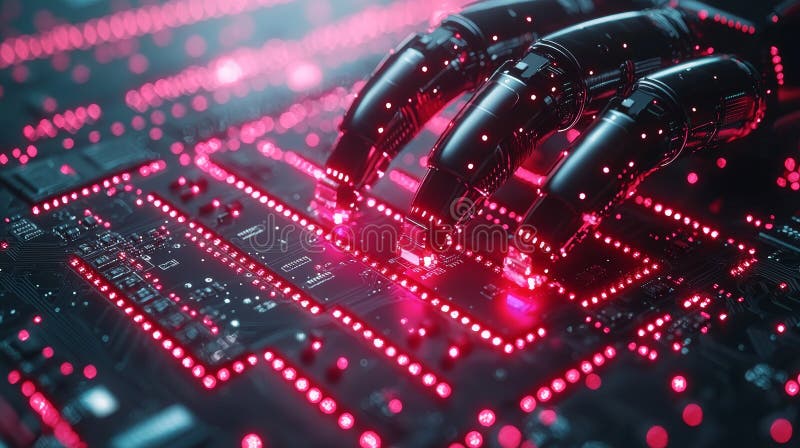
Free with trial A close-up view of an advanced robotic hand manipulating a circuit board, symbolizing efficient data handling and technological innovation in modern systems. Interface function illustrations Advanced Systems for Efficient Data Handling. A close-up view of an advanced robotic hand manipulating a circuit board, symbolizing efficient data handling and. A close-up view of an advanced robotic hand manipulating a circuit board, symbolizing efficient data handling and technological innovation in modern systems
Free with trial Realistic Slider Control Element with Blue Progress Bar. A realistic 3D render of a slider control with a blue filled portion indicating progress or selection. Interface function illustrations Realistic Slider Control Element with Blue Progress Bar. A realistic 3D render of a slider control with a blue filled portion indicating progress or selection
Free with trial A glossy, red, 3D rendered circle represents a pause button icon. Two white vertical rectangles are centered within the red circle, signifying the pause function. The icon is isolated on a plain white background. Interface function illustrations Glossy Red 3D Pause Button Icon With White Rectangles On White Background symbol media. A glossy, red, 3D rendered circle represents a pause button icon. Two. A glossy, red, 3D rendered circle represents a pause button icon. Two white vertical rectangles are centered within the red circle, signifying the pause function. The icon is isolated on a plain white background
Free with trial Interlocking blue gears beside horizontal black lines. Ideal for teamwork, technology, engineering, mechanics, innovation, collaboration, automation. A simple flat metaphor. Interface function vectors Dynamic Gear Mechanism with Minimalist Linear Design and Technical Themes. Interlocking blue gears beside horizontal black lines. Ideal for teamwork, technology. Interlocking blue gears beside horizontal black lines. Ideal for teamwork, technology, engineering, mechanics, innovation, collaboration, automation. A simple flat metaphor
Free with trial Minimalist Line Art Heart and Gear Cog Combination Icon Sign. Interface function vectors A simple black outline icon of a heart combined with a mechanical gear cogwheel on a white background. Minimalist Line Art Heart and Gear Cog Combination Icon. Minimalist Line Art Heart and Gear Cog Combination Icon Sign
Free with trial This asset features a clean, modern graphic design with two sets of icons in a vibrant blue color. Each set consists of a letter and a downward pointing arrow. One set displays "Z" above an arrow, symbolizing descending alphabetical order (Z to A). The other set shows "A" above an arrow, representing ascending alphabetical order (A to Z). The icons are arranged side-by-side against a white background, clearly illustrating sorting functions. This graphic is ideal for user interfaces, software applications, and any context requiring visual representation of alphabetical ordering. Interface function vectors Modern Clean Blue Graphic Alphabetical Sorting Icons Representing Descending and Ascending Order. This asset features a clean, modern graphic design with two. This asset features a clean, modern graphic design with two sets of icons in a vibrant blue color. Each set consists of a letter and a downward pointing arrow. One set displays "Z" above an arrow, symbolizing descending alphabetical order (Z to A). The other set shows "A" above an arrow, representing ascending alphabetical order (A to Z). The icons are arranged side-by-side against a white background, clearly illustrating sorting functions. This graphic is ideal for user interfaces, software applications, and any context requiring visual representation of alphabetical ordering.
Free with trial A collection of linear programming and software development icons representing coding tasks, tools, and processes. Interface function vectors Set of Software Development and Programming Icons in Outline Style for Technology Web Projects. A collection of linear programming and software development icons. A collection of linear programming and software development icons representing coding tasks, tools, and processes
Free with trial This is a clean vector icon representing a document and a magnifying glass. The document is depicted as a sheet of paper with several horizontal lines, suggesting written content or data. A magnifying glass is positioned over the document, with its circular lens clearly visible, indicating a search or analysis function. The icon uses a simple outline style with black lines and a grey handle for. Interface function illustrations A vector icon of a document with lines and a magnifying glass on a white background paper. This is a clean vector icon representing a document and a magnifying. This is a clean vector icon representing a document and a magnifying glass. The document is depicted as a sheet of paper with several horizontal lines, suggesting written content or data. A magnifying glass is positioned over the document, with its circular lens clearly visible, indicating a search or analysis function. The icon uses a simple outline style with black lines and a grey handle for
Free with trial A close-up view of a black computer keyboard, focusing on the keys. The matte black keys are clearly visible, with the arrow keys and modifier keys like 'Alt' and 'Ctrl' prominently featured. The perspective is angled, highlighting the texture and layout of the typing surface. Interface function illustrations Close-up of Black Computer Keyboard Keys with Arrow and Modifier Keys Visible technology. A close-up view of a black computer keyboard, focusing on the keys. The. A close-up view of a black computer keyboard, focusing on the keys. The matte black keys are clearly visible, with the arrow keys and modifier keys like 'Alt' and 'Ctrl' prominently featured. The perspective is angled, highlighting the texture and layout of the typing surface
Free with trial A clean, flat design graphic featuring two stylized speaker icons. The top icon is crossed out with a red 'X', signifying 'mute' or 'no sound'. The bottom icon is a standard speaker symbol, representing 'unmute' or 'sound on'. The icons are rendered in a modern color palette of dark blue, teal, and orange, set against a white background. This graphic is ideal for user interfaces, presentations, and any digital context related to audio controls. Interface function vectors Mute and Unmute Speaker Icons. A clean, flat design graphic featuring two stylized speaker icons. The top icon is crossed out with a red 'X', signifying 'mute'. A clean, flat design graphic featuring two stylized speaker icons. The top icon is crossed out with a red 'X', signifying 'mute' or 'no sound'. The bottom icon is a standard speaker symbol, representing 'unmute' or 'sound on'. The icons are rendered in a modern color palette of dark blue, teal, and orange, set against a white background. This graphic is ideal for user interfaces, presentations, and any digital context related to audio controls.
Free with trial A minimalist black vector icon representing a shuffle function used in media players and user interfaces. Interface function vectors Black Shuffle Icon Representing Randomization and Shuffling Music Tracks on a White Background. A minimalist black vector icon representing a shuffle function. A minimalist black vector icon representing a shuffle function used in media players and user interfaces
Free with trial A flat black icon depicting a document file with a gear icon representing system settings or configuration. Interface function vectors Document Configuration Settings Icon Showing A Paper File With A Gear Symbol Vector Illustration. A flat black icon depicting a document file with a gear icon. A flat black icon depicting a document file with a gear icon representing system settings or configuration
Free with trial Dark grey electronic device with digital display on wall. Electronic device, digital display, brushed metal, modern. Interface function illustrations Dark grey electronic device with digital display on wall. Electronic device, digital display, brushed metal, modern
Free with trial This minimalist black and white calculator icon represents essential mathematical functions. Ideal for educational and office-related projects, it offers a clear visual representation of technology and calculation. Interface function vectors Simple Black and White Icon of a Basic Calculator on a Plain Background. This minimalist black and white calculator icon represents essential mathematical. This minimalist black and white calculator icon represents essential mathematical functions. Ideal for educational and office-related projects, it offers a clear visual representation of technology and calculation
Free with trial Black line icon of a key and gear for security and technical settings. Interface function vectors Key and gear icon representing security and technical configuration for digital business solutions. Black line icon of a key and gear for security and technical. black line icon of a key and gear for security and technical settings
Free with trial A minimalist black icon representing a document or file containing code, denoted by angle brackets. Simple Black Coding Document Icon Symbol with Angle Brackets. Interface function vectors A minimalist black icon representing a document or file containing code, denoted by angle brackets. Simple Black Coding Document Icon Symbol with Angle Brackets
Free with trial Magnifying glass icon represents the search function and helps users find information across digital interfaces with clean and simple visuals. Interface function illustrations Black magnifying glass search icon design. Magnifying glass icon represents the search function and helps users find information across digital interfaces with. Magnifying glass icon represents the search function and helps users find information across digital interfaces with clean and simple visuals.
Free with trial Hand holds a smartphone displaying a glowing orb against a dark background, suggesting a blend of technology and digital innovation. Interface function illustrations Smartphone displaying a glowing sphere on a dark background. Hand holds a smartphone displaying a glowing orb against a dark background, suggesting a blend of. hand holds a smartphone displaying a glowing orb against a dark background, suggesting a blend of technology and digital innovation.
Free with trial This image features a collection of vibrant, stylized icons representing various programming languages, software development tools, artificial intelligence, and technology-related concepts. The icons include representations of coding, Python, JavaScript, databases, robots, neural networks, cloud computing, and data analytics. These visuals are ideal for educational materials, tech blogs, software documentation, app interfaces, and presentations focused on computer science, AI, and programming. Interface function illustrations Colorful Icons Representing Programming and AI Concepts. This image features a collection of vibrant, stylized icons representing various programming languages. This image features a collection of vibrant, stylized icons representing various programming languages, software development tools, artificial intelligence, and technology-related concepts. The icons include representations of coding, Python, JavaScript, databases, robots, neural networks, cloud computing, and data analytics. These visuals are ideal for educational materials, tech blogs, software documentation, app interfaces, and presentations focused on computer science, AI, and programming.
Free with trial Customization and Technical Settings Icons. Vol 31564. Interface function vectors Customization and Technical Settings Icons. Vol 31564
Free with trial A detailed view of a gray electronic device's control panel featuring a digital display and numerous buttons for operation. Interface function illustrations Close up of a digital control panel with buttons and screen. A detailed view of a gray electronic device's control panel featuring a digital display and numerous. A detailed view of a gray electronic device's control panel featuring a digital display and numerous buttons for operation
Free with trial Circular Refresh and Reload Arrow Icon Set. Vol 9460. Interface function vectors Circular Refresh and Reload Arrow Icon Set. Vol 9460
Free with trial A simple outline icon shows a modern smartwatch displaying a wireless signal symbol on its screen indicating internet connectivity isolated on transparent background. Interface function vectors Modern smartwatch with wireless internet connection icon. A simple outline icon shows a modern smartwatch displaying a wireless signal symbol on its screen. A simple outline icon shows a modern smartwatch displaying a wireless signal symbol on its screen indicating internet connectivity isolated on transparent background
Free with trial Close Up of a Car\'s Heated Seat Button with Orange and White Arrows. Generative AI. Interface function illustrations Close Up of a Car\'s Heated Seat Button with Orange and White Arrows. Close Up of a Car's Heated Seat Button with Orange and White Arrows. Generative AI
Free with trial A 3D render depicts a stylized computer code window with a magnifying glass. The window displays abstract lines of code and symbols in white on a black background, with red, yellow, and green buttons at the top. A magnifying glass is positioned over the code, suggesting a search or analysis function. The image is set against a neutral grey background. Interface function illustrations 3D Render of a Computer Code Window with a Magnifying Glass. A 3D render depicts a stylized computer code window with a magnifying glass. The window displays. A 3D render depicts a stylized computer code window with a magnifying glass. The window displays abstract lines of code and symbols in white on a black background, with red, yellow, and green buttons at the top. A magnifying glass is positioned over the code, suggesting a search or analysis function. The image is set against a neutral grey background
Free with trial A dark, rectangular button with the text UNDONE prominently displayed, featuring a serrated edge and a subtle shadow, suggesting an action to reverse or cancel a process. Interface function illustrations Undone button graphic representing undo action in software. A dark, rectangular button with the text UNDONE prominently displayed, featuring a serrated edge and. A dark, rectangular button with the text UNDONE prominently displayed, featuring a serrated edge and a subtle shadow, suggesting an action to reverse or cancel a process
Free with trial The image displays a stylized, three-dimensional checkmark icon centered inside a glossy blue square button. The button has a subtle shadow and a reflective surface, giving it a polished and professional appearance. The checkmark is designed with smooth curves and a white outline, emphasizing its confirmation or approval function. Interface function illustrations Modern checkmark icon within a sleek blue square button. The image displays a stylized, three-dimensional checkmark icon centered inside a glossy blue square. The image displays a stylized, three-dimensional checkmark icon centered inside a glossy blue square button. The button has a subtle shadow and a reflective surface, giving it a polished and professional appearance. The checkmark is designed with smooth curves and a white outline, emphasizing its confirmation or approval function
Free with trial This digitally rendered profile of a human head features a side view of a face blended with intricate, glowing circuitry patterns that symbolize neural networks and digital brain function. The left side of the head is highlighted in warm orange tones while the right side glows with cool blue hues, emphasizing contrast and duality in the design. At the center of the head is a radiant light source. Interface function illustrations Futuristic Human Head Profile with Glowing Digital Neural Circuitry Representing Artificial Intelligence and Brain Technology. This digitally rendered profile of. This digitally rendered profile of a human head features a side view of a face blended with intricate, glowing circuitry patterns that symbolize neural networks and digital brain function. The left side of the head is highlighted in warm orange tones while the right side glows with cool blue hues, emphasizing contrast and duality in the design. At the center of the head is a radiant light source
Free with trial A close-up view of a metallic blue gear with a glowing cyan inner ring, centrally positioned on a dark gray circuit board with illuminated orange pathways. The background is blurred, focusing attention on the gear and its immediate surroundings. Interface function illustrations Metallic Gear on Circuit Board with Illuminated Pathways. A close-up view of a metallic blue gear with a glowing cyan inner ring, centrally positioned on a dark. A close-up view of a metallic blue gear with a glowing cyan inner ring, centrally positioned on a dark gray circuit board with illuminated orange pathways. The background is blurred, focusing attention on the gear and its immediate surroundings
Free with trial File Download Action Icon Set. Vol 9172. Interface function illustrations File Download Action Icon Set. Vol 9172
Free with trial A vibrant yellow circle with a distinct black outline is centrally positioned on a clean white background. This minimalist graphic features a perfect circular shape, creating a bold and clear visual element. The simple design emphasizes clarity and versatility, making it ideal for various creative projects. It can function as an icon, a placeholder, a button, or a decorative element in web design, mobile applications, presentations, and educational materials. The strong contrast between the yellow, black, and white ensures high visibility and modern appeal. Interface function vectors Yellow Circle with Black Outline Icon on White Background. A vibrant yellow circle with a distinct black outline is centrally positioned on a clean white. A vibrant yellow circle with a distinct black outline is centrally positioned on a clean white background. This minimalist graphic features a perfect circular shape, creating a bold and clear visual element. The simple design emphasizes clarity and versatility, making it ideal for various creative projects. It can function as an icon, a placeholder, a button, or a decorative element in web design, mobile applications, presentations, and educational materials. The strong contrast between the yellow, black, and white ensures high visibility and modern appeal.
Free with trial A green square pause button icon with a black border, featuring two white vertical bars side by side, symbolizing the pause function commonly used in media players and digital interfaces. Interface function vectors Pause button icon. A green square pause button icon with a black border, featuring two white vertical bars side by side, symbolizing the pause function commonly. A green square pause button icon with a black border, featuring two white vertical bars side by side, symbolizing the pause function commonly used in media players and digital interfaces.
Free with trial A clean, minimalist graphic of a dark gray gear with a white inner circle. The gear has multiple teeth, suggesting mechanics, industry, or engineering. This versatile icon is perfect for representing concepts like teamwork, processes, settings, or problem-solving in digital and print media. Its simple design ensures high visibility and adaptability across various applications. Interface function illustrations Simple Gear Icon with Inner Circle. A clean, minimalist graphic of a dark gray gear with a white inner circle. The gear has multiple teeth, suggesting mechanics. A clean, minimalist graphic of a dark gray gear with a white inner circle. The gear has multiple teeth, suggesting mechanics, industry, or engineering. This versatile icon is perfect for representing concepts like teamwork, processes, settings, or problem-solving in digital and print media. Its simple design ensures high visibility and adaptability across various applications.
Free with trial A black square button features a white circular arrow, symbolizing a refresh or reload function. The arrow curls clockwise with an arrowhead at the top right, placed centrally on the black glossy surface, creating a modern and sleek appearance. The button's edges are slightly rounded, adding to its contemporary look. Interface function illustrations Black refresh icon button with white arrow. A black square button features a white circular arrow, symbolizing a refresh or reload function. The arrow curls. A black square button features a white circular arrow, symbolizing a refresh or reload function. The arrow curls clockwise with an arrowhead at the top right, placed centrally on the black glossy surface, creating a modern and sleek appearance. The button's edges are slightly rounded, adding to its contemporary look.
 Sign in