Free with trial Tactic pistol Glock gun vector illustration. 9 caliber. Pistol emblem logo. Interface trigger vectors Pistol Glock gun vector illustration. 9 caliber. Pistol emblem logo. Tactic pistol Glock gun vector illustration. 9 caliber. Pistol emblem logo. Tactic pistol Glock gun vector illustration. 9 caliber. Pistol emblem logo.
Free with trial Power buttons icons. Button icon set vector vectors start. On off turn turning switch push energy computer electric press round stop. buton vektor label panel outline silhouette app up end audio orange 3d eps shadow industrial reflection tech three-dimensional office template bright grey realistic activate battery collection decoration dark yellow image sound steel plastic shut single industry trigger clipart clip art minimal neon run sphere startup user aluminum rounded creative eps10 premium silver site stroke system trendy chrome device part powered push button push-button reboot reset restart colour clip contemporary cool editable futuristic gear emboss phone menu knob new clean standby cutout circuit gold minimalist option purple saving stylish gray titanium active colorful pictograph environment eco effect engineering gloss laptop mobile phone online renewable shine shining simplicity sustainable techno gel gui voltage activation enable onoff pushed shut down colourful computing desktop high tech highlight material server signal tablet digitally stainless telecom power-up. Interface trigger vectors Power buttons icons button icon set vector vectors start on off turn turning switch push energy computer electric press round stop. Power buttons icons. Button. Power buttons icons. Button icon set vector vectors start. On off turn turning switch push energy computer electric press round stop. buton vektor label panel outline silhouette app up end audio orange 3d eps shadow industrial reflection tech three-dimensional office template bright grey realistic activate battery collection decoration dark yellow image sound steel plastic shut single industry trigger clipart clip art minimal neon run sphere startup user aluminum rounded creative eps10 premium silver site stroke system trendy chrome device part powered push button push-button reboot reset restart colour clip contemporary cool editable futuristic gear emboss phone menu knob new clean standby cutout circuit gold minimalist option purple saving stylish gray titanium active colorful pictograph environment eco effect engineering gloss laptop mobile phone online renewable shine shining simplicity sustainable techno gel gui voltage activation enable onoff pushed shut down colourful computing desktop high tech highlight material server signal tablet digitally stainless telecom power-up
Free with trial Red light electric switch button on white background. Interface trigger vectors Red light electric switch. Button on white background
Free with trial Icons personality psychology. Perception; will; abilities. Relations; behavior; self-esteem; mindfulness. The thin contour lines with color fills. Interface trigger vectors Icons personality psychology. Perception; will; abilities. Relations; behavior; self-esteem; mindfulness. The thin contour lines with color fills
Free with trial Tactic pistol Glock gun vector illustration. 9 caliber. Pistol emblem logo. No gun no fun. Interface trigger vectors Pistol Glock gun vector illustration. 9 caliber. Pistol emblem logo. No gun no fun. Tactic pistol Glock gun vector illustration. 9 caliber. Pistol emblem logo. Tactic pistol Glock gun vector illustration. 9 caliber. Pistol emblem logo. No gun no fun.
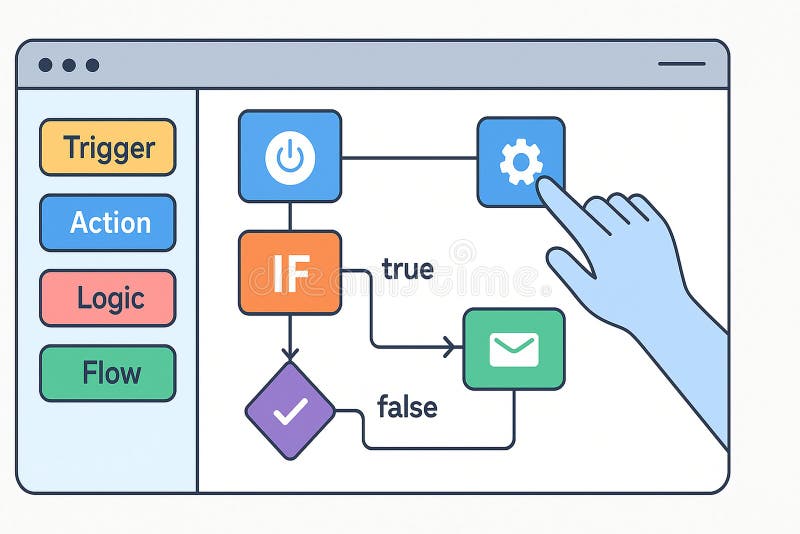
Free with trial A n8n : workflow automation interface with trigger action logic and flow blocks showing true and false conditions and hand pointing at gear icon. Interface trigger illustrations N8n : workflow automation interface with trigger action logic and flow blocks showing true and false conditions and hand pointing. A n8n : workflow automation. A n8n : workflow automation interface with trigger action logic and flow blocks showing true and false conditions and hand pointing at gear icon
Free with trial Toggle switch, on off button. Toggle switch simple icons, on off position button interface trigger set, blue and gray control modern minimal flat design style. Interface trigger vectors Toggle switch, on off button. Toggle switch simple icons, on off position button interface trigger set, blue and gray control modern minimal flat design style
Free with trial Vector On Off Button Icon in Graphic UI Style with Red and Green Toggle Switch Symbol for Digital User Interface. This high-quality vector illustration features a clean and modern toggle button design showcasing the classic green "ON" and red "OFF" states. Presented in an isolated white background and EPS file format,it is ideal for use in web interfaces, app dashboards, control panels, user experience designs, and digital technology symbols. Its strong color contrast, minimalist style, and clear symbolism make it instantlyrecognizable and practical for any UI or UX-related project. This graphic is optimized to be versatile, scalable, and easy to integrate into both web and print-based designs. Unlike many overcomplicated toggledesigns, this vector maintains simplicity while effectively communicating function. Whether you're designing software interfaces, mobile apps, websites, or instructional materials, this toggle button vector isengineered to enhance clarity and functionality across your creative work. Interface trigger vectors Vector On Off Button Icon in Graphic UI Style with Red and Green Toggle Switch Symbol for Digital User Interface. This high-quality vector illustration features. Vector On Off Button Icon in Graphic UI Style with Red and Green Toggle Switch Symbol for Digital User Interface.This high-quality vector illustration features a clean and modern toggle button design showcasing the classic green "ON" and red "OFF" states. Presented in an isolated white background and EPS file format,it is ideal for use in web interfaces, app dashboards, control panels, user experience designs, and digital technology symbols. Its strong color contrast, minimalist style, and clear symbolism make it instantlyrecognizable and practical for any UI or UX-related project. This graphic is optimized to be versatile, scalable, and easy to integrate into both web and print-based designs. Unlike many overcomplicated toggledesigns, this vector maintains simplicity while effectively communicating function. Whether you're designing software interfaces, mobile apps, websites, or instructional materials, this toggle button vector isengineered to enhance clarity and functionality across your creative work.
Free with trial Toggle Switch Sliders On and Off position. Vector Illustration. Interface trigger vectors Toggle Switch Sliders On and Off position. Vector Illustration
Free with trial Smart home app mobile application manage sensor light temperature heating water concept flat line art vector icons. Modern website infographics illustration hero image web banner. Lineart collection. Interface trigger vectors Smart home app mobile concept flat line art vector icons. Smart home app mobile application manage sensor light temperature heating water concept flat line art. Smart home app mobile application manage sensor light temperature heating water concept flat line art vector icons. Modern website infographics illustration hero image web banner. Lineart collection.
Free with trial Start and Stop button. With hand cursor isolated on white - vecto. Interface trigger vectors Start and Stop button. With hand cursor isolated on white - vecto
Free with trial Icon of Toggle Switch Off. Isolated on white background - Vector flat style illustration. Interface trigger vectors Icon of Toggle Switch Off. Isolated on white background - Vector flat style illustration
Free with trial Autopilot Control Switch Illustration Vector. EPS10. Interface trigger vectors Autopilot Control Switch Illustration Vector. EPS10
Free with trial Sign on-off, in a simple style on the white vector isolated background. Interface trigger vectors Sign on-off, in a simple style on the white isolated background. Sign on-off, in a simple style on the white vector isolated background. Sign on-off, in a simple style on the white vector isolated background.
Free with trial Switches. Illustration of electric switches, on and off. Interface trigger vectors Switches. Illustration of electric switches, on and off
Free with trial Hand touch tablet icon. Click on the tablet. Touch screen icon. Interface trigger vectors Hand touch tablet icon. Click on the tablet. Touch screen icon.
Free with trial Buttons and switches set. Vector isolated collection of stop, on and off toggles, rotary knobs and vintage controls. User interfaces, app and electronics. 3D isometric infographics elements. Interface trigger vectors Switches and buttons, isometric knobs set. Buttons and switches set. Vector isolated collection of stop, on and off toggles, rotary knobs and vintage controls. Buttons and switches set. Vector isolated collection of stop, on and off toggles, rotary knobs and vintage controls. User interfaces, app and electronics. 3D isometric infographics elements
Free with trial On Off Vector Switch. On Off Vector Light Switch with Fingerprints. Interface trigger vectors On Off Vector Switch. On Off Vector Light Switch with Fingerprints
Free with trial On Off sliders vector. Dark modern look on off orange and blue switch sliders. Interface trigger vectors On Off sliders vector. Dark modern look on off orange and blue switch sliders
Free with trial Button on and off on white background. 3D illustration. Interface trigger illustrations Button on and off on white background. 3D illustration.
Free with trial Set of four switch icons in simple style. Greate to use in web, mobile application, or other app. Vector illustration of isolated design elements. Interface trigger vectors Switch icon set. Set of four switch icons in simple style. Greate to use in web, mobile application, or other app. Vector illustration of isolated design. Set of four switch icons in simple style. Greate to use in web, mobile application, or other app. Vector illustration of isolated design elements.
Free with trial Universal toggle switch vector icon, On and Off position simple icons. Green and red switch. Modern minimal flat design style. Interface trigger vectors Vector On Off Green and Red Sliders. Universal toggle switch vector icon, On and Off position simple icons.Green and red switch. Modern minimal flat design style. Universal toggle switch vector icon, On and Off position simple icons.Green and red switch. Modern minimal flat design style.
Free with trial Electric set. Set of electrical states: plugged, unplugged, turned on, turned off. Interface trigger vectors Electric set. Set of electrical states: plugged, unplugged, turned on, turned off
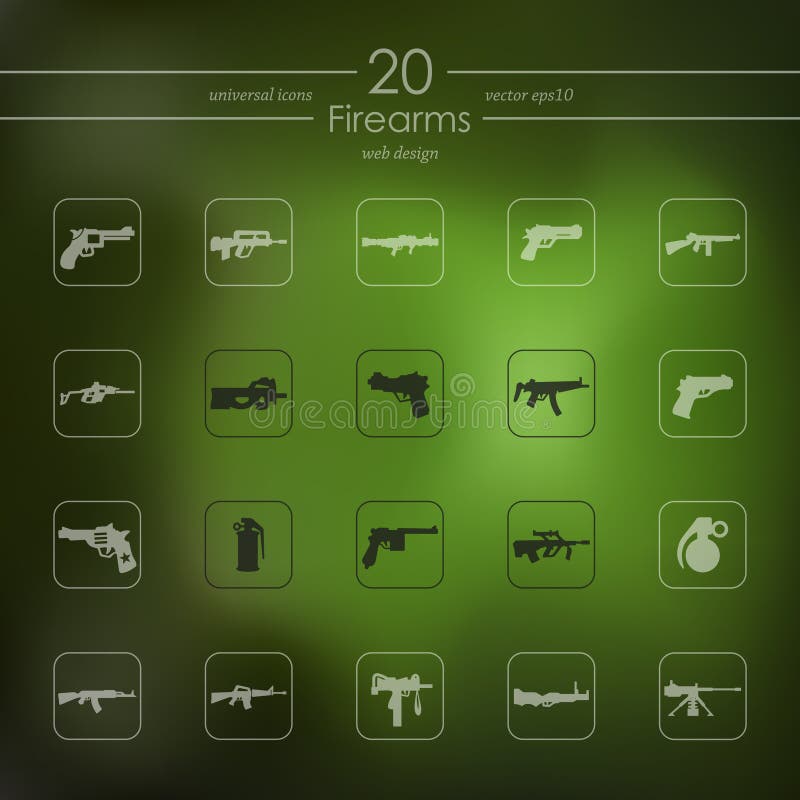
Free with trial Set of firearms icons. Firearms modern icons for mobile interface on blurred background. Interface trigger vectors Set of firearms icons. Firearms modern icons for mobile interface on blurred background
Free with trial Web design elements template. Web design icons and buttons. Interface trigger vectors Web design elements template. Web design icons and buttons
Free with trial On and off metal toggle switch, flipped in the OFF position. 3D render illustration on white background. Interface trigger illustrations On and off metal toggle switch, flipped in the OFF position. 3D render illustration on white background
Free with trial This high-quality vector illustration features a clean and modern toggle button design showcasing the classic green "ON" and red "OFF" states. Presented in an isolated white background and EPS file format, it is ideal for use in web interfaces, app dashboards, control panels, user experience designs, and digital technology symbols. Its strong color contrast, minimalist style, and clear symbolism make it instantly recognizable and practical for any UI or UX-related project. This graphic is optimized to be versatile, scalable, and easy to integrate into both web and print-based designs. Unlike many overcomplicated toggle designs, this vector maintains simplicity while effectively communicating function. Whether you're designing software interfaces, mobile apps, websites, or instructional materials, this toggle button vector is engineered to enhance clarity and functionality across your creative work. Interface trigger vectors Toggle Button Vector Icon Showing Green On and Red Off Symbol for UI UX Graphic Design in Editable EPS Format Isolated on White. This high-quality vector. This high-quality vector illustration features a clean and modern toggle button design showcasing the classic green "ON" and red "OFF" states. Presented in an isolated white background and EPS file format, it is ideal for use in web interfaces, app dashboards, control panels, user experience designs, and digital technology symbols. Its strong color contrast, minimalist style, and clear symbolism make it instantly recognizable and practical for any UI or UX-related project. This graphic is optimized to be versatile, scalable, and easy to integrate into both web and print-based designs. Unlike many overcomplicated toggle designs, this vector maintains simplicity while effectively communicating function. Whether you're designing software interfaces, mobile apps, websites, or instructional materials, this toggle button vector is engineered to enhance clarity and functionality across your creative work.
Free with trial Shotgun with bullets. Game resources. Vector clip art color illustration on white. Interface trigger vectors Shotgun with bullets. Game resources. Vector clip art color illustration on white
Free with trial Doodle On Off switch button. Stop Close pictogram. Handdrawn icon. Interface trigger vectors Doodle On Off switch button. Stop Close pictogram. Handdrawn icon
Free with trial Light Switch Off flat vector icon. Glyph style sign. Simple hand drawn illustrations symbol for concept infographics, designs projects, UI and UX, website or mobile application. Interface trigger illustrations Light Switch Off flat vector icon. Glyph style sign. Simple hand drawn illustrations symbol for concept infographics, designs projects, UI and UX, website or
Free with trial On/off switch icon background. vector. button. vector illustration. Interface trigger vectors On/off switch icon background. vector. On/off switch icon background. button. vector illustration
Free with trial Realistic black switches with backlight ON/OFF, vector, high quality graphic design illustration, and can be upscaled to any size. Interface trigger vectors Realistic black switches with backlight ON/OFF, vector. High quality graphic design illustration, and can be upscaled to any size
Free with trial On/off switch icon background. vector. button. vector illustration. Interface trigger vectors On/off switch icon background. vector. On/off switch icon background. button. vector illustration
Free with trial On off icon. Power Button. On-Off switch symbol in modern style for web site and mobile app. Power Button logo design inspiration. Vector illustration. Interface trigger vectors On off icon. Power Button. On-Off switch symbol in modern style for web site and mobile app. Power Button logo design. Inspiration. Vector illustration
Free with trial Finger pushing a button, taking action, making a decision. Finger is pressing a button, symbolizing the act of making a choice or initiating a process. Interface trigger illustrations Finger pushing a button, taking action, making a decision. Finger is pressing a button, symbolizing the act of making a choice or initiating a process
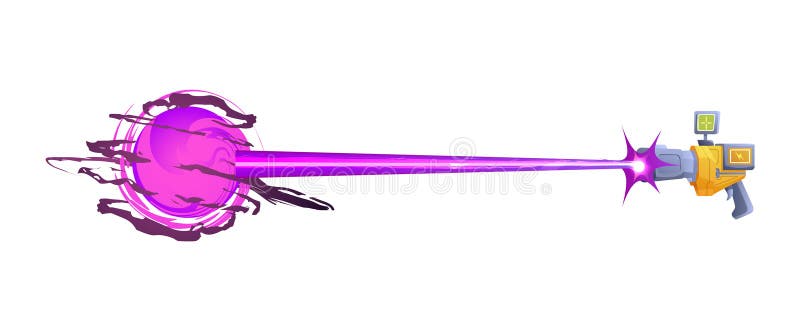
Free with trial Blaster with purple fire and explosion, game weapon, vector illustration isolated on white. Object for ui, app and interface. Shooting space blaster gun or laser handgun, cartoon style design element. Interface trigger vectors Blaster with purple fire and explosion, game weapon, vector illustration. Isolated on white. Object for ui, app and interface. Shooting space blaster gun or. Blaster with purple fire and explosion, game weapon, vector illustration isolated on white. Object for ui, app and interface. Shooting space blaster gun or laser handgun, cartoon style design element
Free with trial Emotional regulation blue onboarding mobile app screen set. Walkthrough 4 steps editable graphic instructions with linear concepts. UI, UX, GUI template. Myriad Pro-Bold, Regular fonts used. Interface trigger vectors Emotional regulation blue onboarding mobile app screen set. Walkthrough 4 steps editable graphic instructions with linear concepts. UI, UX, GUI template
Free with trial On Off switch icon. Power symbol. Interface trigger vectors On Off switch icon. Power symbol. On Off switch icon. Power symbol
Free with trial On off icon. Power Button. On-Off switch symbol in modern style for web site and mobile app. Power Button logo design inspiration. Vector illustration. Interface trigger vectors On off icon. Power Button. On-Off switch symbol in modern style for web site and mobile app. Power Button logo design. Inspiration. Vector illustration
Free with trial On/Off switch. This is file of EPS10 format. Interface trigger vectors On/Off switch. This is file of EPS10 format
Free with trial Set of six-gun revolvers with bullets. Game resources. Color, contour, silhouette. Vector clip art illustration isolated on white. Interface trigger vectors Set of six-gun revolvers with bullets. Game resources. Color, contour, silhouette. Vector clip art illustration isolated on white
Free with trial Toggle bolt vector icon appliance hardware industry. Isolated white element panel system. Technical factory mechanic knob. Interface trigger vectors Toggle bolt vector icon appliance hardware industry. Isolated white element panel system. Technical factory mechanic knob.
Free with trial A close up shot of a finger pressing a purple button on a control panel with ready set and go buttons. the image conveys a sense of action and initiation, with a focus on starting something new. Interface trigger illustrations Pressing a button concept ready set go buttons control panel finger pressing purple button start. A close up shot of a finger pressing a purple button on a. a close up shot of a finger pressing a purple button on a control panel with ready set and go buttons. the image conveys a sense of action and initiation, with a focus on starting something new.
Free with trial Start line icon. Launching vector illustration isolated on white. Triggering box outline style design, designed for web. And app. Eps 10. Interface trigger vectors Start line icon. Launching vector illustration isolated on white. Triggering box outline style design, designed for web. And app. Eps 10
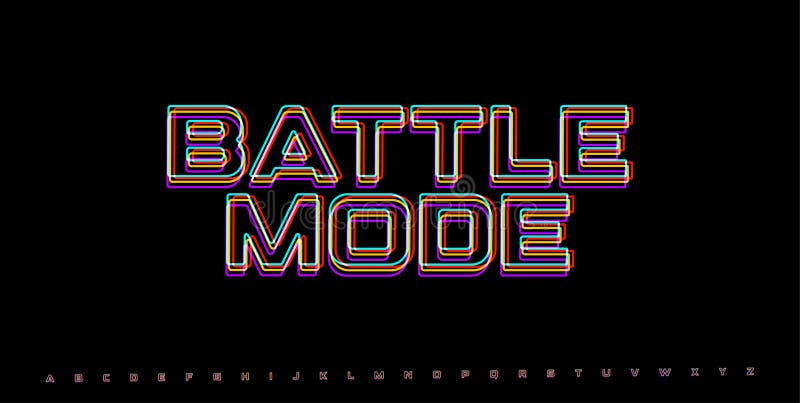
Free with trial BATTLE MODE cyberpunk glitch phrase. Neon RGB HUD design for game interface, combat screen alert, or action mode trigger. Vector illustration. Interface trigger vectors BATTLE MODE cyberpunk glitch phrase. Neon RGB HUD design for game interface, combat screen alert, or action mode trigger. Vector illustration
Free with trial A glowing blue holographic interface projects from a dark, reflective surface in a server room. The display a workflow automation diagram with five hexagonal labeled trigger, process, validate, report, and complete, connected by lines. Smaller data charts and graphs appear to the right. The background consists of rows of server racks in a dimly lit environment, with the holographic light. Interface trigger illustrations Workflow automation holographic interface in a dark server room. A glowing blue holographic interface projects from a dark, reflective surface in a server room. A glowing blue holographic interface projects from a dark, reflective surface in a server room. The display a workflow automation diagram with five hexagonal labeled trigger, process, validate, report, and complete, connected by lines. Smaller data charts and graphs appear to the right. The background consists of rows of server racks in a dimly lit environment, with the holographic light
Free with trial A professional digital illustration or 3D render of a computer monitor displaying an automation studio software. The screen shows an active user provisioning flowchart diagram with glowing green, blue, yellow, and orange nodes like trigger, condition, parse data, fetch user, notification, and log error on a dark grid user interface. Interface trigger illustrations Automation Studio Software Interface with User Provisioning Flowchart on Monitor. A professional digital illustration or 3D render of a computer monitor. A professional digital illustration or 3D render of a computer monitor displaying an automation studio software. The screen shows an active user provisioning flowchart diagram with glowing green, blue, yellow, and orange nodes like trigger, condition, parse data, fetch user, notification, and log error on a dark grid user interface.
Free with trial A detailed visualization of a low-code development platform interface named FlowBuilder displayed on a tablet. The screen showcases a workflow diagram with interconnected blocks representing various functions such as User Trigger, Data Fetch, Conditional Logic, API Call, UI Update, Send Email, Create Record, and Show Notification. The workspace includes a keyboard, a coffee cup labeled 'BUILD. ', and two small potted plants, suggesting a modern and efficient workspace. This image can be used for illustrating app development, automation workflows, software design, and productivity tools. Interface trigger illustrations Low-Code Platform Workflow Design Interface. A detailed visualization of a low-code development platform interface named FlowBuilder displayed on a tablet. The. A detailed visualization of a low-code development platform interface named FlowBuilder displayed on a tablet. The screen showcases a workflow diagram with interconnected blocks representing various functions such as User Trigger, Data Fetch, Conditional Logic, API Call, UI Update, Send Email, Create Record, and Show Notification. The workspace includes a keyboard, a coffee cup labeled 'BUILD.', and two small potted plants, suggesting a modern and efficient workspace. This image can be used for illustrating app development, automation workflows, software design, and productivity tools.
Free with trial A clean and simple red square button icon, a fundamental user interface element. This versatile graphic is ideal for web applications, mobile interfaces, or digital forms, providing a clear and recognizable action trigger, vector design Generative AI. Interface trigger vectors Simple Red Square Button, basic user interface element, vector design Generative AI. A clean and simple red square button icon, a fundamental user interface. A clean and simple red square button icon, a fundamental user interface element. This versatile graphic is ideal for web applications, mobile interfaces, or digital forms, providing a clear and recognizable action trigger, vector design Generative AI
Free with trial The image displays a compact, handheld scanner device designed for portability. It features a touchscreen interface with a logo that includes the letters 'AI' stylized with a wave-like design. The device has an ergonomic grip with a prominent red scan trigger button at the bottom, indicating it is likely used for scanning barcodes, QR codes, or similar data inputs. The overall design suggests a. Interface trigger illustrations Portable handheld ai scanner device with touchscreen interface. The image displays a compact, handheld scanner device designed for portability. It features a. The image displays a compact, handheld scanner device designed for portability. It features a touchscreen interface with a logo that includes the letters 'AI' stylized with a wave-like design. The device has an ergonomic grip with a prominent red scan trigger button at the bottom, indicating it is likely used for scanning barcodes, QR codes, or similar data inputs. The overall design suggests a
Free with trial A minimalist graphic icon representing digital security and controlled access. The design features a dark grey stylized padlock symbol integrated with a trigger-like shape, suggesting concepts of protection, locking mechanisms, cybersecurity, and controlled entry. The clean, flat aesthetic makes this symbol ideal for user interface design, security software branding, or conceptual representations of data safety and privacy in a modern digital environment. AI-generated image. Interface trigger vectors Trigger Grip Icon with Locked Padlock Simple Graphic for Security and Control Concepts Flat Vector Icon. A minimalist graphic icon representing digital security. A minimalist graphic icon representing digital security and controlled access. The design features a dark grey stylized padlock symbol integrated with a trigger-like shape, suggesting concepts of protection, locking mechanisms, cybersecurity, and controlled entry. The clean, flat aesthetic makes this symbol ideal for user interface design, security software branding, or conceptual representations of data safety and privacy in a modern digital environment. AI-generated image.
Free with trial This visual concept illustrates the activation of an e-commerce trigger, where a hand initiates a process flow by touching a digital shopping cart. The subsequent sequence includes icons representing pricing, shipping, and customer reviews, outlining the digital commerce journey. This graphic highlights conversion optimization and user experience in online retail environments. Rendered by Ai. Interface trigger illustrations Digital Shopping Cart Trigger Point. This visual concept illustrates the activation of an e-commerce trigger, where a hand initiates a process flow by touching a. This visual concept illustrates the activation of an e-commerce trigger, where a hand initiates a process flow by touching a digital shopping cart. The subsequent sequence includes icons representing pricing, shipping, and customer reviews, outlining the digital commerce journey. This graphic highlights conversion optimization and user experience in online retail environments. Rendered by Ai
Free with trial Trigger warning sign. Content alert banner with exclamation mark symbol. Sensitive topic information label for website and social media. Interface trigger vectors Trigger warning sign. Content alert banner with exclamation mark symbol. Sensitive topic information label for website and social media
Free with trial Start button with chunky bitmap edges and retro block text rendered as crisp pixels. Symbol of launch, begin, play, interface trigger, and onboarding. Cartoon vector illustration. Interface trigger vectors Button Start Pixel Art UI. Start button with chunky bitmap edges and retro block text rendered as crisp pixels. Symbol of launch, begin, play, interface trigger. Start button with chunky bitmap edges and retro block text rendered as crisp pixels. Symbol of launch, begin, play, interface trigger, and onboarding. Cartoon vector illustration.
Free with trial Close-up of a person's hands typing on a laptop displaying an advanced agricultural data analytics dashboard. The screen features a map showing land plots, NDVI (Normalized Difference Vegetation Index) data, irrigation insights, and an 'Insurance Trigger' interface. A holographic overlay presents additional real-time metrics and charts, suggesting AI-driven insights for precision farming, crop monitoring, and agricultural insurance. This image represents the integration of big data, machine learning, and geospatial technology to optimize farm management and assess risks in modern agriculture. Interface trigger illustrations Smart Agriculture Data Analysis and Insurance Trigger on Laptop. Close-up of a person's hands typing on a laptop displaying an advanced agricultural data. Close-up of a person's hands typing on a laptop displaying an advanced agricultural data analytics dashboard. The screen features a map showing land plots, NDVI (Normalized Difference Vegetation Index) data, irrigation insights, and an 'Insurance Trigger' interface. A holographic overlay presents additional real-time metrics and charts, suggesting AI-driven insights for precision farming, crop monitoring, and agricultural insurance. This image represents the integration of big data, machine learning, and geospatial technology to optimize farm management and assess risks in modern agriculture.
Free with trial A modern AI agent dashboard interface depicting a lead nurture automation workflow with configurable steps, email preview, scheduling, and integrations like SendGrid and HubSpot. The workflow includes trigger, sending emails, AI-based lead qualification, scoring, and updating CRM systems. Interface trigger illustrations AI powered lead nurture automation workflow dashboard interface. A modern AI agent dashboard interface depicting a lead nurture automation workflow with. A modern AI agent dashboard interface depicting a lead nurture automation workflow with configurable steps, email preview, scheduling, and integrations like SendGrid and HubSpot. The workflow includes trigger, sending emails, AI-based lead qualification, scoring, and updating CRM systems
Free with trial A digital user interface featuring a task list and an automation flow diagram on a dark background. The task list includes checkboxes with completed marked by glowing blue circles. To the right, a three-step automation process labeled Trigger, Process, and Complete is displayed with arrows indicating flow. The Process step contains a circular progress indicator at 78 percent. The uses translucent. Interface trigger illustrations Digital task list and automation flow interface with glowing blue ui. A digital user interface featuring a task list and an automation flow diagram on a dark. A digital user interface featuring a task list and an automation flow diagram on a dark background. The task list includes checkboxes with completed marked by glowing blue circles. To the right, a three-step automation process labeled Trigger, Process, and Complete is displayed with arrows indicating flow. The Process step contains a circular progress indicator at 78 percent. The uses translucent
Free with trial Software interface for workflow orchestration displayed as a flow diagram in a web browser window. The diagram includes interconnected nodes labeled Trigger, Processor, API, Errors, Alert, and Database Update, among others, with directional arrows indicating process flow. The left sidebar features menu options such as Dashboard, Workflows, Integrations, Monitoring, Deployments, and Settings. Performance metrics like active flows, alerts, and average execution time are shown at the bottom. The design has a dark color scheme with neon highlights such as blue, green, and orange. Interface trigger illustrations Dashboard, Workflows, Integrations, Monitoring, Deployments,. Software interface for workflow orchestration displayed as a flow diagram in a web browser window. Software interface for workflow orchestration displayed as a flow diagram in a web browser window. The diagram includes interconnected nodes labeled Trigger, Processor, API, Errors, Alert, and Database Update, among others, with directional arrows indicating process flow. The left sidebar features menu options such as Dashboard, Workflows, Integrations, Monitoring, Deployments, and Settings. Performance metrics like active flows, alerts, and average execution time are shown at the bottom. The design has a dark color scheme with neon highlights such as blue, green, and orange.
Free with trial Minimalist line art illustration of a hand pointing finger tapping button, ideal for digital touch screen interface design, website navigation, and interactive app controls. Interface trigger vectors Minimalist Outline Touchscreen Hand Click Tap Gesture User Interface Icon. Minimalist line art illustration of a hand pointing finger tapping button, ideal for. Minimalist line art illustration of a hand pointing finger tapping button, ideal for digital touch screen interface design, website navigation, and interactive app controls.
Free with trial Touch Interaction Interface Icons. Vol 14043. Interface trigger vectors Touch Interaction Interface Icons. Vol 14043
Free with trial Camera Shutter Interface Icon Set. Vol 9780. Interface trigger vectors Camera Shutter Interface Icon Set. Vol 9780
Free with trial Glossy start and stop button set with realistic 3D design, featuring red and green round buttons mounted on a yellow panel with screws. Clean and modern user interface elements suitable for web design, mobile applications, control panels, dashboards, and industrial or digital interaction concepts. Isolated on white background, ideal for UI UX projects, app interfaces, and technology-related visuals. Interface trigger vectors Start Stop Glossy Button Set 3D Web UI Control Panel Red Green Round Interface Element Vector Illustration. Glossy start and stop button set with realistic 3D. Glossy start and stop button set with realistic 3D design, featuring red and green round buttons mounted on a yellow panel with screws. Clean and modern user interface elements suitable for web design, mobile applications, control panels, dashboards, and industrial or digital interaction concepts. Isolated on white background, ideal for UI UX projects, app interfaces, and technology-related visuals.
Free with trial The image shows a handheld mobile scanner device designed to interface with a smartphone. The device features a built-in handle for easy gripping, a scanning window, and a trigger button for operation. The smartphone screen displays an app labeled 'Ai', suggesting the use of artificial intelligence for scanning purposes. The device appears compact and portable, ideal for on-the-go scanning tasks. Interface trigger illustrations Handheld ai-powered mobile scanner device. The image shows a handheld mobile scanner device designed to interface with a smartphone. The device features a built. The image shows a handheld mobile scanner device designed to interface with a smartphone. The device features a built-in handle for easy gripping, a scanning window, and a trigger button for operation. The smartphone screen displays an app labeled 'Ai', suggesting the use of artificial intelligence for scanning purposes. The device appears compact and portable, ideal for on-the-go scanning tasks
Free with trial Hand finger pressing a circular button icon for digital interface and user interaction design. Hand finger pressing a circular button icon for digital interface. Interface trigger vectors Hand finger pressing a circular button icon for digital interface and user interaction design. Hand finger pressing a circular button icon for digital interface
Free with trial Illustration of human character interacting with red button, representing user interface and digital interaction concepts. Interface trigger vectors Character standing next to red button interface element. Illustration of human character interacting with red button, representing user interface and digital. Illustration of human character interacting with red button, representing user interface and digital interaction concepts.
Free with trial Realistic alarm button featuring a glowing neon border, bold warning label, and mouse cursor click effect. Ideal for emergency alerts, warning notifications, security systems, user interface design, control panels, dashboards, websites, mobile applications, and digital monitoring concepts. Editable isolated on a dark background. Interface trigger vectors Alarm Button with Glowing Neon Border and Mouse Cursor Click, Emergency Alert UI Interface, Warning Notification Control. Realistic alarm button featuring a. Realistic alarm button featuring a glowing neon border, bold warning label, and mouse cursor click effect. Ideal for emergency alerts, warning notifications, security systems, user interface design, control panels, dashboards, websites, mobile applications, and digital monitoring concepts. Editable isolated on a dark background.
Free with trial Professional player icons. Comprehensive Vector symbols. Professional start buttons. Universal trigger controllers. EPS 10. Interface trigger vectors Professional player icons. Comprehensive Vector symbols. Professional start buttons. Universal trigger controllers. EPS 10
Free with trial Futuristic Robot Hands Displaying Digital Interface with System Warning Alerts on a Dark Background. Glyphic. Interface trigger illustrations Futuristic Robot Hands Displaying Digital Interface with System Warning Alerts on a Dark Background. Glyphic.
Free with trial A visually striking 3D rendered image featuring a prominent 'APPLY DISCOUNT' button, illuminated with a warm orange glow. The button stands out against a sleek, dark, metallic-like surface, suggesting a modern digital interface or control panel. This image effectively conveys concepts of online shopping, promotional offers, sales, and activating savings. It's ideal for e-commerce websites, marketing campaigns, articles about retail, finance, or technology, emphasizing deals and consumer benefits. Interface trigger illustrations Glowing \'Apply Discount\' Button on Dark Digital Interface. A visually striking 3D rendered image featuring a prominent 'APPLY DISCOUNT' button, illuminated. A visually striking 3D rendered image featuring a prominent 'APPLY DISCOUNT' button, illuminated with a warm orange glow. The button stands out against a sleek, dark, metallic-like surface, suggesting a modern digital interface or control panel. This image effectively conveys concepts of online shopping, promotional offers, sales, and activating savings. It's ideal for e-commerce websites, marketing campaigns, articles about retail, finance, or technology, emphasizing deals and consumer benefits.
Free with trial This image shows a sleek, modern stainless steel spray bottle featuring an ergonomic trigger mechanism and a small digital interface on its front. The bottle is cylindrical with a matte finish and a clear cap, likely designed for precision dispensing of liquids. It appears to be suitable for household, office, or industrial use, potentially for products like air fresheners, cleaning solutions, or. Interface trigger illustrations Stainless steel spray bottle with ergonomic trigger and digital display. This image shows a sleek, modern stainless steel spray bottle featuring an ergonomic. This image shows a sleek, modern stainless steel spray bottle featuring an ergonomic trigger mechanism and a small digital interface on its front. The bottle is cylindrical with a matte finish and a clear cap, likely designed for precision dispensing of liquids. It appears to be suitable for household, office, or industrial use, potentially for products like air fresheners, cleaning solutions, or
Free with trial Minimal AI automation interface showing an event trigger that automatically starts an AI workflow process. Generative AI. Interface trigger illustrations Automation Triggered Event Starting AI Workflow. Minimal AI automation interface showing an event trigger that automatically starts an AI workflow process. Minimal AI automation interface showing an event trigger that automatically starts an AI workflow process. Generative AI
Free with trial Futuristic Robot Hand Interacting with Warning Symbols on a Digital Interface for Cybersecurity Context in a Modern Tech Environment. Glyphic. Interface trigger illustrations Futuristic Robot Hand Interacting with Warning Symbols on a Digital Interface for Cybersecurity Context in a Modern Tech. Environment. Glyphic
Free with trial This image shows a sleek, minimalist play button icon designed in a vibrant purple color. The icon features a right-pointing triangular arrow, which is a universal symbol for play or start actions. It is commonly used in media players, video platforms, and user interface designs to indicate the start or activation of a function. Interface trigger vectors Modern purple play button icon for media controls or user interface designs. This image shows a sleek, minimalist play button icon designed in a vibrant purple. This image shows a sleek, minimalist play button icon designed in a vibrant purple color. The icon features a right-pointing triangular arrow, which is a universal symbol for play or start actions. It is commonly used in media players, video platforms, and user interface designs to indicate the start or activation of a function
Free with trial Flat colored notification bell with cursor click symbol representing interactive alerts user actions and engagement triggers in web apps and digital interface designs. Interface trigger vectors Notification Bell Cursor Click Symbol for Interactive Alerts User Action Interface. Flat colored notification bell with cursor click symbol representing. Flat colored notification bell with cursor click symbol representing interactive alerts user actions and engagement triggers in web apps and digital interface designs
Free with trial Black push button on white sheet simple control interface minimalist black push button on white sheet for simple activation. Generative AI. Interface trigger illustrations Black push button on white sheet simple control interface minimalist black push button on white sheet for simple activation. Generative AI
Free with trial The image depicts an AI-driven workflow automation interface featuring various task scheduling and execution elements. Interface trigger illustrations Ai-driven workflow automation interface with task scheduling. The image depicts an AI-driven workflow automation interface featuring various task scheduling and. The image depicts an AI-driven workflow automation interface featuring various task scheduling and execution elements
Free with trial Workflow Automation Line Icon, Outline Symbol for System Streamline, Bot Trigger, Process Sync, Task Machine, and Digital. Efficiency. Vector Sign Icon. Interface trigger vectors Workflow Automation Line Icon, Outline Symbol for System Streamline, Bot Trigger, Process Sync, Task Machine, and Digital. Efficiency. Vector Sign Icon
Free with trial Workflow Automation Line Icon, Outline Symbol for System Streamline, Bot Trigger, Process Sync, Task Machine, and Digital. Efficiency. Vector Sign Icon. Interface trigger vectors Workflow Automation Line Icon, Outline Symbol for System Streamline, Bot Trigger, Process Sync, Task Machine, and Digital. Efficiency. Vector Sign Icon
Free with trial Workflow Automation Line Icon, Outline Symbol for System Streamline, Bot Trigger, Process Sync, Task Machine, and Digital. Efficiency. Vector Sign Icon. Interface trigger vectors Workflow Automation Line Icon, Outline Symbol for System Streamline, Bot Trigger, Process Sync, Task Machine, and Digital. Efficiency. Vector Sign Icon
Free with trial Start button in blue glossy 3d design with white text for website interface and game menu navigation. Interface trigger vectors Start button in blue glossy 3d design with white text for website interface and game menu navigation
 Sign in