Free with trial The image depicts a collection of programming codes and software development symbols, illustrating various coding elements like brackets, gears, and technology icons. This visually engaging outline art emphasizes the essence of modern software development, making it relatable for programmers and enthusiasts alike. The design is minimalistic and crafted using AI. Javascript elements vectors Programming Codes Set Software Development Symbols. The image depicts a collection of programming codes and software development symbols, illustrating various. The image depicts a collection of programming codes and software development symbols, illustrating various coding elements like brackets, gears, and technology icons. This visually engaging outline art emphasizes the essence of modern software development, making it relatable for programmers and enthusiasts alike. The design is minimalistic and crafted using AI.
Free with trial A grid of 50 web development-themed icons features simple line designs. The icons represent concepts like coding, databases, and network security. Elements include gears, code brackets, locks, cloud symbols, and computer screens, illustrating processes such as coding, debugging, and web management. Each icon varies slightly in design, some incorporating additional details like arrows or numbers to imply functionality or development stages. The overall style is minimalistic, emphasizing clarity and adaptability for different digital applications. Javascript elements vectors Web Development Editable Line Icons Set for Coding, API Integration, and Mobile App Programming. A grid of 50 web development-themed icons features simple line. A grid of 50 web development-themed icons features simple line designs. The icons represent concepts like coding, databases, and network security. Elements include gears, code brackets, locks, cloud symbols, and computer screens, illustrating processes such as coding, debugging, and web management. Each icon varies slightly in design, some incorporating additional details like arrows or numbers to imply functionality or development stages. The overall style is minimalistic, emphasizing clarity and adaptability for different digital applications.
Free with trial Showcase your web development prowess with this captivating HTML code template, meticulously crafted for a sleek and modern aesthetic. The elegant dark background provides a visually striking contrast to the clean, structured code, perfect for showcasing your programming skills. This template isn't just about aesthetics it's a functional foundation for building responsive websites and web. Javascript elements illustrations Stunning Minimalist HTML Code Template for Modern Web Design Elegant Dark Theme for Websites and Web Applications. Showcase your web development prowess with. Showcase your web development prowess with this captivating HTML code template, meticulously crafted for a sleek and modern aesthetic. The elegant dark background provides a visually striking contrast to the clean, structured code, perfect for showcasing your programming skills. This template isn't just about aesthetics it's a functional foundation for building responsive websites and web
Free with trial Abstract background featuring a triangular blockchain network with dynamic color themes. Javascript elements illustrations Exploring triangular blockchain networks with vibrant abstract visuals and modern elements. Abstract background featuring a triangular blockchain network with. Abstract background featuring a triangular blockchain network with dynamic color themes.
Free with trial The image depicts a stylized cartoon character wearing glasses and a pink shirt, sitting at a laptop. The character is surrounded by visual elements representing APK files, coding (JavaScript or similar), and a gear symbol, indicating development and software engineering. The scene emphasizes app development, communication, and technical processes. Javascript elements illustrations Developer working with apk files and coding on a laptop isolated on white background. The image depicts a stylized cartoon character wearing glasses and a pink. The image depicts a stylized cartoon character wearing glasses and a pink shirt, sitting at a laptop. The character is surrounded by visual elements representing APK files, coding (JavaScript or similar), and a gear symbol, indicating development and software engineering. The scene emphasizes app development, communication, and technical processes
Free with trial Dive into a breathtaking digital realm where sleek, futuristic laptops effortlessly navigate a mesmerizing landscape of swirling particles and vibrant glowing lights. This dynamic scene embodies the essence of high-speed internet connectivity, showcasing seamless data transfer and the power of modern technology. The illuminated particles and futuristic design elements evoke a sense of speed and. Javascript elements illustrations Experience the Future of Connectivity A Futuristic Digital Landscape Featuring Sleek Laptops Navigating a Glowing. Dive into a breathtaking digital realm where. Dive into a breathtaking digital realm where sleek, futuristic laptops effortlessly navigate a mesmerizing landscape of swirling particles and vibrant glowing lights. This dynamic scene embodies the essence of high-speed internet connectivity, showcasing seamless data transfer and the power of modern technology. The illuminated particles and futuristic design elements evoke a sense of speed and
Free with trial High quality website components pristine aesthetic clean web graphics Vector illustration. Javascript elements illustrations High quality website components, pristine aesthetic, clean, web graphics. High quality website components pristine aesthetic clean web graphics Vector. High quality website components pristine aesthetic clean web graphics Vector illustration.
Free with trial High quality website components pristine aesthetic modern website blog template components AI-generated for unique and creative designs. Javascript elements illustrations High quality website components, pristine aesthetic, modern website, blog template, components. High quality website components pristine aesthetic modern website. High quality website components pristine aesthetic modern website blog template components AI-generated for unique and creative designs
Free with trial Displaying CO2 label icon floating over digital dashboard grid, with purple line chart, copy space. Futuristic, data visualization, analytics, technology, environment, digital, interface. Javascript elements illustrations Displaying CO2 label icon floating over digital dashboard grid, with purple line chart, copy space. Futuristic, data visualization, analytics, technology
Free with trial Wooden cubes with text REACT. financial market. financing. close up of wooden elements,Business Concept. 3D rendering on blue background. Javascript elements illustrations Wooden cubes with text REACT. financial market. financing. Close up of wooden elements,Business Concept.3D rendering on blue background
Free with trial Web Programming Abstract Concept Vector Illustration A vector illustration representing the concept of web programming, using abstract elements. Javascript elements vectors Abstract Web Programming Vector Concept Illustration. Web Programming Abstract Concept Vector Illustration A vector illustration representing the concept of web. Web Programming Abstract Concept Vector Illustration A vector illustration representing the concept of web programming, using abstract elements.
Free with trial Web Programming Abstract Concept Vector Illustration A vector illustration representing the concept of web programming, using abstract elements. Javascript elements vectors Abstract Web Programming Vector Concept Illustration. Web Programming Abstract Concept Vector Illustration A vector illustration representing the concept of web. Web Programming Abstract Concept Vector Illustration A vector illustration representing the concept of web programming, using abstract elements.
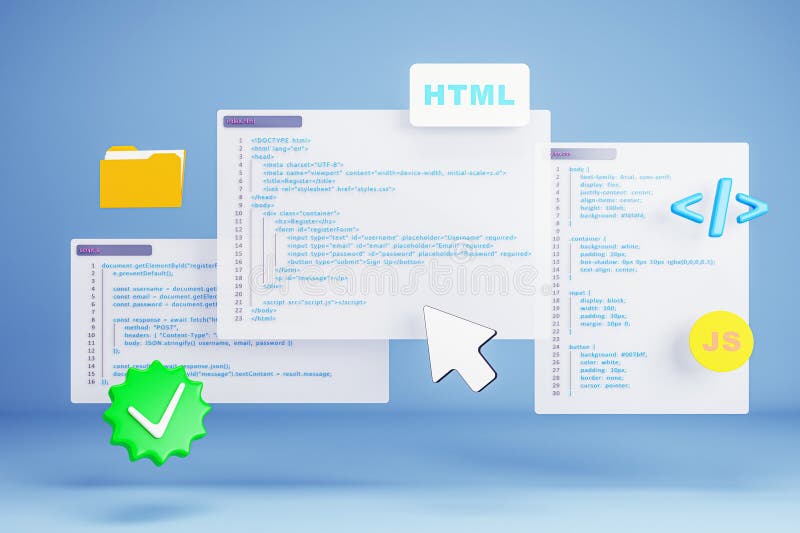
Free with trial Programming interface with HTML, CSS and JS code snippets, 3D rendering style, isolated on a blue gradient background, concept of web development. Javascript elements illustrations HTML, CSS and JavaScript code interface concept with floating UI elements, light icons and 3D programming symbols on blue gradient. Programming interface with. Programming interface with HTML, CSS and JS code snippets, 3D rendering style, isolated on a blue gradient background, concept of web development
Free with trial Colorful lines of code and symbols are displayed on a dark background. The image features programming languages like HTML, CSS, and JavaScript, characterized by syntax highlighting in colors such as blue, pink, and green. Flowcharts and node connections are visible, illustrating software structures or algorithms. Overlays include circles and connecting lines, enhancing the representation of logic flow or processes in software development. The design suggests a modern digital workspace or development environment. Javascript elements illustrations The digital code representation shows software development with colorful lines and symbols on a dark background. Colorful lines of code and symbols are displayed. Colorful lines of code and symbols are displayed on a dark background. The image features programming languages like HTML, CSS, and JavaScript, characterized by syntax highlighting in colors such as blue, pink, and green. Flowcharts and node connections are visible, illustrating software structures or algorithms. Overlays include circles and connecting lines, enhancing the representation of logic flow or processes in software development. The design suggests a modern digital workspace or development environment.
Free with trial This captivating image showcases the innovative potential of cross-platform technology in developing cutting-edge urban exploration applications. The gritty, futuristic aesthetic perfectly captures the essence of modern exploration, blending abandoned industrial settings with sleek, contemporary design elements. Imagine a mobile app that seamlessly integrates with responsive web design, allowing. Javascript elements illustrations CrossPlatform Urban Exploration App Development Innovative Design and Coding for Modern Mobile and Web Experiences. This captivating image showcases the. This captivating image showcases the innovative potential of cross-platform technology in developing cutting-edge urban exploration applications. The gritty, futuristic aesthetic perfectly captures the essence of modern exploration, blending abandoned industrial settings with sleek, contemporary design elements. Imagine a mobile app that seamlessly integrates with responsive web design, allowing
Free with trial App creation icons set. Creative simple signs. Javascript elements vectors App creation set. Creative icons. Editable elements. App creation icons set. Creative simple signs. App creation icons set. Creative simple signs.
Free with trial A vibrant cosmic nebula with swirling green and blue gas clouds serves as the background for a dark bar containing computer code programming elements. This digital artwork merges the beauty of deep space with modern software development themes in a seamless design. Abstract programming code displayed over a colorful galaxy background with nebula clouds representing digital space technology. Javascript elements illustrations Abstract programming code displayed over a colorful galaxy background with nebula clouds representing digital space technology. A vibrant cosmic nebula with. A vibrant cosmic nebula with swirling green and blue gas clouds serves as the background for a dark bar containing computer code programming elements. This digital artwork merges the beauty of deep space with modern software development themes in a seamless design. Abstract programming code displayed over a colorful galaxy background with nebula clouds representing digital space technology
Free with trial Website thin line icon set, website symbol; a thin line icon set representing website symbols, perfect for web design and development. Javascript elements vectors Professional Website Thin Line Icon Set for Web Design Projects. Website thin line icon set, website symbol; a thin line icon set representing website symbols. Website thin line icon set, website symbol; a thin line icon set representing website symbols, perfect for web design and development.
Free with trial Software development icons set. Creative simple signs. Javascript elements illustrations Software development set. Creative icons. Editable elements. Software development icons set. Creative simple signs. Software development icons set. Creative simple signs.
Free with trial Wooden cubes with text REACT. financial market. financing. close up of wooden elements,Business Concept. 3D rendering on red background. Javascript elements illustrations Wooden cubes with text REACT. financial market. financing. Close up of wooden elements,Business Concept.3D rendering on red background
Free with trial Wooden cubes with text REACT. financial market. financing. close up of wooden elements,Business Concept. 3D rendering on black background. Javascript elements illustrations Wooden cubes with text REACT. financial market. financing. Close up of wooden elements,Business Concept.3D rendering on black background
Free with trial Modern Website Design with Responsive Layout and Clean Interface, immersive wallpaper background, enchanting background. Javascript elements illustrations Modern Website Design with Responsive Layout and Clean Interface. Immersive wallpaper background, enchanting background
Free with trial A clean, minimalist graphic of black braces or curly brackets on a transparent background. Javascript elements vectors Bracket icon. Simple sign symbols bracket icon for infographic, websites, web design. A clean, minimalist graphic of black braces or curly brackets on a. A clean, minimalist graphic of black braces or curly brackets on a transparent background.
Free with trial This image showcases the fundamental components of modern web development in a visually engaging and easily understood format. From the intricate process of coding to the seamless operation of a network, each symbol represents a critical element of the web's infrastructure. The graphic effectively illustrates the interconnected nature of programming languages, web browsers, databases, servers,. Javascript elements illustrations Visualizing Modern Web Development A Comprehensive Symbol Set for Coding Browsers Databases Servers and Networks. This image showcases the fundamental components. This image showcases the fundamental components of modern web development in a visually engaging and easily understood format. From the intricate process of coding to the seamless operation of a network, each symbol represents a critical element of the web's infrastructure. The graphic effectively illustrates the interconnected nature of programming languages, web browsers, databases, servers,
Free with trial Website thin line icon set, website symbol; a thin line icon set representing website symbols, perfect for web design and development. Javascript elements vectors Professional Website Thin Line Icon Set for Web Design Projects. Website thin line icon set, website symbol; a thin line icon set representing website symbols. Website thin line icon set, website symbol; a thin line icon set representing website symbols, perfect for web design and development.
Free with trial Website thin line icon set, website symbol; a thin line icon set representing website symbols, perfect for web design and development. Javascript elements vectors Professional Website Thin Line Icon Set for Web Design Projects. Website thin line icon set, website symbol; a thin line icon set representing website symbols. Website thin line icon set, website symbol; a thin line icon set representing website symbols, perfect for web design and development.
Free with trial Website thin line icon set, website symbol; a thin line icon set representing website symbols, perfect for web design and development. Javascript elements vectors Professional Website Thin Line Icon Set for Web Design Projects. Website thin line icon set, website symbol; a thin line icon set representing website symbols. Website thin line icon set, website symbol; a thin line icon set representing website symbols, perfect for web design and development.
Free with trial Web Programming Abstract Concept Vector Illustration A vector illustration representing the concept of web programming, using abstract elements. Javascript elements vectors Abstract Web Programming Vector Concept Illustration. Web Programming Abstract Concept Vector Illustration A vector illustration representing the concept of web. Web Programming Abstract Concept Vector Illustration A vector illustration representing the concept of web programming, using abstract elements.
Free with trial Web Programming Abstract Concept Vector Illustration A vector illustration representing the concept of web programming, using abstract elements. Javascript elements vectors Abstract Web Programming Vector Concept Illustration. Web Programming Abstract Concept Vector Illustration A vector illustration representing the concept of web. Web Programming Abstract Concept Vector Illustration A vector illustration representing the concept of web programming, using abstract elements.
Free with trial The image depicts a shopping cart on a plain, minimalistic icon. The icon is black and white, with a shopping cart's prominent black outline enclosed by a circle. The cart is shown with two little wheels at the bottom and a rectangular basket. The cart's handle extends to the right and upward, keeping its simple and uncluttered appearance. In stark contrast to the white background, the circular border is likewise black. The overall aesthetic is contemporary and practical, making it appropriate for usage in digital user interfaces or e-commerce or shopping-related applications. Javascript elements illustrations Icons for shopping carts and flat design styles. The image depicts a shopping cart on a plain, minimalistic icon. The icon is black and white, with a shopping. The image depicts a shopping cart on a plain, minimalistic icon. The icon is black and white, with a shopping cart's prominent black outline enclosed by a circle. The cart is shown with two little wheels at the bottom and a rectangular basket. The cart's handle extends to the right and upward, keeping its simple and uncluttered appearance. In stark contrast to the white background, the circular border is likewise black. The overall aesthetic is contemporary and practical, making it appropriate for usage in digital user interfaces or e-commerce or shopping-related applications.
Free with trial Programmer Typography illustration with other similar keywords on the side. Programmer text in red color background design. Javascript elements illustrations Programmer Typography illustration with other similar keywords on the side. Programmer text in red color background design.
Free with trial The set-arrow-icon is a utility or component designed to create, modify, or apply an arrow icon within a user interface. It is commonly used in web development or design systems to add directional indicators to buttons, menus, dropdowns, or navigational elements. Key Features:Customizable Direction: Supports multiple arrow directions (e. g. , up, down, left, right). Scalable Design: Can adapt to different sizes and resolutions, ensuring it looks sharp on all devices. Styling Options: Allows the application of custom colors, weights, and animations for tailored visual effects. Interactive States: Often includes hover, focus, or active states for dynamic user interaction. Integration-Friendly: Easy to integrate with CSS, JavaScript, or front-end frameworks like React, Angular, or Vue. Javascript elements vectors Set-arrow-icon. The set-arrow-icon is a utility or component designed to create, modify, or apply an arrow icon within a user interface. It is commonly used in. The set-arrow-icon is a utility or component designed to create, modify, or apply an arrow icon within a user interface. It is commonly used in web development or design systems to add directional indicators to buttons, menus, dropdowns, or navigational elements.Key Features:Customizable Direction: Supports multiple arrow directions (e.g., up, down, left, right).Scalable Design: Can adapt to different sizes and resolutions, ensuring it looks sharp on all devices.Styling Options: Allows the application of custom colors, weights, and animations for tailored visual effects.Interactive States: Often includes hover, focus, or active states for dynamic user interaction.Integration-Friendly: Easy to integrate with CSS, JavaScript, or front-end frameworks like React, Angular, or Vue.
Free with trial The set-arrow-icon is a utility or component designed to create, modify, or apply an arrow icon within a user interface. It is commonly used in web development or design systems to add directional indicators to buttons, menus, dropdowns, or navigational elements. Key Features:Customizable Direction: Supports multiple arrow directions (e. g. , up, down, left, right). Scalable Design: Can adapt to different sizes and resolutions, ensuring it looks sharp on all devices. Styling Options: Allows the application of custom colors, weights, and animations for tailored visual effects. Interactive States: Often includes hover, focus, or active states for dynamic user interaction. Integration-Friendly: Easy to integrate with CSS, JavaScript, or front-end frameworks like React, Angular, or Vue. Javascript elements vectors Set-arrow-icon. The set-arrow-icon is a utility or component designed to create, modify, or apply an arrow icon within a user interface. It is commonly used in. The set-arrow-icon is a utility or component designed to create, modify, or apply an arrow icon within a user interface. It is commonly used in web development or design systems to add directional indicators to buttons, menus, dropdowns, or navigational elements.Key Features:Customizable Direction: Supports multiple arrow directions (e.g., up, down, left, right).Scalable Design: Can adapt to different sizes and resolutions, ensuring it looks sharp on all devices.Styling Options: Allows the application of custom colors, weights, and animations for tailored visual effects.Interactive States: Often includes hover, focus, or active states for dynamic user interaction.Integration-Friendly: Easy to integrate with CSS, JavaScript, or front-end frameworks like React, Angular, or Vue.
Free with trial The set-arrow-icon is a utility or component designed to create, modify, or apply an arrow icon within a user interface. It is commonly used in web development or design systems to add directional indicators to buttons, menus, dropdowns, or navigational elements. Key Features:Customizable Direction: Supports multiple arrow directions (e. g. , up, down, left, right). Scalable Design: Can adapt to different sizes and resolutions, ensuring it looks sharp on all devices. Styling Options: Allows the application of custom colors, weights, and animations for tailored visual effects. Interactive States: Often includes hover, focus, or active states for dynamic user interaction. Integration-Friendly: Easy to integrate with CSS, JavaScript, or front-end frameworks like React, Angular, or Vue. Javascript elements vectors Set-arrow-icon. The set-arrow-icon is a utility or component designed to create, modify, or apply an arrow icon within a user interface. It is commonly used in. The set-arrow-icon is a utility or component designed to create, modify, or apply an arrow icon within a user interface. It is commonly used in web development or design systems to add directional indicators to buttons, menus, dropdowns, or navigational elements.Key Features:Customizable Direction: Supports multiple arrow directions (e.g., up, down, left, right).Scalable Design: Can adapt to different sizes and resolutions, ensuring it looks sharp on all devices.Styling Options: Allows the application of custom colors, weights, and animations for tailored visual effects.Interactive States: Often includes hover, focus, or active states for dynamic user interaction.Integration-Friendly: Easy to integrate with CSS, JavaScript, or front-end frameworks like React, Angular, or Vue.
Free with trial The set-arrow-icon is a utility or component designed to create, modify, or apply an arrow icon within a user interface. It is commonly used in web development or design systems to add directional indicators to buttons, menus, dropdowns, or navigational elements. Key Features:Customizable Direction: Supports multiple arrow directions (e. g. , up, down, left, right). Scalable Design: Can adapt to different sizes and resolutions, ensuring it looks sharp on all devices. Styling Options: Allows the application of custom colors, weights, and animations for tailored visual effects. Interactive States: Often includes hover, focus, or active states for dynamic user interaction. Integration-Friendly: Easy to integrate with CSS, JavaScript, or front-end frameworks like React, Angular, or Vue. Javascript elements vectors Set-arrow-icon. The set-arrow-icon is a utility or component designed to create, modify, or apply an arrow icon within a user interface. It is commonly used in. The set-arrow-icon is a utility or component designed to create, modify, or apply an arrow icon within a user interface. It is commonly used in web development or design systems to add directional indicators to buttons, menus, dropdowns, or navigational elements.Key Features:Customizable Direction: Supports multiple arrow directions (e.g., up, down, left, right).Scalable Design: Can adapt to different sizes and resolutions, ensuring it looks sharp on all devices.Styling Options: Allows the application of custom colors, weights, and animations for tailored visual effects.Interactive States: Often includes hover, focus, or active states for dynamic user interaction.Integration-Friendly: Easy to integrate with CSS, JavaScript, or front-end frameworks like React, Angular, or Vue.
Free with trial The set-arrow-icon is a utility or component designed to create, modify, or apply an arrow icon within a user interface. It is commonly used in web development or design systems to add directional indicators to buttons, menus, dropdowns, or navigational elements. Key Features:Customizable Direction: Supports multiple arrow directions (e. g. , up, down, left, right). Scalable Design: Can adapt to different sizes and resolutions, ensuring it looks sharp on all devices. Styling Options: Allows the application of custom colors, weights, and animations for tailored visual effects. Interactive States: Often includes hover, focus, or active states for dynamic user interaction. Integration-Friendly: Easy to integrate with CSS, JavaScript, or front-end frameworks like React, Angular, or Vue. Javascript elements vectors Set-arrow-icon. The set-arrow-icon is a utility or component designed to create, modify, or apply an arrow icon within a user interface. It is commonly used in. The set-arrow-icon is a utility or component designed to create, modify, or apply an arrow icon within a user interface. It is commonly used in web development or design systems to add directional indicators to buttons, menus, dropdowns, or navigational elements.Key Features:Customizable Direction: Supports multiple arrow directions (e.g., up, down, left, right).Scalable Design: Can adapt to different sizes and resolutions, ensuring it looks sharp on all devices.Styling Options: Allows the application of custom colors, weights, and animations for tailored visual effects.Interactive States: Often includes hover, focus, or active states for dynamic user interaction.Integration-Friendly: Easy to integrate with CSS, JavaScript, or front-end frameworks like React, Angular, or Vue.
Free with trial The set-arrow-icon is a utility or component designed to create, modify, or apply an arrow icon within a user interface. It is commonly used in web development or design systems to add directional indicators to buttons, menus, dropdowns, or navigational elements. Key Features:Customizable Direction: Supports multiple arrow directions (e. g. , up, down, left, right). Scalable Design: Can adapt to different sizes and resolutions, ensuring it looks sharp on all devices. Styling Options: Allows the application of custom colors, weights, and animations for tailored visual effects. Interactive States: Often includes hover, focus, or active states for dynamic user interaction. Integration-Friendly: Easy to integrate with CSS, JavaScript, or front-end frameworks like React, Angular, or Vue. Javascript elements vectors Set-arrow-icon. The set-arrow-icon is a utility or component designed to create, modify, or apply an arrow icon within a user interface. It is commonly used in. The set-arrow-icon is a utility or component designed to create, modify, or apply an arrow icon within a user interface. It is commonly used in web development or design systems to add directional indicators to buttons, menus, dropdowns, or navigational elements.Key Features:Customizable Direction: Supports multiple arrow directions (e.g., up, down, left, right).Scalable Design: Can adapt to different sizes and resolutions, ensuring it looks sharp on all devices.Styling Options: Allows the application of custom colors, weights, and animations for tailored visual effects.Interactive States: Often includes hover, focus, or active states for dynamic user interaction.Integration-Friendly: Easy to integrate with CSS, JavaScript, or front-end frameworks like React, Angular, or Vue.
Free with trial The set-arrow-icon is a utility or component designed to create, modify, or apply an arrow icon within a user interface. It is commonly used in web development or design systems to add directional indicators to buttons, menus, dropdowns, or navigational elements. Key Features:Customizable Direction: Supports multiple arrow directions (e. g. , up, down, left, right). Scalable Design: Can adapt to different sizes and resolutions, ensuring it looks sharp on all devices. Styling Options: Allows the application of custom colors, weights, and animations for tailored visual effects. Interactive States: Often includes hover, focus, or active states for dynamic user interaction. Integration-Friendly: Easy to integrate with CSS, JavaScript, or front-end frameworks like React, Angular, or Vue. Javascript elements vectors Set-arrow-icon. The set-arrow-icon is a utility or component designed to create, modify, or apply an arrow icon within a user interface. It is commonly used in. The set-arrow-icon is a utility or component designed to create, modify, or apply an arrow icon within a user interface. It is commonly used in web development or design systems to add directional indicators to buttons, menus, dropdowns, or navigational elements.Key Features:Customizable Direction: Supports multiple arrow directions (e.g., up, down, left, right).Scalable Design: Can adapt to different sizes and resolutions, ensuring it looks sharp on all devices.Styling Options: Allows the application of custom colors, weights, and animations for tailored visual effects.Interactive States: Often includes hover, focus, or active states for dynamic user interaction.Integration-Friendly: Easy to integrate with CSS, JavaScript, or front-end frameworks like React, Angular, or Vue.
Free with trial Collection of flat line icons representing various software development concepts. Icons include code, API, branch, CI CD, merge request, bug, and other related elements. Ideal for use in presentations, websites, documentation, or any project requiring visual representation of software development processes. Javascript elements vectors Software Development Icons Set. Collection of flat line icons representing various software development concepts. Icons include code, API, branch, CI CD, merge. Collection of flat line icons representing various software development concepts. Icons include code, API, branch, CI CD, merge request, bug, and other related elements. Ideal for use in presentations, websites, documentation, or any project requiring visual representation of software development processes.
Free with trial Dive into a vibrant, stylized illustration of a modern web browser window. This graphical rendering showcases the intricate digital landscape of the internet. Colorful geometric shapes and dynamic lines create a futuristic aesthetic, highlighting the complex architecture behind web browsing. The illustration elegantly represents the seamless interaction between user and internet. From the. Javascript elements illustrations Futuristic Web Browser Window A Graphical Exploration of Modern Internet Architecture. Dive into a vibrant, stylized illustration of a modern web browser window. Dive into a vibrant, stylized illustration of a modern web browser window. This graphical rendering showcases the intricate digital landscape of the internet. Colorful geometric shapes and dynamic lines create a futuristic aesthetic, highlighting the complex architecture behind web browsing. The illustration elegantly represents the seamless interaction between user and internet. From the
Free with trial Glowing 3D spherical head illuminating virtual console with floating code text and scan lines. Cyberspace, data visualization, futurism, virtual reality, biometrics, digital art, technological. Javascript elements illustrations Glowing 3D spherical head illuminating virtual console with floating code text and scan lines. Cyberspace, data visualization, futurism, virtual reality
Free with trial Showing hexagonal icons floating on digital dashboard, with green symbols, teal currency and code. Technology, sustainability, innovation, analytics, interface, digital, eco-friendly. Javascript elements illustrations Showing hexagonal icons floating on digital dashboard, with green symbols, teal currency and code. Technology, sustainability, innovation, analytics, interface
Free with trial A man engages in fixing website problems using his laptop in a colorful and modern workspace, man with laptop fixing website error. Javascript elements vectors A man engages in fixing website problems using his laptop in a colorful and modern workspace, man with laptop fixing website error.
Free with trial Transform your ideas into a thriving online presence with this dynamic workspace. A sleek, modern laptop displays intricate coding lines, reflecting the intricate process of web development. Colorful sticky notes, overflowing with design elements and project outlines, highlight the multifaceted nature of building a successful online platform. Surrounding the laptop are essential office supplies. Javascript elements illustrations Boost Your Online Presence with a Modern Web Development Setup Coding Design and Management Solutions. Transform your ideas into a thriving online presence with. Transform your ideas into a thriving online presence with this dynamic workspace. A sleek, modern laptop displays intricate coding lines, reflecting the intricate process of web development. Colorful sticky notes, overflowing with design elements and project outlines, highlight the multifaceted nature of building a successful online platform. Surrounding the laptop are essential office supplies
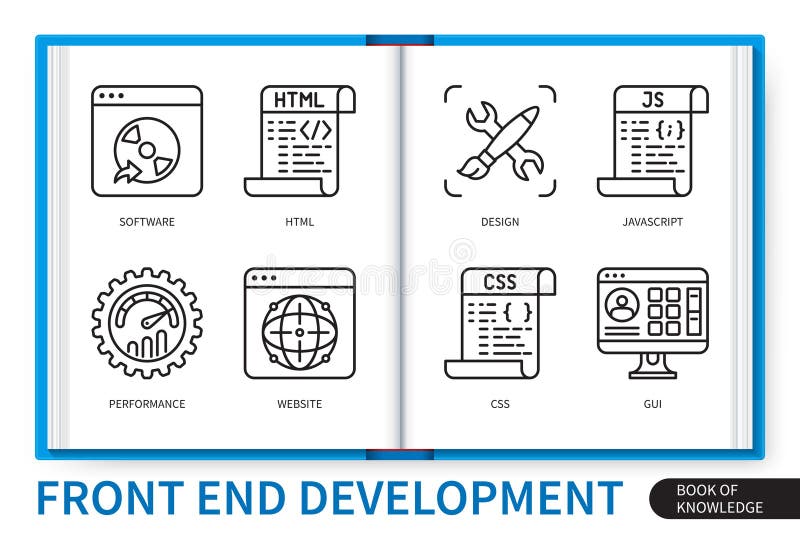
Free with trial Front end development infographics elements set. Website, HTML, CSS, JavaScript, software, design, GUI, performance. Web vector linear icons collection. Javascript elements illustrations Front end development infographics linear elements set. Front end development infographics elements set. Website, HTML, CSS, JavaScript, software, design, GUI. Front end development infographics elements set. Website, HTML, CSS, JavaScript, software, design, GUI, performance. Web vector linear icons collection
Free with trial Javascript programming language on technological background with code elements. Javascript elements illustrations Javascript programming language on technological background with code elements.
Free with trial Group of 4 Solid Glyphs Signs and Symbols for apple, javascript, science, open, programming Editable Vector Design Elements. Javascript elements vectors 4 Universal Solid Glyph Signs Symbols of apple, javascript, science, open, programming. Group of 4 Solid Glyphs Signs and Symbols for apple, javascript, science. Group of 4 Solid Glyphs Signs and Symbols for apple, javascript, science, open, programming Editable Vector Design Elements
Free with trial Hands typing on laptop keyboard with digital code snippets, blurred background, HTML elements visible. Generative AI. Javascript elements illustrations Hands typing on laptop keyboard with digital code snippets, blurred background, HTML elements visible. Generative AI
Free with trial 16 Universal Outline Signs Symbols of javascript, design, user, time, old Editable Vector Design Elements. Javascript elements vectors Set of 16 Modern UI Icons Symbols Signs for javascript, design, user, time, old. 16 Universal Outline Signs Symbols of javascript, design, user, time, old. 16 Universal Outline Signs Symbols of javascript, design, user, time, old Editable Vector Design Elements
Free with trial Computer code canvas Black and yellow binary background with graphical elements. Generative AI. Javascript elements illustrations Computer code canvas Black and yellow binary background with graphical elements. Generative AI
Free with trial Computer code canvas Black and yellow binary background with graphical elements. Generative AI. Javascript elements illustrations Computer code canvas Black and yellow binary background with graphical elements. Generative AI
Free with trial Computer code canvas Black and yellow binary background with graphical elements. Generative AI. Javascript elements illustrations Computer code canvas Black and yellow binary background with graphical elements. Generative AI
Free with trial Web design line vector icons and signs. UI, UX, HTML, CSS, JavaScript, Graphic, Layout, Responsive vector outline illustration set. Javascript elements vectors Web design line vector icons and signs. UI, UX, HTML, CSS, JavaScript, Graphic, Layout, Responsive outline vector. Web design line vector icons and signs. UI, UX. Web design line vector icons and signs. UI, UX, HTML, CSS, JavaScript, Graphic, Layout, Responsive vector outline illustration set
Free with trial Computer code canvas Black and yellow binary background with graphical elements. For Social Media Post Size. Javascript elements illustrations Computer code canvas Black and yellow binary background with graphical elements. For Social Media Post Size
Free with trial Computer code canvas Black and yellow binary background with graphical elements. For Social Media Post Size. Javascript elements illustrations Computer code canvas Black and yellow binary background with graphical elements. For Social Media Post Size
Free with trial Computer code canvas Black and yellow binary background with graphical elements. For Social Media Post Size. Javascript elements illustrations Computer code canvas Black and yellow binary background with graphical elements. For Social Media Post Size
Free with trial Computer code canvas Black and yellow binary background with graphical elements. For Social Media Post Size. Javascript elements illustrations Computer code canvas Black and yellow binary background with graphical elements. For Social Media Post Size
Free with trial Computer code canvas Black and yellow binary background with graphical elements. Vertical Mobile Wallpaper. Javascript elements illustrations Computer code canvas Black and yellow binary background with graphical elements. Vertical Mobile Wallpaper
Free with trial Computer code canvas Black and yellow binary background with graphical elements. Vertical Mobile Wallpaper. Javascript elements illustrations Computer code canvas Black and yellow binary background with graphical elements. Vertical Mobile Wallpaper
Free with trial Group of 25 Solid Glyphs Signs and Symbols for bauble, web, fish, javascript, design Editable Vector Design Elements. Javascript elements vectors Set of 25 Modern UI Icons Symbols Signs for bauble, web, fish, javascript, design. Group of 25 Solid Glyphs Signs and Symbols for bauble, web, fish, javascript. Group of 25 Solid Glyphs Signs and Symbols for bauble, web, fish, javascript, design Editable Vector Design Elements
Free with trial Coder code symbol of developer programmer tshirt design abstract art colorfull liquid shape elements in black background. Vector. Javascript elements illustrations Coder code symbol of developer programmer tshirt design abstract art colorfull liquid shape elements in black background. Vector
Free with trial 25 Creative Icons Modern Signs and Symbols of power, man, grid, businessman, javascript Editable Vector Design Elements. Javascript elements vectors 25 User Interface Filled line Flat Color Pack of modern Signs and Symbols of power, man, grid, businessman, javascript. 25 Creative Icons Modern Signs and. 25 Creative Icons Modern Signs and Symbols of power, man, grid, businessman, javascript Editable Vector Design Elements
Free with trial 25 Thematic Vector Flat Colors and Editable Symbols of bottle, helmet, roller, astronaut, javascript Editable Vector Design Elements. Javascript elements vectors Set of 25 Modern UI Icons Symbols Signs for bottle, helmet, roller, astronaut, javascript. 25 Thematic Vector Flat Colors and Editable Symbols of bottle, helmet. 25 Thematic Vector Flat Colors and Editable Symbols of bottle, helmet, roller, astronaut, javascript Editable Vector Design Elements
Free with trial Pack of 25 Modern Lines Signs and Symbols for Web Print Media such as programming, javascript, camping, api, school Editable Vector Design Elements. Javascript elements vectors Editable Vector Line Pack of 25 Simple Lines of programming, javascript, camping, api, school. Pack of 25 Modern Lines Signs and Symbols for Web Print Media such. Pack of 25 Modern Lines Signs and Symbols for Web Print Media such as programming, javascript, camping, api, school Editable Vector Design Elements
Free with trial Flat Color Filled Line Pack of 16 Universal Symbols of tasks, manager, dollar, programming, javascript Editable Creative Vector Design Elements. Javascript elements vectors 16 Flat Color Filled Line concept for Websites Mobile and Apps tasks, manager, dollar, programming, javascript. Flat Color Filled Line Pack of 16 Universal. Flat Color Filled Line Pack of 16 Universal Symbols of tasks, manager, dollar, programming, javascript Editable Creative Vector Design Elements
Free with trial 9 Creative Icons Modern Signs and Symbols of animal, script, soft drink, javascript, spring Editable Vector Design Elements. Javascript elements vectors Stock Vector Icon Pack of 9 Line Signs and Symbols for animal, script, soft drink, javascript, spring. 9 Creative Icons Modern Signs and Symbols of animal. 9 Creative Icons Modern Signs and Symbols of animal, script, soft drink, javascript, spring Editable Vector Design Elements
Free with trial Flat web development modern design concept vector icons composition. Html, javascript (js), jQuery, css and gears. Flat web illustration infographics elements. Javascript elements vectors Web. Flat web development modern design concept vector icons composition. Html, javascript (js), jQuery, css and gears. Flat web illustration infographics
Free with trial Creation, configuration and launch of websites. Programming, coding, graphic design, usability UI, UX, KIT. 3D elements with coding and design development Web and App. Coding and programming. Vector. Javascript elements vectors 3D elements with coding and design development Web and App. Creation, configuration and launch of websites. Programming, coding, graphic design, usability UI, UX. Creation, configuration and launch of websites. Programming, coding, graphic design, usability UI, UX, KIT. 3D elements with coding and design development Web and App. Coding and programming. Vector
Free with trial Abstract vector illustration of software coding and development concepts. Design elements for mobile applications. Programming in JavaScript, HTML, CSS, php, Java, jQuery. Javascript elements vectors Abstract vector illustration of software coding and development. Concepts. Design elements for mobile applications. Programming in JavaScript, HTML, CSS, php
Free with trial Vector illustration. Elements of programming languages. Workplace of programming. Javascript elements vectors Vector illustration. Elements of programming languages. Vector illustration. Workplace of programming. Elements of programming languages
Free with trial Web Development concept with various devices and infographic elements on blue background. Javascript elements illustrations Infographic elements for Web Development. Web Development concept with various devices and infographic elements on blue background. Web Development concept with various devices and infographic elements on blue background.
Free with trial Hosting Solution concept with illustration of a Businessman, digital devices and infographic elements on grey background. Javascript elements illustrations Infographic elements for Hosting Solution concept. Hosting Solution concept with illustration of a Businessman, digital devices and infographic elements on grey. Hosting Solution concept with illustration of a Businessman, digital devices and infographic elements on grey background.
Free with trial Seamless texture with mathematical signs, programming languages, elements and symbols on a blue background. Eps 10. Javascript elements vectors Seamless texture with mathematical signs, programming languages, elements and symbols on a blue background. Eps 10
Free with trial Programming languages on tech purple background with code elements and lines of light. Javascript elements illustrations Programming languages on tech purple background with code elements and lines of light.
Free with trial Code on mind icon. Elements of What is in your mind in neon style icons. Simple icon for websites, web design, mobile app, info graphics on dark gradient background. Javascript elements illustrations Code on mind icon. Elements of What is in your mind in neon style icons. Simple icon for websites, web design, mobile app, info. Graphics on dark gradient
Free with trial Handwriting text Front End Developer. Concept meaning computer programmer codes and creates visual elements Vertical Curved Ribbon Strip Twisted Sash in Seamless Repeat Pattern photo. Javascript elements illustrations Handwriting text Front End Developer. Concept meaning computer programmer codes and creates visual elements Vertical. Curved Ribbon Strip Twisted Sash in. Handwriting text Front End Developer. Concept meaning computer programmer codes and creates visual elements Vertical Curved Ribbon Strip Twisted Sash in Seamless Repeat Pattern photo
Free with trial Front end development icon. Elements of Web development in neon style icons. Simple icon for websites, web design, mobile app, info graphics on dark gradient background. Javascript elements illustrations Front end development icon. Elements of Web development in neon style icons. Simple icon for websites, web design, mobile app,. Info graphics on dark gradient
Free with trial Word writing text Front End Developer. Business concept for computer programmer codes and creates visual elements Tree Branches Scattered with Leaves Surrounding Blank Color Text Space. Javascript elements illustrations Word writing text Front End Developer. Business concept for computer programmer codes and creates visual elements Tree. Branches Scattered with Leaves. Word writing text Front End Developer. Business concept for computer programmer codes and creates visual elements Tree Branches Scattered with Leaves Surrounding Blank Color Text Space
Free with trial Handwriting text Front End Developer. Concept meaning computer programmer codes and creates visual elements Hu analysis Dummy Arms Raising inside Gondola Riding Blank Color Air Balloon. Javascript elements illustrations Handwriting text Front End Developer. Concept meaning computer programmer codes and creates visual elements Hu analysis. Dummy Arms Raising inside Gondola. Handwriting text Front End Developer. Concept meaning computer programmer codes and creates visual elements Hu analysis Dummy Arms Raising inside Gondola Riding Blank Color Air Balloon
Free with trial Word writing text Front End Developer. Business concept for computer programmer codes and creates visual elements Blank Deformed Color Round Shape with Small Circles Abstract photo. Javascript elements illustrations Word writing text Front End Developer. Business concept for computer programmer codes and creates visual elements Blank. Deformed Color Round Shape with Small
 Sign in