Free with trial Authentication, security, multifactor, smartphone, usb key, email, checkmark, access, verification, secure, process, login, technology, protection, data, information, privacy, safety, internet, device, identity, password, code, personal, account, online, digital, communication, approved, confirmation, two factor, authorization, sign in, cyber security, network, encryption, system, secure access, secure login, mfa, flat design, illustration, graphic, modern, minimal. Mfa process illustrations Modern Flat Illustration of Multifactor Authentication Security Process Illustration. Authentication, security, multifactor, smartphone, usb key, email. authentication, security, multifactor, smartphone, usb key, email, checkmark, access, verification, secure, process, login, technology, protection, data, information, privacy, safety, internet, device, identity, password, code, personal, account, online, digital, communication, approved, confirmation, two factor, authorization, sign in, cyber security, network, encryption, system, secure access, secure login, mfa, flat design, illustration, graphic, modern, minimal
Free with trial A simplified diagram illustrates a multifactor authentication process using purple and black line art on a light gray background. The diagram shows a sequence of actions involving a cloud server, password input, and MFA annotation. Mfa process vectors Multifactor Authentication Process Diagram Showing a User Login Sequence with Cloud Server Gear Icon and Password Input M F A. A simplified diagram illustrates a. A simplified diagram illustrates a multifactor authentication process using purple and black line art on a light gray background. The diagram shows a sequence of actions involving a cloud server, password input, and MFA annotation
Free with trial Diagram illustrating Multi-Factor Authentication (MFA) with three overlapping colored layers labeled: "Something You Know," "Something You Are," and "Something You Have. " A shield with a key symbol represents protection. Icons include a fingerprint, a touch gesture, and a smartphone, symbolizing biometric identification, knowledge-based authentication, and device-based verification. Arrows connect these elements to emphasize the process. Mfa process illustrations A fingerprint, a touch gesture, and a smartphone, symbolizing biometric. Diagram illustrating Multi-Factor Authentication (MFA) with three overlapping colored. Diagram illustrating Multi-Factor Authentication (MFA) with three overlapping colored layers labeled: "Something You Know," "Something You Are," and "Something You Have." A shield with a key symbol represents protection. Icons include a fingerprint, a touch gesture, and a smartphone, symbolizing biometric identification, knowledge-based authentication, and device-based verification. Arrows connect these elements to emphasize the process.
Free with trial Flat design illustration of secure identity verification process with MFA icons and confident businessman. Mfa process vectors Business professional completing multi-factor authentication for secure account login verification. Flat design illustration of secure identity verification. Flat design illustration of secure identity verification process with MFA icons and confident businessman
Free with trial A person's hands are shown typing on a laptop keyboard, interacting with a digital interface displaying a login screen. Prominently featured is an MFA (Multi-Factor Authentication) shield icon with a checkmark, alongside fields for username and password, indicating a secure login process. Mfa process illustrations Person logging into MFA protected system on laptop. A person's hands are shown typing on a laptop keyboard, interacting with a digital interface displaying a. A person's hands are shown typing on a laptop keyboard, interacting with a digital interface displaying a login screen. Prominently featured is an MFA (Multi-Factor Authentication) shield icon with a checkmark, alongside fields for username and password, indicating a secure login process
Free with trial Minimalist 3D illustration of a smartphone, fingerprint scanner, and padlock representing the multi-factor authentication process and data privacy. Mfa process illustrations Multi-Factor Authentication MFA Concept with 3D Smartphone Fingerprint and Secure Padlock Icons for Mobile Security. Minimalist 3D illustration of a smartphone. Minimalist 3D illustration of a smartphone, fingerprint scanner, and padlock representing the multi-factor authentication process and data privacy.
Free with trial Hand completing smartphone fingerprint scan and text code for MFA process, alongside error pop-up. Ideal for cybersecurity, authentication, technology, privacy, login, verification, access control. Mfa process illustrations Smartphone MFA Verification and Login Error Screen with Security Icons and Green Foliage. Hand completing smartphone fingerprint scan and text code for MFA. Hand completing smartphone fingerprint scan and text code for MFA process, alongside error pop-up. Ideal for cybersecurity, authentication, technology, privacy, login, verification, access control
Free with trial Illustration depicting digital security concepts Safe Browsing features a web page with a shield protecting against phishing and malware indicated by crossed out symbols. Strong Passwords MFA shows a padlock a smartphone with a verification process and a key symbolizing multifactor authentication. Data Encryption is represented by blocks and a shield labeled VPN Encryption. Centralized Digital Protection icon emphasizes overall security. Surrounding elements include laptops servers buildings and charts representing a digital ecosystem safeguarded by cybersecurity measures. Mfa process illustrations A shield protecting against phishing and malware indicated by crossed out. Illustration depicting digital security concepts Safe Browsing features a web page. Illustration depicting digital security concepts Safe Browsing features a web page with a shield protecting against phishing and malware indicated by crossed out symbols. Strong Passwords MFA shows a padlock a smartphone with a verification process and a key symbolizing multifactor authentication. Data Encryption is represented by blocks and a shield labeled VPN Encryption. Centralized Digital Protection icon emphasizes overall security. Surrounding elements include laptops servers buildings and charts representing a digital ecosystem safeguarded by cybersecurity measures.
Free with trial The image shows the concept of multi-factor authentication (MFA) being used on a mobile smartphone and laptop to enhance internet data security. It highlights two-step verification and encryption as key technologies protecting user accounts from cyber threats. Mfa process illustrations Multi-Factor Authentication (MFA) on Mobile and Laptop for Strong Internet Data Security. The image shows the concept of multi-factor authentication (MFA) being. The image shows the concept of multi-factor authentication (MFA) being used on a mobile smartphone and laptop to enhance internet data security. It highlights two-step verification and encryption as key technologies protecting user accounts from cyber threats.
Free with trial A light gray background features a diagram illustrating a multifactor authentication system using purple and gray icons and arrows The diagram shows the steps of MFA Auth, login, risk check, geofencing, and identity verification. Mfa process vectors Multifactor Authentication System Diagram Illustrating M F A Auth Login Risk Check Geofencing and Identity Verification Process. A light gray background features. A light gray background features a diagram illustrating a multifactor authentication system using purple and gray icons and arrows The diagram shows the steps of MFA Auth, login, risk check, geofencing, and identity verification
Free with trial This flat illustration visually explains the modern flow of a secure login system requiring traditional username and password input followed by a time based code sent to a mobile phone 2FA OTP and offering optional biometric verification via fingerprint. Mfa process vectors Secure Multi Factor Authentication MFA Login Process with Password Mobile OTP and Biometric Fingerprint Scan for Digital Account P. This flat illustration. This flat illustration visually explains the modern flow of a secure login system requiring traditional username and password input followed by a time based code sent to a mobile phone 2FA OTP and offering optional biometric verification via fingerprint.
Free with trial Security lock key protection success access icon vector modern graphic, cyber safety verification process sign symbol, cybersecurity internet authentication approved unlock padlock design clip art. Mfa process vectors Security lock key protection success access icon vector modern graphic, cyber safety verification process sign symbol,. Cybersecurity internet authentication. Security lock key protection success access icon vector modern graphic, cyber safety verification process sign symbol, cybersecurity internet authentication approved unlock padlock design clip art
Free with trial Experience the future of digital safety with this advanced biometric security interface. The image features a user interacting with a high-tech, holographic shield and fingerprint scanner to facilitate a secure login process. In an era where cybersecurity is paramount, this visual represents the seamless integration of multi-factor authentication (MFA) and biometric authorization. Whether protecting sensitive corporate data or personal information, this futuristic cyber protection concept highlights the intersection of identity verification and cutting-edge digital encryption. biometric security, cybersecurity, secure login, digital protection, fingerprint scanner, data encryption, holographic interface, identity verification, cyber defense, multi-factor authentication, biometric authorization, internet security, futuristic technology, information safety, network security, digital identity, high-tech interface, data privacy, authentication process, secure access, cyber security shield, virtual security, fingerprint recognition, login credentials, technology, encryption, cloud security, system protection, digital safety, cyber attack prevention. Mfa process illustrations Advanced Biometric Security Interface for Secure Digital Login and Cyber Data Protection. Experience the future of digital safety with this advanced biometric. Experience the future of digital safety with this advanced biometric security interface. The image features a user interacting with a high-tech, holographic shield and fingerprint scanner to facilitate a secure login process. In an era where cybersecurity is paramount, this visual represents the seamless integration of multi-factor authentication (MFA) and biometric authorization. Whether protecting sensitive corporate data or personal information, this futuristic cyber protection concept highlights the intersection of identity verification and cutting-edge digital encryption.biometric security, cybersecurity, secure login, digital protection, fingerprint scanner, data encryption, holographic interface, identity verification, cyber defense, multi-factor authentication, biometric authorization, internet security, futuristic technology, information safety, network security, digital identity, high-tech interface, data privacy, authentication process, secure access, cyber security shield, virtual security, fingerprint recognition, login credentials, technology, encryption, cloud security, system protection, digital safety, cyber attack prevention.
Free with trial A person uses multi-factor authentication on a MacBook Pro. On the left, a hand holds a smartphone displaying a Google Authenticator app with a generated code "491735. " On the right, another hand types the code into a laptop screen showing "MFA Code" and icons indicating identity verification, with a lock and checkmark symbol suggesting "Access Granted. " The setup emphasizes digital security measures. Mfa process illustrations Multi-Factor Authentication Process with Smartphone and Laptop. A person uses multi-factor authentication on a MacBook Pro. On the left, a hand holds a. A person uses multi-factor authentication on a MacBook Pro. On the left, a hand holds a smartphone displaying a Google Authenticator app with a generated code "491735." On the right, another hand types the code into a laptop screen showing "MFA Code" and icons indicating identity verification, with a lock and checkmark symbol suggesting "Access Granted." The setup emphasizes digital security measures.
Free with trial Zero trust security multi factor authentication mfa login concept with user approving push notification on smart phone screen for personal computer desktop network access illustration. Mfa process vectors Secure login process via multi-factor authentication in a zero trust network environment where a user approves a push notification. Zero trust security multi. Zero trust security multi factor authentication mfa login concept with user approving push notification on smart phone screen for personal computer desktop network access illustration
Free with trial Icon illustrates two-factor authentication process with data transfer between an unlocked and a locked mobile device. Mfa process vectors Two-Factor Authentication Process: Security and Data Transfer Between Devices. Icon illustrates two-factor authentication process with data transfer between an. Icon illustrates two-factor authentication process with data transfer between an unlocked and a locked mobile device.
Free with trial A purple, distressed sign pointing left with the words "TWO FACTOR APPROVED" printed in white, distressed capital letters. This graphic represents the concept of dual authentication or multi-factor authentication (MFA) in cybersecurity. It signifies a secure and verified process, often used in online security, account protection, and digital access protocols. The isolated nature of the sign on a. Mfa process illustrations Two factor approved sign isolated on white, cybersecurity authentication verification concept. A purple, distressed sign pointing left with the words 'TWO FACTOR. A purple, distressed sign pointing left with the words "TWO FACTOR APPROVED" printed in white, distressed capital letters. This graphic represents the concept of dual authentication or multi-factor authentication (MFA) in cybersecurity. It signifies a secure and verified process, often used in online security, account protection, and digital access protocols. The isolated nature of the sign on a
Free with trial A user holds a physical hardware security key to complete the two-factor authentication process on their laptop. This image represents the modern standard for cybersecurity, protecting sensitive data and personal identity from unauthorized access in an increasingly digital world. Mfa process illustrations Secure Login with a Hardware Authentication Key. A user holds a physical hardware security key to complete the two-factor authentication process on their laptop. A user holds a physical hardware security key to complete the two-factor authentication process on their laptop. This image represents the modern standard for cybersecurity, protecting sensitive data and personal identity from unauthorized access in an increasingly digital world
Free with trial A person's hands are shown holding a smartphone displaying a verification code and a small, metallic security key. The smartphone screen shows the numbers '12560' and '48860' along with a prompt to 'Enter verification code'. This image represents the concept of two-factor authentication (2FA), a crucial security measure for protecting online accounts and data. It visually communicates the process of verifying identity through multiple factors, such as something you know (the code) and something you have (the security key). Mfa process illustrations Two-Factor Authentication: Smartphone and Security Key. A person's hands are shown holding a smartphone displaying a verification code and a small, metallic. A person's hands are shown holding a smartphone displaying a verification code and a small, metallic security key. The smartphone screen shows the numbers '12560' and '48860' along with a prompt to 'Enter verification code'. This image represents the concept of two-factor authentication (2FA), a crucial security measure for protecting online accounts and data. It visually communicates the process of verifying identity through multiple factors, such as something you know (the code) and something you have (the security key).
Free with trial Glowing holographic flow diagram on a dark background showing passwordless access moving through request, verify, confirm and access stages with device, key and shield icons and a green confirmation. Passkey authentication flow, passwordless login process and phishing resistant sign in concept. Mfa process illustrations Passwordless Access Flow Diagram With Request Verify Confirm And Access Stages. Glowing holographic flow diagram on a dark background showing passwordless access. Glowing holographic flow diagram on a dark background showing passwordless access moving through request, verify, confirm and access stages with device, key and shield icons and a green confirmation. Passkey authentication flow, passwordless login process and phishing resistant sign in concept.
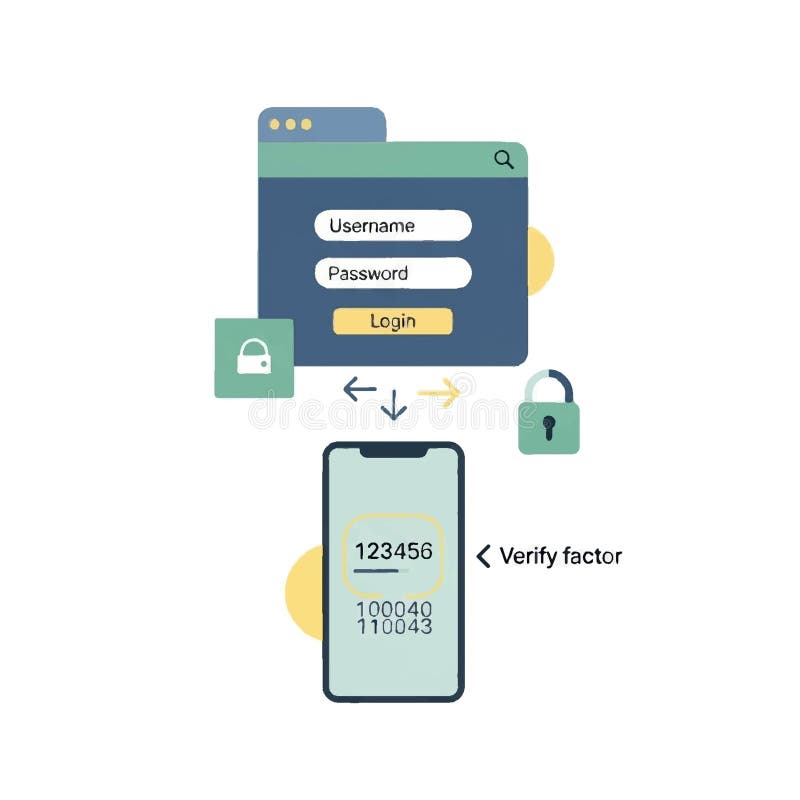
Free with trial An illustration showing a user logging into an online service with username and password followed by receiving a verification code on a smartphone for essential two factor authentication security. Mfa process vectors Two Factor Authentication 2FA Security Login Concept Multi Factor Verification Process Using Smartphone and One Time Password OTP. An illustration showing a. An illustration showing a user logging into an online service with username and password followed by receiving a verification code on a smartphone for essential two factor authentication security
Free with trial A businessman uses a smartphone and laptop for a secure login process, highlighted by a glowing virtual padlock and password interface. This concept illustrates two-factor authentication (2FA) and multi-factor authentication (MFA) for enhanced cybersecurity. The image represents data protection, identity verification, and secure access to private information and corporate networks, symbolizing modern digital safety and technology in business. Mfa process illustrations Cybersecurity and Two-Factor Authentication for Secure Login. A businessman uses a smartphone and laptop for a secure login process, highlighted by a glowing. A businessman uses a smartphone and laptop for a secure login process, highlighted by a glowing virtual padlock and password interface. This concept illustrates two-factor authentication (2FA) and multi-factor authentication (MFA) for enhanced cybersecurity. The image represents data protection, identity verification, and secure access to private information and corporate networks, symbolizing modern digital safety and technology in business.
Free with trial A concept of an advanced cybersecurity system. The futuristic interface shows a multi-factor authentication process using a secure password or PIN for enhanced data protection. Fermion. Mfa process illustrations Advanced cybersecurity system with multi-factor authentication and security codes. Fermion. A concept of an advanced cybersecurity system. The futuristic. A concept of an advanced cybersecurity system. The futuristic interface shows a multi-factor authentication process using a secure password or PIN for enhanced data protection. Fermion
Free with trial A concept of an advanced cybersecurity system. The futuristic interface shows a multi-factor authentication process using a secure password or PIN for enhanced data protection. Fermion. Mfa process illustrations Advanced cybersecurity system with multi-factor authentication and security codes. Fermion. A concept of an advanced cybersecurity system. The futuristic. A concept of an advanced cybersecurity system. The futuristic interface shows a multi-factor authentication process using a secure password or PIN for enhanced data protection. Fermion
Free with trial A concept of an advanced cybersecurity system. The futuristic interface shows a multi-factor authentication process using a secure password or PIN for enhanced data protection. Fermion. Mfa process illustrations Advanced cybersecurity system with multi-factor authentication and security codes. Fermion. A concept of an advanced cybersecurity system. The futuristic. A concept of an advanced cybersecurity system. The futuristic interface shows a multi-factor authentication process using a secure password or PIN for enhanced data protection. Fermion
Free with trial A concept of an advanced cybersecurity system. The futuristic interface shows a multi-factor authentication process using a secure password or PIN for enhanced data protection. Fermion. Mfa process illustrations Advanced cybersecurity system with multi-factor authentication and security codes. Fermion. A concept of an advanced cybersecurity system. The futuristic. A concept of an advanced cybersecurity system. The futuristic interface shows a multi-factor authentication process using a secure password or PIN for enhanced data protection. Fermion
Free with trial A concept of an advanced cybersecurity system. The futuristic interface shows a multi-factor authentication process using a secure password or PIN for enhanced data protection. Fermion. Mfa process illustrations Advanced cybersecurity system with multi-factor authentication and security codes. Fermion. A concept of an advanced cybersecurity system. The futuristic. A concept of an advanced cybersecurity system. The futuristic interface shows a multi-factor authentication process using a secure password or PIN for enhanced data protection. Fermion
Free with trial A concept of an advanced cybersecurity system. The futuristic interface shows a multi-factor authentication process using a secure password or PIN for enhanced data protection. Fermion. Mfa process illustrations Advanced cybersecurity system with multi-factor authentication and security codes. Fermion. A concept of an advanced cybersecurity system. The futuristic. A concept of an advanced cybersecurity system. The futuristic interface shows a multi-factor authentication process using a secure password or PIN for enhanced data protection. Fermion
Free with trial This image is created by Artificial Intelligence. A businessman in a suit holds a token device with a keypad, next to an open notebook and a futuristic authentication screen displaying Login Successful. The background includes a blurred keyboard and office setting. The mood is professional and secure. This image can be used for cybersecurity and authentication concepts. Mfa process illustrations Businessman holding token device with successful login authentication on screen. This image is created by Artificial Intelligence. A businessman in a suit holds. This image is created by Artificial Intelligence. A businessman in a suit holds a token device with a keypad, next to an open notebook and a futuristic authentication screen displaying Login Successful. The background includes a blurred keyboard and office setting. The mood is professional and secure. This image can be used for cybersecurity and authentication concepts
Free with trial Minimalist flat illustration of a smartphone displaying a verification code for two factor authentication during a secure login process. Clean geometric shapes and a modern design highlight user account protection, making the image suitable for websites, landing pages, presentations, advertising, marketing materials, mobile apps, banners, social media, editorial content, and printed materials. Mfa process vectors Two Factor Authentication Security Smartphone Verification Code Secure Login Flat Illustration. Minimalist flat illustration of a smartphone displaying a. Minimalist flat illustration of a smartphone displaying a verification code for two factor authentication during a secure login process. Clean geometric shapes and a modern design highlight user account protection, making the image suitable for websites, landing pages, presentations, advertising, marketing materials, mobile apps, banners, social media, editorial content, and printed materials.
Free with trial Secure login and authentication concept. AI generated. Mfa process illustrations Secure login and authentication concept. AI generated
Free with trial Hands enable two-factor authentication on a generic smartphone with clean copy space for messaging. Ideal for cybersecurity campaigns, secure login onboarding, and privacy-focused marketing. Mfa process illustrations Two-factor authentication on smartphone with copy space. Hands enable two-factor authentication on a generic smartphone with clean copy space for messaging. Hands enable two-factor authentication on a generic smartphone with clean copy space for messaging. Ideal for cybersecurity campaigns, secure login onboarding, and privacy-focused marketing
Free with trial Minimalist flat illustration of a smartphone connected with a fingerprint icon, security shield, and verification code to represent a secure multi factor authentication process. The clean geometric composition highlights biometric identity verification and protected digital access, making it suitable for websites, landing pages, presentations, advertising, marketing materials, mobile apps, banners, social media, editorial content, and printed materials. Mfa process vectors Multi factor authentication security. Smartphone fingerprint verification. Secure identity access. Flat illustration. Minimalist flat illustration of a. Minimalist flat illustration of a smartphone connected with a fingerprint icon, security shield, and verification code to represent a secure multi factor authentication process. The clean geometric composition highlights biometric identity verification and protected digital access, making it suitable for websites, landing pages, presentations, advertising, marketing materials, mobile apps, banners, social media, editorial content, and printed materials.
Free with trial This illustration depicts the concept of two-factor authentication using a laptop and a smartphone. A person is shown interacting with both devices simultaneously, with the laptop displaying a login screen with a password field and a padlock icon, while the smartphone shows a verification code prompt. The scene symbolizes secure access, online security, and modern digital authentication methods. The image can be used for websites, apps, and presentations. Mfa process illustrations Two-Factor Authentication Concept: Laptop and Smartphone. This illustration depicts the concept of two-factor authentication using a laptop and a smartphone. A. This illustration depicts the concept of two-factor authentication using a laptop and a smartphone. A person is shown interacting with both devices simultaneously, with the laptop displaying a login screen with a password field and a padlock icon, while the smartphone shows a verification code prompt. The scene symbolizes secure access, online security, and modern digital authentication methods. The image can be used for websites, apps, and presentations.
Free with trial Two-Factor Authentication Password with One-Time Code Device. AI generated. Mfa process illustrations Two-Factor Authentication Password with One-Time Code Device. AI generated
Free with trial Hands enable two-factor authentication on a generic smartphone with clean copy space for messaging. Ideal for cybersecurity campaigns, secure login onboarding, and privacy-focused marketing. Mfa process illustrations Two-factor authentication on smartphone with copy space. Hands enable two-factor authentication on a generic smartphone with clean copy space for messaging. Hands enable two-factor authentication on a generic smartphone with clean copy space for messaging. Ideal for cybersecurity campaigns, secure login onboarding, and privacy-focused marketing
Free with trial A person is shown using a laptop, with a 2FA (Two-Factor Authentication) successful message displayed on the screen. The image highlights the concept of online security and successful login. The scene is set in a modern, well-lit environment, with a wooden desk and a plant in the background, suggesting a home or office setting. The image is suitable for illustrating concepts of cybersecurity, data protection, and online privacy. Mfa process illustrations Successful 2FA Authentication on Laptop. A person is shown using a laptop, with a 2FA (Two-Factor Authentication) successful message displayed on the screen. The. A person is shown using a laptop, with a 2FA (Two-Factor Authentication) successful message displayed on the screen. The image highlights the concept of online security and successful login. The scene is set in a modern, well-lit environment, with a wooden desk and a plant in the background, suggesting a home or office setting. The image is suitable for illustrating concepts of cybersecurity, data protection, and online privacy.
Free with trial User authentication on smartphone with password fields and security shield emblem. AI generated. Mfa process illustrations User authentication on smartphone with password fields and security shield emblem. AI generated
Free with trial This flat design illustration depicts a smartphone and a desktop computer, symbolizing digital security and access. A golden key emerges from the smartphone, extending towards a padlock displayed on the computer monitor, suggesting an unlocking or authentication process. This visual represents concepts like two-factor authentication, secure login, data protection, and mobile security for desktop systems. Ideal for cybersecurity articles, privacy campaigns, IT service promotions, and presentations on secure digital access. Mfa process illustrations Two-Factor Authentication Concept with Smartphone and Computer. This flat design illustration depicts a smartphone and a desktop computer, symbolizing digital. This flat design illustration depicts a smartphone and a desktop computer, symbolizing digital security and access. A golden key emerges from the smartphone, extending towards a padlock displayed on the computer monitor, suggesting an unlocking or authentication process. This visual represents concepts like two-factor authentication, secure login, data protection, and mobile security for desktop systems. Ideal for cybersecurity articles, privacy campaigns, IT service promotions, and presentations on secure digital access.
Free with trial A secure login screen with fields for username and password, a login button, and a QR code for multi-factor authentication. The background a dark, futuristic with glowing blue network nodes and lines. Mfa process illustrations Secure login screen with username password fields and Q R code for multi-factor authentication on dark background with network. A secure login screen with fields. A secure login screen with fields for username and password, a login button, and a QR code for multi-factor authentication. The background a dark, futuristic with glowing blue network nodes and lines
Free with trial A concept of an advanced cybersecurity system. The futuristic interface shows a multi-factor authentication process using a secure password or PIN for enhanced data protection. Fermion. Mfa process illustrations Advanced cybersecurity system with multi-factor authentication and security codes. Fermion. A concept of an advanced cybersecurity system. The futuristic. A concept of an advanced cybersecurity system. The futuristic interface shows a multi-factor authentication process using a secure password or PIN for enhanced data protection. Fermion
Free with trial A concept of an advanced cybersecurity system. The futuristic interface shows a multi-factor authentication process using a secure password or PIN for enhanced data protection. Fermion. Mfa process illustrations Advanced cybersecurity system with multi-factor authentication and security codes. Fermion. A concept of an advanced cybersecurity system. The futuristic. A concept of an advanced cybersecurity system. The futuristic interface shows a multi-factor authentication process using a secure password or PIN for enhanced data protection. Fermion
Free with trial A concept of an advanced cybersecurity system. The futuristic interface shows a multi-factor authentication process using a secure password or PIN for enhanced data protection. Fermion. Mfa process illustrations Advanced cybersecurity system with multi-factor authentication and security codes. Fermion. A concept of an advanced cybersecurity system. The futuristic. A concept of an advanced cybersecurity system. The futuristic interface shows a multi-factor authentication process using a secure password or PIN for enhanced data protection. Fermion
Free with trial A concept of an advanced cybersecurity system. The futuristic interface shows a multi-factor authentication process using a secure password or PIN for enhanced data protection. Fermion. Mfa process illustrations Advanced cybersecurity system with multi-factor authentication and security codes. Fermion. A concept of an advanced cybersecurity system. The futuristic. A concept of an advanced cybersecurity system. The futuristic interface shows a multi-factor authentication process using a secure password or PIN for enhanced data protection. Fermion
Free with trial A concept of an advanced cybersecurity system. The futuristic interface shows a multi-factor authentication process using a secure password or PIN for enhanced data protection. Fermion. Mfa process illustrations Advanced cybersecurity system with multi-factor authentication and security codes. Fermion. A concept of an advanced cybersecurity system. The futuristic. A concept of an advanced cybersecurity system. The futuristic interface shows a multi-factor authentication process using a secure password or PIN for enhanced data protection. Fermion
Free with trial A concept of an advanced cybersecurity system. The futuristic interface shows a multi-factor authentication process using a secure password or PIN for enhanced data protection. Fermion. Mfa process illustrations Advanced cybersecurity system with multi-factor authentication and security codes. Fermion. A concept of an advanced cybersecurity system. The futuristic. A concept of an advanced cybersecurity system. The futuristic interface shows a multi-factor authentication process using a secure password or PIN for enhanced data protection. Fermion
Free with trial A concept of an advanced cybersecurity system. The futuristic interface shows a multi-factor authentication process using a secure password or PIN for enhanced data protection. Fermion. Mfa process illustrations Advanced cybersecurity system with multi-factor authentication and security codes. Fermion. A concept of an advanced cybersecurity system. The futuristic. A concept of an advanced cybersecurity system. The futuristic interface shows a multi-factor authentication process using a secure password or PIN for enhanced data protection. Fermion
Free with trial Isometric illustration depicting data security and password protection. The scene shows a large smartphone with a password entry interface. Miniature figures interact with the interface, symbolizing the process of entering and securing a password. The presence of a padlock icon and the word 'Privacy' further emphasize the theme. This image is suitable for illustrating concepts related to data protection, cybersecurity, online safety, and digital security. Mfa process illustrations Data Security and Password Protection Concept. Isometric illustration depicting data security and password protection. The scene shows a large smartphone with a. Isometric illustration depicting data security and password protection. The scene shows a large smartphone with a password entry interface. Miniature figures interact with the interface, symbolizing the process of entering and securing a password. The presence of a padlock icon and the word 'Privacy' further emphasize the theme. This image is suitable for illustrating concepts related to data protection, cybersecurity, online safety, and digital security.
Free with trial An isometric diagram explaining the Zero Trust network security principle. Vector illustration of a layered data protection and authentication process. Vector illustration. Mfa process vectors Isometric infographic of the Zero Trust security model. A cybersecurity concept showing layered network defense and architecture. An isometric diagram. An isometric diagram explaining the Zero Trust network security principle. Vector illustration of a layered data protection and authentication process.Vector illustration
Free with trial A computer monitor displays a login screen with multi-factor authentication options, including Authenticalor App, Send SMS Code, and Fingerprint Scan. The screen is set against a dark background with a blue glow, suggesting a secure and modern login process. Mfa process illustrations Multi-factor authentication on computer screen. A computer monitor displays a login screen with multi-factor authentication options, including Authenticalor App. A computer monitor displays a login screen with multi-factor authentication options, including Authenticalor App, Send SMS Code, and Fingerprint Scan. The screen is set against a dark background with a blue glow, suggesting a secure and modern login process.
Free with trial Flat style 2D illustration A simplified illustration shows a user with dark hair tapping the screen of a smartphone to enable Two Step Verification 2FA settings emphasizing digital account security and modern authentication methods. Mfa process vectors User Enabling Two Step Verification 2FA Security on Mobile Phone for Account Protection Flat style 2D illustration. Flat style 2D illustration A simplified. Flat style 2D illustration A simplified illustration shows a user with dark hair tapping the screen of a smartphone to enable Two Step Verification 2FA settings emphasizing digital account security and modern authentication methods
Free with trial A hand is inserting a USB-C security key into a laptop's port. The laptop features a silver body and a black keyboard. The security key is black with a circular, gold-colored contact. On the right side, there are icons representing security concepts: a padlock, key, a connection, and a USB-C symbol. The setup indicates a two-factor authentication process, enhancing digital security. The clean, minimalistic design suggests a focus on secure, modern technology practices. Mfa process illustrations Two-Factor Authentication with USB-C Security Key on Laptop. A hand is inserting a USB-C security key into a laptop's port. The laptop features a silver body and. A hand is inserting a USB-C security key into a laptop's port. The laptop features a silver body and a black keyboard. The security key is black with a circular, gold-colored contact. On the right side, there are icons representing security concepts: a padlock, key, a connection, and a USB-C symbol. The setup indicates a two-factor authentication process, enhancing digital security. The clean, minimalistic design suggests a focus on secure, modern technology practices.
Free with trial Flat Style 2D Illustration A conceptual illustration showing the modern digital security workflow involving initial password login on a laptop reinforced by a large padlock symbol leading to mandatory two factor authentication 2FA via an OTP code requested on a mobile phone. Mfa process vectors Two Factor Authentication Concept Secure Login Process with OTP Verification on Smartphone Flat Style 2D Illustration. Flat Style 2D Illustration A conceptual. Flat Style 2D Illustration A conceptual illustration showing the modern digital security workflow involving initial password login on a laptop reinforced by a large padlock symbol leading to mandatory two factor authentication 2FA via an OTP code requested on a mobile phone.
Free with trial A man is actively setting up Two-Factor Authentication (2FA) on his laptop, using his smartphone to receive the verification code. This vector illustration depicts the crucial process of enhancing digital security and protecting online accounts. Surrounding icons like a shield with a checkmark, padlocks, a cloud, and a key symbolize robust cybersecurity, data protection, and secure access. The scene, set in a modern workspace with a plant and coffee, emphasizes the importance of multi-factor authentication in everyday digital interactions, safeguarding personal information and sensitive data from unauthorized access. Mfa process vectors Man Setting Up Two-Factor Authentication (2FA) for Digital Security. A man is actively setting up Two-Factor Authentication (2FA) on his laptop, using his. A man is actively setting up Two-Factor Authentication (2FA) on his laptop, using his smartphone to receive the verification code. This vector illustration depicts the crucial process of enhancing digital security and protecting online accounts. Surrounding icons like a shield with a checkmark, padlocks, a cloud, and a key symbolize robust cybersecurity, data protection, and secure access. The scene, set in a modern workspace with a plant and coffee, emphasizes the importance of multi-factor authentication in everyday digital interactions, safeguarding personal information and sensitive data from unauthorized access.
Free with trial A digital illustration showing hands holding a smartphone displaying a two-factor authentication code, surrounded by security icons, shields, and locks, representing secure login and mobile account verification. Created AI. Mfa process illustrations Two factor authentication concept showing a smartphone with verification code and security shield. A digital illustration showing hands holding a smartphone. A digital illustration showing hands holding a smartphone displaying a two-factor authentication code, surrounded by security icons, shields, and locks, representing secure login and mobile account verification.Created AI
Free with trial A concept of an advanced cybersecurity system. The futuristic interface shows a multi-factor authentication process using a secure password or PIN for enhanced data protection. Fermion. Mfa process illustrations Advanced cybersecurity system with multi-factor authentication and security codes. Fermion. A concept of an advanced cybersecurity system. The futuristic. A concept of an advanced cybersecurity system. The futuristic interface shows a multi-factor authentication process using a secure password or PIN for enhanced data protection. Fermion
Free with trial Ultra-realistic 3D smartphone with a golden finish floats in a dark space. Surrounding it are golden biometric authentication icons, including a fingerprint, face ID, iris scan, OTP code, and hardware token. A large fingerprint is prominently displayed on the smartphone screen, and a shield with a face symbol is positioned nearby, enhancing the security theme. The overall composition conveys a sense of luxury and advanced technology. Mfa process illustrations Golden 3D Smartphone with Rotating Biometric Security Icons. Ultra-realistic 3D smartphone with a golden finish floats in a dark space. Surrounding it are golden. Ultra-realistic 3D smartphone with a golden finish floats in a dark space. Surrounding it are golden biometric authentication icons, including a fingerprint, face ID, iris scan, OTP code, and hardware token. A large fingerprint is prominently displayed on the smartphone screen, and a shield with a face symbol is positioned nearby, enhancing the security theme. The overall composition conveys a sense of luxury and advanced technology.
Free with trial A stylish smartphone with a golden theme features a prominent, illuminated fingerprint on its screen. Surrounding the device are multiple 3D golden icons representing biometric security elements, such as locks and fingerprint symbols, intricately connected by fine lines. The phone has a sleek, dark bezel, accentuating the futuristic and secure design. The background is a minimalist, dark gradient that enhances the luxurious and technological aesthetic, highlighting the phone's advanced security features. Mfa process illustrations Golden 3D Smartphone with Rotating Biometric Security Icons. A stylish smartphone with a golden theme features a prominent, illuminated fingerprint on its screen. A stylish smartphone with a golden theme features a prominent, illuminated fingerprint on its screen. Surrounding the device are multiple 3D golden icons representing biometric security elements, such as locks and fingerprint symbols, intricately connected by fine lines. The phone has a sleek, dark bezel, accentuating the futuristic and secure design. The background is a minimalist, dark gradient that enhances the luxurious and technological aesthetic, highlighting the phone's advanced security features.
Free with trial Golden smartphone with a sleek, metallic design features a large fingerprint icon on its screen, symbolizing biometric security. Surrounding the device are several gold-toned discs with engraved circular patterns, suggesting technological sophistication. The overall appearance emphasizes luxury and advanced security features. The reflections on the surfaces highlight the premium materials used in the design, creating a high-tech and elegant aesthetic. Mfa process illustrations Golden 3D Smartphone with Rotating Biometric Security Icons. Golden smartphone with a sleek, metallic design features a large fingerprint icon on its screen. Golden smartphone with a sleek, metallic design features a large fingerprint icon on its screen, symbolizing biometric security. Surrounding the device are several gold-toned discs with engraved circular patterns, suggesting technological sophistication. The overall appearance emphasizes luxury and advanced security features. The reflections on the surfaces highlight the premium materials used in the design, creating a high-tech and elegant aesthetic.
Free with trial Golden smartphone with a 3D screen displaying a glowing fingerprint. Floating around it are various rotating coins featuring Bitcoin and dollar symbols. The phone has a sleek, metallic edge and reflects on a rippled surface below, set against a smooth, dark background. The arrangement emphasizes the concept of advanced biometric security and digital currency integration. Mfa process illustrations Golden 3D Smartphone with Rotating Biometric Security Icons. Golden smartphone with a 3D screen displaying a glowing fingerprint. Floating around it are various. Golden smartphone with a 3D screen displaying a glowing fingerprint. Floating around it are various rotating coins featuring Bitcoin and dollar symbols. The phone has a sleek, metallic edge and reflects on a rippled surface below, set against a smooth, dark background. The arrangement emphasizes the concept of advanced biometric security and digital currency integration.
Free with trial A concept of an advanced cybersecurity system. The futuristic interface shows a multi-factor authentication process using a secure password or PIN for enhanced data protection. Fermion. Mfa process illustrations Advanced cybersecurity system with multi-factor authentication and security codes. Fermion. A concept of an advanced cybersecurity system. The futuristic. A concept of an advanced cybersecurity system. The futuristic interface shows a multi-factor authentication process using a secure password or PIN for enhanced data protection. Fermion
Free with trial User authentication process visualized on a mobile phone screen, emphasizing secure access and data protection. Mfa process vectors Smartphone showing login form requiring password entry. User authentication process visualized on a mobile phone screen, emphasizing secure access and data. User authentication process visualized on a mobile phone screen, emphasizing secure access and data protection
Free with trial Advanced Digital Security and Two Factor Authentication Concept with Copy Space. Mfa process illustrations Advanced Digital Security and Two Factor Authentication Concept with Copy Space
Free with trial Advanced Digital Security and Two Factor Authentication Concept with Copy Space. Mfa process illustrations Advanced Digital Security and Two Factor Authentication Concept with Copy Space
Free with trial Advanced Digital Security and Two Factor Authentication Concept with Copy Space. Mfa process illustrations Advanced Digital Security and Two Factor Authentication Concept with Copy Space
Free with trial Advanced Digital Security and Two Factor Authentication Concept with Copy Space. Mfa process illustrations Advanced Digital Security and Two Factor Authentication Concept with Copy Space
Free with trial Advanced Digital Security and Two Factor Authentication Concept with Copy Space. Mfa process illustrations Advanced Digital Security and Two Factor Authentication Concept with Copy Space
Free with trial Advanced Digital Security and Two Factor Authentication Concept with Copy Space. Mfa process illustrations Advanced Digital Security and Two Factor Authentication Concept with Copy Space
Free with trial A concept of an advanced cybersecurity system. The futuristic interface shows a multi-factor authentication process using a secure password or PIN for enhanced data protection. Fermion. Mfa process illustrations Advanced cybersecurity system with multi-factor authentication and security codes. Fermion. A concept of an advanced cybersecurity system. The futuristic. A concept of an advanced cybersecurity system. The futuristic interface shows a multi-factor authentication process using a secure password or PIN for enhanced data protection. Fermion
Free with trial A digital illustration featuring a diverse man and woman using a laptop and smartphone to perform two-factor authentication, highlighting secure identity verification, mobile security, and account protection. Created AI. Mfa process illustrations Two factor authentication mobile code verification concept with diverse professionals using digital devices. A digital illustration featuring a diverse man and. A digital illustration featuring a diverse man and woman using a laptop and smartphone to perform two-factor authentication, highlighting secure identity verification, mobile security, and account protection.Created AI
Free with trial Dark infographic headed how passkeys work with six numbered steps covering create passkey, private key stays on device, public key shared, sign in request challenge, biometric unlock and access granted, plus benefit tiles for no passwords, phishing resistant, faster login and cross device support. Mfa process illustrations How Passkeys Work Infographic With Six Sign In Steps and Passwordless Benefits AI Generated. Dark infographic headed how passkeys work with six numbered steps. Dark infographic headed how passkeys work with six numbered steps covering create passkey, private key stays on device, public key shared, sign in request challenge, biometric unlock and access granted, plus benefit tiles for no passwords, phishing resistant, faster login and cross device support.
Free with trial A concept of an advanced cybersecurity system. The futuristic interface shows a multi-factor authentication process using a secure password or PIN for enhanced data protection. Fermion. Mfa process illustrations Advanced cybersecurity system with multi-factor authentication and security codes. Fermion. A concept of an advanced cybersecurity system. The futuristic. A concept of an advanced cybersecurity system. The futuristic interface shows a multi-factor authentication process using a secure password or PIN for enhanced data protection. Fermion
Free with trial A concept of an advanced cybersecurity system. The futuristic interface shows a multi-factor authentication process using a secure password or PIN for enhanced data protection. Fermion. Mfa process illustrations Advanced cybersecurity system with multi-factor authentication and security codes. Fermion. A concept of an advanced cybersecurity system. The futuristic. A concept of an advanced cybersecurity system. The futuristic interface shows a multi-factor authentication process using a secure password or PIN for enhanced data protection. Fermion
Free with trial A concept of an advanced cybersecurity system. The futuristic interface shows a multi-factor authentication process using a secure password or PIN for enhanced data protection. Fermion. Mfa process illustrations Advanced cybersecurity system with multi-factor authentication and security codes. Fermion. A concept of an advanced cybersecurity system. The futuristic. A concept of an advanced cybersecurity system. The futuristic interface shows a multi-factor authentication process using a secure password or PIN for enhanced data protection. Fermion
Free with trial A concept of an advanced cybersecurity system. The futuristic interface shows a multi-factor authentication process using a secure password or PIN for enhanced data protection. Fermion. Mfa process illustrations Advanced cybersecurity system with multi-factor authentication and security codes. Fermion. A concept of an advanced cybersecurity system. The futuristic. A concept of an advanced cybersecurity system. The futuristic interface shows a multi-factor authentication process using a secure password or PIN for enhanced data protection. Fermion
Free with trial A horizontal row of four rounded icon tiles maps device, biometric check, verification shield and granted access, connected by directional arrows on a clean white ground. The tighter tile spacing and arrow links make this version read as a sequence rather than a set, which suits step by step explainer layouts. Text free by design. Mfa process illustrations Passkey Authentication Sequence Diagram With Device Biometric Verification Shield and Access Granted Padlock Icon Row. A horizontal row of four rounded icon. A horizontal row of four rounded icon tiles maps device, biometric check, verification shield and granted access, connected by directional arrows on a clean white ground. The tighter tile spacing and arrow links make this version read as a sequence rather than a set, which suits step by step explainer layouts. Text free by design.
Free with trial Four connected icon cards trace a passwordless sign in sequence from smartphone to fingerprint to security shield to unlocked padlock, linked by a thin blue line with node markers between each step. There are no text labels anywhere, which means the diagram works in every language market and carries no risk of mistranslation. Clean white ground and even margins allow labels to be added in layout. Mfa process illustrations Passwordless Login Flow Diagram With Smartphone Fingerprint Shield and Unlocked Padlock Icons Passkey Authentication Steps. Four connected icon cards trace a. Four connected icon cards trace a passwordless sign in sequence from smartphone to fingerprint to security shield to unlocked padlock, linked by a thin blue line with node markers between each step. There are no text labels anywhere, which means the diagram works in every language market and carries no risk of mistranslation. Clean white ground and even margins allow labels to be added in layout.
Free with trial A concept of an advanced cybersecurity system. The futuristic interface shows a multi-factor authentication process using a secure password or PIN for enhanced data protection. Fermion. Mfa process illustrations Advanced cybersecurity system with multi-factor authentication and security codes. Fermion. A concept of an advanced cybersecurity system. The futuristic. A concept of an advanced cybersecurity system. The futuristic interface shows a multi-factor authentication process using a secure password or PIN for enhanced data protection. Fermion
Free with trial Device Authentication Concept - Process of Verifying the Identity of a Device to Ensure its Legitimacy Before Granting Access to a Network - 3D Illustration. Mfa process illustrations Device Authentication Concept - 3D Illustration. Device Authentication Concept - Process of Verifying the Identity of a Device to Ensure its Legitimacy Before. Device Authentication Concept - Process of Verifying the Identity of a Device to Ensure its Legitimacy Before Granting Access to a Network - 3D Illustration
Free with trial Concept Data Security, Blockchain Technology, Colorful Padlock Icon, Digital Protection, Encryption Technology Secure digital data with blockchain technology and colorful padlock icon. Mfa process illustrations Secure digital data with blockchain technology and colorful padlock icon. Concept Data Security,. Concept Data Security, Blockchain Technology, Colorful Padlock. Concept Data Security, Blockchain Technology, Colorful Padlock Icon, Digital Protection, Encryption Technology Secure digital data with blockchain technology and colorful padlock icon
 Sign in