Free with trial Big data filter, data mining icon. Elements of artifical in neon style icons. Simple icon for websites, web design, mobile app, info graphics on dark gradient background. Processing input illustrations Big data filter, data mining icon. Elements of artifical in neon style icons. Simple icon for websites, web design, mobile app,. Info graphics on dark gradient
Free with trial A profile view of a human head with a glowing digital brain circuit. A vibrant purple and blue light beam enters the eye, symbolizing data input, Created AI. Processing input illustrations Digital brain interface receiving data stream through human eye. A profile view of a human head with a glowing digital brain circuit. A vibrant purple and blue. A profile view of a human head with a glowing digital brain circuit. A vibrant purple and blue light beam enters the eye, symbolizing data input, Created AI
Free with trial Research vector icon. research editable stroke. research linear symbol for use on web and mobile apps, logo, print media. Thin line illustration. Vector isolated outline. Processing input vectors Research vector icon. research editable stroke. research linear symbol for use on web and mobile apps, logo, print media. Thin. Line illustration. Vector
Free with trial This joystick icon symbolizes the integration of gaming data into big data analysis. It serves as a visual representation of the power of gaming data in providing insights and trends that can be harnessed to drive decision-making and optimize various industries. Processing input illustrations A joystick icon representing the use of gaming data in big data analysis created with Generative AI. This joystick icon symbolizes the integration of gaming data. This joystick icon symbolizes the integration of gaming data into big data analysis. It serves as a visual representation of the power of gaming data in providing insights and trends that can be harnessed to drive decision-making and optimize various industries.
Free with trial Prompt engineering icon set. It includes ai, input, systems, automation, data processing, and more icons. Processing input vectors Prompt engineering icon set. It includes ai, input, data processing, and more icons. Editable outline Stroke. Prompt engineering icon set. It includes ai, input. Prompt engineering icon set. It includes ai, input, systems, automation, data processing, and more icons.
Free with trial File Processing and Data Input Icons Set. Vol 35675. Processing input vectors File Processing and Data Input Icons Set. Vol 35675
Free with trial This graphic illustrates a high-level automation process flow, starting with data input and progressing through various processing stages and decision points to generate an output. It's a modern, clean depiction suitable for business, technology, and workflow concepts. Processing input illustrations Automation Process Flowchart Data Input, Processing, Decision Points, Output. This graphic illustrates a high-level automation process flow, starting with data. This graphic illustrates a high-level automation process flow, starting with data input and progressing through various processing stages and decision points to generate an output. It's a modern, clean depiction suitable for business, technology, and workflow concepts.
Free with trial This infographic illustrates a data processing workflow, starting with processing documents and gears, moving to data input into a database. Outputs are shown in parallel on a computer screen and then on a mobile phone, culminating in a final verified checkmark. Processing input illustrations Data Processing Flowchart From Input to Verified Output Displayed on Devices. This infographic illustrates a data processing workflow, starting with processing. This infographic illustrates a data processing workflow, starting with processing documents and gears, moving to data input into a database. Outputs are shown in parallel on a computer screen and then on a mobile phone, culminating in a final verified checkmark.
Free with trial Audio processing. Visual of sound waves and input signals audio processing workflow. Audio processing for technology, media, sound design, and data analysis concepts. Processing input illustrations Audio Processing Concept with Arrows Indicating Sound Input and Graphical Waveform Output. Audio processing. Visual of sound waves and input signals audio. Audio processing. Visual of sound waves and input signals audio processing workflow. Audio processing for technology, media, sound design, and data analysis concepts
Free with trial Data Integration and Input Processing Icons. Vol 36999. Processing input vectors Data Integration and Input Processing Icons. Vol 36999
Free with trial A clear visual illustration of a business or industrial automation workflow. The diagram shows the progression from input and data processing through decision-making, task execution by robots, and final output. Processing input illustrations Automation Workflow Diagram Input, Processing, Decision, Execution, Output. A clear visual illustration of a business or industrial automation workflow. The. A clear visual illustration of a business or industrial automation workflow. The diagram shows the progression from input and data processing through decision-making, task execution by robots, and final output.
Free with trial Digital finance, automation tools, business management, idea generation, technology integration, innovation. Computer processing an invoice with data input. Digital finance and automation tools. Processing input vectors Digital Invoice Processing System with Data Input, Financial Management, and Idea Generation Concepts. Digital finance, automation tools, business management. Digital finance, automation tools, business management, idea generation, technology integration, innovation. Computer processing an invoice with data input. Digital finance and automation tools
Free with trial A vibrant, neon-lit diagram illustrating the conceptual flow of AI prompt input, processing, and various interconnected data operations like analytics, machine learning, and secure storage. Processing input illustrations AI Prompt Input Processing and Data Flow Diagram. A vibrant, neon-lit diagram illustrating the conceptual flow of AI prompt input, processing, and various. A vibrant, neon-lit diagram illustrating the conceptual flow of AI prompt input, processing, and various interconnected data operations like analytics, machine learning, and secure storage
Free with trial Operations management infographic template with input processing output transformation feedback loop diagram, gradient style. Vector. Processing input illustrations Operations management infographic template with input processing output transformation feedback loop diagram, gradient style. Vector
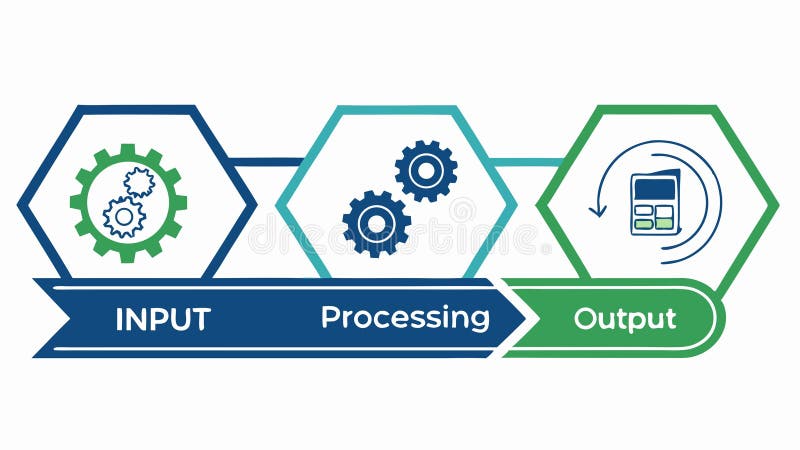
Free with trial Operations management infographic template with input processing output horizontal notched block flow layout, gradient style. Vector. Processing input illustrations Operations management infographic template with input processing output horizontal notched block flow layout, gradient style. Vector
Free with trial This illustration depicts a data automation workflow, showcasing the journey from input to output. It highlights processing steps, decision points (yes no branches), and the final analysis on a computer monitor. Processing input illustrations Data Automation Workflow Diagram Input, Processing, Output, Decisions, and Analysis. This illustration depicts a data automation workflow, showcasing the journey. This illustration depicts a data automation workflow, showcasing the journey from input to output. It highlights processing steps, decision points (yes no branches), and the final analysis on a computer monitor.
Free with trial Flowchart illustrating data architecture. Key components include icons for cloud storage, server, user input, database, and processing. Arrows represent data flow pathways: green, blue, and yellow lines connect elements, indicating interactions. Circles enclose each component with distinct images: cloud for storage, gears for processing, computer for user input, and stacked disks for database. The layout suggests a systematic structure for data handling and processing, guiding data from user input through server, to database, and processing, with cloud storage as a separate node. Processing input illustrations For processing, computer for user input, and stacked disks for. Flowchart illustrating data architecture. Key components include icons for cloud storage, server. Flowchart illustrating data architecture. Key components include icons for cloud storage, server, user input, database, and processing. Arrows represent data flow pathways: green, blue, and yellow lines connect elements, indicating interactions. Circles enclose each component with distinct images: cloud for storage, gears for processing, computer for user input, and stacked disks for database. The layout suggests a systematic structure for data handling and processing, guiding data from user input through server, to database, and processing, with cloud storage as a separate node.
Free with trial Gear icon with input arrows and an output arrow, representing processing and workflow. Integration in technology and business operations. Processing input vectors Gear icon with input arrows and an output arrow, representing processing and workflow. Integration in technology and business operations
Free with trial A digital illustration of an AI learning network. The central element is a stylized brain, symbolizing artificial intelligence, surrounded by interconnected nodes and pathways labeled with terms such as "Data Input," "Processing," "Output," "Memory," and "Feedback. " Bright blue and orange circuitry and digital symbols suggest data flow and connectivity. The design emphasizes the concept of a neural network, with graphs and icons representing data analysis and processing. The color scheme and layout create a sense of dynamic technological complexity. Processing input illustrations Such as Data Input, Processing, Output, Memory, and Feedback. A digital illustration of an AI learning network. The central element is a stylized brain. A digital illustration of an AI learning network. The central element is a stylized brain, symbolizing artificial intelligence, surrounded by interconnected nodes and pathways labeled with terms such as "Data Input," "Processing," "Output," "Memory," and "Feedback." Bright blue and orange circuitry and digital symbols suggest data flow and connectivity. The design emphasizes the concept of a neural network, with graphs and icons representing data analysis and processing. The color scheme and layout create a sense of dynamic technological complexity.
Free with trial Flow diagram illustrating an artificial intelligence (AI) system. Central "AI Core" box connects to components such as "Data Input," "Data Processing," "Machine Learning Model," "Decision Making," and "Output. " Arrows indicate data flow between elements. Icons represent functions, like database storage, gear for processing, and home for decision making, on a light blue background with a network pattern. Diagrams show structured AI process interactions and data management pathways, emphasizing interconnected components and functionality. Processing input illustrations Core box connects to components such as Data Input, Data Processing,. Flow diagram illustrating an artificial intelligence (AI) system. Central 'AI Core' box. Flow diagram illustrating an artificial intelligence (AI) system. Central "AI Core" box connects to components such as "Data Input," "Data Processing," "Machine Learning Model," "Decision Making," and "Output." Arrows indicate data flow between elements. Icons represent functions, like database storage, gear for processing, and home for decision making, on a light blue background with a network pattern. Diagrams show structured AI process interactions and data management pathways, emphasizing interconnected components and functionality.
Free with trial AI mobile workflow, smartphone AI process, automation steps flowchart, input processing output sequence, machine learning task completion, modern workflow flat infographic design, vector illustration. Processing input vectors AI mobile workflow, smartphone AI process, automation steps flowchart, input processing output sequence, machine. Learning task completion, modern workflow flat. AI mobile workflow, smartphone AI process, automation steps flowchart, input processing output sequence, machine learning task completion, modern workflow flat infographic design, vector illustration.
Free with trial An abstract digital brain glows, processing data from input to output, representing artificial intelligence and neural network technology. Created Ai. Processing input illustrations Digital brain processing data with input and output connections. An abstract digital brain glows, processing data from input to output, representing artificial. An abstract digital brain glows, processing data from input to output, representing artificial intelligence and neural network technology. Created Ai
Free with trial A set of data workflow system icons for input, processing, automation, validation, and data pipelines in dashboards and applications, created in line style with editable stroke. Processing input vectors A set of data workflow system icons for input, processing, automation, validation, and data pipelines in dashboards and. Applications, created in line style
Free with trial A simple diagram illustrating the stages of data processing, from input through processing to output. The flowchart is depicted with glowing blue elements on a white background, representing a clean and modern technological process. This image can be used in various contexts such as technology, business, and education to visualize data processing concepts. Processing input illustrations Data Processing Flowchart with Input, Process, and Output Stages. A simple diagram illustrating the stages of data processing, from input through processing to. A simple diagram illustrating the stages of data processing, from input through processing to output. The flowchart is depicted with glowing blue elements on a white background, representing a clean and modern technological process. This image can be used in various contexts such as technology, business, and education to visualize data processing concepts
Free with trial Concept of AI input and output workflow: AI processing hub linking speech, images, code and database over robot hand pointing down against a blue city in a neoteric scene. Processing input illustrations Concept of AI input and output workflow: AI processing hub linking speech, images, code and database over robot hand. Pointing down against a blue city in a
Free with trial Illustration of Data Processing Flow Chart with Graphical Elements Representing Input, Processing Steps, and Models in a Modern Digital Environment Quark. Processing input illustrations Illustration of Data Processing Flow Chart with Graphical Elements Representing Input, Processing Steps, and Models in a. Modern Digital Environment Quark
Free with trial Modern Technology Concept with Input and Output Elements for Digital Communication and Data Processing in Business Environment. Sentient. Processing input illustrations Modern Technology Concept with Input and Output Elements for Digital Communication and Data Processing in Business. Environment. Sentient
Free with trial Sophisticated Data Processing Workflow with Hands Typing on a Smartphone and Digital Models Representing Input and Output Metrics for Technology Concept Quark. Processing input illustrations Sophisticated Data Processing Workflow with Hands Typing on a Smartphone and Digital Models Representing Input and. Output Metrics for Technology Concept Quark
Free with trial Data entry icon in line design. data input, document upload, information processing on white background vector. Data entry. Editable stroke icon. Processing input vectors Data entry icon in line design. data input, document upload, information processing on white background vector. Data entry. Editable stroke icon
Free with trial Simple AI workflow diagram showing input, processing, artificial intelligence, and output stages. Ideal for presentations, data science concepts, machine learning processes, and technology visuals. Processing input vectors AI Workflow Diagram Input Processing Output Artificial Intelligence Flow. Simple AI workflow diagram showing input, processing, artificial intelligence, and. Simple AI workflow diagram showing input, processing, artificial intelligence, and output stages. Ideal for presentations, data science concepts, machine learning processes, and technology visuals.
Free with trial Visual representation of robotic hands engaging with an AI interface that showcases input and output processing, illustrating advanced technology and cognitive interaction in modern systems. Nascent. Processing input illustrations Futuristic Robotic Hands Interacting with Artificial Intelligence Interface for Input Output Processing and Cognition. Visual representation of robotic hands. Visual representation of robotic hands engaging with an AI interface that showcases input and output processing, illustrating advanced technology and cognitive interaction in modern systems. Nascent
Free with trial Modern futuristic screen interface displaying AI text processing and input prompt with copy-paste button in a high-tech white laboratory or spaceship cockpit setting. Processing input illustrations Modern futuristic screen interface displaying AI text processing and input prompt with copy-paste button in a high-tech white. Laboratory or spaceship cockpit
Free with trial File Processing and Data Input Icons Set. Vol 35675. Processing input vectors File Processing and Data Input Icons Set. Vol 35675
Free with trial Futuristic digital illustration showcasing a data processing system. Central layered platforms are connected to input and output panels. The input panel features graphs and charts, while the output panel displays various data visualizations. Elements are highlighted with neon colors—blue, purple, and pink—against a dark background, giving a glowing, high-tech appearance. Arrows indicate data flow from input to processing layers and then to output. The setup resembles a neural network or computational process in visual form. Processing input illustrations Futuristic neon data processing system with input, layered platforms, and output panels. Futuristic digital illustration showcasing a data processing system. Futuristic digital illustration showcasing a data processing system. Central layered platforms are connected to input and output panels. The input panel features graphs and charts, while the output panel displays various data visualizations. Elements are highlighted with neon colors—blue, purple, and pink—against a dark background, giving a glowing, high-tech appearance. Arrows indicate data flow from input to processing layers and then to output. The setup resembles a neural network or computational process in visual form.
Free with trial An illustration of artificial intelligence receiving data, processing input, and generating output and actions. Processing input illustrations Artificial intelligence processing data input and output. An illustration of artificial intelligence receiving data, processing input, and generating output and. An illustration of artificial intelligence receiving data, processing input, and generating output and actions
Free with trial A metallic conveyor belt displays digital stages of a process: Input, Processing, Analysis, Approval, and Output, illuminated by blue light. Processing input illustrations Conveyor Belt with Digital Stages: Input, Processing, Analysis, Approval, Output industrial. A metallic conveyor belt displays digital stages of a process: Input. A metallic conveyor belt displays digital stages of a process: Input, Processing, Analysis, Approval, and Output, illuminated by blue light
Free with trial A clean minimalistic flowchart diagram on a white background illustrates a three-step business process with green and blue geometric shapes connected by arrows, featuring a green circle containing a data stack representing input, a blue rectangle with a gear icon for processing, a green shape with a white gear for implementation, and a blue triangle labeled Output, all connected by solid and. Processing input illustrations Business process flowchart with three steps showing data input, processing, and output with green and blue geometric shapes and. A clean minimalistic flowchart. A clean minimalistic flowchart diagram on a white background illustrates a three-step business process with green and blue geometric shapes connected by arrows, featuring a green circle containing a data stack representing input, a blue rectangle with a gear icon for processing, a green shape with a white gear for implementation, and a blue triangle labeled Output, all connected by solid and
Free with trial A clear vector illustration showing data flow with input and output arrows, symbolizing information processing, data exchange, and system operations. This icon is perfect for IT, software development, and data management. Represents the fundamental concept of data movement and transformation in digital systems, vector design Generative AI. Processing input vectors Data Flow Input-Output, Information Processing, vector design Generative AI. A clear vector illustration showing data flow with input and output arrows. A clear vector illustration showing data flow with input and output arrows, symbolizing information processing, data exchange, and system operations. This icon is perfect for IT, software development, and data management. Represents the fundamental concept of data movement and transformation in digital systems, vector design Generative AI
Free with trial A conceptual image depicting digital transformation and data processing. A glowing, stylized hand is inserting a glowing digital rectangle into a glowing digital container, which is filled with a cloud of particles and light. The scene takes place in a dark, futuristic environment. This image can be used to represent concepts like data input, data processing, technology, innovation, and digital transformation. Processing input illustrations Digital Transformation: Data Input and Processing. A conceptual image depicting digital transformation and data processing. A glowing, stylized hand is inserting. A conceptual image depicting digital transformation and data processing. A glowing, stylized hand is inserting a glowing digital rectangle into a glowing digital container, which is filled with a cloud of particles and light. The scene takes place in a dark, futuristic environment. This image can be used to represent concepts like data input, data processing, technology, innovation, and digital transformation.
Free with trial A clear vector illustration of an arrow pointing towards a microchip, symbolizing data input processing and information flow to a central chip. Ideal for computer science, electronics, cybersecurity, or data management. This graphic represents the core of digital operations and data transfer, perfect for technical and innovative visuals, vector design Generative AI. Processing input vectors Data Input Processing, Information Flow to Chip, vector design Generative AI. A clear vector illustration of an arrow pointing towards a microchip, symbolizing. A clear vector illustration of an arrow pointing towards a microchip, symbolizing data input processing and information flow to a central chip. Ideal for computer science, electronics, cybersecurity, or data management. This graphic represents the core of digital operations and data transfer, perfect for technical and innovative visuals, vector design Generative AI
Free with trial Illustration of a cloud computing workflow showing input, processing, analytics, and alerts with associated icons and people. Processing input illustrations Cloud computing workflow with input processing analytics and alerts data processing. Illustration of a cloud computing workflow showing input, processing. Illustration of a cloud computing workflow showing input, processing, analytics, and alerts with associated icons and people
Free with trial A diagram titled "Automation Workflow" illustrating a streamlined process. Multiple colored arrows indicate a sequence: green for processing and approval, blue for input. Icons representing gears, documents, clouds, and money signify different stages or actions within the workflow. Each arrow is labeled with steps such as "Input Output," "Processing," and "Approval," showing movement through a series of interconnected tasks. The arrows and icons visually communicate efficiency and organization within an automated system. Processing input illustrations Steps such as Input Output, Processing, and Approval, showing. A diagram titled 'Automation Workflow' illustrating a streamlined process. Multiple colored arrows. A diagram titled "Automation Workflow" illustrating a streamlined process. Multiple colored arrows indicate a sequence: green for processing and approval, blue for input. Icons representing gears, documents, clouds, and money signify different stages or actions within the workflow. Each arrow is labeled with steps such as "Input Output," "Processing," and "Approval," showing movement through a series of interconnected tasks. The arrows and icons visually communicate efficiency and organization within an automated system.
Free with trial A clear vector illustration of a gear with arrows indicating both input and output, symbolizing data flow, processing units, and efficient operations. Perfect for software development, technical diagrams, automation systems, or business intelligence. This icon visually represents a functional core, emphasizing seamless transformation and controlled information exchange, vector design Generative AI. Processing input vectors Input Output Gear Icon, Data Flow and Processing Unit, vector design Generative AI. A clear vector illustration of a gear with arrows indicating both input and. A clear vector illustration of a gear with arrows indicating both input and output, symbolizing data flow, processing units, and efficient operations. Perfect for software development, technical diagrams, automation systems, or business intelligence. This icon visually represents a functional core, emphasizing seamless transformation and controlled information exchange, vector design Generative AI
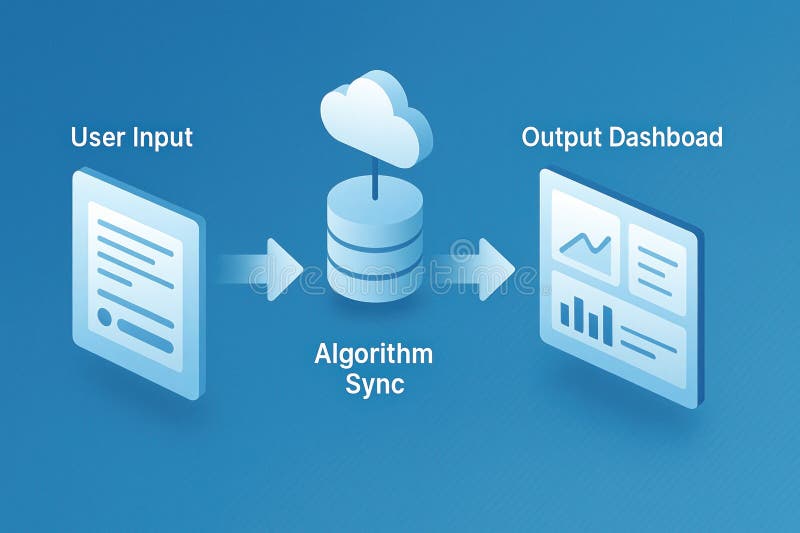
Free with trial Illustration shows data processing flow with three main elements on a blue background. On the left, a document icon represents "User Input. " In the center, a cloud and database symbolize "Algorithm Sync," emphasizing data processing and storage. On the right, a dashboard with graphs and charts signifies the "Output Dashboard," indicating data visualization. Arrows connect these components, illustrating the progression from input to processing to output. The design uses a 3D style and shades of blue for a modern, technological look. Processing input illustrations Data processing illustration with user input, algorithm sync, and output dashboard. Illustration shows data processing flow with three main elements on a blue. Illustration shows data processing flow with three main elements on a blue background. On the left, a document icon represents "User Input." In the center, a cloud and database symbolize "Algorithm Sync," emphasizing data processing and storage. On the right, a dashboard with graphs and charts signifies the "Output Dashboard," indicating data visualization. Arrows connect these components, illustrating the progression from input to processing to output. The design uses a 3D style and shades of blue for a modern, technological look.
Free with trial A human brain with data flowing into a digital screen, symbolizing learning, knowledge input, and information processing. This insightful icon is ideal for educational technology, cognitive science, AI development, or brain training apps. It represents the integration of digital information with human intellect, vector design Generative AI. Processing input vectors Brain Data Input: Learning and Knowledge Processing, vector design Generative AI. A human brain with data flowing into a digital screen, symbolizing learning. A human brain with data flowing into a digital screen, symbolizing learning, knowledge input, and information processing. This insightful icon is ideal for educational technology, cognitive science, AI development, or brain training apps. It represents the integration of digital information with human intellect, vector design Generative AI
Free with trial Flowchart illustrating a simple system. It consists of three rectangular blocks labeled "Input Module," "Processing Unit," and "Output Stage," connected by arrows indicating the flow of information. The arrows show a linear progression from the Input Module to the Processing Unit, then to the Output Stage, with feedback loops between the modules. The diagram is set against a plain white background, using black text and lines for clarity. Processing input illustrations Three rectangular blocks labeled Input Module, Processing Unit, and. Flowchart illustrating a simple system. It consists of three rectangular blocks labeled '. Flowchart illustrating a simple system. It consists of three rectangular blocks labeled "Input Module," "Processing Unit," and "Output Stage," connected by arrows indicating the flow of information. The arrows show a linear progression from the Input Module to the Processing Unit, then to the Output Stage, with feedback loops between the modules. The diagram is set against a plain white background, using black text and lines for clarity.
Free with trial A document with arrows leading to binary code, illustrating data input, digital processing, and file conversion. Perfect for themes of data entry, automation, information management, and digital workflow, highlighting the transformation of physical records into usable digital formats, vector design Generative AI. Processing input vectors Document Input to Binary Data Processing, File Conversion, vector design Generative AI. A document with arrows leading to binary code, illustrating data input. A document with arrows leading to binary code, illustrating data input, digital processing, and file conversion. Perfect for themes of data entry, automation, information management, and digital workflow, highlighting the transformation of physical records into usable digital formats, vector design Generative AI
Free with trial Flowchart showing a simplified system process with three rectangles labeled "Input Module," "Processing Unit," and "Output Stage. " Arrows depict the sequence: the "Input Module" leads to the "Processing Unit," which flows to the "Output Stage. " Additionally, arrows create feedback loops from the "Output Stage" back to both the "Input Module" and the "Processing Unit," indicating cyclical data flow. The layout describes an iterative, modular processing system common in computing and programming contexts. Processing input illustrations With three rectangles labeled Input Module, Processing Unit, and Output. Flowchart showing a simplified system process with three rectangles labeled 'Input. Flowchart showing a simplified system process with three rectangles labeled "Input Module," "Processing Unit," and "Output Stage." Arrows depict the sequence: the "Input Module" leads to the "Processing Unit," which flows to the "Output Stage." Additionally, arrows create feedback loops from the "Output Stage" back to both the "Input Module" and the "Processing Unit," indicating cyclical data flow. The layout describes an iterative, modular processing system common in computing and programming contexts.
Free with trial An informative vector icon illustrating data input and processing with arrows, symbolizing information flow, analytics, or digital operations. Perfect for software development, data science, or business intelligence. Represents efficient handling of digital information, vector design Generative AI. Processing input vectors Data Input and Processing, Information Flow Analytics Icon, vector design Generative AI. An informative vector icon illustrating data input and processing with. An informative vector icon illustrating data input and processing with arrows, symbolizing information flow, analytics, or digital operations. Perfect for software development, data science, or business intelligence. Represents efficient handling of digital information, vector design Generative AI
Free with trial Visual representation of an automated business workflow with icons for input, processing, decision making, and output. This diagram illustrates a process flow essential for business automation and technological advancement. Processing input illustrations Business Automation Workflow Diagram Input, Processing, Decision, Output Icons. Visual representation of an automated business workflow with icons for input. Visual representation of an automated business workflow with icons for input, processing, decision making, and output. This diagram illustrates a process flow essential for business automation and technological advancement.
Free with trial A colorful depicting a seamless data flow process with stages of user input, data processing, reporting, and automation on floating islands under a blue sky with clouds. Processing input illustrations Colorful of seamless data flow process with user input data processing reporting and automation on floating islands. A colorful depicting a seamless data flow. A colorful depicting a seamless data flow process with stages of user input, data processing, reporting, and automation on floating islands under a blue sky with clouds
Free with trial A black data processing box with multiple input and output lines and charts in a clean minimalist design, creating a modern technical and digital atmosphere suitable for technology and data visualization projects. Processing input illustrations Data Processing Box with Input and Output Charts in Minimalist Style. A black data processing box with multiple input and output lines and charts in a clean. A black data processing box with multiple input and output lines and charts in a clean minimalist design, creating a modern technical and digital atmosphere suitable for technology and data visualization projects
Free with trial Ai interface featuring a user input bar and generate button, ideal for data processing tasks. Processing input vectors Ai interface with interactive generate button for user input and data processing. Ai interface featuring a user input bar and generate button, ideal for data. Ai interface featuring a user input bar and generate button, ideal for data processing tasks.
Free with trial A futuristic conveyor belt displays screens showing stages of a process: input, processing, data analysis, approval, and output. Processing input illustrations Conveyor belt with screens displaying input, processing, data analysis, approval, and output stages. A futuristic conveyor belt displays screens showing stages. A futuristic conveyor belt displays screens showing stages of a process: input, processing, data analysis, approval, and output
Free with trial Futuristic depicting an AI driven shopping system. The image features interconnected elements such as Data Input Algorithm Processing Personalization Logic and Shopping Basket. Icons for different product categories like electronics books and clothing are linked to their respective Product Cards. Lines and arrows demonstrate data flow and decision making processes. Dominant colors are blue purple and orange with glowing elements highlighting key components. The style combines digital graphics and circuit like designs to symbolize advanced technology and automation. Processing input illustrations Interconnected elements such as Data Input Algorithm Processing. Futuristic depicting an AI driven shopping system. The image features interconnected elements. Futuristic depicting an AI driven shopping system. The image features interconnected elements such as Data Input Algorithm Processing Personalization Logic and Shopping Basket. Icons for different product categories like electronics books and clothing are linked to their respective Product Cards. Lines and arrows demonstrate data flow and decision making processes. Dominant colors are blue purple and orange with glowing elements highlighting key components. The style combines digital graphics and circuit like designs to symbolize advanced technology and automation.
Free with trial An abstract neural network illustration with input layer, signal processing, and colorful nodes on white. Processing input vectors Abstract representation of neural network with input layer and signal processing on white background. An abstract neural network illustration with input layer. an abstract neural network illustration with input layer, signal processing, and colorful nodes on white
Free with trial A clear vector illustration depicting data flowing into a keyboard, symbolizing information input, digital processing, and structured data entry. This graphic is ideal for IT systems, data management, or any concept related to efficient information handling and digital transformation. It conveys systematic workflow and modern computing. vector design Generative AI. Processing input vectors Data Input to Keyboard, Information Processing. vector design Generative AI. A clear vector illustration depicting data flowing into a keyboard, symbolizing. A clear vector illustration depicting data flowing into a keyboard, symbolizing information input, digital processing, and structured data entry. This graphic is ideal for IT systems, data management, or any concept related to efficient information handling and digital transformation. It conveys systematic workflow and modern computing. vector design Generative AI
Free with trial Handheld electronic device with a numeric keypad and a display screen for data input and processing isolated on transparent background. Processing input illustrations Handheld electronic device with numeric keypad and display screen for data input and processing isolated on transparent background. Handheld electronic device. Handheld electronic device with a numeric keypad and a display screen for data input and processing isolated on transparent background
Free with trial Flat showing a man sitting at a desk working with two computer monitors displaying charts, checklists, and data processing icons. Input symbols like shopping cart, document, and delivery flow into the system with arrows indicating workflow automation. Green leaves and gears surround the scene, suggesting technology, efficiency, and sustainability. Ideal for articles about data management, digital transformation, software development, e-commerce analytics, and business process optimization. Processing input vectors Man Processing Data Input on Dual Computers. Flat showing a man sitting at a desk working with two computer monitors displaying charts, checklists, and data. Flat showing a man sitting at a desk working with two computer monitors displaying charts, checklists, and data processing icons. Input symbols like shopping cart, document, and delivery flow into the system with arrows indicating workflow automation. Green leaves and gears surround the scene, suggesting technology, efficiency, and sustainability. Ideal for articles about data management, digital transformation, software development, e-commerce analytics, and business process optimization.
Free with trial Flat showing data processing workflow with input messages and emails entering a central processor chip surrounded by gears, transforming into tagged and organized output documents and folders. Concept represents artificial intelligence, machine learning, automation, data classification and information management. Colorful infographic style in blue, green and orange isolated on white background, ideal for technology, software and business presentations. Processing input vectors Data Processing Workflow From Input to Output. Flat showing data processing workflow with input messages and emails entering a central processor chip surrounded. Flat showing data processing workflow with input messages and emails entering a central processor chip surrounded by gears, transforming into tagged and organized output documents and folders. Concept represents artificial intelligence, machine learning, automation, data classification and information management. Colorful infographic style in blue, green and orange isolated on white background, ideal for technology, software and business presentations.
Free with trial This futuristic digital illustration showcases a complex workflow or data processing pipeline. It visually represents key stages: Input, Processing, Validation, Agent Handoff, and Output, depicted as glowing, translucent boxes connected by vibrant neon lines on a dark, circuit board-like background. The image conveys concepts of automation, artificial intelligence, data flow, and system integration, highlighting the progression of information through various stages, including potential human intervention. Ideal for themes related to technology, business process automation, AI, customer service, and data management. Processing input illustrations Digital Workflow Process: Input, Processing, Validation, Agent Handoff, and Output. This futuristic digital illustration showcases a complex workflow or data. This futuristic digital illustration showcases a complex workflow or data processing pipeline. It visually represents key stages: Input, Processing, Validation, Agent Handoff, and Output, depicted as glowing, translucent boxes connected by vibrant neon lines on a dark, circuit board-like background. The image conveys concepts of automation, artificial intelligence, data flow, and system integration, highlighting the progression of information through various stages, including potential human intervention. Ideal for themes related to technology, business process automation, AI, customer service, and data management.
Free with trial A whimsical learning machine illustration featuring a brain processing unit input and output sections and question mark coins , captivating background. Processing input illustrations Colorful Learning Machine Illustration with Input and Output Units Processing Brain and Question Mark Coins. A whimsical learning machine illustration featuring. A whimsical learning machine illustration featuring a brain processing unit input and output sections and question mark coins , captivating background
Free with trial Ai interface showing input field for user prompts in neural network data processing system. Processing input vectors Ai interactive interface for user input and neural network data processing visualization. Ai interface showing input field for user prompts in neural network. Ai interface showing input field for user prompts in neural network data processing system.
Free with trial This image illustrates the process of input and memory systems used for data processing and retrieval in a digital environment. Processing input illustrations Input and memory systems for data processing and retrieval. This image illustrates the process of input and memory systems used for data processing and retrieval. This image illustrates the process of input and memory systems used for data processing and retrieval in a digital environment
Free with trial A flat depicting a data workflow process. Two stylized human characters stand on either side of three vertical blue rectangles labeled Input, Processing, and Output. A yellow gear sits on the Input box. A red arrow flows through the boxes, indicating movement. A large blue cloud outline sits above the entire sequence. The Output box a yellow checkmark. The color palette consists of blue, orange,. Processing input illustrations Input, processing, and output workflow diagram with cloud. A flat depicting a data workflow process. Two stylized human characters stand on either side of three. A flat depicting a data workflow process. Two stylized human characters stand on either side of three vertical blue rectangles labeled Input, Processing, and Output. A yellow gear sits on the Input box. A red arrow flows through the boxes, indicating movement. A large blue cloud outline sits above the entire sequence. The Output box a yellow checkmark. The color palette consists of blue, orange,
Free with trial A flat depicting a data workflow process. Two stylized human characters stand on either side of three vertical blue rectangles labeled Input, Processing, and Output. A yellow gear sits on the Input box. A red arrow flows through the boxes, indicating movement. A large blue cloud outline sits above the entire sequence. The Output box a yellow checkmark. The color palette consists of blue, orange,. Processing input illustrations Input, processing, and output workflow diagram with cloud. A flat depicting a data workflow process. Two stylized human characters stand on either side of three. A flat depicting a data workflow process. Two stylized human characters stand on either side of three vertical blue rectangles labeled Input, Processing, and Output. A yellow gear sits on the Input box. A red arrow flows through the boxes, indicating movement. A large blue cloud outline sits above the entire sequence. The Output box a yellow checkmark. The color palette consists of blue, orange,
Free with trial A clear vector illustration showing people interacting with a computer, symbolizing digital data input, user interface interaction, and information processing. This design is ideal for software training, data entry systems, or concepts of human-computer interaction in various applications, vector design Generative AI. Processing input vectors Digital Data Input, User Interface and Information Processing, vector design Generative AI. A clear vector illustration showing people interacting with a. A clear vector illustration showing people interacting with a computer, symbolizing digital data input, user interface interaction, and information processing. This design is ideal for software training, data entry systems, or concepts of human-computer interaction in various applications, vector design Generative AI
Free with trial A functional flat vector illustration of a data input terminal with an arrow indicating flow, symbolizing information processing, data entry, and system integration. Ideal for IT services, software development, and digital management solutions, representing streamlined data handling, vector design Generative AI. Processing input vectors Data Input Terminal, Information Processing System Icon, vector design Generative AI. A functional flat vector illustration of a data input terminal with an. A functional flat vector illustration of a data input terminal with an arrow indicating flow, symbolizing information processing, data entry, and system integration. Ideal for IT services, software development, and digital management solutions, representing streamlined data handling, vector design Generative AI
Free with trial Three stacked layers represent a "Multi-Layer Decision Engine. " The first layer is labeled "Data Input," the second "Processing Logic," and the third "Decision Output. " Each layer is a flat rectangle, colored in gradients of gray, green, and orange. Gear and lightbulb icons surrounding the layers symbolize input processes, operational logic, and decision-making. Arrows indicate the flow of data and decisions, illustrating a structured, stepwise process of data handling and output generation. Processing input illustrations Data Input, the second Processing Logic, and the third Decision. Three stacked layers represent a 'Multi-Layer Decision Engine.' The first layer is labeled 'Data. Three stacked layers represent a "Multi-Layer Decision Engine." The first layer is labeled "Data Input," the second "Processing Logic," and the third "Decision Output." Each layer is a flat rectangle, colored in gradients of gray, green, and orange. Gear and lightbulb icons surrounding the layers symbolize input processes, operational logic, and decision-making. Arrows indicate the flow of data and decisions, illustrating a structured, stepwise process of data handling and output generation.
Free with trial Ai interface bar designed for generating text with simple user input and advanced processing functions. Processing input vectors Ai interface for generating content with simple user input and advanced processing capabilities. Ai interface bar designed for generating text with simple user. Ai interface bar designed for generating text with simple user input and advanced processing functions.
Free with trial A clear diagram outlining the fundamental stages of a system: input, processing, and output, highlighting efficiency and logical flow. Ideal for technical explanations, business operations, or data management concepts, vector design Generative AI. Processing input vectors System Process Flow, Input Processing Output Diagram, Efficiency, vector design Generative AI. A clear diagram outlining the fundamental stages of a system. A clear diagram outlining the fundamental stages of a system: input, processing, and output, highlighting efficiency and logical flow. Ideal for technical explanations, business operations, or data management concepts, vector design Generative AI
Free with trial Colorful transparent geometric shapes representing data input, processing, and output stages. Processing input illustrations Data Input Processing and Output Concept. Colorful transparent geometric shapes representing data input, processing, and output stages. Colorful transparent geometric shapes representing data input, processing, and output stages.
Free with trial A flat depicting a cloud computing workflow. On the left, a male character presses a button on an input module featuring a keyboard and arrow In the center, an orange processing module with a yellow gear data transformation. On the right, a female character holds a large teal checkmark next to a completed output module containing a document Teal arrows indicate the flow of data to and from a large. Processing input illustrations Cloud computing workflow with input, processing, and output stages. A flat depicting a cloud computing workflow. On the left, a male character presses a button. A flat depicting a cloud computing workflow. On the left, a male character presses a button on an input module featuring a keyboard and arrow In the center, an orange processing module with a yellow gear data transformation. On the right, a female character holds a large teal checkmark next to a completed output module containing a document Teal arrows indicate the flow of data to and from a large
Free with trial A flat depicting a cloud computing workflow. On the left, a male character presses a button on an input module featuring a keyboard and arrow In the center, an orange processing module with a yellow gear data transformation. On the right, a female character holds a large teal checkmark next to a completed output module containing a document Teal arrows indicate the flow of data to and from a large. Processing input illustrations Cloud computing workflow with input, processing, and output stages. A flat depicting a cloud computing workflow. On the left, a male character presses a button. A flat depicting a cloud computing workflow. On the left, a male character presses a button on an input module featuring a keyboard and arrow In the center, an orange processing module with a yellow gear data transformation. On the right, a female character holds a large teal checkmark next to a completed output module containing a document Teal arrows indicate the flow of data to and from a large
Free with trial A data processing diagram with input, decision, and output stages, showing the flow of information through steps. Processing input vectors A diagram illustrating a data processing pipeline with input and output stages and various steps. A data processing diagram with input, decision, and output. a data processing diagram with input, decision, and output stages, showing the flow of information through steps
Free with trial Flowchart titled "Automation Process" illustrating stages like Data Input, Processing, and Decision Point. Includes icons of robotic arms, gears, computers, and charts. Arrows guide sequence from data entry through decision-making to outputs. Contains sections labeled "ACTION", with visuals of individuals engaging with digital interfaces. Text placeholders, "Lorem ipsum," present as filler content. Colorful design in shades of blue, orange, and green, creating a modern, tech-focused aesthetic. Highlights automation in organizational processes. Processing input illustrations Automation Process illustrating stages like Data Input, Processing,. Flowchart titled 'Automation Process' illustrating stages like Data Input, Processing, and. Flowchart titled "Automation Process" illustrating stages like Data Input, Processing, and Decision Point. Includes icons of robotic arms, gears, computers, and charts. Arrows guide sequence from data entry through decision-making to outputs. Contains sections labeled "ACTION", with visuals of individuals engaging with digital interfaces. Text placeholders, "Lorem ipsum," present as filler content. Colorful design in shades of blue, orange, and green, creating a modern, tech-focused aesthetic. Highlights automation in organizational processes.
Free with trial A conceptual vector illustration of a pipe feeding liquid or gas into a brain, symbolizing input flow, cognitive data processing, or mind information transfer. This icon is ideal for neuroscience, AI development, or conceptualizing how minds process data, vector design Generative AI. Processing input vectors Brain input flow, cognitive data processing, mind information transfer, vector design Generative AI. A conceptual vector illustration of a pipe feeding liquid or. A conceptual vector illustration of a pipe feeding liquid or gas into a brain, symbolizing input flow, cognitive data processing, or mind information transfer. This icon is ideal for neuroscience, AI development, or conceptualizing how minds process data, vector design Generative AI
Free with trial A circular infographic diagram featuring four distinct colored arrows arranged in a clockwise loop. The arrows are colored blue, red, yellow, and green, each containing text labels: Feedback, Output, and Input. The word Processing is positioned in the center of the circle. The uses a flat, clean style with soft drop shadows beneath each arrow segment, set against a plain white background. The text. Processing input illustrations Circular process diagram with input, processing, output, and feedback arrows. A circular infographic diagram featuring four distinct colored arrows arranged in a. A circular infographic diagram featuring four distinct colored arrows arranged in a clockwise loop. The arrows are colored blue, red, yellow, and green, each containing text labels: Feedback, Output, and Input. The word Processing is positioned in the center of the circle. The uses a flat, clean style with soft drop shadows beneath each arrow segment, set against a plain white background. The text
Free with trial A circular infographic diagram featuring four distinct colored arrows arranged in a clockwise loop. The arrows are colored blue, red, yellow, and green, each containing text labels: Feedback, Output, and Input. The word Processing is positioned in the center of the circle. The uses a flat, clean style with soft drop shadows beneath each arrow segment, set against a plain white background. The text. Processing input illustrations Circular process diagram with input, processing, output, and feedback arrows. A circular infographic diagram featuring four distinct colored arrows arranged in a. A circular infographic diagram featuring four distinct colored arrows arranged in a clockwise loop. The arrows are colored blue, red, yellow, and green, each containing text labels: Feedback, Output, and Input. The word Processing is positioned in the center of the circle. The uses a flat, clean style with soft drop shadows beneath each arrow segment, set against a plain white background. The text
 Sign in