Free with trial Approved credit bill. good credit score receiving loan approval from bank. Personal finance vector illustration. 3D document, banking, manage finances render. excellent rating credit, mortgage loans. Request limit vectors Approved credit bill. good credit score receiving loan approval from bank. Personal finance vector illustration. 3D. Approved credit bill. good credit score. Approved credit bill. good credit score receiving loan approval from bank. Personal finance vector illustration. 3D document, banking, manage finances render. excellent rating credit, mortgage loans
Free with trial Bright Banner Service Online Budget Banking Slide. Request Information about Status Account Credit Limit. Man Stands Near Monitor, around Money, Coins and Credit Cards. Vector Illustration. Request limit vectors Bright Banner Service Online Budget Banking Slide. Request Information about Status Account Credit Limit. Man Stands Near Monitor, around Money, Coins and
Free with trial Stick figure human people man action, feelings, and emotions icons starting with alphabet C. Chortle, chuck, chuckle, circle, circumscribe, circumvent, cite, claim, clamber, and clamor. Request limit vectors Stick figure human people man action, feelings, and emotions icons starting with alphabet C. Chortle, chuck, chuckle, circle, circumscribe, circumvent, cite
Free with trial I'm currently unable to generate images due to a daily limit, but it will reset in about 10 hours. Feel free to return later, and I'll be happy to assist with your request! Let me know if you need help with anything else in the meantime. Request limit illustrations A classic car driving down a desert road. AI generative image. I'm currently unable to generate images due to a daily limit, but it will reset in about 10 hours. I'm currently unable to generate images due to a daily limit, but it will reset in about 10 hours. Feel free to return later, and I'll be happy to assist with your request! Let me know if you need help with anything else in the meantime.
Free with trial The image shows an error message indicating that the rate limit for API requests has been reached after 5 attempts. The last error details the rate limit for a specific instruction, the daily token usage, and the request interval. Request limit illustrations Rate limit exceeded for api request. The image shows an error message indicating that the rate limit for API requests has been reached after 5 attempts. The last. The image shows an error message indicating that the rate limit for API requests has been reached after 5 attempts. The last error details the rate limit for a specific instruction, the daily token usage, and the request interval
Free with trial The image displays a failure notification for an API request that exceeded the rate limit after five attempts. The error message indicates a quota exceeded issue with a specific model and organization, suggesting the user upgrade to a higher tier for increased usage limits. The retry suggestion shows a wait time of approximately 14. 85 hours. Request limit illustrations Error message indicating rate limit failure for an api request attempt. The image displays a failure notification for an API request that exceeded the rate limit. The image displays a failure notification for an API request that exceeded the rate limit after five attempts. The error message indicates a quota exceeded issue with a specific model and organization, suggesting the user upgrade to a higher tier for increased usage limits. The retry suggestion shows a wait time of approximately 14.85 hours
Free with trial The image displays a failure notification for an API request that exceeded the rate limit after five attempts. The error message indicates a quota exceeded issue with a specific model and organization, suggesting the user upgrade to a higher tier for increased usage limits. The retry suggestion shows a wait time of approximately 14. 85 hours. Request limit illustrations Error message indicating rate limit failure for an api request attempt. The image displays a failure notification for an API request that exceeded the rate limit. The image displays a failure notification for an API request that exceeded the rate limit after five attempts. The error message indicates a quota exceeded issue with a specific model and organization, suggesting the user upgrade to a higher tier for increased usage limits. The retry suggestion shows a wait time of approximately 14.85 hours
Free with trial An image of a digital interface showing a failed request with various data points such as 'Rate limit reached', 'Tokens per day (TPO)', 'Limit 500000', 'Used 499993', and 'Requested 193'. The word 'FAILED' is prominently displayed in the center. Request limit illustrations Digital interface displaying a failed request due to rate limit reached. An image of a digital interface showing a failed request with various data points such. An image of a digital interface showing a failed request with various data points such as 'Rate limit reached', 'Tokens per day (TPO)', 'Limit 500000', 'Used 499993', and 'Requested 193'. The word 'FAILED' is prominently displayed in the center
Free with trial A stylized diagram depicts a cloud engine with pastel blue and purple clouds connected to boxes indicating compute bursts, request throttle, lock limit, CPU drain, and cache spike; a speedometer shows 860. Request limit vectors Pastel Blue and Purple Cloud Engine Diagram Showing Compute Bursts Request Throttle Lock Limit C P U Drain Cache Spike and 860. A stylized diagram depicts a. A stylized diagram depicts a cloud engine with pastel blue and purple clouds connected to boxes indicating compute bursts, request throttle, lock limit, CPU drain, and cache spike; a speedometer shows 860
Free with trial A diagram depicts a split teal and purple cloud with black icons representing compute bursts, CPU limit, request throttle, lock drain, and cache spike. Black text labels each element against a light gray background. Request limit vectors Gradient Purple and Teal Cloud Engine Diagram Illustrating Compute Bursts C P U Limit Request Throttle Lock Drain and Cache Spike. A diagram depicts a split teal. A diagram depicts a split teal and purple cloud with black icons representing compute bursts, CPU limit, request throttle, lock drain, and cache spike. Black text labels each element against a light gray background
Free with trial Error message indicating that the rate limit for the AI model has been reached after five attempts. The message specifies the model, organization, service tier, and tokens per day limit. Request limit illustrations Rate limit error message for ai model request. Error message indicating that the rate limit for the AI model has been reached after five attempts. The message. Error message indicating that the rate limit for the AI model has been reached after five attempts. The message specifies the model, organization, service tier, and tokens per day limit
Free with trial The image displays an error message indicating that a request has failed after 5 attempts. The last error is a rate limit reached for a specific service tier. The message includes details such as the organization, service tier, token usage, and a suggestion to upgrade the plan for more tokens. Request limit illustrations Rate limit error after 5 attempts. The image displays an error message indicating that a request has failed after 5 attempts. The last error is a rate limit. The image displays an error message indicating that a request has failed after 5 attempts. The last error is a rate limit reached for a specific service tier. The message includes details such as the organization, service tier, token usage, and a suggestion to upgrade the plan for more tokens
Free with trial A digital illustration visually represents a "Rate Limit" error with the code 429. This image effectively communicates the concept of a 429 error, signaling resource exhaustion, and is ideal for explaining quota limits or API request restrictions. Request limit illustrations Error: Rate Limit (429. A digital illustration visually represents a 'Rate Limit' error with the code 429. This image effectively communicates the concept of a. A digital illustration visually represents a "Rate Limit" error with the code 429. This image effectively communicates the concept of a 429 error, signaling resource exhaustion, and is ideal for explaining quota limits or API request restrictions
Free with trial An error message indicating that the rate limit for the meta-llama-4-maverick-178b-128e-instruct API has been reached, with details on attempts, limits, and retry instructions. Request limit illustrations Error message displaying rate limit exceeded for api request. An error message indicating that the rate limit for the meta-llama-4-maverick-178b-128e-instruct. An error message indicating that the rate limit for the meta-llama-4-maverick-178b-128e-instruct API has been reached, with details on attempts, limits, and retry instructions
Free with trial A computer screen displays an error message indicating that a request has failed after 5 attempts due to exceeding the token limit. Request limit illustrations Error message displayed on computer screen indicating token limit exceeded. A computer screen displays an error message indicating that a request has failed. A computer screen displays an error message indicating that a request has failed after 5 attempts due to exceeding the token limit
Free with trial The image displays a rate limit notification for the model meta-llama llama-2-maverick-17b-12b-128e-instruct within the organization org_91k98rkllyfgbwp0000gn4vrk. The limit is set at 500,000 tokens per day, with 499,886 tokens used and a current request count of 193. The reset time for the tokens is in 13. 6512 seconds. Additional tokens can be requested via the provided link. Request limit illustrations Rate limit reached for model meta-llama llama-2-maverick-17b-12b-128e-instruct. The image displays a rate limit notification for the model meta-llama llama-2. The image displays a rate limit notification for the model meta-llama llama-2-maverick-17b-12b-128e-instruct within the organization org_91k98rkllyfgbwp0000gn4vrk. The limit is set at 500,000 tokens per day, with 499,886 tokens used and a current request count of 193. The reset time for the tokens is in 13.6512 seconds. Additional tokens can be requested via the provided link
Free with trial The image shows an error message on a computer screen. The message indicates that a model request failed after 5 attempts due to a rate limit being reached. Request limit illustrations Error message on a computer screen displaying a failed model request attempt. The image shows an error message on a computer screen. The message indicates that a. The image shows an error message on a computer screen. The message indicates that a model request failed after 5 attempts due to a rate limit being reached
Free with trial Glowing digital background with a prominent red warning section displaying a time stamp (00:35) and the message "Rate Limit Reached. " The text. Request limit illustrations Error notification: rate limit exceeded on api request with token failure details reached. Glowing digital background with a prominent red warning section. Glowing digital background with a prominent red warning section displaying a time stamp (00:35) and the message "Rate Limit Reached." The text
Free with trial The image shows a computer screen displaying an error message indicating that the rate limit has been reached. The message states that the request failed after 5 attempts and provides details about the last error. It also offers instructions to upgrade the Dev Tier today and includes a link for more information on tokens and billing. Request limit illustrations Rate limit reached error message displayed on a computer screen with upgrade instructions isolated on white background. The image shows a computer screen. The image shows a computer screen displaying an error message indicating that the rate limit has been reached. The message states that the request failed after 5 attempts and provides details about the last error. It also offers instructions to upgrade the Dev Tier today and includes a link for more information on tokens and billing
Free with trial An image depicting a rate limit error for an AI model, showing a failed attempt to process a request due to exceeding the allowed number of API calls. Request limit illustrations Rate limit exceeded for ai model. An image depicting a rate limit error for an AI model, showing a failed attempt to process a request due to exceeding the. An image depicting a rate limit error for an AI model, showing a failed attempt to process a request due to exceeding the allowed number of API calls
Free with trial The image shows a failed attempt error message from an AI service, specifically indicating that the rate limit has been reached for the model 'meta llama-4-mistral-7b'. The error occurred after 5 attempts, with the last one triggering the limit in the 'org. 51k... ' organization. The error message also includes a reference to a specific request ID and a suggestion to try again later or upgrade the. Request limit illustrations Error message indicating rate limit reached for a specific ai model after multiple attempts. The image shows a failed attempt error message from an AI service. The image shows a failed attempt error message from an AI service, specifically indicating that the rate limit has been reached for the model 'meta llama-4-mistral-7b'. The error occurred after 5 attempts, with the last one triggering the limit in the 'org.51k...' organization. The error message also includes a reference to a specific request ID and a suggestion to try again later or upgrade the
Free with trial Rate limit error message for api usage. Digital error notification showing API rate limit reached for model usage with organization details and request counts. Request limit illustrations Rate limit error message for api usage. Digital error notification showing API rate limit reached for model usage with organization details and request counts
Free with trial Engineer at a console in a dark server room facing a large glowing dashboard showing token rate limit with current rate against the allowed limit, a threshold progress bar, and a requests regulated status. Side panels show system status for compute, memory, network and storage, request flow and model load, while lower monitors display total and successful requests, token usage, requests per minute and top API endpoints. API rate limiting, request throttling and quota enforcement concept. Request limit illustrations Token Rate Limit Dashboard Showing Current Rate Against Limit With Requests Regulated. Engineer at a console in a dark server room facing a large glowing. Engineer at a console in a dark server room facing a large glowing dashboard showing token rate limit with current rate against the allowed limit, a threshold progress bar, and a requests regulated status. Side panels show system status for compute, memory, network and storage, request flow and model load, while lower monitors display total and successful requests, token usage, requests per minute and top API endpoints. API rate limiting, request throttling and quota enforcement concept.
Free with trial The image displays an error message on a digital interface indicating a failed login attempt after reaching the maximum allowed attempts. The error message specifies the model name, organization, and a request limit of 10000 requests per hour. It also mentions an upgrade to Dev Tier is needed to increase the limit and provides a URL for more information. The message reads 'Failed after 5 attempts. Request limit vectors Failed login attempt message due to exceeding limit on a service platform interface. The image displays an error message on a digital interface indicating a. The image displays an error message on a digital interface indicating a failed login attempt after reaching the maximum allowed attempts. The error message specifies the model name, organization, and a request limit of 10000 requests per hour. It also mentions an upgrade to Dev Tier is needed to increase the limit and provides a URL for more information. The message reads 'Failed after 5 attempts
Free with trial The image shows an error message from a system indicating a failure after a demand token request for a service organization. The error message includes details such as a failed API call, specific instructions for using the service tier, and a demand on tokens. It also suggests visiting a billing URL for further assistance and mentions a limit of 500,000 units with a specific used and requested. Request limit illustrations Error message indicating failed demand token request for a gorgot service organization. The image shows an error message from a system indicating a failure after. The image shows an error message from a system indicating a failure after a demand token request for a service organization. The error message includes details such as a failed API call, specific instructions for using the service tier, and a demand on tokens. It also suggests visiting a billing URL for further assistance and mentions a limit of 500,000 units with a specific used and requested
Free with trial The image shows an error message stating that a process has failed after 5 attempts due to a rate limit being reached. The message includes details such as the model, organization, service, and a request to sign in with a specific countdown time. Request limit illustrations Error message indicating rate limit reached after multiple attempts on a network service. The image shows an error message stating that a process has failed. The image shows an error message stating that a process has failed after 5 attempts due to a rate limit being reached. The message includes details such as the model, organization, service, and a request to sign in with a specific countdown time
Free with trial An error message displayed on a futuristic control panel indicating that the rate limit for tokens has been reached, with a limit of 50000 tokens used and 193 requested, prompting to try again in 15. 552 seconds. Request limit illustrations Rate limit reached: failed request due to exceeded token usage isolated on white background. An error message displayed on a futuristic control panel indicating. An error message displayed on a futuristic control panel indicating that the rate limit for tokens has been reached, with a limit of 50000 tokens used and 193 requested, prompting to try again in 15.552 seconds
Free with trial A geometric vector icon representing an API rate limit mechanism. The design features a circular boundary symbolizing an API gateway, with a central limiter block and inbound request markers indicating controlled traffic flow. Clean lines and abstract shapes depict regulated request handling and threshold evaluation without referencing specific platforms or software. Suitable for illustrating API infrastructure, gateway policies, traffic management, and backend system concepts. Request limit vectors API Rate Limit Icon – Gateway Traffic Control Symbol. A geometric vector icon representing an API rate limit mechanism. The design features a circular boundary. A geometric vector icon representing an API rate limit mechanism. The design features a circular boundary symbolizing an API gateway, with a central limiter block and inbound request markers indicating controlled traffic flow. Clean lines and abstract shapes depict regulated request handling and threshold evaluation without referencing specific platforms or software. Suitable for illustrating API infrastructure, gateway policies, traffic management, and backend system concepts.
Free with trial Credit limit word block on white. Background. Request limit illustrations Credit limit word block on white. Background
Free with trial Browser API interface with speed gauge and warning symbol representing request limits, server performance, throttling and API monitoring. Request limit vectors API Rate Limit and Performance Warning Icon. Browser API interface with speed gauge and warning symbol representing request limits, server performance. Browser API interface with speed gauge and warning symbol representing request limits, server performance, throttling and API monitoring.
Free with trial The image displays an error message indicating that a rate limit has been reached for the meta-llama-4-Aaverick-178e-instruct service. The error occurred after 5 attempts, with the last error specifying that the limit of 500,000 tokens has been used, consuming 499,908 tokens and requesting 179 more. The total requests made were 15,033,658. The message suggests upgrading to the Dev Tilev Tier for. Request limit illustrations Rate limit error message. The image displays an error message indicating that a rate limit has been reached for the meta-llama-4-Aaverick-178e-instruct service. The image displays an error message indicating that a rate limit has been reached for the meta-llama-4-Aaverick-178e-instruct service. The error occurred after 5 attempts, with the last error specifying that the limit of 500,000 tokens has been used, consuming 499,908 tokens and requesting 179 more. The total requests made were 15,033,658. The message suggests upgrading to the Dev Tilev Tier for
Free with trial A set of eight colorful icons illustrating various stages and concepts of connection pooling, including request connection, acquire connection, release to pool, close connection, open new connection, idle connection timeout, and max pool size limit. These icons are useful for presentations, guides, or websites explaining database connection management. Request limit illustrations Connection Pooling Icons Set. A set of eight colorful icons illustrating various stages and concepts of connection pooling, including request connection, acquire. A set of eight colorful icons illustrating various stages and concepts of connection pooling, including request connection, acquire connection, release to pool, close connection, open new connection, idle connection timeout, and max pool size limit. These icons are useful for presentations, guides, or websites explaining database connection management.
Free with trial A person is working on a laptop with a rate limit alert displayed on the screen, indicating that the rate limit has been reached for model family illium-4-transcode-172% in the organization. Request limit illustrations Rate limit alert on computer screen. A person is working on a laptop with a rate limit alert displayed on the screen, indicating that the rate limit has been. A person is working on a laptop with a rate limit alert displayed on the screen, indicating that the rate limit has been reached for model family illium-4-transcode-172% in the organization
Free with trial The image displays an error message indicating that the rate limit for model requests has been reached. The message specifies that the limit of 500,000 tokens has been used, with only 193 tokens requested. It also mentions that the attempt failed after 5 tries and provides a wait time of 10. 5408 seconds before retrying. Additional information includes a link to upgrade to a higher tier for more. Request limit illustrations Rate limit exceeded for model requests. The image displays an error message indicating that the rate limit for model requests has been reached. The message. The image displays an error message indicating that the rate limit for model requests has been reached. The message specifies that the limit of 500,000 tokens has been used, with only 193 tokens requested. It also mentions that the attempt failed after 5 tries and provides a wait time of 10.5408 seconds before retrying. Additional information includes a link to upgrade to a higher tier for more
Free with trial An error message indicating that the rate limit for model access has been reached, with details on attempts, limits, and tokens used. Request limit illustrations Rate limit exceeded for ai model access. An error message indicating that the rate limit for model access has been reached, with details on attempts, limits, and. An error message indicating that the rate limit for model access has been reached, with details on attempts, limits, and tokens used
Free with trial An error message indicating that the rate limit for model requests has been reached, with multiple failed attempts and a prompt to try again later. Request limit illustrations Rate limit exceeded for ai model requests. An error message indicating that the rate limit for model requests has been reached, with multiple failed attempts and. An error message indicating that the rate limit for model requests has been reached, with multiple failed attempts and a prompt to try again later
Free with trial An image displaying a rate limit error message indicating that the limit of 50,000 requests has been reached after 5 attempts, with 193 requests used and 499,886 remaining. The message suggests trying again in 13. 6512 seconds and offers an option to upgrade to a higher tier for more tokens. Request limit illustrations Rate limit reached: failed after 5 attempts. An image displaying a rate limit error message indicating that the limit of 50,000 requests has been reached after 5. An image displaying a rate limit error message indicating that the limit of 50,000 requests has been reached after 5 attempts, with 193 requests used and 499,886 remaining. The message suggests trying again in 13.6512 seconds and offers an option to upgrade to a higher tier for more tokens
Free with trial The image displays an error message from the Google API indicating that the rate limit has been exceeded. It suggests retrying after a delay and provides detailed information on the quota usage and available options. Request limit illustrations Google api rate limit exceeded error message. The image displays an error message from the Google API indicating that the rate limit has been exceeded. It. The image displays an error message from the Google API indicating that the rate limit has been exceeded. It suggests retrying after a delay and provides detailed information on the quota usage and available options
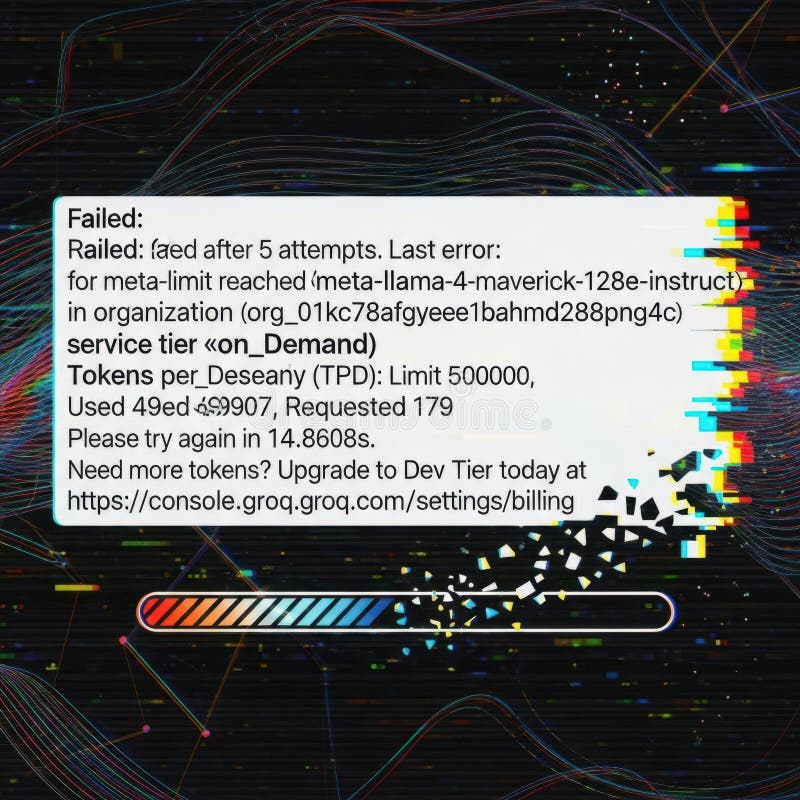
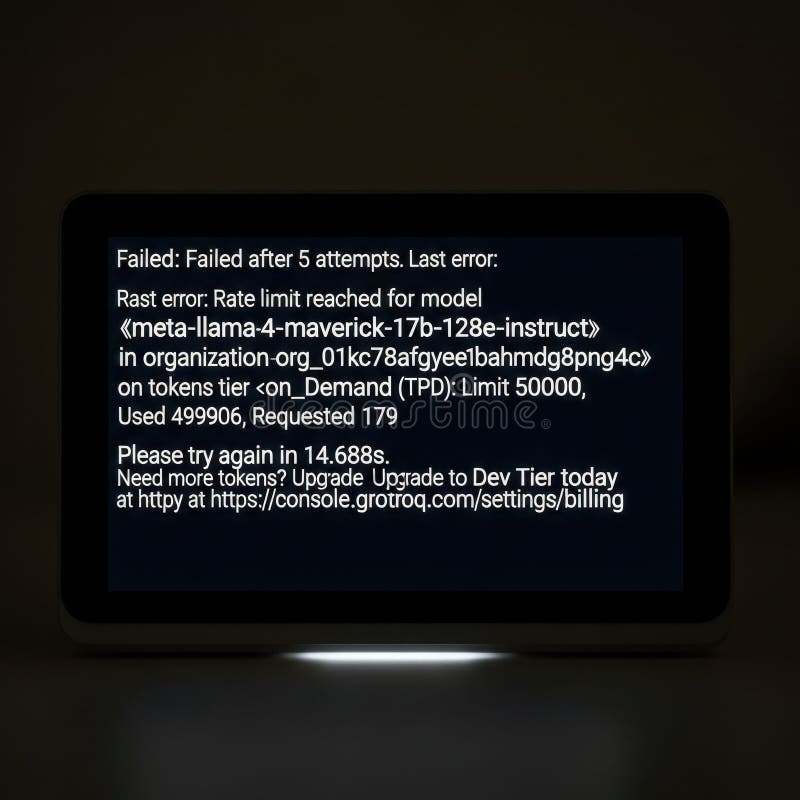
Free with trial The image displays an error message indicating that the API rate limit has been exceeded. The message states that the request was denied after 5 attempts due to reaching the meta-limit for the organization. It specifies that the service tier is 'on Demand' and the tokens per Deseany (TPD) limit is 500000, with 499907 tokens used and 179 requested. The message suggests trying again in 14,860. Request limit illustrations Api rate limit exceeded. The image displays an error message indicating that the API rate limit has been exceeded. The message states that the request was denied. The image displays an error message indicating that the API rate limit has been exceeded. The message states that the request was denied after 5 attempts due to reaching the meta-limit for the organization. It specifies that the service tier is 'on Demand' and the tokens per Deseany (TPD) limit is 500000, with 499907 tokens used and 179 requested. The message suggests trying again in 14,860
Free with trial The image shows a rate limit error message for the meta-llama llama-4-maverick-128e-instruct model within an organization on the Groq Cloud platform. The error indicates that the rate limit of 500,000 tokens has almost been reached, with 499,954 tokens used and an additional 193 tokens requested. The message advises waiting 25. 4016 seconds before trying again and suggests upgrading to a Dev Tier. Request limit illustrations Rate limit error message for meta-llama model usage on groq cloud platform. The image shows a rate limit error message for the meta-llama llama-4-maverick-128e. The image shows a rate limit error message for the meta-llama llama-4-maverick-128e-instruct model within an organization on the Groq Cloud platform. The error indicates that the rate limit of 500,000 tokens has almost been reached, with 499,954 tokens used and an additional 193 tokens requested. The message advises waiting 25.4016 seconds before trying again and suggests upgrading to a Dev Tier
Free with trial The image displays an error message indicating that the rate limit for an AI model has been reached after five attempts. The error specifies the model and organization details, along with the token usage and request information. Request limit illustrations Rate limit exceeded for ai model: attempts failed. The image displays an error message indicating that the rate limit for an AI model has been reached after five. The image displays an error message indicating that the rate limit for an AI model has been reached after five attempts. The error specifies the model and organization details, along with the token usage and request information
Free with trial An error message indicating that the attempt to access a service has failed after five attempts due to reaching the rate limit. Request limit illustrations Attempt failed: rate limit exceeded after five tries. An error message indicating that the attempt to access a service has failed after five attempts due to. An error message indicating that the attempt to access a service has failed after five attempts due to reaching the rate limit
Free with trial An error message indicates that a model request failed after five attempts due to rate limits being reached. Request limit illustrations Error message displaying failed model request attempts. An error message indicates that a model request failed after five attempts due to rate limits being. An error message indicates that a model request failed after five attempts due to rate limits being reached
Free with trial An error message indicating that the rate limit has been reached after five attempts, with a prompt to try again later and an option to upgrade for more tokens. Request limit illustrations Rate limit exceeded after multiple attempts. An error message indicating that the rate limit has been reached after five attempts, with a prompt to try again. An error message indicating that the rate limit has been reached after five attempts, with a prompt to try again later and an option to upgrade for more tokens
Free with trial The image displays an error message indicating that a request has failed after 5 attempts due to rate limiting. The error message specifies that the rate limit for the organization (org_01kg78afgyee1bahmd2ggpng4c) has been reached for tokens per day (TPD) with a limit of 500000 tokens. The user has used 4999007,179 tokens and is advised to retry the request in 14,860 seconds. Additionally, there. Request limit illustrations Rate limit exceeded error. The image displays an error message indicating that a request has failed after 5 attempts due to rate limiting. The error message. The image displays an error message indicating that a request has failed after 5 attempts due to rate limiting. The error message specifies that the rate limit for the organization (org_01kg78afgyee1bahmd2ggpng4c) has been reached for tokens per day (TPD) with a limit of 500000 tokens. The user has used 4999007,179 tokens and is advised to retry the request in 14,860 seconds. Additionally, there
Free with trial A computer screen displays an error message with a rate limit reached notification and a link to upgrade tokens. Request limit illustrations Error message on computer screen with rate limit reached notification. A computer screen displays an error message with a rate limit reached notification and a. A computer screen displays an error message with a rate limit reached notification and a link to upgrade tokens
Free with trial An image depicting a digital network with a prominent error message stating 'Rate Limit Reached Error 500'. The background features a complex network of digital connections and flying fragments, symbolizing the disruption caused by the error. Request limit illustrations Digital network with rate limit reached error 500 and flying fragments. An image depicting a digital network with a prominent error message stating 'Rate Limit. An image depicting a digital network with a prominent error message stating 'Rate Limit Reached Error 500'. The background features a complex network of digital connections and flying fragments, symbolizing the disruption caused by the error
Free with trial The image shows a rate limit error message for the meta-llama llama-4-maverick-128e-instruct model within an organization on the Groq Cloud platform. The error indicates that the rate limit of 500,000 tokens has almost been reached, with 499,954 tokens used and an additional 193 tokens requested. The message advises waiting 25. 4016 seconds before trying again and suggests upgrading to a Dev Tier. Request limit illustrations Rate limit error message for meta-llama model usage on groq cloud platform. The image shows a rate limit error message for the meta-llama llama-4-maverick-128e. The image shows a rate limit error message for the meta-llama llama-4-maverick-128e-instruct model within an organization on the Groq Cloud platform. The error indicates that the rate limit of 500,000 tokens has almost been reached, with 499,954 tokens used and an additional 193 tokens requested. The message advises waiting 25.4016 seconds before trying again and suggests upgrading to a Dev Tier
Free with trial Request oscillating API endpoint illustration response latency, timeout failure, success load request oscillating API endpoint. Request limit illustrations Request oscillating API endpoint. Illustration response latency, timeout failure, success load AI generated. request oscillating API endpoint illustration response latency, timeout failure, success load request oscillating API endpoint
Free with trial The image shows an error message indicating that a process has failed after 3 attempts. The error message includes details such as the model name, organization, limit, and a request to try again in 16. 7616s. Request limit illustrations Failed attempts error message displayed on a digital screen isolated on white background. The image shows an error message indicating that a process has failed. The image shows an error message indicating that a process has failed after 3 attempts. The error message includes details such as the model name, organization, limit, and a request to try again in 16.7616s
Free with trial The image shows a rate limit error message for the meta-llama llama-4-maverick-128e-instruct model within an organization on the Groq Cloud platform. The error indicates that the rate limit of 500,000 tokens has almost been reached, with 499,954 tokens used and an additional 193 tokens requested. The message advises waiting 25. 4016 seconds before trying again and suggests upgrading to a Dev Tier. Request limit illustrations Rate limit error message for meta-llama model usage on groq cloud platform. The image shows a rate limit error message for the meta-llama llama-4-maverick-128e. The image shows a rate limit error message for the meta-llama llama-4-maverick-128e-instruct model within an organization on the Groq Cloud platform. The error indicates that the rate limit of 500,000 tokens has almost been reached, with 499,954 tokens used and an additional 193 tokens requested. The message advises waiting 25.4016 seconds before trying again and suggests upgrading to a Dev Tier
Free with trial Api showing error notification: api rate limit exceeded for meta-llama model instructions text message. resolution use. Request limit illustrations Error notification: api rate limit exceeded for meta-llama model instructions text message. Api showing error notification: api rate limit exceeded for meta. Api showing error notification: api rate limit exceeded for meta-llama model instructions text message. resolution use
Free with trial The image displays an error message on a transparent background. The message indicates that the request failed after 5 attempts. The error includes details such as rate limit reached for the model and the organization's service tier. This image is SEO-friendly and suitable for documentation purposes. Request limit illustrations Error message isolated on white background. The image displays an error message on a transparent background. The message indicates that the request failed after. The image displays an error message on a transparent background. The message indicates that the request failed after 5 attempts. The error includes details such as rate limit reached for the model and the organization's service tier. This image is SEO-friendly and suitable for documentation purposes
Free with trial An error message screen indicating a rate limit issue with suggestions for API usage optimization and account management. Request limit illustrations Rate limit exceeded error message displayed on digital computer interface isolated on white background. An error message screen indicating a rate limit issue. An error message screen indicating a rate limit issue with suggestions for API usage optimization and account management
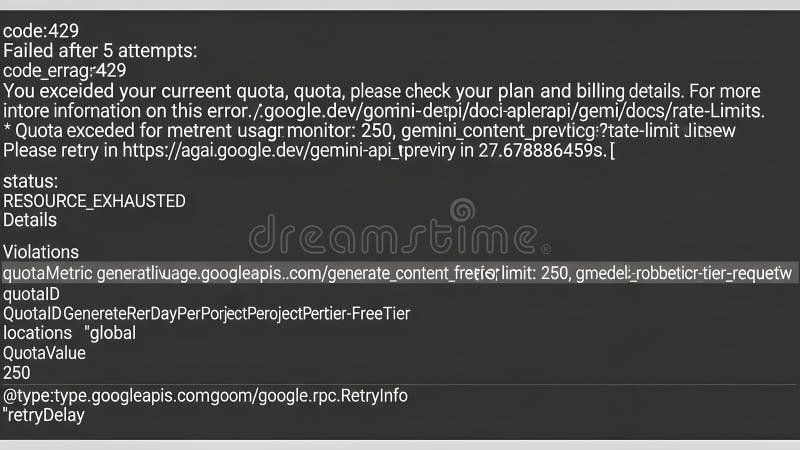
Free with trial The image displays an error message indicating that a Google API request has failed due to quota exhaustion. The error code '429' is shown, suggesting that the current quota has been exceeded, and users are advised to check their plan or request a quota increase. The message also includes a 'RESOURCE_EXHAUSTED' status and mentions a retry limit of 40 requests per 100 seconds. The background. Request limit illustrations Google api quota exceeded error display on glitchy ui background. The image displays an error message indicating that a Google API request has failed due to. The image displays an error message indicating that a Google API request has failed due to quota exhaustion. The error code '429' is shown, suggesting that the current quota has been exceeded, and users are advised to check their plan or request a quota increase. The message also includes a 'RESOURCE_EXHAUSTED' status and mentions a retry limit of 40 requests per 100 seconds. The background
Free with trial This image displays an error notification from a cloud service platform, specifically indicating a rate limit error. The message states that the request failed after 5 attempts, with the error code '429 Too Many Requests'. It includes a timestamp of the error, the organization ID, service type, and a retry suggestion with a specified wait time of 14 seconds. The error appears to be from a service. Request limit illustrations Error message indicating failure after multiple attempts in a cloud service platform. This image displays an error notification from a cloud service platform. This image displays an error notification from a cloud service platform, specifically indicating a rate limit error. The message states that the request failed after 5 attempts, with the error code '429 Too Many Requests'. It includes a timestamp of the error, the organization ID, service type, and a retry suggestion with a specified wait time of 14 seconds. The error appears to be from a service
Free with trial The image displays a digital interface with a prominent warning message indicating that the rate limit has been reached. The interface features various circuit-like patterns and data visualizations in the background. A red triangular alert symbol and the text 'Rate limit reached' are highlighted, signaling a restriction on further usage or requests. Request limit illustrations Rate limit reached warning. The image displays a digital interface with a prominent warning message indicating that the rate limit has been reached. The. The image displays a digital interface with a prominent warning message indicating that the rate limit has been reached. The interface features various circuit-like patterns and data visualizations in the background. A red triangular alert symbol and the text 'Rate limit reached' are highlighted, signaling a restriction on further usage or requests
Free with trial A set of eight colorful icons illustrating the concept of connection pooling, including request connection, acquire connection, release to pool, close connection, open new connection, idle connection timeout, and max pool size limit. These icons are useful for presentations, infographics, or educational materials related to database management, software development, and network architecture. Request limit illustrations Connection Pooling Icons. A set of eight colorful icons illustrating the concept of connection pooling, including request connection, acquire connection, release. A set of eight colorful icons illustrating the concept of connection pooling, including request connection, acquire connection, release to pool, close connection, open new connection, idle connection timeout, and max pool size limit. These icons are useful for presentations, infographics, or educational materials related to database management, software development, and network architecture.
Free with trial An error message indicating that the rate limit for API requests has been reached. The image shows a failed attempt message on a dark background. Request limit illustrations Api rate limit error message. An error message indicating that the rate limit for API requests has been reached. The image shows a failed attempt message on a. An error message indicating that the rate limit for API requests has been reached. The image shows a failed attempt message on a dark background
Free with trial Infographic illustrating solutions for persistent rate limit errors. The image shows a stopped clock with an exclamation mark, emphasizing repeated failed retries. Three suggested solutions are depicted: lowering batch size or requests per minute, switching to a different API model, and upgrading account tier for higher limits. Ideal for tech tutorials, API documentation, and business process improvement visuals. Request limit illustrations Rate Limit Persisted Error Solutions Guide. Infographic illustrating solutions for persistent rate limit errors. The image shows a stopped clock with an. Infographic illustrating solutions for persistent rate limit errors. The image shows a stopped clock with an exclamation mark, emphasizing repeated failed retries. Three suggested solutions are depicted: lowering batch size or requests per minute, switching to a different API model, and upgrading account tier for higher limits. Ideal for tech tutorials, API documentation, and business process improvement visuals.
Free with trial The image depicts a digital circuit background with an error message displayed prominently in the center. The error message indicates that the rate limit has been reached after 5 failed attempts, resulting in Error 429. The circuit elements and vibrant colors in the background emphasize the technological context of the error. Request limit illustrations Rate limit error message on digital circuit. The image depicts a digital circuit background with an error message displayed prominently in the center. The error. The image depicts a digital circuit background with an error message displayed prominently in the center. The error message indicates that the rate limit has been reached after 5 failed attempts, resulting in Error 429. The circuit elements and vibrant colors in the background emphasize the technological context of the error
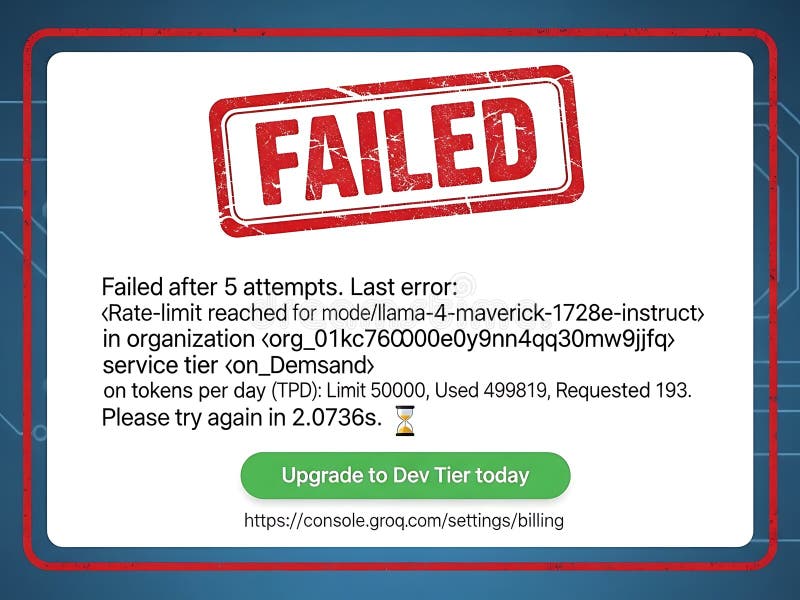
Free with trial Failed after 5 attempts due to rate limit reached for model lemma 4. Maverick-1728e-instruct in organization. Limit 60000, used 499819, requested 193. Please try again in 2. 0736 seconds. Request limit illustrations Rate limit exceeded for api request attempts. Failed after 5 attempts due to rate limit reached for model lemma 4. Maverick-1728e-instruct in organization. Limit. Failed after 5 attempts due to rate limit reached for model lemma 4. Maverick-1728e-instruct in organization. Limit 60000, used 499819, requested 193. Please try again in 2.0736 seconds
Free with trial The image depicts a vintage computer monitor displaying an error message. The message indicates that the operation failed after five attempts. The error is related to reaching the rate limit for a specific model, identified as 'meta-llama llama-4-havenick-12be-instruct' in the organization. The error occurred while processing a request with the ID '011bc7b8gmeE5and8t9wev' on the service tier '. Request limit illustrations Error message displayed on vintage computer monitor. The image depicts a vintage computer monitor displaying an error message. The message indicates that the. The image depicts a vintage computer monitor displaying an error message. The message indicates that the operation failed after five attempts. The error is related to reaching the rate limit for a specific model, identified as 'meta-llama llama-4-havenick-12be-instruct' in the organization. The error occurred while processing a request with the ID '011bc7b8gmeE5and8t9wev' on the service tier '
Free with trial This image features a screenshot of an error message displayed on a transparent background. The error message indicates that the rate limit has been reached for an API request. The message includes details such as the last error, organization information, and token usage statistics. The image is SEO-friendly and suitable for use in documentation or support materials. Request limit illustrations Rate limit error message isolated on white background. This image features a screenshot of an error message displayed on a transparent background. The error. This image features a screenshot of an error message displayed on a transparent background. The error message indicates that the rate limit has been reached for an API request. The message includes details such as the last error, organization information, and token usage statistics. The image is SEO-friendly and suitable for use in documentation or support materials
Free with trial An error message indicates that a model request failed after five attempts due to rate limits being reached. Request limit illustrations Error message displaying failed model request attempts. An error message indicates that a model request failed after five attempts due to rate limits being. An error message indicates that a model request failed after five attempts due to rate limits being reached
Free with trial The image displays an error message notification on a transparent background. The message indicates that the rate limit for the model was reached after 5 attempts. It includes details about the model, organization, and service tier, along with information on tokens per day and a request to try again later. The image is SEO-friendly and suitable for digital use. Request limit illustrations Error message notification isolated on white background. The image displays an error message notification on a transparent background. The message indicates that. The image displays an error message notification on a transparent background. The message indicates that the rate limit for the model was reached after 5 attempts. It includes details about the model, organization, and service tier, along with information on tokens per day and a request to try again later. The image is SEO-friendly and suitable for digital use
Free with trial The image depicts a critical system overload scenario where the rate limit has been reached, resulting in multiple failed attempts. Request limit illustrations System overload alert: rate limit exceeded after multiple failed attempts. The image depicts a critical system overload scenario where the rate limit has been. The image depicts a critical system overload scenario where the rate limit has been reached, resulting in multiple failed attempts
Free with trial Engineer at a workstation reviewing glowing holographic panels showing API usage with request and response metrics alongside a rate limit status marked normal. API monitoring, request throughput tracking and quota management concept. Request limit illustrations API Usage Panel With Requests And Response Metrics And Rate Limit Normal Status. Engineer at a workstation reviewing glowing holographic panels showing API usage. Engineer at a workstation reviewing glowing holographic panels showing API usage with request and response metrics alongside a rate limit status marked normal. API monitoring, request throughput tracking and quota management concept.
Free with trial API capacity dashboard tracking token consumption against a configured rate limit in real time. A headline panel shows the current token rate per minute against the limit with a period on period change, a donut reports the share of the limit used, and side panels give the remaining capacity and an operational system status. A thirty minute trend chart plots the token rate against a dashed rate limit line, and an activity breakdown lists total requests alongside active, queued and throttled counts. A left column explains the flow from incoming API requests through token processing, current rate measurement, comparison with the configured limit and the resulting system status. Suitable for API rate limiting, token usage monitoring, capacity management and platform observability concepts. Generated with AI image generation tools. Request limit illustrations Token Rate Limit Monitor Dashboard API Capacity Usage Trend Throttling Real Time. API capacity dashboard tracking token consumption against a configured rate. API capacity dashboard tracking token consumption against a configured rate limit in real time. A headline panel shows the current token rate per minute against the limit with a period on period change, a donut reports the share of the limit used, and side panels give the remaining capacity and an operational system status. A thirty minute trend chart plots the token rate against a dashed rate limit line, and an activity breakdown lists total requests alongside active, queued and throttled counts. A left column explains the flow from incoming API requests through token processing, current rate measurement, comparison with the configured limit and the resulting system status. Suitable for API rate limiting, token usage monitoring, capacity management and platform observability concepts. Generated with AI image generation tools.
Free with trial The image displays an error message on a computer screen. The message indicates that the rate limit has been reached for a model. The error occurred after 5 attempts, with the last error being a rate limit reached for the model 'mosaic-ml mosaic-1. 1b-128-instruct'. The organization ID is 'org-4h68b1k1', and the user ID is 'user-50c0c0'. The limit is 45981, and 45981 tokens have been used. The. Request limit illustrations Error message on a computer screen indicating a rate limit reached for a model isolated on white background. The image displays an error message on a computer. The image displays an error message on a computer screen. The message indicates that the rate limit has been reached for a model. The error occurred after 5 attempts, with the last error being a rate limit reached for the model 'mosaic-ml mosaic-1.1b-128-instruct'. The organization ID is 'org-4h68b1k1', and the user ID is 'user-50c0c0'. The limit is 45981, and 45981 tokens have been used. The
Free with trial Credit Limit Increase Illustration. Financial Growth and Card Benefits. Illustration for websites, landing pages, mobile apps, posters and banners. Request limit illustrations Credit Limit Increase Illustration. Financial Growth and Card Benefits. Illustration for websites, landing pages, mobile apps, posters and banners
Free with trial The image displays a failure notification from a cloud-based machine learning platform. The error message indicates that the limit for meta-learning attempts was reached for a model named 'gretel_family_bama-4-maverick-1728e-induct-organization'. The failure occurred after 5 attempts, with the limit set at 50,000. The request ID is 00098478 and the request was made on 2024-03-14. The timestamp for. Request limit illustrations Error message indicating model training failure after multiple attempts on a cloud platform. The image displays a failure notification from a cloud-based machine. The image displays a failure notification from a cloud-based machine learning platform. The error message indicates that the limit for meta-learning attempts was reached for a model named 'gretel_family_bama-4-maverick-1728e-induct-organization'. The failure occurred after 5 attempts, with the limit set at 50,000. The request ID is 00098478 and the request was made on 2024-03-14. The timestamp for
Free with trial Boy with hands forward, open palm gesture, cartoon style, friendly face and casual outfit in clean outline. Symbol of stop, warning, boundary, request, safety, consent. Cartoon vector illustration. Request limit vectors Boy Keep Hands Forward Cartoon. Boy with hands forward, open palm gesture, cartoon style, friendly face and casual outfit in clean outline. Symbol of stop. Boy with hands forward, open palm gesture, cartoon style, friendly face and casual outfit in clean outline. Symbol of stop, warning, boundary, request, safety, consent. Cartoon vector illustration.
Free with trial The image depicts a failed attempt message after five tries. It shows a cracked glass background with the text 'Failed after 5 attempts' prominently displayed. Below this, there is a detailed error message indicating that the rate limit for a specific model has been reached. The error message includes information about the organization, service tier, tokens used, and a suggestion to try again. Request limit illustrations Failed after 5 attempts. The image depicts a failed attempt message after five tries. It shows a cracked glass background with the text 'Failed after 5 attempts. The image depicts a failed attempt message after five tries. It shows a cracked glass background with the text 'Failed after 5 attempts' prominently displayed. Below this, there is a detailed error message indicating that the rate limit for a specific model has been reached. The error message includes information about the organization, service tier, tokens used, and a suggestion to try again
Free with trial The image depicts a robotic arm in a futuristic setting, experiencing a malfunction. The robot arm is shown with sparks flying from it, indicating a failure. An error message is displayed, stating 'Failed: Failed after 5 attempts. ' The message includes details such as 'Rate limit reached for model' and 'Used 4999813 requests out of 5000000. ' The prompt suggests upgrading to a higher plan for. Request limit illustrations Failed attempt: robot arm error. The image depicts a robotic arm in a futuristic setting, experiencing a malfunction. The robot arm is shown with sparks flying. The image depicts a robotic arm in a futuristic setting, experiencing a malfunction. The robot arm is shown with sparks flying from it, indicating a failure. An error message is displayed, stating 'Failed: Failed after 5 attempts.' The message includes details such as 'Rate limit reached for model' and 'Used 4999813 requests out of 5000000.' The prompt suggests upgrading to a higher plan for
Free with trial A minimalist, red line art icon of an open hand with fingers extended upwards, symbolizing a stop or halt gesture. The clean design against a white background makes it versatile for various applications, conveying messages of prohibition, warning, or a request to pause. This graphic is ideal for digital interfaces, presentations, and informational materials. Request limit vectors Red Outline Hand Icon - Stop Gesture. A minimalist, red line art icon of an open hand with fingers extended upwards, symbolizing a stop or halt gesture. The. A minimalist, red line art icon of an open hand with fingers extended upwards, symbolizing a stop or halt gesture. The clean design against a white background makes it versatile for various applications, conveying messages of prohibition, warning, or a request to pause. This graphic is ideal for digital interfaces, presentations, and informational materials.
Free with trial Http flowing API endpoint illustration request response, client authentication, authorization token http flowing API endpoint. Request limit illustrations Http flowing API endpoint. Illustration request response, client authentication, authorization token AI generated. http flowing API endpoint illustration request response, client authentication, authorization token http flowing API endpoint
Free with trial Emit emitting API endpoint illustration request response, server client, json xml emit emitting API endpoint. Request limit illustrations Emit emitting API endpoint. Illustration request response, server client, json xml AI generated. emit emitting API endpoint illustration request response, server client, json xml emit emitting API endpoint
Free with trial Fetch scrolling API endpoint illustration request json, server client, load async fetch scrolling API endpoint. Request limit illustrations Fetch scrolling API endpoint. Illustration request json, server client, load async AI generated. fetch scrolling API endpoint illustration request json, server client, load async fetch scrolling API endpoint
Free with trial The image features an error message displayed on a screen. The screen is isolated on a transparent background. The message indicates that the request failed after 5 attempts due to reaching the rate limit for the model. Additional details include the model name, organization, token usage, and a prompt to try again after some time. Request limit illustrations Error message on screen isolated on white background. The image features an error message displayed on a screen. The screen is isolated on a transparent. The image features an error message displayed on a screen. The screen is isolated on a transparent background. The message indicates that the request failed after 5 attempts due to reaching the rate limit for the model. Additional details include the model name, organization, token usage, and a prompt to try again after some time
 Sign in