Free with trial A model of a t-shirt design. Vector format. Use basic vectors A model of a t-shirt design. Vector format
Free with trial A model of a t-shirt design. Use basic illustrations T-shirt. A model of a t-shirt design. A model of a t-shirt design.
Free with trial Blooms taxonomy educational pyramid diagram, vector illustration. Study stages and learning system. Remember, understand, apply, analyze, evaluate and create. Intellectual growth process info graphic. Use basic vectors Blooms taxonomy educational pyramid diagram. Vector illustration. Study stages and learning system. Remember, understand, apply, analyze, evaluate and create. Blooms taxonomy educational pyramid diagram, vector illustration. Study stages and learning system. Remember, understand, apply, analyze, evaluate and create. Intellectual growth process info graphic.
Free with trial A model of a woman t-shirt design. Vector format. Use basic vectors A model of a woman t-shirt design. Vector format
Free with trial Taste bud. Mature and Immature taste Receptor, Support and Basal Cells, Epithelium Of tongue. Human Anatomy. Vector diagram for educational, biological, science and medical use. Use basic vectors Taste bud. Mature and Immature taste Receptor, Support and Basal Cells, Epithelium Of tongue. Human Anatomy. Vector diagram for educational, biological
Free with trial Seamless delicate prairie flowers pattern illustation, very cool and trendy, inspired by contemporary design, and relevent fashion trends. perfect for fabric and wall paper, especially forfashion design, textile design, fabric design. Essencial, clean and contemporary, with a girly romantic touch. This artwork in made by Carla_S, it`s the perfect mix of italian sense of style and relevant design trends. Use basic vectors Seamless delicate prairie flowers pattern. Illustation, very cool and trendy, inspired by contemporary design, and relevent fashion trends. perfect for fabric. Seamless delicate prairie flowers pattern illustation, very cool and trendy, inspired by contemporary design, and relevent fashion trends. perfect for fabric and wall paper, especially forfashion design, textile design, fabric design. Essencial, clean and contemporary, with a girly romantic touch. This artwork in made by Carla_S, it`s the perfect mix of italian sense of style and relevant design trends.
Free with trial The design of the pattern imitates the ethnic embroidery of the Hmong tribe. It has a unique pattern in blue and purple. The design of the pattern imitates the. Use basic vectors The design of the pattern imitates the ethnic embroidery of the Hmong tribe. It has a unique pattern in blue and purple. The design of the pattern imitates the
Free with trial You can use the pattern illustration as a wallpaper, wrapper or background. Use basic vectors Thanksgiving wallpaper. You can use the pattern illustration as a wallpaper, wrapper or background. You can use the pattern illustration as a wallpaper, wrapper or background.
Free with trial You can use this illustrated clipart as an icon or logo art. Use basic illustrations Fireworks clipart. You can use this illustrated clipart as an icon or logo art. You can use this illustrated clipart as an icon or logo art.
Free with trial Isometric weather icons set. Universal weather icons to use for web and mobile UI, set of basic weather elements vector illustration. Use basic vectors Weather set icons, isometric 3d style. Isometric weather icons set. Universal weather icons to use for web and mobile UI, set of basic weather elements vector. Isometric weather icons set. Universal weather icons to use for web and mobile UI, set of basic weather elements vector illustration
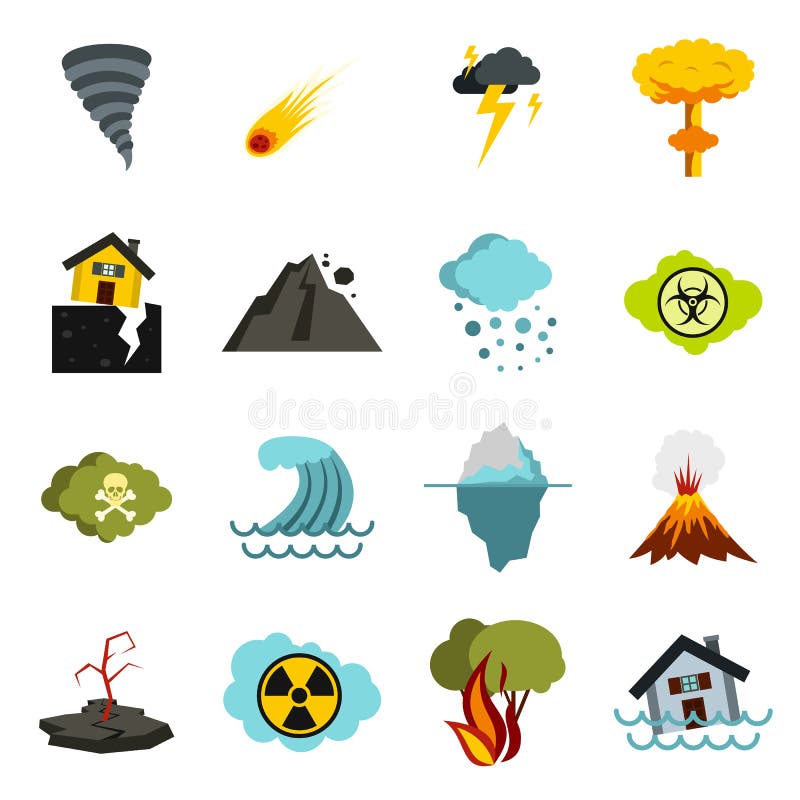
Free with trial Flat natural disaster icons set. Universal natural disaster icons to use for web and mobile UI, set of basic natural disaster elements isolated vector illustration. Use basic vectors Natural disaster icons set, flat ctyle. Flat natural disaster icons set. Universal natural disaster icons to use for web and mobile UI, set of basic natural. Flat natural disaster icons set. Universal natural disaster icons to use for web and mobile UI, set of basic natural disaster elements isolated vector illustration
Free with trial Cartoon Singapore icons set. Universal Singapore icons to use for web and mobile UI, set of basic Singapore elements isolated vector illustration. Use basic vectors Singapore icons set, cartoon style. Cartoon Singapore icons set. Universal Singapore icons to use for web and mobile UI, set of basic Singapore elements isolated. Cartoon Singapore icons set. Universal Singapore icons to use for web and mobile UI, set of basic Singapore elements isolated vector illustration
Free with trial Repeatable pattern set. Repeat seamleslly at edged. Basic but universal use - Royalty free vector illustration. Use basic vectors Repeatable pattern set. Repeat seamleslly at edged. Basic but universal use. Royalty free vector illustration
Free with trial Calculator icon basic and simple for office use. Digital calculation mathematics technology equipment object. Use basic vectors Calculator icon basic and simple for office use. Digital calculation mathematics technology equipment object
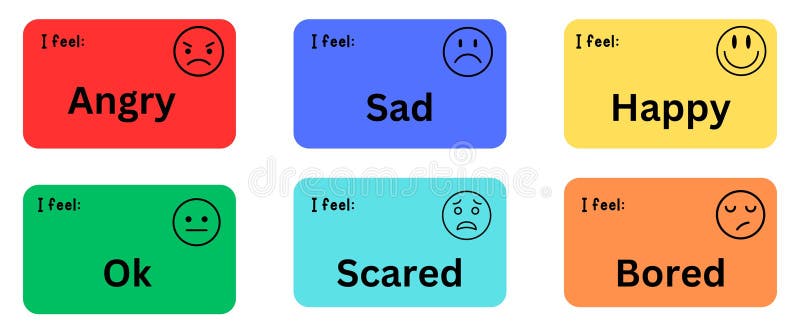
Free with trial A set of six communication cards designed to help children with autism or communication challenges express their emotions. Each card clearly represents a basic emotion, including 'Happy,' 'Sad,' 'Angry,' 'Scared,' 'Ok,' and 'Bored. ' These cards can be downloaded and used by caregivers, educators, and therapists to support children in identifying and communicating their emotional states, fostering emotional awareness and reducing frustration. Ideal for use in home, therapy, or school environments as a tool for emotional development and self-expression. Use basic illustrations Communication Aid Cards for Children with Autism - Basic Emotions. A set of six communication cards designed to help children with autism or communication. A set of six communication cards designed to help children with autism or communication challenges express their emotions. Each card clearly represents a basic emotion, including 'Happy,' 'Sad,' 'Angry,' 'Scared,' 'Ok,' and 'Bored.' These cards can be downloaded and used by caregivers, educators, and therapists to support children in identifying and communicating their emotional states, fostering emotional awareness and reducing frustration. Ideal for use in home, therapy, or school environments as a tool for emotional development and self-expression.
Free with trial Learning basic colors with caterpillars for children, use plasticine, buttons, pompoms, colored paper or color the page, fun education game for kids, preschool worksheet activity, vector. Use basic vectors Learning basic colors with caterpillars for children, use plasticine, buttons, pompoms, colored paper or color the page. Fun education game for kids, preschool. Learning basic colors with caterpillars for children, use plasticine, buttons, pompoms, colored paper or color the page, fun education game for kids, preschool worksheet activity, vector
Free with trial Wishlist icon vector from ecommerce basic collection. Thin line wishlist outline icon vector illustration. Linear symbol for use on web and mobile apps, logo, print media. Use basic vectors Wishlist icon vector from ecommerce basic collection. Thin line wishlist outline icon vector illustration. Linear symbol for use. On web and mobile apps, logo
Free with trial Discount icon vector from ecommerce basic collection. Thin line discount outline icon vector illustration. Linear symbol for use on web and mobile apps, logo, print media. Use basic vectors Discount icon vector from ecommerce basic collection. Thin line discount outline icon vector illustration. Linear symbol for use. On web and mobile apps, logo
Free with trial Schedule icon vector from ecommerce basic collection. Thin line schedule outline icon vector illustration. Linear symbol for use on web and mobile apps, logo, print media. Use basic vectors Schedule icon vector from ecommerce basic collection. Thin line schedule outline icon vector illustration. Linear symbol for use. On web and mobile apps, logo
Free with trial Refresh icon vector from basic ui elements collection. Thin line refresh outline icon vector illustration. Linear symbol for use on web and mobile apps, logo, print media. Use basic vectors Refresh icon vector from basic ui elements collection. Thin line refresh outline icon vector illustration. Linear symbol for use. On web and mobile apps, logo
Free with trial Speaker icon vector from ecommerce basic collection. Thin line speaker outline icon vector illustration. Linear symbol for use on web and mobile apps, logo, print media. Use basic vectors Speaker icon vector from ecommerce basic collection. Thin line speaker outline icon vector illustration. Linear symbol for use on. Web and mobile apps, logo
Free with trial User icon vector from ecommerce basic collection. Thin line user outline icon vector illustration. Linear symbol for use on web and mobile apps, logo, print media. Use basic vectors User icon vector from ecommerce basic collection. Thin line user outline icon vector illustration. Linear symbol for use on web. And mobile apps, logo, print
Free with trial Map icon vector from basic ui elements collection. Thin line map outline icon vector illustration. Linear symbol for use on web and mobile apps, logo, print media. Use basic vectors Map icon vector from basic ui elements collection. Thin line map outline icon vector illustration. Linear symbol for use on web. And mobile apps, logo, print
Free with trial Pig icon vector from basic ui elements collection. Thin line pig outline icon vector illustration. Linear symbol for use on web and mobile apps, logo, print media. Use basic vectors Pig icon vector from basic ui elements collection. Thin line pig outline icon vector illustration. Linear symbol for use on web. And mobile apps, logo, print
Free with trial Alert icon vector from ecommerce basic collection. Thin line alert outline icon vector illustration. Linear symbol for use on web and mobile apps, logo, print media. Use basic vectors Alert icon vector from ecommerce basic collection. Thin line alert outline icon vector illustration. Linear symbol for use on web. And mobile apps, logo, print
Free with trial Menu bar icon vector from basic ui collection. Thin line menu bar outline icon vector illustration. Linear symbol for use on web and mobile apps, logo, print media. Use basic vectors Menu bar icon vector from basic ui collection. Thin line menu bar outline icon vector illustration. Linear symbol for use on web. And mobile apps, logo, print
Free with trial Professional upload arrow icon for basic web use and design optimization, ideal for website design, content management, and tech solutions. Use basic vectors Professional Upload Arrow Icon for Basic web use and design optimization. Ideal for website design, content management, and tech solutions
Free with trial Bell icon vector from ecommerce basic collection. Thin line bell outline icon vector illustration. Linear symbol for use on web and mobile apps, logo, print media. Use basic vectors Bell icon vector from ecommerce basic collection. Thin line bell outline icon vector illustration. Linear symbol for use on web. And mobile apps, logo, print
Free with trial Drone icon vector from ecommerce basic collection. Thin line drone outline icon vector illustration. Linear symbol for use on web and mobile apps, logo, print media. Use basic vectors Drone icon vector from ecommerce basic collection. Thin line drone outline icon vector illustration. Linear symbol for use on web. And mobile apps, logo, print
Free with trial Tasks icon vector from ecommerce basic collection. Thin line tasks outline icon vector illustration. Linear symbol for use on web and mobile apps, logo, print media. Use basic vectors Tasks icon vector from ecommerce basic collection. Thin line tasks outline icon vector illustration. Linear symbol for use on web. And mobile apps, logo, print
Free with trial Professional upload arrow icon for basic web use and design optimization, ideal for website design, content management, and tech solutions. Use basic vectors Professional Upload Arrow Icon for Basic web use and design optimization. Ideal for website design, content management, and tech solutions
Free with trial Up arrow icon vector from basic ui concept. Thin line illustration of up arrow editable stroke. up arrow linear sign for use on web and mobile apps, logo, print media. Use basic vectors Up arrow icon vector from basic ui concept. Thin line illustration of up arrow editable stroke. up arrow linear sign for use on. Web and mobile apps, logo
Free with trial Alert icon vector from basic ui concept. Thin line illustration of alert editable stroke. alert linear sign for use on web and. Mobile apps, logo, print media. Use basic vectors Alert icon vector from basic ui concept. Thin line illustration of alert editable stroke. alert linear sign for use on web and. Mobile apps, logo, print media
Free with trial Png file icon vector from basic ui elements collection. Thin line png file outline icon vector illustration. Linear symbol for use on web and mobile apps, logo, print media. Use basic vectors Png file icon vector from basic ui elements collection. Thin line png file outline icon vector illustration. Linear symbol for use. On web and mobile apps, logo
Free with trial Magnifier icon vector from basic ui collection. Thin line magnifier outline icon vector illustration. Linear symbol for use on web and mobile apps, logo, print media. Use basic vectors Magnifier icon vector from basic ui collection. Thin line magnifier outline icon vector illustration. Linear symbol for use on web. And mobile apps, logo, print
Free with trial User icon vector from ecommerce basic ui concept. Thin line illustration of user editable stroke. user linear sign for use on web and mobile apps, logo, print media. Use basic vectors User icon vector from ecommerce basic ui concept. Thin line illustration of user editable stroke. user linear sign for use on web. And mobile apps, logo, print
Free with trial Adjust icon vector from basic ui concept. Thin line illustration of adjust editable stroke. adjust linear sign for use on web and mobile apps, logo, print media. Use basic vectors Adjust icon vector from basic ui concept. Thin line illustration of adjust editable stroke. adjust linear sign for use on web and. Mobile apps, logo, print
Free with trial 3d model maths shapes Patterns print perfectly on A4 and standard letter size paper. To enlarge or minimize use a photocopier. Print, cut, fold and glue the tabs to make perfect three dimensional shapes. n. Use basic vectors 3d model maths shapes Patterns print perfectly on A4 and standard letter size paper. To enlarge or minimize use a photocopier. . Print, cut, fold and glue. 3d model maths shapes Patterns print perfectly on A4 and standard letter size paper. To enlarge or minimize use a photocopier. Print, cut, fold and glue the tabs to make perfect three dimensional shapes.n
Free with trial Set of Modern Flat Line icon Concept of Basic, Universal, Internet, Computer, Calculator, Documents and Smartphone use in Web Project and Applications. Vector Illustration. Use basic vectors Modern Flat Line Color Icons- Universal and Basic. Set of Modern Flat Line icon Concept of Basic, Universal, Internet, Computer, Calculator, Documents and. Set of Modern Flat Line icon Concept of Basic, Universal, Internet, Computer, Calculator, Documents and Smartphone use in Web Project and Applications. Vector Illustration
Free with trial 3d model maths shapes Patterns print perfectly on A4 and standard letter size paper. To enlarge or minimize use a photocopier. Print, cut, fold and glue the tabs to make perfect three dimensional shapes. n. Use basic vectors 3d model maths shapes Patterns print perfectly on A4 and standard letter size paper. To enlarge or minimize use a photocopier. . Print, cut, fold and glue. 3d model maths shapes Patterns print perfectly on A4 and standard letter size paper. To enlarge or minimize use a photocopier. Print, cut, fold and glue the tabs to make perfect three dimensional shapes.n
Free with trial Modern Color Flat design icons for Basic and Universal. Icons for web and app design, easy to use and highly customizable. Vector. Use basic vectors Modern material Flat design icons - Basic and Universal. Modern Color Flat design icons for Basic and Universal. Icons for web and app design, easy to use and. Modern Color Flat design icons for Basic and Universal. Icons for web and app design, easy to use and highly customizable. Vector
Free with trial 3d model maths shapes Patterns print perfectly on A4 and standard letter size paper. To enlarge or minimize use a photocopier. Print, cut, fold and glue the tabs to make perfect three dimensional shapes. n. Use basic vectors 3d model maths shapes Patterns print perfectly on A4 and standard letter size paper. To enlarge or minimize use a photocopier. . Print, cut, fold and glue. 3d model maths shapes Patterns print perfectly on A4 and standard letter size paper. To enlarge or minimize use a photocopier. Print, cut, fold and glue the tabs to make perfect three dimensional shapes.n
Free with trial 3d model maths shapes Patterns print perfectly on A4 and standard letter size paper. To enlarge or minimize use a photocopier. Print, cut, fold and glue the tabs to make perfect three dimensional shapes. n. Use basic vectors 3d model maths shapes Patterns print perfectly on A4 and standard letter size paper. To enlarge or minimize use a photocopier. . Print, cut, fold and glue. 3d model maths shapes Patterns print perfectly on A4 and standard letter size paper. To enlarge or minimize use a photocopier. Print, cut, fold and glue the tabs to make perfect three dimensional shapes.n
Free with trial 3d model maths shapes Patterns print perfectly on A4 and standard letter size paper. To enlarge or minimize use a photocopier. Print, cut, fold and glue the tabs to make perfect three dimensional shapes. n. Use basic vectors 3d model maths shapes Patterns print perfectly on A4 and standard letter size paper. To enlarge or minimize use a photocopier. . Print, cut, fold and glue. 3d model maths shapes Patterns print perfectly on A4 and standard letter size paper. To enlarge or minimize use a photocopier. Print, cut, fold and glue the tabs to make perfect three dimensional shapes.n
Free with trial 3d model maths shapes Patterns print perfectly on A4 and standard letter size paper. To enlarge or minimize use a photocopier. Print, cut, fold and glue the tabs to make perfect three dimensional shapes. n. Use basic vectors 3d model maths shapes Patterns print perfectly on A4 and standard letter size paper. To enlarge or minimize use a photocopier. . Print, cut, fold and glue. 3d model maths shapes Patterns print perfectly on A4 and standard letter size paper. To enlarge or minimize use a photocopier. Print, cut, fold and glue the tabs to make perfect three dimensional shapes.n
Free with trial Basic vector simple shopping icons. Use this vector icons set for design your website or publications. Use basic vectors Basic vector simple shopping icons. Use this vector icons set for design your website or publications
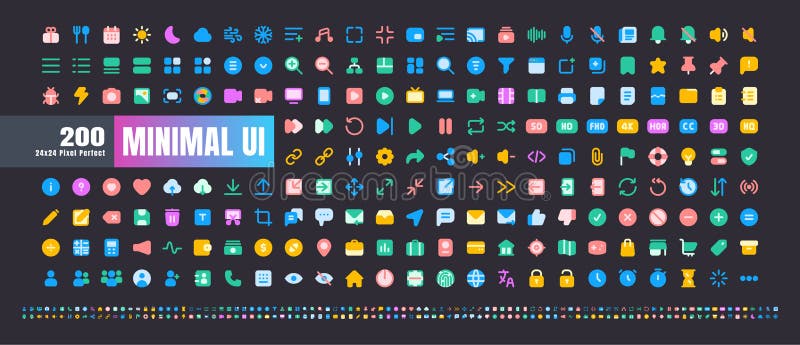
Free with trial 24x24 Pixel Perfect. Basic User Interface Essential Set. 200 Flat Color Icons. For App, Web, Print. Round Cap and Round Corner. Ready to use and Easy to Customize. Good for Daek Mode Theme. Use basic vectors 24x24 Pixel Perfect. Basic User Interface Essential Set. 200 Flat Color Icons. For App, Web, Print. Round Cap and Round Corner. Ready to use and Easy to
Free with trial 48x48 Pixel Perfect. Basic Use Interface Essential Set. 810 Solid Glyph Icons. For App, Web, Print. Round Cap and Round Corner. Use basic vectors 48x48 Pixel Perfect. Basic User Interface Essential Set. 810 Solid Glyph Icons. For App, Web, Print. Round Cap and Round Corner. 48x48 Pixel Perfect. Basic Use. 48x48 Pixel Perfect. Basic Use Interface Essential Set. 810 Solid Glyph Icons. For App, Web, Print. Round Cap and Round Corner
Free with trial Government icon vector from basic ui elements collection. Thin line government outline icon vector illustration. Linear symbol for use on web and mobile apps, logo, print media. Use basic vectors Government icon vector from basic ui elements collection. Thin line government outline icon vector illustration. Linear symbol for. Use on web and mobile apps
Free with trial Wet and dry use icon , Vector illustration. Line. Use basic vectors Wet and dry use icon , Vector illustration. Line
Free with trial Simple school icons set. Universal school icon to use for web and mobile UI, set of basic school elements flat vector. Illustration. EPS. Use basic vectors Simple school icons set. Universal school icon to use for web and mobile UI, set of basic school elements flat vector. Illustration. EPS
Free with trial Delivery van icon vector from ecommerce basic collection. Thin line delivery van outline icon vector illustration. Linear symbol for use on web and mobile apps, logo, print media. Use basic vectors Delivery van icon vector from ecommerce basic collection. Thin line delivery van outline icon vector illustration. Linear symbol. For use on web and mobile apps
Free with trial Shopping cart icon vector from ecommerce basic collection. Thin line shopping cart outline icon vector illustration. Linear symbol for use on web and mobile apps, logo, print media. Use basic vectors Shopping cart icon vector from ecommerce basic collection. Thin line shopping cart outline icon vector illustration. Linear symbol. For use on web and mobile. shopping cart icon vector from ecommerce basic collection. Thin line shopping cart outline icon vector illustration. Linear symbol for use on web and mobile apps, logo, print media
Free with trial Japanese Samurai Robot with sacred geometry can use for gaming logo, e-sport logo. Use basic vectors Japanese Samurai Robot with sacred geometry can use for gaming logo, e-sport logo
Free with trial Letter W and letter Z with paintbrush logo design template. Painting services icon. combination between basic letter use black color and colorful paintbrush. Use basic vectors Letter W and letter Z with paintbrush logo design template. Painting services icon. Combination between basic letter use black color and colorful paintbrush
Free with trial Delivery truck icon vector from ecommerce basic collection. Thin line delivery truck outline icon vector illustration. Linear symbol for use on web and mobile apps, logo, print media. Use basic vectors Delivery truck icon vector from ecommerce basic collection. Thin line delivery truck outline icon vector illustration. Linear. Symbol for use on web and mobile. delivery truck icon vector from ecommerce basic collection. Thin line delivery truck outline icon vector illustration. Linear symbol for use on web and mobile apps, logo, print media
Free with trial A comprehensive collection of minimalist black and white vector icons depicting various food items. The icons include representations of fruits, vegetables, beverages, baked goods, and cooking utensils, all designed in a flat style. Each icon is simplistic, utilizing basic geometric shapes, making them suitable for menu or design purposes. The overall arrangement is grid-like, ensuring easy identification and categorization. The color scheme is strictly monochromatic, enhancing a clean and modern aesthetic. Use basic vectors Set of minimalist black and white food vector icons in flat style, ideal for menu or design use. A comprehensive collection of minimalist black and white vector. A comprehensive collection of minimalist black and white vector icons depicting various food items. The icons include representations of fruits, vegetables, beverages, baked goods, and cooking utensils, all designed in a flat style. Each icon is simplistic, utilizing basic geometric shapes, making them suitable for menu or design purposes. The overall arrangement is grid-like, ensuring easy identification and categorization. The color scheme is strictly monochromatic, enhancing a clean and modern aesthetic.
Free with trial Japanese Samurai Robot with sacred geometry can use for gaming logo, e-sport logo. Use basic vectors Japanese Samurai Robot with sacred geometry can use for gaming logo, e-sport logo
Free with trial Gradient color Flyer design -vector. Basic Gradient color flyer design for use design the for use design the web pages. Use basic illustrations Gradient color Flyer design -vector. Basic Gradient color flyer design for use design the for use design the web pages
Free with trial Set of Islamic icon with thin line art style, use for Islamic event or pictogram assets, Ramadan Kareem, eid Mubarak. Islamic Line Art Icons. Ramadan Kareem Line Vector Icons. Use basic vectors Set of Islamic icon with thin line art style, use for Islamic event. Or pictogram assets, Ramadan Kareem, eid Mubarak. Islamic Line Art Icons. Ramadan Kareem
Free with trial Right arrow icon vector from basic ui elements collection. Thin line right arrow outline icon vector illustration. Linear symbol for use on web and mobile apps, logo, print media. Use basic vectors Right arrow icon vector from basic ui elements collection. Thin line right arrow outline icon vector illustration. Linear symbol. For use on web and mobile apps
Free with trial Start by creating the basic outline of the bulldog's body. Use smooth curves and straight lines to depict the head, body, legs, and tail. Pay attention to the distinct features of a bulldog, such as its muscular build, broad chest, and thick neck. Facial Features: Focus on the bulldog's face, which is a key characteristic of the breed. Draw the eyes, nose, and mouth. Bulldogs typically have round, expressive eyes, a wide nose, and a distinctive frown-like mouth. Capture the unique wrinkles and folds on their face, particularly around the muzzle and forehead. Use basic vectors Bulldog Svg Vector Design. Start by creating the basic outline of the bulldog's body. Use smooth curves and straight lines to depict the head, body, legs, and. Start by creating the basic outline of the bulldog's body. Use smooth curves and straight lines to depict the head, body, legs, and tail. Pay attention to the distinct features of a bulldog, such as its muscular build, broad chest, and thick neck.Facial Features: Focus on the bulldog's face, which is a key characteristic of the breed. Draw the eyes, nose, and mouth. Bulldogs typically have round, expressive eyes, a wide nose, and a distinctive frown-like mouth. Capture the unique wrinkles and folds on their face, particularly around the muzzle and forehead
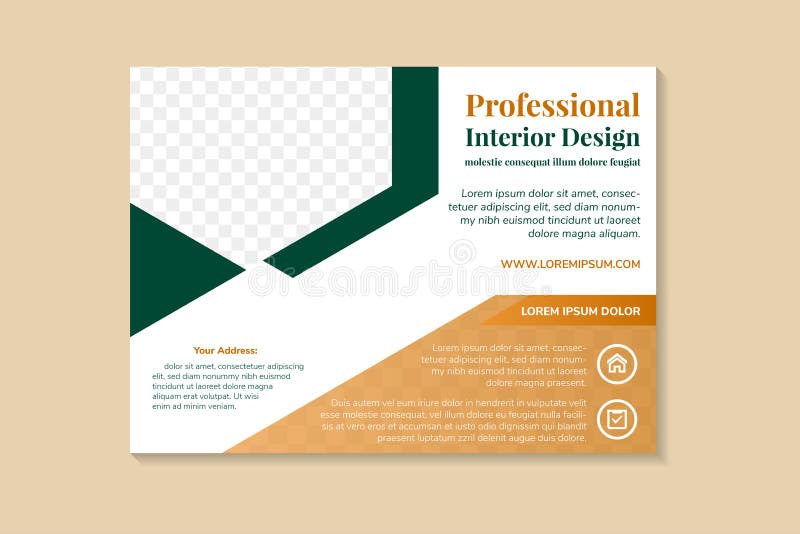
Free with trial Professional interior design flyer design template use horizontal layout. white background combined with green and gold elements colors. Half hexagon shape for space of photo collage. Use basic vectors Professional interior design flyer design template use horizontal layout. White background combined with green and gold elements colors. Half hexagon shape for
Free with trial New experience quality life flyer design template use horizontal layout. grey gradient background with yellow and brown gradient on element and infographic. diagonal shape for space of photo collage. Use basic vectors New experience quality life flyer design template use horizontal layout. Grey gradient background with yellow and brown gradient on element and infographic
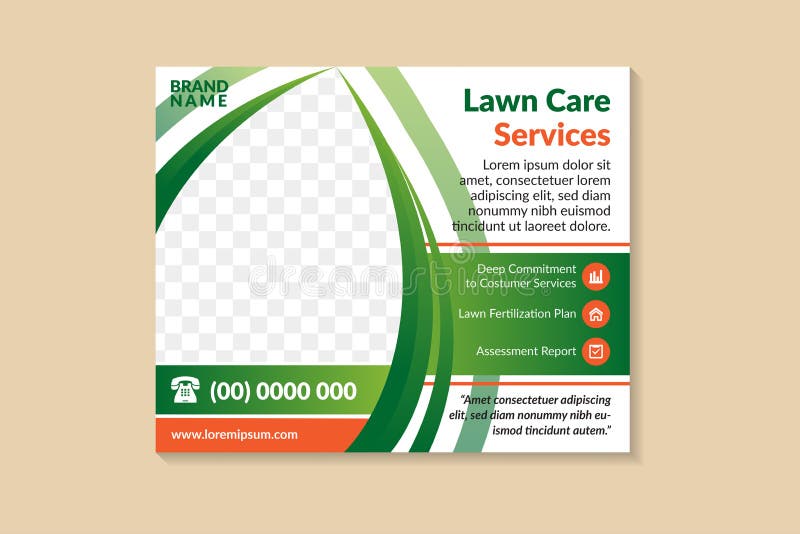
Free with trial Lawn care and gardening service flyer design template use green gradient color. brochure template design with horizontal layout. leaf shape for photo space. Use basic vectors Lawn care and gardening service flyer design template use green gradient color. Brochure template design with horizontal layout. leaf shape for photo space
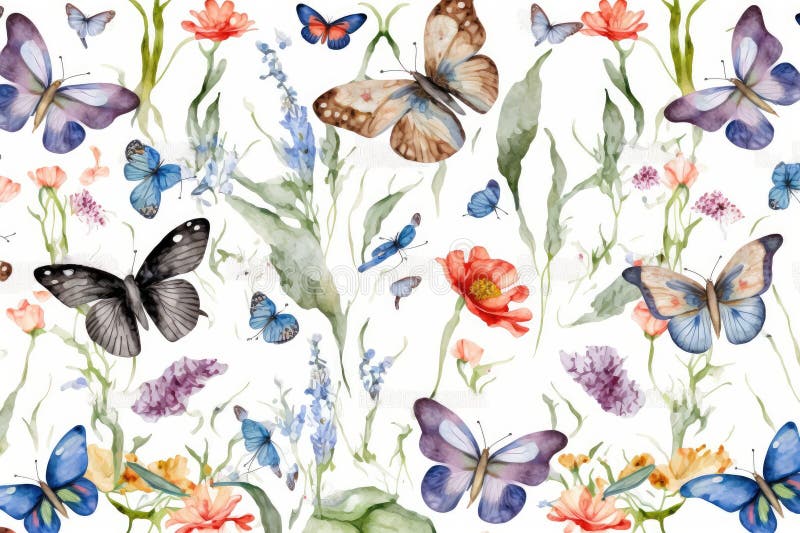
Free with trial Create a seamless watercolor floral pattern with butterflies. Step 1: Gather MaterialsTo create a seamless watercolor floral pattern with butterflies, you will need watercolor paper, watercolor paints, paintbrushes, a pencil, eraser, ruler, and a butterfly stencil. Step 2: Sketch the DesignUsing a pencil and ruler, sketch out the design for your pattern. Start by drawing the outline of the flowers and leaves. Then, add in the details such as the petals, stems, and veins. Once you have the basic design, use the butterfly stencil to add in the butterflies. Step 3: Paint the DesignUsing your watercolor paints, start painting the design. Begin with the background and work your way forward. Use light washes of color to create a soft, watercolor effect. Be sure to let each layer dry completely before adding the next layer. Step 4: Add DetailsOnce you have the basic design painted, add in the details such as the butterfly wings, antennae, and flower centers. Use a fine-tipped brush to add in the details. Step 5: Create the Seamless PatternTo create the seamless pattern, scan or photograph your design and upload it to a digital design program. Use the program to create a repeating pattern by copying and pasting the design. Be sure to line up the edges of the design so that it seamlessly repeats. Step 6: Print and UseOnce you have created the seamless pattern, you can print it out and use it for a variety of projects such as wrapping paper, fabric, or wallpaper. Enjoy your beautiful watercolor floral pattern with butterflies!. Use basic illustrations Seamless watercolor Floral Pattern with Butterflies. Ultra High Realistic. Create a seamless watercolor floral pattern with butterflies.Step 1: Gather. Create a seamless watercolor floral pattern with butterflies.Step 1: Gather MaterialsTo create a seamless watercolor floral pattern with butterflies, you will need watercolor paper, watercolor paints, paintbrushes, a pencil, eraser, ruler, and a butterfly stencil.Step 2: Sketch the DesignUsing a pencil and ruler, sketch out the design for your pattern. Start by drawing the outline of the flowers and leaves. Then, add in the details such as the petals, stems, and veins. Once you have the basic design, use the butterfly stencil to add in the butterflies.Step 3: Paint the DesignUsing your watercolor paints, start painting the design. Begin with the background and work your way forward. Use light washes of color to create a soft, watercolor effect. Be sure to let each layer dry completely before adding the next layer.Step 4: Add DetailsOnce you have the basic design painted, add in the details such as the butterfly wings, antennae, and flower centers. Use a fine-tipped brush to add in the details.Step 5: Create the Seamless PatternTo create the seamless pattern, scan or photograph your design and upload it to a digital design program. Use the program to create a repeating pattern by copying and pasting the design. Be sure to line up the edges of the design so that it seamlessly repeats.Step 6: Print and UseOnce you have created the seamless pattern, you can print it out and use it for a variety of projects such as wrapping paper, fabric, or wallpaper. Enjoy your beautiful watercolor floral pattern with butterflies!
Free with trial Flyer template design of travelling use blue green gradient colors on element. liquid style on white and dark blue background. vertical layout with space for photo collage. Use basic vectors Flyer template design of travelling use blue green gradient colors on element. Liquid style on white and dark blue background. vertical layout with space for
Free with trial Full seamless leopard cheetah texture animal skin pattern. Gold color textile fabric print. Suitable for fashion use. Vector illustration. Use basic vectors Seamless leopard cheetah texture animal skin pattern. Gold color textile fabric print. Suitable for fashion use. Full seamless leopard cheetah texture animal. Full seamless leopard cheetah texture animal skin pattern. Gold color textile fabric print. Suitable for fashion use. Vector illustration
Free with trial Synchronize icon vector from basic ui concept. Thin line illustration of synchronize editable stroke. synchronize linear sign for use on web and mobile apps, logo, print media. Use basic vectors Synchronize icon vector from basic ui concept. Thin line illustration of synchronize editable stroke. synchronize linear sign for. Use on web and mobile apps
Free with trial Phone call icon vector from basic ui elements collection. Thin line phone call outline icon vector illustration. Linear symbol for use on web and mobile apps, logo, print media. Use basic vectors Phone call icon vector from basic ui elements collection. Thin line phone call outline icon vector illustration. Linear symbol for. Use on web and mobile apps
Free with trial Home security design and technology flyer design template use horizontal layout. multicolored brown background combined with white and grey colors. Shield shape for space of photo collage. Use basic vectors Home security design and technology flyer design template use horizontal layout. Multicolored brown background combined with white and grey colors. Shield
Free with trial Abstract bauhaus elements shapes in modern geometric style for use as pattern,cover,banner,poster and contemporary art. Use basic vectors Abstract bauhaus elements shapes for use as banner or poster. Abstract bauhaus elements shapes in modern geometric style for use as pattern,cover,banner,poster. Abstract bauhaus elements shapes in modern geometric style for use as pattern,cover,banner,poster and contemporary art
Free with trial Learn custom app development flyer design template use horizontal layout. Brown gradient background with yellow gradient on element and infographic. diagonal shape for space of photo collage. Use basic vectors Learn custom app development flyer design template use horizontal layout. Brown gradient background with yellow gradient on element and infographic. diagonal
Free with trial Set of horse riding school flyer template design use combination purple gradient and white colors. collection Vertical layout with space for photo collage. dark and white background. Use basic vectors Horse riding school flyer template design use combination purple gradient and white colors. Set of horse riding school flyer template design use combination. Set of horse riding school flyer template design use combination purple gradient and white colors. collection Vertical layout with space for photo collage. dark and white background.
Free with trial Abstract bauhaus elements shapes in modern geometric style for use as pattern,cover,banner,poster and contemporary art. Use basic vectors Abstract bauhaus elements shapes for use as cover or poster. Abstract bauhaus elements shapes in modern geometric style for use as pattern,cover,banner,poster. Abstract bauhaus elements shapes in modern geometric style for use as pattern,cover,banner,poster and contemporary art
Free with trial BIOS - Basic Input Output System acronym, technology concept background. Use basic illustrations BIOS - Basic Input Output System acronym, technology concept background
Free with trial Colorful Bauhaus elements. Modern geometric shapes in abstract and minimal style. Of basic forms for use as pattern,banner,poster and contemporary art. Use basic vectors Colorful Bauhaus elements. Modern geometric shapes in abstract and minimal style. Of basic forms for use as pattern,banner,poster and contemporary art
Free with trial Create a creamy graphic of the Easter Bunny. As I began to create the graphic of the Easter Bunny, I decided to use a soft and creamy color palette to give it a warm and inviting feel. I started by sketching out the basic shape of the bunny, making sure to include its long ears and fluffy tail. Once I had the outline, I began to fill it in with a light cream color, adding shading and highlights to give it depth and dimension. Next, I added some details to the bunny's face, including its cute little nose and whiskers. I also gave it a friendly smile to make it even more inviting. To finish off the graphic, I added some colorful Easter eggs around the bunny, as well as some flowers and greenery to give it a springtime feel. Overall, I was really happy with how the creamy graphic of the Easter Bunny turned out. It was warm, inviting, and perfect for the holiday season. Use basic illustrations Happy Easter, Easter Bunny in Creamy Graphic, Isolate on white background. Create a creamy graphic of the Easter Bunny.As I began to create the graphic of the. Create a creamy graphic of the Easter Bunny.As I began to create the graphic of the Easter Bunny, I decided to use a soft and creamy color palette to give it a warm and inviting feel. I started by sketching out the basic shape of the bunny, making sure to include its long ears and fluffy tail. Once I had the outline, I began to fill it in with a light cream color, adding shading and highlights to give it depth and dimension.Next, I added some details to the bunny's face, including its cute little nose and whiskers. I also gave it a friendly smile to make it even more inviting. To finish off the graphic, I added some colorful Easter eggs around the bunny, as well as some flowers and greenery to give it a springtime feel.Overall, I was really happy with how the creamy graphic of the Easter Bunny turned out. It was warm, inviting, and perfect for the holiday season.
Free with trial Full seamless tiger and zebra stripes animal skin pattern. Green white texture for textile fabric print. Suitable for fashion use. Use basic vectors Seamless tiger and zebra stripes animal skin pattern. Green white texture for textile fabric print. Suitable for fashion use. Full seamless tiger and zebra. Full seamless tiger and zebra stripes animal skin pattern. Green white texture for textile fabric print. Suitable for fashion use
 Sign in