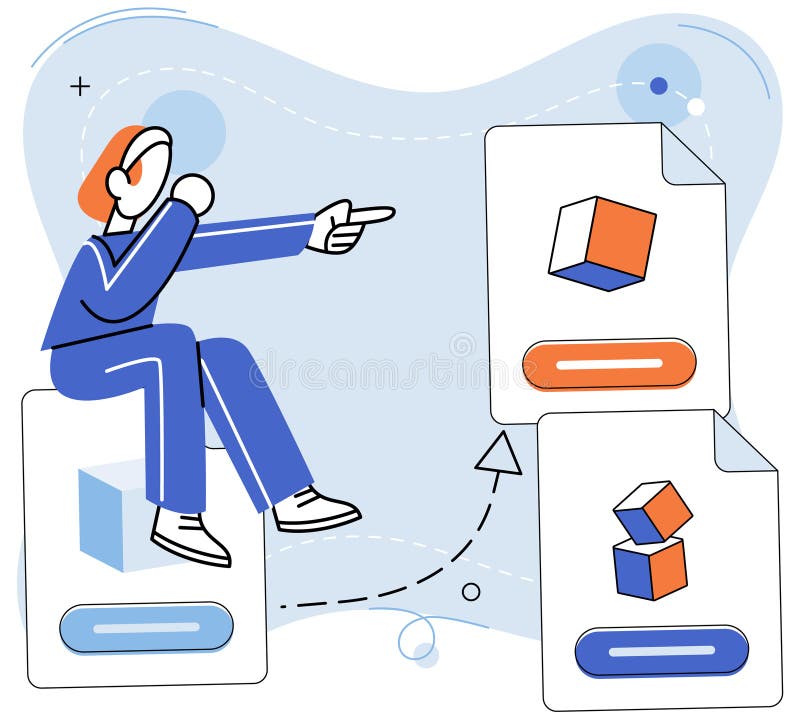
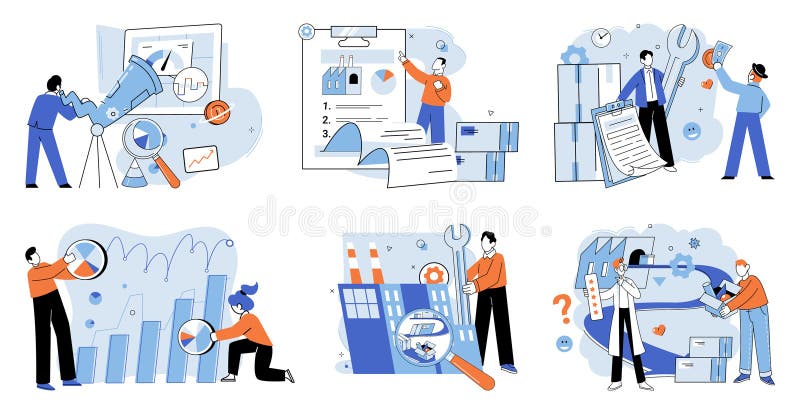
Free with trial Business manage. Vector illustration. The concept business management involves coordinating resources and activities Enterprises rely on effective leadership to navigate challenges Leading by example. Involves vectors Business manage. The influence managers can shape direction company. Business manage. Vector illustration. The concept business management involves coordinating. Business manage. Vector illustration. The concept business management involves coordinating resources and activities Enterprises rely on effective leadership to navigate challenges Leading by example
Free with trial Man icon in dispersed, dotted halftone and whole variants. Pixels are arranged into vector dispersed man icon. Disappearing effect involves rectangle particles. Involves vectors Broken Pixel Halftone Man Icon. Man icon in dispersed, dotted halftone and whole variants. Pixels are arranged into vector dispersed man icon. Disappearing. Man icon in dispersed, dotted halftone and whole variants. Pixels are arranged into vector dispersed man icon. Disappearing effect involves rectangle particles.
Free with trial Vector dotted chart icon in dispersed, dotted halftone and undamaged solid variants. Disappearing effect involves square sparks and horizontal gradient from red to black. Involves vectors Fragmented Pixel Halftone Dotted Chart Icon. Vector dotted chart icon in dispersed, dotted halftone and undamaged solid variants. Disappearing effect involves. Vector dotted chart icon in dispersed, dotted halftone and undamaged solid variants. Disappearing effect involves square sparks and horizontal gradient from red to black.
Free with trial Vector dotted pulse icon in sparkle, pixelated halftone and undamaged whole versions. Disappearing effect involves rectangle dots and horizontal gradient from red to black. Involves vectors Dissipated Pixel Halftone Dotted Pulse Icon. Vector dotted pulse icon in sparkle, pixelated halftone and undamaged whole versions. Disappearing effect involves. Vector dotted pulse icon in sparkle, pixelated halftone and undamaged whole versions. Disappearing effect involves rectangle dots and horizontal gradient from red to black.
Free with trial Vector person compare Euro Dollar icon in dissolved, pixelated halftone and undamaged entire variants. Disappearing effect involves rectangle dots and horizontal gradient from red to black. Involves vectors Dissolved Pixel Halftone Person Compare Euro Dollar Icon. Vector person compare Euro Dollar icon in dissolved, pixelated halftone and undamaged entire variants. Vector person compare Euro Dollar icon in dissolved, pixelated halftone and undamaged entire variants. Disappearing effect involves rectangle dots and horizontal gradient from red to black.
Free with trial Vector rocket business bar chart icon in dissolved, pixelated halftone and undamaged entire variants. Disappearing effect involves square dots and horizontal gradient from red to black. Involves vectors Destructed Pixel Halftone Rocket Business Bar Chart Icon. Vector rocket business bar chart icon in dissolved, pixelated halftone and undamaged entire variants. Vector rocket business bar chart icon in dissolved, pixelated halftone and undamaged entire variants. Disappearing effect involves square dots and horizontal gradient from red to black.
Free with trial Gray vector photo camera icon in dispersed, pixelated halftone and undamaged whole versions. Disappearing effect involves rectangular particles. Cells are combined into dispersed photo camera form. Involves vectors Dissipated Pixel Halftone Photo Camera Icon. Gray vector photo camera icon in dispersed, pixelated halftone and undamaged whole versions. Disappearing effect. Gray vector photo camera icon in dispersed, pixelated halftone and undamaged whole versions. Disappearing effect involves rectangular particles. Cells are combined into dispersed photo camera form.
Free with trial Vector medical network structure icon in dispersed, pixelated halftone and undamaged whole variants. Disappearing effect involves square scintillas and horizontal gradient from red to black. Involves vectors Dissipated Pixel Halftone Medical Network Structure Icon. Vector medical network structure icon in dispersed, pixelated halftone and undamaged whole variants. Vector medical network structure icon in dispersed, pixelated halftone and undamaged whole variants. Disappearing effect involves square scintillas and horizontal gradient from red to black.
Free with trial Vector woman icon in dispersed, pixelated halftone and undamaged whole variants. Disappearing effect involves rectangular sparks and horizontal gradient from red to black. Involves vectors Dust Pixel Halftone Woman Icon. Vector woman icon in dispersed, pixelated halftone and undamaged whole variants. Disappearing effect involves rectangular sparks. Vector woman icon in dispersed, pixelated halftone and undamaged whole variants. Disappearing effect involves rectangular sparks and horizontal gradient from red to black.
Free with trial Vector financial trends icon in dissolved, pixelated halftone and undamaged solid variants. Disintegration effect involves rectangular particles and horizontal gradient from red to black. Involves vectors Moving Pixel Halftone Financial Trends Icon. Vector financial trends icon in dissolved, pixelated halftone and undamaged solid variants. Disintegration effect. Vector financial trends icon in dissolved, pixelated halftone and undamaged solid variants. Disintegration effect involves rectangular particles and horizontal gradient from red to black.
Free with trial Vector gears icon in fractured, dotted halftone and undamaged whole variants. Disappearing effect involves rectangular particles and horizontal gradient from red to black. Involves vectors Dust Pixel Halftone Gears Icon. Vector gears icon in fractured, dotted halftone and undamaged whole variants. Disappearing effect involves rectangular particles. Vector gears icon in fractured, dotted halftone and undamaged whole variants. Disappearing effect involves rectangular particles and horizontal gradient from red to black.
Free with trial Vector bank building icon in sparkle, pixelated halftone and undamaged entire variants. Disappearing effect involves square particles and horizontal gradient from red to black. Involves vectors Fractured Pixel Halftone Bank Building Icon. Vector bank building icon in sparkle, pixelated halftone and undamaged entire variants. Disappearing effect involves. Vector bank building icon in sparkle, pixelated halftone and undamaged entire variants. Disappearing effect involves square particles and horizontal gradient from red to black.
Free with trial Gray vector clock icon in dissolved, dotted halftone and undamaged solid versions. Disappearing effect involves square dots. Points are composed into dispersed clock shape. Involves vectors Dust Pixel Halftone Clock Icon. Gray vector clock icon in dissolved, dotted halftone and undamaged solid versions. Disappearing effect involves square dots. Gray vector clock icon in dissolved, dotted halftone and undamaged solid versions. Disappearing effect involves square dots. Points are composed into dispersed clock shape.
Free with trial Vector icon in dispersed, dotted halftone with red to black horizontal gradient and undamaged whole variants. Disappearing effect involves rectangular sparks. Involves vectors Decomposed Pixel Halftone Icon. Vector icon in dispersed, dotted halftone with red to black horizontal gradient and undamaged whole variants. Disappearing effect. Vector icon in dispersed, dotted halftone with red to black horizontal gradient and undamaged whole variants. Disappearing effect involves rectangular sparks.
Free with trial Vector molecule structure icon in sparkle, pixelated halftone and undamaged solid variants. Disappearing effect involves square scintillas and horizontal gradient from red to black. Involves vectors Dust Pixel Halftone Molecule Structure Icon. Vector molecule structure icon in sparkle, pixelated halftone and undamaged solid variants. Disappearing effect. Vector molecule structure icon in sparkle, pixelated halftone and undamaged solid variants. Disappearing effect involves square scintillas and horizontal gradient from red to black.
Free with trial House icon in dissolved, dotted halftone and solid variants. Pixels are arranged into vector disappearing house shape. Disappearing effect involves rectangular particles. Involves vectors Dust Pixel Halftone House Icon. House icon in dissolved, dotted halftone and solid variants. Pixels are arranged into vector disappearing house shape. House icon in dissolved, dotted halftone and solid variants. Pixels are arranged into vector disappearing house shape. Disappearing effect involves rectangular particles.
Free with trial Vector car shower icon in dispersed, dotted halftone and undamaged entire versions. Disintegration effect involves rectangle sparks and horizontal gradient from red to black. Involves vectors Disappearing Pixel Halftone Car Shower Icon. Vector car shower icon in dispersed, dotted halftone and undamaged entire versions. Disintegration effect involves. Vector car shower icon in dispersed, dotted halftone and undamaged entire versions. Disintegration effect involves rectangle sparks and horizontal gradient from red to black.
Free with trial Vector bank terminal icon in fractured, pixelated halftone and undamaged entire versions. Disappearing effect involves rectangular dots and horizontal gradient from red to black. Involves vectors Fractured Pixel Halftone Bank Terminal Icon. Vector bank terminal icon in fractured, pixelated halftone and undamaged entire versions. Disappearing effect. Vector bank terminal icon in fractured, pixelated halftone and undamaged entire versions. Disappearing effect involves rectangular dots and horizontal gradient from red to black.
Free with trial Vector collaboration icon in fractured, dotted halftone and undamaged whole variants. Disappearing effect involves rectangular particles and horizontal gradient from red to black. Involves vectors Fractured Pixel Halftone Collaboration Icon. Vector collaboration icon in fractured, dotted halftone and undamaged whole variants. Disappearing effect involves. Vector collaboration icon in fractured, dotted halftone and undamaged whole variants. Disappearing effect involves rectangular particles and horizontal gradient from red to black.
Free with trial Creating an abstract background wallpaper vector image for a backdrop or presentation involves blending various artistic elements to form a visually engaging and versatile design. Abstract backgrounds are characterized by their lack of definitive shapes or figures, allowing for creative freedom and interpretation. This flexibility makes them ideal for a variety of applications, from business presentations to digital art projects. The design of an abstract background wallpaper often begins with a color palette. Choosing the right colors is crucial, as they set the tone and mood of the image. Bright, vibrant colors can convey energy and enthusiasm, while softer, pastel tones might evoke a sense of calm and tranquility. Gradients are commonly used in abstract backgrounds, providing a smooth transition between colors and adding depth to the design. Shapes and patterns are also key components of abstract backgrounds. These can range from geometric patterns, like circles, squares, and triangles, to more fluid, organic shapes that mimic natural forms. The arrangement and repetition of these shapes can create a sense of movement and rhythm within the image, drawing the viewer’s eye across the design. Texture plays a significant role in adding dimension and interest to an abstract background. Techniques such as layering, blending, and opacity adjustments can be used to create a sense of depth and complexity. Some designs may incorporate subtle textures, like a grainy or speckled effect, while others might feature more pronounced, tactile elements. When creating a vector image, the focus is on scalability and precision. Vector graphics are composed of paths defined by mathematical expressions, allowing them to be resized without loss of quality. This makes vector images ideal for backgrounds, as they can be adapted to different screen sizes and resolutions without compromising clarity. Overall, an abstract background wallpaper vector image is a versatile and aesthetically pleasing choice for backdrops or presentations. Its ability to convey different emotions and themes through color, shape, and texture makes it a powerful tool for enhancing visual communication and engaging an audience. Involves vectors Abstract Stripes color background wallpaper vector image for backdrop or presentation. Creating an abstract background wallpaper vector image for a backdrop or. Creating an abstract background wallpaper vector image for a backdrop or presentation involves blending various artistic elements to form a visually engaging and versatile design. Abstract backgrounds are characterized by their lack of definitive shapes or figures, allowing for creative freedom and interpretation. This flexibility makes them ideal for a variety of applications, from business presentations to digital art projects.The design of an abstract background wallpaper often begins with a color palette. Choosing the right colors is crucial, as they set the tone and mood of the image. Bright, vibrant colors can convey energy and enthusiasm, while softer, pastel tones might evoke a sense of calm and tranquility. Gradients are commonly used in abstract backgrounds, providing a smooth transition between colors and adding depth to the design.Shapes and patterns are also key components of abstract backgrounds. These can range from geometric patterns, like circles, squares, and triangles, to more fluid, organic shapes that mimic natural forms. The arrangement and repetition of these shapes can create a sense of movement and rhythm within the image, drawing the viewer’s eye across the design.Texture plays a significant role in adding dimension and interest to an abstract background. Techniques such as layering, blending, and opacity adjustments can be used to create a sense of depth and complexity. Some designs may incorporate subtle textures, like a grainy or speckled effect, while others might feature more pronounced, tactile elements.When creating a vector image, the focus is on scalability and precision. Vector graphics are composed of paths defined by mathematical expressions, allowing them to be resized without loss of quality. This makes vector images ideal for backgrounds, as they can be adapted to different screen sizes and resolutions without compromising clarity.Overall, an abstract background wallpaper vector image is a versatile and aesthetically pleasing choice for backdrops or presentations. Its ability to convey different emotions and themes through color, shape, and texture makes it a powerful tool for enhancing visual communication and engaging an audience.
Free with trial Creating an abstract background wallpaper vector image for a backdrop or presentation involves blending various artistic elements to form a visually engaging and versatile design. Abstract backgrounds are characterized by their lack of definitive shapes or figures, allowing for creative freedom and interpretation. This flexibility makes them ideal for a variety of applications, from business presentations to digital art projects. The design of an abstract background wallpaper often begins with a color palette. Choosing the right colors is crucial, as they set the tone and mood of the image. Bright, vibrant colors can convey energy and enthusiasm, while softer, pastel tones might evoke a sense of calm and tranquility. Gradients are commonly used in abstract backgrounds, providing a smooth transition between colors and adding depth to the design. Shapes and patterns are also key components of abstract backgrounds. These can range from geometric patterns, like circles, squares, and triangles, to more fluid, organic shapes that mimic natural forms. The arrangement and repetition of these shapes can create a sense of movement and rhythm within the image, drawing the viewer’s eye across the design. Texture plays a significant role in adding dimension and interest to an abstract background. Techniques such as layering, blending, and opacity adjustments can be used to create a sense of depth and complexity. Some designs may incorporate subtle textures, like a grainy or speckled effect, while others might feature more pronounced, tactile elements. When creating a vector image, the focus is on scalability and precision. Vector graphics are composed of paths defined by mathematical expressions, allowing them to be resized without loss of quality. This makes vector images ideal for backgrounds, as they can be adapted to different screen sizes and resolutions without compromising clarity. Overall, an abstract background wallpaper vector image is a versatile and aesthetically pleasing choice for backdrops or presentations. Its ability to convey different emotions and themes through color, shape, and texture makes it a powerful tool for enhancing visual communication and engaging an audience. Involves vectors Abstract Stripes color background wallpaper vector image for backdrop or presentation. Creating an abstract background wallpaper vector image for a backdrop or. Creating an abstract background wallpaper vector image for a backdrop or presentation involves blending various artistic elements to form a visually engaging and versatile design. Abstract backgrounds are characterized by their lack of definitive shapes or figures, allowing for creative freedom and interpretation. This flexibility makes them ideal for a variety of applications, from business presentations to digital art projects.The design of an abstract background wallpaper often begins with a color palette. Choosing the right colors is crucial, as they set the tone and mood of the image. Bright, vibrant colors can convey energy and enthusiasm, while softer, pastel tones might evoke a sense of calm and tranquility. Gradients are commonly used in abstract backgrounds, providing a smooth transition between colors and adding depth to the design.Shapes and patterns are also key components of abstract backgrounds. These can range from geometric patterns, like circles, squares, and triangles, to more fluid, organic shapes that mimic natural forms. The arrangement and repetition of these shapes can create a sense of movement and rhythm within the image, drawing the viewer’s eye across the design.Texture plays a significant role in adding dimension and interest to an abstract background. Techniques such as layering, blending, and opacity adjustments can be used to create a sense of depth and complexity. Some designs may incorporate subtle textures, like a grainy or speckled effect, while others might feature more pronounced, tactile elements.When creating a vector image, the focus is on scalability and precision. Vector graphics are composed of paths defined by mathematical expressions, allowing them to be resized without loss of quality. This makes vector images ideal for backgrounds, as they can be adapted to different screen sizes and resolutions without compromising clarity.Overall, an abstract background wallpaper vector image is a versatile and aesthetically pleasing choice for backdrops or presentations. Its ability to convey different emotions and themes through color, shape, and texture makes it a powerful tool for enhancing visual communication and engaging an audience.
Free with trial Creating an abstract background wallpaper vector image for a backdrop or presentation involves blending various artistic elements to form a visually engaging and versatile design. Abstract backgrounds are characterized by their lack of definitive shapes or figures, allowing for creative freedom and interpretation. This flexibility makes them ideal for a variety of applications, from business presentations to digital art projects. The design of an abstract background wallpaper often begins with a color palette. Choosing the right colors is crucial, as they set the tone and mood of the image. Bright, vibrant colors can convey energy and enthusiasm, while softer, pastel tones might evoke a sense of calm and tranquility. Gradients are commonly used in abstract backgrounds, providing a smooth transition between colors and adding depth to the design. Shapes and patterns are also key components of abstract backgrounds. These can range from geometric patterns, like circles, squares, and triangles, to more fluid, organic shapes that mimic natural forms. The arrangement and repetition of these shapes can create a sense of movement and rhythm within the image, drawing the viewer’s eye across the design. Texture plays a significant role in adding dimension and interest to an abstract background. Techniques such as layering, blending, and opacity adjustments can be used to create a sense of depth and complexity. Some designs may incorporate subtle textures, like a grainy or speckled effect, while others might feature more pronounced, tactile elements. When creating a vector image, the focus is on scalability and precision. Vector graphics are composed of paths defined by mathematical expressions, allowing them to be resized without loss of quality. This makes vector images ideal for backgrounds, as they can be adapted to different screen sizes and resolutions without compromising clarity. Overall, an abstract background wallpaper vector image is a versatile and aesthetically pleasing choice for backdrops or presentations. Its ability to convey different emotions and themes through color, shape, and texture makes it a powerful tool for enhancing visual communication and engaging an audience. Involves vectors Abstract Stripes color background wallpaper vector image for backdrop or presentation. Creating an abstract background wallpaper vector image for a backdrop or. Creating an abstract background wallpaper vector image for a backdrop or presentation involves blending various artistic elements to form a visually engaging and versatile design. Abstract backgrounds are characterized by their lack of definitive shapes or figures, allowing for creative freedom and interpretation. This flexibility makes them ideal for a variety of applications, from business presentations to digital art projects.The design of an abstract background wallpaper often begins with a color palette. Choosing the right colors is crucial, as they set the tone and mood of the image. Bright, vibrant colors can convey energy and enthusiasm, while softer, pastel tones might evoke a sense of calm and tranquility. Gradients are commonly used in abstract backgrounds, providing a smooth transition between colors and adding depth to the design.Shapes and patterns are also key components of abstract backgrounds. These can range from geometric patterns, like circles, squares, and triangles, to more fluid, organic shapes that mimic natural forms. The arrangement and repetition of these shapes can create a sense of movement and rhythm within the image, drawing the viewer’s eye across the design.Texture plays a significant role in adding dimension and interest to an abstract background. Techniques such as layering, blending, and opacity adjustments can be used to create a sense of depth and complexity. Some designs may incorporate subtle textures, like a grainy or speckled effect, while others might feature more pronounced, tactile elements.When creating a vector image, the focus is on scalability and precision. Vector graphics are composed of paths defined by mathematical expressions, allowing them to be resized without loss of quality. This makes vector images ideal for backgrounds, as they can be adapted to different screen sizes and resolutions without compromising clarity.Overall, an abstract background wallpaper vector image is a versatile and aesthetically pleasing choice for backdrops or presentations. Its ability to convey different emotions and themes through color, shape, and texture makes it a powerful tool for enhancing visual communication and engaging an audience.
Free with trial Creating an abstract background wallpaper vector image for a backdrop or presentation involves blending various artistic elements to form a visually engaging and versatile design. Abstract backgrounds are characterized by their lack of definitive shapes or figures, allowing for creative freedom and interpretation. This flexibility makes them ideal for a variety of applications, from business presentations to digital art projects. The design of an abstract background wallpaper often begins with a color palette. Choosing the right colors is crucial, as they set the tone and mood of the image. Bright, vibrant colors can convey energy and enthusiasm, while softer, pastel tones might evoke a sense of calm and tranquility. Gradients are commonly used in abstract backgrounds, providing a smooth transition between colors and adding depth to the design. Shapes and patterns are also key components of abstract backgrounds. These can range from geometric patterns, like circles, squares, and triangles, to more fluid, organic shapes that mimic natural forms. The arrangement and repetition of these shapes can create a sense of movement and rhythm within the image, drawing the viewer’s eye across the design. Texture plays a significant role in adding dimension and interest to an abstract background. Techniques such as layering, blending, and opacity adjustments can be used to create a sense of depth and complexity. Some designs may incorporate subtle textures, like a grainy or speckled effect, while others might feature more pronounced, tactile elements. When creating a vector image, the focus is on scalability and precision. Vector graphics are composed of paths defined by mathematical expressions, allowing them to be resized without loss of quality. This makes vector images ideal for backgrounds, as they can be adapted to different screen sizes and resolutions without compromising clarity. Overall, an abstract background wallpaper vector image is a versatile and aesthetically pleasing choice for backdrops or presentations. Its ability to convey different emotions and themes through color, shape, and texture makes it a powerful tool for enhancing visual communication and engaging an audience. Involves vectors Abstract Stripes color background wallpaper vector image for backdrop or presentation. Creating an abstract background wallpaper vector image for a backdrop or. Creating an abstract background wallpaper vector image for a backdrop or presentation involves blending various artistic elements to form a visually engaging and versatile design. Abstract backgrounds are characterized by their lack of definitive shapes or figures, allowing for creative freedom and interpretation. This flexibility makes them ideal for a variety of applications, from business presentations to digital art projects.The design of an abstract background wallpaper often begins with a color palette. Choosing the right colors is crucial, as they set the tone and mood of the image. Bright, vibrant colors can convey energy and enthusiasm, while softer, pastel tones might evoke a sense of calm and tranquility. Gradients are commonly used in abstract backgrounds, providing a smooth transition between colors and adding depth to the design.Shapes and patterns are also key components of abstract backgrounds. These can range from geometric patterns, like circles, squares, and triangles, to more fluid, organic shapes that mimic natural forms. The arrangement and repetition of these shapes can create a sense of movement and rhythm within the image, drawing the viewer’s eye across the design.Texture plays a significant role in adding dimension and interest to an abstract background. Techniques such as layering, blending, and opacity adjustments can be used to create a sense of depth and complexity. Some designs may incorporate subtle textures, like a grainy or speckled effect, while others might feature more pronounced, tactile elements.When creating a vector image, the focus is on scalability and precision. Vector graphics are composed of paths defined by mathematical expressions, allowing them to be resized without loss of quality. This makes vector images ideal for backgrounds, as they can be adapted to different screen sizes and resolutions without compromising clarity.Overall, an abstract background wallpaper vector image is a versatile and aesthetically pleasing choice for backdrops or presentations. Its ability to convey different emotions and themes through color, shape, and texture makes it a powerful tool for enhancing visual communication and engaging an audience.
Free with trial Creating an abstract background wallpaper vector image for a backdrop or presentation involves blending various artistic elements to form a visually engaging and versatile design. Abstract backgrounds are characterized by their lack of definitive shapes or figures, allowing for creative freedom and interpretation. This flexibility makes them ideal for a variety of applications, from business presentations to digital art projects. The design of an abstract background wallpaper often begins with a color palette. Choosing the right colors is crucial, as they set the tone and mood of the image. Bright, vibrant colors can convey energy and enthusiasm, while softer, pastel tones might evoke a sense of calm and tranquility. Gradients are commonly used in abstract backgrounds, providing a smooth transition between colors and adding depth to the design. Shapes and patterns are also key components of abstract backgrounds. These can range from geometric patterns, like circles, squares, and triangles, to more fluid, organic shapes that mimic natural forms. The arrangement and repetition of these shapes can create a sense of movement and rhythm within the image, drawing the viewer’s eye across the design. Texture plays a significant role in adding dimension and interest to an abstract background. Techniques such as layering, blending, and opacity adjustments can be used to create a sense of depth and complexity. Some designs may incorporate subtle textures, like a grainy or speckled effect, while others might feature more pronounced, tactile elements. When creating a vector image, the focus is on scalability and precision. Vector graphics are composed of paths defined by mathematical expressions, allowing them to be resized without loss of quality. This makes vector images ideal for backgrounds, as they can be adapted to different screen sizes and resolutions without compromising clarity. Overall, an abstract background wallpaper vector image is a versatile and aesthetically pleasing choice for backdrops or presentations. Its ability to convey different emotions and themes through color, shape, and texture makes it a powerful tool for enhancing visual communication and engaging an audience. Involves vectors Abstract Stripes color background wallpaper vector image for backdrop or presentation. Creating an abstract background wallpaper vector image for a backdrop or. Creating an abstract background wallpaper vector image for a backdrop or presentation involves blending various artistic elements to form a visually engaging and versatile design. Abstract backgrounds are characterized by their lack of definitive shapes or figures, allowing for creative freedom and interpretation. This flexibility makes them ideal for a variety of applications, from business presentations to digital art projects.The design of an abstract background wallpaper often begins with a color palette. Choosing the right colors is crucial, as they set the tone and mood of the image. Bright, vibrant colors can convey energy and enthusiasm, while softer, pastel tones might evoke a sense of calm and tranquility. Gradients are commonly used in abstract backgrounds, providing a smooth transition between colors and adding depth to the design.Shapes and patterns are also key components of abstract backgrounds. These can range from geometric patterns, like circles, squares, and triangles, to more fluid, organic shapes that mimic natural forms. The arrangement and repetition of these shapes can create a sense of movement and rhythm within the image, drawing the viewer’s eye across the design.Texture plays a significant role in adding dimension and interest to an abstract background. Techniques such as layering, blending, and opacity adjustments can be used to create a sense of depth and complexity. Some designs may incorporate subtle textures, like a grainy or speckled effect, while others might feature more pronounced, tactile elements.When creating a vector image, the focus is on scalability and precision. Vector graphics are composed of paths defined by mathematical expressions, allowing them to be resized without loss of quality. This makes vector images ideal for backgrounds, as they can be adapted to different screen sizes and resolutions without compromising clarity.Overall, an abstract background wallpaper vector image is a versatile and aesthetically pleasing choice for backdrops or presentations. Its ability to convey different emotions and themes through color, shape, and texture makes it a powerful tool for enhancing visual communication and engaging an audience.
Free with trial Creating an abstract background wallpaper vector image for a backdrop or presentation involves blending various artistic elements to form a visually engaging and versatile design. Abstract backgrounds are characterized by their lack of definitive shapes or figures, allowing for creative freedom and interpretation. This flexibility makes them ideal for a variety of applications, from business presentations to digital art projects. The design of an abstract background wallpaper often begins with a color palette. Choosing the right colors is crucial, as they set the tone and mood of the image. Bright, vibrant colors can convey energy and enthusiasm, while softer, pastel tones might evoke a sense of calm and tranquility. Gradients are commonly used in abstract backgrounds, providing a smooth transition between colors and adding depth to the design. Shapes and patterns are also key components of abstract backgrounds. These can range from geometric patterns, like circles, squares, and triangles, to more fluid, organic shapes that mimic natural forms. The arrangement and repetition of these shapes can create a sense of movement and rhythm within the image, drawing the viewer’s eye across the design. Texture plays a significant role in adding dimension and interest to an abstract background. Techniques such as layering, blending, and opacity adjustments can be used to create a sense of depth and complexity. Some designs may incorporate subtle textures, like a grainy or speckled effect, while others might feature more pronounced, tactile elements. When creating a vector image, the focus is on scalability and precision. Vector graphics are composed of paths defined by mathematical expressions, allowing them to be resized without loss of quality. This makes vector images ideal for backgrounds, as they can be adapted to different screen sizes and resolutions without compromising clarity. Overall, an abstract background wallpaper vector image is a versatile and aesthetically pleasing choice for backdrops or presentations. Its ability to convey different emotions and themes through color, shape, and texture makes it a powerful tool for enhancing visual communication and engaging an audience. Involves vectors Abstract Stripes color background wallpaper vector image for backdrop or presentation. Creating an abstract background wallpaper vector image for a backdrop or. Creating an abstract background wallpaper vector image for a backdrop or presentation involves blending various artistic elements to form a visually engaging and versatile design. Abstract backgrounds are characterized by their lack of definitive shapes or figures, allowing for creative freedom and interpretation. This flexibility makes them ideal for a variety of applications, from business presentations to digital art projects.The design of an abstract background wallpaper often begins with a color palette. Choosing the right colors is crucial, as they set the tone and mood of the image. Bright, vibrant colors can convey energy and enthusiasm, while softer, pastel tones might evoke a sense of calm and tranquility. Gradients are commonly used in abstract backgrounds, providing a smooth transition between colors and adding depth to the design.Shapes and patterns are also key components of abstract backgrounds. These can range from geometric patterns, like circles, squares, and triangles, to more fluid, organic shapes that mimic natural forms. The arrangement and repetition of these shapes can create a sense of movement and rhythm within the image, drawing the viewer’s eye across the design.Texture plays a significant role in adding dimension and interest to an abstract background. Techniques such as layering, blending, and opacity adjustments can be used to create a sense of depth and complexity. Some designs may incorporate subtle textures, like a grainy or speckled effect, while others might feature more pronounced, tactile elements.When creating a vector image, the focus is on scalability and precision. Vector graphics are composed of paths defined by mathematical expressions, allowing them to be resized without loss of quality. This makes vector images ideal for backgrounds, as they can be adapted to different screen sizes and resolutions without compromising clarity.Overall, an abstract background wallpaper vector image is a versatile and aesthetically pleasing choice for backdrops or presentations. Its ability to convey different emotions and themes through color, shape, and texture makes it a powerful tool for enhancing visual communication and engaging an audience.
Free with trial Creating an abstract background wallpaper vector image for a backdrop or presentation involves blending various artistic elements to form a visually engaging and versatile design. Abstract backgrounds are characterized by their lack of definitive shapes or figures, allowing for creative freedom and interpretation. This flexibility makes them ideal for a variety of applications, from business presentations to digital art projects. The design of an abstract background wallpaper often begins with a color palette. Choosing the right colors is crucial, as they set the tone and mood of the image. Bright, vibrant colors can convey energy and enthusiasm, while softer, pastel tones might evoke a sense of calm and tranquility. Gradients are commonly used in abstract backgrounds, providing a smooth transition between colors and adding depth to the design. Shapes and patterns are also key components of abstract backgrounds. These can range from geometric patterns, like circles, squares, and triangles, to more fluid, organic shapes that mimic natural forms. The arrangement and repetition of these shapes can create a sense of movement and rhythm within the image, drawing the viewer’s eye across the design. Texture plays a significant role in adding dimension and interest to an abstract background. Techniques such as layering, blending, and opacity adjustments can be used to create a sense of depth and complexity. Some designs may incorporate subtle textures, like a grainy or speckled effect, while others might feature more pronounced, tactile elements. When creating a vector image, the focus is on scalability and precision. Vector graphics are composed of paths defined by mathematical expressions, allowing them to be resized without loss of quality. This makes vector images ideal for backgrounds, as they can be adapted to different screen sizes and resolutions without compromising clarity. Overall, an abstract background wallpaper vector image is a versatile and aesthetically pleasing choice for backdrops or presentations. Its ability to convey different emotions and themes through color, shape, and texture makes it a powerful tool for enhancing visual communication and engaging an audience. Involves vectors Abstract Stripes color background wallpaper vector image for backdrop or presentation. Creating an abstract background wallpaper vector image for a backdrop or. Creating an abstract background wallpaper vector image for a backdrop or presentation involves blending various artistic elements to form a visually engaging and versatile design. Abstract backgrounds are characterized by their lack of definitive shapes or figures, allowing for creative freedom and interpretation. This flexibility makes them ideal for a variety of applications, from business presentations to digital art projects.The design of an abstract background wallpaper often begins with a color palette. Choosing the right colors is crucial, as they set the tone and mood of the image. Bright, vibrant colors can convey energy and enthusiasm, while softer, pastel tones might evoke a sense of calm and tranquility. Gradients are commonly used in abstract backgrounds, providing a smooth transition between colors and adding depth to the design.Shapes and patterns are also key components of abstract backgrounds. These can range from geometric patterns, like circles, squares, and triangles, to more fluid, organic shapes that mimic natural forms. The arrangement and repetition of these shapes can create a sense of movement and rhythm within the image, drawing the viewer’s eye across the design.Texture plays a significant role in adding dimension and interest to an abstract background. Techniques such as layering, blending, and opacity adjustments can be used to create a sense of depth and complexity. Some designs may incorporate subtle textures, like a grainy or speckled effect, while others might feature more pronounced, tactile elements.When creating a vector image, the focus is on scalability and precision. Vector graphics are composed of paths defined by mathematical expressions, allowing them to be resized without loss of quality. This makes vector images ideal for backgrounds, as they can be adapted to different screen sizes and resolutions without compromising clarity.Overall, an abstract background wallpaper vector image is a versatile and aesthetically pleasing choice for backdrops or presentations. Its ability to convey different emotions and themes through color, shape, and texture makes it a powerful tool for enhancing visual communication and engaging an audience.
Free with trial Creating an abstract background wallpaper vector image for a backdrop or presentation involves blending various artistic elements to form a visually engaging and versatile design. Abstract backgrounds are characterized by their lack of definitive shapes or figures, allowing for creative freedom and interpretation. This flexibility makes them ideal for a variety of applications, from business presentations to digital art projects. The design of an abstract background wallpaper often begins with a color palette. Choosing the right colors is crucial, as they set the tone and mood of the image. Bright, vibrant colors can convey energy and enthusiasm, while softer, pastel tones might evoke a sense of calm and tranquility. Gradients are commonly used in abstract backgrounds, providing a smooth transition between colors and adding depth to the design. Shapes and patterns are also key components of abstract backgrounds. These can range from geometric patterns, like circles, squares, and triangles, to more fluid, organic shapes that mimic natural forms. The arrangement and repetition of these shapes can create a sense of movement and rhythm within the image, drawing the viewer’s eye across the design. Texture plays a significant role in adding dimension and interest to an abstract background. Techniques such as layering, blending, and opacity adjustments can be used to create a sense of depth and complexity. Some designs may incorporate subtle textures, like a grainy or speckled effect, while others might feature more pronounced, tactile elements. When creating a vector image, the focus is on scalability and precision. Vector graphics are composed of paths defined by mathematical expressions, allowing them to be resized without loss of quality. This makes vector images ideal for backgrounds, as they can be adapted to different screen sizes and resolutions without compromising clarity. Overall, an abstract background wallpaper vector image is a versatile and aesthetically pleasing choice for backdrops or presentations. Its ability to convey different emotions and themes through color, shape, and texture makes it a powerful tool for enhancing visual communication and engaging an audience. Involves vectors Abstract Stripes color background wallpaper vector image for backdrop or presentation. Creating an abstract background wallpaper vector image for a backdrop or. Creating an abstract background wallpaper vector image for a backdrop or presentation involves blending various artistic elements to form a visually engaging and versatile design. Abstract backgrounds are characterized by their lack of definitive shapes or figures, allowing for creative freedom and interpretation. This flexibility makes them ideal for a variety of applications, from business presentations to digital art projects.The design of an abstract background wallpaper often begins with a color palette. Choosing the right colors is crucial, as they set the tone and mood of the image. Bright, vibrant colors can convey energy and enthusiasm, while softer, pastel tones might evoke a sense of calm and tranquility. Gradients are commonly used in abstract backgrounds, providing a smooth transition between colors and adding depth to the design.Shapes and patterns are also key components of abstract backgrounds. These can range from geometric patterns, like circles, squares, and triangles, to more fluid, organic shapes that mimic natural forms. The arrangement and repetition of these shapes can create a sense of movement and rhythm within the image, drawing the viewer’s eye across the design.Texture plays a significant role in adding dimension and interest to an abstract background. Techniques such as layering, blending, and opacity adjustments can be used to create a sense of depth and complexity. Some designs may incorporate subtle textures, like a grainy or speckled effect, while others might feature more pronounced, tactile elements.When creating a vector image, the focus is on scalability and precision. Vector graphics are composed of paths defined by mathematical expressions, allowing them to be resized without loss of quality. This makes vector images ideal for backgrounds, as they can be adapted to different screen sizes and resolutions without compromising clarity.Overall, an abstract background wallpaper vector image is a versatile and aesthetically pleasing choice for backdrops or presentations. Its ability to convey different emotions and themes through color, shape, and texture makes it a powerful tool for enhancing visual communication and engaging an audience.
Free with trial Project management vector illustration. Successful organizations prioritize project management for overall improvement Managing projects involves balance between strategic planning and execution. Involves vectors Project management. Accounting for every detail is crucial for success any business strategy. Project management vector illustration. Successful organizations. Project management vector illustration. Successful organizations prioritize project management for overall improvement Managing projects involves balance between strategic planning and execution
Free with trial Shared file vector illustration. The shared file concept promotes exchange and accessibility information within networked environment Effective management shared files involves proper documentation. Involves vectors Shared file. Shared file storage enables collaborative management digital documents. Shared file vector illustration. The shared file concept promotes exchange. Shared file vector illustration. The shared file concept promotes exchange and accessibility information within networked environment Effective management shared files involves proper documentation
Free with trial Care allowance. Vector illustration. Payroll management involves calculation and distribution employee wages The return on investment determines financial success venture Disability benefits provide. Involves vectors Care allowance. Support systems help individuals in times difficulty. Care allowance. Vector illustration. Payroll management involves calculation and. Care allowance. Vector illustration. Payroll management involves calculation and distribution employee wages The return on investment determines financial success venture Disability benefits provide
Free with trial Paperwork. Vector illustration. Email communication is relied upon to streamline paperwork-related tasks Managing finance entails handling sensitive and critical documents The career journey involves. Involves vectors Paperwork. The workload often leaves little time for managing paperwork effectively. Paperwork. Vector illustration. Email communication is relied upon to. Paperwork. Vector illustration. Email communication is relied upon to streamline paperwork-related tasks Managing finance entails handling sensitive and critical documents The career journey involves
Free with trial Office workers. Vector illustration. A worker employee contributes to success of organization An office manager oversees daily operations and ensures efficiency A business persons navigates tasks. Involves vectors Office workers. Office work involves various administrative and managerial duties A worker employee contributes. Office workers. Vector illustration. A worker. Office workers. Vector illustration. A worker employee contributes to success of organization An office manager oversees daily operations and ensures efficiency A business persons navigates tasks
Free with trial Head icon in dispersed, dotted halftone and undamaged solid versions. Pixels are combined into vector dissolving head icon. Disappearing effect involves square pixels. Involves vectors Broken Pixel Halftone Head Icon. Head icon in dispersed, dotted halftone and undamaged solid versions. Pixels are combined into vector dissolving head icon. Head icon in dispersed, dotted halftone and undamaged solid versions. Pixels are combined into vector dissolving head icon. Disappearing effect involves square pixels.
Free with trial Cash icon in dispersed, pixelated halftone and original versions. Particles are organized into vector dispersed cash icon. Disintegration effect involves rectangular particles. Involves vectors Broken Pixel Halftone Cash Icon. Cash icon in dispersed, pixelated halftone and original versions. Particles are organized into vector dispersed cash icon. Cash icon in dispersed, pixelated halftone and original versions. Particles are organized into vector dispersed cash icon. Disintegration effect involves rectangular particles.
Free with trial Vector pray calendar icon in dissolved, dotted halftone and undamaged solid versions. Disappearing effect involves rectangular dots and horizontal gradient from red to black. Involves vectors Destructed Pixel Halftone Pray Calendar Icon. Vector pray calendar icon in dissolved, dotted halftone and undamaged solid versions. Disappearing effect involves. Vector pray calendar icon in dissolved, dotted halftone and undamaged solid versions. Disappearing effect involves rectangular dots and horizontal gradient from red to black.
Free with trial Man icon in dispersed, pixelated halftone and whole versions. Fragments are grouped into vector disappearing man icon. Disappearing effect involves rectangular particles. Involves vectors Broken Dotted Halftone Man Icon. Man icon in dispersed, pixelated halftone and whole versions. Fragments are grouped into vector disappearing man icon. Man icon in dispersed, pixelated halftone and whole versions. Fragments are grouped into vector disappearing man icon. Disappearing effect involves rectangular particles.
Free with trial Gray vector banker icon in fractured, dotted halftone and undamaged solid variants. Disintegration effect involves rectangle dots. Pixels are composed into disappearing banker pictogram. Involves vectors Dust Pixel Halftone Banker Icon. Gray vector banker icon in fractured, dotted halftone and undamaged solid variants. Disintegration effect involves rectangle. Gray vector banker icon in fractured, dotted halftone and undamaged solid variants. Disintegration effect involves rectangle dots. Pixels are composed into disappearing banker pictogram.
Free with trial Vector wrench icon in dispersed, dotted halftone and undamaged entire variants. Disintegration effect involves rectangle scintillas and horizontal gradient from red to black. Involves vectors Dust Pixel Halftone Wrench Icon. Vector wrench icon in dispersed, dotted halftone and undamaged entire variants. Disintegration effect involves rectangle. Vector wrench icon in dispersed, dotted halftone and undamaged entire variants. Disintegration effect involves rectangle scintillas and horizontal gradient from red to black.
Free with trial Vector face icon in dispersed, dotted halftone with red to black horizontal gradient and undamaged solid versions. Disintegration effect involves rectangle particles. Involves vectors Moving Pixel Halftone Face Icon. Vector face icon in dispersed, dotted halftone with red to black horizontal gradient and undamaged solid versions. Vector face icon in dispersed, dotted halftone with red to black horizontal gradient and undamaged solid versions. Disintegration effect involves rectangle particles.
Free with trial Banknotes icon in dissolved, dotted halftone and entire versions. Particles are composed into vector disappearing banknotes pictogram. Disappearing effect involves square scintillas. Involves vectors Destructed Pixelated Halftone Banknotes Icon. Banknotes icon in dissolved, dotted halftone and entire versions. Particles are composed into vector disappearing. Banknotes icon in dissolved, dotted halftone and entire versions. Particles are composed into vector disappearing banknotes pictogram. Disappearing effect involves square scintillas.
Free with trial Vector service tools icon in dispersed, dotted halftone and undamaged entire variants. Disappearing effect involves rectangle dots and horizontal gradient from red to black. Involves vectors Destructed Pixel Halftone Service Tools Icon. Vector service tools icon in dispersed, dotted halftone and undamaged entire variants. Disappearing effect involves. Vector service tools icon in dispersed, dotted halftone and undamaged entire variants. Disappearing effect involves rectangle dots and horizontal gradient from red to black.
Free with trial Vector service tools icon in dispersed, dotted halftone and undamaged entire variants. Disintegration effect involves rectangular scintillas and horizontal gradient from red to black. Involves vectors Destructed Pixel Halftone Service Tools Icon. Vector service tools icon in dispersed, dotted halftone and undamaged entire variants. Disintegration effect. Vector service tools icon in dispersed, dotted halftone and undamaged entire variants. Disintegration effect involves rectangular scintillas and horizontal gradient from red to black.
Free with trial Vector man icon in fractured, pixelated halftone and undamaged whole versions. Disappearing effect involves square particles and horizontal gradient from red to black. Involves vectors Damaged Pixel Halftone Man Icon. Vector man icon in fractured, pixelated halftone and undamaged whole versions. Disappearing effect involves square particles and. Vector man icon in fractured, pixelated halftone and undamaged whole versions. Disappearing effect involves square particles and horizontal gradient from red to black.
Free with trial Vector business case icon in sparkle, dotted halftone and undamaged whole versions. Disappearing effect involves square particles and horizontal gradient from red to black. Involves vectors Fragmented Pixel Halftone Business Case Icon. Vector business case icon in sparkle, dotted halftone and undamaged whole versions. Disappearing effect involves. Vector business case icon in sparkle, dotted halftone and undamaged whole versions. Disappearing effect involves square particles and horizontal gradient from red to black.
Free with trial Vector woman badge icon in dispersed, pixelated halftone and undamaged entire variants. Disappearing effect involves square particles and horizontal gradient from red to black. Involves vectors Disappearing Pixel Halftone Woman Badge Icon. Vector woman badge icon in dispersed, pixelated halftone and undamaged entire variants. Disappearing effect. Vector woman badge icon in dispersed, pixelated halftone and undamaged entire variants. Disappearing effect involves square particles and horizontal gradient from red to black.
Free with trial Vector copter icon in sparkle, dotted halftone and undamaged whole variants. Disappearing effect involves rectangular particles and horizontal gradient from red to black. Involves vectors Dust Pixel Halftone Copter Icon. Vector copter icon in sparkle, dotted halftone and undamaged whole variants. Disappearing effect involves rectangular particles. Vector copter icon in sparkle, dotted halftone and undamaged whole variants. Disappearing effect involves rectangular particles and horizontal gradient from red to black.
Free with trial Vector mining hammer icon in sparkle, dotted halftone and undamaged whole versions. Disappearing effect involves rectangle scintillas and horizontal gradient from red to black. Involves vectors Destructed Pixel Halftone Mining Hammer Icon. Vector mining hammer icon in sparkle, dotted halftone and undamaged whole versions. Disappearing effect involves. Vector mining hammer icon in sparkle, dotted halftone and undamaged whole versions. Disappearing effect involves rectangle scintillas and horizontal gradient from red to black.
Free with trial Vector fire disaster icon in sparkle, pixelated halftone and undamaged whole variants. Disappearing effect involves rectangular particles and horizontal gradient from red to black. Involves vectors Dissolving Pixel Halftone Fire Disaster Icon. Vector fire disaster icon in sparkle, pixelated halftone and undamaged whole variants. Disappearing effect involves. Vector fire disaster icon in sparkle, pixelated halftone and undamaged whole variants. Disappearing effect involves rectangular particles and horizontal gradient from red to black.
Free with trial Vector gear icon in sparkle, dotted halftone and undamaged whole versions. Disappearing effect involves rectangular dots and horizontal gradient from red to black. Involves vectors Broken Pixel Halftone Gear Icon. Vector gear icon in sparkle, dotted halftone and undamaged whole versions. Disappearing effect involves rectangular dots and. Vector gear icon in sparkle, dotted halftone and undamaged whole versions. Disappearing effect involves rectangular dots and horizontal gradient from red to black.
Free with trial Vector Euro agriculture startup icon in sparkle, pixelated halftone and undamaged solid variants. Disappearing effect involves rectangle dots and horizontal gradient from red to black. Involves vectors Disappearing Pixel Halftone Euro Agriculture Startup Icon. Vector Euro agriculture startup icon in sparkle, pixelated halftone and undamaged solid variants. Vector Euro agriculture startup icon in sparkle, pixelated halftone and undamaged solid variants. Disappearing effect involves rectangle dots and horizontal gradient from red to black.
Free with trial Money recipients icon in dissolving, dotted halftone and undamaged whole variants. Pixels are organized into vector dispersed money recipients shape. Disintegration effect involves rectangle pixels. Involves vectors Damaged Pixel Halftone Money Recipients Icon. Money recipients icon in dissolving, dotted halftone and undamaged whole variants. Pixels are organized into vector. Money recipients icon in dissolving, dotted halftone and undamaged whole variants. Pixels are organized into vector dispersed money recipients shape. Disintegration effect involves rectangle pixels.
Free with trial Clothing care. Vector illustration. Caring for your clothes shows respect for your belongings Good hygiene involves regular clothing maintenance Clothing care skills are valuable for everyday life. Involves vectors Clothing care. Give your old textiles second chance through upcycling. The fabric choice determines comfort clothing. Clothing care. Vector illustration. Caring. Clothing care. Vector illustration. Caring for your clothes shows respect for your belongings Good hygiene involves regular clothing maintenance Clothing care skills are valuable for everyday life
Free with trial Performance indicator. Vector illustration. Performance evaluation involves analyzing key indicators The performance indicator concept emphasizes importance measuring success Reports provide. Involves vectors Performance indicator. Strategy development is critical for improving performance. Performance indicator. Vector illustration. Performance evaluation involves. Performance indicator. Vector illustration. Performance evaluation involves analyzing key indicators The performance indicator concept emphasizes importance measuring success Reports provide
Free with trial Office workers. Vector illustration. A business person builds strong relationships with clients and partners The office workplace encourages open communication and idesharing Teamwork enhances. Involves vectors Office workers. Office workers maintain confidentiality and adhere to ethical standards Office work involves managing. Office workers. Vector illustration. A. Office workers. Vector illustration. A business person builds strong relationships with clients and partners The office workplace encourages open communication and idesharing Teamwork enhances
Free with trial Guy icon with face in dissolved, pixelated halftone and undamaged entire variants. Cells are combined into vector disappearing guy icon. Disappearing effect involves square scintillas. Involves vectors Sparkle Pixelated Halftone Guy Icon with Face. Guy icon with face in dissolved, pixelated halftone and undamaged entire variants. Cells are combined into vector. Guy icon with face in dissolved, pixelated halftone and undamaged entire variants. Cells are combined into vector disappearing guy icon. Disappearing effect involves square scintillas.
Free with trial Grey vector coin icon in dissolved, dotted halftone and undamaged entire variants. Disappearing effect involves rectangle particles. Cells are organized into dissolving coin shape. Involves vectors Damaged Pixel Halftone Coin Icon. Grey vector coin icon in dissolved, dotted halftone and undamaged entire variants. Disappearing effect involves rectangle. Grey vector coin icon in dissolved, dotted halftone and undamaged entire variants. Disappearing effect involves rectangle particles. Cells are organized into dissolving coin shape.
Free with trial Grey vector chart icon in dissolved, dotted halftone and undamaged whole versions. Disintegration effect involves square particles. Particles are organized into dissipated chart shape. Involves vectors Moving Pixel Halftone Chart Icon. Grey vector chart icon in dissolved, dotted halftone and undamaged whole versions. Disintegration effect involves square. Grey vector chart icon in dissolved, dotted halftone and undamaged whole versions. Disintegration effect involves square particles. Particles are organized into dissipated chart shape.
Free with trial Gray vector users icon in dissolved, dotted halftone and undamaged whole versions. Disintegration effect involves rectangle dots. Points are composed into dissolving users form. Involves vectors Broken Pixel Halftone Users Icon. Gray vector users icon in dissolved, dotted halftone and undamaged whole versions. Disintegration effect involves rectangle. Gray vector users icon in dissolved, dotted halftone and undamaged whole versions. Disintegration effect involves rectangle dots. Points are composed into dissolving users form.
Free with trial Grey vector message balloon icon in dispersed, dotted halftone and undamaged entire variants. Disintegration effect involves rectangular dots. Involves vectors Fractured Pixel Halftone Message Balloon Icon. Grey vector message balloon icon in dispersed, dotted halftone and undamaged entire variants. Disintegration. Grey vector message balloon icon in dispersed, dotted halftone and undamaged entire variants. Disintegration effect involves rectangular dots.
Free with trial Vector patient icon in dispersed, pixelated halftone and undamaged entire variants. Disappearing effect involves rectangle sparks and horizontal gradient from red to black. Involves vectors Dust Pixel Halftone Patient Icon. Vector patient icon in dispersed, pixelated halftone and undamaged entire variants. Disappearing effect involves rectangle. Vector patient icon in dispersed, pixelated halftone and undamaged entire variants. Disappearing effect involves rectangle sparks and horizontal gradient from red to black.
Free with trial Grey vector gears icon in dispersed, pixelated halftone and undamaged entire variants. Disintegration effect involves rectangular dots. Elements are arranged into dissolving gears pictogram. Involves vectors Broken Pixel Halftone Gears Icon. Grey vector gears icon in dispersed, pixelated halftone and undamaged entire variants. Disintegration effect involves. Grey vector gears icon in dispersed, pixelated halftone and undamaged entire variants. Disintegration effect involves rectangular dots. Elements are arranged into dissolving gears pictogram.
Free with trial Vector wheelchair icon in dissolved, pixelated halftone and undamaged whole versions. Disappearing effect involves rectangular sparks and horizontal gradient from red to black. Involves vectors Disintegrating Pixel Halftone Wheelchair Icon. Vector wheelchair icon in dissolved, pixelated halftone and undamaged whole versions. Disappearing effect involves. Vector wheelchair icon in dissolved, pixelated halftone and undamaged whole versions. Disappearing effect involves rectangular sparks and horizontal gradient from red to black.
Free with trial Vector tools icon in sparkle, pixelated halftone and undamaged solid versions. Disappearing effect involves square scintillas and horizontal gradient from red to black. Involves vectors Broken Pixel Halftone Tools Icon. Vector tools icon in sparkle, pixelated halftone and undamaged solid versions. Disappearing effect involves square scintillas. Vector tools icon in sparkle, pixelated halftone and undamaged solid versions. Disappearing effect involves square scintillas and horizontal gradient from red to black.
Free with trial Month calendar icon in fragmented, pixelated halftone and original versions. Particles are arranged into vector disappearing month calendar pictogram. Disappearing effect involves rectangle particles. Involves vectors Dissipated Pixel Halftone Month Calendar Icon. Month calendar icon in fragmented, pixelated halftone and original versions. Particles are arranged into vector. Month calendar icon in fragmented, pixelated halftone and original versions. Particles are arranged into vector disappearing month calendar pictogram. Disappearing effect involves rectangle particles.
Free with trial Vector wheelchair icon in dispersed, dotted halftone and undamaged whole variants. Disappearing effect involves rectangular particles and horizontal gradient from red to black. Involves vectors Disintegrating Pixel Halftone Wheelchair Icon. Vector wheelchair icon in dispersed, dotted halftone and undamaged whole variants. Disappearing effect involves. Vector wheelchair icon in dispersed, dotted halftone and undamaged whole variants. Disappearing effect involves rectangular particles and horizontal gradient from red to black.
Free with trial Vector woman icon in dispersed, pixelated halftone with red to black horizontal gradient and undamaged solid versions. Disappearing effect involves square sparks. Involves vectors Moving Pixel Halftone Woman Icon. Vector woman icon in dispersed, pixelated halftone with red to black horizontal gradient and undamaged solid versions. Vector woman icon in dispersed, pixelated halftone with red to black horizontal gradient and undamaged solid versions. Disappearing effect involves square sparks.
Free with trial Vector bank icon in sparkle, pixelated halftone and undamaged solid versions. Disintegration effect involves rectangle particles and horizontal gradient from red to black. Involves vectors Damaged Pixel Halftone Bank Icon. Vector bank icon in sparkle, pixelated halftone and undamaged solid versions. Disintegration effect involves rectangle. Vector bank icon in sparkle, pixelated halftone and undamaged solid versions. Disintegration effect involves rectangle particles and horizontal gradient from red to black.
Free with trial Vector gear icon in fractured, dotted halftone and undamaged whole variants. Disintegration effect involves rectangle scintillas and horizontal gradient from red to black. Involves vectors Damaged Pixel Halftone Gear Icon. Vector gear icon in fractured, dotted halftone and undamaged whole variants. Disintegration effect involves rectangle. Vector gear icon in fractured, dotted halftone and undamaged whole variants. Disintegration effect involves rectangle scintillas and horizontal gradient from red to black.
Free with trial Vector annual gentlemen stairs help icon in sparkle, pixelated halftone and undamaged solid variants. Disappearing effect involves rectangular scintillas and horizontal gradient from red to black. Involves vectors Dissolved Pixel Halftone Annual Gentlemen Stairs Help Icon. Vector annual gentlemen stairs help icon in sparkle, pixelated halftone and undamaged solid variants. Vector annual gentlemen stairs help icon in sparkle, pixelated halftone and undamaged solid variants. Disappearing effect involves rectangular scintillas and horizontal gradient from red to black.
Free with trial Euro banknotes icon in fragmented, dotted halftone and entire variants. Cells are grouped into vector disappearing Euro banknotes icon. Disappearing effect involves square particles. Involves vectors Decomposed Pixel Halftone Euro Banknotes Icon. Euro banknotes icon in fragmented, dotted halftone and entire variants. Cells are grouped into vector disappearing. Euro banknotes icon in fragmented, dotted halftone and entire variants. Cells are grouped into vector disappearing Euro banknotes icon. Disappearing effect involves square particles.
Free with trial Vector gear icon in fractured, dotted halftone and undamaged whole variants. Disintegration effect involves rectangle sparks and horizontal gradient from red to black. Involves vectors Damaged Pixel Halftone Gear Icon. Vector gear icon in fractured, dotted halftone and undamaged whole variants. Disintegration effect involves rectangle sparks. Vector gear icon in fractured, dotted halftone and undamaged whole variants. Disintegration effect involves rectangle sparks and horizontal gradient from red to black.
Free with trial Vector gear icon in dispersed, pixelated halftone and undamaged whole versions. Disappearing effect involves rectangular sparks and horizontal gradient from red to black. Involves vectors Sparkle Pixel Halftone Gear Icon. Vector gear icon in dispersed, pixelated halftone and undamaged whole versions. Disappearing effect involves rectangular sparks. Vector gear icon in dispersed, pixelated halftone and undamaged whole versions. Disappearing effect involves rectangular sparks and horizontal gradient from red to black.
Free with trial Vector shop icon in sparkle, dotted halftone and undamaged whole versions. Disappearing effect involves rectangle particles and horizontal gradient from red to black. Involves vectors Sparkle Pixel Halftone Shop Icon. Vector shop icon in sparkle, dotted halftone and undamaged whole versions. Disappearing effect involves rectangle particles and. Vector shop icon in sparkle, dotted halftone and undamaged whole versions. Disappearing effect involves rectangle particles and horizontal gradient from red to black.
Free with trial Vector fire patient evacuation icon in fractured, dotted halftone and undamaged whole variants. Disappearing effect involves rectangular scintillas and horizontal gradient from red to black. Involves vectors Disintegrating Pixel Halftone Fire Patient Evacuation Icon. Vector fire patient evacuation icon in fractured, dotted halftone and undamaged whole variants. Vector fire patient evacuation icon in fractured, dotted halftone and undamaged whole variants. Disappearing effect involves rectangular scintillas and horizontal gradient from red to black.
Free with trial Vector Euro banknotes icon in dispersed, pixelated halftone and undamaged solid versions. Disappearing effect involves square sparks and horizontal gradient from red to black. Involves vectors Decomposed Pixel Halftone Euro Banknotes Icon. Vector Euro banknotes icon in dispersed, pixelated halftone and undamaged solid versions. Disappearing effect. Vector Euro banknotes icon in dispersed, pixelated halftone and undamaged solid versions. Disappearing effect involves square sparks and horizontal gradient from red to black.
Free with trial Vector ticket machine icon in dispersed, pixelated halftone and undamaged entire variants. Disappearing effect involves rectangle scintillas and horizontal gradient from red to black. Involves vectors Fragmented Pixel Halftone Ticket Machine Icon. Vector ticket machine icon in dispersed, pixelated halftone and undamaged entire variants. Disappearing effect. Vector ticket machine icon in dispersed, pixelated halftone and undamaged entire variants. Disappearing effect involves rectangle scintillas and horizontal gradient from red to black.
Free with trial Care allowance. Vector illustration. Retirement planning involves saving and investing for future Paying bills on time is essential for maintaining financial stability Handicapped individuals require. Involves vectors Care allowance. Permission is required for certain financial transactions. Care allowance. Vector illustration. Retirement planning involves saving and investing. Care allowance. Vector illustration. Retirement planning involves saving and investing for future Paying bills on time is essential for maintaining financial stability Handicapped individuals require
Free with trial Banknote icon in dissolved, dotted halftone and whole variants. Particles are grouped into vector dispersed banknote icon. Disappearing effect involves square particles. Involves vectors Broken Dot Halftone Banknote Icon. Banknote icon in dissolved, dotted halftone and whole variants. Particles are grouped into vector dispersed banknote icon. Banknote icon in dissolved, dotted halftone and whole variants. Particles are grouped into vector dispersed banknote icon. Disappearing effect involves square particles.
Free with trial Vector shower icon in fractured, dotted halftone and undamaged entire variants. Disintegration effect involves rectangular particles and horizontal gradient from red to black. Involves vectors Broken Pixel Halftone Shower Icon. Vector shower icon in fractured, dotted halftone and undamaged entire variants. Disintegration effect involves rectangular. Vector shower icon in fractured, dotted halftone and undamaged entire variants. Disintegration effect involves rectangular particles and horizontal gradient from red to black.
Free with trial Vector shower icon in fractured, pixelated halftone and undamaged whole variants. Disintegration effect involves rectangular sparks and horizontal gradient from red to black. Involves vectors Broken Pixel Halftone Shower Icon. Vector shower icon in fractured, pixelated halftone and undamaged whole variants. Disintegration effect involves rectangular. Vector shower icon in fractured, pixelated halftone and undamaged whole variants. Disintegration effect involves rectangular sparks and horizontal gradient from red to black.
 Sign in