Free with trial An icon design for for email senders. Senders vectors Icon for Email Senders. An icon design for for email senders. An icon design for for email senders.
Free with trial A postcard with a stunning photograph of a peaceful mountainside reflecting the senders wishes for calm and serenity in the recipients life inserted. Vector illustration. Senders vectors A postcard with a stunning photograph of a peaceful mountainside reflecting the senders wishes for calm and serenity in. The recipients life inserted. Vector
Free with trial An animation of a data transfer being intercepted by a network security protocol which then verifies the senders credentials before allowing it to continue.. Vector illustration. Senders vectors An animation of a data transfer being intercepted by a network security protocol which then verifies the senders. Credentials before allowing it to continue
Free with trial Thank you card for a bridal shower, featuring a decorative floral border with various stylized flowers and leaves in shades of pink, red, blue, and green. The center displays a white circular space with a pink border containing a message of gratitude in red and black font. A small heart icon appears above the text. The card is customizable with a placeholder for the sender's name. The design combines whimsical and elegant elements, suitable for expressing appreciation. Senders vectors Thank You for Your Order. Elegant Thank You for Your Order Design. Thank you card for a bridal shower, featuring a decorative floral border with various stylized. Thank you card for a bridal shower, featuring a decorative floral border with various stylized flowers and leaves in shades of pink, red, blue, and green. The center displays a white circular space with a pink border containing a message of gratitude in red and black font. A small heart icon appears above the text. The card is customizable with a placeholder for the sender's name. The design combines whimsical and elegant elements, suitable for expressing appreciation.
Free with trial Thank you card for a bridal shower, featuring a decorative floral border with various stylized flowers and leaves in shades of pink, red, blue, and green. The center displays a white circular space with a pink border containing a message of gratitude in red and black font. A small heart icon appears above the text. The card is customizable with a placeholder for the sender's name. The design combines whimsical and elegant elements, suitable for expressing appreciation. Senders vectors Thank You for Your Order. Elegant Thank You for Your Order Design. Thank you card for a bridal shower, featuring a decorative floral border with various stylized. Thank you card for a bridal shower, featuring a decorative floral border with various stylized flowers and leaves in shades of pink, red, blue, and green. The center displays a white circular space with a pink border containing a message of gratitude in red and black font. A small heart icon appears above the text. The card is customizable with a placeholder for the sender's name. The design combines whimsical and elegant elements, suitable for expressing appreciation.
Free with trial An icon design for representing email senders. Senders vectors Icon Representing Email Senders. An icon design for representing email senders. An icon design for representing email senders.
Free with trial Anonymous Letter : An anonymous letter is a written message sent without revealing the sender's identity. Senders vectors Anonymous Letter. An is a written message sent without revealing the sender's identity. Anonymous Letter : An anonymous letter is a written message sent without revealing the sender's identity.
Free with trial Email block is an action that prevents messages or senders from reaching an email inbox. Senders vectors Email Block Illustration. Email block is an action that prevents messages or senders from reaching an email inbox. Email block is an action that prevents messages or senders from reaching an email inbox.
Free with trial An anonymous message is communication sent without revealing the sender's identity to the recipient. Senders vectors Illustration of anonymous message. An anonymous message is communication sent without revealing the sender's identity to the recipient. An anonymous message is communication sent without revealing the sender's identity to the recipient.
Free with trial Block Email : Block email refers to filtering or rejecting emails from certain senders. Senders vectors Block Email. Refers to filtering or rejecting emails from certain senders. Block Email : Block email refers to filtering or rejecting emails from certain senders.
Free with trial Block Email : Block email stops messages from specific senders or domains to reduce threats or spam. Senders vectors Block Email. Stops messages from specific senders or domains to reduce threats or spam. Block Email : Block email stops messages from specific senders or domains to reduce threats or spam.
Free with trial Block Email : Block email refers to restricting email communication from selected senders or domains. Senders vectors Block Email. Refers to restricting email communication from selected senders or domains. Block Email : Block email refers to restricting email communication from selected senders or domains.
Free with trial Digital email interface featuring a sidebar with options: Compose, Inbox (showing 12 unread messages), Starred, Sent, and Drafts. The Compose button is red with a pen icon. Emails in the Inbox section include subject lines like "New Project Update" and "Meeting Reminder," with senders and timestamps visible. Icons indicate unread and starred emails, displayed against a light blue background, providing a clear, user-friendly navigation for email management. Senders vectors Email Inbox Preview With Compose Button With Inbox Icon. Digital email interface featuring a sidebar with options: Compose, Inbox (showing 12 unread messages). Digital email interface featuring a sidebar with options: Compose, Inbox (showing 12 unread messages), Starred, Sent, and Drafts. The Compose button is red with a pen icon. Emails in the Inbox section include subject lines like "New Project Update" and "Meeting Reminder," with senders and timestamps visible. Icons indicate unread and starred emails, displayed against a light blue background, providing a clear, user-friendly navigation for email management.
Free with trial A brown cardboard delivery package with a shipping label. The label includes a barcode, the recipient's address in Brooklyn, NY, and the sender's address in Seattle, WA. The package has a "FRAGILE" sticker on top. The background is a solid light teal color, creating a contrast with the box. Senders vectors Delivery Package Box With Label With Tracking Barcode. A brown cardboard delivery package with a shipping label. The label includes a barcode, the recipient's. A brown cardboard delivery package with a shipping label. The label includes a barcode, the recipient's address in Brooklyn, NY, and the sender's address in Seattle, WA. The package has a "FRAGILE" sticker on top. The background is a solid light teal color, creating a contrast with the box.
Free with trial This detailed diagram illustrates the step-by-step process of sending an email, from the user initiating the send command to the message being delivered to the recipient's inbox. It visually explains the journey of an email through the sender's mail server, across the internet via a cloud network, to the receiver's mail server, and finally into the inbox. This clear, linear infographic uses simple outline icons to represent key stages like user interaction, server processing, internet transmission, and final delivery, making complex technical concepts easily understandable for educational, business, or informational purposes. Senders vectors Email Sending Process Flow Diagram. This detailed diagram illustrates the step-by-step process of sending an email, from the user initiating the send command to. This detailed diagram illustrates the step-by-step process of sending an email, from the user initiating the send command to the message being delivered to the recipient's inbox. It visually explains the journey of an email through the sender's mail server, across the internet via a cloud network, to the receiver's mail server, and finally into the inbox. This clear, linear infographic uses simple outline icons to represent key stages like user interaction, server processing, internet transmission, and final delivery, making complex technical concepts easily understandable for educational, business, or informational purposes.
Free with trial This clear, minimalist line art diagram illustrates the step-by-step process of email delivery. It visually explains how an email travels from a user hitting 'send' through the sender's mail server, across the internet (represented by a cloud), to the receiver's mail server, and finally into the recipient's inbox. Ideal for educational content, technical explanations, presentations, or articles detailing digital communication, networking, and internet protocols. The clean design on a white background ensures versatility. Senders vectors Email Delivery Process Flow Diagram. This clear, minimalist line art diagram illustrates the step-by-step process of email delivery. It visually explains how an. This clear, minimalist line art diagram illustrates the step-by-step process of email delivery. It visually explains how an email travels from a user hitting 'send' through the sender's mail server, across the internet (represented by a cloud), to the receiver's mail server, and finally into the recipient's inbox. Ideal for educational content, technical explanations, presentations, or articles detailing digital communication, networking, and internet protocols. The clean design on a white background ensures versatility.
Free with trial Two professional templates against a gray background. On the left, a resume displays sections for personal information, work experience, education, skills, and references. On the right, a cover letter features a large text block with space for date, sender's address, and recipient's address at the top, followed by a signature line at the bottom. Both documents have a black header with placeholder names and contact details. Designed for a web and UI designer. The layout is clean and modern, using a monochrome color scheme. Senders vectors Resume Cover Letter Template. Two professional templates against a gray background. On the left, a resume displays sections for personal information, work. Two professional templates against a gray background. On the left, a resume displays sections for personal information, work experience, education, skills, and references. On the right, a cover letter features a large text block with space for date, sender's address, and recipient's address at the top, followed by a signature line at the bottom. Both documents have a black header with placeholder names and contact details. Designed for a web and UI designer. The layout is clean and modern, using a monochrome color scheme.
Free with trial Tracking : Tracking is the system that allows senders and recipients to monitor the location and status of a package in real time. Senders vectors Illustration of Tracking. Tracking : Tracking is the system that allows senders and recipients to monitor the location and status of a package in real time. Tracking : Tracking is the system that allows senders and recipients to monitor the location and status of a package in real time.
Free with trial Illustrated diagram shows a financial transaction flow, depicting secure transfers between senders and receivers. Locks and numbers indicate security and tracking, all on a blue background. Senders vectors Secure digital transaction process flow with encryption and verification steps. Illustrated diagram shows a financial transaction flow, depicting secure. Illustrated diagram shows a financial transaction flow, depicting secure transfers between senders and receivers. Locks and numbers indicate security and tracking, all on a blue background.
Free with trial An email inbox interface displays 12 messages, with a "Compose" button on the left. The sidebar includes sections for Inbox, Starred, Sent, Drafts, Trash, and More. The listed emails have subjects like "Project Update," "Special Offer," and "Weekly Newsletter," with corresponding timestamps and senders. The design features checkboxes beside each email for selection. The user can search through emails using the search bar at the top right, next to additional menu icons. The overall aesthetic is clean and organized for efficient email management. Senders vectors Email Inbox Preview Inbox 12 With Compose Button. An email inbox interface displays 12 messages, with a 'Compose' button on the left. The sidebar includes. An email inbox interface displays 12 messages, with a "Compose" button on the left. The sidebar includes sections for Inbox, Starred, Sent, Drafts, Trash, and More. The listed emails have subjects like "Project Update," "Special Offer," and "Weekly Newsletter," with corresponding timestamps and senders. The design features checkboxes beside each email for selection. The user can search through emails using the search bar at the top right, next to additional menu icons. The overall aesthetic is clean and organized for efficient email management.
Free with trial Smartphone screen showing a notifications list with seven messages. Each notification displays a sender's name or group, a short message preview, and the time since it was received. Icons to the left represent contacts, while timestamps on the right indicate how recently messages were received—ranging from 2 minutes to 2 hours ago. The app interface includes options for settings, search, and message management at the top, with navigation icons like home, notifications, and users at the bottom. Senders vectors Notifications Message List With Phone With User. Smartphone screen showing a notifications list with seven messages. Each notification displays a sender's name. Smartphone screen showing a notifications list with seven messages. Each notification displays a sender's name or group, a short message preview, and the time since it was received. Icons to the left represent contacts, while timestamps on the right indicate how recently messages were received—ranging from 2 minutes to 2 hours ago. The app interface includes options for settings, search, and message management at the top, with navigation icons like home, notifications, and users at the bottom.
Free with trial An email management interface displays the inbox with folders like Drafts, Sent, Archive, Junk, and Trash on the left. The top portion features buttons for composing a new email and a search bar. The main section lists seven emails, showing senders, subjects, and times, with icons for labels, archiving, deleting, and marking as important. The interface includes user initials and label categories, such as Work, Personal, and Projects, on the left sidebar. The design is clean and user-friendly. Senders vectors Email Interface Preview Email Management With Inbox. An email management interface displays the inbox with folders like Drafts, Sent, Archive, Junk, and Trash on. An email management interface displays the inbox with folders like Drafts, Sent, Archive, Junk, and Trash on the left. The top portion features buttons for composing a new email and a search bar. The main section lists seven emails, showing senders, subjects, and times, with icons for labels, archiving, deleting, and marking as important. The interface includes user initials and label categories, such as Work, Personal, and Projects, on the left sidebar. The design is clean and user-friendly.
Free with trial This vector set presents delivery truck, envelope, gift box, location pin, checklist, and open box icons with heart symbols, conveying love and care mood. Generative AI. Senders vectors Delivery service icons with heart symbols for love and care concept vector set. This vector set presents delivery truck, envelope, gift box, location pin. This vector set presents delivery truck, envelope, gift box, location pin, checklist, and open box icons with heart symbols, conveying love and care mood. Generative AI
Free with trial A happy family, a father, mother, and daughter, are gathered around a laptop, completing an international money transfer. The screen displays a global map with connected locations, showing the sender's location and the transfer destination. This represents online financial services, glo. Senders vectors Family Making Global Money Transfer Online. A happy family, a father, mother, and daughter, are gathered around a laptop, completing an international money. A happy family, a father, mother, and daughter, are gathered around a laptop, completing an international money transfer. The screen displays a global map with connected locations, showing the sender's location and the transfer destination. This represents online financial services, glo
Free with trial This image shows a shipping label with a barcode and tracking information. The label includes the sender's and recipient's addresses, as well as the shipping details. The background of the image is white, which helps to highlight the label and its contents. The image could be used in a variety of contexts, such as in a logistics or shipping company, or in an e-commerce setting. Senders vectors A shipping label with a barcode and tracking information on a white background. This image shows a shipping label with a barcode and tracking information. The. This image shows a shipping label with a barcode and tracking information. The label includes the sender's and recipient's addresses, as well as the shipping details. The background of the image is white, which helps to highlight the label and its contents. The image could be used in a variety of contexts, such as in a logistics or shipping company, or in an e-commerce setting.
Free with trial Email Broadcasting to Multiple Recipients. Illustration showing an email being sent simultaneously to three different recipients, highlighting mass email distribution or group communication. Senders vectors Three different recipients, highlighting mass email distribution or group communication. Generative AI. Email Broadcasting to Multiple Recipients.Illustration. Email Broadcasting to Multiple Recipients.Illustration showing an email being sent simultaneously to three different recipients, highlighting mass email distribution or group communication.
Free with trial Email envelope icon. Upload arrow badge. Sending outgoing Vector. Simple outline design. EPS 10. Senders vectors Email envelope icon. Upload arrow badge. Sending outgoing Vector. Simple outline design. EPS 10
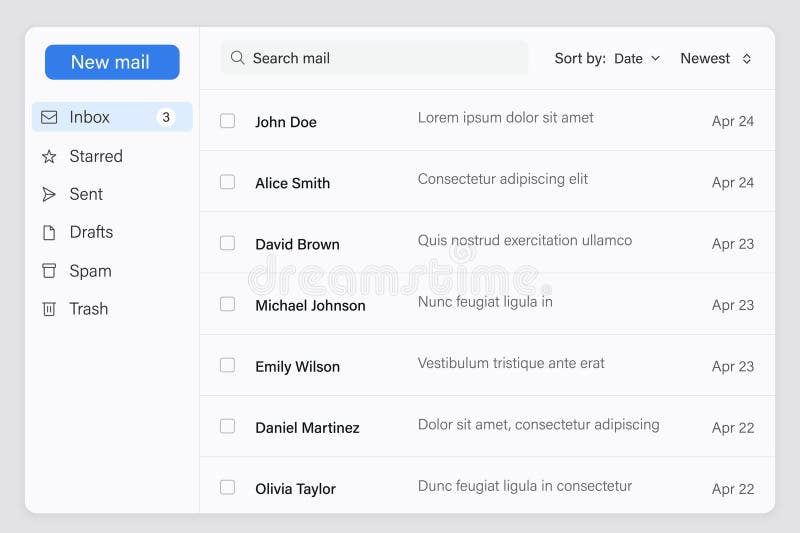
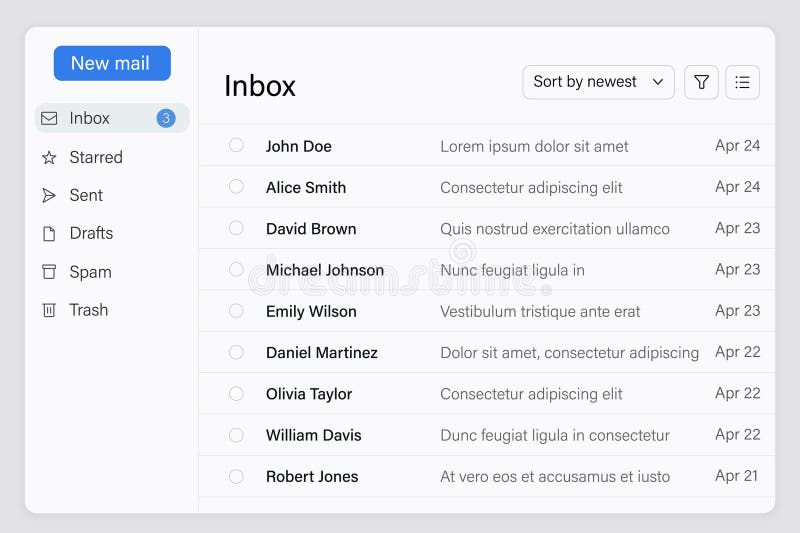
Free with trial Clean email dashboard layout showing inbox, folders, and advanced sorting options. Senders vectors Email Dashboard with Organized Inbox and Sorting Features. Clean email dashboard layout showing inbox, folders, and advanced sorting options. Clean email dashboard layout showing inbox, folders, and advanced sorting options.
Free with trial Clean email dashboard layout showing inbox, folders, and advanced sorting options. Senders vectors Email Dashboard with Organized Inbox and Sorting Features. Clean email dashboard layout showing inbox, folders, and advanced sorting options. Clean email dashboard layout showing inbox, folders, and advanced sorting options.
Free with trial White blank DL envelope with two windows for addressee and return, senders address isolated. Vector illustration. Senders vectors White blank DL envelope with two windows for addressee and return, senders address isolated. Vector illustration
Free with trial Front cover with picture of gift and Santa Claus, address lines and Christmas stamp. Back of envelope with seal for senders signature in snowflake frame. Senders vectors Red envelope for a letter to Jesus, front and back. Vector, jpg. Front cover with picture of gift and Santa Claus, address lines and Christmas stamp. Back of. Front cover with picture of gift and Santa Claus, address lines and Christmas stamp. Back of envelope with seal for senders signature in snowflake frame.
Free with trial Email spoofing is when attackers tamper with emails to disguise themselves as legitimate senders. Vector. Senders vectors Email spoofing is when attackers tamper with emails to disguise themselves as legitimate senders. Vector
Free with trial Email spoofing is when attackers tamper with emails to disguise themselves as legitimate senders. Vector. Senders vectors Email spoofing is when attackers tamper with emails to disguise themselves as legitimate senders. Vector
Free with trial Mail Parcel Flat Composition. With indoor view of post office with senders and employee at counter vector illustration. Senders vectors Mail Parcel Flat Composition. With indoor view of post office with senders and employee at counter vector illustration
Free with trial Rubber stamp free shipping. Senders vectors Rubber stamp free shipping. Rubber stamp with free shipping
Free with trial Rubber stamp free shipping. And logistics. Senders vectors Rubber stamp free shipping. And logistics
Free with trial Send message icon. Beautiful,Meticulously Designed send message icon. Senders vectors Send message icon. Beautiful,Meticulously Designed send message icon
Free with trial Send message icon. Beautiful,Meticulously Designed send message icon. Senders vectors Send message icon. Beautiful,Meticulously Designed send message icon
Free with trial Send message icon. Beautiful,Meticulously Designed send message icon. Senders vectors Send message icon. Beautiful,Meticulously Designed send message icon
Free with trial Air mail DL envelope with two windows for addressee and return, senders address isolated. Vector illustration. Senders vectors Air mail DL envelope with two windows for addressee and return, sender`s address isolated. Air mail DL envelope with two windows for addressee and return. Air mail DL envelope with two windows for addressee and return, senders address isolated. Vector illustration.
Free with trial Emoji chatting face isolated icon vector. Emoticon with yellow head with laughing and expressing emotions. Chat elements to show feelings of senders. Senders vectors Emoji Chatting Face Laughing Isolated Icon Vector. Emoji chatting face isolated icon vector. Emoticon with yellow head with laughing and expressing emotions. Emoji chatting face isolated icon vector. Emoticon with yellow head with laughing and expressing emotions. Chat elements to show feelings of senders
Free with trial Mail Parcel Flat Composition. With indoor view of post office with senders and employee at counter vector illustration. Senders vectors Mail Parcel Flat Composition. With indoor view of post office with senders and employee at counter vector illustration
Free with trial Parcel couriers outline icons collection. Delivery, Shipping, Transport, Logistics, Distribution, Freight, Express. Senders vectors Parcel couriers line icons collection. Delivery, Shipping, Transport, Logistics, Distribution, Freight, Express vector. Parcel couriers outline icons collection. Parcel couriers outline icons collection. Delivery, Shipping, Transport, Logistics, Distribution, Freight, Express
 Sign in