Free with trial Update apps smartphone in progress concept vector. Update apps in smartphone in progress concept vector illustration. Updates vectors Update apps smartphone in progress concept vector. Update apps in smartphone in progress concept vector illustration
Free with trial Cool vector subscribe button with cursor and notification in flat design. Ideal for video streaming website banners, blogs,. Content updates and news feed. Updates vectors Cool vector subscribe button with cursor and notification in flat design. Ideal for video streaming website banners, blogs,. Content updates and news feed
Free with trial Covid-19 corona virus cells spreading background design. Vector. Updates vectors Covid-19 corona virus cells spreading background design. Vector
Free with trial A vibrant vector illustration features a formally dressed hand, in a striking orange hue, presenting a sleek black tray. On the tray, a collection of essential digital communication and service icons are displayed. These include a speech bubble with '12' (messages), an envelope (email), a bell (notifications), and two gear icons with '14' (settings service). This image effectively symbolizes the delivery of online services, digital updates, customer support, or app features, making it ideal for concepts related to technology, communication, business solutions, and user experience. Updates vectors Hand Serving Digital Notifications and Services. A vibrant vector illustration features a formally dressed hand, in a striking orange hue, presenting a sleek. A vibrant vector illustration features a formally dressed hand, in a striking orange hue, presenting a sleek black tray. On the tray, a collection of essential digital communication and service icons are displayed. These include a speech bubble with '12' (messages), an envelope (email), a bell (notifications), and two gear icons with '14' (settings service). This image effectively symbolizes the delivery of online services, digital updates, customer support, or app features, making it ideal for concepts related to technology, communication, business solutions, and user experience.
Free with trial Algorithm update isometric landing page. Programming, digital optimization for devices concept with smartphone and computer desktop, cogwheels and under construction sign 3d vector line art web banner. Updates vectors Algorithm update isometric landing, programming. Algorithm update isometric landing page. Programming, digital optimization for devices concept with smartphone. Algorithm update isometric landing page. Programming, digital optimization for devices concept with smartphone and computer desktop, cogwheels and under construction sign 3d vector line art web banner
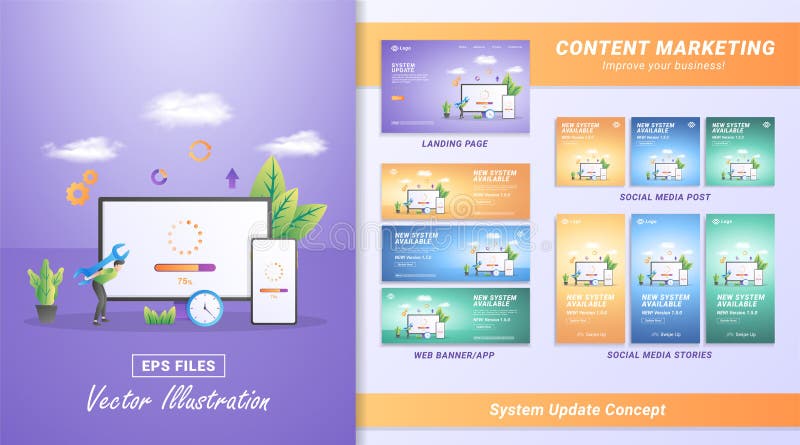
Free with trial Flat design concept of updating system. The process of upgrading to System Update, replacing newer versions and installing programs. Can use for web landing page, mobile app, web banner. Updates vectors Flat design concept of updating system. The process of upgrading to System Update, replacing newer versions and installing. Programs. Can use for web landing. Flat design concept of updating system. The process of upgrading to System Update, replacing newer versions and installing programs. Can use for web landing page, mobile app, web banner
Free with trial Three banner designs feature "Breaking News Here" text prominently. Each banner includes red and white color schemes with gradient patterns. The top and bottom banners display a "Live" label with a timestamp, while the middle banner features a "News" label. The layout uses placeholder text beneath the main headline to imitate news content. The overall design simulates a digital news ticker style, intended for broadcasting updates. Updates vectors Set of lower third bar templates for breaking news, sports news on television, video and media online. Three banner designs feature 'Breaking News Here' text. Three banner designs feature "Breaking News Here" text prominently. Each banner includes red and white color schemes with gradient patterns. The top and bottom banners display a "Live" label with a timestamp, while the middle banner features a "News" label. The layout uses placeholder text beneath the main headline to imitate news content. The overall design simulates a digital news ticker style, intended for broadcasting updates.
Free with trial Thumbs up and thumbs down, icons in vector shape. Updates vectors Thumbs up and thumbs down, icons in vector shape.
Free with trial Strategy online games abstract concept vector illustration. Pc games, real-time multiplayer warfare, mobile strategy game, mouse MMOG, browser RPG, massive online multiplayer abstract metaphor. Updates vectors Strategy online games abstract concept vector illustration. Pc games, real-time multiplayer warfare, mobile strategy game, mouse MMOG, browser RPG, massive
Free with trial Defeating and destroying coronavirus concept background. Vector. Updates vectors Defeating and destroying coronavirus concept background. Vector
Free with trial Update software icon. concept of update application progress icon, for graphic and web design. Eps 10. Updates vectors Update software icon. concept of update application progress icon, for graphic and web design. Eps 10
Free with trial Loading process. Update system icon. Concept of upgrade application progress icon for graphic and web design. Upgrade. Updates vectors Loading process. Update system icon. Concept of upgrade application progress icon for graphic and web design. Upgrade. Update system icon
Free with trial 24/7 updates service - Vector flat icon. Flat and isolated vector eps illustration icon with minimal design and long shadow. Updates vectors 24/7 updates service - Vector flat icon. Flat and isolated vector eps illustration icon with minimal design and long shadow
Free with trial Update system line icon. Upgrade Update Refresh Hog Wheel Arrow, Vector illustration. Eps. Updates vectors Update system line icon. Upgrade Update Refresh Hog Wheel Arrow, Vector illustration. Eps
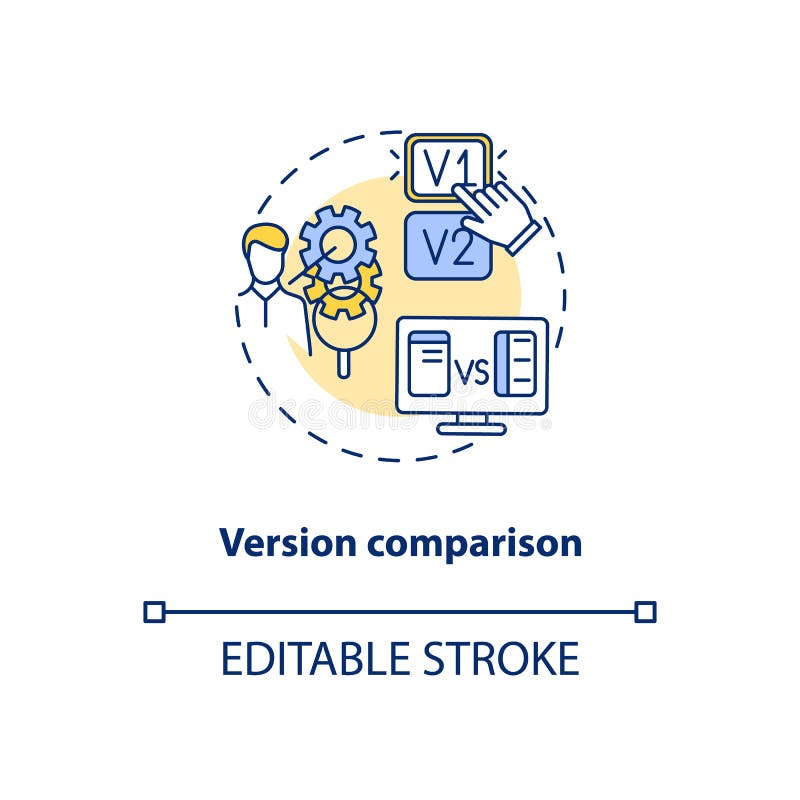
Free with trial Version comparison concept icon. Software feature idea thin line illustration. Product development. Differences highlighting. Updates. Vector isolated outline RGB color drawing. Editable stroke. Updates vectors Version comparison concept icon. Software feature idea thin line illustration. Product development. Differences highlighting. Updates. Vector isolated outline
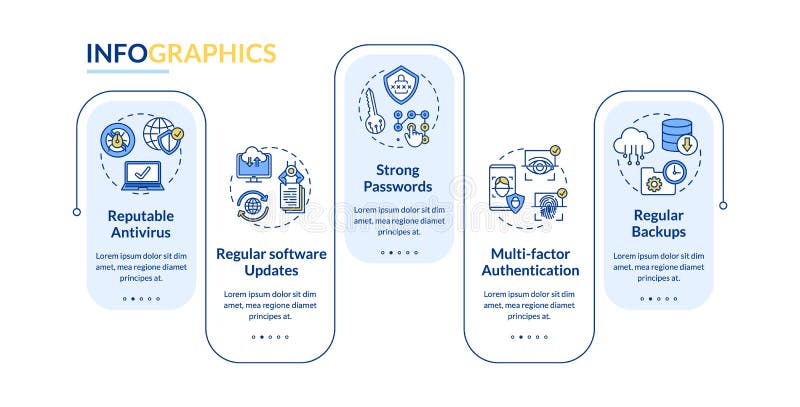
Free with trial Computer protection vector infographic template. Antivirus, update, password presentation design elements. Data visualization with 5 steps. Process timeline chart. Workflow layout with linear icons. Updates vectors Computer protection vector infographic template. Antivirus, update, password presentation design elements. Data visualization with 5 steps. Process timeline
Free with trial Update icon. Element of design thinking collection for mobile concept and web apps icon. Outline, thin line update icon for website design and mobile, app development. Updates vectors Update icon vector from design thinking collection. Thin line update outline icon vector illustration. Outline, thin line update. Update icon. Element of design. update icon. Element of design thinking collection for mobile concept and web apps icon. Outline, thin line update icon for website design and mobile, app development
Free with trial Updating applications concept icon. Software developer skills. Creating new functionaolity and making updates for users idea thin line illustration. Vector isolated outline RGB color drawing. Updates vectors Updating applications concept icon. Software developer skills. Creating new functionaolity and making updates for users idea thin line illustration. Vector
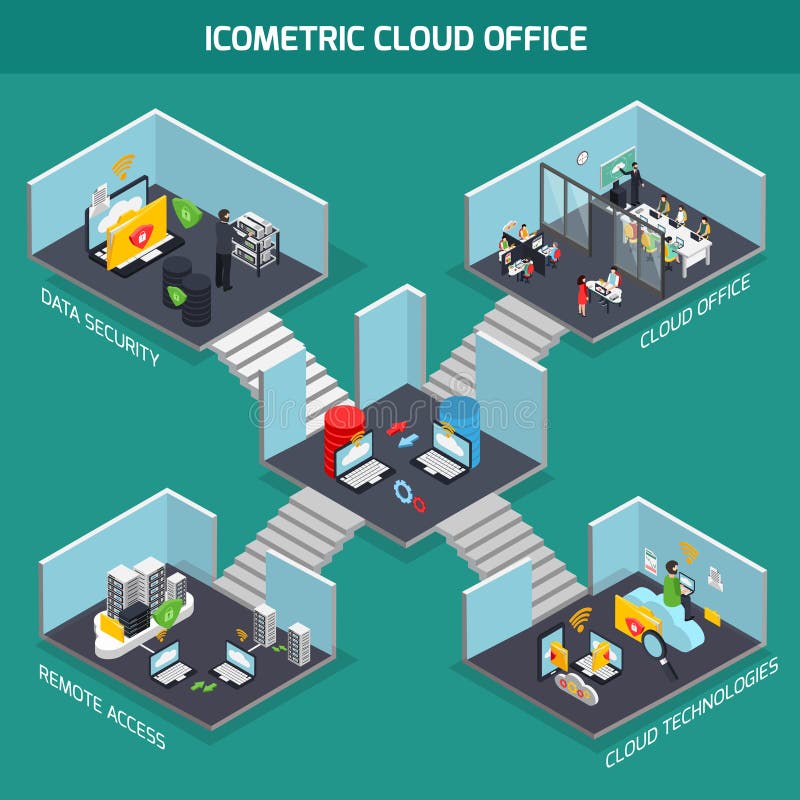
Free with trial Cloud Office Isometric Composition. With data security symbols vector illustration. Updates vectors Cloud Office Isometric Composition. With data security symbols vector illustration
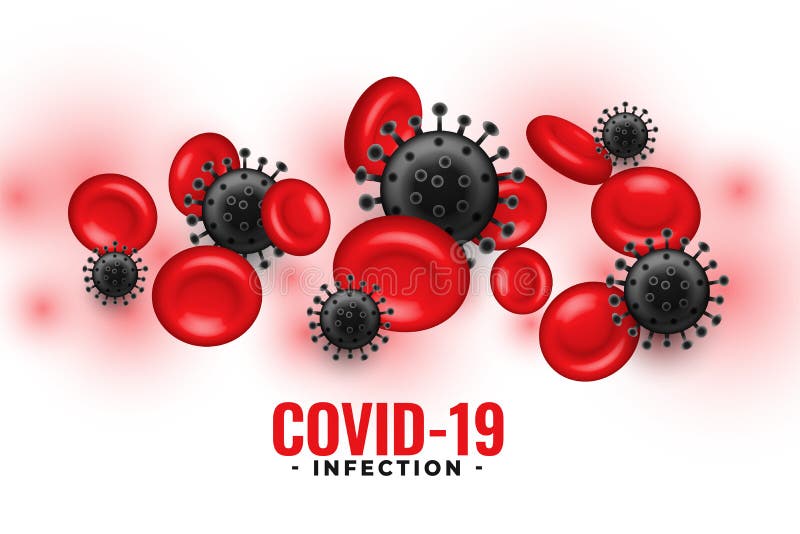
Free with trial Covid-19 infection background with blood platelets and virus cells. Vector. Updates vectors Covid-19 infection background with blood platelets and virus cells. Vector
Free with trial App development concept: developer coding on laptop. Modern vector illustration, web page template on gradient background. Updates vectors App development: developer coding on laptop. App development concept: developer coding on laptop. Modern vector illustration, web page template on gradient. App development concept: developer coding on laptop. Modern vector illustration, web page template on gradient background.
Free with trial Sports app interface on tablet screen. Digitally generated Sports app interface on tablet screen. Updates vectors Sports app interface on tablet screen. Digitally generated Sports app interface on tablet screen
Free with trial Online news and internet media banner with people checking news updates and reading information, flat cartoon vector illustration isolated on white background. Updates vectors Online news media banner with people check news, vector illustration isolated. Online news and internet media banner with people checking news updates and. Online news and internet media banner with people checking news updates and reading information, flat cartoon vector illustration isolated on white background.
Free with trial MMORPG abstract concept vector illustration. Browser MMORPG, massive multiplayer game, online pc role-playing games, story-driven quest, gaming app, avatar player scenario abstract metaphor. Updates vectors MMORPG abstract concept vector illustration. Browser MMORPG, massive multiplayer game, online pc role-playing games, story-driven quest, gaming app, avatar
Free with trial Linear update icon from Infographics outline collection. Thin line update icon isolated on white background. update trendy. Illustration. Updates vectors Linear update icon from Infographics outline collection. Thin line update icon isolated on white background. update trendy. Illustration
Free with trial Algorithm vector icon on white background. Flat vector algorithm icon symbol sign from modern artificial intelligence collection for mobile concept and web apps design. Updates vectors Algorithm vector icon on white background. Flat vector algorithm icon symbol sign from modern artificial intelligence collection. For mobile concept and web
Free with trial Tablet Well-crafted Pixel Perfect Vector Thin Line Icons 30 2x Grid for Web Graphics and Apps. Simple Minimal Pictogram. Updates vectors Tablet Well-crafted Pixel Perfect Vector Thin Line Icons 30 2x Grid for Web Graphics and Apps. Simple Minimal Pictogram
Free with trial Software-as-service advantages onboarding mobile app page screen with concepts set. Updates, functionality walkthrough 5 steps graphic instructions. UI vector template with RGB color illustrations. Updates vectors Software-as-service advantages onboarding mobile app page screen with concepts set. Updates, functionality walkthrough 5 steps graphic instructions. UI vector
Free with trial Coronavirus on White Background. Novel Coronavirus Covid 19 NCoV - Vector. Updates vectors Coronavirus on White Background. Novel Coronavirus Covid 19 NCoV - Vector.
Free with trial Covid19 coronavirus outburst background with floating viruses. Vector. Updates vectors Covid19 coronavirus outburst background with floating viruses. Vector
Free with trial Info icon. Vector illustration of single isolated info icon. Updates vectors Info icon. Vector illustration of single isolated info icon
Free with trial Update progress concept of operation system, data synchronize process and installation program. illustration web landing page template, banner, presentation, UI, poster, ad, promotion or print media. Updates vectors Update progress concept of operation system, data synchronize process and installation program. illustration web landing page. Template, banner, presentation. update progress concept of operation system, data synchronize process and installation program. illustration web landing page template, banner, presentation, UI, poster, ad, promotion or print media
Free with trial Update icon. System software upgrade concept, loading bar. Update icon, sign, symbol. Updates vectors Update icon. System software upgrade concept, loading bar. Update icon, sign, symbol. System software upgrade concept, loading bar
Free with trial An illustration of a businesswoman doing a presentation and pointing at a blank whiteboard can be quite versatile in professional settings. Here are some potential uses:1. **Business Presentations:** Use the illustration as a visual aid in slide decks to represent the concept of presenting information or making a pitch. It can also be used as a placeholder for adding content in design drafts. 2. **Training Materials:** Incorporate the image into training manuals, workshops, or e-learning modules to depict scenarios where presentations or instructional sessions are being conducted. 3. **Marketing and Advertising:** Utilize the illustration in promotional materials to highlight presentations or briefings. It can be effective in marketing campaigns for training services, consulting, or public speaking workshops. 4. **Corporate Communications:** Add the illustration to internal newsletters, reports, or memos to visually represent meetings, strategy sessions, or project updates. 5. **Website Design:** Use the image on company websites or intranets, particularly in sections related to services, team activities, or leadership, to visually represent the presentation of ideas or information. 6. **Social Media:** Feature the illustration in social media posts or ads promoting webinars, conferences, or business events, emphasizing the aspect of presenting and sharing knowledge. 7. **Event Materials:** Incorporate the image into event collateral such as invitations, programs, or signage for conferences, seminars, or workshops where presentations are a key component. 8. **Client Proposals:** Use the illustration in client proposals or pitch documents to add a visual element that represents the delivery of information or strategic planning. 9. **Educational Content:** Include the image in educational resources or articles focused on presentation skills, public speaking, or business communication to provide a visual example of effective presentations. 10. **Office Decor:** Use the illustration in office decor, such as motivational posters or wall art, to reflect a professional and dynamic work environment. By using this illustration, you can effectively communicate themes of professionalism, presentation skills, and knowledge sharing, enhancing the visual appeal and clarity of your materials. Updates vectors Business woman doing presentation, pointing a blank white board. Ai Image generated. An illustration of a businesswoman doing a presentation and pointing at a. An illustration of a businesswoman doing a presentation and pointing at a blank whiteboard can be quite versatile in professional settings. Here are some potential uses:1. **Business Presentations:** Use the illustration as a visual aid in slide decks to represent the concept of presenting information or making a pitch. It can also be used as a placeholder for adding content in design drafts.2. **Training Materials:** Incorporate the image into training manuals, workshops, or e-learning modules to depict scenarios where presentations or instructional sessions are being conducted.3. **Marketing and Advertising:** Utilize the illustration in promotional materials to highlight presentations or briefings. It can be effective in marketing campaigns for training services, consulting, or public speaking workshops.4. **Corporate Communications:** Add the illustration to internal newsletters, reports, or memos to visually represent meetings, strategy sessions, or project updates.5. **Website Design:** Use the image on company websites or intranets, particularly in sections related to services, team activities, or leadership, to visually represent the presentation of ideas or information.6. **Social Media:** Feature the illustration in social media posts or ads promoting webinars, conferences, or business events, emphasizing the aspect of presenting and sharing knowledge.7. **Event Materials:** Incorporate the image into event collateral such as invitations, programs, or signage for conferences, seminars, or workshops where presentations are a key component.8. **Client Proposals:** Use the illustration in client proposals or pitch documents to add a visual element that represents the delivery of information or strategic planning.9. **Educational Content:** Include the image in educational resources or articles focused on presentation skills, public speaking, or business communication to provide a visual example of effective presentations.10. **Office Decor:** Use the illustration in office decor, such as motivational posters or wall art, to reflect a professional and dynamic work environment.By using this illustration, you can effectively communicate themes of professionalism, presentation skills, and knowledge sharing, enhancing the visual appeal and clarity of your materials.
Free with trial Website Subscribe Form Vector. Everyday Updates. For Website Letter. Illustration. Updates vectors Email Contact, Subscribe Form Vector. Text Box And Button. Submit Form. Illustration. Website Subscribe Form Vector. Everyday Updates. For Website Letter. Website Subscribe Form Vector. Everyday Updates. For Website Letter. Illustration
Free with trial Explore how customizable spreadsheets can enhance data organization and improve productivity in various tasks, Spreadsheets Customizable Disproportionate Illustration. Updates vectors Explore how customizable spreadsheets can enhance data organization and improve productivity in various tasks, Spreadsheets. Customizable Disproportionate
Free with trial Service offer - Updates concept - Minimal icon. Flat and isolated vector eps illustration icon with minimal design and long shadow. Updates vectors Service offer - Updates concept - Minimal icon. Flat and isolated vector eps illustration icon with minimal design and long shadow
Free with trial Cloud development vector line icons set. Cloud, Development, Platform, Architecture, Deployment, Management, Infrastructure illustration outline concept signs and symbols. Updates vectors Cloud development vector line icons set. Cloud, Development, Platform, Architecture, Deployment, Management. Infrastructure illustration outline concept signs
Free with trial An image celebrating a social media milestone of 10000 subscribers. It's a great asset for congratulatory posts, community updates, or as a thumbnail to celebrate growth and engagement. Updates vectors 10000 Subscribers - Social Media Milestone. An image celebrating a social media milestone of 10000 subscribers. It's a great asset for congratulatory posts. An image celebrating a social media milestone of 10000 subscribers. It's a great asset for congratulatory posts, community updates, or as a thumbnail to celebrate growth and engagement.
Free with trial Vector illustrations of business people standing in a group in an office environment can be used in various ways, especially in professional and corporate contexts. Here are some possible uses:1. **Marketing and Advertising**: - **Brochures and Flyers**: To promote services or events. - **Website Banners**: For company websites, especially on landing pages or about us sections. - **Social Media Posts**: To create engaging and professional-looking posts. 2. **Presentations**: - **Corporate Presentations**: To illustrate teamwork, collaboration, or company culture. - **Pitch Decks**: To visually represent the team or business environment to potential investors. 3. **Reports and Documents**: - **Annual Reports**: To give a professional touch to business reports. - **Proposals**: To enhance the visual appeal of business proposals and documents. 4. **Internal Communications**: - **Newsletters**: To communicate updates within the company. - **Intranet**: As part of the design elements on the company's internal portal. 5. **Training and Development**: - **Training Manuals**: To illustrate scenarios or examples. - **E-Learning Modules**: To make learning materials more engaging. 6. **Event Materials**: - **Conference Materials**: Such as programs, name tags, or banners. - **Seminar and Workshop Materials**: To create a cohesive and professional look. 7. **Human Resources**: - **Recruitment Ads**: To attract potential candidates. - **Onboarding Documents**: To welcome new employees and illustrate company culture. 8. **Email Campaigns**: - **Newsletters**: To make email communications more visually appealing. - **Promotional Emails**: To promote services, events, or updates. 9. **Printed Materials**: - **Posters and Banners**: For office decor or events. - **Business Cards**: To create a unique and memorable design. 10. **Educational Materials**: - **Case Studies**: To provide visual examples in business education. - **Textbooks**: For illustrations in business-related subjects. Using vector illustrations in these contexts can help convey professionalism, creativity, and a modern approach to business communication. Updates vectors Vector illustration of bussiness people, standing in a group, white background. Ai Image generated. Vector illustrations of business people standing in a group. Vector illustrations of business people standing in a group in an office environment can be used in various ways, especially in professional and corporate contexts. Here are some possible uses:1. **Marketing and Advertising**: - **Brochures and Flyers**: To promote services or events. - **Website Banners**: For company websites, especially on landing pages or about us sections. - **Social Media Posts**: To create engaging and professional-looking posts.2. **Presentations**: - **Corporate Presentations**: To illustrate teamwork, collaboration, or company culture. - **Pitch Decks**: To visually represent the team or business environment to potential investors.3. **Reports and Documents**: - **Annual Reports**: To give a professional touch to business reports. - **Proposals**: To enhance the visual appeal of business proposals and documents.4. **Internal Communications**: - **Newsletters**: To communicate updates within the company. - **Intranet**: As part of the design elements on the company's internal portal.5. **Training and Development**: - **Training Manuals**: To illustrate scenarios or examples. - **E-Learning Modules**: To make learning materials more engaging.6. **Event Materials**: - **Conference Materials**: Such as programs, name tags, or banners. - **Seminar and Workshop Materials**: To create a cohesive and professional look.7. **Human Resources**: - **Recruitment Ads**: To attract potential candidates. - **Onboarding Documents**: To welcome new employees and illustrate company culture.8. **Email Campaigns**: - **Newsletters**: To make email communications more visually appealing. - **Promotional Emails**: To promote services, events, or updates.9. **Printed Materials**: - **Posters and Banners**: For office decor or events. - **Business Cards**: To create a unique and memorable design.10. **Educational Materials**: - **Case Studies**: To provide visual examples in business education. - **Textbooks**: For illustrations in business-related subjects.Using vector illustrations in these contexts can help convey professionalism, creativity, and a modern approach to business communication.
Free with trial Sports betting app on tablet screen vector. Digitally generated Sports betting app on tablet screen vector. Updates vectors Sports betting app on tablet screen vector. Digitally generated Sports betting app on tablet screen vector
Free with trial Order Tracking Icon. Shipment, Delivery, Package. Editable Stroke. Simple Vector Icon. Updates vectors Order Tracking Icon. Shipment, Delivery, Package. Editable Stroke. Vector Icon. Order Tracking Icon. Shipment, Delivery, Package. Editable Stroke. Simple Vector. Order Tracking Icon. Shipment, Delivery, Package. Editable Stroke. Simple Vector Icon
Free with trial Conceptual writing showing What s is New question. Vector illustration. Updates vectors Conceptual writing showing What s is New question. Vector illustration
Free with trial Algorithm icon vector from analytic investment and balanced scorecard concept. Thin line illustration of algorithm editable stroke. algorithm linear sign for use on web and mobile apps, logo, print media. Updates vectors Algorithm icon vector from analytic investment and balanced scorecard concept. Thin line illustration of algorithm editable stroke. Algorithm linear sign for
Free with trial Arrow set icon. Arrow symbols. Arrow isolated vector graphic elements. Eps10. Updates vectors Arrow set icon. Arrow symbols. Arrow isolated vector graphic elements. Eps10
Free with trial Engaging Email Content concept. ROI of E-mail Marketing with welcome, newsletters, lead nurturing, transactional, post-purchase, seasonal and promotional email messages. Engage your target audience. Updates vectors Engaging Email Content concept. ROI of E-mail Marketing with welcome, newsletters, lead nurturing, transactional, post. Purchase, seasonal and promotional email. Engaging Email Content concept. ROI of E-mail Marketing with welcome, newsletters, lead nurturing, transactional, post-purchase, seasonal and promotional email messages. Engage your target audience.
Free with trial System or web application upgrade procedure. Concept of software version update or renewal process indication. Woman and laptop, PC. Flat colorful vector illustration for banner, poster. Updates vectors System or web application upgrade procedure. Concept of software version update or renewal process indication. Woman and. Laptop, PC. Flat colorful vector. System or web application upgrade procedure. Concept of software version update or renewal process indication. Woman and laptop, PC. Flat colorful vector illustration for banner, poster
Free with trial A vector image of a woman in an office pointing in a direction can be quite versatile. Here are some possible uses for such an image:1. **Corporate Presentations**: To illustrate directions or guide viewers through a presentation, especially when showing workflow processes, office layouts, or organizational structures. 2. **Business Infographics**: In infographics to highlight key points, direct attention to specific data, or indicate a recommended course of action. 3. **Website Design**: On company websites to guide visitors through a user journey, such as directing them to important sections or calls-to-action. 4. **Marketing Materials**: In brochures, flyers, or ads to direct attention to specific products, services, or promotions. 5. **Training Materials**: For educational or training documents to visually indicate steps in a process or direct learners to important resources. 6. **Office Signage**: As part of office signage to indicate directions within a workspace, such as pointing to meeting rooms, restrooms, or departments. 7. **Social Media Posts**: To draw attention to announcements, updates, or specific content in social media graphics. 8. **Event Invitations**: In invitations or promotional materials for events to point to important information like dates, locations, or registration links. 9. **Project Management**: In project planning documents or tools to direct team members' attention to important milestones, tasks, or goals. 10. **Customer Service Materials**: In customer support guides or FAQs to direct users to relevant sections or solutions. 11. **Instructional Guides**: For user manuals or how-to guides to visually guide users through steps or processes. 12. **Career Development**: On career advice or mentorship materials to indicate pathways for professional growth or highlight key career opportunities. 13. **Branding and Identity**: To emphasize a brand’s commitment to direction, leadership, or guidance, reinforcing messaging around strategic vision or support. 14. **E-learning Platforms**: In e-learning content to guide learners through modules, indicate areas of focus, or direct them to additional resources. Updates vectors A vector of a woman wearing red blazer in office environtment, smiling and pointing. Ai Image generated.use. A vector image of a woman in an office pointing in a. A vector image of a woman in an office pointing in a direction can be quite versatile. Here are some possible uses for such an image:1. **Corporate Presentations**: To illustrate directions or guide viewers through a presentation, especially when showing workflow processes, office layouts, or organizational structures.2. **Business Infographics**: In infographics to highlight key points, direct attention to specific data, or indicate a recommended course of action.3. **Website Design**: On company websites to guide visitors through a user journey, such as directing them to important sections or calls-to-action.4. **Marketing Materials**: In brochures, flyers, or ads to direct attention to specific products, services, or promotions.5. **Training Materials**: For educational or training documents to visually indicate steps in a process or direct learners to important resources.6. **Office Signage**: As part of office signage to indicate directions within a workspace, such as pointing to meeting rooms, restrooms, or departments.7. **Social Media Posts**: To draw attention to announcements, updates, or specific content in social media graphics.8. **Event Invitations**: In invitations or promotional materials for events to point to important information like dates, locations, or registration links.9. **Project Management**: In project planning documents or tools to direct team members' attention to important milestones, tasks, or goals.10. **Customer Service Materials**: In customer support guides or FAQs to direct users to relevant sections or solutions.11. **Instructional Guides**: For user manuals or how-to guides to visually guide users through steps or processes.12. **Career Development**: On career advice or mentorship materials to indicate pathways for professional growth or highlight key career opportunities.13. **Branding and Identity**: To emphasize a brand’s commitment to direction, leadership, or guidance, reinforcing messaging around strategic vision or support.14. **E-learning Platforms**: In e-learning content to guide learners through modules, indicate areas of focus, or direct them to additional resources.
Free with trial Left and right icon vector from arrow concept. Thin line illustration of left and right editable stroke. left and right linear sign for use on web and mobile apps, logo, print media. Updates vectors Left and right icon vector from arrow concept. Thin line illustration of left and right editable stroke. left and right linear. Sign for use on web and mobile. left and right icon vector from arrow concept. Thin line illustration of left and right editable stroke. left and right linear sign for use on web and mobile apps, logo, print media
Free with trial Outline update vector icon. isolated black simple line element illustration from infographics concept. editable vector stroke. Update icon on white background. Updates vectors Outline update vector icon. isolated black simple line element illustration from infographics concept. editable vector stroke. Update icon on white background
Free with trial Tax management outline icons collection. Compliance, Deductions, Planning, Exemptions, Audit, Returns, Refunds vector. Updates vectors Tax management line icons collection. Compliance, Deductions, Planning, Exemptions, Audit, Returns, Refunds vector and. Tax management outline icons collection. Tax management outline icons collection. Compliance, Deductions, Planning, Exemptions, Audit, Returns, Refunds vector
Free with trial Cloud development vector line icons set. Cloud, Development, Platform, Architecture, Deployment, Management, Infrastructure illustration outline concept signs and symbols. Updates vectors Cloud development vector line icons set. Cloud, Development, Platform, Architecture, Deployment, Management. Infrastructure illustration outline concept signs
Free with trial A group of workers is performing repair tasks, actively engaging with technology and tools in a workspace, workers repairing the website. Updates vectors A group of workers is performing repair tasks, actively engaging with technology and tools in a workspace, workers repairing the. Website
Free with trial Heart icon in the house. Vector illustration for websites and applications, for creative design. Flat style. Updates vectors Heart icon in the house. Vector illustration for websites and applications, for creative design. Flat style
Free with trial Algorithm icon vector from business marketing concept. Thin line illustration of algorithm editable stroke. algorithm linear sign for use on web and mobile apps, logo, print media. Updates vectors Algorithm icon vector from business marketing concept. Thin line illustration of algorithm editable stroke. algorithm linear sign. For use on web and mobile. algorithm icon vector from business marketing concept. Thin line illustration of algorithm editable stroke. algorithm linear sign for use on web and mobile apps, logo, print media
Free with trial Innovations outline icons collection. Advancements, Progressions, Improvements, Developments, Breakthroughs, Advantages. Updates vectors Innovations line icons collection. Advancements, Progressions, Improvements, Developments, Breakthroughs, Advantages. Innovations outline icons collection. Innovations outline icons collection. Advancements, Progressions, Improvements, Developments, Breakthroughs, Advantages
Free with trial Futuristic Route Dashboard GPS Map Tracking: Cutting-edge Technology for Navigation and Tracking Routes. Real-time Updates, Interactive Features, and Futuristic Design. Ideal for Mobile Apps, Websites, and Infographics. Vector Illustration. Updates vectors Futuristic Route Dashboard GPS Map Tracking: Cutting-edge Technology for Navigation and Tracking Routes. Pick up taxi. Futuristic Route Dashboard GPS Map. Futuristic Route Dashboard GPS Map Tracking: Cutting-edge Technology for Navigation and Tracking Routes. Real-time Updates, Interactive Features, and Futuristic Design. Ideal for Mobile Apps, Websites, and Infographics. Vector Illustration.
Free with trial A man before laptop with shield and lock on the screen. Anti virus software, anti-malware, spyware, trojan, adware as internet security concept. flat vector modern illustration. Updates vectors A man before laptop with shield and lock on the screen. Anti virus software, anti-malware, spyware, trojan, adware as internet. Security concept. flat vector
Free with trial New 2026 Instagram mockup interface. Instagram new update template. New Instagram social media features design. S. Updates vectors New 2026 Instagram mockup interface. Instagram new update template. New Instagram social media features design. S
Free with trial Instagram social media app carousel post blank mockup layout, Instagram page template vector illustration - vector. Updates vectors Instagram social media app carousel post blank mockup layout, Instagram page template vector illustration. Vector
Free with trial Dark Periodic Table of the Chemical Elements in portuguese All elements are separated in editable layers clearly labeled also in AI vector/ encapsulated format. A3 format / aspect Note: includes the most recent updates released in June 2018 by the IUPAC Commission on Isotopic Abundances and Atomic Weights CIAAW. Updates vectors Periodic Table of the Chemical Elements - portuguese version. Dark Periodic Table of the Chemical Elements in portuguese. Dark Periodic Table of the Chemical Elements in portuguese All elements are separated in editable layers clearly labeled also in AI vector/ encapsulated format. A3 format / aspect Note: includes the most recent updates released in June 2018 by the IUPAC Commission on Isotopic Abundances and Atomic Weights CIAAW
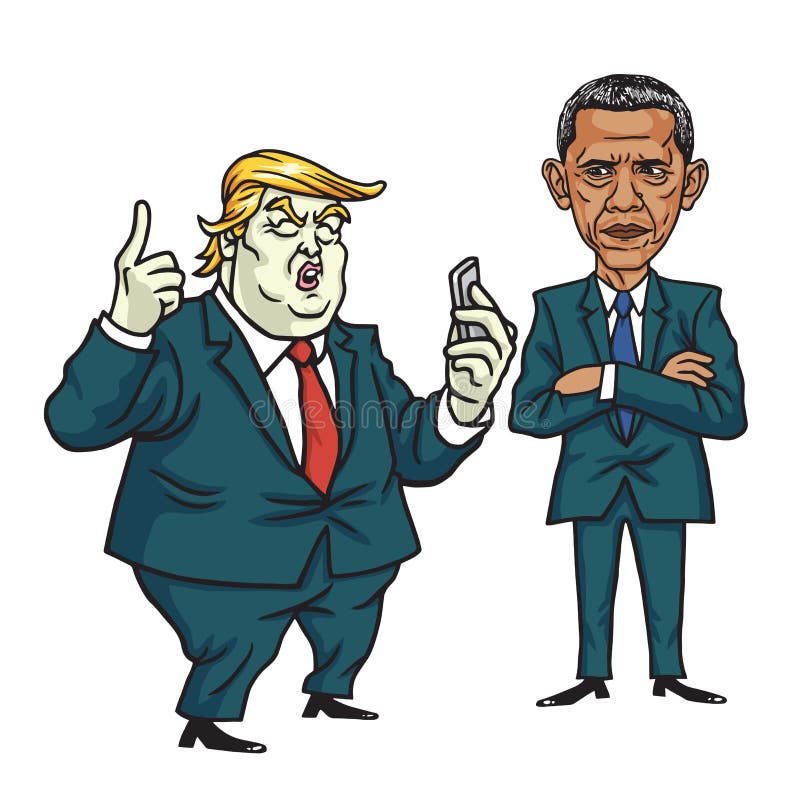
Free with trial Donald Trump and Barack Obama. Cartoon Vector Illustration. June 28, 2017. Cartoon Vector Illustration Drawing. Updates vectors Donald Trump and Barack Obama. Cartoon Vector Illustration. June 28, 2017. Donald Trump and Barack Obama. Cartoon Vector Illustration Drawing. June 28, 2017
Free with trial IOS 17 version operating system on the iPhone screen, Apple latest software update. IOS logo on a smartphone screen. Cupertino, United States - May 22 2023. Updates vectors IOS 17 version operating system on the iPhone screen, latest software update. Cupertino, United States - May 22 2023. IOS 17 version operating system on the. iOS 17 version operating system on the iPhone screen, Apple latest software update. IOS logo on a smartphone screen. Cupertino, United States - May 22 2023.
Free with trial Policy updates sign or stamp. On white background, vector illustration. Updates vectors Policy updates sign or stamp. On white background, vector illustration
Free with trial Latest Updates colorful text banner - vector. Updates vectors Latest Updates colorful text banner. Vector
Free with trial World news live breaking news bulletin live stream is covering current events, providing updates and analysis on global affairs with a wireframe globe and a live streaming banner. Updates vectors World news live breaking news bulletin live stream is covering current events, providing updates and analysis on global. Affairs with a wireframe globe and a
Free with trial Project status updates abstract concept vector illustration. Man monitors the status of the project using a collaboration app, modern business technology, company teamwork abstract metaphor. Updates vectors Project status updates abstract concept vector illustration. Man monitors the status of the project using a collaboration app, modern business technology
Free with trial Project status updates isolated cartoon vector illustrations. Man monitors the status of the project using a collaboration app, modern business technology, company teamwork vector cartoon. Updates vectors Project status updates isolated cartoon vector illustrations. Man monitors the status of the project using a collaboration app, modern business technology
Free with trial This image features three distinct icons within black circles, each representing a different category: Public Announcement, News & Updates, and Important Notice. The Public Announcement icon depicts a megaphone with an exclamation mark, symbolizing the dissemination of information to the public. The News & Updates icon shows a person at a podium addressing an audience, indicating the sharing of current events or information. The Important Notice icon combines a bell with a calendar and stars, signifying a significant notification or event. These icons are set against a clean white background, enhancing their visibility and clarity. Updates vectors Public announcement news and updates important notice icons. This image features three distinct icons within black circles, each representing a different. This image features three distinct icons within black circles, each representing a different category: Public Announcement, News & Updates, and Important Notice. The Public Announcement icon depicts a megaphone with an exclamation mark, symbolizing the dissemination of information to the public. The News & Updates icon shows a person at a podium addressing an audience, indicating the sharing of current events or information. The Important Notice icon combines a bell with a calendar and stars, signifying a significant notification or event. These icons are set against a clean white background, enhancing their visibility and clarity.
Free with trial Over air updates glyph vector seamless pattern. over air updates thin illustration. Updates vectors Over air updates glyph vector seamless pattern. Over air updates thin illustration
Free with trial Print advertisement in newspaper featuring daily news updates to broadcast media information and public announcements icon. Updates vectors Print advertisement in newspaper featuring daily news updates icon. Print advertisement in newspaper featuring daily news updates to broadcast media information. Print advertisement in newspaper featuring daily news updates to broadcast media information and public announcements icon
Free with trial Roadmap template tracks milestones for executive updates. Concept. Updates vectors Roadmap template tracks milestones for executive updates. Concept
Free with trial Software dependency updates for package management, library maintenance and version control. Package upgrades, dependency resolution and software maintenance workflow vector illustration. Updates vectors Software dependency updates for package management, library maintenance and version control. Package upgrades. Dependency resolution and software maintenance. Software dependency updates for package management, library maintenance and version control. Package upgrades, dependency resolution and software maintenance workflow vector illustration.
Free with trial Database document with pen and check for validated updates. Simple geometric forms and solid fills define the flat artwork, isolated on white. The database connects organized records with digital access, visibility or maintenance. Suitable for data management dashboards, reporting tools and technical documentation explaining how information is stored, reviewed or updated within a connected computing environment. Updates vectors Validated updates: Database document with pen and check. Database document with pen and check for validated updates. Simple geometric forms and solid fills. Database document with pen and check for validated updates. Simple geometric forms and solid fills define the flat artwork, isolated on white. The database connects organized records with digital access, visibility or maintenance. Suitable for data management dashboards, reporting tools and technical documentation explaining how information is stored, reviewed or updated within a connected computing environment.
Free with trial Daily task change request form for documenting task updates, recording requested adjustments, tracking approval status, and communicating changes to work assignments. Suitable for project teams, business administration, workflow coordination, and task control processes. Updates vectors Daily Task Change Request Form for Workflow Updates. Daily task change request form for documenting task updates, recording requested adjustments, tracking. Daily task change request form for documenting task updates, recording requested adjustments, tracking approval status, and communicating changes to work assignments. Suitable for project teams, business administration, workflow coordination, and task control processes.
Free with trial Technology, cloud computing, software development, automation, digital transformation, system updates. Gears and cloud icon with arrows conveying continuous process. Technology and cloud computing. Updates vectors Gear and Cloud Illustration Software Updates, Cloud Computing, and Digital Automation. Technology, cloud computing, software development, automation, digital. Technology, cloud computing, software development, automation, digital transformation, system updates. Gears and cloud icon with arrows conveying continuous process. Technology and cloud computing
Free with trial Alerts, notifications, connectivity, updates, digital communication, information sharing. Bell icon with cloud and motion lines. Alerts and notifications concepts modern communication elements. Updates vectors Notification Bell with Cloud and Motion Lines Alerts, Updates, and Connectivity. Alerts, notifications, connectivity, updates, digital communication, information. Alerts, notifications, connectivity, updates, digital communication, information sharing. Bell icon with cloud and motion lines. Alerts and notifications concepts modern communication elements
Free with trial Content updates technical writer glyph vector seamless pattern. content updates technical writer thin illustration. Updates vectors Content updates technical writer glyph vector seamless pattern. Content updates technical writer thin illustration
Free with trial REST API version migration, software integration updates, v1-v2 transition. Developer workflow - endpoint upgrades, API deprecation, backward compatibility, client migration vector illustration. Updates vectors REST API version migration, software integration updates, v1-v2 transition. Developer workflow - endpoint upgrades, API. Deprecation, backward compatibility. REST API version migration, software integration updates, v1-v2 transition. Developer workflow - endpoint upgrades, API deprecation, backward compatibility, client migration vector illustration.
 Sign in