Free with trial Stainless steel water dispenser featuring a cylindrical design with a smooth, polished finish. The front displays the brand name "EcoFlow. " It includes a prominent push-button mechanism on top and a slender angled spout extending from the side. Positioned against a white background, the dispenser casts a subtle shadow to the right. Ideal for adding a modern touch to kitchen or hydration station setups, its minimalistic design emphasizes functionality and style. Button functionality illustrations Touch to kitchen or hydration station setups, its minimalistic design. Stainless steel water dispenser featuring a cylindrical design with a smooth, polished. Stainless steel water dispenser featuring a cylindrical design with a smooth, polished finish. The front displays the brand name "EcoFlow." It includes a prominent push-button mechanism on top and a slender angled spout extending from the side. Positioned against a white background, the dispenser casts a subtle shadow to the right. Ideal for adding a modern touch to kitchen or hydration station setups, its minimalistic design emphasizes functionality and style.
Free with trial The image shows a sleek smartwatch featuring a metallic body with a leather strap in a dark, textured design. The watch has a rectangular screen and a minimalist button layout, giving it a modern and sophisticated appearance. The strap is secured with a buckle closure, and the overall design suggests a blend of functionality and fashion. Button functionality illustrations Stylish smartwatch with leather strap and metal body displayed on a white background. The image shows a sleek smartwatch featuring a metallic body with a leather. The image shows a sleek smartwatch featuring a metallic body with a leather strap in a dark, textured design. The watch has a rectangular screen and a minimalist button layout, giving it a modern and sophisticated appearance. The strap is secured with a buckle closure, and the overall design suggests a blend of functionality and fashion
Free with trial A white, square-shaped digital thermometer with a friendly smiley face design and a blue backlit screen displays a temperature reading of 22°C, accompanied by a sun icon and a snowflake icon, indicating weather conditions, set against a clean, minimalist background. The device features a power button in the top right corner, suggesting functionality and ease of use in modern indoor environments. Button functionality illustrations Digital thermometer displaying 22°C with smiley face design and weather icons. A white, square-shaped digital thermometer with a friendly smiley face design and. A white, square-shaped digital thermometer with a friendly smiley face design and a blue backlit screen displays a temperature reading of 22°C, accompanied by a sun icon and a snowflake icon, indicating weather conditions, set against a clean, minimalist background. The device features a power button in the top right corner, suggesting functionality and ease of use in modern indoor environments
Free with trial The image shows a modern smartwatch with a square display, likely from Apple, featuring a white sport band. The watch has a digital crown button on the right side and a single physical button below it. The screen is black, indicating it is turned off or in sleep mode. The overall design appears minimalist and functional, suitable for fitness tracking and everyday use. Button functionality illustrations Apple smartwatch with sleek design and digital interface on a white wristband. isolated on white background. The image shows a modern smartwatch with a square. The image shows a modern smartwatch with a square display, likely from Apple, featuring a white sport band. The watch has a digital crown button on the right side and a single physical button below it. The screen is black, indicating it is turned off or in sleep mode. The overall design appears minimalist and functional, suitable for fitness tracking and everyday use
Free with trial Close-up shot of a black remote control with colorful buttons against a black background, showcasing its sleek design and functionality. Button functionality illustrations A detailed shot of a remote control, highlighting the device\'s buttons and design. Close-up shot of a black remote control with colorful buttons against a black. Close-up shot of a black remote control with colorful buttons against a black background, showcasing its sleek design and functionality
Free with trial A modern, compact red and silver device, resembling a portable projector or advanced multimedia gadget, stands prominently on a dark, reflective surface. Its front panel features a striking glowing blue lens, a red control button, and a small green indicator light, hinting at sophisticated functionality. The design is sleek and minimalist with rounded edges, suggesting innovation and future technology. This studio shot, with its dark background, emphasizes the device's clean lines and high-tech aesthetic, perfect for concepts related to home entertainment, presentations, or smart living. Button functionality illustrations Sleek Red and Silver Portable Projector with Glowing Blue Lens. A modern, compact red and silver device, resembling a portable projector or advanced multimedia. A modern, compact red and silver device, resembling a portable projector or advanced multimedia gadget, stands prominently on a dark, reflective surface. Its front panel features a striking glowing blue lens, a red control button, and a small green indicator light, hinting at sophisticated functionality. The design is sleek and minimalist with rounded edges, suggesting innovation and future technology. This studio shot, with its dark background, emphasizes the device's clean lines and high-tech aesthetic, perfect for concepts related to home entertainment, presentations, or smart living.
Free with trial Play button, audio waveform, gear icon symbolizing settings, and an arrow. Ideal for media, audio editing, sound engineering, customization technology user interface and innovation. Flat simple. Button functionality vectors Audio Playback and Settings Adjustment Interface with Waveform Visualization. Play button, audio waveform, gear icon symbolizing settings, and an arrow. Ideal. Play button, audio waveform, gear icon symbolizing settings, and an arrow. Ideal for media, audio editing, sound engineering, customization technology user interface and innovation. Flat simple
Free with trial User interface for filtering options displays categories with checkboxes. Sections titled "Type," "Date," and "Status" include options like Documents, Videos, Last 7 Days, Active, and Completed. Some options are ticked, indicating selection. A funnel icon suggests filtering functionality. Buttons labeled "Clear Filters" and "Apply Filters" are at the bottom, allowing for resetting or confirming selections. The layout is streamlined for ease of use in applications needing refined search or categorization capabilities. Button functionality vectors Filters Ui Filtering Interface With Checkbox With Button. User interface for filtering options displays categories with checkboxes. Sections titled 'Type,' 'Date. User interface for filtering options displays categories with checkboxes. Sections titled "Type," "Date," and "Status" include options like Documents, Videos, Last 7 Days, Active, and Completed. Some options are ticked, indicating selection. A funnel icon suggests filtering functionality. Buttons labeled "Clear Filters" and "Apply Filters" are at the bottom, allowing for resetting or confirming selections. The layout is streamlined for ease of use in applications needing refined search or categorization capabilities.
Free with trial A hand is pressing a button on a smart home device. The device showcases a house icon and a cloud graphic. Button functionality illustrations Smart home control system featuring a hand activating cloud-based technology for home automation. A hand is pressing a button on a smart home device. The device. A hand is pressing a button on a smart home device. The device showcases a house icon and a cloud graphic
Free with trial A sleek and stylish smartwatch featuring a blue silicone strap and a silver case, designed for both fashion and functionality. Button functionality illustrations Modern smartwatch with blue silicone strap and silver case isolated on white background. A sleek and stylish smartwatch featuring a blue silicone strap and a. A sleek and stylish smartwatch featuring a blue silicone strap and a silver case, designed for both fashion and functionality
Free with trial A black and white of a magnifying glass with a plus sign inside the lens, representing zoom in, search, or magnification functionality. Button functionality vectors Black and white of a magnifying glass with a plus sign inside the lens, representing zoom in, search, or magnification. A black and white of a magnifying glass. A black and white of a magnifying glass with a plus sign inside the lens, representing zoom in, search, or magnification functionality
Free with trial This glossy golden shopping cart icon represents e-commerce functionality and online checkout processes. Rendered by Ai, this metallic 3D-style button graphic is perfect for modern digital interfaces. Button functionality illustrations Gold Shopping Cart Icon for E-commerce. This glossy golden shopping cart icon represents e-commerce functionality and online checkout processes. Rendered by Ai. This glossy golden shopping cart icon represents e-commerce functionality and online checkout processes. Rendered by Ai, this metallic 3D-style button graphic is perfect for modern digital interfaces
Free with trial A close-up shot of a blue calculator with a clear digital display showing the numbers 1234567890. The calculator has a standard keypad with numeric buttons, arithmetic operation buttons, and a clear button. The device is presented against a plain white background, highlighting its design and functionality. Button functionality illustrations A blue calculator with a digital display showing numbers. A close-up shot of a blue calculator with a clear digital display showing the numbers 1234567890. The. A close-up shot of a blue calculator with a clear digital display showing the numbers 1234567890. The calculator has a standard keypad with numeric buttons, arithmetic operation buttons, and a clear button. The device is presented against a plain white background, highlighting its design and functionality
Free with trial This 3D illustration showcases a blue mail organizer filled with various papers and documents. The image is set against a transparent background, making it versatile for various design projects. The organizer features a vibrant yellow button, adding a pop of color to the scene. The detailed design highlights the structure and functionality of the mail organizer, making it ideal for use in graphic design, web design, and print media. Button functionality vectors A 3d illustration of a blue mail organizer with papers, isolated on transparent background. This 3D illustration showcases a blue mail organizer filled with. This 3D illustration showcases a blue mail organizer filled with various papers and documents. The image is set against a transparent background, making it versatile for various design projects. The organizer features a vibrant yellow button, adding a pop of color to the scene. The detailed design highlights the structure and functionality of the mail organizer, making it ideal for use in graphic design, web design, and print media.
Free with trial Four modern smartphones are displayed from different angles on a white background. Each phone features a sleek metallic edge with rounded corners and a front-facing camera notch. The phones have a minimalist design with buttons on the side, likely serving as volume controls and a power button. The screens are turned off, reflecting a clean, glossy surface. These devices exhibit contemporary smartphone design trends focused on simplicity and functionality. ai. Button functionality illustrations Four modern smartphones are displayed from different angles on a white background. Each phone features a sleek metallic edge with rounded corners and a front
Free with trial A blue, circular 3D button features a prominent refresh symbol: a white arrow forming a clockwise circle with a tail. The button has a sleek, shiny finish, giving it a modern, digital appearance. The arrow is embossed, providing a tactile dimension to the icon. Positioned on a white, lightly shadowed background, the overall design emphasizes functionality and clarity, often used in digital interfaces to indicate reloading or updating. Button functionality illustrations 3D Blue Circular Refresh Button Icon Symbol. A blue, circular 3D button features a prominent refresh symbol: a white arrow forming a clockwise circle with a tail. A blue, circular 3D button features a prominent refresh symbol: a white arrow forming a clockwise circle with a tail. The button has a sleek, shiny finish, giving it a modern, digital appearance. The arrow is embossed, providing a tactile dimension to the icon. Positioned on a white, lightly shadowed background, the overall design emphasizes functionality and clarity, often used in digital interfaces to indicate reloading or updating.
Free with trial A sleek, modern red smartwatch with a digital display and a rubber strap, designed for style and functionality. Button functionality illustrations Modern red smartwatch with digital display and rubber strap isolated on white background. A sleek, modern red smartwatch with a digital display and a rubber. A sleek, modern red smartwatch with a digital display and a rubber strap, designed for style and functionality
Free with trial Two distinct 3D rendered icons are presented on a white background. The first is a blue rounded rectangle containing a white video camera symbol with a play button. The second is a blue circle with the same white video camera and play button design. Both icons represent video call or recording functions. Button functionality illustrations Two Blue 3D Icons Representing Video Call or Recording Functionality on a White Background. Two distinct 3D rendered icons are presented on a white background. Two distinct 3D rendered icons are presented on a white background. The first is a blue rounded rectangle containing a white video camera symbol with a play button. The second is a blue circle with the same white video camera and play button design. Both icons represent video call or recording functions
Free with trial Four outline calculators are depicted in a minimalist style. Each calculator is drawn with a different color: mint green, gray, black, and red. They feature rectangular frames with numeric displays and grid-like button arrangements. One calculator shows the number "100" on its screen. Symbols such as the plus sign are visible on some. The design is simple and emphasizes functionality, suitable for mathematical and financial tasks. The background is plain white, providing contrast to the colorful outlines. Button functionality vectors Collection of outline calculators in various colors for mathematical and financial tasks. Four outline calculators are depicted in a minimalist style. Each. Four outline calculators are depicted in a minimalist style. Each calculator is drawn with a different color: mint green, gray, black, and red. They feature rectangular frames with numeric displays and grid-like button arrangements. One calculator shows the number "100" on its screen. Symbols such as the plus sign are visible on some. The design is simple and emphasizes functionality, suitable for mathematical and financial tasks. The background is plain white, providing contrast to the colorful outlines.
Free with trial A high-quality silver-colored metal flashlight featuring a cylindrical body with a textured grip for better handling. The flashlight includes a push-button switch on the side, allowing for easy operation. The front end is equipped with a bright LED bulb, and the back features a compact, textured battery compartment cover. The design suggests durability and functionality, ideal for various lighting. Button functionality illustrations A sturdy silver metal flashlight with a textured grip and convenient side switch isolated on transparent background, isolated on. A high-quality silver-colored. A high-quality silver-colored metal flashlight featuring a cylindrical body with a textured grip for better handling. The flashlight includes a push-button switch on the side, allowing for easy operation. The front end is equipped with a bright LED bulb, and the back features a compact, textured battery compartment cover. The design suggests durability and functionality, ideal for various lighting
Free with trial Speedometer gauge with pointer, rating scale featuring five stars, playback slider, and a play button. Ideal for dashboards, performance metrics, media analysis, reviews, feedback UIUX design. Button functionality vectors Dashboard Elements with Rating, Speedometer Gauge, and Media Player Interface. Speedometer gauge with pointer, rating scale featuring five stars, playback slider. Speedometer gauge with pointer, rating scale featuring five stars, playback slider, and a play button. Ideal for dashboards, performance metrics, media analysis, reviews, feedback UIUX design
Free with trial A striking vintage industrial device featuring a pressure gauge, control panel, and robust design. Perfect for showcasing retro technology aesthetics. Button functionality illustrations Vintage Industrial Device with Pressure Gauge and Red Button Control. A striking vintage industrial device featuring a pressure gauge, control panel, and robust. A striking vintage industrial device featuring a pressure gauge, control panel, and robust design. Perfect for showcasing retro technology aesthetics
Free with trial A close-up of green ON and red OFF switches with labels, representing an electrical system and its toggling functionality in modern design. Button functionality illustrations Switches with ON and OFF Labels. A close-up of green ON and red OFF switches with labels, representing an electrical system and its toggling functionality in. A close-up of green ON and red OFF switches with labels, representing an electrical system and its toggling functionality in modern design
Free with trial Slider Control Icon with Arrows Indicating Forward, Backward, and Pause Functionality. For User Interface Design. Button functionality vectors Slider Control Icon with Arrows Indicating Forward, Backward, and Pause Functionality. For User Interface Design
Free with trial This image showcases a modern smartwatch with a sleek design and a white band. The watch features a silver frame and a black screen, which is currently turned off. The band is made of a soft, flexible material with ventilation holes for comfort. The watch has a digital crown on the right side and a button on the left. The overall design is minimalistic and stylish, making it a perfect blend of. Button functionality illustrations Modern smartwatch with sleek design and white band. This image showcases a modern smartwatch with a sleek design and a white band. The watch features a silver. This image showcases a modern smartwatch with a sleek design and a white band. The watch features a silver frame and a black screen, which is currently turned off. The band is made of a soft, flexible material with ventilation holes for comfort. The watch has a digital crown on the right side and a button on the left. The overall design is minimalistic and stylish, making it a perfect blend of
Free with trial A minimal outline play sign shape icon graphic element. This versatile icon is perfect for user interface design, app development, and various multimedia projects. Use it to indicate play button functionality, media controls, and other related actions. Button functionality vectors Simple Outline Play Sign Shape Icon Graphic Element for UI Design. A minimal outline play sign shape icon graphic element. This versatile icon is perfect for. A minimal outline play sign shape icon graphic element. This versatile icon is perfect for user interface design, app development, and various multimedia projects. Use it to indicate play button functionality, media controls, and other related actions.
Free with trial The image depicts a sleek, modern wireless mouse in a silver finish. The mouse features a smooth, ergonomic design with a scroll wheel positioned in the center. There are two side buttons on the left side, designed for additional functionality. The mouse is wireless, indicated by the absence of a cord, and has a streamlined, minimalist aesthetic suitable for contemporary workspaces. Button functionality illustrations Modern wireless mouse in silver. The image depicts a sleek, modern wireless mouse in a silver finish. The mouse features a smooth, ergonomic design with a scroll. The image depicts a sleek, modern wireless mouse in a silver finish. The mouse features a smooth, ergonomic design with a scroll wheel positioned in the center. There are two side buttons on the left side, designed for additional functionality. The mouse is wireless, indicated by the absence of a cord, and has a streamlined, minimalist aesthetic suitable for contemporary workspaces
Free with trial A sleek smart mirror mounted on a wall, featuring a blue and clear glass design. The mirror has a control panel with green lights and a power button, suggesting advanced functionality such as temperature display, news updates, or smart home integration. The modern aesthetic and minimalist surroundings evoke a sense of contemporary technology and innovative design. Button functionality illustrations Smart Mirror with Control Panel. A sleek smart mirror mounted on a wall, featuring a blue and clear glass design. The mirror has a control panel with green. A sleek smart mirror mounted on a wall, featuring a blue and clear glass design. The mirror has a control panel with green lights and a power button, suggesting advanced functionality such as temperature display, news updates, or smart home integration. The modern aesthetic and minimalist surroundings evoke a sense of contemporary technology and innovative design.
Free with trial This 3D-rendered image showcases a futuristic black tech gadget with a minimalist design, generated by AI. Its sleek form and subtle button suggest advanced functionality. Perfect for tech websites or presentations. Button functionality illustrations Sleek Black Tech Gadget. This 3D-rendered image showcases a futuristic black tech gadget with a minimalist design, generated by AI. Its sleek form and subtle. This 3D-rendered image showcases a futuristic black tech gadget with a minimalist design, generated by AI. Its sleek form and subtle button suggest advanced functionality. Perfect for tech websites or presentations.
Free with trial Multimedia screen with play button, audio waveform, and control buttons. Includes alert symbol and padlock, representing security, functionality, and caution. Ideal for media, user experience. Button functionality vectors Multimedia Player Interface with Audio Waveform, Controls, Padlock, and Alert Symbol. Multimedia screen with play button, audio waveform, and control buttons. Multimedia screen with play button, audio waveform, and control buttons. Includes alert symbol and padlock, representing security, functionality, and caution. Ideal for media, user experience
Free with trial This image showcases a 3D isometric view of a blue digital camera featuring a screen. The camera is depicted in a sleek, modern design with a prominent display, highlighting its digital functionality. The image is set against a transparent background, making it versatile for various design and editing purposes. The camera's blue color and detailed design stand out, emphasizing its technological and aesthetic appeal. Button functionality vectors 3d isometric view of a blue digital camera with screen, isolated on transparent background. This image showcases a 3D isometric view of a blue digital camera. This image showcases a 3D isometric view of a blue digital camera featuring a screen. The camera is depicted in a sleek, modern design with a prominent display, highlighting its digital functionality. The image is set against a transparent background, making it versatile for various design and editing purposes. The camera's blue color and detailed design stand out, emphasizing its technological and aesthetic appeal.
Free with trial Hand with swipe gesture near a floating coin and subscribe button, symbolizing online payments, transactions, subscriptions, donations, services, engagement, minimalism, simple flat metaphor. Button functionality vectors Hand Gesture Activating Coin and Subscribe Button for Digital Payment Concept. Hand with swipe gesture near a floating coin and subscribe button, symbolizing. Hand with swipe gesture near a floating coin and subscribe button, symbolizing online payments, transactions, subscriptions, donations, services, engagement, minimalism, simple flat metaphor
Free with trial The image depicts a sleek, modern light switch mounted on a vibrant blue wall. The switch has a minimalist design with a single button and a small indicator light, suggesting it might be a smart switch. The overall aesthetic is clean and contemporary, emphasizing simplicity and functionality. Button functionality illustrations Modern light switch on blue wall. The image depicts a sleek, modern light switch mounted on a vibrant blue wall. The switch has a minimalist design with a single. The image depicts a sleek, modern light switch mounted on a vibrant blue wall. The switch has a minimalist design with a single button and a small indicator light, suggesting it might be a smart switch. The overall aesthetic is clean and contemporary, emphasizing simplicity and functionality
Free with trial Close-up of a stylus tapping the activate policy button on a digital insurance interface, featuring various options and icons on a touchscreen device. Button functionality illustrations Digital insurance policy management interface showing a stylus activating the policy option on a touchscreen device with clear. Close-up of a stylus tapping the. Close-up of a stylus tapping the activate policy button on a digital insurance interface, featuring various options and icons on a touchscreen device
Free with trial A clean, black-and-white line drawing of a DSLR camera showcasing its essential features. The illustration highlights the lens, viewfinder, shutter button, dials, and grip, emphasizing its design and functionality. Ideal for educational materials, photography guides, infographics, or branding related to photography and technology. The minimalist style makes it versatile for various creative and professional uses. Button functionality illustrations Line Art DSLR Camera Illustration. A clean, black-and-white line drawing of a DSLR camera showcasing its essential features. The illustration highlights the lens. A clean, black-and-white line drawing of a DSLR camera showcasing its essential features. The illustration highlights the lens, viewfinder, shutter button, dials, and grip, emphasizing its design and functionality. Ideal for educational materials, photography guides, infographics, or branding related to photography and technology. The minimalist style makes it versatile for various creative and professional uses.
Free with trial Arrow down icon with a simple line drawing symbolizing download or save functionality. In digital interfaces. Button functionality vectors Arrow down icon with a simple line drawing symbolizing download or save functionality. In digital interfaces
Free with trial This image shows a round, minimalist wireless remote control featuring a central play pause button surrounded by four directional arrows and additional media control icons, including skip forward, skip backward, volume up, and volume down. The design is clean, white, and modern, emphasizing functionality and simplicity. Button functionality illustrations Modern wireless remote control with media playback buttons on a sleek surface. This image shows a round, minimalist wireless remote control featuring a central. This image shows a round, minimalist wireless remote control featuring a central play pause button surrounded by four directional arrows and additional media control icons, including skip forward, skip backward, volume up, and volume down. The design is clean, white, and modern, emphasizing functionality and simplicity
Free with trial Three black rectangular web buttons displayed against a dark background, each representing different states: "Normal," "Pushed," and "Active. " The "Normal" button appears plain, the "Pushed" button is slightly indented with a subtle shadow indicating pressing, and the "Active" button is highlighted with a bright green glow beneath it, suggesting functionality. The design showcases a simple, modern user interface element suitable for digital applications. Button functionality vectors Three black rectangular web buttons displayed against a dark background. Each representing different states: 'Normal,' 'Pushed,' and 'Active.' The 'Normal'. Three black rectangular web buttons displayed against a dark background, each representing different states: "Normal," "Pushed," and "Active." The "Normal" button appears plain, the "Pushed" button is slightly indented with a subtle shadow indicating pressing, and the "Active" button is highlighted with a bright green glow beneath it, suggesting functionality. The design showcases a simple, modern user interface element suitable for digital applications.
Free with trial This image shows a round, minimalist wireless remote control featuring a central play pause button surrounded by four directional arrows and additional media control icons, including skip forward, skip backward, volume up, and volume down. The design is clean, white, and modern, emphasizing functionality and simplicity. Button functionality illustrations Modern wireless remote control with media playback buttons on a sleek surface. This image shows a round, minimalist wireless remote control featuring a central. This image shows a round, minimalist wireless remote control featuring a central play pause button surrounded by four directional arrows and additional media control icons, including skip forward, skip backward, volume up, and volume down. The design is clean, white, and modern, emphasizing functionality and simplicity
Free with trial A sleek and contemporary smartwatch featuring a black band and a silver frame, designed for style and functionality. Button functionality illustrations Modern smartwatch with black band and silver frame isolated on white background. A sleek and contemporary smartwatch featuring a black band and a silver frame. A sleek and contemporary smartwatch featuring a black band and a silver frame, designed for style and functionality
Free with trial Four distinct silhouette icons representing zoom in and zoom out functionality, with transparent backgrounds generated using AI. Button functionality vectors Zoom In Out Icons interface generated using AI. Four distinct silhouette icons representing zoom in and zoom out functionality, with transparent backgrounds. Four distinct silhouette icons representing zoom in and zoom out functionality, with transparent backgrounds generated using AI.
Free with trial Magnifying glass icon with a plus symbol inside, representing zoom in functionality for. Digital interfaces. Button functionality vectors Magnifying glass icon with a plus symbol inside, representing zoom in functionality for. Digital interfaces
Free with trial A close-up studio shot of a sleek, black flashlight lying on a clean white background. The flashlight features a textured grip, a prominent lens, and a simple on off button. The image highlights the flashlight's design and functionality, suitable for illustrating concepts related to safety, preparedness, illumination, and emergency situations. Button functionality illustrations Black Flashlight on White Background. A close-up studio shot of a sleek, black flashlight lying on a clean white background. The flashlight features a textured. A close-up studio shot of a sleek, black flashlight lying on a clean white background. The flashlight features a textured grip, a prominent lens, and a simple on off button. The image highlights the flashlight's design and functionality, suitable for illustrating concepts related to safety, preparedness, illumination, and emergency situations.
Free with trial A detailed close-up shot of an electric facial cleansing brush. The brush head features numerous fine white bristles arranged in a circular pattern. The handle is a dark gray color with a white section and a visible power button with a power symbol. The device is presented on a clean white background, highlighting its design and functionality for skincare routines. Button functionality illustrations Close up of a dark gray and white electric facial cleansing brush with white bristles on a white background. A detailed close-up shot of an electric facial. A detailed close-up shot of an electric facial cleansing brush. The brush head features numerous fine white bristles arranged in a circular pattern. The handle is a dark gray color with a white section and a visible power button with a power symbol. The device is presented on a clean white background, highlighting its design and functionality for skincare routines
Free with trial A search result icon isolated on a white background, used for web and digital interface designs related to search functionality. Button functionality illustrations Search Result isolated on white background. A search result icon isolated on a white background, used for web and digital interface designs related to search. A search result icon isolated on a white background, used for web and digital interface designs related to search functionality
Free with trial This sleek 3D rendered image features a silver screen with a bold yellow play button at its center, perfectly embodying multimedia playback and digital content. It's an excellent visual for user interfaces, streaming services, video platforms, or any context requiring a clear and modern representation of media engagement. The minimalist design highlights functionality and ease of use. Button functionality illustrations A sleek 3D rendered silver screen displaying a prominent yellow play button icon. This sleek 3D rendered image features a silver screen with a bold yellow play. This sleek 3D rendered image features a silver screen with a bold yellow play button at its center, perfectly embodying multimedia playback and digital content. It's an excellent visual for user interfaces, streaming services, video platforms, or any context requiring a clear and modern representation of media engagement. The minimalist design highlights functionality and ease of use.
Free with trial A sleek, modern white electric rice cooker is prominently displayed against a clean, bright white background, emphasizing its minimalist design and contemporary aesthetic. The appliance features a visible 'PUSH' button for easy lid release, highlighting user-friendly functionality. This studio shot captures the essence of convenience and modern kitchen technology, making it ideal for product advertisements, cooking blogs, home appliance reviews, or any content related to culinary tools and healthy meal preparation. Its clean presentation allows for versatile use in various design and marketing materials. Button functionality illustrations Modern White Electric Rice Cooker on White Background. A sleek, modern white electric rice cooker is prominently displayed against a clean, bright white. A sleek, modern white electric rice cooker is prominently displayed against a clean, bright white background, emphasizing its minimalist design and contemporary aesthetic. The appliance features a visible 'PUSH' button for easy lid release, highlighting user-friendly functionality. This studio shot captures the essence of convenience and modern kitchen technology, making it ideal for product advertisements, cooking blogs, home appliance reviews, or any content related to culinary tools and healthy meal preparation. Its clean presentation allows for versatile use in various design and marketing materials.
Free with trial Open box with FREE label releasing icons of star, globe, heart, shopping cart, and play button. Adjacent user profile with ratings demonstrates evaluation and usability. Ideal for marketing. Button functionality vectors Free Digital Tools Emerging from a Box with User Profile and Ratings on the Side. Open box with FREE label releasing icons of star, globe, heart, shopping cart. Open box with FREE label releasing icons of star, globe, heart, shopping cart, and play button. Adjacent user profile with ratings demonstrates evaluation and usability. Ideal for marketing
Free with trial A detailed view of a car's interior focusing on the steering wheel. The image highlights the horn symbol and integrated control buttons, showcasing automotive design. Button functionality illustrations Close-up of a modern car steering wheel with horn button and controls. A detailed view of a car's interior focusing on the steering wheel. The image highlights. A detailed view of a car's interior focusing on the steering wheel. The image highlights the horn symbol and integrated control buttons, showcasing automotive design
Free with trial The image depicts a sleek, modern smartphone with a large, blank screen. The phone has a metallic finish and rounded edges, giving it a premium look. It features a front-facing camera and a home button at the bottom, which likely includes a fingerprint scanner. The design is minimalistic, emphasizing functionality and aesthetics. Button functionality illustrations Modern smartphone with large screen. The image depicts a sleek, modern smartphone with a large, blank screen. The phone has a metallic finish and rounded edges. The image depicts a sleek, modern smartphone with a large, blank screen. The phone has a metallic finish and rounded edges, giving it a premium look. It features a front-facing camera and a home button at the bottom, which likely includes a fingerprint scanner. The design is minimalistic, emphasizing functionality and aesthetics
Free with trial This image features a white printer isolated on a transparent background. The printer has a control panel with a small screen and several buttons. It has a paper tray that is partially extended, showcasing the printer's functionality. The image is clear and SEO-friendly, ideal for use in product catalogs or online stores. Button functionality illustrations White printer isolated on white background. This image features a white printer isolated on a transparent background. The printer has a control panel with a. This image features a white printer isolated on a transparent background. The printer has a control panel with a small screen and several buttons. It has a paper tray that is partially extended, showcasing the printer's functionality. The image is clear and SEO-friendly, ideal for use in product catalogs or online stores
Free with trial This image depicts a sleek, modern blender with a transparent jar filled with fresh green leafy vegetables. The blender has a sturdy base with various control buttons and a power dial, indicating its advanced functionality. The design is minimalist and elegant, suitable for contemporary kitchens. The vegetables inside the jar suggest that the blender is used for making healthy smoothies or juices. Button functionality vectors Modern blender filled with fresh green leafy vegetables. This image depicts a sleek, modern blender with a transparent jar filled with fresh green leafy. This image depicts a sleek, modern blender with a transparent jar filled with fresh green leafy vegetables. The blender has a sturdy base with various control buttons and a power dial, indicating its advanced functionality. The design is minimalist and elegant, suitable for contemporary kitchens. The vegetables inside the jar suggest that the blender is used for making healthy smoothies or juices
Free with trial This image depicts a sleek, modern blender with a transparent jar filled with fresh green leafy vegetables. The blender has a sturdy base with various control buttons and a power dial, indicating its advanced functionality. The design is minimalist and elegant, suitable for contemporary kitchens. The vegetables inside the jar suggest that the blender is used for making healthy smoothies or juices. Button functionality vectors Modern blender filled with fresh green leafy vegetables. This image depicts a sleek, modern blender with a transparent jar filled with fresh green leafy. This image depicts a sleek, modern blender with a transparent jar filled with fresh green leafy vegetables. The blender has a sturdy base with various control buttons and a power dial, indicating its advanced functionality. The design is minimalist and elegant, suitable for contemporary kitchens. The vegetables inside the jar suggest that the blender is used for making healthy smoothies or juices
Free with trial A sleek, futuristic air purifier or smart home device with a minimalist design. The device features a clean, white rectangular body with a smooth surface and a central circular button displaying a heart symbol, suggesting health monitoring or air quality control functionality. This modern appliance could be used in stock imagery for smart home technology, wellness products, interior design, or clean living concepts. The clean, abstract background enhances the focus on the device's contemporary aesthetic. Button functionality illustrations Modern Smart Home Air Purifier Device. A sleek, futuristic air purifier or smart home device with a minimalist design. The device features a clean, white. A sleek, futuristic air purifier or smart home device with a minimalist design. The device features a clean, white rectangular body with a smooth surface and a central circular button displaying a heart symbol, suggesting health monitoring or air quality control functionality. This modern appliance could be used in stock imagery for smart home technology, wellness products, interior design, or clean living concepts. The clean, abstract background enhances the focus on the device's contemporary aesthetic.
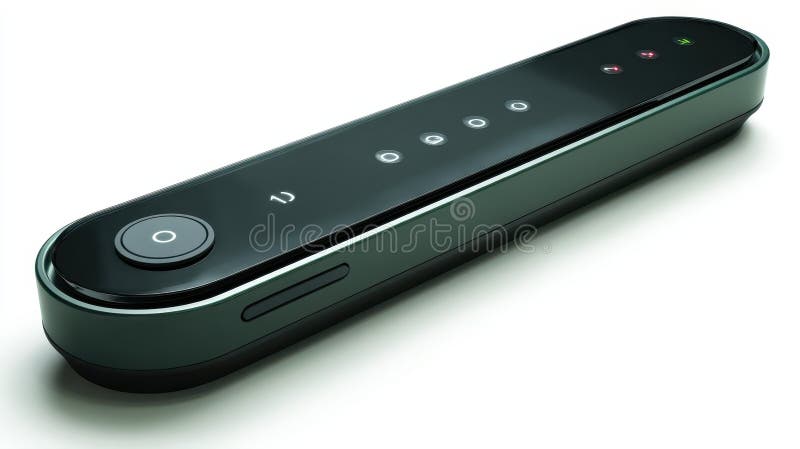
Free with trial This image shows a stylish, dark-green and black control panel with several buttons and indicator lights. Its sleek, modern design suggests high-tech functionality and user-friendly interface. The device is isolated on a white background, highlighting its polished finish and minimalist aesthetic. Button functionality illustrations Sleek Black Control Panel. This image shows a stylish, dark-green and black control panel with several buttons and indicator lights. Its sleek, modern design. This image shows a stylish, dark-green and black control panel with several buttons and indicator lights. Its sleek, modern design suggests high-tech functionality and user-friendly interface. The device is isolated on a white background, highlighting its polished finish and minimalist aesthetic.
Free with trial The image shows a sleek hair dryer featuring a vibrant pink and purple gradient color scheme. The device has a large, circular air vent and a cylindrical design with an elongated handle. The handle includes a power button and possibly a heat or speed control dial near the end. The cord is attached at the base, and the overall design suggests a blend of functionality and contemporary aesthetics. Button functionality vectors Stylish pink hair dryer with modern design and ergonomic handle. The image shows a sleek hair dryer featuring a vibrant pink and purple gradient color scheme. The image shows a sleek hair dryer featuring a vibrant pink and purple gradient color scheme. The device has a large, circular air vent and a cylindrical design with an elongated handle. The handle includes a power button and possibly a heat or speed control dial near the end. The cord is attached at the base, and the overall design suggests a blend of functionality and contemporary aesthetics
Free with trial Stainless steel smart travel mug with a black lid, detachable components include a sealing ring and a lid with a push-button mechanism. The mug has a smooth metallic finish, while the lid and components are made of durable black plastic. The mug is designed for portability and convenience, ensuring temperature retention for beverages. Ideal for travel and daily use, it offers practical functionality. Button functionality illustrations Smart Travel Mug Maintenance Training. Stainless steel smart travel mug with a black lid, detachable components include a sealing ring and a lid with a push. Stainless steel smart travel mug with a black lid, detachable components include a sealing ring and a lid with a push-button mechanism. The mug has a smooth metallic finish, while the lid and components are made of durable black plastic. The mug is designed for portability and convenience, ensuring temperature retention for beverages. Ideal for travel and daily use, it offers practical functionality.
Free with trial The image shows a sleek hair dryer featuring a vibrant pink and purple gradient color scheme. The device has a large, circular air vent and a cylindrical design with an elongated handle. The handle includes a power button and possibly a heat or speed control dial near the end. The cord is attached at the base, and the overall design suggests a blend of functionality and contemporary aesthetics. Button functionality vectors Stylish pink hair dryer with modern design and ergonomic handle. The image shows a sleek hair dryer featuring a vibrant pink and purple gradient color scheme. The image shows a sleek hair dryer featuring a vibrant pink and purple gradient color scheme. The device has a large, circular air vent and a cylindrical design with an elongated handle. The handle includes a power button and possibly a heat or speed control dial near the end. The cord is attached at the base, and the overall design suggests a blend of functionality and contemporary aesthetics
Free with trial Online billing receipt with payment button, notification bell, user profile, and person holding a tablet. Ideal for finance systems, e-commerce, online payments, digital tools, user management. Button functionality vectors Online Billing and Payment Concept with Digital Interaction and User Management Features. Online billing receipt with payment button, notification bell, user. Online billing receipt with payment button, notification bell, user profile, and person holding a tablet. Ideal for finance systems, e-commerce, online payments, digital tools, user management
Free with trial This image showcases a sophisticated electric foil shaver designed for a clean and comfortable shave. The shaver features a sleek, modern design with a predominantly white body and dark grey accents. It includes a transparent, removable storage case for convenient portability and hygiene. The foil shaving head suggests a close, efficient shave, while the single button on the device implies easy operation. The overall aesthetic is minimalist and elegant, suitable for the modern man who values both functionality and style. The high-quality render highlights the product's details and its potential appeal to a discerning consumer base seeking a premium shaving experience. The image is set against a clean, white background allowing the product to stand out as the focal point. Button functionality illustrations Sleek and Modern Electric Foil Shaver with Transparent Case. This image showcases a sophisticated electric foil shaver designed for a clean and comfortable shave. This image showcases a sophisticated electric foil shaver designed for a clean and comfortable shave. The shaver features a sleek, modern design with a predominantly white body and dark grey accents. It includes a transparent, removable storage case for convenient portability and hygiene. The foil shaving head suggests a close, efficient shave, while the single button on the device implies easy operation. The overall aesthetic is minimalist and elegant, suitable for the modern man who values both functionality and style. The high-quality render highlights the product's details and its potential appeal to a discerning consumer base seeking a premium shaving experience. The image is set against a clean, white background allowing the product to stand out as the focal point.
Free with trial A modern digital food thermometer featuring a long, slender stainless steel probe and a clear LCD display showing a temperature of 45. 3°C. The sleek gray and black plastic body is equipped with a power button and a hold button for convenient use. Presented on a clean, isolated white background, this studio shot emphasizes the tool's precision and functionality. It's an essential kitchen gadget for accurately measuring internal temperatures of various foods, ensuring food safety and achieving perfect cooking results for home cooks and professional chefs alike. Button functionality illustrations Digital Food Thermometer with Stainless Steel Probe on White Background. A modern digital food thermometer featuring a long, slender stainless steel probe and a. A modern digital food thermometer featuring a long, slender stainless steel probe and a clear LCD display showing a temperature of 45.3°C. The sleek gray and black plastic body is equipped with a power button and a hold button for convenient use. Presented on a clean, isolated white background, this studio shot emphasizes the tool's precision and functionality. It's an essential kitchen gadget for accurately measuring internal temperatures of various foods, ensuring food safety and achieving perfect cooking results for home cooks and professional chefs alike.
Free with trial This isometric features three vibrant stationery items: a pink notebook with lined pages, a purple notebook with a smooth cover, and a green digital scale. The pink notebook is open, revealing its lined interior, while the purple notebook is closed. The green digital scale has a small screen and a circular button, suggesting functionality for measuring weight. This image could be used for educational materials, office supplies catalogs, health and wellness blogs, or digital design projects requiring a modern and clean aesthetic with a focus on organization and measurement. Button functionality illustrations Colorful Isometric Notebooks and Scale. This isometric features three vibrant stationery items: a pink notebook with lined pages, a purple notebook with a smooth. This isometric features three vibrant stationery items: a pink notebook with lined pages, a purple notebook with a smooth cover, and a green digital scale. The pink notebook is open, revealing its lined interior, while the purple notebook is closed. The green digital scale has a small screen and a circular button, suggesting functionality for measuring weight. This image could be used for educational materials, office supplies catalogs, health and wellness blogs, or digital design projects requiring a modern and clean aesthetic with a focus on organization and measurement.
Free with trial A sleek, modern air purifier is displayed against a clean white background. The device features a circular fan at the top and a control panel with buttons for power and settings on its front. The minimalist design emphasizes functionality and contemporary aesthetics. Button functionality illustrations Modern Air Purifier with Clean Design. A sleek, modern air purifier is displayed against a clean white background. The device features a circular fan at the top. A sleek, modern air purifier is displayed against a clean white background. The device features a circular fan at the top and a control panel with buttons for power and settings on its front. The minimalist design emphasizes functionality and contemporary aesthetics.
Free with trial This image showcases a vibrant collection of women's shorts in various colors and styles. The shorts are displayed in a grid, featuring light blue, coral, navy, brown, beige, yellow, and pink. Each pair of shorts is designed for comfort and style, perfect for casual summer wear. The shorts come with different waistbands, including drawstrings and buttoned designs, offering a mix of functionality. Button functionality illustrations Colorful collection of women\'s shorts. This image showcases a vibrant collection of women's shorts in various colors and styles. The shorts are displayed in a. This image showcases a vibrant collection of women's shorts in various colors and styles. The shorts are displayed in a grid, featuring light blue, coral, navy, brown, beige, yellow, and pink. Each pair of shorts is designed for comfort and style, perfect for casual summer wear. The shorts come with different waistbands, including drawstrings and buttoned designs, offering a mix of functionality
Free with trial A sleek vector icon of a modern ON OFF toggle switch, clearly indicating an active or on state. This intuitive design is perfect for user interfaces, digital controls, or illustrating concepts of activation and functionality in various tech applications, vector design Generative AI. Button functionality vectors Modern On-Off Toggle Switch Icon Activated, vector design Generative AI. A sleek vector icon of a modern ON OFF toggle switch, clearly indicating an active or on. A sleek vector icon of a modern ON OFF toggle switch, clearly indicating an active or on state. This intuitive design is perfect for user interfaces, digital controls, or illustrating concepts of activation and functionality in various tech applications, vector design Generative AI
Free with trial This image showcases four distinct black insulated water bottle designs, each offering unique features for hydration needs. From left to right, the first bottle has a sleek, cylindrical shape with a textured, ridged exterior for grip and a push-button lid for easy opening. The second bottle features a handle, resembling a classic thermos or flask, ideal for a firm grip and portability. The third. Button functionality illustrations Exploring diverse black insulated water bottle designs for outdoor hydration and functionality. This image showcases four distinct black insulated water bottle. This image showcases four distinct black insulated water bottle designs, each offering unique features for hydration needs. From left to right, the first bottle has a sleek, cylindrical shape with a textured, ridged exterior for grip and a push-button lid for easy opening. The second bottle features a handle, resembling a classic thermos or flask, ideal for a firm grip and portability. The third
Free with trial A sleek, white smartphone is depicted in a 3D render, showcasing a modern e-commerce application interface. The screen displays a clean layout with various pastel-colored 3D icons representing product categories like fashion, accessories, and shoes. A prominent blue shopping cart button and a search icon highlight the app's functionality. Set against a soft blue background, this image perfectly illustrates concepts of mobile commerce, digital retail, and convenient online shopping, ideal for technology, business, or marketing related content. Button functionality illustrations 3D Render of Smartphone with E-Commerce App Interface on Blue Background. A sleek, white smartphone is depicted in a 3D render, showcasing a modern e-commerce. A sleek, white smartphone is depicted in a 3D render, showcasing a modern e-commerce application interface. The screen displays a clean layout with various pastel-colored 3D icons representing product categories like fashion, accessories, and shoes. A prominent blue shopping cart button and a search icon highlight the app's functionality. Set against a soft blue background, this image perfectly illustrates concepts of mobile commerce, digital retail, and convenient online shopping, ideal for technology, business, or marketing related content.
Free with trial Website plugins with customization, optimization, and functionality. Web development tools enhance user experience, improve performance and plugin integration with coding and interface elements. Button functionality vectors Website plugins with customization, optimization, and functionality. Web development tools enhance user experience. Improve performance and plugin integration. Website plugins with customization, optimization, and functionality. Web development tools enhance user experience, improve performance and plugin integration with coding and interface elements.
Free with trial A set of three colorful media control icons, including a green checkmark, a blue play button, and a purple pause button, on a clean white background. The icons are designed to be visually appealing and easy to use, making them perfect for digital media players, applications, and software. The image showcases a simple yet effective design that communicates functionality and usability. Button functionality vectors A set of colorful media control icons on a white background. A set of three colorful media control icons, including a green checkmark, a blue play button, and a. A set of three colorful media control icons, including a green checkmark, a blue play button, and a purple pause button, on a clean white background. The icons are designed to be visually appealing and easy to use, making them perfect for digital media players, applications, and software. The image showcases a simple yet effective design that communicates functionality and usability.
Free with trial Billing invoice with payment button, user profile icon, notification bell, and chat window. Ideal for finance, communication, technology, payment system, user interface mobile app simple landing. Button functionality vectors Digital Billing Invoice, Profile Communication, and Notification for Online Payment System. Billing invoice with payment button, user profile icon, notification. Billing invoice with payment button, user profile icon, notification bell, and chat window. Ideal for finance, communication, technology, payment system, user interface mobile app simple landing
Free with trial This image showcases a vibrant collection of women's shorts in various colors and styles. The shorts are displayed in a grid, featuring light blue, coral, navy, brown, beige, yellow, and pink. Each pair of shorts is designed for comfort and style, perfect for casual summer wear. The shorts come with different waistbands, including drawstrings and buttoned designs, offering a mix of functionality. Button functionality illustrations Colorful collection of women\'s shorts. This image showcases a vibrant collection of women's shorts in various colors and styles. The shorts are displayed in a. This image showcases a vibrant collection of women's shorts in various colors and styles. The shorts are displayed in a grid, featuring light blue, coral, navy, brown, beige, yellow, and pink. Each pair of shorts is designed for comfort and style, perfect for casual summer wear. The shorts come with different waistbands, including drawstrings and buttoned designs, offering a mix of functionality
Free with trial A high-quality DSLR camera with a large lens attached, positioned on a grip. The camera features various buttons and dials, indicating its advanced functionality. Button functionality vectors Professional dslr camera with large lens. A high-quality DSLR camera with a large lens attached, positioned on a grip. The camera features various buttons and. A high-quality DSLR camera with a large lens attached, positioned on a grip. The camera features various buttons and dials, indicating its advanced functionality
Free with trial Isolated foot spa machine featuring a white and black design with a control panel, set against a clean white background, highlighting its modern aesthetic and functionality. Button functionality illustrations Modern Foot Spa Device: Sleek Design, Control Panel, White Background. Isolated foot spa machine featuring a white and black design with a control panel, set. Isolated foot spa machine featuring a white and black design with a control panel, set against a clean white background, highlighting its modern aesthetic and functionality
Free with trial A glowing pink button with the word "Search" is centered against a gradient pink background. Next to the button, a large white and gray 3D mouse cursor arrow is directed towards it. The button has a rounded rectangular shape with a smooth, glossy texture, and is slightly illuminated, highlighting its function as an interactive element. The minimalist design emphasizes the button's functionality and the cursor's orientation toward it. Button functionality vectors A glowing pink button with the word \'Search\' is centered against a gradient pink background. A glowing pink button with the word 'Search' is centered against a. A glowing pink button with the word "Search" is centered against a gradient pink background. Next to the button, a large white and gray 3D mouse cursor arrow is directed towards it. The button has a rounded rectangular shape with a smooth, glossy texture, and is slightly illuminated, highlighting its function as an interactive element. The minimalist design emphasizes the button's functionality and the cursor's orientation toward it.
Free with trial This image showcases a modern black smartwatch with a sleek design. The watch features a large, rectangular touchscreen display encased in a black frame. The band is made of a smooth, black silicone material, providing a comfortable fit. The smartwatch is equipped with a single physical button on the right side, enhancing its functionality. The overall design is minimalist and stylish, suitable. Button functionality illustrations Modern black smartwatch with sleek design. This image showcases a modern black smartwatch with a sleek design. The watch features a large, rectangular. This image showcases a modern black smartwatch with a sleek design. The watch features a large, rectangular touchscreen display encased in a black frame. The band is made of a smooth, black silicone material, providing a comfortable fit. The smartwatch is equipped with a single physical button on the right side, enhancing its functionality. The overall design is minimalist and stylish, suitable
Free with trial Stainless steel electric kettle with a sleek, modern design featuring a matte finish. Cylindrical body with a spout on one side and a black, ergonomic handle on the other. The handle has a simple push-button mechanism for operation. The kettle stands on a black circular base and includes a small digital control panel indicating its smart capabilities. The minimalist design is suitable for contemporary kitchen settings, focusing on both functionality and aesthetics. Button functionality illustrations Smart Electric Kettle Industrial Retrofit. Stainless steel electric kettle with a sleek, modern design featuring a matte finish. Cylindrical body with a spout on. Stainless steel electric kettle with a sleek, modern design featuring a matte finish. Cylindrical body with a spout on one side and a black, ergonomic handle on the other. The handle has a simple push-button mechanism for operation. The kettle stands on a black circular base and includes a small digital control panel indicating its smart capabilities. The minimalist design is suitable for contemporary kitchen settings, focusing on both functionality and aesthetics.
Free with trial Set of media control buttons marked with a unique symbol representing a specific media function. Play, stop, pause, rewind, forward and record button icons. Button functionality vectors Black circular media control buttons. Set of media control buttons marked with a unique symbol representing a specific media function. Play, stop, pause, rewind. Set of media control buttons marked with a unique symbol representing a specific media function. Play, stop, pause, rewind, forward and record button icons
Free with trial A detailed close-up of a mechanical keyboard showcasing vibrant backlit keys, ideal for gaming and professional workspaces, emphasizing modern design and functionality. Button functionality illustrations Close-up View of Modern Mechanical Keyboard Keys with Brightly Lit Backlit Colors in a Stunning Arrangement for Gaming and. A detailed close-up of a mechanical. A detailed close-up of a mechanical keyboard showcasing vibrant backlit keys, ideal for gaming and professional workspaces, emphasizing modern design and functionality
Free with trial A collection of eighteen minimal black outline icons arranged in three rows on a white background, including home, search magnifier, settings gear, user profile, clock, arrow, menu, calendar, close cross, and camera symbols. Clean linear style perfect for web design, mobile app interface, user experience, navigation buttons, and digital projects. Simple pictograms providing universal symbols for usability, functionality, and modern communication. Button functionality vectors Set of Minimal Black Line Interface Icons. A collection of eighteen minimal black outline icons arranged in three rows on a white background, including home. A collection of eighteen minimal black outline icons arranged in three rows on a white background, including home, search magnifier, settings gear, user profile, clock, arrow, menu, calendar, close cross, and camera symbols. Clean linear style perfect for web design, mobile app interface, user experience, navigation buttons, and digital projects. Simple pictograms providing universal symbols for usability, functionality, and modern communication.
 Sign in