Free with trial The image showcases a classic Chesterfield armchair upholstered in rich, dark brown leather. It features a deep button-tufted backrest and seat, providing a luxurious and timeless look. The armchair includes a built-in storage drawer at the base, adding both functionality and style. The sturdy wooden legs with casters enhance its sturdy and sophisticated appearance, making it a perfect addition to. Button functionality illustrations Elegant brown leather chesterfield armchair with storage space. The image showcases a classic Chesterfield armchair upholstered in rich, dark brown leather. It. The image showcases a classic Chesterfield armchair upholstered in rich, dark brown leather. It features a deep button-tufted backrest and seat, providing a luxurious and timeless look. The armchair includes a built-in storage drawer at the base, adding both functionality and style. The sturdy wooden legs with casters enhance its sturdy and sophisticated appearance, making it a perfect addition to
Free with trial This image showcases a classic blue and white varsity jacket. The jacket features a royal blue body with white leather sleeves, creating a striking contrast. It has a white collar and cuffs with blue stripes, adding to its sporty aesthetic. The jacket is adorned with button closures and zippered pockets on the front, providing both functionality and style. The interior lining appears to be a dark. Button functionality illustrations Classic blue and white varsity jacket with zipper pockets. This image showcases a classic blue and white varsity jacket. The jacket features a royal blue body. This image showcases a classic blue and white varsity jacket. The jacket features a royal blue body with white leather sleeves, creating a striking contrast. It has a white collar and cuffs with blue stripes, adding to its sporty aesthetic. The jacket is adorned with button closures and zippered pockets on the front, providing both functionality and style. The interior lining appears to be a dark
Free with trial A vibrant, three-dimensional glossy purple circle features a prominent white triangular play icon. This modern symbol is perfect for representing playback functionality on digital platforms and media players. Button functionality illustrations Glossy purple play button icon symbol for digital media and entertainment isolated on white background. A vibrant, three-dimensional glossy purple circle. A vibrant, three-dimensional glossy purple circle features a prominent white triangular play icon. This modern symbol is perfect for representing playback functionality on digital platforms and media players
Free with trial The image showcases a modern stylus pen with a minimalist and ergonomic design. The pen features a sleek black body with a smooth, rounded grip and a metallic tip, likely used for precision input on touchscreen devices. The upper part of the stylus has a small button, potentially for additional functionality such as shortcuts or pressure sensitivity control. Button functionality illustrations Sleek black stylus pen with minimalist design and metallic tip. The image showcases a modern stylus pen with a minimalist and ergonomic design. The pen features. The image showcases a modern stylus pen with a minimalist and ergonomic design. The pen features a sleek black body with a smooth, rounded grip and a metallic tip, likely used for precision input on touchscreen devices. The upper part of the stylus has a small button, potentially for additional functionality such as shortcuts or pressure sensitivity control
Free with trial A dynamic set of gradient call-to-action buttons, including phrases like BEOM WITH and SAED, accompanied by directional arrows. Ideal for modern websites and applications to guide user interaction and highlight key functionalities with style. vector design Generative AI. Button functionality vectors Gradient Call-to-Action Button Set, vector design Generative AI. A dynamic set of gradient call-to-action buttons, including phrases like BEOM WITH and SAED. A dynamic set of gradient call-to-action buttons, including phrases like BEOM WITH and SAED, accompanied by directional arrows. Ideal for modern websites and applications to guide user interaction and highlight key functionalities with style. vector design Generative AI
Free with trial A collection of six toggle switch buttons showing both ON and OFF states in various color combinations, isolated on a clean white background. Perfect for UI UX design, mobile apps, websites, and digital dashboards. High-quality, versatile design ideal for illustrating interactive elements, active inactive states, and user interface functionality in digital and print projects. Button functionality illustrations Set of toggle switch buttons on and off isolated on white background. A collection of six toggle switch buttons showing both ON and OFF states in various color. A collection of six toggle switch buttons showing both ON and OFF states in various color combinations, isolated on a clean white background. Perfect for UI UX design, mobile apps, websites, and digital dashboards. High-quality, versatile design ideal for illustrating interactive elements, active inactive states, and user interface functionality in digital and print projects
Free with trial A minimalist white smart speaker with a fabric-covered top, featuring a circular power button and sound wave indicators. The front panel includes touch-sensitive controls for volume and playback, with a subtle blue LED light. The design is clean, modern, and seamless, emphasizing functionality and aesthetics. Perfect for home audio integration. Button functionality illustrations Sleek white smart speaker with touch controls and blue light. A minimalist white smart speaker with a fabric-covered top, featuring a circular power button and. A minimalist white smart speaker with a fabric-covered top, featuring a circular power button and sound wave indicators. The front panel includes touch-sensitive controls for volume and playback, with a subtle blue LED light. The design is clean, modern, and seamless, emphasizing functionality and aesthetics. Perfect for home audio integration
Free with trial The image depicts a sleek, modern electric wine opener actively removing the cork from a wine bottle. The device features a metallic body with a digital display and control buttons, indicating its advanced functionality. The corkscrew is visibly engaged with the cork, highlighting the ease and efficiency of the tool. Button functionality illustrations Modern electric wine opener in use isolated on white background. The image depicts a sleek, modern electric wine opener actively removing the cork from a wine. The image depicts a sleek, modern electric wine opener actively removing the cork from a wine bottle. The device features a metallic body with a digital display and control buttons, indicating its advanced functionality. The corkscrew is visibly engaged with the cork, highlighting the ease and efficiency of the tool
Free with trial Four linear icons depict browser windows with video play buttons. Each icon features a rectangular window design with three circle tabs at the top, resembling a typical browser window. Inside each window is a prominent triangular play button. The icons are set against different background colors: white, black, and blue variants, creating a contrast with the black and white window designs. These icons are designed for digital media, illustrating video playback functionality in a simplistic, modern style. Button functionality illustrations Set of four linear browser window icons with video play buttons. Four linear icons depict browser windows with video play buttons. Each icon features a. Four linear icons depict browser windows with video play buttons. Each icon features a rectangular window design with three circle tabs at the top, resembling a typical browser window. Inside each window is a prominent triangular play button. The icons are set against different background colors: white, black, and blue variants, creating a contrast with the black and white window designs. These icons are designed for digital media, illustrating video playback functionality in a simplistic, modern style.
Free with trial A pair of sleek black wireless earbuds rests securely in their cylindrical charging case, which sits open on a clean white surface against a soft light grey background, featuring a minimalist modern design with a small green indicator button on the side that suggests charging functionality, creating a professional product presentation ideal for technology marketing, e-commerce websites, or. Button functionality illustrations Modern black wireless earbuds in cylindrical charging case on minimalist white background with green indicator light. A pair of sleek black wireless earbuds. A pair of sleek black wireless earbuds rests securely in their cylindrical charging case, which sits open on a clean white surface against a soft light grey background, featuring a minimalist modern design with a small green indicator button on the side that suggests charging functionality, creating a professional product presentation ideal for technology marketing, e-commerce websites, or
Free with trial This image depicts a modern SOS emergency phone with a sleek and silver design. The phone features a prominent SOS button, indicating its purpose for emergency situations. The device is set against a clean white background, highlighting its design and functionality. The image is suitable for use in various contexts, including emergency response services, telecommunications, and safety equipment. Button functionality vectors A sleek and modern SOS emergency phone with a silver and black design. This image depicts a modern SOS emergency phone with a sleek and silver design. The phone. This image depicts a modern SOS emergency phone with a sleek and silver design. The phone features a prominent SOS button, indicating its purpose for emergency situations. The device is set against a clean white background, highlighting its design and functionality. The image is suitable for use in various contexts, including emergency response services, telecommunications, and safety equipment.
Free with trial This 3D icon represents a web browser interface with integrated marketing and media functionality. It features a purple header with status dots, a green button labeled ADS, and a red video play button, alongside horizontal text lines, perfect for web development, digital marketing, or user interface design projects. Button functionality vectors A 3D stylized browser window icon featuring advertising and video content control buttons. This 3D icon represents a web browser interface with integrated. This 3D icon represents a web browser interface with integrated marketing and media functionality. It features a purple header with status dots, a green button labeled ADS, and a red video play button, alongside horizontal text lines, perfect for web development, digital marketing, or user interface design projects
Free with trial This image shows a sleek, modern electric kettle featuring a polished copper-toned exterior and a contrasting black handle and base. The kettle has a transparent water level indicator and a power button located at the bottom. It appears to be designed for both aesthetic appeal and functionality in a kitchen setting. Button functionality illustrations Stylish copper-toned electric kettle with black handle and base. This image shows a sleek, modern electric kettle featuring a polished copper-toned exterior and. This image shows a sleek, modern electric kettle featuring a polished copper-toned exterior and a contrasting black handle and base. The kettle has a transparent water level indicator and a power button located at the bottom. It appears to be designed for both aesthetic appeal and functionality in a kitchen setting
Free with trial A collection of search bar elements and magnifying glass icons, perfect for user interface design, web applications, and enhancing search functionality overall. Button functionality vectors Vector art of search bar elements featuring magnifying glass, zoom in, and zoom out icons for user interface design purposes. A collection of search bar elements. A collection of search bar elements and magnifying glass icons, perfect for user interface design, web applications, and enhancing search functionality overall
Free with trial Two smartphone interfaces, each showing a camera screen mockup. Both have a black background with yellow focus brackets. The left display is fully black, while the right has a grey viewport. Features include a white shutter button, zoom options (5, 1x, 2), and an icon for rotation in the lower right corner. A lightning bolt symbol, indicating flash, is at the top. The design showcases a sleek, minimalist user interface for camera functionality. Button functionality vectors Smartphone camera interface user interface mockup showing side-by-side viewports. Two smartphone interfaces, each showing a camera screen mockup. Both have a. Two smartphone interfaces, each showing a camera screen mockup. Both have a black background with yellow focus brackets. The left display is fully black, while the right has a grey viewport. Features include a white shutter button, zoom options (5, 1x, 2), and an icon for rotation in the lower right corner. A lightning bolt symbol, indicating flash, is at the top. The design showcases a sleek, minimalist user interface for camera functionality.
Free with trial A sleek electric toothbrush featuring a cylindrical handle with a textured grip and a round brush head with densely packed bristles. The head is detachable for easy cleaning and replacement. The handle includes a power button and a visible battery compartment at the base. It stands upright, emphasizing its modern design and functionality for dental hygiene. Button functionality illustrations Black and white electric toothbrush with removable brush head. A sleek electric toothbrush featuring a cylindrical handle with a textured grip and a round brush. A sleek electric toothbrush featuring a cylindrical handle with a textured grip and a round brush head with densely packed bristles. The head is detachable for easy cleaning and replacement. The handle includes a power button and a visible battery compartment at the base. It stands upright, emphasizing its modern design and functionality for dental hygiene
Free with trial Simple showing black magnifying glass icon with a minus sign indicating zoom out functionality. Button functionality illustrations Black Magnifying Glass Icon with a Minus Sign Indicating Zoom Out Functionality Keywords: magnifying glass, zoom out, minus sign,. Simple showing black. Simple showing black magnifying glass icon with a minus sign indicating zoom out functionality
Free with trial The image shows a microwave oven with a closed door. The front panel features a control interface that is mostly blurred, but the shape and placement of buttons are visible. The microwave appears to be a modern model with a sleek design. The display area, located centrally, is partially illuminated with a faint greenish glow, indicating some digital or electronic functionality. Button functionality illustrations A close-up view of a microwave oven with a blurred interface display. The image shows a microwave oven with a closed door. The front panel features a control. The image shows a microwave oven with a closed door. The front panel features a control interface that is mostly blurred, but the shape and placement of buttons are visible. The microwave appears to be a modern model with a sleek design. The display area, located centrally, is partially illuminated with a faint greenish glow, indicating some digital or electronic functionality
Free with trial This image depicts a modern wireless charging pad designed for smartphones and other devices. The sleek and compact device features a circular design with a power button and indicator light on the front. The charging pad is perfect for home or office use, providing a convenient and clutter-free way to charge your devices. The image showcases the charging pad in a clean and minimalist setting, highlighting its design and functionality. Button functionality vectors A sleek and modern wireless charging pad for smartphones and devices. This image depicts a modern wireless charging pad designed for smartphones and other. This image depicts a modern wireless charging pad designed for smartphones and other devices. The sleek and compact device features a circular design with a power button and indicator light on the front. The charging pad is perfect for home or office use, providing a convenient and clutter-free way to charge your devices. The image showcases the charging pad in a clean and minimalist setting, highlighting its design and functionality.
Free with trial A black and white image of a vintage film camera, showcasing its classic design and mechanical features. The camera has a prominent lens, a large viewfinder, and manual dials for adjusting settings. The body appears to be made of metal, giving it a sturdy and timeless appearance. The shutter button, film advance lever, and various other controls are visible, highlighting its analog functionality. Button functionality illustrations Vintage film camera with classic design and mechanical precision. A black and white image of a vintage film camera, showcasing its classic design and mechanical. A black and white image of a vintage film camera, showcasing its classic design and mechanical features. The camera has a prominent lens, a large viewfinder, and manual dials for adjusting settings. The body appears to be made of metal, giving it a sturdy and timeless appearance. The shutter button, film advance lever, and various other controls are visible, highlighting its analog functionality
Free with trial This image shows a brown leather bifold wallet featuring a textured, aged appearance that adds a classic touch. The wallet has a flap closure secured by a button, along with a card slot on the front. It appears to be designed for everyday use, offering both functionality and a stylish look. Button functionality vectors Brown leather bifold wallet with textured finish and card slot. This image shows a brown leather bifold wallet featuring a textured, aged appearance that adds a. This image shows a brown leather bifold wallet featuring a textured, aged appearance that adds a classic touch. The wallet has a flap closure secured by a button, along with a card slot on the front. It appears to be designed for everyday use, offering both functionality and a stylish look
Free with trial This image displays three distinct icon styles for a video player featuring a play button overlaid with a speech bubble, symbolizing video commentary, chat, or feedback mechanisms in digital media int. Button functionality vectors Three variations of a video player icon with a speech bubble, representing video comment or feedback functionality, isolated on. This image displays three. This image displays three distinct icon styles for a video player featuring a play button overlaid with a speech bubble, symbolizing video commentary, chat, or feedback mechanisms in digital media int
Free with trial This image features a sleek push-button equipped with a modern LED-lit display, set against a pristine white background. The design emphasizes a blend of technology and minimalism. Button functionality illustrations Futuristic LED Push-Button Design. This image features a sleek push-button equipped with a modern LED-lit display, set against a pristine white background. The. This image features a sleek push-button equipped with a modern LED-lit display, set against a pristine white background. The design emphasizes a blend of technology and minimalism.
Free with trial The image shows a minimalist design of a wall-mounted light switch featuring three rectangular buttons arranged vertically. The switch is mounted on a smooth, rounded, and slightly textured white plate, giving it a contemporary and clean appearance. The design emphasizes simplicity and functionality, suitable for modern interiors. Button functionality illustrations Modern three-button light switch on a sleek circular wall plate. The image shows a minimalist design of a wall-mounted light switch featuring three rectangular. The image shows a minimalist design of a wall-mounted light switch featuring three rectangular buttons arranged vertically. The switch is mounted on a smooth, rounded, and slightly textured white plate, giving it a contemporary and clean appearance. The design emphasizes simplicity and functionality, suitable for modern interiors
Free with trial This image showcases a sophisticated brown leather clamshell wallet. It features a sturdy gold-tone clasp with a decorative design, adding a touch of elegance. The wallet has a smooth, rich finish and a flap closure with a button snap, providing both style and functionality. It appears to have multiple card slots and compartments for organization, making it ideal for everyday use. Button functionality illustrations Elegant brown leather clamshell wallet with decorative gold clasp. This image showcases a sophisticated brown leather clamshell wallet. It features a sturdy gold. This image showcases a sophisticated brown leather clamshell wallet. It features a sturdy gold-tone clasp with a decorative design, adding a touch of elegance. The wallet has a smooth, rich finish and a flap closure with a button snap, providing both style and functionality. It appears to have multiple card slots and compartments for organization, making it ideal for everyday use
Free with trial This image shows a sleek, contemporary light switch mounted on a wall. The switch has a central toggle lever in the on position, accompanied by a glowing green indicator light above it. There are two additional circular controls on either side of the main toggle, likely for dimming or smart functionality. The design is minimalist and metallic, fitting well in modern interiors. Button functionality illustrations Modern light switch in the on position with illuminated indicator. This image shows a sleek, contemporary light switch mounted on a wall. The switch has a. This image shows a sleek, contemporary light switch mounted on a wall. The switch has a central toggle lever in the on position, accompanied by a glowing green indicator light above it. There are two additional circular controls on either side of the main toggle, likely for dimming or smart functionality. The design is minimalist and metallic, fitting well in modern interiors
Free with trial The image displays two sleek, modern digital door entry systems mounted side by side on a wall. Both panels feature a digital screen and a push button, with one having a metallic finish and the other a matte black frame. The left panel has a single push button, while the right panel includes an additional small button beside the screen, likely for extra functionality like intercom or emergency. Button functionality illustrations Modern digital door entry panels with metallic and matte finishes. The image displays two sleek, modern digital door entry systems mounted side by side on a wall. The image displays two sleek, modern digital door entry systems mounted side by side on a wall. Both panels feature a digital screen and a push button, with one having a metallic finish and the other a matte black frame. The left panel has a single push button, while the right panel includes an additional small button beside the screen, likely for extra functionality like intercom or emergency
Free with trial The image showcases a smartphone featuring an elongated design with smooth, curved edges. The device has a vibrant orange matte finish, giving it a distinctive and stylish appearance. The front display is minimalistic, with a small circular home button centrally located below the screen. The phone’s overall design suggests a blend of functionality and contemporary aesthetics, likely appealing to. Button functionality illustrations Sleek modern smartphone with orange matte finish and curved edges. The image showcases a smartphone featuring an elongated design with smooth, curved edges. The. The image showcases a smartphone featuring an elongated design with smooth, curved edges. The device has a vibrant orange matte finish, giving it a distinctive and stylish appearance. The front display is minimalistic, with a small circular home button centrally located below the screen. The phone’s overall design suggests a blend of functionality and contemporary aesthetics, likely appealing to
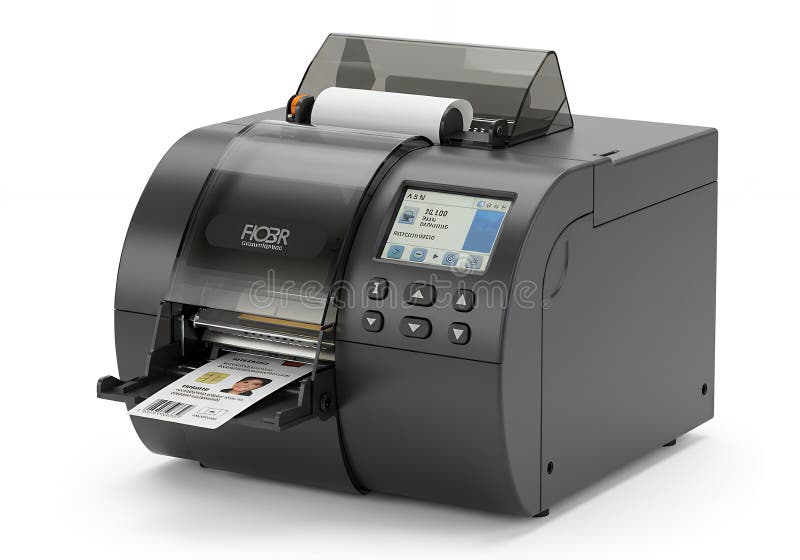
Free with trial An eye-level shot shows a black access credential printer on a white backdrop, casting a soft shadow, with a printed access credential partially ejected. The printer features a display screen and various buttons, emphasizing its sleek, modern design and functionality, suitable for illustrating office technology or security solutions. Button functionality illustrations Black Access Credential Printer with Display on White Background for Office Technology Solutions. An eye-level shot shows a black access credential printer on a. An eye-level shot shows a black access credential printer on a white backdrop, casting a soft shadow, with a printed access credential partially ejected. The printer features a display screen and various buttons, emphasizing its sleek, modern design and functionality, suitable for illustrating office technology or security solutions
Free with trial An illustrative icon of digital upload buttons. Button functionality vectors Digital Upload Button Icon. An illustrative icon of digital upload buttons. An illustrative icon of digital upload buttons.
Free with trial A sleek 3D icon of a play symbol, representing media functionality or start, designed in a minimal style, isolated on white. Button functionality illustrations Play 3D Icon Isolated on White Background. A sleek 3D icon of a play symbol, representing media functionality or start, designed in a minimal style, isolated on. A sleek 3D icon of a play symbol, representing media functionality or start, designed in a minimal style, isolated on white.
Free with trial Two game controllers are displayed side by side in contrasting colors. One is white with a traditional button layout, and the other is black with an alternative design. They represent gaming culture. Button functionality illustrations Design of two game controllers in black and white showcasing different shapes and button layouts. Two game controllers are displayed side by side in contrasting. Two game controllers are displayed side by side in contrasting colors. One is white with a traditional button layout, and the other is black with an alternative design. They represent gaming culture.
Free with trial A clean graphic representation of a magnifying tool, useful for search functionality or UI design. Button functionality illustrations Black outline of a magnifying glass design element with hand lens. A clean graphic representation of a magnifying tool, useful for search functionality or UI. A clean graphic representation of a magnifying tool, useful for search functionality or UI design
Free with trial A digital graphic featuring a dark blue computer mouse cursor arrow pointing towards and interacting with a series of rounded square buttons. The buttons transition through a color palette of blue and green gradients, arranged horizontally. This clean, minimalist design represents concepts of user interface, digital interaction, web navigation, and software functionality, suitable for technology-themed projects and website design elements. Button functionality vectors Computer Mouse Cursor Clicking on a Blue Gradient Square Button Icon. A digital graphic featuring a dark blue computer mouse cursor arrow pointing towards and. A digital graphic featuring a dark blue computer mouse cursor arrow pointing towards and interacting with a series of rounded square buttons. The buttons transition through a color palette of blue and green gradients, arranged horizontally. This clean, minimalist design represents concepts of user interface, digital interaction, web navigation, and software functionality, suitable for technology-themed projects and website design elements.
Free with trial This image shows a sophisticated grey handbag with a structured design, featuring a flap closure secured by a gold-tone button. The bag has a curved top handle and a shorter handle attached to the sides, both finished with gold accents. The exterior appears to be made of a smooth, possibly textured material, giving it a sleek and polished look. The bag’s design suggests a blend of functionality. Button functionality illustrations Elegant grey structured handbag with dual handles and gold accents. This image shows a sophisticated grey handbag with a structured design, featuring a flap. This image shows a sophisticated grey handbag with a structured design, featuring a flap closure secured by a gold-tone button. The bag has a curved top handle and a shorter handle attached to the sides, both finished with gold accents. The exterior appears to be made of a smooth, possibly textured material, giving it a sleek and polished look. The bag’s design suggests a blend of functionality
Free with trial This image showcases a classic Chesterfield-style sofa featuring a deep button-tufted backrest and seat, upholstered in a rich, dark leather. The sofa includes a pair of built-in storage drawers at the base, adding both functionality and a touch of sophistication. The armrests are contoured and padded, providing a comfortable resting place. The design exudes a timeless, luxurious appeal, ideal for. Button functionality illustrations Elegant chesterfield sofa with tufted backrest and storage drawers. This image showcases a classic Chesterfield-style sofa featuring a deep button-tufted. This image showcases a classic Chesterfield-style sofa featuring a deep button-tufted backrest and seat, upholstered in a rich, dark leather. The sofa includes a pair of built-in storage drawers at the base, adding both functionality and a touch of sophistication. The armrests are contoured and padded, providing a comfortable resting place. The design exudes a timeless, luxurious appeal, ideal for
Free with trial This image features a sleek, orange phone case designed with a circular cutout, likely for a logo or design element. The case also includes protection for the camera module, evident from the raised edges around the camera area. The case appears to have precise cutouts for the charging port, speakers, and buttons, ensuring full functionality while providing protection. Button functionality illustrations Sleek orange phone case with circular cutout and camera protection. This image features a sleek, orange phone case designed with a circular cutout, likely for a. This image features a sleek, orange phone case designed with a circular cutout, likely for a logo or design element. The case also includes protection for the camera module, evident from the raised edges around the camera area. The case appears to have precise cutouts for the charging port, speakers, and buttons, ensuring full functionality while providing protection
Free with trial The image shows a pair of white Apple AirPods Pro placed next to their matching charging case. The AirPods have a sleek design with a circular ear tip and a stem that houses the light sensor and button. The charging case is open, revealing the wireless charging surface with a small status light indicating its charge level. The overall design is minimalist and modern, emphasizing functionality and. Button functionality illustrations Apple airpods pro with charging case displayed on white background. The image shows a pair of white Apple AirPods Pro placed next to their matching charging case. The image shows a pair of white Apple AirPods Pro placed next to their matching charging case. The AirPods have a sleek design with a circular ear tip and a stem that houses the light sensor and button. The charging case is open, revealing the wireless charging surface with a small status light indicating its charge level. The overall design is minimalist and modern, emphasizing functionality and
Free with trial A contemporary smartwatch featuring a silver body and a bright yellow strap, designed for both style and functionality. Button functionality illustrations Modern smartwatch with a sleek silver body and vibrant yellow strap. A contemporary smartwatch featuring a silver body and a bright yellow strap, designed for. A contemporary smartwatch featuring a silver body and a bright yellow strap, designed for both style and functionality
Free with trial A contemporary smartwatch featuring a silver body and a bright yellow strap, designed for both style and functionality. Button functionality illustrations Modern smartwatch with a sleek silver body and vibrant yellow strap. A contemporary smartwatch featuring a silver body and a bright yellow strap, designed for. A contemporary smartwatch featuring a silver body and a bright yellow strap, designed for both style and functionality
Free with trial A contemporary smartwatch featuring a black circular face and a matching black silicone strap, designed for both style and functionality. Button functionality illustrations Modern smartwatch with sleek black design and silicone strap isolated on white background. A contemporary smartwatch featuring a black circular face and a. A contemporary smartwatch featuring a black circular face and a matching black silicone strap, designed for both style and functionality
Free with trial A modern flat vector illustration of a slider switch combining ON OFF functionality with plus minus options, providing intuitive control. This versatile graphic is ideal for user interfaces, volume controls, or any design requiring a clear and functional element for adjustable settings and activation, vector design Generative AI. Button functionality vectors Slider switch with ON OFF and plus minus, for intuitive control, vector design Generative AI. A modern flat vector illustration of a slider switch combining ON. A modern flat vector illustration of a slider switch combining ON OFF functionality with plus minus options, providing intuitive control. This versatile graphic is ideal for user interfaces, volume controls, or any design requiring a clear and functional element for adjustable settings and activation, vector design Generative AI
Free with trial This image displays a sleek, black ergonomic game controller designed for comfort and functionality. It features two analog joysticks, multiple action buttons including A, B, X, Y, directional pads, and additional buttons such as left and right triggers, a back button, and a start button. The controller appears to be suitable for gaming consoles and is likely designed for extended play sessions. Button functionality illustrations Black ergonomic game controller with multiple buttons and joysticks. This image displays a sleek, black ergonomic game controller designed for comfort and. This image displays a sleek, black ergonomic game controller designed for comfort and functionality. It features two analog joysticks, multiple action buttons including A, B, X, Y, directional pads, and additional buttons such as left and right triggers, a back button, and a start button. The controller appears to be suitable for gaming consoles and is likely designed for extended play sessions
Free with trial The image depicts a close-up view of a hand gripping a small, robust flashlight. The flashlight has a metallic, textured body and a round head with a reflective surface, likely for directing the light beam. The design appears durable and functional, suitable for outdoor activities, emergencies, or tactical use. The flashlight has a button near the head, possibly for adjusting the light settings or. Button functionality illustrations A hand holding a compact, high-lumen flashlight with a sturdy metal body. The image depicts a close-up view of a hand gripping a small, robust flashlight. The. The image depicts a close-up view of a hand gripping a small, robust flashlight. The flashlight has a metallic, textured body and a round head with a reflective surface, likely for directing the light beam. The design appears durable and functional, suitable for outdoor activities, emergencies, or tactical use. The flashlight has a button near the head, possibly for adjusting the light settings or
Free with trial A contrasting image featuring two toggle switches in distinct states, with one clearly marked 'ON' in yellow and the other 'OFF' in blue, set against a neutral background, highlighting concepts of control, functionality, and the dichotomy of binary operations. Button functionality illustrations Depicting two toggle switches showcasing the concepts of \'on\' and \'off\' states. A contrasting image featuring two toggle switches in distinct states, with. A contrasting image featuring two toggle switches in distinct states, with one clearly marked 'ON' in yellow and the other 'OFF' in blue, set against a neutral background, highlighting concepts of control, functionality, and the dichotomy of binary operations
Free with trial This image features a brown leather keychain with a metal ring attached. The keychain has a sleek design with visible stitching and a metallic button detail. It is isolated on a white background with a transparent background, making it suitable for various design applications. The keychain is positioned centrally, highlighting its craftsmanship and functionality. Button functionality illustrations Brown leather keychain with metal ring, isolated on white background. This image features a brown leather keychain with a metal ring attached. The keychain has a. This image features a brown leather keychain with a metal ring attached. The keychain has a sleek design with visible stitching and a metallic button detail. It is isolated on a white background with a transparent background, making it suitable for various design applications. The keychain is positioned centrally, highlighting its craftsmanship and functionality
Free with trial The desk fan features a compact, cylindrical design with a perforated metallic front grille and a smooth, glossy green body. It has a small control panel at the top with a central power button and two side buttons for speed adjustment. The fan sits on a circular base for stability. It blends functionality with a contemporary aesthetic, ideal for personal or small office use. Button functionality illustrations A modern green and silver desk fan with sleek design and mesh cover. The desk fan features a compact, cylindrical design with a perforated metallic front grille. The desk fan features a compact, cylindrical design with a perforated metallic front grille and a smooth, glossy green body. It has a small control panel at the top with a central power button and two side buttons for speed adjustment. The fan sits on a circular base for stability. It blends functionality with a contemporary aesthetic, ideal for personal or small office use
Free with trial The image shows a modern, compact wireless speaker with a minimalist design. The top portion features a black, square-shaped upper section, likely housing the speaker components or controls. The base is cylindrical and white, with a small circular button or port at the bottom. The overall design suggests a blend of functionality and contemporary aesthetics, ideal for indoor use. Button functionality illustrations Compact wireless speaker with a sleek modern design on a white surface. The image shows a modern, compact wireless speaker with a minimalist design. The top. The image shows a modern, compact wireless speaker with a minimalist design. The top portion features a black, square-shaped upper section, likely housing the speaker components or controls. The base is cylindrical and white, with a small circular button or port at the bottom. The overall design suggests a blend of functionality and contemporary aesthetics, ideal for indoor use
Free with trial A modern smartphone displayed in profile view, featuring a prominent battery icon on its screen with four blue segments indicating a high charge level. The phone is sleek with a thin frame and a centered circular home button below the screen. It rests on a flat surface, highlighting its design and functionality. Button functionality illustrations A mobile phone with a battery icon symbolizing power and technology. A modern smartphone displayed in profile view, featuring a prominent battery icon on its. A modern smartphone displayed in profile view, featuring a prominent battery icon on its screen with four blue segments indicating a high charge level. The phone is sleek with a thin frame and a centered circular home button below the screen. It rests on a flat surface, highlighting its design and functionality
Free with trial A transparent cylindrical water heating device with an orange coil element inside. Mounted on a sleek, circular base with a control button and USB port, it features a black cable extending from the top. The setting is minimalist with soft, natural lighting casting shadows, highlighting the modern design of the heater. The contrast of the bright coil against the clear body and neutral background emphasizes the device's functionality and aesthetics. Button functionality illustrations Photorealistic image of a usb water heater pad in a modern studio setting. A transparent cylindrical water heating device with an orange coil element inside. A transparent cylindrical water heating device with an orange coil element inside. Mounted on a sleek, circular base with a control button and USB port, it features a black cable extending from the top. The setting is minimalist with soft, natural lighting casting shadows, highlighting the modern design of the heater. The contrast of the bright coil against the clear body and neutral background emphasizes the device's functionality and aesthetics.
Free with trial This image showcases a stylish bifold wallet featuring a rich brown leather exterior with a maroon, abstract, pixelated pattern on the inner sides. The wallet has a flap closure secured by a button, providing a neat and sophisticated appearance. The design combines both functionality and a modern aesthetic, making it suitable for everyday use or special occasions. Button functionality illustrations Elegant brown and maroon patterned bifold wallet with a flap closure. This image showcases a stylish bifold wallet featuring a rich brown leather exterior with a. This image showcases a stylish bifold wallet featuring a rich brown leather exterior with a maroon, abstract, pixelated pattern on the inner sides. The wallet has a flap closure secured by a button, providing a neat and sophisticated appearance. The design combines both functionality and a modern aesthetic, making it suitable for everyday use or special occasions
Free with trial This image shows a contemporary kitchen faucet with a high-arc spout and a flexible pull-down sprayer hose. The faucet features a brushed nickel finish, a convenient spray head with a pause function button, and a modern lever handle for easy temperature and flow control. The sleek design includes a sprayer docked on a curved wand, and the entire fixture is mounted on a deck plate for stability. Button functionality illustrations Modern kitchen faucet with pull-down sprayer and sleek design. This image shows a contemporary kitchen faucet with a high-arc spout and a flexible pull-down. This image shows a contemporary kitchen faucet with a high-arc spout and a flexible pull-down sprayer hose. The faucet features a brushed nickel finish, a convenient spray head with a pause function button, and a modern lever handle for easy temperature and flow control. The sleek design includes a sprayer docked on a curved wand, and the entire fixture is mounted on a deck plate for stability
Free with trial A white digital thermometer with a blue cap and a red button is displayed on a white background. The thermometer features a gray LCD screen showing a blank display, indicating it is ready for use. The metallic tip is visible at the bottom. The clean, isolated presentation highlights the device's design and functionality for measuring body temperature. Button functionality illustrations Digital Thermometer with LCD Screen and Blue Cap on White Background. A white digital thermometer with a blue cap and a red button is displayed on a white. A white digital thermometer with a blue cap and a red button is displayed on a white background. The thermometer features a gray LCD screen showing a blank display, indicating it is ready for use. The metallic tip is visible at the bottom. The clean, isolated presentation highlights the device's design and functionality for measuring body temperature
Free with trial Electric shoe polisher with a turquoise plastic body and a circular base. The polisher is being held by a person wearing a blue long-sleeve, against a backdrop of softly draped white fabric. Studio lights are visible on both sides, highlighting the scene. The device features cooling vents and a power cord, suggesting functionality for shoe care. Button functionality illustrations Photorealistic image of a electric shoe polisher with soft white backdrop. Electric shoe polisher with a turquoise plastic body and a circular base. The polisher. Electric shoe polisher with a turquoise plastic body and a circular base. The polisher is being held by a person wearing a blue long-sleeve, against a backdrop of softly draped white fabric. Studio lights are visible on both sides, highlighting the scene. The device features cooling vents and a power cord, suggesting functionality for shoe care.
Free with trial The image shows a black digital media player device, featuring a front panel with a small display screen and several buttons. The unit has a silver front fascia with a digital clock display, along with control buttons for power, input selection, and volume. The top of the device includes a slot for optical discs, indicating playback functionality. The design suggests it is a versatile audio and. Button functionality illustrations Black and silver digital media player with front panel controls. The image shows a black digital media player device, featuring a front panel with a small. The image shows a black digital media player device, featuring a front panel with a small display screen and several buttons. The unit has a silver front fascia with a digital clock display, along with control buttons for power, input selection, and volume. The top of the device includes a slot for optical discs, indicating playback functionality. The design suggests it is a versatile audio and
Free with trial The image shows a retro-designed portable digital music player featuring a compact, rectangular body with rounded edges. It has a small digital display near the bottom center, a single button on the right side, and a horizontal slot likely for media insertion or charging at the top. The player combines a nostalgic aesthetic with modern digital functionality, highlighted by its muted pink and. Button functionality illustrations Vintage-style portable digital music player with display and controls. The image shows a retro-designed portable digital music player featuring a compact. The image shows a retro-designed portable digital music player featuring a compact, rectangular body with rounded edges. It has a small digital display near the bottom center, a single button on the right side, and a horizontal slot likely for media insertion or charging at the top. The player combines a nostalgic aesthetic with modern digital functionality, highlighted by its muted pink and
Free with trial A detailed closeup of a control panel featuring colorful knobs designed for adjusting various settings. The modern aesthetic showcases quality engineering and user-friendly functionality. Button functionality illustrations Control panel with colorful knobs for adjusting settings and functions. A detailed closeup of a control panel featuring colorful knobs designed for adjusting. A detailed closeup of a control panel featuring colorful knobs designed for adjusting various settings. The modern aesthetic showcases quality engineering and user-friendly functionality
Free with trial This close-up image captures a hand pressing a button on an industrial control panel. The panel features vibrant buttons and lights, highlighting the intricate interface of machinery and technology. Button functionality illustrations Close-Up View of a Hand Operating Control Panel with Colorful Buttons. This close-up image captures a hand pressing a button on an industrial control panel. The. This close-up image captures a hand pressing a button on an industrial control panel. The panel features vibrant buttons and lights, highlighting the intricate interface of machinery and technology
Free with trial A sleek, black, modern remote control is positioned diagonally on a clean white background. The device features a power button at the top, a circular navigation pad with a central select button, and plus and minus buttons for volume control. The minimalist design emphasizes its functionality and contemporary aesthetic. Button functionality illustrations Sleek Modern Black Remote Control Device with Power and Volume Buttons on a White Background. A sleek, black, modern remote control is positioned diagonally on a. A sleek, black, modern remote control is positioned diagonally on a clean white background. The device features a power button at the top, a circular navigation pad with a central select button, and plus and minus buttons for volume control. The minimalist design emphasizes its functionality and contemporary aesthetic
Free with trial This image displays nine distinct minimalist icons arranged in a 3x3 grid. Each icon depicts a different concept related to technology, innovation, and functionality. The first row includes icons for nature green energy, gears for mechanics or settings, and magnifying glasses for search or investigation. The second row features a Wi-Fi symbol for connectivity, a speech bubble for communication,. Button functionality illustrations Nine minimalist icons representing technology and innovation concepts. This image displays nine distinct minimalist icons arranged in a 3x3 grid. Each icon. This image displays nine distinct minimalist icons arranged in a 3x3 grid. Each icon depicts a different concept related to technology, innovation, and functionality. The first row includes icons for nature green energy, gears for mechanics or settings, and magnifying glasses for search or investigation. The second row features a Wi-Fi symbol for connectivity, a speech bubble for communication,
Free with trial This image showcases a collection of four buttons, each with a unique material and color. From left to right, the buttons are made of black fabric, white marble, red fabric, and light brown wood. Each button has four holes arranged in a cross pattern, indicating their functionality for fastening purposes. The buttons are displayed against a plain white background, highlighting their distinct. Button functionality illustrations Collection of four distinctive buttons in various materials and colors. This image showcases a collection of four buttons, each with a unique material and color. This image showcases a collection of four buttons, each with a unique material and color. From left to right, the buttons are made of black fabric, white marble, red fabric, and light brown wood. Each button has four holes arranged in a cross pattern, indicating their functionality for fastening purposes. The buttons are displayed against a plain white background, highlighting their distinct
Free with trial The image shows a sleek, black tote bag made of what appears to be a high-quality, textured fabric. It features a simple yet sophisticated design with a single, long handle made of a sturdy material, likely leather or faux leather. The bag has a flap closure secured with a button detail, providing both functionality and a touch of elegance. The spacious interior suggests it is suitable for. Button functionality illustrations Elegant black tote bag with sturdy handles for everyday use and travel. The image shows a sleek, black tote bag made of what appears to be a high-quality. The image shows a sleek, black tote bag made of what appears to be a high-quality, textured fabric. It features a simple yet sophisticated design with a single, long handle made of a sturdy material, likely leather or faux leather. The bag has a flap closure secured with a button detail, providing both functionality and a touch of elegance. The spacious interior suggests it is suitable for
Free with trial The image shows a pink portable thermos flask with a sleek and modern design. The flask has a cylindrical shape and a silver lid on top. It appears to be made of a durable material, possibly stainless steel or plastic, and has a smooth matte finish. The pink color gives it a feminine touch, making it a stylish accessory for daily use. The flask also features a small black button or indicator at. Button functionality illustrations This is a pink portable thermos flask with a sleek design and silver lid. The image shows a pink portable thermos flask with a sleek and modern design. The flask. The image shows a pink portable thermos flask with a sleek and modern design. The flask has a cylindrical shape and a silver lid on top. It appears to be made of a durable material, possibly stainless steel or plastic, and has a smooth matte finish. The pink color gives it a feminine touch, making it a stylish accessory for daily use. The flask also features a small black button or indicator at
Free with trial The image shows a sleek, cylindrical smart speaker featuring a predominantly black body with a bright pink accent ring around the top edge. The front has a subtle, centered button, likely used for power or voice assistant activation. The minimalist design suggests a focus on audio quality and smart functionality, fitting well in contemporary home decor. Button functionality illustrations Modern black smart speaker with pink accent ring and minimalist design. The image shows a sleek, cylindrical smart speaker featuring a predominantly black body. The image shows a sleek, cylindrical smart speaker featuring a predominantly black body with a bright pink accent ring around the top edge. The front has a subtle, centered button, likely used for power or voice assistant activation. The minimalist design suggests a focus on audio quality and smart functionality, fitting well in contemporary home decor
Free with trial The image shows a sleek black leather jacket designed for both style and functionality. The jacket features a full-length front zipper, two chest pockets with button closures, and a smooth, glossy finish. The back showcases a padded design for added comfort and structure. The inner lining contrasts subtly with the black exterior, adding a touch of elegance and sophistication. Button functionality illustrations Stylish black leather jacket with zipper and contrasting inner lining. The image shows a sleek black leather jacket designed for both style and functionality. The image shows a sleek black leather jacket designed for both style and functionality. The jacket features a full-length front zipper, two chest pockets with button closures, and a smooth, glossy finish. The back showcases a padded design for added comfort and structure. The inner lining contrasts subtly with the black exterior, adding a touch of elegance and sophistication
Free with trial The image shows a sleek black tablet device featuring a minimalist design with rounded corners. The screen is blank, and the front has a single camera positioned at the top center. The bottom bezel includes a speaker and a home button indicator. The overall appearance is clean and modern, emphasizing functionality and simplicity. Button functionality illustrations Black tablet device with minimalist design and blank screen display. The image shows a sleek black tablet device featuring a minimalist design with rounded. The image shows a sleek black tablet device featuring a minimalist design with rounded corners. The screen is blank, and the front has a single camera positioned at the top center. The bottom bezel includes a speaker and a home button indicator. The overall appearance is clean and modern, emphasizing functionality and simplicity
Free with trial A sleek black leather organizer featuring white stitching, metallic rivets, and a snap button closure. The design includes a sturdy flap and rounded corners, combining functionality with a modern aesthetic. Perfect for holding cards, cash, or small accessories. Button functionality illustrations Stylish black leather organizer with metallic accents and snap closure. A sleek black leather organizer featuring white stitching, metallic rivets, and a snap. A sleek black leather organizer featuring white stitching, metallic rivets, and a snap button closure. The design includes a sturdy flap and rounded corners, combining functionality with a modern aesthetic. Perfect for holding cards, cash, or small accessories
Free with trial The image showcases a compact, modern rice cooker featuring a sleek design with a combination of pink and orange colors. It has a digital control panel with a timer and start button, a power indicator light, and a steam release valve on top. The appliance appears to be corded and is placed on a flat surface, highlighting its aesthetic appeal and functionality for cooking rice and possibly other. Button functionality illustrations Stylish pink and orange rice cooker with modern design and digital controls. The image showcases a compact, modern rice cooker featuring a sleek design with a. The image showcases a compact, modern rice cooker featuring a sleek design with a combination of pink and orange colors. It has a digital control panel with a timer and start button, a power indicator light, and a steam release valve on top. The appliance appears to be corded and is placed on a flat surface, highlighting its aesthetic appeal and functionality for cooking rice and possibly other
Free with trial This image shows a sleek, black portable coffee cup designed for travel. The cup features a built-in heating element and a secure lid with a small window, likely for monitoring the drink's temperature. The cup's design includes a textured grip for easy handling and a push-button control on the lid, indicating its heating functionality. It is ideal for keeping beverages hot on-the-go. Button functionality illustrations Black portable travel coffee cup with built-in heating function and lid. This image shows a sleek, black portable coffee cup designed for travel. The cup. This image shows a sleek, black portable coffee cup designed for travel. The cup features a built-in heating element and a secure lid with a small window, likely for monitoring the drink's temperature. The cup's design includes a textured grip for easy handling and a push-button control on the lid, indicating its heating functionality. It is ideal for keeping beverages hot on-the-go
Free with trial This image features a sleek, modern smartphone displayed against a white background. The device has a large screen with minimal bezels and a central home button. The smartphone is shown in a portrait orientation, highlighting its design and functionality. The image is on a transparent background, making it suitable for various design applications. Button functionality illustrations Modern Smartphone Mockup with Blank Screen Isolated on White Background. This image features a sleek, modern smartphone displayed against a white background. The. This image features a sleek, modern smartphone displayed against a white background. The device has a large screen with minimal bezels and a central home button. The smartphone is shown in a portrait orientation, highlighting its design and functionality. The image is on a transparent background, making it suitable for various design applications
Free with trial A sleek and clean icon featuring a circular arrow loop to symbolize refresh or reload actions. The design includes a bell sound symbol at the center, indicating notification or alert functionality. Perfect for use in app interfaces, web design, or digital user experiences. The vibrant gradient background adds a contemporary touch, making it ideal for modern UI elements. Button functionality vectors Modern circular refresh reload notification icon with bell sound symbol. A sleek and clean icon featuring a circular arrow loop to symbolize refresh or reload. A sleek and clean icon featuring a circular arrow loop to symbolize refresh or reload actions. The design includes a bell sound symbol at the center, indicating notification or alert functionality. Perfect for use in app interfaces, web design, or digital user experiences. The vibrant gradient background adds a contemporary touch, making it ideal for modern UI elements
Free with trial An detailed line icon illustrating web video playback, digital media player, and browser streaming. Button functionality vectors Web browser interface with video media play button for online streaming. An AI generated detailed line icon illustrating web video playback, digital media player. An detailed line icon illustrating web video playback, digital media player, and browser streaming
Free with trial A design showcasing interactive upload buttons. Button functionality vectors Interactive Upload Button Icon. A design showcasing interactive upload buttons. A design showcasing interactive upload buttons.
Free with trial A minimalist vector illustration of a simple toggle switch, designed for intuitive onoff control. This graphic is ideal for user interfaces, mobile apps, or industrial control panels, providing clear functionality. Perfect for digital design, smart devices, and basic electrical diagrams, conveying simplicity and efficiency, vector design Generative AI. Button functionality vectors Simple Toggle Switch, OnOff Control Mechanism, vector design Generative AI. A minimalist vector illustration of a simple toggle switch, designed for intuitive. A minimalist vector illustration of a simple toggle switch, designed for intuitive onoff control. This graphic is ideal for user interfaces, mobile apps, or industrial control panels, providing clear functionality. Perfect for digital design, smart devices, and basic electrical diagrams, conveying simplicity and efficiency, vector design Generative AI
Free with trial This image displays three variations of a video player icon, each featuring a film strip border and a play button, accompanied by a speech bubble indicating communication or comment functionality. Button functionality vectors Set of three video player icons with speech bubble overlays in outline, solid, and color fill styles, isolated on transparent. This image displays three. This image displays three variations of a video player icon, each featuring a film strip border and a play button, accompanied by a speech bubble indicating communication or comment functionality
Free with trial The image shows a modern, wireless computer mouse featuring a minimalist design with a smooth, white exterior and a central scroll wheel. The mouse has an ergonomic shape, designed for comfort during extended use. The top surface includes a single button, and the bottom has a textured area, likely for grip. The overall appearance suggests a focus on simplicity and functionality, suitable for both. Button functionality illustrations Minimalist wireless computer mouse with sleek design and ergonomic shape. The image shows a modern, wireless computer mouse featuring a minimalist design with a. The image shows a modern, wireless computer mouse featuring a minimalist design with a smooth, white exterior and a central scroll wheel. The mouse has an ergonomic shape, designed for comfort during extended use. The top surface includes a single button, and the bottom has a textured area, likely for grip. The overall appearance suggests a focus on simplicity and functionality, suitable for both
Free with trial This image showcases a modern, sleek black wireless computer mouse designed for ergonomic use. The mouse features a smooth, ergonomic shape that fits comfortably in the hand, a central scroll wheel for easy navigation, and a distinct left-click button. It appears to have a minimalist design with a USB receiver slot at the top, indicating wireless connectivity. The overall design suggests a focus. Button functionality illustrations Elegant wireless computer mouse with sleek black design and scroll wheel. This image showcases a modern, sleek black wireless computer mouse designed for. This image showcases a modern, sleek black wireless computer mouse designed for ergonomic use. The mouse features a smooth, ergonomic shape that fits comfortably in the hand, a central scroll wheel for easy navigation, and a distinct left-click button. It appears to have a minimalist design with a USB receiver slot at the top, indicating wireless connectivity. The overall design suggests a focus
 Sign in