Free with trial A wireless barcode scanner is positioned on a white surface, featuring a sleek, ergonomic design. It has a black body with a blue accent on the handle and a yellow button on top. The scanner sits in its charging cradle, which is connected via a USB cable. The overall design is compact and modern, suitable for efficient scanning tasks. The background is plain, highlighting the device's functionality and design. Button functionality illustrations Photorealistic image of a wireless barcode label printer on a white background. A wireless barcode scanner is positioned on a white surface, featuring a sleek. A wireless barcode scanner is positioned on a white surface, featuring a sleek, ergonomic design. It has a black body with a blue accent on the handle and a yellow button on top. The scanner sits in its charging cradle, which is connected via a USB cable. The overall design is compact and modern, suitable for efficient scanning tasks. The background is plain, highlighting the device's functionality and design.
Free with trial This multimedia control icon set features a stylish circular layout of essential media symbols, including play, pause, music note, add symbol, and directional arrows. Designed in bold black vector style, these icons are ideal for media player interfaces, audio apps, digital dashboards, or any modern UI UX project. The clean, minimal look ensures clear communication and functionality in both web and mobile design environments. Perfect for developers, designers, or content creators looking to enhance usability with intuitive visual elements. An eye-catching and versatile icon bundle to boost your creative digital assets. Button functionality vectors Multimedia Control Icon Set – Play, Pause, Music, Add, Directional Arrows, Circle Buttons in Circular Design. This multimedia control icon set features a. This multimedia control icon set features a stylish circular layout of essential media symbols, including play, pause, music note, add symbol, and directional arrows. Designed in bold black vector style, these icons are ideal for media player interfaces, audio apps, digital dashboards, or any modern UI UX project. The clean, minimal look ensures clear communication and functionality in both web and mobile design environments. Perfect for developers, designers, or content creators looking to enhance usability with intuitive visual elements. An eye-catching and versatile icon bundle to boost your creative digital assets.
Free with trial Innovative baby backpack featuring baby monitor display and temperature readout. Multi colored functional design includes wipes dispenser and bottle storage. Smart tech parenting gear with vibrant primary colors and durable textile construction. Button functionality vectors High tech colorful baby diaper bag with integrated digital monitor and smart bottle warming pocket designed for modern parents on. Innovative baby backpack. Innovative baby backpack featuring baby monitor display and temperature readout. Multi colored functional design includes wipes dispenser and bottle storage. Smart tech parenting gear with vibrant primary colors and durable textile construction
Free with trial A striking sticker reading tap here glows brightly on a sleek surface, encouraging passersby to engage. The urban ambiance surrounds it, with soft lights twinkling in the background. Button functionality illustrations Flashing Tap Here Sticker Inviting Interaction in a Bustling Urban Setting Generative AI. A striking sticker reading tap here glows brightly on a sleek surface. A striking sticker reading tap here glows brightly on a sleek surface, encouraging passersby to engage. The urban ambiance surrounds it, with soft lights twinkling in the background
Free with trial A sleek silver laptop, showcasing its modern design and portable technology. The keyboard and ports are visible, highlighting the device's functionality and minimalist style, perfect for work or personal use. Button functionality illustrations Silver laptop keyboard computer technology device portable electronics modern design sleek style closeup view. A sleek silver laptop, showcasing its modern. A sleek silver laptop, showcasing its modern design and portable technology. The keyboard and ports are visible, highlighting the device's functionality and minimalist style, perfect for work or personal use.
Free with trial Vibrant gradient buttons displayed in a grid format, featuring diverse colors and shapes, ideal for enhancing user interface designs and digital applications. Button functionality illustrations Colorful gradient buttons in various shapes and sizes arranged in a grid pattern, showcasing modern design elements for user. Vibrant gradient buttons displayed. Vibrant gradient buttons displayed in a grid format, featuring diverse colors and shapes, ideal for enhancing user interface designs and digital applications
Free with trial A cylindrical light device with a glowing top and a matte gray base is set against a soft white backdrop. The base features a circular touch-sensitive button, illuminated by a blue LED ring. A power cable extends from the device, suggesting electric connectivity. The smooth, minimalistic design implies modernity, suitable for household or kitchen use. The soft illumination offers a calming ambiance, highlighting the object's functionality and aesthetic appeal. Button functionality illustrations Photorealistic image of a motion-sensing fridge puck with soft white backdrop. A cylindrical light device with a glowing top and a matte gray base is set against. A cylindrical light device with a glowing top and a matte gray base is set against a soft white backdrop. The base features a circular touch-sensitive button, illuminated by a blue LED ring. A power cable extends from the device, suggesting electric connectivity. The smooth, minimalistic design implies modernity, suitable for household or kitchen use. The soft illumination offers a calming ambiance, highlighting the object's functionality and aesthetic appeal.
Free with trial Yellow leather clutch with a floral embossed pattern on its surface. It features a snap closure with a metallic button, providing both functionality and decorative detail. The bag has a distinct rectangular shape and appears to be structured, with visible folds on the sides, suggesting multiple compartments inside. Positioned on a white surface, the purse's vibrant yellow contrasts with the neutral background, highlighting its design and color. Button functionality illustrations Yellow leather clutch on a white background. Women\'s purse with a pattern front view. Yellow leather clutch with a floral embossed pattern on its surface. It. Yellow leather clutch with a floral embossed pattern on its surface. It features a snap closure with a metallic button, providing both functionality and decorative detail. The bag has a distinct rectangular shape and appears to be structured, with visible folds on the sides, suggesting multiple compartments inside. Positioned on a white surface, the purse's vibrant yellow contrasts with the neutral background, highlighting its design and color.
Free with trial A person operates an office copier by pressing buttons on the control panel, illustrating modern workplace technology and efficiency -. Button functionality illustrations Close-up of a hand using office copier with control panel. A person operates an office copier by pressing buttons on the control panel, illustrating modern. A person operates an office copier by pressing buttons on the control panel, illustrating modern workplace technology and efficiency -
Free with trial Professional upload arrow icon for basic web design concept usage, ideal for file transfer, data upload, and website functionality. Button functionality illustrations Professional Upload Arrow Icon for Basic Web Design Concept Usage. Ideal for file transfer, data upload, and website functionality. Professional upload arrow icon for basic web design concept usage, ideal for file transfer, data upload, and website functionality.
Free with trial Professional upload arrow icon for basic web design concept usage, ideal for file transfer, data upload, and website functionality. Button functionality illustrations Professional Upload Arrow Icon for Basic Web Design Concept Usage. Ideal for file transfer, data upload, and website functionality. Professional upload arrow icon for basic web design concept usage, ideal for file transfer, data upload, and website functionality.
Free with trial Professional upload arrow icon for basic web design concept usage, ideal for file transfer, data upload, and website functionality. Button functionality vectors Professional Upload Arrow Icon for Basic Web Design Concept Usage. Ideal for file transfer, data upload, and website functionality. Professional upload arrow icon for basic web design concept usage, ideal for file transfer, data upload, and website functionality.
Free with trial Professional upload arrow icon for basic web design concept usage, ideal for file transfer, data upload, and website functionality. Button functionality vectors Professional Upload Arrow Icon for Basic Web Design Concept Usage. Ideal for file transfer, data upload, and website functionality. Professional upload arrow icon for basic web design concept usage, ideal for file transfer, data upload, and website functionality.
Free with trial Professional upload arrow icon for basic web design concept usage, ideal for file transfer, data upload, and website functionality. Button functionality vectors Professional Upload Arrow Icon for Basic Web Design Concept Usage. Ideal for file transfer, data upload, and website functionality. Professional upload arrow icon for basic web design concept usage, ideal for file transfer, data upload, and website functionality.
Free with trial Set of minimalist purple and yellow circular icons with directional and functional symbols. Window, social media app templates. 80s 90s old computer UI elements and vintage aesthetic icons. Button functionality vectors Set of minimalist purple and yellow circular icons with directional and functional symbols. Window, social media app templates. 80s 90s old computer UI
Free with trial This is an illustration of a microwave oven silhouette icon. Button functionality vectors Microwave oven silhouette icon. This is an illustration of a microwave oven silhouette icon. This is an illustration of a microwave oven silhouette icon.
Free with trial A comprehensive set of black flat glyph icons representing digital sharing, social connectivity, data management, and user interface controls. Button functionality vectors Collection of professional black vector symbols for social media integration and digital platform communication interface tools. A comprehensive set of black. A comprehensive set of black flat glyph icons representing digital sharing, social connectivity, data management, and user interface controls
Free with trial Glossy rectangular buttons in vibrant colors, arranged in a grid, showcasing different shades and textures, perfect for digital design and user interface elements. Button functionality illustrations Colorful rectangular buttons in various shades, featuring glossy surfaces and soft shadows, arranged in a grid pattern, ideal for. Glossy rectangular buttons in. Glossy rectangular buttons in vibrant colors, arranged in a grid, showcasing different shades and textures, perfect for digital design and user interface elements
Free with trial The image showcases a portable GPS navigation device, likely mounted in a car's dashboard. The device's screen vividly displays a detailed map with streets, points of interest, and a prominent red location pin indicating a current or destination point. The map's style suggests a modern cartographic design, potentially from a popular mapping service like Google Maps. In addition to the map, the screen shows music playback controls, suggesting integrated media functionality, which is common in modern navigation systems. The device itself appears sleek and modern, with a dark-colored bezel and intuitive button controls. The background subtly hints at a car's interior, further emphasizing the device's intended use. The overall impression is one of ease of use and advanced features typical of contemporary GPS technology, seamlessly integrating navigation and entertainment functions. Button functionality illustrations Portable GPS Navigation Device Displaying Map with Music and Location Pin. The image showcases a portable GPS navigation device, likely mounted in a car's. The image showcases a portable GPS navigation device, likely mounted in a car's dashboard. The device's screen vividly displays a detailed map with streets, points of interest, and a prominent red location pin indicating a current or destination point. The map's style suggests a modern cartographic design, potentially from a popular mapping service like Google Maps. In addition to the map, the screen shows music playback controls, suggesting integrated media functionality, which is common in modern navigation systems. The device itself appears sleek and modern, with a dark-colored bezel and intuitive button controls. The background subtly hints at a car's interior, further emphasizing the device's intended use. The overall impression is one of ease of use and advanced features typical of contemporary GPS technology, seamlessly integrating navigation and entertainment functions.
Free with trial This professional, high-quality image showcases a meticulously detailed toggle switch in action. The close-up perspective allows for a comprehensive examination of the switch's intricate design elements, from the textured plastic casing to the precise mechanical components. Sharp contrast highlights the subtle variations in the material's surface, showcasing the quality and craftsmanship of the. Button functionality illustrations CloseUp View of a Modern Toggle Switch A Detailed Look at IndustrialGrade OnOff Functionality Featuring Sharp Contrast. This professional, high-quality image. This professional, high-quality image showcases a meticulously detailed toggle switch in action. The close-up perspective allows for a comprehensive examination of the switch's intricate design elements, from the textured plastic casing to the precise mechanical components. Sharp contrast highlights the subtle variations in the material's surface, showcasing the quality and craftsmanship of the
Free with trial This image showcases a modern round light dimmer set against a pristine white background. The minimalist design emphasizes the dimmer's functionality, offering a subtle yet effective way to control light intensity and create the perfect ambiance. Button functionality illustrations Sleek Round Light Dimmer on a Clean White Background Adjust Brightness with Style and Precision. This image showcases a modern round light dimmer set against a. This image showcases a modern round light dimmer set against a pristine white background. The minimalist design emphasizes the dimmer's functionality, offering a subtle yet effective way to control light intensity and create the perfect ambiance
Free with trial Black computer mouse with cable isolated on white background. Essential peripheral device features precise click, scroll functionality. Ideal for office work gaming setups offers smooth. Button functionality illustrations Black computer mouse with cable isolated on white background. Essential peripheral device features precise click, scroll. Functionality. Ideal for office work. Black computer mouse with cable isolated on white background. Essential peripheral device features precise click, scroll functionality. Ideal for office work gaming setups offers smooth.
Free with trial This captivating image offers a fresh perspective on the concept of power and control. The abstract design of the on off switch evokes a sense of simplicity and elegance, highlighting the fundamental nature of activation and deactivation. The minimalist aesthetic, achieved through carefully considered composition and lighting, draws the viewer into a world of visual storytelling. The photograph. Button functionality illustrations Minimalist OnOff Switch A Conceptual Exploration of Power and Control Through Abstract Photography. This captivating image offers a fresh perspective on the. This captivating image offers a fresh perspective on the concept of power and control. The abstract design of the on off switch evokes a sense of simplicity and elegance, highlighting the fundamental nature of activation and deactivation. The minimalist aesthetic, achieved through carefully considered composition and lighting, draws the viewer into a world of visual storytelling. The photograph
Free with trial An overhead view showcasing a glowing fire alarm system, highlighting its advanced technology and safety features essential for emergency management in buildings, Generative AI. Button functionality illustrations Overhead View of Glowing Fire Alarm System. An overhead view showcasing a glowing fire alarm system, highlighting its advanced technology and safety features. An overhead view showcasing a glowing fire alarm system, highlighting its advanced technology and safety features essential for emergency management in buildings, Generative AI
Free with trial A close-up of a computer keyboard highlighting a key labeled 'Know Your Role', symbolizing teamwork and clarity in responsibilities - generated AI. Button functionality illustrations Close-Up of Keyboard With Know Your Role Key. A close-up of a computer keyboard highlighting a key labeled 'Know Your Role', symbolizing teamwork and clarity in. A close-up of a computer keyboard highlighting a key labeled 'Know Your Role', symbolizing teamwork and clarity in responsibilities - generated AI
Free with trial Modern calendar icon for web and UI design, emphasizing simplicity and functionality. Button functionality illustrations Modern Calendar Icon for Web and UI Design. Emphasizing simplicity and functionality
Free with trial Modern calendar icon for web and UI design, emphasizing simplicity and functionality. Button functionality vectors Modern Calendar Icon for Web and UI Design. Emphasizing simplicity and functionality
Free with trial Blue glowing learning icon on a round dial pad. Button functionality illustrations Blue glowing learning icon on a round dial pad.
Free with trial Blue glowing learning icon on a round dial pad. Button functionality illustrations Blue glowing learning icon on a round dial pad.
Free with trial Blue glowing learning icon on a round dial pad. Button functionality illustrations Blue glowing learning icon on a round dial pad.
Free with trial A metal hook rack features eight hooks below a row of colorful digital keycap-like blocks. The blocks are in vibrant shades: white, pink, orange, yellow, green, cyan, blue, and pink. Each block has a symbol similar to keyboard characters. The hooks are sleek and black, arranged on a white background, with shadows indicating three-dimensionality and depth. The arrangement is orderly, suggesting a blend of digital aesthetics with practical functionality. Button functionality illustrations Photorealistic image of a digital hook rack with color options on a white background. A metal hook rack features eight hooks below a row of colorful digital. A metal hook rack features eight hooks below a row of colorful digital keycap-like blocks. The blocks are in vibrant shades: white, pink, orange, yellow, green, cyan, blue, and pink. Each block has a symbol similar to keyboard characters. The hooks are sleek and black, arranged on a white background, with shadows indicating three-dimensionality and depth. The arrangement is orderly, suggesting a blend of digital aesthetics with practical functionality.
Free with trial Modern white gaming mouse displayed against a black background. Ideal for technology, gaming, or product websites. Clean, minimalist aesthetic. Button functionality illustrations Sleek Wireless Gaming Mouse on Dark Surface A high-resolution product shot showcasing elegant design and functionality. Modern white gaming mouse displayed. Modern white gaming mouse displayed against a black background. Ideal for technology, gaming, or product websites. Clean, minimalist aesthetic
Free with trial Interactive background design featuring various user friendly buttons for enhanced navigation, Generated by AI. Button functionality illustrations Interactive background design featuring various user friendly buttons for enhanced navigation. Generated by AI
Free with trial A sleek, cylindrical air purifier with a perforated design sits on a wooden table near a window. The device features a digital display and control buttons, with natural greenery visible in the blurred background, suggesting a calm and clean indoor environment. Ideal for showcasing home appliances, eco-friendly living, or air quality improvement. Button functionality illustrations Modern air purifier on wooden table near window. A sleek, cylindrical air purifier with a perforated design sits on a wooden table near a window. The device. A sleek, cylindrical air purifier with a perforated design sits on a wooden table near a window. The device features a digital display and control buttons, with natural greenery visible in the blurred background, suggesting a calm and clean indoor environment. Ideal for showcasing home appliances, eco-friendly living, or air quality improvement.
Free with trial This stylish brown leather wallet features a compact design, perfect for carrying essentials. With a secure button closure, it ensures your items are safe and organized for everyday activities. Button functionality illustrations Modern brown leather wallet designed for daily use with a sleek appearance and functional closure. This stylish brown leather wallet features a compact design. This stylish brown leather wallet features a compact design, perfect for carrying essentials. With a secure button closure, it ensures your items are safe and organized for everyday activities
Free with trial A close-up shot showcases a simple white device with a small digital screen, positioned against a plain white background. The screen displays a minimal interface with colored bars and numerical data, while the device features a few gray buttons with symbolic icons, enhancing its functionality. The scene is rendered in a clean, digital style. Button functionality illustrations Close Up View of a White Digital Sensor Device Displaying Simple Interface with Colored Bars Isolated on a Clean White Background. A close-up shot showcases a. A close-up shot showcases a simple white device with a small digital screen, positioned against a plain white background. The screen displays a minimal interface with colored bars and numerical data, while the device features a few gray buttons with symbolic icons, enhancing its functionality. The scene is rendered in a clean, digital style
Free with trial The image showcases a meticulously detailed stainless steel blender, its sleek, brushed metal base contrasting with the smooth, clear glass of the blending jar. Inside, a creamy, light beige liquid swirls gently, hinting at a recently completed blending process. Small droplets of liquid cling to the sides of the jar, suggesting a frothy consistency or perhaps a milkshake or smoothie. The blender's blades, made of polished silver metal, are visible within the mixture, submerged just below the surface. The handle of the blender is ergonomically designed, curved for comfortable gripping. The background is blurred, creating a bokeh effect that subtly shows a darkened kitchen setting, likely a countertop with other kitchen appliances subtly out of focus in the background, enhancing the focus on the blender. The lighting is warm and soft, subtly highlighting the texture of both the metal and the creamy mixture. The overall impression is one of sleek modernity and culinary readiness. Button functionality illustrations Close-up of a Stainless Steel Blender with Creamy Liquid Inside, Ready to Serve. The image showcases a meticulously detailed stainless steel blender, its sleek. The image showcases a meticulously detailed stainless steel blender, its sleek, brushed metal base contrasting with the smooth, clear glass of the blending jar. Inside, a creamy, light beige liquid swirls gently, hinting at a recently completed blending process. Small droplets of liquid cling to the sides of the jar, suggesting a frothy consistency or perhaps a milkshake or smoothie. The blender's blades, made of polished silver metal, are visible within the mixture, submerged just below the surface. The handle of the blender is ergonomically designed, curved for comfortable gripping. The background is blurred, creating a bokeh effect that subtly shows a darkened kitchen setting, likely a countertop with other kitchen appliances subtly out of focus in the background, enhancing the focus on the blender. The lighting is warm and soft, subtly highlighting the texture of both the metal and the creamy mixture. The overall impression is one of sleek modernity and culinary readiness.
Free with trial Experience the pinnacle of gaming precision with this breathtaking 3D render of a glossy gaming joystick. The intricate details of the texture and the professional studio lighting create an incredibly realistic representation of the device. Perfect for showcasing the sleek design of a modern gaming controller, this image captures the vibrancy and functionality of today gaming accessories. From. Button functionality illustrations Stunning 3D Render of a Glossy Gaming Joystick Realistic Texture Professional Lighting for Gaming Accessories. Experience the pinnacle of gaming precision with. Experience the pinnacle of gaming precision with this breathtaking 3D render of a glossy gaming joystick. The intricate details of the texture and the professional studio lighting create an incredibly realistic representation of the device. Perfect for showcasing the sleek design of a modern gaming controller, this image captures the vibrancy and functionality of today gaming accessories. From
Free with trial Tablet illustration in flat design with a web browser interface. The screen displays various app icons, including a light bulb symbolizing ideas and a magnifying glass indicating search functionality. Geometric shapes and data visualization elements are also present, suggesting technology and business themes. The device has a home button, speaker, and side buttons, outlined in a simple line style. Button functionality illustrations Flat design illustration of a tablet displaying various app icons and data visualization for digital business and technology. Tablet illustration in flat design. Tablet illustration in flat design with a web browser interface. The screen displays various app icons, including a light bulb symbolizing ideas and a magnifying glass indicating search functionality. Geometric shapes and data visualization elements are also present, suggesting technology and business themes. The device has a home button, speaker, and side buttons, outlined in a simple line style.
Free with trial Smart watch icon, related to fashion, ideal for modern fashion, gadgets, or lifestyle-related design projects. Button functionality vectors Fashionable Smart Watch Icon in Suit Design for Trendy Accessories Photo. Smart watch icon, related to fashion, ideal for modern fashion, gadgets, or lifestyle. Smart watch icon, related to fashion, ideal for modern fashion, gadgets, or lifestyle-related design projects.
Free with trial Smart watch icon, related to fashion, ideal for modern fashion, gadgets, or lifestyle-related design projects. Button functionality vectors Fashionable Smart Watch Icon in Suit Design for Trendy Accessories Photo. Smart watch icon, related to fashion, ideal for modern fashion, gadgets, or lifestyle. Smart watch icon, related to fashion, ideal for modern fashion, gadgets, or lifestyle-related design projects.
Free with trial A 3D-rendered illustration of a minimalist notification bell. The main element should be a rectangular white board with a small, golden bell attached to the top and a pink slider at the bottom. The bell should have a simple, rounded design with a glossy finish, reflecting light and adding a touch of elegance. The slider should be smooth and slightly raised, suggesting it can be toggled on or off. Button functionality illustrations A 3D-rendered illustration of a minimalist notification bell with a golden bell, pink slider, and white board, designed for. A 3D-rendered illustration of a. a 3D-rendered illustration of a minimalist notification bell. The main element should be a rectangular white board with a small, golden bell attached to the top and a pink slider at the bottom. The bell should have a simple, rounded design with a glossy finish, reflecting light and adding a touch of elegance. The slider should be smooth and slightly raised, suggesting it can be toggled on or off.
Free with trial A close-up image of a white keyboard key labeled 'Help' in bold black letters. The key is squared with rounded edges, set against a clean, minimalistic background that emphasizes its simplicity. The overall mood conveys a sense of assistance and urgency, highlighting the importance of seeking help. The design is modern and sleek, with a focus on functionality. Button functionality illustrations A white computer key with the word \'Help\' on it, symbolizing assistance or support. A close-up image of a white keyboard key labeled 'Help' in bold black. A close-up image of a white keyboard key labeled 'Help' in bold black letters. The key is squared with rounded edges, set against a clean, minimalistic background that emphasizes its simplicity. The overall mood conveys a sense of assistance and urgency, highlighting the importance of seeking help. The design is modern and sleek, with a focus on functionality.
Free with trial A close-up of a power switch on an oven panel with two aluminum panels, illustrating the on off positions of the appliance. Button functionality illustrations Two stitched aluminum panels with power switch in two different positions. A close-up of a power switch on an oven panel with two aluminum panels, illustrating. A close-up of a power switch on an oven panel with two aluminum panels, illustrating the on off positions of the appliance.
Free with trial Metallic keypad device with a glowing fingerprint symbol on a blue-illuminated button. Surrounded by numerical keys featuring letters, the keypad is framed by a sturdy case. Red, yellow, and green buttons are located below, indicating functionality options. A metallic shield provides partial covering above the buttons. Button functionality illustrations High-resolution photo of glowing biometric access pad on metallic wall with fingerprint interface and lock icon, representing. Metallic keypad device with a. Metallic keypad device with a glowing fingerprint symbol on a blue-illuminated button. Surrounded by numerical keys featuring letters, the keypad is framed by a sturdy case. Red, yellow, and green buttons are located below, indicating functionality options. A metallic shield provides partial covering above the buttons.
Free with trial The refresh icon serves to significantly enhance user interfaces and web applications, which ultimately boosts overall functionality while simultaneously improving user interaction experiences. Button functionality vectors A Circular Arrow Icon Used for Indicating Refreshing and Reloading Actions in User Interfaces. The refresh icon serves to significantly enhance user interfaces. The refresh icon serves to significantly enhance user interfaces and web applications, which ultimately boosts overall functionality while simultaneously improving user interaction experiences
Free with trial Experience the perfect blend of modern aesthetics and functionality with these high-quality 3D pause and stop buttons. Rendered with precision, these digital graphics showcase a clean, minimal design ideal for various applications. The isolated, white background ensures the buttons stand out, making them perfect for use in website interfaces, mobile app designs, or game development. The 3D. Button functionality illustrations Modern 3D Pause and Stop Buttons Realistic Renderings for UIUX Design Web and App Interfaces. Experience the perfect blend of modern aesthetics and functionality. Experience the perfect blend of modern aesthetics and functionality with these high-quality 3D pause and stop buttons. Rendered with precision, these digital graphics showcase a clean, minimal design ideal for various applications. The isolated, white background ensures the buttons stand out, making them perfect for use in website interfaces, mobile app designs, or game development. The 3D
Free with trial Notification bell icon showcasing functionality and communication in a minimalist design. Button functionality vectors Notification Bell Icon for Communication Visuals. Notification bell icon showcasing functionality and communication in a minimalist design. Notification bell icon showcasing functionality and communication in a minimalist design.
Free with trial Notification bell icon showcasing functionality and communication in a minimalist design. Button functionality vectors Notification Bell Icon for Communication Visuals. Notification bell icon showcasing functionality and communication in a minimalist design. Notification bell icon showcasing functionality and communication in a minimalist design.
Free with trial Notification bell icon showcasing functionality and communication in a minimalist design. Button functionality vectors Notification Bell Icon for Communication Visuals. Notification bell icon showcasing functionality and communication in a minimalist design. Notification bell icon showcasing functionality and communication in a minimalist design.
Free with trial Notification bell icon showcasing functionality and communication in a minimalist design. Button functionality vectors Notification Bell Icon for Communication Visuals. Notification bell icon showcasing functionality and communication in a minimalist design. Notification bell icon showcasing functionality and communication in a minimalist design.
Free with trial This vibrant blue and orange clipboard icon features a modern 3D design, making it an excellent symbol for task management applications in office environments. It visually represents organizational tools like notes and reminders, enhancing productivity in professional settings. This digital graphic design is created with AI. Button functionality vectors Blue and Orange Clipboard Icon with 3D Design for Office and Task Management Applications. This vibrant blue and orange clipboard icon features a modern 3D. This vibrant blue and orange clipboard icon features a modern 3D design, making it an excellent symbol for task management applications in office environments. It visually represents organizational tools like notes and reminders, enhancing productivity in professional settings. This digital graphic design is created with AI.
Free with trial Windshield defrost symbol. Car heating icon. Airflow direction graphic. Automotive dashboard vector. EPS 10. Button functionality vectors Windshield defrost symbol. Car heating icon. Airflow direction graphic. Automotive dashboard vector. EPS 10
Free with trial This captivating image showcases a modern, minimalist power switch, seamlessly integrating technology and design. The clean lines and metallic finish create a sophisticated aesthetic, perfect for contemporary interiors. The focus on functionality and form is evident in the sharp textures and precise details. This high-quality photograph highlights the interplay of light, showcasing the ambient. Button functionality illustrations Modern Minimalist Lighting Switch Sleek Functional and Stylish Interior Design Element for Contemporary Homes. This captivating image showcases a modern. This captivating image showcases a modern, minimalist power switch, seamlessly integrating technology and design. The clean lines and metallic finish create a sophisticated aesthetic, perfect for contemporary interiors. The focus on functionality and form is evident in the sharp textures and precise details. This high-quality photograph highlights the interplay of light, showcasing the ambient
Free with trial A sleek smart home control panel is seen mounted on a concrete wall, showcasing a modern design with various buttons and a central control dial for easy operation. Button functionality illustrations Smart home control device mounted on a concrete wall for modern living environments. A sleek smart home control panel is seen mounted on a concrete wall. A sleek smart home control panel is seen mounted on a concrete wall, showcasing a modern design with various buttons and a central control dial for easy operation
Free with trial A smoke alarm isolated on a white background. The smoke alarm is circular and features a smooth, white surface with a slightly raised center. There are small vents around the perimeter for smoke detection and a central test button, often in a contrasting color. The alarm may have a small LED indicator light, which could be red or green, signaling its operational status. The clean, white background enhances the simplicity and functionality of the smoke alarm, making it the focal point of the image. Button functionality illustrations Smoke alarm isolated on white. A smoke alarm isolated on a white background. The smoke alarm is circular and features a smooth, white surface with a slightly. A smoke alarm isolated on a white background. The smoke alarm is circular and features a smooth, white surface with a slightly raised center. There are small vents around the perimeter for smoke detection and a central test button, often in a contrasting color. The alarm may have a small LED indicator light, which could be red or green, signaling its operational status. The clean, white background enhances the simplicity and functionality of the smoke alarm, making it the focal point of the image.
Free with trial A smoke alarm isolated on a white background. The smoke alarm is circular and features a smooth, white surface with a slightly raised center. There are small vents around the perimeter for smoke detection and a central test button, often in a contrasting color. The alarm may have a small LED indicator light, which could be red or green, signaling its operational status. The clean, white background enhances the simplicity and functionality of the smoke alarm, making it the focal point of the image. Button functionality illustrations Smoke alarm isolated on white. A smoke alarm isolated on a white background. The smoke alarm is circular and features a smooth, white surface with a slightly. A smoke alarm isolated on a white background. The smoke alarm is circular and features a smooth, white surface with a slightly raised center. There are small vents around the perimeter for smoke detection and a central test button, often in a contrasting color. The alarm may have a small LED indicator light, which could be red or green, signaling its operational status. The clean, white background enhances the simplicity and functionality of the smoke alarm, making it the focal point of the image.
Free with trial A smoke alarm isolated on a white background. The smoke alarm is circular and features a smooth, white surface with a slightly raised center. There are small vents around the perimeter for smoke detection and a central test button, often in a contrasting color. The alarm may have a small LED indicator light, which could be red or green, signaling its operational status. The clean, white background enhances the simplicity and functionality of the smoke alarm, making it the focal point of the image. Button functionality illustrations Smoke alarm isolated on white. A smoke alarm isolated on a white background. The smoke alarm is circular and features a smooth, white surface with a slightly. A smoke alarm isolated on a white background. The smoke alarm is circular and features a smooth, white surface with a slightly raised center. There are small vents around the perimeter for smoke detection and a central test button, often in a contrasting color. The alarm may have a small LED indicator light, which could be red or green, signaling its operational status. The clean, white background enhances the simplicity and functionality of the smoke alarm, making it the focal point of the image.
Free with trial The image depicts a minimalistic vector symbol representing a mute microphone, signifying silence and audio control. This simple graphic features a black design that conveys the concept of no sound and communication restriction, highlighting its use in technology and media. The illustration serves as an effective icon for web and app interfaces, emphasizing the functionality of audio muting. This image is created with AI. Button functionality vectors Mute Microphone Vector Symbolizing Silence and Audio Control Concept. The image depicts a minimalistic vector symbol representing a mute microphone, signifying. The image depicts a minimalistic vector symbol representing a mute microphone, signifying silence and audio control. This simple graphic features a black design that conveys the concept of no sound and communication restriction, highlighting its use in technology and media. The illustration serves as an effective icon for web and app interfaces, emphasizing the functionality of audio muting. This image is created with AI.
Free with trial Circular start-stop button on a sleek car dashboard features a fingerprint motif, indicating biometric functionality. Set in a brushed metal panel, the button emits a soft blue glow. The dashboard design incorporates smooth curves and leather stitching, suggesting a modern and sophisticated interior. Nearby control features include a gear selector and additional buttons, all complementing the high-tech aesthetic. Button functionality illustrations Futuristic tablet interface displaying glowing biometric iris scan, representing advanced identity verification system with clean. Circular start-stop button on. Circular start-stop button on a sleek car dashboard features a fingerprint motif, indicating biometric functionality. Set in a brushed metal panel, the button emits a soft blue glow. The dashboard design incorporates smooth curves and leather stitching, suggesting a modern and sophisticated interior. Nearby control features include a gear selector and additional buttons, all complementing the high-tech aesthetic.
Free with trial Circular interface design features a central silver gradient button with a blue icon. Surrounding it are radial wave patterns in light blue, indicating signal or audio transmission. The background is white, creating an effect of minimalism and focus on the central element. The design suggests functionality related to a voice assistant or audio feedback system. Button functionality illustrations Voice assistant interface with radial wave signals, listening status and silver gradient tones on white void. Circular interface design features a central silver. Circular interface design features a central silver gradient button with a blue icon. Surrounding it are radial wave patterns in light blue, indicating signal or audio transmission. The background is white, creating an effect of minimalism and focus on the central element. The design suggests functionality related to a voice assistant or audio feedback system.
Free with trial Showcasing the artistry of denim fabric, this close-up highlights the rich textures and vibrant stitching that define quality craftsmanship in casual wear, perfect for everyday fashion. Button functionality illustrations Showcasing the artistry of denim fabric, this close-up highlights the rich textures and vibrant stitching that define. Quality craftsmanship in casual wear. Showcasing the artistry of denim fabric, this close-up highlights the rich textures and vibrant stitching that define quality craftsmanship in casual wear, perfect for everyday fashion.
Free with trial A sleek wireless computer mouse is isolated against a plain white backdrop, highlighting its ergonomic design and modern aesthetic. Ideal for showcasing computer peripherals, office equipment, or tech accessories, and the evolution of workplace technology. Button functionality illustrations Sleek wireless computer mouse isolated against a plain white backdrop showcasing its ergonomic design and modern aesthetic appeal. A sleek wireless computer. A sleek wireless computer mouse is isolated against a plain white backdrop, highlighting its ergonomic design and modern aesthetic. Ideal for showcasing computer peripherals, office equipment, or tech accessories, and the evolution of workplace technology
Free with trial Immerse yourself in the intricate design of a modern computer keyboard. This sharp, detailed close-up showcases the tactile texture and refined aesthetics of contemporary input devices. Notice the meticulous craftsmanship in the keycaps, the subtle curves, and the precise spacing. Whether a mechanical keyboard, a laptop keyboard, or a standard computer keyboard, this image highlights the. Button functionality illustrations Closeup Detail of a Modern Computer Keyboard Exploring Texture Design and Functionality. Immerse yourself in the intricate design of a modern computer keyboard. Immerse yourself in the intricate design of a modern computer keyboard. This sharp, detailed close-up showcases the tactile texture and refined aesthetics of contemporary input devices. Notice the meticulous craftsmanship in the keycaps, the subtle curves, and the precise spacing. Whether a mechanical keyboard, a laptop keyboard, or a standard computer keyboard, this image highlights the
Free with trial A 3D illustration of two toggle switches. The main elements should be two rectangular switches, each with a sliding mechanism. The switch on the left should be in the off position, with a white slider and a small circular indicator. The switch on the right should be in the on position, with an orange slider and a similar circular indicator. Both switches should have a sleek, modern design with. Button functionality illustrations 3D rendered illustration of two toggle switches in off and on positions with smooth design, white and orange sliders, set against. A 3D illustration of two. a 3D illustration of two toggle switches. The main elements should be two rectangular switches, each with a sliding mechanism. The switch on the left should be in the off position, with a white slider and a small circular indicator. The switch on the right should be in the on position, with an orange slider and a similar circular indicator. Both switches should have a sleek, modern design with
Free with trial This collection of meticulously crafted flat round icons presents a contemporary approach to mobile media recording applications. Designed with a clean aesthetic and emphasis on user experience, these icons offer versatile options for progress bars, audio recording, video capture, and podcasting app interfaces. The illustrations exhibit a high level of visual appeal, conveying functionality. Button functionality illustrations Modern Flat Mobile Media Recording Icons Professional UIUX Design Elements for App Development. This collection of meticulously crafted flat round icons presents. This collection of meticulously crafted flat round icons presents a contemporary approach to mobile media recording applications. Designed with a clean aesthetic and emphasis on user experience, these icons offer versatile options for progress bars, audio recording, video capture, and podcasting app interfaces. The illustrations exhibit a high level of visual appeal, conveying functionality
Free with trial A purple fabric cover, designed to fit over a medium-sized object. The material appears to be smooth and slightly shiny, with seam lines and small button-like details visible. It has an elasticated edge, suggesting a snug fit. The background is plain and light-colored, likely a studio setting, highlighting the cover's floating appearance. The design is simple, focusing on functionality and minimal aesthetics. Button functionality vectors A purple fabric cover, designed to fit over a medium-sized object. The material appears to be smooth and slightly shiny, with seam lines and small button-like
Free with trial A semi-flat illustration showcasing a customizable toggle switch design ideal for user interfaces, Toggle Customizable Semi Flat Illustration. Button functionality vectors A semi-flat illustration showcasing a customizable toggle switch design ideal for user interfaces, Toggle Customizable Semi Flat. Illustration
Free with trial A standard calendar icon related to web and UI elements, focusing on functionality and simplicity for user interfaces. Button functionality vectors Modern Calendar Icon for Web Design and User Interface. A standard calendar icon related to web and UI elements, focusing on functionality and simplicity for. A standard calendar icon related to web and UI elements, focusing on functionality and simplicity for user interfaces.
Free with trial This captivating image showcases the intricate details of miniature power buttons. From the subtle curves of the toggle switch to the minute markings indicating the "on" and "off" positions, this close-up photography reveals the fascinating world of microelectronics. The sharp focus highlights the precision engineering involved in creating these minuscule components. Notice the diverse textures. Button functionality illustrations Detailed CloseUp Photography of Miniature Power Buttons Exploring OnOff Switch Toggle Mechanisms in Micro Scale. This captivating image showcases the intricate. This captivating image showcases the intricate details of miniature power buttons. From the subtle curves of the toggle switch to the minute markings indicating the "on" and "off" positions, this close-up photography reveals the fascinating world of microelectronics. The sharp focus highlights the precision engineering involved in creating these minuscule components. Notice the diverse textures
Free with trial Modern electric iron with a sleek design, featuring a black and silver finish. The iron has a pointed tip and a black ergonomic handle. A temperature control dial and steam button are visible on the side. The soleplate is smooth, designed for efficient heat distribution. A power cord extends from the rear with a protective spring. The casing is made of durable plastic, combining functionality with a contemporary look. Button functionality illustrations Modern electric iron isolated on a white background. 3d rendering front view front view. Modern electric iron with a sleek design, featuring a black and silver. Modern electric iron with a sleek design, featuring a black and silver finish. The iron has a pointed tip and a black ergonomic handle. A temperature control dial and steam button are visible on the side. The soleplate is smooth, designed for efficient heat distribution. A power cord extends from the rear with a protective spring. The casing is made of durable plastic, combining functionality with a contemporary look.
Free with trial This striking close-up image showcases a minimalist red emergency alarm box mounted on a clean, neutral wall. The bold red color, combined with the simple, geometric design, creates a powerful visual message of urgency and safety. The image minimalist aesthetic highlights the box functionality, emphasizing its role in public safety systems. Perfect for illustrating safety protocols in modern. Button functionality illustrations Minimalist Red Emergency Alarm Box A Modern Approach to Public Safety in Urban Environments. This striking close-up image showcases a minimalist red emergency. This striking close-up image showcases a minimalist red emergency alarm box mounted on a clean, neutral wall. The bold red color, combined with the simple, geometric design, creates a powerful visual message of urgency and safety. The image minimalist aesthetic highlights the box functionality, emphasizing its role in public safety systems. Perfect for illustrating safety protocols in modern
Free with trial White rain poncho with a hood, displayed against a plain background. Made from waterproof material, featuring a front button placket for easy wear. The design includes wide sleeves and a loose fit, ideal for protection against rain. The fabric's smooth texture enhances water resistance, while the minimalist style offers practicality and functionality. Perfect for outdoor activities in wet weather conditions. Button functionality illustrations White rain poncho with a hood, displayed against a plain background. Made from waterproof material, featuring a front button placket for easy wear. The design
Free with trial A close-up of a black wrist strap with an orange accent and reflective stitching, featuring a metal buckle for fastening. The strap appears sturdy, designed for utility purposes, with a button-like element for additional functionality. The fabric has a textured, woven appearance, providing durability. It's positioned on a white surface with soft shadowing, enhancing its three-dimensional appearance. Button functionality illustrations Photorealistic image of a magnetic wrist pin holder on a white background. A close-up of a black wrist strap with an orange accent and reflective stitching. A close-up of a black wrist strap with an orange accent and reflective stitching, featuring a metal buckle for fastening. The strap appears sturdy, designed for utility purposes, with a button-like element for additional functionality. The fabric has a textured, woven appearance, providing durability. It's positioned on a white surface with soft shadowing, enhancing its three-dimensional appearance.
Free with trial An isometric view of a classic film camera reveals its vintage, boxy design with a textured matte black body, silver metallic accents, and manual dials for focus and exposure settings. The lens protrudes from the front with a clear glass surface, while a viewfinder peeks out from the top. The film advance lever and shutter button sit on the top right, alongside a mechanical winding mechanism. The design exudes a retro aesthetic, blending functionality and craftsmanship in a minimalist, angular form. Button functionality illustrations Isometric view of a classic filmcamera. An isometric view of a classic film camera reveals its vintage, boxy design with a textured matte black body, silver. An isometric view of a classic film camera reveals its vintage, boxy design with a textured matte black body, silver metallic accents, and manual dials for focus and exposure settings. The lens protrudes from the front with a clear glass surface, while a viewfinder peeks out from the top. The film advance lever and shutter button sit on the top right, alongside a mechanical winding mechanism. The design exudes a retro aesthetic, blending functionality and craftsmanship in a minimalist, angular form.
Free with trial A vibrant pink digital camera is showcased from a slightly elevated angle, highlighting its compact form and glossy finish. The lens barrel is extended, hinting at its functionality. This stylish device is perfect for capturing everyday moments and special occasions with ease and a touch of personal flair. Button functionality illustrations Bright pink digital camera capturing memories with a sleek modern design. A vibrant pink digital camera is showcased from a slightly elevated angle, highlighting. A vibrant pink digital camera is showcased from a slightly elevated angle, highlighting its compact form and glossy finish. The lens barrel is extended, hinting at its functionality. This stylish device is perfect for capturing everyday moments and special occasions with ease and a touch of personal flair
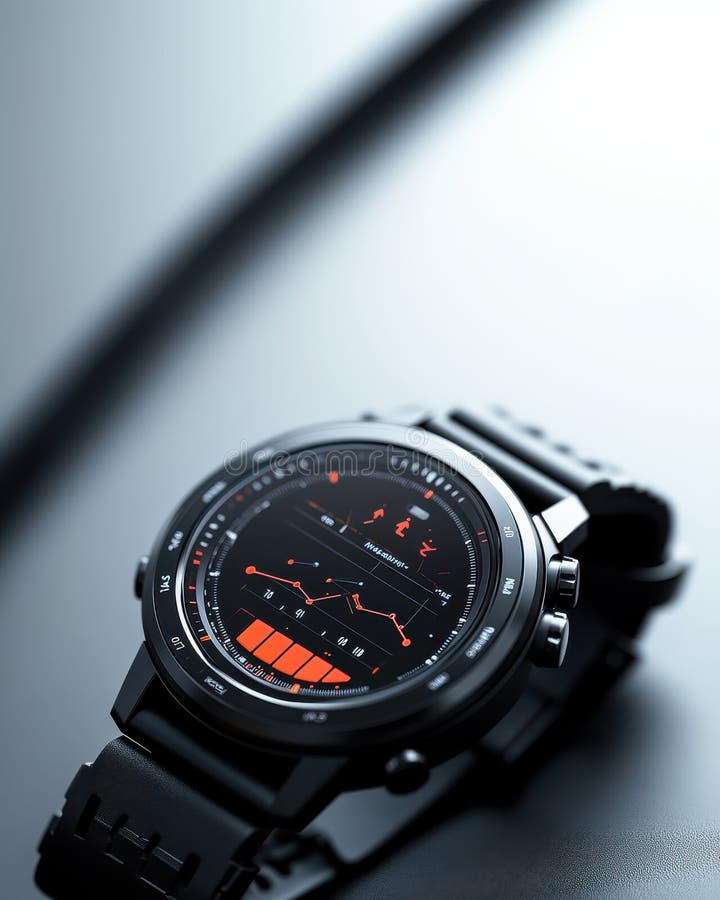
Free with trial A dark smartwatch with a round display that displays activity data and graphs. A technological accessory for sports and analytics enthusiasts. AI Generated. Button functionality illustrations A dark smartwatch with a round display that displays activity data and graphs. A technological accessory for sports and analytics enthusiasts. AI Generated
Free with trial A minimalist fire alarm mounted on a textured concrete wall, showcasing a sleek design ideal for modern interiors. Perfect for safety and awareness visuals, Generative AI. Button functionality illustrations Minimalist Fire Alarm on Textured Concrete Wall. A minimalist fire alarm mounted on a textured concrete wall, showcasing a sleek design ideal for modern. A minimalist fire alarm mounted on a textured concrete wall, showcasing a sleek design ideal for modern interiors. Perfect for safety and awareness visuals, Generative AI
Free with trial Compact, white thermal receipt printer emitting a blank paper strip. Sleek rectangular design with smooth edges. Features a black printing area and a prominent yellow button. The device appears to be free-floating against a plain, light background, emphasizing its modern aesthetic and functionality in receipt printing tasks. Button functionality vectors Compact, white thermal receipt printer emitting a blank paper strip. Sleek rectangular design with smooth edges. Features a black printing area and a prominent
Free with trial A green circular icon featuring a white telephone handset, representing voice calls and contact functionality. Ideal for mobile apps, websites, or communication tools. Button functionality vectors Green Circular Phone Icon with White Handset Symbol Representing Telecommunication, Voice Call, and Contact Interface. A green circular icon featuring a white. A green circular icon featuring a white telephone handset, representing voice calls and contact functionality. Ideal for mobile apps, websites, or communication tools.
 Sign in