Free with trial A photorealistic image shows a USB butter warmer tray on a white surface. The tray is rectangular with rounded edges, featuring a USB port on the side. A block of butter with two distinct sections sits on the tray. The warmer is sleek, with a modern design, and casts soft shadows. It contrasts against the smooth, white background, highlighting its functionality and aesthetic appeal in a simple, minimalist setting. Button functionality illustrations Photorealistic image of a usb butter warmer tray on a white background. A photorealistic image shows a USB butter warmer tray on a white surface. The tray is. A photorealistic image shows a USB butter warmer tray on a white surface. The tray is rectangular with rounded edges, featuring a USB port on the side. A block of butter with two distinct sections sits on the tray. The warmer is sleek, with a modern design, and casts soft shadows. It contrasts against the smooth, white background, highlighting its functionality and aesthetic appeal in a simple, minimalist setting.
Free with trial Illustration of a minimalist electrical switch on a clean white background. The switch features rounded corners and a streamlined design, suitable for modern interiors. Symbolizes control, power, and technological integration in a simplified, accessible form. Button functionality vectors A simplified electrical switch design with minimalist rounded features. Illustration of a minimalist electrical switch on a clean white background. The switch. Illustration of a minimalist electrical switch on a clean white background. The switch features rounded corners and a streamlined design, suitable for modern interiors. Symbolizes control, power, and technological integration in a simplified, accessible form
Free with trial Elevate your website or application's user interface with a dynamic set of buttons featuring a sophisticated bent ribbon design. This visually engaging aesthetic employs a combination of grey, red, and blue hues, creating a striking contrast and a modern feel. The curved ribbon shape adds a touch of elegance and sophistication, drawing the user's eye while maintaining a clean and intuitive design. Button functionality illustrations Modern Website Application Buttons A Visually Appealing Design with Grey Red and Blue Bent Ribbon Elements for Enhanced. Elevate your website or application's. Elevate your website or application's user interface with a dynamic set of buttons featuring a sophisticated bent ribbon design. This visually engaging aesthetic employs a combination of grey, red, and blue hues, creating a striking contrast and a modern feel. The curved ribbon shape adds a touch of elegance and sophistication, drawing the user's eye while maintaining a clean and intuitive design
Free with trial This image features a group of colorful minimalist toggle switches, perfect for user interface and graphic design. The vibrant colors and glossy finish enhance visual appeal. Generative AI. Button functionality illustrations Colorful Minimalist Toggle Switches for User Interface and Graphic Design Purposes. This image features a group of colorful minimalist toggle switches, perfect. This image features a group of colorful minimalist toggle switches, perfect for user interface and graphic design. The vibrant colors and glossy finish enhance visual appeal. Generative AI
Free with trial Circular arrow icons. Refresh symbol elements. Loop motion graphics. Vector interface illustration. EPS 10. Button functionality vectors Circular arrow icons. Refresh symbol elements. Loop motion graphics. Vector interface illustration. EPS 10
Free with trial Black computer mouse on gray background. Generative AI. Button functionality illustrations Black computer mouse on gray background. Generative AI
Free with trial A vector illustration of social media sharing icons, featuring various symbols representing sharing functions across different platforms in a simple and modern style. Button functionality vectors Social Media Sharing Icon Vector Illustration. A vector illustration of social media sharing icons, featuring various symbols representing sharing functions. A vector illustration of social media sharing icons, featuring various symbols representing sharing functions across different platforms in a simple and modern style.
Free with trial A dark green protective smartphone case is displayed from the back view, showcasing its minimalist, lightweight design. The matte finish highlights its modern technology, featuring a smooth texture and a dedicated camera hole. This image illustrates the perfect blend of style and functionality in mobile accessories, produced using AI. Button functionality vectors Dark Green Protective Smartphone Case Back View Isolated on White Background with Clipping Path. A dark green protective smartphone case is displayed from the. A dark green protective smartphone case is displayed from the back view, showcasing its minimalist, lightweight design. The matte finish highlights its modern technology, featuring a smooth texture and a dedicated camera hole. This image illustrates the perfect blend of style and functionality in mobile accessories, produced using AI.
Free with trial A hand is positioned near a light switch on a wall. The light switch is white and the hand creates a soft shadow. This scene takes place indoors, likely during the day. Button functionality illustrations Hand hovers above light switch while creating a soft shadow against the wall in indoor setting during daytime. A hand is positioned near a light switch on a wall. A hand is positioned near a light switch on a wall. The light switch is white and the hand creates a soft shadow. This scene takes place indoors, likely during the day
Free with trial A minimalist 3D rendered bookmark icon in soft beige tones is showcased against a pristine white background, ideal for modern design projects. This 3D render features a sleek, rounded square shape, embodying a clean and simple aesthetic. Perfect for UI, UX, web, and app design, the bookmark symbol signifies saving, favorite content, and reminder functionality. Its isolated presentation makes it. Button functionality illustrations A minimalist 3d rendered bookmark icon in beige tones against a clean white background for design. A minimalist 3D rendered bookmark icon in soft beige tones is. A minimalist 3D rendered bookmark icon in soft beige tones is showcased against a pristine white background, ideal for modern design projects. This 3D render features a sleek, rounded square shape, embodying a clean and simple aesthetic. Perfect for UI, UX, web, and app design, the bookmark symbol signifies saving, favorite content, and reminder functionality. Its isolated presentation makes it
Free with trial Vibrant and colorful play, pause, and stop buttons designed for modern media applications. This illustration showcases a sleek and user-friendly interface element. Generative AI. Button functionality illustrations Colorful Play Pause and Stop Buttons in Modern Design for Media Player Applications. Vibrant and colorful play, pause, and stop buttons designed for modern media. Vibrant and colorful play, pause, and stop buttons designed for modern media applications. This illustration showcases a sleek and user-friendly interface element. Generative AI
Free with trial This sleek, black and white down arrow graphic is perfect for a wide range of digital design needs. Ideal for web design, user interfaces, presentations, software applications, and more, this simple icon conveys clear direction and functionality. The clean, minimalist design ensures the arrowhead stands out without being distracting. It's easily adaptable to various applications, from scroll. Button functionality illustrations Downloadable Black and White Down Arrow Graphic Simple Clean and Versatile for Digital Design Projects. This sleek, black and white down arrow graphic is perfect. This sleek, black and white down arrow graphic is perfect for a wide range of digital design needs. Ideal for web design, user interfaces, presentations, software applications, and more, this simple icon conveys clear direction and functionality. The clean, minimalist design ensures the arrowhead stands out without being distracting. It's easily adaptable to various applications, from scroll
Free with trial A small, vintage-style electric fan with a brown finish stands on a white surface. It features a circular base and five metallic blades, enclosed by a circular wire grill. The fan's controls are likely situated at the base. Shadows are cast behind it, indicating a light source from the front and slightly to the side. The design is reminiscent of mid-20th-century fan models, blending functionality with retro aesthetics. Button functionality illustrations Photorealistic image of a cordless handheld vacuum on a white background. A small, vintage-style electric fan with a brown finish stands on a white surface. It. A small, vintage-style electric fan with a brown finish stands on a white surface. It features a circular base and five metallic blades, enclosed by a circular wire grill. The fan's controls are likely situated at the base. Shadows are cast behind it, indicating a light source from the front and slightly to the side. The design is reminiscent of mid-20th-century fan models, blending functionality with retro aesthetics.
Free with trial This image showcases a sleek, black ergonomic gaming controller designed for comfort and functionality. It features a directional pad in the center, four action buttons (Y, A, B, X), two analog sticks, multiple programmable buttons, and a home button with a glowing logo. The controller appears to be built for modern gaming consoles, emphasizing ease of use and responsive controls. Button functionality illustrations Black ergonomic gaming controller with directional pad and buttons. This image showcases a sleek, black ergonomic gaming controller designed for comfort and. This image showcases a sleek, black ergonomic gaming controller designed for comfort and functionality. It features a directional pad in the center, four action buttons (Y, A, B, X), two analog sticks, multiple programmable buttons, and a home button with a glowing logo. The controller appears to be built for modern gaming consoles, emphasizing ease of use and responsive controls
Free with trial This image showcases a gaming controller featuring a striking gradient design transitioning from deep purple to bright yellow. The controller has an ergonomic shape with a directional pad, multiple action buttons, and two analog sticks, typical of modern gaming consoles. The design is sleek and visually appealing, likely aimed at gamers who appreciate both functionality and aesthetic variety in. Button functionality illustrations Gradient dualshock controller with vibrant purple and yellow design. This image showcases a gaming controller featuring a striking gradient design transitioning. This image showcases a gaming controller featuring a striking gradient design transitioning from deep purple to bright yellow. The controller has an ergonomic shape with a directional pad, multiple action buttons, and two analog sticks, typical of modern gaming consoles. The design is sleek and visually appealing, likely aimed at gamers who appreciate both functionality and aesthetic variety in
Free with trial A charming retro-style electric kettle, featuring a teal body, orange handle, and clear glass carafe. Perfect for hot water, tea, or other hot beverages. This image showcases the kettle's sleek design and functionality. Button functionality illustrations Stylish Retro-Design Electric Kettle with Glass Carafe for Hot Beverages. A charming retro-style electric kettle, featuring a teal body, orange handle, and clear. A charming retro-style electric kettle, featuring a teal body, orange handle, and clear glass carafe. Perfect for hot water, tea, or other hot beverages. This image showcases the kettle's sleek design and functionality.
Free with trial The image depicts a digital multimeter held with test probes attached, showcasing a pixelated visual effect. The multimeter screen displays numerical readings and various measurement settings such as voltage, resistance, and current. The colorful pixelation adds an artistic touch, highlighting the device's functionality and design elements including buttons, dial, and connectors. Button functionality illustrations Digital multimeter with test probes in vibrant pixelated display. The image depicts a digital multimeter held with test probes attached, showcasing a pixelated. The image depicts a digital multimeter held with test probes attached, showcasing a pixelated visual effect. The multimeter screen displays numerical readings and various measurement settings such as voltage, resistance, and current. The colorful pixelation adds an artistic touch, highlighting the device's functionality and design elements including buttons, dial, and connectors
Free with trial A modern kitchen setup featuring a high-arc stainless steel faucet with a flexible pull-down sprayer head and a matching soap dispenser mounted on the counter. The faucet has a sleek, professional design with a brushed metal finish, and the sprayer includes a convenient button for switching between spray modes. The setup is ideal for kitchen sinks, providing functionality and a contemporary look. Button functionality illustrations Stainless steel kitchen faucet with pull-down sprayer and soap dispenser isolated on white background. A modern kitchen setup featuring a high-arc stainless. A modern kitchen setup featuring a high-arc stainless steel faucet with a flexible pull-down sprayer head and a matching soap dispenser mounted on the counter. The faucet has a sleek, professional design with a brushed metal finish, and the sprayer includes a convenient button for switching between spray modes. The setup is ideal for kitchen sinks, providing functionality and a contemporary look
Free with trial White digital camera with black lens on light background, lifestyle concept. Button functionality illustrations White digital camera with black lens on light background. Lifestyle concept
Free with trial Three simple cloud shapes each featuring an upward arrow symbol isolated on transparent background indicating upload or cloud functionality. Button functionality vectors Three stylized cloud icons with upward pointing arrows representing data storage and cloud computing services. Three simple cloud shapes each featuring an upward. Three simple cloud shapes each featuring an upward arrow symbol isolated on transparent background indicating upload or cloud functionality
Free with trial A stainless steel butter heater with a touch panel is set on a white surface. It features a compact, rectangular design with a wire rack inside holding sticks of butter. Surrounding the heater are several whole and halved lemons. The overall composition suggests a kitchen or cooking context, emphasizing freshness and functionality. Bright lighting creates soft shadows, enhancing the metallic sheen and texture of the butter and lemons. Button functionality illustrations Photorealistic image of a touch panel butter heater on a white background. A stainless steel butter heater with a touch panel is set on a white surface. It. A stainless steel butter heater with a touch panel is set on a white surface. It features a compact, rectangular design with a wire rack inside holding sticks of butter. Surrounding the heater are several whole and halved lemons. The overall composition suggests a kitchen or cooking context, emphasizing freshness and functionality. Bright lighting creates soft shadows, enhancing the metallic sheen and texture of the butter and lemons.
Free with trial Vector illustration depicts a men's utility cargo hunting vest with multiple pockets, presented in a technical flat sketch style. The vest features a sleeveless design with a front zipper closure, and is available in both outlined and colored versions. Notable for its multiple pockets, including chest pockets with flaps and button closures, and larger pockets on the lower front. The illustrated colored version is tan, demonstrating practical functionality suitable for outdoor activities. Button functionality vectors Men Utility Cargo Hunting Vest with Multiple Pockets Fashion Technical Flat Sketch Vector Illustration. Vector illustration depicts a men's utility cargo hunting. Vector illustration depicts a men's utility cargo hunting vest with multiple pockets, presented in a technical flat sketch style. The vest features a sleeveless design with a front zipper closure, and is available in both outlined and colored versions. Notable for its multiple pockets, including chest pockets with flaps and button closures, and larger pockets on the lower front. The illustrated colored version is tan, demonstrating practical functionality suitable for outdoor activities.
Free with trial Sleek black gaming controller on a light background, ideal for gaming concepts. High Quality. Button functionality illustrations Sleek black gaming controller on a light background, ideal for gaming concepts. High Quality
Free with trial Explore a detailed and futuristic user interface featuring interactive controls and digital elements, ideal for showcasing high-tech applications and innovations. Button functionality illustrations Futuristic User Interface with Interactive Controls and Digital Elements for High-Tech Applications. Explore a detailed and futuristic user interface featuring. Explore a detailed and futuristic user interface featuring interactive controls and digital elements, ideal for showcasing high-tech applications and innovations
Free with trial A stylish gray upholstered bar stool with a polished metal frame. The circular design and button-tufted cushion offer both comfort and modern elegance. Suitable for a kitchen counter or dining area, this stool blends functionality with aesthetic appeal. Button functionality illustrations Elegant gray upholstered bar stool with metal frame for home decor furnishing on white background. A stylish gray upholstered bar stool with a polished metal. A stylish gray upholstered bar stool with a polished metal frame. The circular design and button-tufted cushion offer both comfort and modern elegance. Suitable for a kitchen counter or dining area, this stool blends functionality with aesthetic appeal.
Free with trial A black car key with a remote control is shown in a close-up view. The key features a metallic blade and a compact remote with two buttons, likely used for locking and unlocking a vehicle. The keychain is minimalistic, with a small ring attached to the base of the key. The remote has a smooth, rounded design and appears to be made of durable plastic or rubber. The background is not visible,. Button functionality illustrations Close-up view of a black car key with a remote control isolated on transparent background. A black car key with a remote control is shown in a close-up view. The. A black car key with a remote control is shown in a close-up view. The key features a metallic blade and a compact remote with two buttons, likely used for locking and unlocking a vehicle. The keychain is minimalistic, with a small ring attached to the base of the key. The remote has a smooth, rounded design and appears to be made of durable plastic or rubber. The background is not visible,
Free with trial Isolated sleek modern glossy black smartphone, showcasing its minimalist front display, front-facing camera cutout, physical home button, bottom charging port and speaker grilles, perfect for tech product marketing and commercial tech content. Button functionality vectors Explore the Sleek Design of a Modern Smartphone, A Detailed Examination of its Features, Functionality, and Technol. Isolated sleek modern glossy black. Isolated sleek modern glossy black smartphone, showcasing its minimalist front display, front-facing camera cutout, physical home button, bottom charging port and speaker grilles, perfect for tech product marketing and commercial tech content.
Free with trial Black metal flashlight designed for portability and versatility. Features a robust cylindrical body with textured grip for easy handling. Equipped with multiple LED bulbs encased in a clear lens, offering bright illumination. Includes a convenient side power button with circular detail. A sturdy clip is attached for secure carrying on belts or bags. Ideal for camping, hiking, and emergencies, combining durability with functionality. Button functionality vectors Black metal portable LED flashlight handheld torch for camping hiking and emergency survival situations. Black metal flashlight designed for portability and. Black metal flashlight designed for portability and versatility. Features a robust cylindrical body with textured grip for easy handling. Equipped with multiple LED bulbs encased in a clear lens, offering bright illumination. Includes a convenient side power button with circular detail. A sturdy clip is attached for secure carrying on belts or bags. Ideal for camping, hiking, and emergencies, combining durability with functionality.
Free with trial The metallic knob on the smooth wall reflects light, enhancing the modern, minimalistic interior design. Button functionality illustrations Close up of Metallic Knob on Sleek Wall Surface Showcasing Modern Design and Minimalistic Style in Contemporary Interior. The metallic knob on the smooth wall. The metallic knob on the smooth wall reflects light, enhancing the modern, minimalistic interior design.
Free with trial Explore a collection of contemporary UI web elements showcasing various search bar designs with distinct icons and input field styles perfect for enhancing website and application interfaces. Button functionality illustrations Modern ui web element design set featuring diverse search bar styles and icons for seamless user interface creation. Explore a collection of contemporary UI web. Explore a collection of contemporary UI web elements showcasing various search bar designs with distinct icons and input field styles perfect for enhancing website and application interfaces
Free with trial Close-up view of a keyboard featuring a warning symbol key, capturing the essence of caution in technology. This image highlights the importance of safety and alert in digital environments. Button functionality illustrations Warning Symbol Key on Keyboard Emphasizing Caution in Digital Environment. Close-up view of a keyboard featuring a warning symbol key, capturing the essence of. Close-up view of a keyboard featuring a warning symbol key, capturing the essence of caution in technology. This image highlights the importance of safety and alert in digital environments
Free with trial Close-up view of a charging port for electric vehicles, featuring a glowing green light indicating functionality. Ideal for showcasing modern technology in transportation. Button functionality illustrations Electric Vehicle Charging Port Close-Up. Close-up view of a charging port for electric vehicles, featuring a glowing green light indicating functionality. Ideal. Close-up view of a charging port for electric vehicles, featuring a glowing green light indicating functionality. Ideal for showcasing modern technology in transportation
Free with trial This image shows a modern black handheld microphone designed for professional audio recording and live performances. The microphone features a mesh-covered head, likely for reducing plosives and improving sound clarity. The body is cylindrical with a sturdy build, and the overall design suggests it is suitable for studio use, podcasting, or stage performances. The microphone has a switch or. Button functionality illustrations A sleek black handheld microphone with a mesh head for high-quality audio capture. This image shows a modern black handheld microphone designed for professional. This image shows a modern black handheld microphone designed for professional audio recording and live performances. The microphone features a mesh-covered head, likely for reducing plosives and improving sound clarity. The body is cylindrical with a sturdy build, and the overall design suggests it is suitable for studio use, podcasting, or stage performances. The microphone has a switch or
Free with trial Toggle switch graphic showing off and on states, with a rocket symbol representing activation, set against a light green backdrop. Button functionality illustrations Toggle switch illustration with off and on positions, featuring a rocket icon indicating activation on a light green background. Toggle switch graphic showing. Toggle switch graphic showing off and on states, with a rocket symbol representing activation, set against a light green backdrop
Free with trial Illustration featuring a smartphone outline in yellow, accompanied by a calendar and a checklist icon in a soft yellow background. A magnifying glass icon in a red square suggests search functionality. A red speech bubble with text lines points to a communication or alert feature. The design employs a minimalist style with warm tones, possibly aimed at educational themes, highlighting organization and accessibility. Button functionality vectors Web banner for login display on website, for educational institutions. Illustration featuring a smartphone outline in yellow, accompanied by a calendar and a. Illustration featuring a smartphone outline in yellow, accompanied by a calendar and a checklist icon in a soft yellow background. A magnifying glass icon in a red square suggests search functionality. A red speech bubble with text lines points to a communication or alert feature. The design employs a minimalist style with warm tones, possibly aimed at educational themes, highlighting organization and accessibility.
Free with trial Magnifying Glass With Plus Sign Hand Drawn Doodle Icon Set. Zoom In And Search Sketch Symbol Collection. User Interface And Technology Icons. Isolated Vector Illustration. Button functionality vectors Magnifying Glass With Plus Sign Hand Drawn Doodle Icon Set. Zoom In And Search Sketch Symbol Collection. User Interface. And Technology Icons. Isolated Vector
Free with trial Collection of vibrant gear and cog icons that depict ideas such as functionality, engineering, innovation, advancement, and teamwork. Button functionality vectors Various colorful gear and cog icons illustrating concepts like operation, mechanics, technology, progress, and cooperation. Collection of vibrant gear and cog. Collection of vibrant gear and cog icons that depict ideas such as functionality, engineering, innovation, advancement, and teamwork
Free with trial The image showcases a modern, black spherical smart speaker featuring a circular top panel with a volume dial, touch-sensitive controls including play, pause, previous, and next buttons, and a small indicator light at the bottom. The design is minimalist and futuristic, emphasizing functionality and aesthetic appeal with a seamless, rounded surface. Button functionality illustrations Sleek black spherical smart speaker with touch controls and volume dial. The image showcases a modern, black spherical smart speaker featuring a circular top. The image showcases a modern, black spherical smart speaker featuring a circular top panel with a volume dial, touch-sensitive controls including play, pause, previous, and next buttons, and a small indicator light at the bottom. The design is minimalist and futuristic, emphasizing functionality and aesthetic appeal with a seamless, rounded surface
Free with trial This glossy minimalist modern smartphone is isolated on a clean white background, showcasing its sleek front design with a bezeled blank display, physical home button, and precision cut camera, speaker and charging ports. Ideal for tech mockups, advertising and product displays. Button functionality vectors Explore the Sleek Design of a Modern Smartphone, A Technological Marvel with Stunning Aesthetics, Innovative Featu. This glossy minimalist modern smartphone is. This glossy minimalist modern smartphone is isolated on a clean white background, showcasing its sleek front design with a bezeled blank display, physical home button, and precision cut camera, speaker and charging ports. Ideal for tech mockups, advertising and product displays
Free with trial Power on 3D icon. Isolated on transparent background. Button functionality illustrations Power on 3D icon. Isolated on transparent background
Free with trial A detailed close-up showcases a futuristic control panel, adorned with intricate circuitry and illuminated by vibrant blue lights. This interface integrates various displays, buttons, and graphical elements, suggesting advanced functionality. The design evokes a sense of technological sophistication and complexity, fitting themes related to science fiction, advanced computing, or industrial. Button functionality illustrations Futuristic Control Panel Interface With Glowing Blue Lights. A detailed close-up showcases a futuristic control panel, adorned with intricate circuitry and. A detailed close-up showcases a futuristic control panel, adorned with intricate circuitry and illuminated by vibrant blue lights. This interface integrates various displays, buttons, and graphical elements, suggesting advanced functionality. The design evokes a sense of technological sophistication and complexity, fitting themes related to science fiction, advanced computing, or industrial
Free with trial Minimalist stopwatch icon on white background. Object shows time measurement. Simple graphic design for timekeeping, and speed concepts. Modern abstract clock. Button functionality illustrations Minimalist stopwatch icon on white background. Object shows time measurement. Simple graphic design for timekeeping and speed. Minimalist stopwatch icon on white. Minimalist stopwatch icon on white background. Object shows time measurement. Simple graphic design for timekeeping, and speed concepts. Modern abstract clock.
Free with trial Smart watch detailed look at design features and functionality on display. Smart watch on display showcasing its sleek design and features ,Generative ai. Button functionality illustrations Smart watch detailed look at design features and functionality on display. Smart watch on display showcasing its sleek design and features ,Generative ai
Free with trial The image shows a sleek, black wireless mouse featuring a minimalist design. It has a central scroll wheel flanked by two buttons, and the overall shape is ergonomic and rounded, likely designed for comfort during extended use. The surface appears to be matte, and there are no visible wires, indicating a wireless functionality. Button functionality illustrations Modern wireless mouse with minimalist design and central scroll wheel isolated on white background. The image shows a sleek, black wireless mouse featuring a. The image shows a sleek, black wireless mouse featuring a minimalist design. It has a central scroll wheel flanked by two buttons, and the overall shape is ergonomic and rounded, likely designed for comfort during extended use. The surface appears to be matte, and there are no visible wires, indicating a wireless functionality
Free with trial Sleek wireless barcode scanner with a glossy black finish and ergonomic design, featuring a blue button and lens on the front. It rests on a matching black charging base. Accompanied by a small black USB receiver for wireless connectivity. Set against a soft white backdrop, highlighting the scanner's modern aesthetics and functionality. Ideal for retail or inventory management applications, it blends technology and design for efficient barcode reading. Button functionality illustrations Photorealistic image of a wireless barcode scanner with soft white backdrop. Sleek wireless barcode scanner with a glossy black finish and ergonomic design. Sleek wireless barcode scanner with a glossy black finish and ergonomic design, featuring a blue button and lens on the front. It rests on a matching black charging base. Accompanied by a small black USB receiver for wireless connectivity. Set against a soft white backdrop, highlighting the scanner's modern aesthetics and functionality. Ideal for retail or inventory management applications, it blends technology and design for efficient barcode reading.
Free with trial Chic handbag illustration featuring a structured design with a soft, light beige tone. The bag has a rounded top flap secured by a metal button, a front pocket with latch details, and an adjustable strap for versatile wear. Detailed sketch lines accentuate the craftsmanship, highlighting stitch lines and edges. Ideal for both casual and formal settings, the design balances elegance with functionality. Button functionality illustrations Handbag stylish sketch illustration. Chic handbag illustration featuring a structured design with a soft, light beige tone. The bag has a rounded top flap. Chic handbag illustration featuring a structured design with a soft, light beige tone. The bag has a rounded top flap secured by a metal button, a front pocket with latch details, and an adjustable strap for versatile wear. Detailed sketch lines accentuate the craftsmanship, highlighting stitch lines and edges. Ideal for both casual and formal settings, the design balances elegance with functionality.
Free with trial A modern, sleek, white electronic device with a minimalist design and shiny surface, isolated on a white background.. Generative AI. Button functionality illustrations Modern white electronic device on an isolated white background. A modern, sleek, white electronic device with a minimalist design and shiny surface, isolated on. A modern, sleek, white electronic device with a minimalist design and shiny surface, isolated on a white background.. Generative AI
Free with trial Select element icon linear logo isolated. Select element icon linear logo mark set collection in black and white for web. Button functionality vectors Select element icon linear logo isolated. Select element icon linear logo mark set collection in black and white for web
Free with trial A detailed close-up shot of khaki cargo shorts, highlighting their practical pockets, relaxed fit, and modern design elements. Ideal for warm-weather casual wear, these shorts blend style with functionality. Button functionality illustrations Khaki casual cargo shorts, showcasing modern design elements for versatile style on white background. A detailed close-up shot of khaki cargo shorts. A detailed close-up shot of khaki cargo shorts, highlighting their practical pockets, relaxed fit, and modern design elements. Ideal for warm-weather casual wear, these shorts blend style with functionality.
Free with trial This image showcases nine minimalist icons representing common application functionalities. Each icon is contained within a window frame, resembling a user interface element. The icons include a circular progress indicator, a house symbol, a light bulb, a thermometer, a light switch with sliders, a bar graph, a settings menu with options, a checklist, and a form with input fields and buttons. Button functionality illustrations Nine classic icons depicting common app functionalities in minimalist style. This image showcases nine minimalist icons representing common application. This image showcases nine minimalist icons representing common application functionalities. Each icon is contained within a window frame, resembling a user interface element. The icons include a circular progress indicator, a house symbol, a light bulb, a thermometer, a light switch with sliders, a bar graph, a settings menu with options, a checklist, and a form with input fields and buttons.
Free with trial A minimalist, flat-style graphic icon depicting a stylized hand reaching out to interact with a button or switch. The design uses a simple color palette and clean, geometric shapes to represent the concept of user interaction, digital interface control, or physical action. This versatile icon is suitable for web design, mobile applications, user experience projects, and instructional graphics emphasizing touch, engagement, and functionality in a modern, simplified aesthetic. Button functionality vectors Cycling Glove with Adjustable Wrist Strap Icon Representing Secure Fit and Professional Sports Gear Equipment. A minimalist, flat-style graphic icon depicting a. A minimalist, flat-style graphic icon depicting a stylized hand reaching out to interact with a button or switch. The design uses a simple color palette and clean, geometric shapes to represent the concept of user interaction, digital interface control, or physical action. This versatile icon is suitable for web design, mobile applications, user experience projects, and instructional graphics emphasizing touch, engagement, and functionality in a modern, simplified aesthetic.
Free with trial A close-up of a power switch on an oven panel with two aluminum panels, illustrating the on off positions of the appliance. Button functionality illustrations Two stitched aluminum panels with power switch in two different positions. A close-up of a power switch on an oven panel with two aluminum panels, illustrating. A close-up of a power switch on an oven panel with two aluminum panels, illustrating the on off positions of the appliance.
Free with trial Illustration shows a cloud download icon with a distinct cross over it, indicating that downloading is not allowed in digital environments or applications. Button functionality illustrations Crossed-out Cloud Download Icon Illustrating Prohibited Downloading Options in a Technological Context. Illustration shows a cloud download icon with a distinct. Illustration shows a cloud download icon with a distinct cross over it, indicating that downloading is not allowed in digital environments or applications.
Free with trial The image displays a variety of icons symbolizing different audio-related technologies and functionalities. It includes a portable radio, headphones, a microphone, a video play button, Bluetooth connectivity, a speaker, and various sound wave patterns. These icons collectively represent audio recording, playback, streaming, and multimedia interaction. Button functionality illustrations Collection of icons representing various audio and multimedia devices and functions isolated on white background. The image displays a variety of icons. The image displays a variety of icons symbolizing different audio-related technologies and functionalities. It includes a portable radio, headphones, a microphone, a video play button, Bluetooth connectivity, a speaker, and various sound wave patterns. These icons collectively represent audio recording, playback, streaming, and multimedia interaction
Free with trial A sleek plus icon set against a vibrant gradient background, ideal for enhancing digital designs and user interfaces. This modern graphic can be utilized in various applications, from software to web design, adding a touch of contemporary style and functionality. Button functionality illustrations Modern Plus Icon with Gradient Background for Digital Design and User Interfaces. A sleek plus icon set against a vibrant gradient background, ideal for. A sleek plus icon set against a vibrant gradient background, ideal for enhancing digital designs and user interfaces. This modern graphic can be utilized in various applications, from software to web design, adding a touch of contemporary style and functionality
Free with trial Clock icon, representing time or web-related UI functionality. Button functionality vectors Modern Clock Icon for Web and User Interface Design. Clock icon, representing time or web-related UI functionality. Clock icon, representing time or web-related UI functionality.
Free with trial Clock icon, representing time or web-related UI functionality. Button functionality vectors Modern Clock Icon for Web and User Interface Design. Clock icon, representing time or web-related UI functionality. Clock icon, representing time or web-related UI functionality.
Free with trial Round buttons featuring arrow symbols in diverse colors are arranged in a grid, highlighting modern design aesthetics and usability for digital interfaces. Button functionality illustrations Colorful round buttons with arrow symbols in various shades arranged in a grid pattern, showcasing modern design elements and. Round buttons featuring arrow. Round buttons featuring arrow symbols in diverse colors are arranged in a grid, highlighting modern design aesthetics and usability for digital interfaces
Free with trial A beautifully crafted watercolor illustration of a calculator prominently displayed against a clean white background. The calculator showcases a variety of pastel hues, including soft pinks, greens, yellows, and blues. Each button is uniquely colored, creating an inviting and cheerful appearance. This artistic interpretation of a common object blends functionality with aesthetic charm, making it. Button functionality vectors Colorful watercolor calculator design with pastel tones on a white background. A beautifully crafted watercolor illustration of a calculator prominently. A beautifully crafted watercolor illustration of a calculator prominently displayed against a clean white background. The calculator showcases a variety of pastel hues, including soft pinks, greens, yellows, and blues. Each button is uniquely colored, creating an inviting and cheerful appearance. This artistic interpretation of a common object blends functionality with aesthetic charm, making it
Free with trial Abstract tech design with circuits and buttons. Generative AI. Button functionality illustrations Abstract tech design with circuits and buttons. Generative AI
Free with trial A stylish and simple 3d rendered magnifying glass icon featuring blue and purple gradient colors, perfect for web design, user interface projects, search functionality, or analytical concepts in digital media. Button functionality illustrations A simple blue and purple magnifying glass icon for searching and finding information isolated on white background. A stylish and simple 3d rendered magnifying. A stylish and simple 3d rendered magnifying glass icon featuring blue and purple gradient colors, perfect for web design, user interface projects, search functionality, or analytical concepts in digital media
Free with trial A round USB warming plate with a metallic finish rests on a crumpled white fabric surface. The plate emits realistic flames from its center, giving an impression of heat. The device has a USB port and a reset button on its side, along with a connected power cable. The overall design is sleek and modern, contrasting with the soft, flowing texture of the background fabric. Button functionality illustrations Photorealistic image of a usb warming plate on a white background. A round USB warming plate with a metallic finish rests on a crumpled white fabric surface. The. A round USB warming plate with a metallic finish rests on a crumpled white fabric surface. The plate emits realistic flames from its center, giving an impression of heat. The device has a USB port and a reset button on its side, along with a connected power cable. The overall design is sleek and modern, contrasting with the soft, flowing texture of the background fabric.
Free with trial A wireless gaming controller is suspended mid-air, showcasing its sleek design and ergonomic shape. Button functionality illustrations Innovative wireless controller design hovering against a softly lit background. A wireless gaming controller is suspended mid-air, showcasing its sleek design. A wireless gaming controller is suspended mid-air, showcasing its sleek design and ergonomic shape.
Free with trial A black tactile communication device with large buttons, isolated on a white background, designed for easy user interaction and accessibility.. Generative AI. Button functionality illustrations A black tactile communication device with large buttons isolated on a white background. A black tactile communication device with large buttons, isolated on a. A black tactile communication device with large buttons, isolated on a white background, designed for easy user interaction and accessibility.. Generative AI
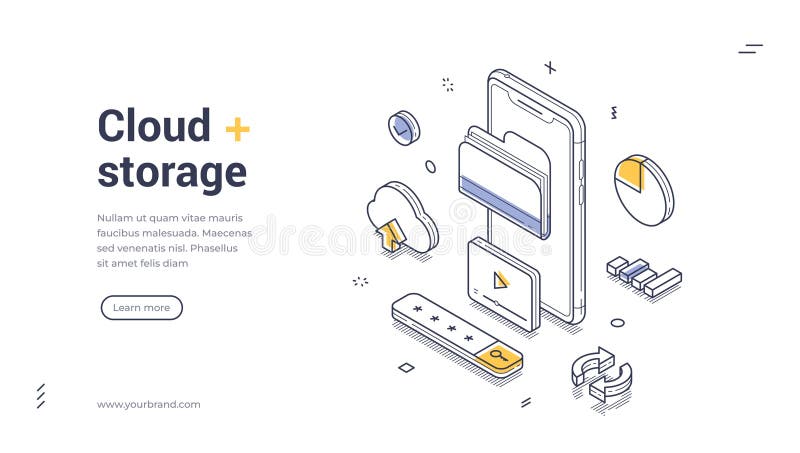
Free with trial Mobile device surrounded by cloud storage icons, charts, and graphics, representing digital data management and accessibility. Modern line art isometric web banner, landing page template. Button functionality vectors Cloud storage isometric line art web banner, landing page template of mobile cloud storage with various digital elements and icons. Mobile device surrounded by. Mobile device surrounded by cloud storage icons, charts, and graphics, representing digital data management and accessibility. Modern line art isometric web banner, landing page template
Free with trial The image shows a stylish microwave with a contemporary design. It features a gradient color scheme transitioning from purple at the top to teal at the bottom. The front panel has a sleek, metallic frame around a digital display and control buttons. The microwave also includes a handle on the right side for easy carrying. Its design suggests a blend of functionality and modern aesthetics, fitting. Button functionality illustrations Vibrant microwave with gradient purple and teal color scheme and modern design isolated on white background. The image shows a stylish microwave with a. The image shows a stylish microwave with a contemporary design. It features a gradient color scheme transitioning from purple at the top to teal at the bottom. The front panel has a sleek, metallic frame around a digital display and control buttons. The microwave also includes a handle on the right side for easy carrying. Its design suggests a blend of functionality and modern aesthetics, fitting
Free with trial Set of four minimalist black and white icons representing walkie-talkie radios. Each icon features a distinct design with antennas, display screens, and button configurations, emphasizing communication devices used in field operations. The icons vary in complexity, showing different layouts of buttons and screens, all maintaining a uniform black silhouette on a white background, highlighting their functionality and design elements succinctly. Button functionality vectors Set of minimalist black and white walkie-talkie radio icon for war communication and field ops. Set of four minimalist black and white icons representing walkie. Set of four minimalist black and white icons representing walkie-talkie radios. Each icon features a distinct design with antennas, display screens, and button configurations, emphasizing communication devices used in field operations. The icons vary in complexity, showing different layouts of buttons and screens, all maintaining a uniform black silhouette on a white background, highlighting their functionality and design elements succinctly.
Free with trial A 3D-rendered illustration of a toggle switch. The main elements should be two rectangular switches, one in the off position and the other in the on position, placed side by side for comparison. The switches should be rendered in a clean, modern style with smooth surfaces and clear details. The switch in the off position should have a gray slider, while the switch in the on position should have an. Button functionality illustrations A 3D-rendered illustration of a toggle switch with gray and orange sliders in off and on positions, showcasing modern and. A 3D-rendered illustration of a toggle. a 3D-rendered illustration of a toggle switch. The main elements should be two rectangular switches, one in the off position and the other in the on position, placed side by side for comparison. The switches should be rendered in a clean, modern style with smooth surfaces and clear details. The switch in the off position should have a gray slider, while the switch in the on position should have an
Free with trial This image showcases a stylish wooden blender with a natural, rustic finish. The blender features a sturdy handle and a sleek base with a simple on off button and speed control. Its design combines functionality with an aesthetic appeal, making it ideal for both culinary enthusiasts and those who appreciate eco-friendly kitchenware. Button functionality illustrations Elegant wooden blender for smooth kitchen preparation and healthy beverages isolated on transparent background. This image showcases a stylish wooden blender. This image showcases a stylish wooden blender with a natural, rustic finish. The blender features a sturdy handle and a sleek base with a simple on off button and speed control. Its design combines functionality with an aesthetic appeal, making it ideal for both culinary enthusiasts and those who appreciate eco-friendly kitchenware
Free with trial A 3D-rendered illustration of a toggle switch. The main elements should be two rectangular switches, one in the off position and the other in the on position, placed side by side for comparison. The switches should be rendered in a clean, modern style with smooth surfaces and clear details. The switch in the off position should have a gray slider, while the switch in the on position should have an. Button functionality illustrations A 3D-rendered illustration of a toggle switch with gray and orange sliders in off and on positions, showcasing modern and. A 3D-rendered illustration of a toggle. a 3D-rendered illustration of a toggle switch. The main elements should be two rectangular switches, one in the off position and the other in the on position, placed side by side for comparison. The switches should be rendered in a clean, modern style with smooth surfaces and clear details. The switch in the off position should have a gray slider, while the switch in the on position should have an
Free with trial A close-up view of a computer keyboard showcasing a key labeled Service, glowing in bright red. The image emphasizes modern technology and the importance of support. Button functionality illustrations A close-up view of a computer keyboard showcasing a key labeled Service,. Glowing in bright red. The image emphasizes modern technology and the importance of
Free with trial A smartphone shows a simple music player interface with play, pause, and skip buttons, creating a modern and user-friendly atmosphere. Generative AI. Button functionality vectors Smartphone displaying a music player interface in a minimal flat design vector illustration. A smartphone shows a simple music player interface with play, pause. A smartphone shows a simple music player interface with play, pause, and skip buttons, creating a modern and user-friendly atmosphere. Generative AI
Free with trial A smart wall switch with capacitive touch buttons features a sleek, modern design. It includes one central touch-sensitive circle and two small circular indicators, suggesting preset modes. The switch is surrounded by a smooth, rectangular plastic frame in a neutral color, mounted on a white background. Shadows cast by the switch indicate overhead lighting, enhancing its three-dimensional appearance. The design is minimalistic and contemporary, suitable for smart home environments. Button functionality illustrations Photorealistic image of a smart wall switch with capacitive buttons and preset modes on a white background. A smart wall switch with capacitive touch buttons. A smart wall switch with capacitive touch buttons features a sleek, modern design. It includes one central touch-sensitive circle and two small circular indicators, suggesting preset modes. The switch is surrounded by a smooth, rectangular plastic frame in a neutral color, mounted on a white background. Shadows cast by the switch indicate overhead lighting, enhancing its three-dimensional appearance. The design is minimalistic and contemporary, suitable for smart home environments.
Free with trial A high-quality, isolated image of a glossy black keyboard key featuring a white '@' symbol. Perfect for stock needs related to email, digital communication, technology, and modern design. The clean, minimalist aesthetic makes it versatile for use in tech marketing, web design, and professional presentations. Button functionality illustrations A sleek black keyboard key with a white at-symbol symbolizes modern digital communication and email functionality. A high-quality, isolated image of a glossy. A high-quality, isolated image of a glossy black keyboard key featuring a white '@' symbol. Perfect for stock needs related to email, digital communication, technology, and modern design. The clean, minimalist aesthetic makes it versatile for use in tech marketing, web design, and professional presentations
Free with trial Close-up View of Modern Black Leather Car Steering Wheel and Dashboard Interior Illuminated with Soft Ambient Light. Button functionality illustrations Close-up View of Modern Black Leather Car Steering Wheel and Dashboard Interior Illuminated with Soft Ambient Light.
Free with trial A close up of human hand adjusting temperature on air conditioning unit, showcasing modern technology and comfort. illuminated display reads 27, indicating warm setting. Button functionality illustrations Close up of human hand adjusting temperature on air conditioning unit showcasing modern technology and comfort illuminated. A close up of human hand adjusting. A close up of human hand adjusting temperature on air conditioning unit, showcasing modern technology and comfort. illuminated display reads 27, indicating warm setting
 Sign in