Free with trial The image shows a blue document folder with a white piece of paper inside, symbolized by a white sheet icon. A red rightward-pointing arrow is positioned to the left of the folder, suggesting the concept of downloading or moving the folder. The design is simple and modern, using bold colors and clear symbols to convey functionality. Interface functionality illustrations Blue folder with red arrow indicating a download action. The image shows a blue document folder with a white piece of paper inside, symbolized by a white sheet. The image shows a blue document folder with a white piece of paper inside, symbolized by a white sheet icon. A red rightward-pointing arrow is positioned to the left of the folder, suggesting the concept of downloading or moving the folder. The design is simple and modern, using bold colors and clear symbols to convey functionality
Free with trial The image depicts a sleek smartwatch featuring a circular, dark screen that contrasts with its white or light-colored band. The design is modern and minimalist, with a rounded edge casing and a simple button interface on the side. The watch appears to be made for both functionality and style, suitable for everyday wear and fitness tracking. Interface functionality illustrations Elegant smartwatch with minimalist design and rounded edges. The image depicts a sleek smartwatch featuring a circular, dark screen that contrasts with its white. The image depicts a sleek smartwatch featuring a circular, dark screen that contrasts with its white or light-colored band. The design is modern and minimalist, with a rounded edge casing and a simple button interface on the side. The watch appears to be made for both functionality and style, suitable for everyday wear and fitness tracking
Free with trial Desktop monitor with a grid design next to cogwheel and wavy lines. Ideal for technology, workflow, customization, interface design, configuration, innovation, collaboration, simple flat metaphor. Interface functionality vectors Computer screen display with grid layout alongside cogwheel symbolizing customization and settings. Desktop monitor with a grid design next to cogwheel and wavy. Desktop monitor with a grid design next to cogwheel and wavy lines. Ideal for technology, workflow, customization, interface design, configuration, innovation, collaboration, simple flat metaphor
Free with trial A pair of hands holding a black tablet device against a plain white background, showcasing the device's sleek design and functionality. Interface functionality illustrations Hands holding a black tablet device against a white background. A pair of hands holding a black tablet device against a plain white background, showcasing the. A pair of hands holding a black tablet device against a plain white background, showcasing the device's sleek design and functionality
Free with trial This image features three hands holding smartphones, each in a different orientation, set against a transparent background. The smartphones are displayed prominently against a white backdrop, highlighting their sleek design and functionality. Interface functionality illustrations Three hands holding smartphones isolated on white background. This image features three hands holding smartphones, each in a different orientation, set against a. This image features three hands holding smartphones, each in a different orientation, set against a transparent background. The smartphones are displayed prominently against a white backdrop, highlighting their sleek design and functionality
Free with trial Vector illustration of a mobile interface for a to-do list app. The design features a smartphone displaying a list of tasks beneath a "TO-DO" header. Each task has a checkbox and blue "PRIORITY" tags attached. The layout is clean and minimalist, using a light color palette with teal accents to emphasize functionality and ease of use. Interface functionality vectors Minimalist Vector Illustration of Mobile To-Do List App with Priority Tags. Vector illustration of a mobile interface for a to-do list app. The design features a. Vector illustration of a mobile interface for a to-do list app. The design features a smartphone displaying a list of tasks beneath a "TO-DO" header. Each task has a checkbox and blue "PRIORITY" tags attached. The layout is clean and minimalist, using a light color palette with teal accents to emphasize functionality and ease of use.
Free with trial The image displays a sleek, circular app icon featuring a minimalist design. The icon has a teal gradient background with a darker outer ring. At the center, there is a rectangular element resembling a simplified application window, divided into two smaller white rectangular sections, suggesting a user interface or dual functionality. Interface functionality illustrations Minimalist app icon with dual window design on teal gradient. The image displays a sleek, circular app icon featuring a minimalist design. The icon has a teal. The image displays a sleek, circular app icon featuring a minimalist design. The icon has a teal gradient background with a darker outer ring. At the center, there is a rectangular element resembling a simplified application window, divided into two smaller white rectangular sections, suggesting a user interface or dual functionality
Free with trial Coding window with colorful lines, elongated user profile block, upward arrow conveying improvement, development, or goals. Ideal for technology, innovation, coding, teamwork progress software. Interface functionality vectors Coding interface with upward arrow symbolizing growth and user profile block for teamwork synergy. Coding window with colorful lines, elongated user profile. Coding window with colorful lines, elongated user profile block, upward arrow conveying improvement, development, or goals. Ideal for technology, innovation, coding, teamwork progress software
Free with trial Fitness app screen with athlete, activity trackers, phone call connectivity, checklist, and cloud. Ideal for health, fitness, technology, communication connectivity productivity and wellness. Interface functionality vectors Fitness app interface tracking activities with checklist, cloud connectivity, and communication concept. Fitness app screen with athlete, activity trackers. Fitness app screen with athlete, activity trackers, phone call connectivity, checklist, and cloud. Ideal for health, fitness, technology, communication connectivity productivity and wellness
Free with trial Close-up view of a modern control panel featuring colorful buttons and a digital interface, showcasing advanced technology in an industrial setting. Interface functionality illustrations Control Panel with Colorful Buttons in Modern Industrial Setting. Close-up view of a modern control panel featuring colorful buttons and a digital interface. Close-up view of a modern control panel featuring colorful buttons and a digital interface, showcasing advanced technology in an industrial setting
Free with trial The image showcases a minimalist digital video game controller designed for applications and websites. It features a simple and modern interface with a classic joystick layout, incorporating virtual buttons and a thumbstick for gaming control. This sleek monochrome illustration emphasizes functionality and entertainment, perfect for tech-savvy gamers looking for a user-friendly experience. Created with AI. Interface functionality vectors Minimalist Video Game Controller for Apps and Websites. The image showcases a minimalist digital video game controller designed for applications and websites. It. The image showcases a minimalist digital video game controller designed for applications and websites. It features a simple and modern interface with a classic joystick layout, incorporating virtual buttons and a thumbstick for gaming control. This sleek monochrome illustration emphasizes functionality and entertainment, perfect for tech-savvy gamers looking for a user-friendly experience. Created with AI.
Free with trial Dark Gray Arrow Icon Points Down Towards Upload Tray Representing Download Functionality. AI generated. Interface functionality vectors Dark Gray Arrow Icon Points Down Towards Upload Tray Representing Download Functionality. AI generated
Free with trial This image depicts a minimalist, flat design tablet with a thin bezel and rounded corners. The device has a clean, uncluttered look, suggesting a focus on modern aesthetics and functionality. The tablet appears to be resting on a flat surface, emphasizing its slim profile and sleek appearance. Interface functionality illustrations Sleek modern tablet device with minimalist design and rounded edges isolated on white background. This image depicts a minimalist, flat design tablet with a thin. This image depicts a minimalist, flat design tablet with a thin bezel and rounded corners. The device has a clean, uncluttered look, suggesting a focus on modern aesthetics and functionality. The tablet appears to be resting on a flat surface, emphasizing its slim profile and sleek appearance
Free with trial A functional vector icon set depicting a series of mobile devices illustrating connectivity, data transfer, and app functionality. This streamlined design is ideal for telecommunication services, mobile app development, or digital technology platforms. It clearly conveys device interaction and seamless digital experience, perfect for modern user interfaces and marketing, vector design Generative. Interface functionality vectors Mobile Device Connectivity Icon Set, vector design Generative AI. A functional vector icon set depicting a series of mobile devices illustrating connectivity. A functional vector icon set depicting a series of mobile devices illustrating connectivity, data transfer, and app functionality. This streamlined design is ideal for telecommunication services, mobile app development, or digital technology platforms. It clearly conveys device interaction and seamless digital experience, perfect for modern user interfaces and marketing, vector design Generative
Free with trial A detailed close-up of a black plastic gaming controller featuring a round base, four white buttons on the top arranged two on each side, two additional buttons on the bottom, a directional pad on the left side for adjusting game settings, and a black joystick, all sharply contrasted against a minimalist white background that emphasizes the device's design and functionality for gaming, technology. Interface functionality illustrations A close-up shot of a black gaming controller with white buttons and directional pad on a clean white background, isolated for. A detailed close-up of a black. A detailed close-up of a black plastic gaming controller featuring a round base, four white buttons on the top arranged two on each side, two additional buttons on the bottom, a directional pad on the left side for adjusting game settings, and a black joystick, all sharply contrasted against a minimalist white background that emphasizes the device's design and functionality for gaming, technology
Free with trial Purple web browser window with a magnifying glass search icon. A digital purple browser interface featuring a magnifying glass icon for search functionality. Interface functionality illustrations Purple web browser window with a magnifying glass search icon. A digital purple browser interface featuring a magnifying glass icon for search functionality
Free with trial A sleek, modern digital kiosk featuring a vibrant green screen, perfect for showcasing content. The kiosk is isolated against a clean white background, highlighting its design and functionality. Ideal for advertising or information. Interface functionality illustrations Modern Digital Kiosk with Green Screen Display, Isolated on White Background. A sleek, modern digital kiosk featuring a vibrant green screen, perfect for. A sleek, modern digital kiosk featuring a vibrant green screen, perfect for showcasing content. The kiosk is isolated against a clean white background, highlighting its design and functionality. Ideal for advertising or information
Free with trial This image depicts an advanced control panel interface featuring multiple sections with various indicators and controls. The interface includes graphs, dials, and data readouts, suggesting it is used for monitoring and managing complex systems. The design is sleek and modern, with a color scheme of teal and gray, emphasizing functionality and ease of use. Interface functionality vectors Modern dashboard with data visualization and analytics charts. This image depicts an advanced control panel interface featuring multiple sections with various. This image depicts an advanced control panel interface featuring multiple sections with various indicators and controls. The interface includes graphs, dials, and data readouts, suggesting it is used for monitoring and managing complex systems. The design is sleek and modern, with a color scheme of teal and gray, emphasizing functionality and ease of use.
Free with trial Detailed view of an industrial control panel featuring various buttons and switches, showcasing a blend of functionality and wear in a manufacturing environment. Interface functionality illustrations Control Panel with Buttons and Switches in Industrial Setting. Detailed view of an industrial control panel featuring various buttons and switches, showcasing a. Detailed view of an industrial control panel featuring various buttons and switches, showcasing a blend of functionality and wear in a manufacturing environment
Free with trial Detailed control panel showcasing various instruments and buttons for operational management. Ideal for technology, engineering, or industrial-themed projects. Interface functionality illustrations Control Panel Interface with Various Instruments and Displays. Detailed control panel showcasing various instruments and buttons for operational management. Detailed control panel showcasing various instruments and buttons for operational management. Ideal for technology, engineering, or industrial-themed projects
Free with trial The text System Restore is prominently featured, illuminated with a soft blue glow against a light background. This showcases the importance of restoring functionality in digital systems. Interface functionality illustrations Bold typographic display of system restore text with soft blue glow effect. The text System Restore is prominently featured, illuminated with a soft blue glow. The text System Restore is prominently featured, illuminated with a soft blue glow against a light background. This showcases the importance of restoring functionality in digital systems
Free with trial Explore innovative modular technology where vibrant, interlocking components combine to create a versatile and futuristic gadget, offering limitless possibilities for customization and advanced use. Interface functionality vectors Futuristic modular gadget design with interlocking components for enhanced functionality. Explore innovative modular technology where vibrant, interlocking. Explore innovative modular technology where vibrant, interlocking components combine to create a versatile and futuristic gadget, offering limitless possibilities for customization and advanced use
Free with trial A striking representation of artificial intelligence showcasing a robotic hand reaching for an AI search interface, symbolizing advanced technology and innovation. Synapse. Interface functionality illustrations Futuristic AI Search Concept Featuring Robotic Hand and Digital Brain with Gears, Representing Artificial Intelligence. A striking representation of artificial. A striking representation of artificial intelligence showcasing a robotic hand reaching for an AI search interface, symbolizing advanced technology and innovation. Synapse
Free with trial A blue and white download button is showcased against a plain background, emphasizing its sleek design and modern digital functionality for user interaction. Interface functionality vectors Download button designed in blue and white colors reflecting modern digital interface aesthetics. A blue and white download button is showcased against a plain. A blue and white download button is showcased against a plain background, emphasizing its sleek design and modern digital functionality for user interaction.
Free with trial This image depicts a stylized globe with a hand icon pointing towards the regions of Europe and Africa. The highlighted areas are shaded in a dark teal color, indicating a focus on these continents. The globe is shown with grid lines and a transparent background, suggesting interactivity or selection functionality, such as in a digital interface or map application. Interface functionality illustrations Interactive globe with a finger pointing at europe and africa. This image depicts a stylized globe with a hand icon pointing towards the regions of Europe and. This image depicts a stylized globe with a hand icon pointing towards the regions of Europe and Africa. The highlighted areas are shaded in a dark teal color, indicating a focus on these continents. The globe is shown with grid lines and a transparent background, suggesting interactivity or selection functionality, such as in a digital interface or map application
Free with trial Set of sixteen bell icons in a simple, line-drawn style. Each bell variation includes different symbols and indicators, such as sound waves, numbers, slashes, arrows, calendars, and check marks. Some icons are integrated with additional elements like speech bubbles, envelopes, and document symbols. These icons represent various notification states and actions, suitable for user interface design. The minimalistic design uses black lines on a white background, emphasizing clarity and functionality. Interface functionality vectors Notification bell icon set. Bell button icon set. Notification, Alarm, Bell icons. Icon set. 16 icons. Set of sixteen bell icons in a simple, line-drawn style. Set of sixteen bell icons in a simple, line-drawn style. Each bell variation includes different symbols and indicators, such as sound waves, numbers, slashes, arrows, calendars, and check marks. Some icons are integrated with additional elements like speech bubbles, envelopes, and document symbols. These icons represent various notification states and actions, suitable for user interface design. The minimalistic design uses black lines on a white background, emphasizing clarity and functionality.
Free with trial Flat of a businesswoman analyzing software quality assurance on a large curved digital dashboard displaying flowcharts, graphs, checklists and code. Surrounding icons include magnifying glass, gears, test and verify workflow, stability and functionality gauges, and quality check progress bar. Concept represents software testing, debugging, system validation and performance monitoring. Ideal for technology, IT management, development and QA articles, presentations and websites. Interface functionality vectors Woman Performing Software Quality Assurance Testing Process. Flat of a businesswoman analyzing software quality assurance on a large curved digital dashboard. Flat of a businesswoman analyzing software quality assurance on a large curved digital dashboard displaying flowcharts, graphs, checklists and code. Surrounding icons include magnifying glass, gears, test and verify workflow, stability and functionality gauges, and quality check progress bar. Concept represents software testing, debugging, system validation and performance monitoring. Ideal for technology, IT management, development and QA articles, presentations and websites.
Free with trial Voice recognition, cloud computing, search functionality, digital tools, audio data, online information. A hand holds a magnifying glass next to a microphone and a cloud. Voice recognition and cloud. Interface functionality vectors Voice Search Technology and Data Exploration Concept with Microphone, Magnifying Glass, and Cloud Icons. Voice recognition, cloud computing, search functionality. Voice recognition, cloud computing, search functionality, digital tools, audio data, online information. A hand holds a magnifying glass next to a microphone and a cloud. Voice recognition and cloud
Free with trial Smartphone Rotation Gesture Icon Set. Device Orientation Change And Screen Rotation Outline And Silhouette Symbol Collection. Mobile Interaction And User Interface. Vector Illustration. Interface functionality vectors Smartphone Rotation Gesture Icon Set. Device Orientation Change And Screen Rotation Outline And Silhouette Symbol. Collection. Mobile Interaction And User. Smartphone Rotation Gesture Icon Set. Device Orientation Change And Screen Rotation Outline And Silhouette Symbol Collection. Mobile Interaction And User Interface. Vector Illustration.
Free with trial Engaging with technology through a smartphone interface at home. A person interacts with a smartphone screen, exploring vibrant apps and features. Interface functionality illustrations Engaging with technology through a smartphone interface at home. A person interacts with a smartphone screen, exploring vibrant apps and features
Free with trial A simple and clean minimalist outline illustration of an eye with a plus sign, representing addition, view, or zoom functionality, ideal for graphic design, user interface elements, or medical related concept. Interface functionality vectors Minimalist Outline Eye Addition Symbol with Plus Sign Icon Design. A simple and clean minimalist outline illustration of an eye with a plus sign, representing. A simple and clean minimalist outline illustration of an eye with a plus sign, representing addition, view, or zoom functionality, ideal for graphic design, user interface elements, or medical related concept.
Free with trial A clean, minimalist graphic icon representing a magnifying glass with a minus symbol inside, commonly used in user interface design to signify a zoom out or decrease function. The design features a bold, dark outline with flat blue accents, suitable for web applications, software interfaces, mobile apps, and digital navigation tools requiring intuitive control symbols for viewing content. Interface functionality vectors Magnifying Glass Icon with Minus Sign for Zoom Out Functionality. A clean, minimalist graphic icon representing a magnifying glass with a minus symbol inside. A clean, minimalist graphic icon representing a magnifying glass with a minus symbol inside, commonly used in user interface design to signify a zoom out or decrease function. The design features a bold, dark outline with flat blue accents, suitable for web applications, software interfaces, mobile apps, and digital navigation tools requiring intuitive control symbols for viewing content.
Free with trial This image showcases a close-up view of modern control knobs on audio equipment, highlighting their intricate designs and functionality in sound production. Interface functionality illustrations Close-Up of Modern Control Knobs on Professional Audio Equipment. This image showcases a close-up view of modern control knobs on audio equipment, highlighting. This image showcases a close-up view of modern control knobs on audio equipment, highlighting their intricate designs and functionality in sound production
Free with trial This image shows a modern WiFi router with a touchscreen display and sleek design. The device has a user-friendly interface and a range of features that make it easy to manage and control your internet connection. With its compact size and wireless capabilities, this router is perfect for home or office use. Interface functionality illustrations A modern WiFi router with touchscreen display and sleek design. This image shows a modern WiFi router with a touchscreen display and sleek design. The device has. This image shows a modern WiFi router with a touchscreen display and sleek design. The device has a user-friendly interface and a range of features that make it easy to manage and control your internet connection. With its compact size and wireless capabilities, this router is perfect for home or office use.
Free with trial A minimalist flat vector illustration of an electronic device with a clean design and simple control buttons. This generic tech graphic symbolizes utility, functionality, and modern electronics, making it versatile for various contexts, from industrial equipment to consumer gadgets, vector design Generative AI. Interface functionality vectors Electronic device with simple controls, symbolizing utility, vector design Generative AI. A minimalist flat vector illustration of an electronic device with a. A minimalist flat vector illustration of an electronic device with a clean design and simple control buttons. This generic tech graphic symbolizes utility, functionality, and modern electronics, making it versatile for various contexts, from industrial equipment to consumer gadgets, vector design Generative AI
Free with trial The image shows a compact black USB device featuring a single circular button with a downward arrow symbol. The device has a USB Type-A female port on one end and measures 60 millimeters in length and 15 millimeters in both width and height. It appears to be designed for specific functionality, potentially related to data transfer or device control. Interface functionality illustrations Black usb device with a circular button and dimensions marked. The image shows a compact black USB device featuring a single circular button with a downward. The image shows a compact black USB device featuring a single circular button with a downward arrow symbol. The device has a USB Type-A female port on one end and measures 60 millimeters in length and 15 millimeters in both width and height. It appears to be designed for specific functionality, potentially related to data transfer or device control
Free with trial The image displays a sleek, minimalist design button featuring a white circular base with a raised upward-pointing arrow symbol in the center. The button appears to be made of a glossy material, giving it a polished and contemporary look. Its simple and clean design suggests functionality in user interfaces or decorative applications. Interface functionality illustrations Modern minimalist white round button with upward arrow symbol. The image displays a sleek, minimalist design button featuring a white circular base with a raised. The image displays a sleek, minimalist design button featuring a white circular base with a raised upward-pointing arrow symbol in the center. The button appears to be made of a glossy material, giving it a polished and contemporary look. Its simple and clean design suggests functionality in user interfaces or decorative applications
Free with trial AI assistant enhance programming task manager functionality and automate user interface coding with improved error handling and interaction flow Vouch. Interface functionality illustrations AI-Assisted Code Development for Web Task Management Vouch. AI assistant enhance programming task manager functionality and automate user interface coding with. AI assistant enhance programming task manager functionality and automate user interface coding with improved error handling and interaction flow Vouch
Free with trial Search bar 3D render template icon. A 3D render of a search bar template isolated on a white background, symbolizing website navigation and search functionality. Interface functionality illustrations Search bar 3D render template icon. A 3D render of a search bar template isolated on a white background, symbolizing website navigation and search functionality
Free with trial A perspective view of a sleek, gray-framed 3D smart TV with an LED HD screen. The screen displays a vibrant array of colorful app icons against a backdrop of a stylized blue sky and ocean. The icons are square and neatly arranged, suggesting a user-friendly interface. The overall style is clean and modern, with a focus on the technology's functionality. The lighting suggests a bright, sunny day. Interface functionality illustrations Sleek Gray 3 D Smart T V L E D H D Screen Displaying Colorful App Icons. A perspective view of a sleek, gray-framed 3D smart TV with an LED HD screen. The screen. A perspective view of a sleek, gray-framed 3D smart TV with an LED HD screen. The screen displays a vibrant array of colorful app icons against a backdrop of a stylized blue sky and ocean. The icons are square and neatly arranged, suggesting a user-friendly interface. The overall style is clean and modern, with a focus on the technology's functionality. The lighting suggests a bright, sunny day
Free with trial A clean outlined vector illustration of a speech bubble containing a gear icon, signifying technical discussion, settings, or development. This graphic is ideal for forums, tech support, software documentation, or any content related to functionality and mechanics. Its clear design makes it a versatile element for various digital and print media, vector design Generative AI. Interface functionality vectors Outlined Speech Bubble with Gear Icon, Technical Discussion, vector design Generative AI. A clean outlined vector illustration of a speech bubble containing a. A clean outlined vector illustration of a speech bubble containing a gear icon, signifying technical discussion, settings, or development. This graphic is ideal for forums, tech support, software documentation, or any content related to functionality and mechanics. Its clear design makes it a versatile element for various digital and print media, vector design Generative AI
Free with trial This image displays a minimalist smartphone featuring a clean and modern design. The device has a prominent front bezel with two vertically aligned cameras at the top center, likely for facial recognition and video calling. The edges are rounded, and the overall appearance suggests a focus on simplicity and functionality with a likely emphasis on a high-quality display area. Interface functionality illustrations Minimalist smartphone with sleek design and dual front cameras. This image displays a minimalist smartphone featuring a clean and modern design. The device has a. This image displays a minimalist smartphone featuring a clean and modern design. The device has a prominent front bezel with two vertically aligned cameras at the top center, likely for facial recognition and video calling. The edges are rounded, and the overall appearance suggests a focus on simplicity and functionality with a likely emphasis on a high-quality display area
Free with trial This high-quality digital mockup features a sleek, modern desktop computer monitor (iMac style) with a blank, bright white screen, perfect for showcasing website designs, application interfaces, or digital portfolios. The monitor is presented in a minimalist setting with a clean, neutral background and soft, realistic shadows, providing a professional and distraction-free aesthetic. Ideal for UI UX designers, web developers, and digital marketers, this versatile image can be used for landing pages, hero headers, social media promotions, and corporate presentations. The empty screen acts as a placeholder, allowing for easy integration of custom content to demonstrate responsive web design or software functionality in a realistic workspace environment. Interface functionality illustrations Modern Desktop Computer Monitor Mockup with Blank White Screen. This high-quality digital mockup features a sleek, modern desktop computer monitor (iMac style). This high-quality digital mockup features a sleek, modern desktop computer monitor (iMac style) with a blank, bright white screen, perfect for showcasing website designs, application interfaces, or digital portfolios. The monitor is presented in a minimalist setting with a clean, neutral background and soft, realistic shadows, providing a professional and distraction-free aesthetic. Ideal for UI UX designers, web developers, and digital marketers, this versatile image can be used for landing pages, hero headers, social media promotions, and corporate presentations. The empty screen acts as a placeholder, allowing for easy integration of custom content to demonstrate responsive web design or software functionality in a realistic workspace environment.
Free with trial This image illustrates a futuristic helmet designed for brain-computer interaction, highlighting neural connections and advanced technology in a sleek, innovative design. Generative AI. Interface functionality illustrations Futuristic BrainComputer Interface Helmet Showcasing Neural Connections and Advanced Technology. This image illustrates a futuristic helmet designed for brain. This image illustrates a futuristic helmet designed for brain-computer interaction, highlighting neural connections and advanced technology in a sleek, innovative design. Generative AI
Free with trial This image features a comprehensive collection of outline-style user interface (UI) icons, perfect for web and mobile applications. The set includes essential symbols such as settings gears, user profile, home, document, search, mail, share, add, like, shopping cart, and heart. These versatile vector icons are designed with a clean, minimalist aesthetic, making them suitable for various digital projects, user experience designs, and graphic illustrations. They represent common functionalities and actions, enhancing usability and visual communication across platforms. Interface functionality vectors Universal Outline UI Icons Set for Web and Mobile Applications. This image features a comprehensive collection of outline-style user interface (UI) icons. This image features a comprehensive collection of outline-style user interface (UI) icons, perfect for web and mobile applications. The set includes essential symbols such as settings gears, user profile, home, document, search, mail, share, add, like, shopping cart, and heart. These versatile vector icons are designed with a clean, minimalist aesthetic, making them suitable for various digital projects, user experience designs, and graphic illustrations. They represent common functionalities and actions, enhancing usability and visual communication across platforms.
Free with trial A 3D rendering depicts a modern smartphone with a pink casing lying on a matching pink surface. Floating above the screen are several stylized interface elements, including bar charts, line graphs, and circular diagrams, suggesting data visualization and app functionality. The elements are rendered in soft pastel colors. Interface functionality illustrations 3D Render of a Smartphone Displaying Data Visualization Screens mobile phone technology. A 3D rendering depicts a modern smartphone with a pink casing lying on a. A 3D rendering depicts a modern smartphone with a pink casing lying on a matching pink surface. Floating above the screen are several stylized interface elements, including bar charts, line graphs, and circular diagrams, suggesting data visualization and app functionality. The elements are rendered in soft pastel colors
Free with trial Script programming for task manager user interface, handling form submission, input validation, task list rendering, and exception alerts with dynamic DOM interaction Latch. Interface functionality illustrations Script Code for Task Management UI Functionality Latch. Script programming for task manager user interface, handling form submission, input validation, task list. Script programming for task manager user interface, handling form submission, input validation, task list rendering, and exception alerts with dynamic DOM interaction Latch
Free with trial A comprehensive vector collection of modern flat design icons, ideal for user interface (UI) and user experience (UX) projects, as well as office and productivity themes. This set includes various elements such as sticky notes, geometric shapes, people groups for collaboration, interactive click and chat symbols, writing and editing tools like pens and erasers, search functionality, and coding brackets. Perfect for web design, app development, presentations, educational materials, and infographics, offering a clean and versatile aesthetic. Interface functionality illustrations UI UX Design Elements and Office Productivity Vector Icons Set. A comprehensive vector collection of modern flat design icons, ideal for user interface (UI) and. A comprehensive vector collection of modern flat design icons, ideal for user interface (UI) and user experience (UX) projects, as well as office and productivity themes. This set includes various elements such as sticky notes, geometric shapes, people groups for collaboration, interactive click and chat symbols, writing and editing tools like pens and erasers, search functionality, and coding brackets. Perfect for web design, app development, presentations, educational materials, and infographics, offering a clean and versatile aesthetic.
Free with trial Hands engage with a transparent touchscreen showing detailed digital patterns in a well-lit modern workspace, emphasizing technology and interaction. Interface functionality illustrations Hands interacting with a transparent touchscreen interface displaying intricate digital patterns and controls, illuminated by soft. Hands engage with a. Hands engage with a transparent touchscreen showing detailed digital patterns in a well-lit modern workspace, emphasizing technology and interaction
Free with trial Mobile Phone Touch Screen Tap Icon. A minimalist graphic of a hand tapping a modern cellphone display, symbolizing digital interaction, user interface, and app functionality. Interface functionality vectors (Mobile Phone Touch Screen Tap Icon. A minimalist graphic of a hand ta. Mobile Phone Touch Screen Tap Icon. A minimalist graphic of a hand tapping a modern. Mobile Phone Touch Screen Tap Icon. A minimalist graphic of a hand tapping a modern cellphone display, symbolizing digital interaction, user interface, and app functionality
Free with trial A man interacts with 3D virtual house icons on a digital interface, showcasing advanced technology and innovative design in a modern workspace environment. Interface functionality illustrations Man Interacting with 3D Virtual House Icons. A man interacts with 3D virtual house icons on a digital interface, showcasing advanced technology and innovative. A man interacts with 3D virtual house icons on a digital interface, showcasing advanced technology and innovative design in a modern workspace environment.
Free with trial This image showcases a colorful and engaging depiction of mobile app design and development. It includes various icons representing app functionalities, a smartphone displaying an app interface, and a laptop illustrating coding or development. The design elements suggest themes like global connectivity, user interaction, and innovative technology, emphasizing the multifaceted process of creating. Interface functionality illustrations Creative illustration of modern mobile app design concepts and development process isolated on white background. This image showcases a colorful and engaging. This image showcases a colorful and engaging depiction of mobile app design and development. It includes various icons representing app functionalities, a smartphone displaying an app interface, and a laptop illustrating coding or development. The design elements suggest themes like global connectivity, user interaction, and innovative technology, emphasizing the multifaceted process of creating
Free with trial Person figure walking with mechanic gear, fingerprint, and checkbox. Ideal for technology, security, system integration, human resources, user access biometrics privacy. Simple flat metaphor. Interface functionality illustrations Individual in motion with settings, fingerprint, and approval elements conveying security and functionality. Person figure walking with mechanic gear. Person figure walking with mechanic gear, fingerprint, and checkbox. Ideal for technology, security, system integration, human resources, user access biometrics privacy. Simple flat metaphor
Free with trial A clean, minimalist circular icon featuring a standard power button symbol. The design uses a bold orange power graphic set against a dark navy blue circular background. This universal symbol represents starting, stopping, activating, or deactivating electronic devices, software applications, and digital systems. It is a versatile graphic element suitable for user interface design, web development, technology-themed projects, and conceptual representations of energy, control, or system management. Interface functionality illustrations Power Button Icon Symbol Representing On Off Switch Functionality. A clean, minimalist circular icon featuring a standard power button symbol. The design uses a. A clean, minimalist circular icon featuring a standard power button symbol. The design uses a bold orange power graphic set against a dark navy blue circular background. This universal symbol represents starting, stopping, activating, or deactivating electronic devices, software applications, and digital systems. It is a versatile graphic element suitable for user interface design, web development, technology-themed projects, and conceptual representations of energy, control, or system management.
Free with trial Audio speaker with volume levels progressing from 25 to 100, depicted through fill increments. Ideal for sound output, technology, multimedia use, volume control, audio settings, user interface. Interface functionality vectors Audio Volume Adjustment with Speaker and Soundwave Representation in Four Stages of Fill Percentage. Audio speaker with volume levels progressing from 25 to 100. Audio speaker with volume levels progressing from 25 to 100, depicted through fill increments. Ideal for sound output, technology, multimedia use, volume control, audio settings, user interface
Free with trial A modern vector UI element depicting a red slider toggle button, designed for intuitive user interaction. This sleek graphic is perfect for mobile applications, web interfaces, or interactive dashboards. Its clean design and vibrant color ensure high visibility and user-friendly functionality, vector design Generative AI. Interface functionality vectors Modern Red UI Slider Toggle Button Vector, vector design Generative AI. A modern vector UI element depicting a red slider toggle button, designed for intuitive. A modern vector UI element depicting a red slider toggle button, designed for intuitive user interaction. This sleek graphic is perfect for mobile applications, web interfaces, or interactive dashboards. Its clean design and vibrant color ensure high visibility and user-friendly functionality, vector design Generative AI
Free with trial Interior of a vintage car showcasing a classic dashboard with analog gauges and a metal steering wheel. The dashboard features knobs, dials, and a retro radio unit. The seats are upholstered in dark leather with visible stitching. Sunlight filters through the windows, illuminating the interior. The background outside includes an industrial setting with metal structures and a partially visible landscape. The design emphasizes functionality and nostalgic aesthetics typical of older vehicles. Interface functionality illustrations Photorealistic image of a dashboard panel in a city street. Interior of a vintage car showcasing a classic dashboard with analog gauges and a metal steering. Interior of a vintage car showcasing a classic dashboard with analog gauges and a metal steering wheel. The dashboard features knobs, dials, and a retro radio unit. The seats are upholstered in dark leather with visible stitching. Sunlight filters through the windows, illuminating the interior. The background outside includes an industrial setting with metal structures and a partially visible landscape. The design emphasizes functionality and nostalgic aesthetics typical of older vehicles.
Free with trial Digital media player with play controls, user profile documents with star ratings, and a fitness activity symbol. Ideal for app design, usability, fitness tracking, streaming, user evaluation. Interface functionality vectors Mobile application interface with media player, star ratings, user profile, and fitness activity icon. Digital media player with play controls, user profile. Digital media player with play controls, user profile documents with star ratings, and a fitness activity symbol. Ideal for app design, usability, fitness tracking, streaming, user evaluation
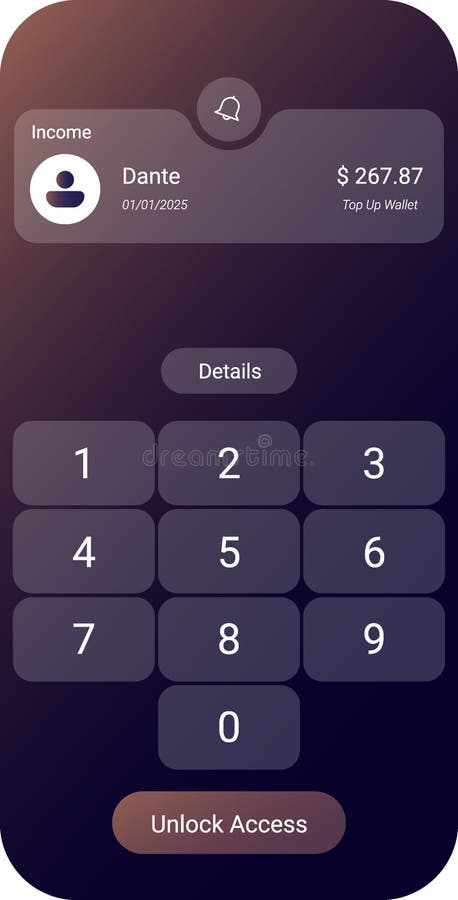
Free with trial A sleek mobile banking UI featuring an income summary at the top, a numeric password keypad, and a secure Unlock Access button. Interface functionality vectors Secure Mobile Banking User Interface with Password Input Screen. A sleek mobile banking UI featuring an income summary at the top, a numeric password keypad, and. A sleek mobile banking UI featuring an income summary at the top, a numeric password keypad, and a secure Unlock Access button
Free with trial Script programming for task manager user interface, handling form submission, input validation, task list rendering, and exception alerts with dynamic DOM interaction Vouch. Interface functionality illustrations Script Code for Task Management UI Functionality Vouch. Script programming for task manager user interface, handling form submission, input validation, task list. Script programming for task manager user interface, handling form submission, input validation, task list rendering, and exception alerts with dynamic DOM interaction Vouch
Free with trial The image depicts a vibrant mobile app marketplace showcasing various online shopping and shipping solutions. Featuring a sleek interface, it highlights diverse product categories, user-friendly navigation, and seamless checkout options, reflecting the modern convenience of digital shopping. Bright colors and dynamic icons suggest an engaging user experience, emphasizing the app's functionality and accessibility for consumers seeking efficient online purchasing. Interface functionality illustrations Mobile App Marketplace: Online Shopping and Shipping Solutions. The image depicts a vibrant mobile app marketplace showcasing various online shopping and. The image depicts a vibrant mobile app marketplace showcasing various online shopping and shipping solutions. Featuring a sleek interface, it highlights diverse product categories, user-friendly navigation, and seamless checkout options, reflecting the modern convenience of digital shopping. Bright colors and dynamic icons suggest an engaging user experience, emphasizing the app's functionality and accessibility for consumers seeking efficient online purchasing.
Free with trial A gear icon with bright golden color sits on a square blue background. The golden color has circles in it. Represents functionality, technology, and adjustments, perfect for interface design or application settings. Interface functionality vectors Golden gear on blue background, a symbol for settings panel icon. A gear icon with bright golden color sits on a square blue background. The golden color has. A gear icon with bright golden color sits on a square blue background. The golden color has circles in it. Represents functionality, technology, and adjustments, perfect for interface design or application settings.
Free with trial This 3D icon represents a web browser interface with integrated marketing and media functionality. It features a purple header with status dots, a green button labeled ADS, and a red video play button, alongside horizontal text lines, perfect for web development, digital marketing, or user interface design projects. Interface functionality vectors A 3D stylized browser window icon featuring advertising and video content control buttons. This 3D icon represents a web browser interface with integrated. This 3D icon represents a web browser interface with integrated marketing and media functionality. It features a purple header with status dots, a green button labeled ADS, and a red video play button, alongside horizontal text lines, perfect for web development, digital marketing, or user interface design projects
Free with trial A dynamic vector illustration of a digital audio waveform integrated with a forward arrow, perfect for media playback controls and audio progress. This graphic is ideal for music players, video streaming apps, or any design indicating sound progression and interactive audio experiences, conveying clear playback functionality, vector design Generative AI. Interface functionality vectors Digital Audio Waveform with Forward Arrow for Media Playback, vector design Generative AI. A dynamic vector illustration of a digital audio waveform integrated. A dynamic vector illustration of a digital audio waveform integrated with a forward arrow, perfect for media playback controls and audio progress. This graphic is ideal for music players, video streaming apps, or any design indicating sound progression and interactive audio experiences, conveying clear playback functionality, vector design Generative AI
Free with trial A detailed close-up view of a control panel featuring colorful buttons and switches. The image showcases the intricate design and functionality of industrial machinery. Interface functionality illustrations Close-Up of Retro Control Panel with Colorful Buttons and Switches. A detailed close-up view of a control panel featuring colorful buttons and switches. The. A detailed close-up view of a control panel featuring colorful buttons and switches. The image showcases the intricate design and functionality of industrial machinery
Free with trial A clean, flat vector-style icon depicting a magnifying glass positioned over a document file. The design uses a professional blue color palette, symbolizing data analysis, information retrieval, file management, and digital search functionality. This simple, minimalist graphic is ideal for user interface design, web development, software applications, and business documentation portals, representing the concept of searching for specific information within digital records or archives. Interface functionality vectors Document Search Icon Featuring a Magnifying Glass Over a File Symbol. A clean, flat vector-style icon depicting a magnifying glass positioned over a document. A clean, flat vector-style icon depicting a magnifying glass positioned over a document file. The design uses a professional blue color palette, symbolizing data analysis, information retrieval, file management, and digital search functionality. This simple, minimalist graphic is ideal for user interface design, web development, software applications, and business documentation portals, representing the concept of searching for specific information within digital records or archives.
Free with trial Illustration of a smart vending machine in outline style, showcasing product compartments and a user interface panel for easy selection and purchase. Interface functionality illustrations Smart vending machine illustration in outline style with minimalist design, featuring various product compartments and a user. Illustration of a smart vending. Illustration of a smart vending machine in outline style, showcasing product compartments and a user interface panel for easy selection and purchase
Free with trial A flat-style graphic icon depicting a speaker symbol with radiating sound waves in vibrant colors. The design features a green speaker body with blue, orange, and yellow curved lines representing audio output or volume levels. This minimalist, modern icon is suitable for user interface design, digital media applications, website navigation, or communication technology concepts, providing a clear and recognizable visual representation of sound control and audio functionality. Interface functionality vectors Colorful Speaker Icon Representing Sound Volume and Audio Settings. A flat-style graphic icon depicting a speaker symbol with radiating sound waves in vibrant. A flat-style graphic icon depicting a speaker symbol with radiating sound waves in vibrant colors. The design features a green speaker body with blue, orange, and yellow curved lines representing audio output or volume levels. This minimalist, modern icon is suitable for user interface design, digital media applications, website navigation, or communication technology concepts, providing a clear and recognizable visual representation of sound control and audio functionality.
Free with trial This image shows a browser window with a gear inside, representing web development, settings, and online configuration options. It symbolizes internet functionality. Interface functionality vectors Vector art of a browser window with a gear inside, , representing web development, settings, and online configuration options. This image shows a browser window. This image shows a browser window with a gear inside, representing web development, settings, and online configuration options. It symbolizes internet functionality
Free with trial A stylish flat vector icon of a backlit keyboard, perfect for illustrating low-light computing, gaming in dark environments, or enhanced visibility. This graphic is ideal for tech product features, night mode applications, or ergonomic workspace setups, highlighting comfort and functionality, vector design Generative AI. Interface functionality vectors Backlit Keyboard for Low-Light Work, vector design Generative AI. A stylish flat vector icon of a backlit keyboard, perfect for illustrating low-light computing. A stylish flat vector icon of a backlit keyboard, perfect for illustrating low-light computing, gaming in dark environments, or enhanced visibility. This graphic is ideal for tech product features, night mode applications, or ergonomic workspace setups, highlighting comfort and functionality, vector design Generative AI
Free with trial Circular golden button displaying the word spin, suggesting use for a quick start feature. Interface functionality vectors Golden button with spin text for quick start functionality in applications. Circular golden button displaying the word spin, suggesting use for a quick start. Circular golden button displaying the word spin, suggesting use for a quick start feature.
Free with trial This image features a futuristic smart home interface showcasing energy usage, solar power data, and various control functions, perfect for modern living and innovation. Gantry. Interface functionality illustrations Futuristic Smart Home Interface with Energy Usage, Solar Power Output, and Various Functionality Icons for Modern Living. This image features a futuristic smart. This image features a futuristic smart home interface showcasing energy usage, solar power data, and various control functions, perfect for modern living and innovation. Gantry
Free with trial A stylish design of a touchpad icon that emphasizes its functionality in modern devices. Interface functionality vectors Stylish Touchpad Icon Design. A stylish design of a touchpad icon that emphasizes its functionality in modern devices. A stylish design of a touchpad icon that emphasizes its functionality in modern devices.
Free with trial A clean studio shot of a minimalist white smart bin presented in profile. The subtle design features a rounded rectangular body and a smooth top surface with an integrated touch interface. Key elements like the power button icon and a ventilation symbol are softly illuminated indicating smart functionality. Interface functionality illustrations Minimalist white smart bin with integrated sensor and power button. A clean studio shot of a minimalist white smart bin presented in profile. The subtle design. A clean studio shot of a minimalist white smart bin presented in profile. The subtle design features a rounded rectangular body and a smooth top surface with an integrated touch interface. Key elements like the power button icon and a ventilation symbol are softly illuminated indicating smart functionality
Free with trial A clean, modern 3D rendered play button icon featuring concentric circles and a prominent triangle. Ideal for digital media players, streaming services, and application interfaces. Interface functionality vectors Minimalist 3d play button icon simple circular design for media and playback functionality. A clean, modern 3D rendered play button icon featuring concentric. A clean, modern 3D rendered play button icon featuring concentric circles and a prominent triangle. Ideal for digital media players, streaming services, and application interfaces
Free with trial A pair of hands holding a tablet device with a blank screen, showcasing the device's design and functionality. Interface functionality illustrations Hands holding a blank tablet screen isolated on white background. A pair of hands holding a tablet device with a blank screen, showcasing the device's design and. A pair of hands holding a tablet device with a blank screen, showcasing the device's design and functionality
Free with trial A pair of hands holding a tablet device with a blank screen, showcasing the device's sleek design and functionality. Interface functionality illustrations Hands holding a blank tablet screen isolated on white background. A pair of hands holding a tablet device with a blank screen, showcasing the device's sleek. A pair of hands holding a tablet device with a blank screen, showcasing the device's sleek design and functionality
Free with trial Close-up of vintage audio equipment featuring intricate dials and illuminated controls, set within a creative studio environment, highlighting retro design and functionality. Interface functionality illustrations Vintage Audio Equipment with Dials and Lights in a Studio Setting. Close-up of vintage audio equipment featuring intricate dials and illuminated controls, set. Close-up of vintage audio equipment featuring intricate dials and illuminated controls, set within a creative studio environment, highlighting retro design and functionality
Free with trial Innovative control interface showcases sleek design and technology. A futuristic control panel with glowing features captivates users. Interface functionality illustrations Innovative control interface showcases sleek design and technology. A futuristic control panel with glowing features captivates users
 Sign in