Free with trial The image shows a modern and minimalist magnifying glass icon featuring a clear handle and a blue-tinted lens, set against a solid black square background. The design is clean and polished, emphasizing functionality and search-related themes. Interface functionality illustrations A sleek magnifying glass icon with a blue lens on a dark background. The image shows a modern and minimalist magnifying glass icon featuring a clear handle and a. The image shows a modern and minimalist magnifying glass icon featuring a clear handle and a blue-tinted lens, set against a solid black square background. The design is clean and polished, emphasizing functionality and search-related themes
Free with trial A sleek smartphone showcases a vibrant health monitoring application with engaging user interface elements. Ideal for tech and wellness themes. Interface functionality illustrations Modern Smartphone Displaying Colorful Health Monitoring Application. A sleek smartphone showcases a vibrant health monitoring application with engaging user. A sleek smartphone showcases a vibrant health monitoring application with engaging user interface elements. Ideal for tech and wellness themes
Free with trial A clean vector icon of a magnifying glass with a minus sign, symbolizing zoom-out functionality or narrowing a search. This essential UI element is ideal for visual content tools, data filtering applications, or any interface where scale adjustment and refinement of information are important, vector design Generative AI. Interface functionality vectors Zoom Out Search Icon with Minus Sign, vector design Generative AI. A clean vector icon of a magnifying glass with a minus sign, symbolizing zoom-out. A clean vector icon of a magnifying glass with a minus sign, symbolizing zoom-out functionality or narrowing a search. This essential UI element is ideal for visual content tools, data filtering applications, or any interface where scale adjustment and refinement of information are important, vector design Generative AI
Free with trial Modern smartphone displaying audio equalizer interface on screen. Smartphone screen showing a music equalizer app with sound wave visualization. Interface functionality illustrations Modern smartphone displaying audio equalizer interface on screen. Smartphone screen showing a music equalizer app with sound wave visualization
Free with trial A sleek and modern smartwatch featuring a round, minimalist design with a black digital display. The watch has a polished stainless steel frame and adjustable side buttons, giving it a refined and sophisticated appearance. The face is entirely black, suggesting a touchscreen interface or an inactive screen, while the overall build emphasizes simplicity and functionality. Interface functionality illustrations Elegant smartwatch with minimalist round design and black display. A sleek and modern smartwatch featuring a round, minimalist design with a black digital. A sleek and modern smartwatch featuring a round, minimalist design with a black digital display. The watch has a polished stainless steel frame and adjustable side buttons, giving it a refined and sophisticated appearance. The face is entirely black, suggesting a touchscreen interface or an inactive screen, while the overall build emphasizes simplicity and functionality
Free with trial A series of email message window mockups with attachment buttons and send functionality, showcasing different views. Interface functionality illustrations Email message window mockup with attachment button multiple views. A series of email message window mockups with attachment buttons and send functionality. A series of email message window mockups with attachment buttons and send functionality, showcasing different views
Free with trial A trio of modern black smartwatches with rectangular screens and silicone straps displayed side by side on a white background. Each watch shows a different digital interface with time, date, and various app icons or activity tracking visuals, emphasizing their smart functionality and minimalist design. Interface functionality illustrations Sleek black smartwatches with digital displays lined up elegantly. A trio of modern black smartwatches with rectangular screens and silicone straps displayed. A trio of modern black smartwatches with rectangular screens and silicone straps displayed side by side on a white background. Each watch shows a different digital interface with time, date, and various app icons or activity tracking visuals, emphasizing their smart functionality and minimalist design
Free with trial A set of six simple black icons representing technology, media, and power functions arranged in two rows. Interface functionality vectors Collection of six distinct black technology and media interface icons on a white background. A set of six simple black icons representing technology, media, and. A set of six simple black icons representing technology, media, and power functions arranged in two rows.
Free with trial These innovative smart glasses feature a transparent design and high-tech capabilities, ideal for enhancing productivity and functionality in various environments. Interface functionality illustrations Innovative Smart Glasses with Transparent Design and High-Tech Features for Enhanced Functionality. These innovative smart glasses feature a transparent design. These innovative smart glasses feature a transparent design and high-tech capabilities, ideal for enhancing productivity and functionality in various environments
Free with trial Icons represent essential features for app design, including location tracking, user profiles, data privacy, and secure storage. Interface functionality vectors Icon set showcasing various digital security and user interface elements for application design and development tasks. Icons represent essential features for app. Icons represent essential features for app design, including location tracking, user profiles, data privacy, and secure storage.
Free with trial A set of six distinct black and white icons representing various digital interface elements and controls. Interface functionality vectors Collection of modern ui icons for digital interfaces and controls. A set of six distinct black and white icons representing various digital interface elements. A set of six distinct black and white icons representing various digital interface elements and controls.
Free with trial This clean, flat icon represents a digital interface or web browser window. It features a simplified layout with a header, text lines, and two distinctive squares containing plus symbols, suggesting functionality for adding content, new elements, or expanding features within a user-friendly application or a modern website design context. Interface functionality vectors A minimalist black and white browser window icon featuring two prominent plus sign buttons. This clean, flat icon represents a digital interface or web browser. This clean, flat icon represents a digital interface or web browser window. It features a simplified layout with a header, text lines, and two distinctive squares containing plus symbols, suggesting functionality for adding content, new elements, or expanding features within a user-friendly application or a modern website design context
Free with trial A sleek and minimalist video camera icon, depicted without a distinct lens, focusing on its essential form. This simplified design is versatile for user interfaces, web applications, or abstract media concepts, representing video functionality, live streaming, or multimedia presence with a clean, modern, and easily recognizable aesthetic, vector design Generative AI. Interface functionality vectors Minimalist Video Camera Icon No Lens.jpg, vector design Generative AI. A sleek and minimalist video camera icon, depicted without a distinct lens, focusing on. A sleek and minimalist video camera icon, depicted without a distinct lens, focusing on its essential form. This simplified design is versatile for user interfaces, web applications, or abstract media concepts, representing video functionality, live streaming, or multimedia presence with a clean, modern, and easily recognizable aesthetic, vector design Generative AI
Free with trial A clean, flat graphic icon representing a manual hand brake lever, commonly used in automotive and vehicle control systems. The design features a simplified, stylized aesthetic with bold colors, making it suitable for user interface design, automotive repair manuals, driving instruction materials, or technical diagrams. The icon clearly depicts the mechanical handle and base mechanism, providing a recognizable symbol for parking brake functionality in various digital or print applications. Interface functionality illustrations Flat Vector Icon of a Manual Hand Brake Lever for Automotive Systems. A clean, flat graphic icon representing a manual hand brake lever, commonly used in. A clean, flat graphic icon representing a manual hand brake lever, commonly used in automotive and vehicle control systems. The design features a simplified, stylized aesthetic with bold colors, making it suitable for user interface design, automotive repair manuals, driving instruction materials, or technical diagrams. The icon clearly depicts the mechanical handle and base mechanism, providing a recognizable symbol for parking brake functionality in various digital or print applications.
Free with trial A clean graphic representation of a magnifying tool, useful for search functionality or UI design. Interface functionality illustrations Black outline of a magnifying glass design element with hand lens. A clean graphic representation of a magnifying tool, useful for search functionality or UI. A clean graphic representation of a magnifying tool, useful for search functionality or UI design
Free with trial A digital graphic featuring a dark blue computer mouse cursor arrow pointing towards and interacting with a series of rounded square buttons. The buttons transition through a color palette of blue and green gradients, arranged horizontally. This clean, minimalist design represents concepts of user interface, digital interaction, web navigation, and software functionality, suitable for technology-themed projects and website design elements. Interface functionality vectors Computer Mouse Cursor Clicking on a Blue Gradient Square Button Icon. A digital graphic featuring a dark blue computer mouse cursor arrow pointing towards and. A digital graphic featuring a dark blue computer mouse cursor arrow pointing towards and interacting with a series of rounded square buttons. The buttons transition through a color palette of blue and green gradients, arranged horizontally. This clean, minimalist design represents concepts of user interface, digital interaction, web navigation, and software functionality, suitable for technology-themed projects and website design elements.
Free with trial A practical vector icon combining a map pin with a magnifying glass, signifying location information and search functionality. This versatile graphic is perfect for travel apps, local directories, tourist guides, and geographical inquiries. Ideal for web UI, mobile applications, and informational services, providing clear access to location data, vector design Generative AI. Interface functionality vectors Location Information and Search Vector Icon, vector design Generative AI. A practical vector icon combining a map pin with a magnifying glass, signifying. A practical vector icon combining a map pin with a magnifying glass, signifying location information and search functionality. This versatile graphic is perfect for travel apps, local directories, tourist guides, and geographical inquiries. Ideal for web UI, mobile applications, and informational services, providing clear access to location data, vector design Generative AI
Free with trial The image features a vibrant red square icon with a white triangular play button positioned in the center. The play button is designed to indicate media playback or video start functionality, commonly used in user interfaces for apps, websites, or multimedia devices. The overall design is clean and minimalistic, focusing solely on the play action symbol. Interface functionality illustrations Red play button icon with white triangle symbol for media playback. The image features a vibrant red square icon with a white triangular play button positioned. The image features a vibrant red square icon with a white triangular play button positioned in the center. The play button is designed to indicate media playback or video start functionality, commonly used in user interfaces for apps, websites, or multimedia devices. The overall design is clean and minimalistic, focusing solely on the play action symbol
Free with trial A contemporary smartphone displayed in a sleek, circular frame with a soft blur effect, emphasizing its clean design and geometric screen lock pattern. The device features a minimalist aesthetic, highlighting its simplicity and functionality. The image captures the essence of modern technology with a focus on design and user interface. Interface functionality illustrations Modern minimalist smartphone with geometric pattern screen lock. A contemporary smartphone displayed in a sleek, circular frame with a soft blur effect. A contemporary smartphone displayed in a sleek, circular frame with a soft blur effect, emphasizing its clean design and geometric screen lock pattern. The device features a minimalist aesthetic, highlighting its simplicity and functionality. The image captures the essence of modern technology with a focus on design and user interface
Free with trial The image displays a sleek, modern arrow pointing upwards, symbolizing upload or progress, encased within two concentric circular gradient borders. The design is clean and minimalistic, with a focus on a digital or technological theme, likely representing file upload functionality or data transfer. Interface functionality illustrations Modern stylized upload arrow icon within circular gradient borders. The image displays a sleek, modern arrow pointing upwards, symbolizing upload or progress. The image displays a sleek, modern arrow pointing upwards, symbolizing upload or progress, encased within two concentric circular gradient borders. The design is clean and minimalistic, with a focus on a digital or technological theme, likely representing file upload functionality or data transfer
Free with trial A sleek Apple smartwatch showcasing a modern metallic bracelet. The screen displays a blurred, pixelated interface, emphasizing the device's design and digital functionality. Ideal for tech and lifestyle stock imagery. Interface functionality illustrations Apple smartwatch with blurred digital display on metallic bracelet. A sleek Apple smartwatch showcasing a modern metallic bracelet. The screen displays a blurred. A sleek Apple smartwatch showcasing a modern metallic bracelet. The screen displays a blurred, pixelated interface, emphasizing the device's design and digital functionality. Ideal for tech and lifestyle stock imagery
Free with trial A sleek, modern tablet with a blank screen is shown against a simple, neutral background, emphasizing its design and functionality. Interface functionality illustrations Minimalist tablet displaying blank screen against plain background. A sleek, modern tablet with a blank screen is shown against a simple, neutral background. A sleek, modern tablet with a blank screen is shown against a simple, neutral background, emphasizing its design and functionality
Free with trial Flat setting icon with a modern design, isolated on a clean white background, perfect for user interface, apps, or system configurations. Interface functionality illustrations Minimalistic Setting Icon Isolated on White Background. Flat setting icon with a modern design, isolated on a clean white background, perfect for user interface. Flat setting icon with a modern design, isolated on a clean white background, perfect for user interface, apps, or system configurations
Free with trial This image showcases a detailed layout of an electronic device control panel, highlighting its components, connectors, and circuit pathways for a clear understanding of its functionality and design. Interface functionality illustrations Detailed Layout of Electronic Device Control Panel with Connectors. This image showcases a detailed layout of an electronic device control panel, highlighting. This image showcases a detailed layout of an electronic device control panel, highlighting its components, connectors, and circuit pathways for a clear understanding of its functionality and design
Free with trial A comprehensive collection of smartphone utility icons representing various mobile phone features, settings, and communication functions in a modern flat black style. Interface functionality vectors Set of Smartphone Functionality and Mobile Application Solid Icons. A comprehensive collection of smartphone utility icons representing various mobile phone. A comprehensive collection of smartphone utility icons representing various mobile phone features, settings, and communication functions in a modern flat black style
Free with trial A clean vector illustration of a plus icon enclosed in an oval, commonly used for add to cart or add item functionality. This versatile user interface element is essential for e-commerce, shopping applications, or any platform requiring clear visual cues for adding items or content, vector design Generative AI. Interface functionality vectors Add to Cart Plus Icon for E-commerce, vector design Generative AI. A clean vector illustration of a plus icon enclosed in an oval, commonly used for add to cart. A clean vector illustration of a plus icon enclosed in an oval, commonly used for add to cart or add item functionality. This versatile user interface element is essential for e-commerce, shopping applications, or any platform requiring clear visual cues for adding items or content, vector design Generative AI
Free with trial A blue icon representing play and fast forward functionality, a universal symbol for media control. Suitable for video players, audio applications, and online streaming platforms to enhance user experience, vector design Generative AI. Interface functionality vectors Blue Play & Fast Forward Icon for Media, vector design Generative AI. A blue icon representing play and fast forward functionality, a universal symbol for media. A blue icon representing play and fast forward functionality, a universal symbol for media control. Suitable for video players, audio applications, and online streaming platforms to enhance user experience, vector design Generative AI
Free with trial A person holding a tablet with a blank screen, focusing on the device's interface and functionality. Interface functionality illustrations Hands holding a blank tablet screen isolated on white background. A person holding a tablet with a blank screen, focusing on the device's interface and. A person holding a tablet with a blank screen, focusing on the device's interface and functionality
Free with trial Discover this sleek, modern handheld electronic device featuring intuitive controls and silver accents. Perfect for personal care, wellness, or professional applications seeking a clean, advanced aesthetic. Interface functionality vectors Modern handheld electronic device with sleek silver accents and intuitive button controls for advanced functionality. Discover this sleek, modern handheld. Discover this sleek, modern handheld electronic device featuring intuitive controls and silver accents. Perfect for personal care, wellness, or professional applications seeking a clean, advanced aesthetic
Free with trial The image depicts a minimalist, white smartphone with a rounded rectangular frame. The device has a prominent circular camera lens located at the top center, above a narrow front-facing camera. The screen is blank and reflective, indicating a modern, clean design with a focus on simplicity and functionality. Interface functionality illustrations A sleek white smartphone with a camera positioned at the top center. The image depicts a minimalist, white smartphone with a rounded rectangular frame. The. The image depicts a minimalist, white smartphone with a rounded rectangular frame. The device has a prominent circular camera lens located at the top center, above a narrow front-facing camera. The screen is blank and reflective, indicating a modern, clean design with a focus on simplicity and functionality
Free with trial A smartphone stands upright, showcasing an array of colorful app icons surrounded by glowing effects. The background is dark, enhancing the vibrant display of technology and innovation. Interface functionality illustrations Digital smartphone interface displaying various app icons and visual effects in dynamic arrangement. A smartphone stands upright, showcasing an array of colorful. A smartphone stands upright, showcasing an array of colorful app icons surrounded by glowing effects. The background is dark, enhancing the vibrant display of technology and innovation.
Free with trial The image shows a smartphone featuring a minimalist design with a large, uninterrupted front display and a small notch at the top center for the front camera and sensors. The device has a thin bezel, giving it a modern and clean appearance. The backside is not visible, but the overall design suggests a focus on aesthetics and functionality. Interface functionality illustrations Modern smartphone with sleek design and minimalist front display. The image shows a smartphone featuring a minimalist design with a large, uninterrupted front. The image shows a smartphone featuring a minimalist design with a large, uninterrupted front display and a small notch at the top center for the front camera and sensors. The device has a thin bezel, giving it a modern and clean appearance. The backside is not visible, but the overall design suggests a focus on aesthetics and functionality
Free with trial A dynamic vector icon featuring two connected magnifying glasses, each with a plus sign, symbolizing multi-level zoom or dual inspection. This design is ideal for advanced user interfaces, image analysis tools, or technical applications, providing a clear visual for detailed exploration and enhanced viewing capabilities, offering comprehensive functionality, vector design Generative AI. Interface functionality vectors Connected Magnifying Glasses Zoom Vector Icon, vector design Generative AI. A dynamic vector icon featuring two connected magnifying glasses, each with a plus. A dynamic vector icon featuring two connected magnifying glasses, each with a plus sign, symbolizing multi-level zoom or dual inspection. This design is ideal for advanced user interfaces, image analysis tools, or technical applications, providing a clear visual for detailed exploration and enhanced viewing capabilities, offering comprehensive functionality, vector design Generative AI
Free with trial Explore a modern smart home control panel featuring a sleek design and advanced digital interface. Perfect for showcasing innovative technology integration at home. Interface functionality illustrations Modern Smart Home Control Panel Design. Explore a modern smart home control panel featuring a sleek design and advanced digital interface. Perfect for showcasing. Explore a modern smart home control panel featuring a sleek design and advanced digital interface. Perfect for showcasing innovative technology integration at home
Free with trial A sleek, modern electronic device with a metallic finish features a prominent green rectangular screen on top, displaying digital information, while the front panel includes multiple buttons, dials, and a visible green circuit board with a detailed circuit diagram, suggesting advanced technological functionality, and a central red button flanked by two additional red buttons on a black strap,. Interface functionality illustrations Futuristic electronic device with green screen and control panel featuring circuit board and red buttons on metallic surface. A sleek, modern electronic device. A sleek, modern electronic device with a metallic finish features a prominent green rectangular screen on top, displaying digital information, while the front panel includes multiple buttons, dials, and a visible green circuit board with a detailed circuit diagram, suggesting advanced technological functionality, and a central red button flanked by two additional red buttons on a black strap,
Free with trial Modern smartphone displaying self improvement app on wooden surface. Smartphone screen showing self improvement application interface on warm wooden background. Interface functionality illustrations Modern smartphone displaying self improvement app on wooden surface. Smartphone screen showing self improvement application interface on warm wooden background
Free with trial A close-up image features a hand pressing a glowing button on a digital touchscreen. The vibrant display and soft light create a sense of modern technology and interaction. Interface functionality illustrations Close-Up of a Hand Pressing a Button on a Digital Touchscreen Interface. A close-up image features a hand pressing a glowing button on a digital touchscreen. The. A close-up image features a hand pressing a glowing button on a digital touchscreen. The vibrant display and soft light create a sense of modern technology and interaction
Free with trial AI assistant enhance programming task manager functionality and automate user interface coding with improved error handling and interaction flow Vouch. Interface functionality illustrations AI-Assisted Code Development for Web Task Management Vouch. AI assistant enhance programming task manager functionality and automate user interface coding with. AI assistant enhance programming task manager functionality and automate user interface coding with improved error handling and interaction flow Vouch
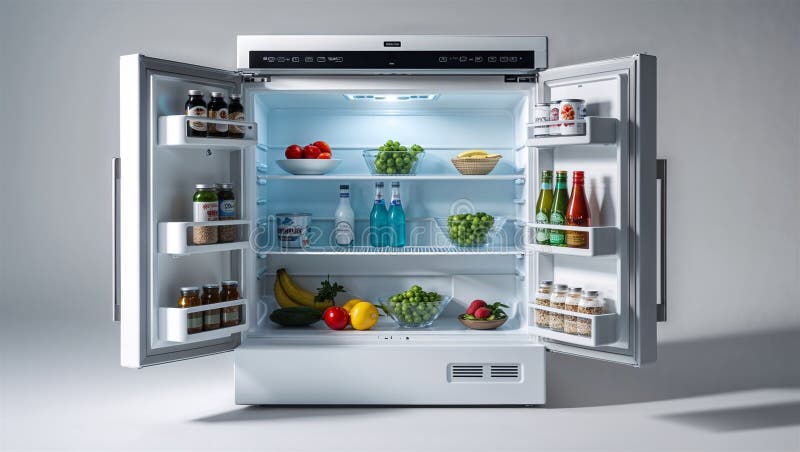
Free with trial A modern refrigerator with both doors open, displaying organized shelves. The interior is brightly lit, showcasing a variety of items. On the shelves, there are fresh fruits like bananas, apples, and grapes, along with bottles of beverages. The door compartments contain jars and condiments. The fridge has a sleek design with a digital control panel at the top. The overall scene is neat and orderly, emphasizing the refrigerator's capacity and functionality. Interface functionality illustrations Photorealistic image of a digital fridge label timer on a white background. A modern refrigerator with both doors open, displaying organized shelves. The. A modern refrigerator with both doors open, displaying organized shelves. The interior is brightly lit, showcasing a variety of items. On the shelves, there are fresh fruits like bananas, apples, and grapes, along with bottles of beverages. The door compartments contain jars and condiments. The fridge has a sleek design with a digital control panel at the top. The overall scene is neat and orderly, emphasizing the refrigerator's capacity and functionality.
Free with trial Modern refrigerator with an open door in a bright setting. It displays organized shelves containing various foods such as vegetables, fruits, sauces, and beverages. The interior features distinct compartments for different food categories, including fresh produce and bottled drinks. The refrigerator's sleek and minimalistic design includes a digital interface on the door for easy access and control. The lighting enhances visibility of the items inside, suggesting practicality and efficient storage. The overall aesthetic is clean and functional, highlighting contemporary kitchen appliances. Interface functionality illustrations Photorealistic image of a digital fridge label timer on a white background. Modern refrigerator with an open door in a bright setting. It displays organized. Modern refrigerator with an open door in a bright setting. It displays organized shelves containing various foods such as vegetables, fruits, sauces, and beverages. The interior features distinct compartments for different food categories, including fresh produce and bottled drinks. The refrigerator's sleek and minimalistic design includes a digital interface on the door for easy access and control. The lighting enhances visibility of the items inside, suggesting practicality and efficient storage. The overall aesthetic is clean and functional, highlighting contemporary kitchen appliances.
Free with trial Innovative smart glasses featuring a sleek design and transparent lenses, perfect for enhancing user experience through advanced technology and hands-free functionality. Interface functionality illustrations Sleek Smart Glasses with Advanced Technology and Transparent Lenses. Innovative smart glasses featuring a sleek design and transparent lenses, perfect for. Innovative smart glasses featuring a sleek design and transparent lenses, perfect for enhancing user experience through advanced technology and hands-free functionality
Free with trial Clean green download button illustration functionality use, websites locate, click users clean green download button. Interface functionality illustrations Clean green download button. Illustration functionality use, websites locate, click users AI generated. clean green download button illustration functionality use, websites locate, click users clean green download button
Free with trial A stylish modern smart speaker featuring a unique red and beige design. Ideal for enhancing home decor while providing excellent sound and smart functionality. Generative AI. Interface functionality illustrations Modern Smart Speaker on Wooden Table with Warm Background Decor. A stylish modern smart speaker featuring a unique red and beige design. Ideal for enhancing home. A stylish modern smart speaker featuring a unique red and beige design. Ideal for enhancing home decor while providing excellent sound and smart functionality. Generative AI
Free with trial A minimalist vector illustration of simple sound bars or an audio equalizer display. This clean graphic is ideal for basic audio indicators, music apps, or podcast interfaces. Its straightforward design offers clarity and functionality, making it versatile for various digital and print applications requiring a clear representation of sound levels, vector design Generative AI. Interface functionality vectors Minimalist Sound Bars Equalizer Display, vector design Generative AI. A minimalist vector illustration of simple sound bars or an audio equalizer display. This. A minimalist vector illustration of simple sound bars or an audio equalizer display. This clean graphic is ideal for basic audio indicators, music apps, or podcast interfaces. Its straightforward design offers clarity and functionality, making it versatile for various digital and print applications requiring a clear representation of sound levels, vector design Generative AI
Free with trial AI assistant enhance programming task manager functionality and automate user interface coding with improved error handling and interaction flow Vouch. Interface functionality illustrations AI-Assisted Code Development for Web Task Management Vouch. AI assistant enhance programming task manager functionality and automate user interface coding with. AI assistant enhance programming task manager functionality and automate user interface coding with improved error handling and interaction flow Vouch
Free with trial A modern flat vector illustration of a slider switch combining ON OFF functionality with plus minus options, providing intuitive control. This versatile graphic is ideal for user interfaces, volume controls, or any design requiring a clear and functional element for adjustable settings and activation, vector design Generative AI. Interface functionality vectors Slider switch with ON OFF and plus minus, for intuitive control, vector design Generative AI. A modern flat vector illustration of a slider switch combining ON. A modern flat vector illustration of a slider switch combining ON OFF functionality with plus minus options, providing intuitive control. This versatile graphic is ideal for user interfaces, volume controls, or any design requiring a clear and functional element for adjustable settings and activation, vector design Generative AI
Free with trial The image showcases a rugged smartphone built for durability and functionality in tough environments. This device features a reinforced exterior with a rubberized grip, providing protection against drops, dust, and water. It has a physical keypad below the screen for easy input, and the screen itself appears to be a touchscreen with a responsive interface. Such devices are often used in. Interface functionality illustrations Durable rugged smartphone designed for outdoor and industrial use. The image showcases a rugged smartphone built for durability and functionality in tough. The image showcases a rugged smartphone built for durability and functionality in tough environments. This device features a reinforced exterior with a rubberized grip, providing protection against drops, dust, and water. It has a physical keypad below the screen for easy input, and the screen itself appears to be a touchscreen with a responsive interface. Such devices are often used in
Free with trial A clean, minimalist flat icon representing a shopping basket, featuring a simple grid pattern design. This graphic element is ideal for use in e-commerce websites, mobile applications, retail marketing materials, and user interface design to signify shopping carts, checkout processes, or purchasing functionality. The straightforward, modern aesthetic ensures high visibility and clarity across various digital platforms and print media. Interface functionality illustrations Simple Flat Icon of a Shopping Basket for Retail and E-commerce Design. A clean, minimalist flat icon representing a shopping basket, featuring a simple grid. A clean, minimalist flat icon representing a shopping basket, featuring a simple grid pattern design. This graphic element is ideal for use in e-commerce websites, mobile applications, retail marketing materials, and user interface design to signify shopping carts, checkout processes, or purchasing functionality. The straightforward, modern aesthetic ensures high visibility and clarity across various digital platforms and print media.
Free with trial This image depicts a high-tech helmet featuring an augmented reality visor. The transparent display shows various digital overlays, including graphical user interfaces, data streams, and holographic elements, suggesting advanced technological integration for enhanced functionality and user interaction. The helmet design appears to be inspired by sci-fi themes, possibly for applications in virtual. Interface functionality illustrations Futuristic helmet with advanced augmented reality display interface. This image depicts a high-tech helmet featuring an augmented reality visor. The transparent. This image depicts a high-tech helmet featuring an augmented reality visor. The transparent display shows various digital overlays, including graphical user interfaces, data streams, and holographic elements, suggesting advanced technological integration for enhanced functionality and user interaction. The helmet design appears to be inspired by sci-fi themes, possibly for applications in virtual
Free with trial A contrasting image featuring two toggle switches in distinct states, with one clearly marked 'ON' in yellow and the other 'OFF' in blue, set against a neutral background, highlighting concepts of control, functionality, and the dichotomy of binary operations. Interface functionality illustrations Depicting two toggle switches showcasing the concepts of \'on\' and \'off\' states. A contrasting image featuring two toggle switches in distinct states, with. A contrasting image featuring two toggle switches in distinct states, with one clearly marked 'ON' in yellow and the other 'OFF' in blue, set against a neutral background, highlighting concepts of control, functionality, and the dichotomy of binary operations
Free with trial A modern charging station mounted on a dark textured wall features an illuminated circular interface. A charging cable is plugged in, showcasing its functionality and design. Interface functionality illustrations Modern electric charging station with illuminated indicators for efficient use. A modern charging station mounted on a dark textured wall features an illuminated. A modern charging station mounted on a dark textured wall features an illuminated circular interface. A charging cable is plugged in, showcasing its functionality and design.
Free with trial A simplified vector illustration of an analog measuring instrument, perfect for straightforward representations of measurement or precision. This clean icon is versatile for educational materials, technical diagrams, or app interfaces where clarity and functionality are key. Represents accuracy and traditional scientific tools, vector design Generative AI. Interface functionality vectors Simple Analog Measuring Instrument Icon, vector design Generative AI. A simplified vector illustration of an analog measuring instrument, perfect for. A simplified vector illustration of an analog measuring instrument, perfect for straightforward representations of measurement or precision. This clean icon is versatile for educational materials, technical diagrams, or app interfaces where clarity and functionality are key. Represents accuracy and traditional scientific tools, vector design Generative AI
Free with trial A graphic designer creating a sign up button for a website or mobile app. The designer is focused on creating an intuitive and visually appealing interface that encourages users to take action. The sign up button is a crucial element in the user experience, and the designer must balance aesthetics with functionality. The button design is simple, yet effective, with a clear call to action and a prominent arrow icon. The designer is working on a clean and minimalistic design that will integrate seamlessly with the rest of the website or app. Interface functionality illustrations A graphic designer creating a sign up button for a website or mobile app. The designer is focused on creating an intuitive and visually appealing interface
Free with trial This image displays a grid of six rounded square icons representing various smart home technologies, including a doorbell camera, digital door lock, smartphone-controlled lighting, robotic vacuum cleaner, interactive display hub, and mobile application interface for managing household illumination settings. Interface functionality vectors Collection of modern smart home automation icons with rounded square icons. This image displays a grid of six rounded square icons representing various smart. This image displays a grid of six rounded square icons representing various smart home technologies, including a doorbell camera, digital door lock, smartphone-controlled lighting, robotic vacuum cleaner, interactive display hub, and mobile application interface for managing household illumination settings
Free with trial The image illustrates a modern concept of digital transformation and user engagement facilitated by mobile technology. A character, likely representing a service provider or technician, is shown using a smartphone application that connects to a network of users. The interface on the phone displays a dynamic, upward-pointing arrow with multiple user icons, symbolizing connectivity, growth, and the. Interface functionality illustrations Digital Transformation and User Engagement Through Mobile Technology. The image illustrates a modern concept of digital transformation and user engagement. The image illustrates a modern concept of digital transformation and user engagement facilitated by mobile technology. A character, likely representing a service provider or technician, is shown using a smartphone application that connects to a network of users. The interface on the phone displays a dynamic, upward-pointing arrow with multiple user icons, symbolizing connectivity, growth, and the
Free with trial Line art showcases a calendar icon inside a browser window frame. The design is displayed in four quadrants, each with different background colors: white, black, teal, and light gray. The browser window features simplified navigation buttons and a prominent calendar with a square shape and loop bindings. The minimalist style emphasizes clarity and functionality, typical of modern digital iconography, suitable for user interface design. Interface functionality illustrations Calendar icon inside a browser window frame in a simple line art style. Line art showcases a calendar icon inside a browser window frame. The design is displayed. Line art showcases a calendar icon inside a browser window frame. The design is displayed in four quadrants, each with different background colors: white, black, teal, and light gray. The browser window features simplified navigation buttons and a prominent calendar with a square shape and loop bindings. The minimalist style emphasizes clarity and functionality, typical of modern digital iconography, suitable for user interface design.
Free with trial A stylish design of a text editor icon emphasizing its functionality in programming. Interface functionality vectors Stylish Text Editor Icon Design. A stylish design of a text editor icon emphasizing its functionality in programming. A stylish design of a text editor icon emphasizing its functionality in programming.
Free with trial A minimalist flat icon representing a vehicle handbrake or parking brake lever. The design features a simple, clean silhouette of the mechanical control mechanism used in automobiles to engage the parking brake. This graphic is suitable for automotive user interface design, dashboard symbols, vehicle maintenance manuals, driving instruction materials, and transportation-related digital applications, emphasizing safety, control, and automotive functionality in a clear, easy-to-understand visual format. Interface functionality vectors Handbrake Lever Icon for Automotive Control and Vehicle Safety Systems. A minimalist flat icon representing a vehicle handbrake or parking brake lever. The. A minimalist flat icon representing a vehicle handbrake or parking brake lever. The design features a simple, clean silhouette of the mechanical control mechanism used in automobiles to engage the parking brake. This graphic is suitable for automotive user interface design, dashboard symbols, vehicle maintenance manuals, driving instruction materials, and transportation-related digital applications, emphasizing safety, control, and automotive functionality in a clear, easy-to-understand visual format.
Free with trial An icon combining play and record symbols, ideal for media player controls, audio video editing suites, or content creation tools. Represents dual functionality for consumption and production of media, vector design Generative AI. Interface functionality vectors Play and Record Icon for Media Controls, vector design Generative AI. An icon combining play and record symbols, ideal for media player controls, audio video. An icon combining play and record symbols, ideal for media player controls, audio video editing suites, or content creation tools. Represents dual functionality for consumption and production of media, vector design Generative AI
Free with trial A robot hand interacts with a digital interface showcasing various omni-channel marketing icons, symbolizing seamless technology and business connectivity. Tessel. Interface functionality illustrations Futuristic Robot Hand Interacting with Digital Omni-Channel Marketing Icons Representing Technology and Connectivity in. A robot hand interacts with a digital. A robot hand interacts with a digital interface showcasing various omni-channel marketing icons, symbolizing seamless technology and business connectivity. Tessel
Free with trial The image shows a rectangular digital frame with a metallic and frosted glass design placed on top of a black electronic device. The base appears to have multiple ports and connectors, suggesting it could be a media player or a network device. The overall design is minimalistic and modern, with a focus on sleek aesthetics and functionality. Interface functionality illustrations Modern digital frame mounted on a sleek black electronic device base. The image shows a rectangular digital frame with a metallic and frosted glass design placed. The image shows a rectangular digital frame with a metallic and frosted glass design placed on top of a black electronic device. The base appears to have multiple ports and connectors, suggesting it could be a media player or a network device. The overall design is minimalistic and modern, with a focus on sleek aesthetics and functionality
Free with trial Network cables with multiple colored wires are shown in sharp focus on a white background. The design highlights connections for data transfer in a clear and detailed manner. Interface functionality illustrations Digital Interface With Network Cables Displayed on a White Background Showcasing Detailed Colors and Connections for Data. Network cables with multiple colored. Network cables with multiple colored wires are shown in sharp focus on a white background. The design highlights connections for data transfer in a clear and detailed manner
Free with trial This image shows a close-up of a fingerprint scanner sensor, likely used for biometric authentication. The sensor displays a clear, illuminated blue fingerprint pattern, indicating its functionality in capturing and recognizing fingerprint details for security purposes. The device appears to be compact and sleek, designed for integration into various electronic systems. Interface functionality illustrations Close-up view of a fingerprint scanner sensor with a visible fingerprint pattern. This image shows a close-up of a fingerprint scanner sensor, likely used for. This image shows a close-up of a fingerprint scanner sensor, likely used for biometric authentication. The sensor displays a clear, illuminated blue fingerprint pattern, indicating its functionality in capturing and recognizing fingerprint details for security purposes. The device appears to be compact and sleek, designed for integration into various electronic systems
Free with trial A clean, modern graphic icon representing volume control, featuring a central speaker symbol with sound waves, enclosed within a circular progress bar or segmented ring. The design uses a professional blue color palette, making it ideal for user interface design, mobile applications, web development, multimedia software, and digital audio settings. The minimalist style provides a clear visual representation of sound level adjustment and audio management functionality for various digital platforms. Interface functionality vectors Volume Control Icon with Circular Progress Indicator for Audio Settings. A clean, modern graphic icon representing volume control, featuring a central speaker. A clean, modern graphic icon representing volume control, featuring a central speaker symbol with sound waves, enclosed within a circular progress bar or segmented ring. The design uses a professional blue color palette, making it ideal for user interface design, mobile applications, web development, multimedia software, and digital audio settings. The minimalist style provides a clear visual representation of sound level adjustment and audio management functionality for various digital platforms.
Free with trial A minimalist vector icon of a circular power button with a bold green symbol on a dark background, indicating system activation. This clean graphic is ideal for user interfaces, technology products, or energy-related applications. Its simple yet strong design provides clear functionality, vector design Generative AI. Interface functionality vectors Circular Power Button Icon Dark Background Vector, vector design Generative AI. A minimalist vector icon of a circular power button with a bold green symbol on a. A minimalist vector icon of a circular power button with a bold green symbol on a dark background, indicating system activation. This clean graphic is ideal for user interfaces, technology products, or energy-related applications. Its simple yet strong design provides clear functionality, vector design Generative AI
Free with trial AI assistant enhance programming task manager functionality and automate user interface coding with improved error handling and interaction flow Vouch. Interface functionality illustrations AI-Assisted Code Development for Web Task Management Vouch. AI assistant enhance programming task manager functionality and automate user interface coding with. AI assistant enhance programming task manager functionality and automate user interface coding with improved error handling and interaction flow Vouch
Free with trial A dazzling blue mobile device lies on a clean surface, showcasing its smooth edges and contemporary features. The gadget represents the blend of style and functionality in communication technology. Interface functionality illustrations Innovative blue mobile device showcasing sleek design and modern technology. A dazzling blue mobile device lies on a clean surface, showcasing its smooth edges. A dazzling blue mobile device lies on a clean surface, showcasing its smooth edges and contemporary features. The gadget represents the blend of style and functionality in communication technology
Free with trial Minimalist black outline icon of a share symbol with three connected circles, suitable for use in social media interfaces, websites, and mobile applications. This clean design represents connectivity and sharing functionality. Interface functionality vectors Simple Outline Circle Share Connection Icon for Social Media Interface. Minimalist black outline icon of a share symbol with three connected circles, suitable. Minimalist black outline icon of a share symbol with three connected circles, suitable for use in social media interfaces, websites, and mobile applications. This clean design represents connectivity and sharing functionality.
Free with trial The image shows a black digital media player device, featuring a front panel with a small display screen and several buttons. The unit has a silver front fascia with a digital clock display, along with control buttons for power, input selection, and volume. The top of the device includes a slot for optical discs, indicating playback functionality. The design suggests it is a versatile audio and. Interface functionality illustrations Black and silver digital media player with front panel controls. The image shows a black digital media player device, featuring a front panel with a small. The image shows a black digital media player device, featuring a front panel with a small display screen and several buttons. The unit has a silver front fascia with a digital clock display, along with control buttons for power, input selection, and volume. The top of the device includes a slot for optical discs, indicating playback functionality. The design suggests it is a versatile audio and
Free with trial Diagram illustrating API-based application integration. Two rectangular blocks labeled "App A" and "App B" are connected by a central API depicted as a cloud with dotted arrows indicating bidirectional communication. "App A" is linked to a web browser interface on the left, while "App B" connects to a smartphone on the right. This setup emphasizes the interaction between different applications and devices via an API, showcasing how data and functionality are shared across platforms. Interface functionality vectors Application Integration via API Connecting Different Devices. Diagram illustrating API-based application integration. Two rectangular blocks labeled 'App A' and. Diagram illustrating API-based application integration. Two rectangular blocks labeled "App A" and "App B" are connected by a central API depicted as a cloud with dotted arrows indicating bidirectional communication. "App A" is linked to a web browser interface on the left, while "App B" connects to a smartphone on the right. This setup emphasizes the interaction between different applications and devices via an API, showcasing how data and functionality are shared across platforms.
Free with trial This image depicts a modern and sleek server rack with a high-tech design. The unit features vibrant neon lighting in shades of purple and teal, giving it a futuristic appearance. The front panel displays intricate data patterns, suggesting advanced functionality and connectivity. The design is likely inspired by contemporary cybernetic aesthetics, emphasizing efficiency and cutting-edge. Interface functionality illustrations Futuristic data storage server rack with glowing digital interface. This image depicts a modern and sleek server rack with a high-tech design. The unit features. This image depicts a modern and sleek server rack with a high-tech design. The unit features vibrant neon lighting in shades of purple and teal, giving it a futuristic appearance. The front panel displays intricate data patterns, suggesting advanced functionality and connectivity. The design is likely inspired by contemporary cybernetic aesthetics, emphasizing efficiency and cutting-edge
Free with trial An abstract vector icon featuring a forward-pointing arrow combined with a plus symbol, rendered in a smooth gradient of purple and pink. This dynamic and modern design is ideal for user interfaces, creative tools, or digital workflows, symbolizing progression, addition, and intuitive functionality with a vibrant and artistic touch, vector design Generative AI. Interface functionality vectors Abstract Gradient Arrow Plus Symbol Icon, vector design Generative AI. An abstract vector icon featuring a forward-pointing arrow combined with a plus symbol. An abstract vector icon featuring a forward-pointing arrow combined with a plus symbol, rendered in a smooth gradient of purple and pink. This dynamic and modern design is ideal for user interfaces, creative tools, or digital workflows, symbolizing progression, addition, and intuitive functionality with a vibrant and artistic touch, vector design Generative AI
Free with trial This image depicts a high-tech helmet featuring an augmented reality visor. The transparent display shows various digital overlays, including graphical user interfaces, data streams, and holographic elements, suggesting advanced technological integration for enhanced functionality and user interaction. The helmet design appears to be inspired by sci-fi themes, possibly for applications in virtual. Interface functionality illustrations Futuristic helmet with advanced augmented reality display interface. This image depicts a high-tech helmet featuring an augmented reality visor. The transparent. This image depicts a high-tech helmet featuring an augmented reality visor. The transparent display shows various digital overlays, including graphical user interfaces, data streams, and holographic elements, suggesting advanced technological integration for enhanced functionality and user interaction. The helmet design appears to be inspired by sci-fi themes, possibly for applications in virtual
Free with trial The image shows a hand holding a white stylus pen poised above a tablet screen, which is angled slightly upward. The tablet is displaying a blank, white interface, suggesting it is ready for note-taking, sketching, or digital drawing. The setting appears to be clean and minimalistic, emphasizing the functionality of the device and stylus. Interface functionality illustrations Person using a digital stylus on a tablet device for writing or drawing. The image shows a hand holding a white stylus pen poised above a tablet screen, which is. The image shows a hand holding a white stylus pen poised above a tablet screen, which is angled slightly upward. The tablet is displaying a blank, white interface, suggesting it is ready for note-taking, sketching, or digital drawing. The setting appears to be clean and minimalistic, emphasizing the functionality of the device and stylus
Free with trial Icon set featuring a simple calendar design with four variations in black and white. Each icon displays a basic calendar shape with two loops at the top, representing binding rings, and a central circular element indicating a date. The icons are arranged in a rectangular grid with varying background colors: white, black, brown, and light gray. The calendar outlines alternate between white and black, contrasting with their respective backgrounds for visibility. The minimalist design focuses on functionality and versatility in digital interface use. Interface functionality illustrations Simple calendar date icon set with four variations in black and white. Icon set featuring a simple calendar design with four variations in black and white. Each. Icon set featuring a simple calendar design with four variations in black and white. Each icon displays a basic calendar shape with two loops at the top, representing binding rings, and a central circular element indicating a date. The icons are arranged in a rectangular grid with varying background colors: white, black, brown, and light gray. The calendar outlines alternate between white and black, contrasting with their respective backgrounds for visibility. The minimalist design focuses on functionality and versatility in digital interface use.
Free with trial Clean and modern flat design gear icon in black, ideal for user interface, settings, technology, and business applications. Perfect for web, app, and print projects. Interface functionality illustrations Minimalist black gear icon isolated on white background vector design. Clean and modern flat design gear icon in black, ideal for user interface, settings. Clean and modern flat design gear icon in black, ideal for user interface, settings, technology, and business applications. Perfect for web, app, and print projects
Free with trial This image showcases a sleek, minimalist tablet device with a dark border framing a blank, white display area. The tablet appears to have rounded edges and a modern, bezel-less design. The overall aesthetic is clean and contemporary, focusing on simplicity and functionality with no visible buttons or additional features on the front face. Interface functionality illustrations Minimalist design of a modern tablet device with a blank screen display. This image showcases a sleek, minimalist tablet device with a dark border framing a. This image showcases a sleek, minimalist tablet device with a dark border framing a blank, white display area. The tablet appears to have rounded edges and a modern, bezel-less design. The overall aesthetic is clean and contemporary, focusing on simplicity and functionality with no visible buttons or additional features on the front face
 Sign in