Free with trial Customer management, digital marketing, business tools, automation, strategy, software. A gear with CRM text and a black play button icon. Customer management and digital marketing concept. Button functionality vectors CRM Gear and Play Button Symbols Customer Relationship Management and Digital Operations. Customer management, digital marketing, business tools, automation. Customer management, digital marketing, business tools, automation, strategy, software. A gear with CRM text and a black play button icon. Customer management and digital marketing concept
Free with trial A simple black play button vector icon, representing media playback functionality for digital interfaces. Button functionality illustrations Black Play Button Icon Vector Graphic Isolated on White Background. A simple black play button vector icon, representing media playback functionality for digital. A simple black play button vector icon, representing media playback functionality for digital interfaces
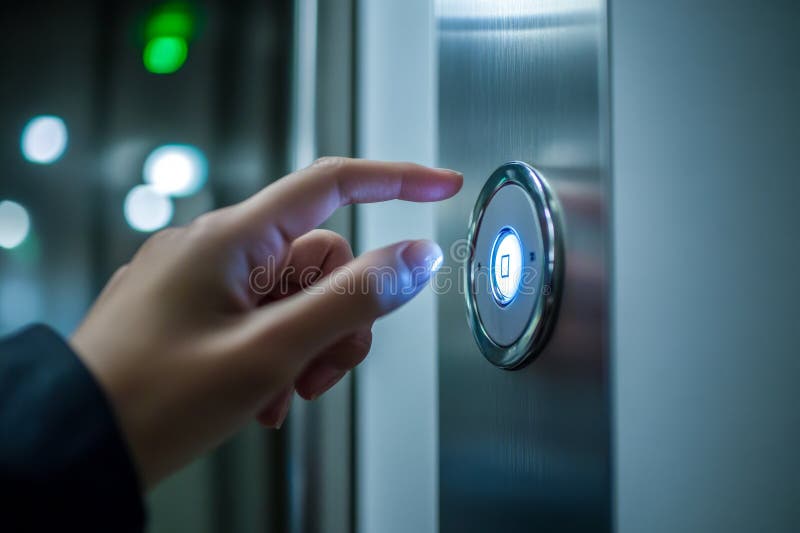
Free with trial Hand pressing glowing button, emphasizing choice and control -. Button functionality illustrations Hand pressing glowing button, emphasizing choice and control. Ai generated. Hand pressing glowing button, emphasizing choice and control -
Free with trial This image showcases a contemporary color wheel device encased in a sleek metallic frame. The device features a vibrant color wheel prominently displayed on a digital screen, accompanied by a power button on the right side. The overall design is minimalistic and industrial, with a focus on functionality and aesthetics. Button functionality illustrations A modern color wheel device with a metallic frame and a digital display. This image showcases a contemporary color wheel device encased in a sleek metallic frame. This image showcases a contemporary color wheel device encased in a sleek metallic frame. The device features a vibrant color wheel prominently displayed on a digital screen, accompanied by a power button on the right side. The overall design is minimalistic and industrial, with a focus on functionality and aesthetics
Free with trial The image features a modern smartphone from the side, highlighting its streamlined and minimalist design. The device has a rounded edge, a prominent circular home button at the bottom center, and a speaker grill on the lower left side. The phone appears to be in a silver or space gray finish, with a matte texture on the back. The screen is turned off, giving a clear view of the device's overall. Button functionality illustrations Sleek smartphone showcasing minimalist design with rounded edges and home button. The image features a modern smartphone from the side, highlighting its. The image features a modern smartphone from the side, highlighting its streamlined and minimalist design. The device has a rounded edge, a prominent circular home button at the bottom center, and a speaker grill on the lower left side. The phone appears to be in a silver or space gray finish, with a matte texture on the back. The screen is turned off, giving a clear view of the device's overall
Free with trial A clean, minimalist studio shot of a white speaker device, presented against a pure white background. The speaker features a rounded rectangular shape with a central button and a series of vertical slits indicating the sound output. The design is modern, sleek, and suggests a focus on simplicity and functionality. This image is ideal for use in technology, design, or lifestyle-related content, product mockups, and advertising materials. Button functionality illustrations Minimalist White Speaker Design. A clean, minimalist studio shot of a white speaker device, presented against a pure white background. The speaker features a. A clean, minimalist studio shot of a white speaker device, presented against a pure white background. The speaker features a rounded rectangular shape with a central button and a series of vertical slits indicating the sound output. The design is modern, sleek, and suggests a focus on simplicity and functionality. This image is ideal for use in technology, design, or lifestyle-related content, product mockups, and advertising materials.
Free with trial A brown leather wallet with a sturdy button clasp is shown in a minimalist setting, highlighting its compact design and practical functionality for everyday use. Button functionality illustrations Brown Leather Wallet with Button Clasp for Secure Storage. A brown leather wallet with a sturdy button clasp is shown in a minimalist setting, highlighting its. A brown leather wallet with a sturdy button clasp is shown in a minimalist setting, highlighting its compact design and practical functionality for everyday use
Free with trial Online tools, web design, user interaction, digital marketing, subscription services, email campaigns. Blue subscribe button with cloud icon. User interaction and online tools concept. Button functionality vectors Subscribe Button with Cloud Icon for Online Content Engagement and User Interaction. Online tools, web design, user interaction, digital marketing, subscription. Online tools, web design, user interaction, digital marketing, subscription services, email campaigns. Blue subscribe button with cloud icon. User interaction and online tools concept
Free with trial Online memberships, digital services, user functionality, communication, updates, connectivity. User icon with a subscribe button and cloud graphic. Online memberships and digital services concept. Button functionality vectors Subscribe Button with User Icon and Cloud Element Online Membership and Digital Services. Online memberships, digital services, user functionality, communication. Online memberships, digital services, user functionality, communication, updates, connectivity. User icon with a subscribe button and cloud graphic. Online memberships and digital services concept
Free with trial Silhouette of a minimalist black smartwatch with rounded edges and a side button, centered on a pale yellow background. The watch face is rectangular with smooth curves, and the band appears to be wide and streamlined. The overall design is simple, emphasizing functionality with a clean, modern aesthetic. Button functionality vectors Minimalist black smartwatch with side button on pale yellow background. Silhouette of a minimalist black smartwatch with rounded edges and a side button. Silhouette of a minimalist black smartwatch with rounded edges and a side button, centered on a pale yellow background. The watch face is rectangular with smooth curves, and the band appears to be wide and streamlined. The overall design is simple, emphasizing functionality with a clean, modern aesthetic.
Free with trial Digital media, streaming platforms, user interface, audio-visual communication, technology services, creative design. Play button with waves and speech bubble with dots. Digital media and streaming. Button functionality vectors Multimedia Streaming Concept with Play Button, Dotted Speech Bubble, and Wave Elements. Digital media, streaming platforms, user interface, audio-visual. Digital media, streaming platforms, user interface, audio-visual communication, technology services, creative design. Play button with waves and speech bubble with dots. Digital media and streaming
Free with trial Modern chrome pen with black grip. A sleek, modern pen with a shiny chrome finish and a black rubber grip. The pen has a push-button mechanism to extend and retract the tip. It is designed for both style and functionality, making it a versatile writing tool. Button functionality illustrations Modern chrome pen with black grip. A sleek, modern pen with a shiny chrome finish and a black rubber grip. The pen has a push-button mechanism to extend and
Free with trial This image shows a top-down perspective of a modern, circular robotic vacuum cleaner with a glossy finish, minimalistic controls, and integrated sensors, positioned on a light-colored floor in a clean, minimalist setting. The device features a central button, side brushes, and a compact, streamlined design, emphasizing functionality and modern aesthetics. Button functionality illustrations Top view of modern robotic vacuum cleaner with sleek design. This image shows a top-down perspective of a modern, circular robotic vacuum cleaner with a glossy. This image shows a top-down perspective of a modern, circular robotic vacuum cleaner with a glossy finish, minimalistic controls, and integrated sensors, positioned on a light-colored floor in a clean, minimalist setting. The device features a central button, side brushes, and a compact, streamlined design, emphasizing functionality and modern aesthetics
Free with trial A user interface element displaying filter options. It includes a list with checkboxes next to the categories: "CATEGORY," "LOCATION," "PRICE RANGE," "RATING," "AVAILABILITY," and "DATE ADDED. " Checkmarks are visible in boxes for "CATEGORY," "PRICE RANGE," and "AVAILABILITY. " A blue button labeled "APPLY FILTERS" is positioned below the list, indicating functionality to refine search results based on selected criteria. The design is simple, with a gray background and black text for clarity. Button functionality vectors Filter Options With Checkbox With Text With Button. A user interface element displaying filter options. It includes a list with checkboxes next to the categories. A user interface element displaying filter options. It includes a list with checkboxes next to the categories: "CATEGORY," "LOCATION," "PRICE RANGE," "RATING," "AVAILABILITY," and "DATE ADDED." Checkmarks are visible in boxes for "CATEGORY," "PRICE RANGE," and "AVAILABILITY." A blue button labeled "APPLY FILTERS" is positioned below the list, indicating functionality to refine search results based on selected criteria. The design is simple, with a gray background and black text for clarity.
Free with trial A keychain features three metal keys and a cylindrical device. The device is white with a small solar panel on its side and a button near one end. It appears to be a flashlight or similar compact gadget. The keys have standard cut patterns and are attached to a metallic ring. The arrangement and shadows suggest a simplistic and modern design, emphasizing functionality and portability. Button functionality illustrations A keychain features three metal keys and a cylindrical device. The device is white with a small solar panel on its side and a button near one end. It appears
Free with trial User interface, digital design, web development, software interface, UI concept, app design. Horizontal text field with button. User interface and digital design concept. Button functionality vectors Minimalist User Interface Element with Text Field and Add Button, Digital Design Concept. User interface, digital design, web development, software interface, UI. User interface, digital design, web development, software interface, UI concept, app design. Horizontal text field with button. User interface and digital design concept
Free with trial Technology, settings, multimedia, video, process, system. Black gear outline, blue rotating gear video play button and a square shape. Technology and settings concepts. Button functionality vectors Gear Symbol with Rotation Arrows and Video Play Button Settings and Multimedia Functionality. Technology, settings, multimedia, video, process, system. Black. Technology, settings, multimedia, video, process, system. Black gear outline, blue rotating gear video play button and a square shape. Technology and settings concepts
Free with trial A modern smartwatch with a glossy black screen, square face, and rounded edges. The watch frame and band are dark gray, complementing the sleek design. A single button is located on the right side, typical for navigating the devices interface. The minimalist style emphasizes functionality and modern technology. Suitable for everyday use, it likely includes features such as fitness tracking, notifications, and possibly connectivity to other devices. Button functionality illustrations Smartwatch with a glossy black screen, square face, and rounded. A modern smartwatch with a glossy black screen, square face, and rounded edges. The watch frame. A modern smartwatch with a glossy black screen, square face, and rounded edges. The watch frame and band are dark gray, complementing the sleek design. A single button is located on the right side, typical for navigating the devices interface. The minimalist style emphasizes functionality and modern technology. Suitable for everyday use, it likely includes features such as fitness tracking, notifications, and possibly connectivity to other devices.
Free with trial A red and white megaphone with a black handle and cord is prominently displayed. The megaphone has a large, conical shape designed to amplify sound, with a red button on the side and a black cord attached to the handle for easy use. The device is set against a plain white background, emphasizing its design and functionality. Button functionality illustrations Red and white megaphone. A red and white megaphone with a black handle and cord is prominently displayed. The megaphone has a large, conical shape designed to. A red and white megaphone with a black handle and cord is prominently displayed. The megaphone has a large, conical shape designed to amplify sound, with a red button on the side and a black cord attached to the handle for easy use. The device is set against a plain white background, emphasizing its design and functionality
Free with trial Image features a digital illustration of a power button symbol. The design is circular, with a central white circle containing a dark gray power icon, characterized by a vertical line intersecting a partial circle. Surrounding the central circle is a vibrant blue ring, creating a layered effect against a light gray background. The overall style is modern and minimalistic, with a focus on clean. Button functionality illustrations Modern power button icon illustration. Image features a digital illustration of a power button symbol. The design is circular, with a central white circle. Image features a digital illustration of a power button symbol. The design is circular, with a central white circle containing a dark gray power icon, characterized by a vertical line intersecting a partial circle. Surrounding the central circle is a vibrant blue ring, creating a layered effect against a light gray background. The overall style is modern and minimalistic, with a focus on clean
Free with trial Temperature control button on device. Close-up of a temperature control button. Generative AI. Button functionality illustrations Temperature control button on device. Close-up of a temperature control button. Generative AI
Free with trial The image depicts a sleek, modern smartphone with a gray finish. The phone is shown in a portrait orientation, highlighting its minimalist design. The device features a large touchscreen display with minimal bezels, a front-facing camera, and a home button with a fingerprint sensor located at the bottom center. The overall design is streamlined and contemporary, emphasizing functionality and style. Button functionality illustrations Modern smartphone in gray. The image depicts a sleek, modern smartphone with a gray finish. The phone is shown in a portrait orientation, highlighting its. The image depicts a sleek, modern smartphone with a gray finish. The phone is shown in a portrait orientation, highlighting its minimalist design. The device features a large touchscreen display with minimal bezels, a front-facing camera, and a home button with a fingerprint sensor located at the bottom center. The overall design is streamlined and contemporary, emphasizing functionality and style
Free with trial A close-up, top-down view of a sleek, modern play button. The button itself is a dark, metallic triangle, set against a circular, brushed metal background. A prominent feature is the illuminated ring surrounding the button, displaying a gradient of vibrant colors from green to purple, suggesting dynamic functionality and contemporary design. The lighting is dramatic, highlighting the textures of. Button functionality illustrations Modern play button with vibrant led ring on brushed metal surface. A close-up, top-down view of a sleek, modern play button. The button itself is a dark. A close-up, top-down view of a sleek, modern play button. The button itself is a dark, metallic triangle, set against a circular, brushed metal background. A prominent feature is the illuminated ring surrounding the button, displaying a gradient of vibrant colors from green to purple, suggesting dynamic functionality and contemporary design. The lighting is dramatic, highlighting the textures of
Free with trial Hamburger menu button set, interface site navigation icons. Minimal dropdown navigation bar. Clean burger button design for mobile app interface with dropdown list functionality and UI elements. Vector illustration. Button functionality vectors Hamburger menu button set, interface site navigation icons. Minimal dropdown navigation bar. Clean burger button design. For mobile app interface with dropdown. Hamburger menu button set, interface site navigation icons. Minimal dropdown navigation bar. Clean burger button design for mobile app interface with dropdown list functionality and UI elements. Vector illustration
Free with trial Hamburger menu button set, interface site navigation icons. Minimal dropdown navigation bar. Clean burger button design for mobile app interface with dropdown list functionality and UI elements. Vector illustration. Button functionality vectors Hamburger menu button set, interface site navigation icons. Minimal dropdown navigation bar. Clean burger button design. For mobile app interface with dropdown. Hamburger menu button set, interface site navigation icons. Minimal dropdown navigation bar. Clean burger button design for mobile app interface with dropdown list functionality and UI elements. Vector illustration
Free with trial The image displays a blank white button positioned next to its metal fastener. The button has a smooth, round surface with no text or design, and the fastener is metallic with a pin and clasp mechanism. The button and fastener are set against a plain white background, emphasizing their simplicity and functionality. Button functionality illustrations Blank white button with metal fastener. The image displays a blank white button positioned next to its metal fastener. The button has a smooth, round surface. The image displays a blank white button positioned next to its metal fastener. The button has a smooth, round surface with no text or design, and the fastener is metallic with a pin and clasp mechanism. The button and fastener are set against a plain white background, emphasizing their simplicity and functionality
Free with trial The image shows a sleek, black dome-shaped device with a smooth, rounded surface. The top center features a small circular sensor or button, likely indicating it is an electronic gadget, possibly a smart home sensor, robotic device, or a component for a larger system. Its minimalist design suggests functionality with a focus on aesthetics. Button functionality illustrations Modern black dome-shaped device with a central sensor or button. The image shows a sleek, black dome-shaped device with a smooth, rounded surface. The top center. The image shows a sleek, black dome-shaped device with a smooth, rounded surface. The top center features a small circular sensor or button, likely indicating it is an electronic gadget, possibly a smart home sensor, robotic device, or a component for a larger system. Its minimalist design suggests functionality with a focus on aesthetics
Free with trial The image shows a stylized digital assistance icon featuring a speech bubble with a gear icon inside, indicating customization or settings. Below the speech bubble, there is an orange pill-shaped button labeled 'help', emphasizing user support. Button functionality illustrations Digital assistance icon with a help button and gear settings in a speech bubble. The image shows a stylized digital assistance icon featuring a speech bubble. The image shows a stylized digital assistance icon featuring a speech bubble with a gear icon inside, indicating customization or settings. Below the speech bubble, there is an orange pill-shaped button labeled 'help', emphasizing user support
Free with trial Computer keyboard key ctrl button input. Computer keyboard key, control button, input device, pc command. Button functionality illustrations Computer keyboard key ctrl button input. Computer keyboard key, control button, input device, pc command
Free with trial E-commerce, online marketing, cloud technology, digital services, search functionality, online transactions. Magnifying glass, cloud and buy button. E-commerce and online marketing concept. Button functionality vectors Search Symbol, Cloud Computing with Buy Button for E-Commerce and Online Shopping Concepts. E-commerce, online marketing, cloud technology, digital services. E-commerce, online marketing, cloud technology, digital services, search functionality, online transactions. Magnifying glass, cloud and buy button. E-commerce and online marketing concept
Free with trial Black silhouette of a smartwatch with a square face and rounded corners on a pale yellow background. Features include a single side button on the right, and a simple, minimalist design. The watch is centrally positioned and lacks any additional details or embellishments. Button functionality vectors Minimalist black smartwatch with rounded corners and side button on pale yellow background. Black silhouette of a smartwatch with a square face and rounded. Black silhouette of a smartwatch with a square face and rounded corners on a pale yellow background. Features include a single side button on the right, and a simple, minimalist design. The watch is centrally positioned and lacks any additional details or embellishments.
Free with trial Power button icon features a bold black circle intersected by a vertical line at the top, creating a minimalist design. High contrast enhances visibility, commonly used to represent on off functions in digital interfaces. The thick lines create a strong visual impact against the white background, emphasizing modern simplicity and functionality. Button functionality vectors Bold power button icon, thick black circle with vertical line, minimalist digital interface, high contrast. Power button icon features a bold black circle. Power button icon features a bold black circle intersected by a vertical line at the top, creating a minimalist design. High contrast enhances visibility, commonly used to represent on off functions in digital interfaces. The thick lines create a strong visual impact against the white background, emphasizing modern simplicity and functionality.
Free with trial The image shows a pair of khaki cargo shorts with multiple pockets, designed for casual wear. The shorts have a classic cargo style with large pockets on the sides and smaller pockets on the front. They are made from a durable fabric and feature a zipper fly with a button closure. The shorts are displayed against a plain background, highlighting their design and functionality. Button functionality illustrations Khaki cargo shorts with multiple pockets. The image shows a pair of khaki cargo shorts with multiple pockets, designed for casual wear. The shorts have a classic. The image shows a pair of khaki cargo shorts with multiple pockets, designed for casual wear. The shorts have a classic cargo style with large pockets on the sides and smaller pockets on the front. They are made from a durable fabric and feature a zipper fly with a button closure. The shorts are displayed against a plain background, highlighting their design and functionality
Free with trial The image showcases a sleek, modern smartphone with a vibrant purple case. The phone features a reflective screen that displays a blurred, abstract pattern. The device has a front-facing camera at the top center and a circular home button at the bottom. The overall design is minimalistic and stylish, emphasizing both functionality and aesthetics. Button functionality illustrations Purple smartphone with reflective screen. The image showcases a sleek, modern smartphone with a vibrant purple case. The phone features a reflective screen that. The image showcases a sleek, modern smartphone with a vibrant purple case. The phone features a reflective screen that displays a blurred, abstract pattern. The device has a front-facing camera at the top center and a circular home button at the bottom. The overall design is minimalistic and stylish, emphasizing both functionality and aesthetics
Free with trial Black and white graphic icon of a printer featuring clean, smooth lines and minimal details. The design emphasizes modern functionality with a flat aesthetic. A sheet of paper is shown in two phases: loading from the top and being output at the bottom. The printer has a simple, rounded rectangular body, a button, and a paper tray, all depicted with sharp contrasts between black and white. Button functionality vectors Simple black and white printer graphic, clean lines, minimal details, flat design icon, modern functionality. Black and white graphic icon of a printer featuring. Black and white graphic icon of a printer featuring clean, smooth lines and minimal details. The design emphasizes modern functionality with a flat aesthetic. A sheet of paper is shown in two phases: loading from the top and being output at the bottom. The printer has a simple, rounded rectangular body, a button, and a paper tray, all depicted with sharp contrasts between black and white.
Free with trial Minimalist black smartphone icon with a white screen border and accents. Features a blank screen, a single circular home button at the bottom, and an oval earpiece slot at the top. The overall design is simplistic and iconic, emphasizing functionality through a clean, uncomplicated aesthetic. Button functionality vectors Iconic smartphone, minimalist, black, white border and accents, blank screen, single home button. Minimalist black smartphone icon with a white screen border and. Minimalist black smartphone icon with a white screen border and accents. Features a blank screen, a single circular home button at the bottom, and an oval earpiece slot at the top. The overall design is simplistic and iconic, emphasizing functionality through a clean, uncomplicated aesthetic.
Free with trial The image features a red circular button with a white play arrow symbol. The arrow points to the right, indicating the action to play or proceed. The button is simple and iconic, commonly used in various digital interfaces to denote play functionality. Button functionality vectors Red play button. The image features a red circular button with a white play arrow symbol. The arrow points to the right, indicating the action to play or proceed. The image features a red circular button with a white play arrow symbol. The arrow points to the right, indicating the action to play or proceed. The button is simple and iconic, commonly used in various digital interfaces to denote play functionality
Free with trial Electric steam iron with a white and blue plastic body. The side view shows the metallic soleplate emitting steam, indicating it's turned on. The handle features a temperature control dial and a steam adjustment button, designed for comfort and functionality. The reflection of the iron is visible on the surface it's placed on, highlighting its sleek and modern design. Button functionality illustrations Electric steam iron with a white and blue plastic body. The side view shows the metallic soleplate emitting steam, indicating it's turned on. The handle
Free with trial The image showcases a sleek and modern fitness tracker with a dark green band. The device features a rectangular display and is positioned against a matching green background. The design is minimalistic, emphasizing functionality and style. The fitness tracker is equipped with a button on the side and a buckle for securing the band. Button functionality illustrations Modern fitness tracker on green background. The image showcases a sleek and modern fitness tracker with a dark green band. The device features a rectangular. The image showcases a sleek and modern fitness tracker with a dark green band. The device features a rectangular display and is positioned against a matching green background. The design is minimalistic, emphasizing functionality and style. The fitness tracker is equipped with a button on the side and a buckle for securing the band
Free with trial Vector ON OFF toggle button. User interface switch element. Modern control graphic. EPS 10. Button functionality vectors Vector ON OFF toggle button. User interface switch element. Modern control graphic. EPS 10
Free with trial Digital communication, user interface, data transmission, online interaction, message sending, gesture recognition. Blue send button with hand gesture. Digital communication and user interface. Button functionality vectors Digital Messaging Concept With Send Button and Gesture for Communication or User Interaction. Digital communication, user interface, data transmission, online. Digital communication, user interface, data transmission, online interaction, message sending, gesture recognition. Blue send button with hand gesture. Digital communication and user interface
Free with trial This image shows a sleek, contemporary computer monitor with a minimalist design. The monitor features a large screen with a prominent play button icon centered on it, suggesting media playback functionality. The monitor itself has a slim bezel and a stand with a minimalist aesthetic, likely made for desktop use. The overall design is clean and professional, suitable for office or home. Button functionality vectors Modern computer monitor displaying a play button icon on its screen. This image shows a sleek, contemporary computer monitor with a minimalist design. The. This image shows a sleek, contemporary computer monitor with a minimalist design. The monitor features a large screen with a prominent play button icon centered on it, suggesting media playback functionality. The monitor itself has a slim bezel and a stand with a minimalist aesthetic, likely made for desktop use. The overall design is clean and professional, suitable for office or home
Free with trial Try it monochrome pixel art button. Trial function. User interaction. Test tool. Preview mode. Demo feature. Grayscale retro UI. 8-bit style CTA. Pixelated 16bit web sticker. Roboto Mono font used. Button functionality vectors Try it monochrome pixel art button. Trial function. User interaction. Test tool. Preview mode. Demo feature. Grayscale retro UI. 8-bit style CTA. Pixelated
Free with trial The image shows a simple, smooth, and glossy white circular button centered against a plain, light gray backdrop. The button appears to be three-dimensional with a slight shadow, giving it a raised effect. Its clean and modern design suggests functionality in a minimalist setting. Button functionality illustrations Minimalist white circular button on a plain background. The image shows a simple, smooth, and glossy white circular button centered against a plain, light gray. The image shows a simple, smooth, and glossy white circular button centered against a plain, light gray backdrop. The button appears to be three-dimensional with a slight shadow, giving it a raised effect. Its clean and modern design suggests functionality in a minimalist setting
Free with trial The image features a simple, sleek white circular button affixed to a plain, light-colored surface. The button has a smooth, rounded design with a slight shadow beneath it, giving it a subtle three-dimensional appearance. The overall aesthetic is clean, modern, and minimalistic, evoking a sense of simplicity and functionality. Button functionality illustrations Minimalist white circular button on a plain background. The image features a simple, sleek white circular button affixed to a plain, light-colored surface. The. The image features a simple, sleek white circular button affixed to a plain, light-colored surface. The button has a smooth, rounded design with a slight shadow beneath it, giving it a subtle three-dimensional appearance. The overall aesthetic is clean, modern, and minimalistic, evoking a sense of simplicity and functionality
Free with trial Web browser window icon featuring a red background with a white cloud symbol centered inside. Below the cloud, a yellow button is displayed. The browser window has typical navigation elements at the top and is set against a blue circular background. This icon represents cloud storage and uploading functionality. Button functionality illustrations Cloud storage icon with red upload button. Web browser window icon featuring a red background with a white cloud symbol centered inside. Below the cloud, a. Web browser window icon featuring a red background with a white cloud symbol centered inside. Below the cloud, a yellow button is displayed. The browser window has typical navigation elements at the top and is set against a blue circular background. This icon represents cloud storage and uploading functionality.
Free with trial A hand reaches out to press the button for the elevator in a modern building. Boxes are stacked in the background. This scene shows daily life in a busy environment. Button functionality illustrations Touching the button for the elevator in a modern building with box storage nearby. A hand reaches out to press the button for the elevator in a modern building. A hand reaches out to press the button for the elevator in a modern building. Boxes are stacked in the background. This scene shows daily life in a busy environment.
Free with trial Hand pressing glowing button, symbolizing choice and control in digital age -. Button functionality illustrations Hand pressing glowing button, symbolizing choice and control in digital age. Ai generated. Hand pressing glowing button, symbolizing choice and control in digital age -
Free with trial Icon depicting a blue button with rounded corners and a centered white downward arrow. The arrow is bold and simple, pointing directly downward, signifying a download action. The contrast between the blue background and white arrow ensures high visibility, commonly used in digital interfaces to indicate download functionality. The button has a modern and minimalistic design. Button functionality illustrations Blue download button icon with white arrow. Icon depicting a blue button with rounded corners and a centered white downward arrow. The arrow is bold and simple. Icon depicting a blue button with rounded corners and a centered white downward arrow. The arrow is bold and simple, pointing directly downward, signifying a download action. The contrast between the blue background and white arrow ensures high visibility, commonly used in digital interfaces to indicate download functionality. The button has a modern and minimalistic design.
Free with trial A close-up, angled view of a prominent red reset button mounted on a square white plate. The word "RESET" is clearly printed in white capital letters on the surface of the red button. The white plate is secured to a light green surface by four silver screws. The image is clean and focuses on the functionality and visual impact of the reset button. Button functionality illustrations Red Reset Button with White Text on a Square White Plate with Screws image photo. A close-up, angled view of a prominent red reset button mounted on a square. A close-up, angled view of a prominent red reset button mounted on a square white plate. The word "RESET" is clearly printed in white capital letters on the surface of the red button. The white plate is secured to a light green surface by four silver screws. The image is clean and focuses on the functionality and visual impact of the reset button
Free with trial A black rectangular button with rounded edges featuring a white right-pointing arrow centered on its face. The button has a subtle 3D effect, giving it a slightly raised appearance. The design is flat and modern, emphasizing simplicity and functionality. The minimalistic style makes it suitable for digital interfaces or applications. Button functionality vectors Bold black rectangular button with white right arrow on face, subtle 3D effect, flat modern icon. A black rectangular button with rounded edges featuring a white. A black rectangular button with rounded edges featuring a white right-pointing arrow centered on its face. The button has a subtle 3D effect, giving it a slightly raised appearance. The design is flat and modern, emphasizing simplicity and functionality. The minimalistic style makes it suitable for digital interfaces or applications.
Free with trial Icon depicting a blue pause button. The symbol consists of a solid blue circle with two vertical white rectangles centrally positioned inside, resembling a standard media control pause symbol. The design suggests functionality related to stopping or pausing media playback. The simplicity and uniform color make it easily recognizable for use in digital interfaces. Button functionality illustrations Blue pause button icon, media control symbol. Icon depicting a blue pause button. The symbol consists of a solid blue circle with two vertical white rectangles. Icon depicting a blue pause button. The symbol consists of a solid blue circle with two vertical white rectangles centrally positioned inside, resembling a standard media control pause symbol. The design suggests functionality related to stopping or pausing media playback. The simplicity and uniform color make it easily recognizable for use in digital interfaces.
Free with trial A red smartphone displaying a white home button icon against a white textured background, representing mobile device navigation and technology. Button functionality illustrations Red smartphone with white home button icon. A red smartphone displaying a white home button icon against a white textured background, representing mobile device. A red smartphone displaying a white home button icon against a white textured background, representing mobile device navigation and technology
Free with trial Communication, digital transfer, messaging, technology, connectivity, speed. Magnet with motion lines and a Send button icon. Communication and digital transfer concept for messaging and technology. Button functionality vectors Magnet Symbol with Swift Motion Lines and Send Button Concept for Communication and Digital Transfer. Communication, digital transfer, messaging, technology. Communication, digital transfer, messaging, technology, connectivity, speed. Magnet with motion lines and a Send button icon. Communication and digital transfer concept for messaging and technology
Free with trial The image showcases a modern computer monitor with a minimalist design, featuring a blue frame and a white front. The screen displays a prominent play button icon, indicating media playback functionality. The overall design is clean and tech-oriented, emphasizing simplicity and functionality. Button functionality vectors A sleek computer monitor displaying a play button symbol on its screen. The image showcases a modern computer monitor with a minimalist design, featuring a blue. The image showcases a modern computer monitor with a minimalist design, featuring a blue frame and a white front. The screen displays a prominent play button icon, indicating media playback functionality. The overall design is clean and tech-oriented, emphasizing simplicity and functionality
Free with trial A detailed macro shot of a black microphone's mute button, featuring a prominent red indicator light. The textured surface and the word "MUTE" are clearly visible, emphasizing the functionality and design of audio equipment. This image was generated by AI. Button functionality illustrations Close-up of a Mute Button on a Black Microphone. A detailed macro shot of a black microphone's mute button, featuring a prominent red indicator light. The. A detailed macro shot of a black microphone's mute button, featuring a prominent red indicator light. The textured surface and the word "MUTE" are clearly visible, emphasizing the functionality and design of audio equipment. This image was generated by AI.
Free with trial Nine blue icons on a white background, including a cloud with a downward arrow download, a gear settings, a magnifying glass search, a location pin, an envelope email, a bar chart statistics, a padlock security, a power button, and a speech bubble message. Simple, minimalist design, commonly used in digital interfaces and applications to represent functionality and actions. Button functionality illustrations Used in digital interfaces and applications to represent functionalit. Nine blue icons on a white background, including a cloud with a downward arrow download, a. Nine blue icons on a white background, including a cloud with a downward arrow download, a gear settings, a magnifying glass search, a location pin, an envelope email, a bar chart statistics, a padlock security, a power button, and a speech bubble message. Simple, minimalist design, commonly used in digital interfaces and applications to represent functionality and actions.
Free with trial Business operations concept. Gear, digital buy button, and CV document icons highlight business functionality. Business operations enhance workflow efficiency. Ideal for marketing, HR tools. Button functionality illustrations Business Operations Concept with Gear Symbol, Digital Buy Button, and CV Icon for Workflow Efficiency. Business operations concept. Gear, digital buy button, and. Business operations concept. Gear, digital buy button, and CV document icons highlight business functionality. Business operations enhance workflow efficiency. Ideal for marketing, HR tools
Free with trial The image depicts two smartphone screens displaying the time as 11:30 AM. The left screen shows a minimalist interface with the time prominently displayed. The right screen, in addition to the time, includes a power button and options for airplane mode and silent mode, indicated by icons at the top. The overall design is sleek and modern, emphasizing functionality and simplicity. Button functionality vectors Smartphone displaying time with power options. The image depicts two smartphone screens displaying the time as 11:30 AM. The left screen shows a minimalist. The image depicts two smartphone screens displaying the time as 11:30 AM. The left screen shows a minimalist interface with the time prominently displayed. The right screen, in addition to the time, includes a power button and options for airplane mode and silent mode, indicated by icons at the top. The overall design is sleek and modern, emphasizing functionality and simplicity
Free with trial Black silhouette of a closed wallet on a white background. The design features a strap with a button or snap closure on the right, indicating a simple and practical construction. The wallet appears rectangular in shape, highlighting basic functionality without additional embellishments. Suitable for graphic design or icon representation. Button functionality illustrations Black silhouette of a closed wallet on a white background. The design features a. Strap with a button or snap closure on the right, indicating a simple and. Black silhouette of a closed wallet on a white background. The design features a strap with a button or snap closure on the right, indicating a simple and practical construction. The wallet appears rectangular in shape, highlighting basic functionality without additional embellishments. Suitable for graphic design or icon representation.
Free with trial Icons representing security and surveillance systems. Top row includes various CCTV cameras and detectors. The second row features a smoke detector, alarm lights, a key symbol, an unlocked padlock, and a panic button. The bottom row shows a closed door, window with a handle, keypads with a shield emblem, and a house with a shield symbol. Colors are primarily blue, gray, and red, indicating functionality like monitoring, alarm systems, access control, and security. Button functionality illustrations Row shows a closed door, window with a handle, keypads with a. Icons representing security and surveillance systems. Top row includes various CCTV cameras and. Icons representing security and surveillance systems. Top row includes various CCTV cameras and detectors. The second row features a smoke detector, alarm lights, a key symbol, an unlocked padlock, and a panic button. The bottom row shows a closed door, window with a handle, keypads with a shield emblem, and a house with a shield symbol. Colors are primarily blue, gray, and red, indicating functionality like monitoring, alarm systems, access control, and security.
Free with trial Black leather wallet with visible stitching, featuring a snap button closure. Positioned on a contrasting textured background with black and white brushstroke patterns. Rectangular shape with rounded edges, showcasing a sleek and minimalist design. The button closure suggests secure and practical functionality. Appears durable and suitable for holding cards or cash. The stitch detail provides a subtle contrast against the smooth leather surface, enhancing its aesthetic appeal. Button functionality illustrations Wallet. Black leather wallet with visible stitching, featuring a snap button closure. Positioned on a contrasting textured background with black and white. Black leather wallet with visible stitching, featuring a snap button closure. Positioned on a contrasting textured background with black and white brushstroke patterns. Rectangular shape with rounded edges, showcasing a sleek and minimalist design. The button closure suggests secure and practical functionality. Appears durable and suitable for holding cards or cash. The stitch detail provides a subtle contrast against the smooth leather surface, enhancing its aesthetic appeal.
Free with trial Image features a digital illustration of a power button symbol. The design is circular, with a central white circle containing a dark gray power icon, characterized by a vertical line intersecting a partial circle. Surrounding the central circle is a vibrant blue ring, creating a layered effect against a light gray background. The overall style is modern and minimalistic, with a focus on clean. Button functionality illustrations Modern power button illustration. Image features a digital illustration of a power button symbol. The design is circular, with a central white circle containing. Image features a digital illustration of a power button symbol. The design is circular, with a central white circle containing a dark gray power icon, characterized by a vertical line intersecting a partial circle. Surrounding the central circle is a vibrant blue ring, creating a layered effect against a light gray background. The overall style is modern and minimalistic, with a focus on clean
Free with trial Circular, sleek white gadget with a transparent top casing, showing internal components beneath. The device has a button on the side, suggesting interactivity. Compact and minimalistic design, it rests on a plain white surface, emphasizing its contemporary style. The object is likely a modern tech device, possibly a smart home controller or personal electronic accessory. The simplicity of the design indicates a focus on functionality and aesthetic appeal. Button functionality illustrations Circular, sleek white gadget with a transparent top casing, showing internal. Components beneath. The device has a button on the side, suggesting interactivity. Circular, sleek white gadget with a transparent top casing, showing internal components beneath. The device has a button on the side, suggesting interactivity. Compact and minimalistic design, it rests on a plain white surface, emphasizing its contemporary style. The object is likely a modern tech device, possibly a smart home controller or personal electronic accessory. The simplicity of the design indicates a focus on functionality and aesthetic appeal.
Free with trial A visually striking 3D image of a red push button set against a bright yellow square background, symbolizing action, urgency, and the ability to make impactful choices. Button functionality vectors Red Push three-dimensional Button on Yellow Square Background. A visually striking 3D image of a red push button set against a bright yellow square background. A visually striking 3D image of a red push button set against a bright yellow square background, symbolizing action, urgency, and the ability to make impactful choices
Free with trial Blue icon featuring a bright yellow downward-facing arrow, symbolizing download functionality. The background is a gradient from dark to light blue. Three horizontal white lines are positioned above the arrow, resembling text lines or a menu. The overall shape is a rounded rectangle, suggesting a button design commonly used in digital interfaces. Button functionality illustrations Blue download button icon with yellow arrow. Blue icon featuring a bright yellow downward-facing arrow, symbolizing download functionality. The background is a. Blue icon featuring a bright yellow downward-facing arrow, symbolizing download functionality. The background is a gradient from dark to light blue. Three horizontal white lines are positioned above the arrow, resembling text lines or a menu. The overall shape is a rounded rectangle, suggesting a button design commonly used in digital interfaces.
Free with trial The image depicts a hand interacting with a digital tablet. The tablet has a rectangular shape with a prominent screen and a single button on the side. The hand is shown using a stylus to touch the screen, indicating an interactive and user-friendly interface. This illustration emphasizes the ease of use and functionality of modern touchscreen devices. Button functionality illustrations Interactive digital tablet usage illustration. The image depicts a hand interacting with a digital tablet. The tablet has a rectangular shape with a prominent. The image depicts a hand interacting with a digital tablet. The tablet has a rectangular shape with a prominent screen and a single button on the side. The hand is shown using a stylus to touch the screen, indicating an interactive and user-friendly interface. This illustration emphasizes the ease of use and functionality of modern touchscreen devices
Free with trial This image shows a precise line drawing of a pair of modern smart glasses featuring round lenses, a sleek frame design, and a small button on the side, likely for interactive or technological functionality, set against a clean white background. The glasses have a minimalist and futuristic aesthetic, with thin temples and a subtle curve for comfort and style. Button functionality illustrations Detailed Line Drawing of Smart Glasses with Round Lenses and Side Button. This image shows a precise line drawing of a pair of modern smart glasses featuring. This image shows a precise line drawing of a pair of modern smart glasses featuring round lenses, a sleek frame design, and a small button on the side, likely for interactive or technological functionality, set against a clean white background. The glasses have a minimalist and futuristic aesthetic, with thin temples and a subtle curve for comfort and style
Free with trial Image generated IA. Yellow citrus juicer with a modern design. Made from bright yellow plastic, it features a rounded base with a large power button. The upper section is a transparent container with a handle, allowing for easy pouring. On top, a ribbed dome-shaped reamer is designed for extracting juice from citrus fruits. The spout is positioned for efficient juice flow. Ideal for kitchen use, combining functionality with a cheerful aesthetic. The compact, vertical design saves counter space. Button functionality illustrations Yellow citrus juicer. Image generated IA. Yellow citrus juicer with a modern design. Made from bright yellow plastic, it features a rounded base with a large. Image generated IA. Yellow citrus juicer with a modern design. Made from bright yellow plastic, it features a rounded base with a large power button. The upper section is a transparent container with a handle, allowing for easy pouring. On top, a ribbed dome-shaped reamer is designed for extracting juice from citrus fruits. The spout is positioned for efficient juice flow. Ideal for kitchen use, combining functionality with a cheerful aesthetic. The compact, vertical design saves counter space.
Free with trial This image features a single, round, white button with four evenly spaced holes. The button has a smooth, glossy surface and is set against a plain white background, emphasizing its simplicity and functionality. Button functionality illustrations Single white button. This image features a single, round, white button with four evenly spaced holes. The button has a smooth, glossy surface and is set against. This image features a single, round, white button with four evenly spaced holes. The button has a smooth, glossy surface and is set against a plain white background, emphasizing its simplicity and functionality
Free with trial Cloud element connected to a user interface with Send action button. Ideal for cloud computing, data transmission, digital workflow, file upload, technology services, user interaction, simple flat. Button functionality vectors Cloud Data Sharing with User Interface and Sending Action Button. Cloud element connected to a user interface with Send action button. Ideal for cloud computing. Cloud element connected to a user interface with Send action button. Ideal for cloud computing, data transmission, digital workflow, file upload, technology services, user interaction, simple flat
Free with trial This image depicts a minimalist black wallet with a single snap closure. The wallet is shown in a flat, rectangular shape with a white snap button on the right side. The design is clean and straightforward, emphasizing functionality and simplicity. Button functionality vectors Simple wallet design. This image depicts a minimalist black wallet with a single snap closure. The wallet is shown in a flat, rectangular shape with a white snap. This image depicts a minimalist black wallet with a single snap closure. The wallet is shown in a flat, rectangular shape with a white snap button on the right side. The design is clean and straightforward, emphasizing functionality and simplicity.
Free with trial A close-up image of a hand holding a sleek, modern white play button remote control against a neutral backdrop, emphasizing its clean design and functionality. Button functionality illustrations Hand holding white play button remote control. A close-up image of a hand holding a sleek, modern white play button remote control against a neutral backdrop. A close-up image of a hand holding a sleek, modern white play button remote control against a neutral backdrop, emphasizing its clean design and functionality
Free with trial Modern play button icon for media player interface. Ideal for web and app design. Button functionality vectors Modern play button icon for media player interface. Ideal for web and app design.
Free with trial The image depicts a black microphone with a coiled cable attached to it. The microphone features a pop filter and a control button on its body. It is positioned against a plain white background, highlighting its sleek design and functionality. Button functionality illustrations Black microphone with coiled cable. The image depicts a black microphone with a coiled cable attached to it. The microphone features a pop filter and a control. The image depicts a black microphone with a coiled cable attached to it. The microphone features a pop filter and a control button on its body. It is positioned against a plain white background, highlighting its sleek design and functionality
Free with trial Close-up shot of finger pressing illuminated elevator button in sleek, modern building, capturing moment of transition, anticipation and movement in urban life. Button functionality illustrations Finger pressing elevator button in modern building. Close-up shot of finger pressing illuminated elevator button in sleek, modern building, capturing moment of. Close-up shot of finger pressing illuminated elevator button in sleek, modern building, capturing moment of transition, anticipation and movement in urban life.
Free with trial The image showcases a sleek and stylish smartwatch featuring a vibrant green silicone band and a gold-toned metal frame. The watch face is black, providing a striking contrast to the colorful band. The design is minimalist yet elegant, with a single button on the right side of the case. This smartwatch is perfect for both casual and formal wear, offering functionality and style in one package. Button functionality illustrations Modern smartwatch with green band and gold trim. The image showcases a sleek and stylish smartwatch featuring a vibrant green silicone band and a gold-toned. The image showcases a sleek and stylish smartwatch featuring a vibrant green silicone band and a gold-toned metal frame. The watch face is black, providing a striking contrast to the colorful band. The design is minimalist yet elegant, with a single button on the right side of the case. This smartwatch is perfect for both casual and formal wear, offering functionality and style in one package
Free with trial A close-up view of a hand pressing a smart home button on a wooden wall, showcasing modern technology in home automation. Perfect for lifestyle and innovation themes. Button functionality illustrations Hand Pressing Smart Home Button on Wooden Wall. A close-up view of a hand pressing a smart home button on a wooden wall, showcasing modern technology in home. A close-up view of a hand pressing a smart home button on a wooden wall, showcasing modern technology in home automation. Perfect for lifestyle and innovation themes
Free with trial The image depicts a minimalist, line-art illustration of a modern smartphone. The phone is shown in a portrait orientation with a large screen, narrow bezels, and a small notch at the top center. The design is sleek and modern, emphasizing simplicity and functionality. The phone appears to have a front-facing camera within the notch and a power button on the right side. Button functionality vectors Minimalist representation of a modern smartphone. The image depicts a minimalist, line-art illustration of a modern smartphone. The phone is shown in a portrait. The image depicts a minimalist, line-art illustration of a modern smartphone. The phone is shown in a portrait orientation with a large screen, narrow bezels, and a small notch at the top center. The design is sleek and modern, emphasizing simplicity and functionality. The phone appears to have a front-facing camera within the notch and a power button on the right side
 Sign in