Free with trial This image features a simple blue circular icon of a binder file with a label and a round button, perfect for representing organization and storage in various designs. Button functionality vectors Simple Blue Circular Icon of Binder File with Label and Round Button. This image features a simple blue circular icon of a binder file with a label and a round. This image features a simple blue circular icon of a binder file with a label and a round button, perfect for representing organization and storage in various designs
Free with trial A 3D render showcases a stylized image viewer with a simplified landscape and a play button icon. The image viewer features a purple screen displaying white mountains and a yellow sun, with a black slider bar and a white circle for progress. A prominent red square with a white play triangle is positioned to the right, suggesting video playback functionality. The background is a smooth gradient of. Button functionality illustrations 3D Render of a Play Button Icon and a Stylized Image Viewer. A 3D render showcases a stylized image viewer with a simplified landscape and a play button icon. A 3D render showcases a stylized image viewer with a simplified landscape and a play button icon. The image viewer features a purple screen displaying white mountains and a yellow sun, with a black slider bar and a white circle for progress. A prominent red square with a white play triangle is positioned to the right, suggesting video playback functionality. The background is a smooth gradient of
Free with trial The image features a return key symbol on a keyboard button, designed in a sleek and modern style. This digital representation serves as an icon for the 'Enter' command, showcasing a black key with white text. It highlights the functionality of computer input devices, making it a relevant element for technology and user interface design. The image is generated using AI. Button functionality vectors Return Key Symbol Keyboard Button Concept. The image features a return key symbol on a keyboard button, designed in a sleek and modern style. This digital. The image features a return key symbol on a keyboard button, designed in a sleek and modern style. This digital representation serves as an icon for the 'Enter' command, showcasing a black key with white text. It highlights the functionality of computer input devices, making it a relevant element for technology and user interface design. The image is generated using AI.
Free with trial This image displays a sleek, minimalist black square icon with a prominent white cross in the center. The design is modern and could be used for medical applications, emergency services, or as an add button in user interfaces. The sharp edges and high contrast between the black background and white cross emphasize clarity and accessibility. Button functionality illustrations Modern black icon featuring a white cross symbol for medical or add functionality. This image displays a sleek, minimalist black square icon with a prominent. This image displays a sleek, minimalist black square icon with a prominent white cross in the center. The design is modern and could be used for medical applications, emergency services, or as an add button in user interfaces. The sharp edges and high contrast between the black background and white cross emphasize clarity and accessibility
Free with trial Search optimization, digital tools, navigation, media content, research, water resources. Minimalist magnifying glass, droplet and play button symbols. Search optimization and digital tools concepts. Button functionality illustrations Abstract Symbols with Magnifying Glass, Blue Droplet, and Play Button for Technology and Search Concepts. Search optimization, digital tools, navigation, media. Search optimization, digital tools, navigation, media content, research, water resources. Minimalist magnifying glass, droplet and play button symbols. Search optimization and digital tools concepts
Free with trial This image showcases a sleek, black leather tote bag designed with a minimalist aesthetic. The bag features two sturdy handles and a distinctive button closure at the top, providing both functionality and style. Its smooth finish and structured shape make it versatile for various occasions, from casual outings to formal events. Button functionality illustrations Elegant black leather tote bag with sturdy handles and distinctive button details. This image showcases a sleek, black leather tote bag designed with a. This image showcases a sleek, black leather tote bag designed with a minimalist aesthetic. The bag features two sturdy handles and a distinctive button closure at the top, providing both functionality and style. Its smooth finish and structured shape make it versatile for various occasions, from casual outings to formal events
Free with trial A sleek and contemporary search bar interface featuring a text input field and a prominent search button, ideal for web design and development projects. Button functionality illustrations Modern search bar interface with text input and search button for web design and development. A sleek and contemporary search bar interface featuring a text. A sleek and contemporary search bar interface featuring a text input field and a prominent search button, ideal for web design and development projects
Free with trial The image depicts a sleek, white smartphone showcasing a minimalist design with a prominent circular home button at the bottom center. The device features rounded edges and a front-facing camera positioned above the display. The overall look is clean and modern, emphasizing simplicity and functionality in design. Button functionality illustrations Minimalist design of a smartphone with home button and rounded edges. The image depicts a sleek, white smartphone showcasing a minimalist design with a prominent. The image depicts a sleek, white smartphone showcasing a minimalist design with a prominent circular home button at the bottom center. The device features rounded edges and a front-facing camera positioned above the display. The overall look is clean and modern, emphasizing simplicity and functionality in design
Free with trial This image shows a sleek smartphone featuring a black front panel with a minimalist design and a silver back casing. The device has a home button at the bottom center, surrounded by navigation icons. The screen appears to be turned off, displaying the lock screen interface with a clock, signal indicators, and battery status. The overall design suggests a focus on simplicity and functionality,. Button functionality illustrations Modern smartphone with black front and silver back casing displayed against a white background. This image shows a sleek smartphone featuring a black front panel. This image shows a sleek smartphone featuring a black front panel with a minimalist design and a silver back casing. The device has a home button at the bottom center, surrounded by navigation icons. The screen appears to be turned off, displaying the lock screen interface with a clock, signal indicators, and battery status. The overall design suggests a focus on simplicity and functionality,
Free with trial A sleek and modern smartwatch featuring a digital display showing the time and a single button for navigation. Button functionality illustrations Modern smartwatch with digital display and single button. A sleek and modern smartwatch featuring a digital display showing the time and a single button for. A sleek and modern smartwatch featuring a digital display showing the time and a single button for navigation
Free with trial Diagram showcasing various types of buttons and fasteners against a dark background. Each item is illustrated with white line drawings and labeled accordingly, including a four-hole button, two-hole button, shank button, concealed button, rope toggle, frog closure, snap button, toggle button, jean button, magnetic snap, horn button, leather button, covered button, decorative button, hook & eye, buckle button, and dress hook & bar. This display highlights the diversity in design and functionality of fastening mechanisms used in garments and accessories. Button functionality vectors Diagram showcasing various types of buttons and fasteners against a dark background. Each item is illustrated with white line drawings and labeled accordingly
Free with trial This image showcases a stylish black long-sleeved shirt designed for both comfort and functionality. The shirt features a classic collar and long sleeves that provide a sleek and polished look. It includes two chest pockets with button closures, adding a practical element to the design. The fabric appears to be smooth and high-quality, making it suitable for various occasions, from casual to semi-. Button functionality illustrations Elegant black long-sleeved shirt with functional pockets. This image showcases a stylish black long-sleeved shirt designed for both comfort and functionality. This image showcases a stylish black long-sleeved shirt designed for both comfort and functionality. The shirt features a classic collar and long sleeves that provide a sleek and polished look. It includes two chest pockets with button closures, adding a practical element to the design. The fabric appears to be smooth and high-quality, making it suitable for various occasions, from casual to semi-
Free with trial This image showcases a stylish black blazer designed for a sophisticated look. The blazer features a structured design with a single-breasted button closure and notched lapels, adding a touch of elegance to any outfit. It has two flap pockets on the front, providing both functionality and style. The sleeves are long and fitted with buttoned cuffs, enhancing the overall look. The blazer is. Button functionality illustrations Elegant black blazer with structured design. This image showcases a stylish black blazer designed for a sophisticated look. The blazer features a structured. This image showcases a stylish black blazer designed for a sophisticated look. The blazer features a structured design with a single-breasted button closure and notched lapels, adding a touch of elegance to any outfit. It has two flap pockets on the front, providing both functionality and style. The sleeves are long and fitted with buttoned cuffs, enhancing the overall look. The blazer is
Free with trial A close-up, 3D render of a sleek, dark gray electronic device featuring a prominent red and white 'Emergency Override' button. Below the button, a series of illuminated dots indicates a status or progress bar. A vertical slot, possibly for a card or ventilation, is visible on the right side. The device is placed on a light gray surface, with a blurred office-like background suggesting its integration into a professional or technological setting. This image conveys urgency, control, and technological functionality. Button functionality illustrations Emergency Override Button and Status Indicator on Device. A close-up, 3D render of a sleek, dark gray electronic device featuring a prominent red and white '. A close-up, 3D render of a sleek, dark gray electronic device featuring a prominent red and white 'Emergency Override' button. Below the button, a series of illuminated dots indicates a status or progress bar. A vertical slot, possibly for a card or ventilation, is visible on the right side. The device is placed on a light gray surface, with a blurred office-like background suggesting its integration into a professional or technological setting. This image conveys urgency, control, and technological functionality.
Free with trial The image shows a contemporary kitchen faucet made of polished stainless steel featuring a single lever handle for temperature and flow control. The faucet includes a built-in side sprayer for added functionality and ease of use. The design is sleek with a curved neck and a matte black finish on the sprayer button, contrasting with the shiny metallic body. The faucet is mounted on a base, likely. Button functionality illustrations Modern stainless steel single lever kitchen faucet with side sprayer. The image shows a contemporary kitchen faucet made of polished stainless steel featuring a. The image shows a contemporary kitchen faucet made of polished stainless steel featuring a single lever handle for temperature and flow control. The faucet includes a built-in side sprayer for added functionality and ease of use. The design is sleek with a curved neck and a matte black finish on the sprayer button, contrasting with the shiny metallic body. The faucet is mounted on a base, likely
Free with trial A smartphone with a sleek black and silver design is displayed against a white background. The device features a prominent round home button at the bottom center, a camera, and a speaker at the top. The screen appears blank, emphasizing the device's thin bezel and minimalist aesthetic. The phone's clean and modern appearance is typical of contemporary smartphone design, focusing on simplicity and functionality. Button functionality illustrations A smartphone with a sleek black and silver design is displayed against a white background. The device features a prominent round home button at the bottom
Free with trial Address bar with URL field, warning triangle sign, and confirmation button, conveying online error or invalid input. Ideal for cybersecurity, data safety, network issues, UI design concepts, digital. Button functionality vectors Web Browser Error Notification with Warning Icon and Confirmation Button. Address bar with URL field, warning triangle sign, and confirmation button, conveying. Address bar with URL field, warning triangle sign, and confirmation button, conveying online error or invalid input. Ideal for cybersecurity, data safety, network issues, UI design concepts, digital
Free with trial The image showcases a colorful kids' smartwatch designed with a bright orange face and a matching purple band. The watch features a single button on the right side, likely for interactive functions. The band is secured with a buckle and has a smooth, comfortable texture. This smartwatch is perfect for children, combining functionality with a fun and engaging design. Button functionality illustrations Vibrant kids smartwatch with purple band and orange face. The image showcases a colorful kids' smartwatch designed with a bright orange face and a matching. The image showcases a colorful kids' smartwatch designed with a bright orange face and a matching purple band. The watch features a single button on the right side, likely for interactive functions. The band is secured with a buckle and has a smooth, comfortable texture. This smartwatch is perfect for children, combining functionality with a fun and engaging design
Free with trial Finger pressing modern glowing red button on sleek device. Finger pressing glowing red button on modern sleek device control panel. Button functionality illustrations Finger pressing modern glowing red button on sleek device. Finger pressing glowing red button on modern sleek device control panel
Free with trial The image displays a compact, modern electronic device featuring a vibrant red color. The device has a rectangular shape with smooth edges and a front panel that includes a small slot, likely for cards or small items, and a single control button. The design suggests it could be a secure storage unit, possibly a digital lockbox or a smart safe for valuables, emphasizing functionality and a. Button functionality illustrations A sleek red rectangular electronic device with a front panel slot and control button. The image displays a compact, modern electronic device featuring a vibrant. The image displays a compact, modern electronic device featuring a vibrant red color. The device has a rectangular shape with smooth edges and a front panel that includes a small slot, likely for cards or small items, and a single control button. The design suggests it could be a secure storage unit, possibly a digital lockbox or a smart safe for valuables, emphasizing functionality and a
Free with trial The image showcases a unique wooden calculator made from what appears to be reclaimed or repurposed wooden blocks. Each button is individually crafted, mimicking the look of a traditional calculator with numbers, operators, and function keys. The design gives off a vintage, handmade aesthetic, blending functionality with a rustic charm. The wooden texture and natural color variations add to its. Button functionality illustrations Rustic wooden calculator with a vintage and handcrafted design on a light background. The image showcases a unique wooden calculator made from what appears to be. The image showcases a unique wooden calculator made from what appears to be reclaimed or repurposed wooden blocks. Each button is individually crafted, mimicking the look of a traditional calculator with numbers, operators, and function keys. The design gives off a vintage, handmade aesthetic, blending functionality with a rustic charm. The wooden texture and natural color variations add to its
Free with trial This image features a sleek, three-dimensional red square with a white triangular play button centered inside it. The design is clean and modern, commonly associated with video playback functionality on digital platforms. The button has a glossy finish, giving it a polished and professional appearance, suitable for use in branding, app icons, or user interface design. Button functionality illustrations The iconic red play button symbol representing video playback on a modern platform. This image features a sleek, three-dimensional red square with a white. This image features a sleek, three-dimensional red square with a white triangular play button centered inside it. The design is clean and modern, commonly associated with video playback functionality on digital platforms. The button has a glossy finish, giving it a polished and professional appearance, suitable for use in branding, app icons, or user interface design
Free with trial This image features a sleek and contemporary play button icon centered within a circular outline. The play button is a simple, triangular shape with rounded edges, presented in a muted gray color that contrasts subtly against the background circle, which also has a soft gray gradient. This design is typically used in user interfaces for multimedia applications to indicate play functionality. Button functionality illustrations Modern play button icon on a circular background for media controls isolated on white background. This image features a sleek and contemporary play button icon. This image features a sleek and contemporary play button icon centered within a circular outline. The play button is a simple, triangular shape with rounded edges, presented in a muted gray color that contrasts subtly against the background circle, which also has a soft gray gradient. This design is typically used in user interfaces for multimedia applications to indicate play functionality
Free with trial The image showcases a megaphone with a red exterior and a white interior, standing upright against a plain white background. The megaphone is designed with a handle and a button on its side, indicating its functionality for amplifying sound. Button functionality illustrations A vibrant red and white megaphone standing upright against a white background. The image showcases a megaphone with a red exterior and a white interior, standing. The image showcases a megaphone with a red exterior and a white interior, standing upright against a plain white background. The megaphone is designed with a handle and a button on its side, indicating its functionality for amplifying sound
Free with trial Green icon of a memory card with a play button symbolizes digital video storage and media production. The card features characteristic indents at the top, resembling standard SD card design. A play button is centered within the card, representing multimedia functionality. The simple, modern design is set against a white background, emphasizing its focus on digital video and recording technology. Button functionality vectors Memory Card with Play Button Icon for Digital Video Storage, Multimedia Recording, Camera Accessories and Media Production. Green icon of a memory card with a. Green icon of a memory card with a play button symbolizes digital video storage and media production. The card features characteristic indents at the top, resembling standard SD card design. A play button is centered within the card, representing multimedia functionality. The simple, modern design is set against a white background, emphasizing its focus on digital video and recording technology.
Free with trial This image features a blank button pin isolated on a white background. The pin consists of a round, white front and a metallic back with a pin mechanism. The image is clear and SEO-friendly, highlighting the simplicity and functionality of the button pin. Button functionality illustrations Blank button pin isolated on white background. This image features a blank button pin isolated on a white background. The pin consists of a round, white front. This image features a blank button pin isolated on a white background. The pin consists of a round, white front and a metallic back with a pin mechanism. The image is clear and SEO-friendly, highlighting the simplicity and functionality of the button pin
Free with trial The image displays a black rugged case designed for an iPhone 12, highlighting its protective features and robust design. The case is shown from multiple angles, emphasizing its durability and functionality. Button functionality illustrations Black rugged case for iphone 12 showcasing its protective design and functionality. The image displays a black rugged case designed for an iPhone 12. The image displays a black rugged case designed for an iPhone 12, highlighting its protective features and robust design. The case is shown from multiple angles, emphasizing its durability and functionality
Free with trial This image features a blank button pin with a transparent background. The pin is displayed from two angles: the front view shows a smooth, white circular surface, while the back view reveals the pin's attachment mechanism. The image is designed to highlight the pin's simplicity and functionality, making it suitable for various customization purposes. Button functionality illustrations Blank button pin isolated on white background. This image features a blank button pin with a transparent background. The pin is displayed from two angles: the. This image features a blank button pin with a transparent background. The pin is displayed from two angles: the front view shows a smooth, white circular surface, while the back view reveals the pin's attachment mechanism. The image is designed to highlight the pin's simplicity and functionality, making it suitable for various customization purposes
Free with trial A simple On switch with a clear green indicator, symbolizing activation, power, and functionality. Ideal for user interfaces, control panels, or concepts related to starting and operating systems, offering clarity and directness, vector design Generative AI. Button functionality vectors On Switch Button with Green Indicator, vector design Generative AI. A simple On switch with a clear green indicator, symbolizing activation, power, and. A simple On switch with a clear green indicator, symbolizing activation, power, and functionality. Ideal for user interfaces, control panels, or concepts related to starting and operating systems, offering clarity and directness, vector design Generative AI
Free with trial The image features a stylish blue wallet with a gold button. The wallet is open, revealing multiple compartments designed to hold cards and cash. The wallet's design is sleek and modern, with a focus on functionality and style. The vibrant blue color adds a pop of color to the image, making the wallet stand out. Button functionality illustrations A vibrant blue wallet with a gold button, showcasing its compartments and sleek design. The image features a stylish blue wallet with a gold button. The wallet. The image features a stylish blue wallet with a gold button. The wallet is open, revealing multiple compartments designed to hold cards and cash. The wallet's design is sleek and modern, with a focus on functionality and style. The vibrant blue color adds a pop of color to the image, making the wallet stand out
Free with trial This image shows a sleek, black compact action camera designed for portability and ease of use. The camera features a prominent circular lens with a colorful, gradient effect, and a user-friendly interface including a large shutter button labeled 'EX' and a smaller button below it. The overall design suggests functionality for capturing high-quality video and photos in various conditions, suitable. Button functionality illustrations Compact action camera with lens and external recording button displayed prominently. This image shows a sleek, black compact action camera designed for. This image shows a sleek, black compact action camera designed for portability and ease of use. The camera features a prominent circular lens with a colorful, gradient effect, and a user-friendly interface including a large shutter button labeled 'EX' and a smaller button below it. The overall design suggests functionality for capturing high-quality video and photos in various conditions, suitable
Free with trial Activate Ultra Boost Power - Finger pressing glowing button labeled Ultra Boost, surrounded by blue energy sparks. Concept of power, speed, and enhancement. Spacious empty area designed for product displays and advertisements. Perfect for banners, branding, and marketing visuals. Button functionality illustrations Activate Ultra Boost Power - Finger pressing glowing button labeled Ultra Boost. Surrounded by blue energy sparks. Concept of power, speed, and enhancement. Activate Ultra Boost Power - Finger pressing glowing button labeled Ultra Boost, surrounded by blue energy sparks. Concept of power, speed, and enhancement. Spacious empty area designed for product displays and advertisements. Perfect for banners, branding, and marketing visuals.
Free with trial Digital drawing tablet and stylus on a beige surface. Surrounding the tablet are sketches of a female face, drawn in red ink on white paper. Circular and square paper cutouts are scattered nearby. The tablet features several button controls on the left, indicating its functionality for digital artwork creation. The overall setting suggests a workspace for digital artists or designers, with a minimalist and organized appearance. Button functionality illustrations Digital drawing tablet and stylus on a beige surface. Surrounding the tablet are. Sketches of a female face, drawn in red ink on white paper. Circular and. Digital drawing tablet and stylus on a beige surface. Surrounding the tablet are sketches of a female face, drawn in red ink on white paper. Circular and square paper cutouts are scattered nearby. The tablet features several button controls on the left, indicating its functionality for digital artwork creation. The overall setting suggests a workspace for digital artists or designers, with a minimalist and organized appearance.
Free with trial Compact portable device held by a hand, featuring a gray plastic casing. It has a small solar panel and a circular LED light on the front. A large black button is adjacent to the panel. A metal key ring with several keys is attached through a small hole in the corner. The background is blurred, suggesting an outdoor setting. This device appears to combine solar charging with portable lighting functionality. Button functionality illustrations Small hole in the corner. The background is blurred, suggesting. Compact portable device held by a hand, featuring a gray plastic casing. It has a small solar. Compact portable device held by a hand, featuring a gray plastic casing. It has a small solar panel and a circular LED light on the front. A large black button is adjacent to the panel. A metal key ring with several keys is attached through a small hole in the corner. The background is blurred, suggesting an outdoor setting. This device appears to combine solar charging with portable lighting functionality.
Free with trial A shiny, colors circular button with a white triangle "play" symbol at the center, set against a light gray background. The button has a glossy finish, giving it a three-dimensional appearance with a subtle reflection on its surface. The simple design suggests functionality typical of media or playback interfaces. Button functionality illustrations Play icon music video sign, illustration. A shiny, colors circular button with a white triangle 'play' symbol at the center, set against a light gray background. A shiny, colors circular button with a white triangle "play" symbol at the center, set against a light gray background. The button has a glossy finish, giving it a three-dimensional appearance with a subtle reflection on its surface. The simple design suggests functionality typical of media or playback interfaces.
Free with trial A shiny, colors circular button with a white triangle "play" symbol at the center, set against a light gray background. The button has a glossy finish, giving it a three-dimensional appearance with a subtle reflection on its surface. The simple design suggests functionality typical of media or playback interfaces. Button functionality illustrations Play icon music video sign, illustration. A shiny, colors circular button with a white triangle 'play' symbol at the center, set against a light gray background. A shiny, colors circular button with a white triangle "play" symbol at the center, set against a light gray background. The button has a glossy finish, giving it a three-dimensional appearance with a subtle reflection on its surface. The simple design suggests functionality typical of media or playback interfaces.
Free with trial A shiny, colors circular button with a white triangle "play" symbol at the center, set against a light gray background. The button has a glossy finish, giving it a three-dimensional appearance with a subtle reflection on its surface. The simple design suggests functionality typical of media or playback interfaces. Button functionality illustrations Play icon music video sign, illustration. A shiny, colors circular button with a white triangle 'play' symbol at the center, set against a light gray background. A shiny, colors circular button with a white triangle "play" symbol at the center, set against a light gray background. The button has a glossy finish, giving it a three-dimensional appearance with a subtle reflection on its surface. The simple design suggests functionality typical of media or playback interfaces.
Free with trial A shiny, colors circular button with a white triangle "play" symbol at the center, set against a light gray background. The button has a glossy finish, giving it a three-dimensional appearance with a subtle reflection on its surface. The simple design suggests functionality typical of media or playback interfaces. Button functionality illustrations Play icon music video sign, illustration. A shiny, colors circular button with a white triangle 'play' symbol at the center, set against a light gray background. A shiny, colors circular button with a white triangle "play" symbol at the center, set against a light gray background. The button has a glossy finish, giving it a three-dimensional appearance with a subtle reflection on its surface. The simple design suggests functionality typical of media or playback interfaces.
Free with trial This image showcases a 3D illustration of a blue stapler with a red button, isolated on a transparent background. The stapler is depicted in a realistic style, highlighting its design and functionality. The transparent background allows for easy integration into various design projects, making it versatile for different uses. Button functionality vectors A 3d illustration of a blue stapler with a red button isolated on transparent background. This image showcases a 3D illustration of a blue stapler with a red. This image showcases a 3D illustration of a blue stapler with a red button, isolated on a transparent background. The stapler is depicted in a realistic style, highlighting its design and functionality. The transparent background allows for easy integration into various design projects, making it versatile for different uses.
Free with trial Technology, workflow management, digital media, cloud storage, automation, and innovation. Gear, play button and cloud symbols. Technology and workflow management concept. Button functionality vectors Gear and Play Button with Cloud Symbol Technology, Media, and Workflow Concepts. Technology, workflow management, digital media, cloud storage, automation, and. Technology, workflow management, digital media, cloud storage, automation, and innovation. Gear, play button and cloud symbols. Technology and workflow management concept
Free with trial This image shows a dark grey canvas apron designed for functionality and durability. It features multiple pockets, including two large front pockets and a smaller chest pocket, secured with button closures. The adjustable shoulder straps allow for a comfortable fit, making it suitable for various tasks such as cooking, crafting, or workshop activities. The material appears sturdy and practical,. Button functionality illustrations Dark grey canvas apron with multiple pockets and adjustable straps for practical use. This image shows a dark grey canvas apron designed for functionality and. This image shows a dark grey canvas apron designed for functionality and durability. It features multiple pockets, including two large front pockets and a smaller chest pocket, secured with button closures. The adjustable shoulder straps allow for a comfortable fit, making it suitable for various tasks such as cooking, crafting, or workshop activities. The material appears sturdy and practical,
Free with trial Bold Buy button, female user profile, and checklist with checkmarks. Ideal for e-commerce, task management, user interface, productivity, shopping apps, personal organization simple landing page. Button functionality illustrations Buy Button with User Profile Icon and Checklist for Shopping or Task Management. Bold Buy button, female user profile, and checklist with checkmarks. Ideal for e. Bold Buy button, female user profile, and checklist with checkmarks. Ideal for e-commerce, task management, user interface, productivity, shopping apps, personal organization simple landing page
Free with trial This image showcases a well-crafted, brown leather bifold wallet featuring a traditional button closure. The wallet exhibits a rich, textured surface with visible natural grain patterns, giving it an authentic and rugged appearance. It appears to be designed for everyday use, offering a blend of functionality and classic style. The wallet’s compact size suggests it is ideal for carrying. Button functionality illustrations A stylish brown leather bifold wallet with a classic button closure and textured design. This image showcases a well-crafted, brown leather bifold wallet. This image showcases a well-crafted, brown leather bifold wallet featuring a traditional button closure. The wallet exhibits a rich, textured surface with visible natural grain patterns, giving it an authentic and rugged appearance. It appears to be designed for everyday use, offering a blend of functionality and classic style. The wallet’s compact size suggests it is ideal for carrying
Free with trial The image showcases a sleek, modern smartphone with a distinctive camera design and a side-mounted button. The phone features a large, vibrant screen displaying an abstract, colorful pattern. The device is encased in a textured, possibly carbon fiber-like material, adding to its robust and stylish appearance. The camera module is uniquely positioned, and the phone includes additional buttons on. Button functionality illustrations Modern smartphone with unique camera design and side button. The image showcases a sleek, modern smartphone with a distinctive camera design and a side-mounted. The image showcases a sleek, modern smartphone with a distinctive camera design and a side-mounted button. The phone features a large, vibrant screen displaying an abstract, colorful pattern. The device is encased in a textured, possibly carbon fiber-like material, adding to its robust and stylish appearance. The camera module is uniquely positioned, and the phone includes additional buttons on
Free with trial Technology, media, connection, creativity, workflow, innovation. Minimalist design with a gear, play button and heart. Technology and media through distinct icons. Button functionality illustrations Gear, Play Button, and Heart Symbol Technology, Media, and Connection Concepts. Technology, media, connection, creativity, workflow, innovation. Minimalist. Technology, media, connection, creativity, workflow, innovation. Minimalist design with a gear, play button and heart. Technology and media through distinct icons
Free with trial The image depicts a single slotted screwdriver with a bright yellow handle and a black tip. The handle features a textured grip for better control and an orange button near the base. The screwdriver is positioned diagonally against a white background, showcasing its design and functionality. This tool is commonly used for tightening or loosening screws in various applications. Button functionality illustrations Single slotted screwdriver with yellow handle and black tip. The image depicts a single slotted screwdriver with a bright yellow handle and a black tip. The. The image depicts a single slotted screwdriver with a bright yellow handle and a black tip. The handle features a textured grip for better control and an orange button near the base. The screwdriver is positioned diagonally against a white background, showcasing its design and functionality. This tool is commonly used for tightening or loosening screws in various applications
Free with trial The image depicts a contemporary digital bathroom scale featuring a smooth turquoise platform. The scale has a minimalist design with rounded edges and a metallic button on top, likely used for interaction. The brand logo is subtly placed on the front side, indicating a focus on modern aesthetics and functionality. The scale appears to be compact, easy to use, and suitable for home or gym. Button functionality illustrations Modern digital bathroom scale with a sleek turquoise design and metal display button. The image depicts a contemporary digital bathroom scale featuring a smooth. The image depicts a contemporary digital bathroom scale featuring a smooth turquoise platform. The scale has a minimalist design with rounded edges and a metallic button on top, likely used for interaction. The brand logo is subtly placed on the front side, indicating a focus on modern aesthetics and functionality. The scale appears to be compact, easy to use, and suitable for home or gym
Free with trial A vibrant vector illustration of a futuristic toggle switch with illuminated details, symbolizing interactive control, digital interfaces, and modern UI elements. This icon is perfect for tech apps, smart devices, and automation systems. It represents seamless functionality and advanced user experience. High-tech and intuitive, vector design Generative AI. Button functionality vectors Futuristic Toggle Switch, Interactive Control Button, Digital UI, vector design Generative AI. A vibrant vector illustration of a futuristic toggle switch with. A vibrant vector illustration of a futuristic toggle switch with illuminated details, symbolizing interactive control, digital interfaces, and modern UI elements. This icon is perfect for tech apps, smart devices, and automation systems. It represents seamless functionality and advanced user experience. High-tech and intuitive, vector design Generative AI
Free with trial A collection of colorful, flat-style icons on a white background. The image features a golden trophy with a star, a dashboard graphic with progress bars, a green checkmark icon, and a blue play button. These icons represent concepts of achievement, progress, and action. Ideal for use in web design, presentations, infographics, and user interfaces, conveying success, completion, and multimedia functionality. Button functionality vectors Set of Flat Icons: Trophy, Dashboard, Checkmark, and Play Button. A collection of colorful, flat-style icons on a white background. The image features a golden. A collection of colorful, flat-style icons on a white background. The image features a golden trophy with a star, a dashboard graphic with progress bars, a green checkmark icon, and a blue play button. These icons represent concepts of achievement, progress, and action. Ideal for use in web design, presentations, infographics, and user interfaces, conveying success, completion, and multimedia functionality.
Free with trial Black and white icon depicting a video play button. The design features a triangular play symbol within a filmstrip frame. The filmstrip has multiple perforations on its sides, resembling traditional movie reel edges. The simple, line art style emphasizes clarity and functionality, making it suitable for use in digital and print media interfaces. Button functionality illustrations Black and white icon depicting a video play button. The design features a triangular play symbol within a filmstrip frame. The filmstrip has multiple
Free with trial The image shows a vibrant yellow square with a bold, black triangular play button centered on it. The design is clean and minimalistic, emphasizing simplicity and functionality, often used to symbolize media playback or start actions in a user interface. Button functionality illustrations Bright yellow play button on a minimalist square background. The image shows a vibrant yellow square with a bold, black triangular play button centered on it. The image shows a vibrant yellow square with a bold, black triangular play button centered on it. The design is clean and minimalistic, emphasizing simplicity and functionality, often used to symbolize media playback or start actions in a user interface
Free with trial Blue play button icon next to a calendar and pen symbolizing timing, planning, content creation, video scheduling, productivity, workflow management, and strategy. Ideal for organized media. Button functionality vectors Play Button with Calendar and Pen Representing Scheduling and Planning Media Content. Blue play button icon next to a calendar and pen symbolizing timing. Blue play button icon next to a calendar and pen symbolizing timing, planning, content creation, video scheduling, productivity, workflow management, and strategy. Ideal for organized media
Free with trial Smartphone illustration with a digital map displayed on its screen. A large green map pin icon indicates a location. A satellite hovers above, representing GPS technology. The background includes small geometric shapes, enhancing the concept of digital communication and navigation. The text "GPS navigation" is visible, with a "Read more" button. The design emphasizes modern technology and location tracking functionality. Button functionality illustrations Smart Phone GPS Navigation System for Accurate Location Tracking. Smartphone illustration with a digital map displayed on its screen. A large green map pin icon. Smartphone illustration with a digital map displayed on its screen. A large green map pin icon indicates a location. A satellite hovers above, representing GPS technology. The background includes small geometric shapes, enhancing the concept of digital communication and navigation. The text "GPS navigation" is visible, with a "Read more" button. The design emphasizes modern technology and location tracking functionality.
Free with trial Illustration of a cordless power drill with a flat design. The tool features a yellow body with a red rectangular button and gray and blue accents. Its ergonomic handle is designed for a comfortable grip. The drill bit is gray, extending from the front of the drill. The image captures the essential components of a typical cordless drill, emphasizing simplicity and functionality. The background is plain white, highlighting the drill's design. Button functionality vectors Drill vector illustration on a white background. Illustration of a cordless power drill with a flat design. The tool features a yellow body with a red. Illustration of a cordless power drill with a flat design. The tool features a yellow body with a red rectangular button and gray and blue accents. Its ergonomic handle is designed for a comfortable grip. The drill bit is gray, extending from the front of the drill. The image captures the essential components of a typical cordless drill, emphasizing simplicity and functionality. The background is plain white, highlighting the drill's design.
Free with trial Close-up view of a finger engaging a bright button marked 'Rent Start' on a sleek device, symbolizing the beginning of a rental experience. Button functionality illustrations Close-up view of a finger engaging a bright button marked \'Rent Start\' on a sleek device. Close-up view of a finger engaging a bright button marked 'Rent Start. Close-up view of a finger engaging a bright button marked 'Rent Start' on a sleek device, symbolizing the beginning of a rental experience
Free with trial Digital interfaces, multimedia controls, user experience, online streaming, accessibility, design elements. Person interacting with button and play icon. Digital interfaces and multimedia controls. Button functionality vectors User Interaction Concept with Play Button and Minimalist Interface Design. Digital interfaces, multimedia controls, user experience, online streaming. Digital interfaces, multimedia controls, user experience, online streaming, accessibility, design elements. Person interacting with button and play icon. Digital interfaces and multimedia controls
Free with trial This image features a small, square storage box covered in burlap fabric. The box has a lid that is secured with a wooden button and a piece of string. The natural, earthy tone of the burlap gives the box a rustic and charming appearance, making it suitable for storing small items or as a decorative piece. The wooden button adds a touch of simplicity and functionality to the design. Button functionality illustrations Small burlap covered storage box with wooden button closure. This image features a small, square storage box covered in burlap fabric. The box has a lid that is. This image features a small, square storage box covered in burlap fabric. The box has a lid that is secured with a wooden button and a piece of string. The natural, earthy tone of the burlap gives the box a rustic and charming appearance, making it suitable for storing small items or as a decorative piece. The wooden button adds a touch of simplicity and functionality to the design
Free with trial This image features a variety of user interface elements and icons. It includes a web browser icon, a toggle switch, a button, a checkmark, multiple sliders, profile icons, and speaker volume icons. These elements are commonly used in graphical user interfaces to enhance functionality and user experience. Button functionality illustrations Collection of user interface elements and icons. This image features a variety of user interface elements and icons. It includes a web browser icon, a toggle. This image features a variety of user interface elements and icons. It includes a web browser icon, a toggle switch, a button, a checkmark, multiple sliders, profile icons, and speaker volume icons. These elements are commonly used in graphical user interfaces to enhance functionality and user experience
Free with trial This image features an elegant brown leather pencil case with a golden button closure. The case is designed with a cylindrical shape and has a smooth, polished finish. The leather appears to be of high quality, providing a rich, warm tone. The golden button adds a touch of sophistication and ensures the contents are securely held within. The strap is neatly wrapped around the case, enhancing its. Button functionality illustrations Elegant brown leather pencil case with golden button closure. This image features an elegant brown leather pencil case with a golden button closure. The case is. This image features an elegant brown leather pencil case with a golden button closure. The case is designed with a cylindrical shape and has a smooth, polished finish. The leather appears to be of high quality, providing a rich, warm tone. The golden button adds a touch of sophistication and ensures the contents are securely held within. The strap is neatly wrapped around the case, enhancing its
Free with trial A clean and modern power button icon designed with soft teal colors. Ideal for technology and digital applications, representing control and functionality. Button functionality illustrations Modern Power Button Icon with Minimalist Design in Soft Colors. A clean and modern power button icon designed with soft teal colors. Ideal for technology and. A clean and modern power button icon designed with soft teal colors. Ideal for technology and digital applications, representing control and functionality.
Free with trial This image showcases a clean, minimalist design of a round button featuring a white upward-pointing arrow symbol. The button has a glossy finish, giving it a modern and polished look suitable for user interfaces, digital devices, or control panels. The simplicity and clarity of the design emphasize functionality and ease of use. Button functionality illustrations Minimalist up arrow button on a sleek modern interface panel. This image showcases a clean, minimalist design of a round button featuring a white upward-pointing. This image showcases a clean, minimalist design of a round button featuring a white upward-pointing arrow symbol. The button has a glossy finish, giving it a modern and polished look suitable for user interfaces, digital devices, or control panels. The simplicity and clarity of the design emphasize functionality and ease of use
Free with trial This ultra-detailed 8K resolution image features a professional-quality outline of a search button, showcasing clean lines and precise contours suitable for digital interfaces. It emphasizes simplicity and functionality in modern UI design. Button functionality illustrations Detailed Search Button Outline Design. This ultra-detailed 8K resolution image features a professional-quality outline of a search button, showcasing clean lines. This ultra-detailed 8K resolution image features a professional-quality outline of a search button, showcasing clean lines and precise contours suitable for digital interfaces. It emphasizes simplicity and functionality in modern UI design.
Free with trial This image shows a modern smartphone with a sleek design, featuring red accents on the sides and corners. The device has a black front frame with a blue illuminated power button located on the top left corner. The screen appears to be off, emphasizing the design elements and the button. The phone has a minimalist and stylish appearance, likely indicating a focus on aesthetics and functionality in. Button functionality illustrations Smartphone with red accents and a blue illuminated power button on the top left corner. This image shows a modern smartphone with a sleek design, featuring red. This image shows a modern smartphone with a sleek design, featuring red accents on the sides and corners. The device has a black front frame with a blue illuminated power button located on the top left corner. The screen appears to be off, emphasizing the design elements and the button. The phone has a minimalist and stylish appearance, likely indicating a focus on aesthetics and functionality in
Free with trial This image features a pair of black leather gloves isolated on a white background. The gloves have a sleek design with visible stitching and a button closure on the wrist. They are designed for both style and functionality, suitable for various occasions. Button functionality illustrations Black leather gloves isolated on white background. This image features a pair of black leather gloves isolated on a white background. The gloves have a sleek. This image features a pair of black leather gloves isolated on a white background. The gloves have a sleek design with visible stitching and a button closure on the wrist. They are designed for both style and functionality, suitable for various occasions
Free with trial Sleek black flashlight with a side clip and a prominent yellow power button, emitting a soft yellow glow. Features include a ribbed grip and compact design, ideal for portability and ease of use. The body shows a blend of smooth and textured surfaces, providing both style and functionality. The light beam emanates from a wide, circular lens on the left, highlighting its utility for diverse lighting needs. Background is a simple dark blue, enhancing the flashlight's visibility. Button functionality illustrations A blend of smooth and textured surfaces, providing both style. Sleek black flashlight with a side clip and a prominent yellow power button, emitting a soft. Sleek black flashlight with a side clip and a prominent yellow power button, emitting a soft yellow glow. Features include a ribbed grip and compact design, ideal for portability and ease of use. The body shows a blend of smooth and textured surfaces, providing both style and functionality. The light beam emanates from a wide, circular lens on the left, highlighting its utility for diverse lighting needs. Background is a simple dark blue, enhancing the flashlight's visibility.
Free with trial Smartphone with a bold "Block" button stands against a textured yellow brick wall. Button functionality illustrations Smartphone with a large \'block\' button sits in front of a yellow brick wall. Smartphone with a bold 'Block' button stands against a textured yellow brick wall. smartphone with a bold "Block" button stands against a textured yellow brick wall.
Free with trial The showcases a pair of black smart glasses with a built-in camera and a button on the right side of the frame. The glasses are positioned on a reflective surface with a gradient background transitioning from blue to orange. The is sleek and modern, emphasizing the technological and futuristic aspects of the eyewear. The camera lens is prominently visible, indicating advanced functionality. Button functionality illustrations Black Smart Glasses With Camera And Button On Colorful Gradient Background smartglasses. The showcases a pair of black smart glasses with a built-in camera and a. The showcases a pair of black smart glasses with a built-in camera and a button on the right side of the frame. The glasses are positioned on a reflective surface with a gradient background transitioning from blue to orange. The is sleek and modern, emphasizing the technological and futuristic aspects of the eyewear. The camera lens is prominently visible, indicating advanced functionality
Free with trial A sleek, modern black smartphone is displayed prominently against a white background. The phone features a large, blank screen, a central home button, and two front-facing speakers. The design is minimalistic and elegant, emphasizing the phone's simplicity and functionality. Button functionality illustrations Modern black smartphone. A sleek, modern black smartphone is displayed prominently against a white background. The phone features a large, blank screen, a. A sleek, modern black smartphone is displayed prominently against a white background. The phone features a large, blank screen, a central home button, and two front-facing speakers. The design is minimalistic and elegant, emphasizing the phone's simplicity and functionality
Free with trial This image features a stylish play button icon centered within a circular frame. The button has a gradient effect transitioning from light to dark shades of gray, giving it a sleek and modern appearance. The play symbol is simple and clean, emphasizing functionality with minimalistic design elements. Button functionality illustrations Modern play button icon with sleek gradient design on a circular background. This image features a stylish play button icon centered within a circular frame. The. This image features a stylish play button icon centered within a circular frame. The button has a gradient effect transitioning from light to dark shades of gray, giving it a sleek and modern appearance. The play symbol is simple and clean, emphasizing functionality with minimalistic design elements
Free with trial A digital illustration of a solar-powered flashlight. The device features a rectangular shape with a clear front lens. The top surface is equipped with a solar panel, colored dark to indicate its function. A round button on the top is highlighted with yellow lines, suggesting activation or functionality. The body of the flashlight is primarily white with subtle gray accents, contributing a sleek and modern appearance. The illustration is set against a plain white background for emphasis. Button functionality illustrations Primarily white with subtle gray accents, contributing a sleek. A digital illustration of a solar-powered flashlight. The device features a rectangular shape. A digital illustration of a solar-powered flashlight. The device features a rectangular shape with a clear front lens. The top surface is equipped with a solar panel, colored dark to indicate its function. A round button on the top is highlighted with yellow lines, suggesting activation or functionality. The body of the flashlight is primarily white with subtle gray accents, contributing a sleek and modern appearance. The illustration is set against a plain white background for emphasis.
Free with trial A contemporary silver blender with a sleek black lid and convenient top handle stands prominently against a clean white background, featuring a single fresh ripe red strawberry complete with vibrant green stem and leaves placed inside the glass container, showcasing the appliance's functionality for healthy food preparation and smoothie making with its visible power button and pouring-friendly. Button functionality illustrations Modern silver blender with black lid containing fresh ripe red strawberry with green leaves isolated on white background. A contemporary silver blender with a. A contemporary silver blender with a sleek black lid and convenient top handle stands prominently against a clean white background, featuring a single fresh ripe red strawberry complete with vibrant green stem and leaves placed inside the glass container, showcasing the appliance's functionality for healthy food preparation and smoothie making with its visible power button and pouring-friendly
Free with trial Four circular power button icons are displayed, each with a different design variation. Top left and bottom left: black icons with a power symbol on a white background. Top right: white power symbol on a black background. Bottom right: thicker black power symbol on a white background. All symbols consist of a line intersecting a circle, commonly used to represent the power function in electronic devices. Button functionality vectors Power Button Variations. Four circular power button icons are displayed, each with a different design variation. Top left and bottom left: black icons with a. Four circular power button icons are displayed, each with a different design variation. Top left and bottom left: black icons with a power symbol on a white background. Top right: white power symbol on a black background. Bottom right: thicker black power symbol on a white background. All symbols consist of a line intersecting a circle, commonly used to represent the power function in electronic devices.
Free with trial This 3D rendered image features a sleek, minimalist white electronic device with a rectangular shape, flat top, and curved bottom, showcasing a prominent glowing blue LED status light at its center, a small circular button on the top right corner, and a subtle indentation on the left side, all cleanly isolated against a plain white background to emphasize its modern design, functionality, and. Button functionality illustrations A modern white electronic device with a glowing blue LED indicator light isolated on a plain white background as a 3D rendering. This 3D rendered image features. This 3D rendered image features a sleek, minimalist white electronic device with a rectangular shape, flat top, and curved bottom, showcasing a prominent glowing blue LED status light at its center, a small circular button on the top right corner, and a subtle indentation on the left side, all cleanly isolated against a plain white background to emphasize its modern design, functionality, and
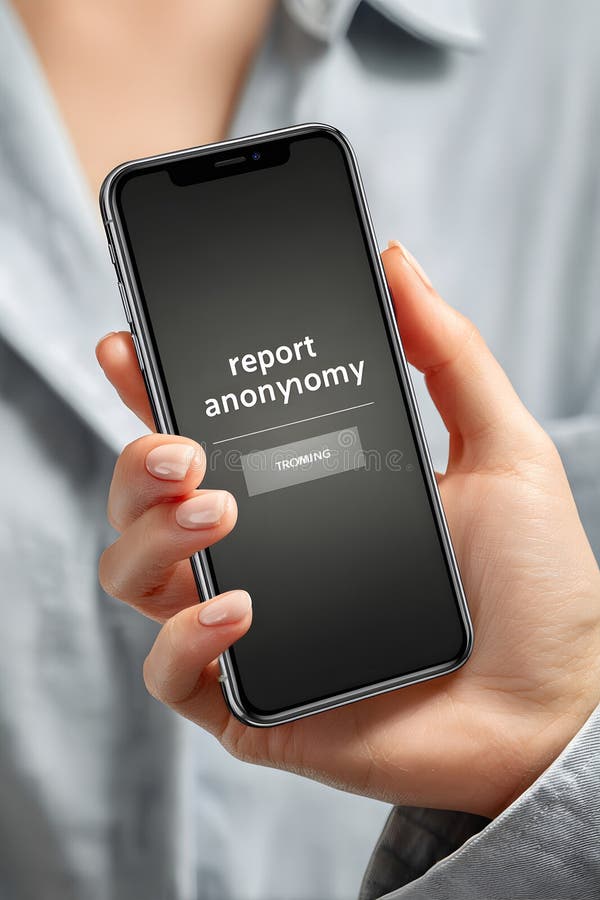
Free with trial Close-up view of smartphone screen with report anonymously button highlighted, hand showing slight tremble, emphasizing the significance of anonymity in reporting sensitive issues. Button functionality illustrations Close-up of smartphone screen displaying highlighted \'report anonymously\' button. Close-up view of smartphone screen with report anonymously button highlighted. Close-up view of smartphone screen with report anonymously button highlighted, hand showing slight tremble, emphasizing the significance of anonymity in reporting sensitive issues
Free with trial A sleek, black car key fob with three prominent buttons, including a lock, trunk, and panic button, designed for easy access and functionality. Button functionality illustrations Modern car key fob with advanced features isolated on transparent background. A sleek, black car key fob with three prominent buttons, including a lock, trunk. A sleek, black car key fob with three prominent buttons, including a lock, trunk, and panic button, designed for easy access and functionality
Free with trial This image showcases a sleek, compact orange leather envelope featuring a single button closure on the flap. The envelope appears to be made of smooth, high-quality leather with a polished finish, giving it a refined and professional look. The button adds a touch of sophistication and functionality, making it ideal for storing documents, letters, or small items securely. Button functionality illustrations Elegant orange leather envelope with decorative button closure. This image showcases a sleek, compact orange leather envelope featuring a single button closure. This image showcases a sleek, compact orange leather envelope featuring a single button closure on the flap. The envelope appears to be made of smooth, high-quality leather with a polished finish, giving it a refined and professional look. The button adds a touch of sophistication and functionality, making it ideal for storing documents, letters, or small items securely
Free with trial A minimalist vector icon of a clean search bar, complete with an 'X' or clear button for user convenience. This straightforward design is essential for user interfaces across websites and mobile applications, ensuring easy input management and a smooth search experience, vector design Generative AI. Button functionality vectors Clean Search Bar with Clear Button Icon, vector design Generative AI. A minimalist vector icon of a clean search bar, complete with an 'X' or clear button for. A minimalist vector icon of a clean search bar, complete with an 'X' or clear button for user convenience. This straightforward design is essential for user interfaces across websites and mobile applications, ensuring easy input management and a smooth search experience, vector design Generative AI
Free with trial A sleek black flashlight featuring a built-in solar panel on its upper surface for charging. The body is smooth and compact with a single button near the panel for operation. The front section houses a reflective lens designed to focus light. The minimalist design emphasizes functionality and sustainability, allowing for eco-friendly power generation and usage. Ideal for outdoor use and emergency situations, combining portability with efficient energy use. Button functionality illustrations Ideal for outdoor use and emergency situations, combining porta. A sleek black flashlight featuring a built-in solar panel on its upper surface for charging. The. A sleek black flashlight featuring a built-in solar panel on its upper surface for charging. The body is smooth and compact with a single button near the panel for operation. The front section houses a reflective lens designed to focus light. The minimalist design emphasizes functionality and sustainability, allowing for eco-friendly power generation and usage. Ideal for outdoor use and emergency situations, combining portability with efficient energy use.
Free with trial A sleek, white rectangular device features a minimalist design with a glossy black top panel and a glowing blue circular button on the front. The design indicates a modern technological gadget, possibly a smart home device or small appliance. The smooth curves and understated elegance suggest an emphasis on aesthetics and functionality. The blue light implies it may be powered on or in standby mode. The device's purpose isn't specified, but it aligns with contemporary tech design trends. Button functionality illustrations The smooth curves and understated elegance suggest an emphasis. A sleek, white rectangular device features a minimalist design with a glossy black top panel and. A sleek, white rectangular device features a minimalist design with a glossy black top panel and a glowing blue circular button on the front. The design indicates a modern technological gadget, possibly a smart home device or small appliance. The smooth curves and understated elegance suggest an emphasis on aesthetics and functionality. The blue light implies it may be powered on or in standby mode. The device's purpose isn't specified, but it aligns with contemporary tech design trends.
Free with trial This image shows a sleek, contemporary electric kettle featuring a white body with a metallic top lid and handle. The design includes an insulated base for maintaining the temperature of hot liquids. The kettle has a simple, ergonomic handle and a control button on the front for easy operation. It appears to be designed for both aesthetic appeal and functionality in a modern kitchen or office. Button functionality illustrations Modern electric kettle with insulated design for hot beverages. This image shows a sleek, contemporary electric kettle featuring a white body with a metallic top. This image shows a sleek, contemporary electric kettle featuring a white body with a metallic top lid and handle. The design includes an insulated base for maintaining the temperature of hot liquids. The kettle has a simple, ergonomic handle and a control button on the front for easy operation. It appears to be designed for both aesthetic appeal and functionality in a modern kitchen or office
 Sign in