Free with trial White cloud icon with a central black play button on a light blue background. The design suggests cloud-based media streaming or storage. Simple and modern, it utilizes minimalistic shapes to convey digital technology themes, with the play icon indicating media functionality. The background is plain, enhancing focus on the central symbol. Button functionality illustrations It utilizes minimalistic shapes to convey digital technology themes,. White cloud icon with a central black play button on a light blue background. The design. White cloud icon with a central black play button on a light blue background. The design suggests cloud-based media streaming or storage. Simple and modern, it utilizes minimalistic shapes to convey digital technology themes, with the play icon indicating media functionality. The background is plain, enhancing focus on the central symbol.
Free with trial A sleek smartphone lies flat on a neutral background, its screen displaying a vibrant green app icon. The device features a curved black edge and a grid-like textured power button near the top right. Its minimalist design highlights a camera on the upper left corner, blending functionality with style. Button functionality illustrations Modern smartphone with app icon and textured power button. A sleek smartphone lies flat on a neutral background, its screen displaying a vibrant green app icon. A sleek smartphone lies flat on a neutral background, its screen displaying a vibrant green app icon. The device features a curved black edge and a grid-like textured power button near the top right. Its minimalist design highlights a camera on the upper left corner, blending functionality with style
Free with trial A simple black and white line icon depicting a curved widescreen computer monitor with a play button symbol displayed in the center, representing multimedia or streaming functionality. Button functionality vectors Curved Widescreen Monitor with Play Button Symbol Line Icon. A simple black and white line icon depicting a curved widescreen computer monitor with a play button. A simple black and white line icon depicting a curved widescreen computer monitor with a play button symbol displayed in the center, representing multimedia or streaming functionality
Free with trial A green compost bin with a wooden lid sits on a surface. It features a circular latch and a power button emblem. To the left is a potted plant (possibly a species of Peperomia), while banana peels, orange rinds, and an apple core are on the right. The setting suggests a kitchen or food preparation area. The bin design indicates functionality for composting organic waste. Button functionality illustrations Bin with a wooden lid sits on a surface. It features a circular. A green compost bin with a wooden lid sits on a surface. It features a circular latch and a. A green compost bin with a wooden lid sits on a surface. It features a circular latch and a power button emblem. To the left is a potted plant (possibly a species of Peperomia), while banana peels, orange rinds, and an apple core are on the right. The setting suggests a kitchen or food preparation area. The bin design indicates functionality for composting organic waste.
Free with trial The image showcases a sleek, modern bathroom flush button integrated into a wall-mounted fixture. The design is minimalist, featuring a rounded, smooth button centered within a translucent, oval-shaped panel that appears to be made of a glossy material. The simplicity and clean lines of the fixture emphasize functionality and contemporary aesthetics, likely made for easy operation and hygienic use. Button functionality illustrations Minimalist round flush button on a modern bathroom fixture. The image showcases a sleek, modern bathroom flush button integrated into a wall-mounted fixture. The. The image showcases a sleek, modern bathroom flush button integrated into a wall-mounted fixture. The design is minimalist, featuring a rounded, smooth button centered within a translucent, oval-shaped panel that appears to be made of a glossy material. The simplicity and clean lines of the fixture emphasize functionality and contemporary aesthetics, likely made for easy operation and hygienic use
Free with trial The image shows a single, rounded yellow button embedded in a square recessed panel. The button appears to be tactile with a smooth, glossy finish, likely used for controlling or interacting with electronic devices. The design is minimalist and modern, suggesting a focus on functionality and simplicity. Button functionality illustrations Bright yellow square button on a sleek, modern device panel. The image shows a single, rounded yellow button embedded in a square recessed panel. The button. The image shows a single, rounded yellow button embedded in a square recessed panel. The button appears to be tactile with a smooth, glossy finish, likely used for controlling or interacting with electronic devices. The design is minimalist and modern, suggesting a focus on functionality and simplicity
Free with trial The image shows a sophisticated black blazer with a classic cut and tailored fit. It features a single button closure on the front, a small pocket with a folded handkerchief, and a notched lapel. The blazer has a structured shoulder and a slightly flared hem, giving it a polished and formal appearance. The back view highlights its straight seams and a central vent for added functionality. Button functionality illustrations Elegant black blazer with subtle button and pocket details. The image shows a sophisticated black blazer with a classic cut and tailored fit. It features a. The image shows a sophisticated black blazer with a classic cut and tailored fit. It features a single button closure on the front, a small pocket with a folded handkerchief, and a notched lapel. The blazer has a structured shoulder and a slightly flared hem, giving it a polished and formal appearance. The back view highlights its straight seams and a central vent for added functionality
Free with trial The image showcases a sleek, modern digital smartwatch with a grey band and a black circular face. The display shows the time as 12:56, accompanied by a heart rate monitor icon and a battery indicator. The watch features a minimalist design with a single button on the side. The overall aesthetic is clean and contemporary, emphasizing functionality and style. Button functionality illustrations Modern digital smartwatch displaying time and health metrics. The image showcases a sleek, modern digital smartwatch with a grey band and a black circular face. The image showcases a sleek, modern digital smartwatch with a grey band and a black circular face. The display shows the time as 12:56, accompanied by a heart rate monitor icon and a battery indicator. The watch features a minimalist design with a single button on the side. The overall aesthetic is clean and contemporary, emphasizing functionality and style
Free with trial The image shows three different button design variations for sign-in and sign-up functionalities, each incorporating user icons. The first pair has rounded buttons with a clean, simple design, while the second pair features square buttons with a more modern, flat design. Each button includes a user icon followed by the text 'Sign In' or 'Sign Up. Button functionality illustrations Comparison of sign-in and sign-up button designs with user icons. The image shows three different button design variations for sign-in and sign-up. The image shows three different button design variations for sign-in and sign-up functionalities, each incorporating user icons. The first pair has rounded buttons with a clean, simple design, while the second pair features square buttons with a more modern, flat design. Each button includes a user icon followed by the text 'Sign In' or 'Sign Up
Free with trial Smartwatch with a round, digital display showing the time as 10:10. The watch face features a sleek silver bezel and two blue digital gems. The band is dark blue, adjustable, and appears to be made of silicone or rubber. A small metallic button is on the right side, typical for navigation and settings. Minimalistic design emphasizes functionality and modern style. Button functionality illustrations Smartwatch with a round, digital display showing the time as 10:10. The watch. Face features a sleek silver bezel and two blue digital gems. The band is dark. Smartwatch with a round, digital display showing the time as 10:10. The watch face features a sleek silver bezel and two blue digital gems. The band is dark blue, adjustable, and appears to be made of silicone or rubber. A small metallic button is on the right side, typical for navigation and settings. Minimalistic design emphasizes functionality and modern style.
Free with trial A minimalistic gray-scale UI UX design layout on a tablet, featuring various application interfaces resembling forms and buttons. Elements appear to be printed on paper and placed over the tablet, showcasing form fields, dropdown menus, and button designs. The aesthetic is clean and professional, emphasizing clarity and functionality in app user interface creation. Button functionality illustrations To be printed on paper and placed over the tablet, showcasing. A minimalistic gray-scale UI UX design layout on a tablet, featuring various application. A minimalistic gray-scale UI UX design layout on a tablet, featuring various application interfaces resembling forms and buttons. Elements appear to be printed on paper and placed over the tablet, showcasing form fields, dropdown menus, and button designs. The aesthetic is clean and professional, emphasizing clarity and functionality in app user interface creation.
Free with trial Digital workflows, personal data, user management, automation, technology integration, app functionality. Hand holding user icon, gears spinning send button. Digital workflows and personal data. Button functionality illustrations User Profile Management and Workflow Automation Concept with Hand Icon and Gears. Digital workflows, personal data, user management, automation, technology. Digital workflows, personal data, user management, automation, technology integration, app functionality. Hand holding user icon, gears spinning send button. Digital workflows and personal data
Free with trial A sleek LED desk lamp with a flexible, curved arm is positioned on a wooden table. The base features a solar panel for energy collection and has a metallic finish with a power button. Soft light illuminates an open notebook nearby. The background shows a blurred office setting with large windows, allowing natural light to complement the lamp's glow. The overall design combines modern aesthetics with eco-friendly functionality. Button functionality illustrations Office setting with large windows, allowing natural light to. A sleek LED desk lamp with a flexible, curved arm is positioned on a wooden table. The base. A sleek LED desk lamp with a flexible, curved arm is positioned on a wooden table. The base features a solar panel for energy collection and has a metallic finish with a power button. Soft light illuminates an open notebook nearby. The background shows a blurred office setting with large windows, allowing natural light to complement the lamp's glow. The overall design combines modern aesthetics with eco-friendly functionality.
Free with trial Smartwatch icon featuring a simple, black outline on a white background. The watch face displays a WiFi symbol, indicating connectivity capabilities. The design is minimalist, with a rectangular watch face and a small button on the side, symbolizing technological functionality and wireless access. Button functionality vectors Flat icon of smartwatch with wifi symbol. Smartwatch icon featuring a simple, black outline on a white background. The watch face displays a WiFi symbol. Smartwatch icon featuring a simple, black outline on a white background. The watch face displays a WiFi symbol, indicating connectivity capabilities. The design is minimalist, with a rectangular watch face and a small button on the side, symbolizing technological functionality and wireless access.
Free with trial Rectangular solar power bank with a metallic body, featuring a solar panel on top. The panel consists of blue photovoltaic cells and a sun icon indicating functionality. The device includes a USB port and a power button on the side, suggesting charging capability and operation control. Compact design suitable for portable energy storage and on-the-go charging solutions. Button functionality illustrations Rectangular solar power bank with a metallic body, featuring a solar. Panel on top. The panel consists of blue photovoltaic cells and a sun icon indicating. Rectangular solar power bank with a metallic body, featuring a solar panel on top. The panel consists of blue photovoltaic cells and a sun icon indicating functionality. The device includes a USB port and a power button on the side, suggesting charging capability and operation control. Compact design suitable for portable energy storage and on-the-go charging solutions.
Free with trial Red location pin, beige gear icon, and gray menu button with three dots. Ideal for navigation, settings, location services, UI design, app development system features digital tools. Simple flat. Button functionality illustrations Location Marker, Gear Mechanism, and Menu Button Representing Navigation and Settings. Red location pin, beige gear icon, and gray menu button with three dots. Red location pin, beige gear icon, and gray menu button with three dots. Ideal for navigation, settings, location services, UI design, app development system features digital tools. Simple flat
Free with trial This image showcases a pair of sleek, modern wireless over-ear headphones. The headphones are predominantly white with a minimalist design, featuring padded ear cups and a cushioned headband. The right ear cup has a control button and a charging port, indicating wireless functionality and ease of use. Button functionality illustrations Modern wireless over-ear headphones. This image showcases a pair of sleek, modern wireless over-ear headphones. The headphones are predominantly white with a. This image showcases a pair of sleek, modern wireless over-ear headphones. The headphones are predominantly white with a minimalist design, featuring padded ear cups and a cushioned headband. The right ear cup has a control button and a charging port, indicating wireless functionality and ease of use
Free with trial The image features a sleek, modern fitness tracker with a gray wristband and a rectangular display. The screen shows various health metrics including steps, heart rate, and a health score. The device has a physical button on the side and a smooth, minimalist design. The display is clear and colorful, indicating the device's functionality and user-friendly interface. Button functionality illustrations Modern fitness tracker displaying health metrics. The image features a sleek, modern fitness tracker with a gray wristband and a rectangular display. The screen. The image features a sleek, modern fitness tracker with a gray wristband and a rectangular display. The screen shows various health metrics including steps, heart rate, and a health score. The device has a physical button on the side and a smooth, minimalist design. The display is clear and colorful, indicating the device's functionality and user-friendly interface
Free with trial The image depicts a hand holding a sleek, modern white gadget. The gadget appears to be ergonomically designed with a smooth finish and a prominent button. The hand is positioned in a way that suggests ease of use and comfort. The background is plain white, which highlights the gadget and the hand holding it. The overall composition of the image emphasizes the gadget's design and functionality. Button functionality illustrations Hand holding a modern white gadget. The image depicts a hand holding a sleek, modern white gadget. The gadget appears to be ergonomically designed with a smooth. The image depicts a hand holding a sleek, modern white gadget. The gadget appears to be ergonomically designed with a smooth finish and a prominent button. The hand is positioned in a way that suggests ease of use and comfort. The background is plain white, which highlights the gadget and the hand holding it. The overall composition of the image emphasizes the gadget's design and functionality
Free with trial A glossy, rounded black square frame contains a red circular button with a white left-turning arrow at its center. The button appears illuminated against the dark background, emphasizing the arrow's direction. The design suggests functionality related to navigation or control, with high contrast ensuring visibility. Button functionality illustrations Red button with white arrow turning left on black background. A glossy, rounded black square frame contains a red circular button with a white left-turning arrow. A glossy, rounded black square frame contains a red circular button with a white left-turning arrow at its center. The button appears illuminated against the dark background, emphasizing the arrow's direction. The design suggests functionality related to navigation or control, with high contrast ensuring visibility.
Free with trial The image shows a sleek, modern retractable ballpoint pen featuring a chrome-plated body with black accents. The pen has a clip attached near the cap, which is black and contrasts with the silver body. The cap has a button mechanism for retraction, and the pen appears to be designed for both functionality and aesthetic appeal. Button functionality illustrations Stylish chrome and black retractable ballpoint pen with clip. The image shows a sleek, modern retractable ballpoint pen featuring a chrome-plated body with black. The image shows a sleek, modern retractable ballpoint pen featuring a chrome-plated body with black accents. The pen has a clip attached near the cap, which is black and contrasts with the silver body. The cap has a button mechanism for retraction, and the pen appears to be designed for both functionality and aesthetic appeal
Free with trial This image features a stylish decorative wheel button with a sleek silver and black design. The button has a central circular hole, surrounded by a pattern of triangular segments radiating outward, giving it a dynamic, star-like appearance. It is likely used as an accessory for automotive interiors or as a fashion statement piece, combining both functionality and aesthetic appeal. Button functionality illustrations Elegant silver and black decorative wheel button for automotive or fashion accessories. This image features a stylish decorative wheel button with a sleek silver. This image features a stylish decorative wheel button with a sleek silver and black design. The button has a central circular hole, surrounded by a pattern of triangular segments radiating outward, giving it a dynamic, star-like appearance. It is likely used as an accessory for automotive interiors or as a fashion statement piece, combining both functionality and aesthetic appeal
Free with trial This image displays a sleek, black corded landline telephone featuring a curved handset and a base with a compact design. The phone appears to have a traditional button layout, suitable for both office and home use. The coiled cord adds a touch of classic functionality to the modern aesthetic. Button functionality illustrations Modern black corded landline telephone with ergonomic design. This image displays a sleek, black corded landline telephone featuring a curved handset and a base. This image displays a sleek, black corded landline telephone featuring a curved handset and a base with a compact design. The phone appears to have a traditional button layout, suitable for both office and home use. The coiled cord adds a touch of classic functionality to the modern aesthetic
Free with trial A white table fan with a cylindrical base, slender vertical stand, and circular mesh grille. The fan blades are housed within the grille, featuring a central circular hub. A small solar panel is affixed above the grille, indicating potential solar-powered functionality. The design is minimalistic, set against a white background, which emphasizes its clean lines and modern aesthetic. A small control button is located on the base's front. Button functionality illustrations Solar panel is affixed above the grille, indicating potential solar. A white table fan with a cylindrical base, slender vertical stand, and circular mesh grille. A white table fan with a cylindrical base, slender vertical stand, and circular mesh grille. The fan blades are housed within the grille, featuring a central circular hub. A small solar panel is affixed above the grille, indicating potential solar-powered functionality. The design is minimalistic, set against a white background, which emphasizes its clean lines and modern aesthetic. A small control button is located on the base's front.
Free with trial An illustration depicting a cloud computing concept on a green background. Central cloud graphic is connected to various interface elements, including charts, deployment button, and icons labeled "Services," "Storage," "Compute," and "Analytics. " The cloud platform layout highlights network integration, data management, and deployment processes. Color scheme includes blue, green, and white, providing a clear visual representation of digital connectivity and cloud services functionality. Button functionality illustrations Blue, green, and white, providing a clear visual representation. An illustration depicting a cloud computing concept on a green background. Central cloud graphic. An illustration depicting a cloud computing concept on a green background. Central cloud graphic is connected to various interface elements, including charts, deployment button, and icons labeled "Services," "Storage," "Compute," and "Analytics." The cloud platform layout highlights network integration, data management, and deployment processes. Color scheme includes blue, green, and white, providing a clear visual representation of digital connectivity and cloud services functionality.
Free with trial A black flashlight with a textured grip and solar panel on top. It features a prominent lens with a reflective interior housing the LED light. A red power button encircled by silver trim is located on the side, indicating an easily accessible control mechanism. The flashlight's design integrates renewable energy technology, combining functionality with sustainability. The cylindrical shape and compact size make it portable and convenient for outdoor use. Button functionality illustrations A black flashlight with a textured grip and solar panel on top. It features a prominent lens with a reflective interior housing the LED light. A red power
Free with trial Compact solar-powered speaker featuring a rectangular shape with a solar panel on top, divided into blue and green sections. The front panel has a perforated black grille, while the side includes a power button and volume control icons. The body is primarily gray, accentuating its minimalist design. This device seamlessly combines renewable energy technology with audio functionality, ideal for portable outdoor use. Button functionality illustrations The body is primarily gray, accentuating its minimalist design. Compact solar-powered speaker featuring a rectangular shape with a solar panel on top, divided. Compact solar-powered speaker featuring a rectangular shape with a solar panel on top, divided into blue and green sections. The front panel has a perforated black grille, while the side includes a power button and volume control icons. The body is primarily gray, accentuating its minimalist design. This device seamlessly combines renewable energy technology with audio functionality, ideal for portable outdoor use.
Free with trial This image showcases a black steering wheel designed in a vintage style, featuring a classic four-spoke pattern and a thick, padded rim. The center houses a metallic horn button with a simple, elegant design. The wheel's overall aesthetic suggests it could be inspired by mid-20th-century automotive interiors, providing a blend of nostalgia and functionality. Button functionality illustrations Black vintage-style car steering wheel with metal horn button. This image showcases a black steering wheel designed in a vintage style, featuring a classic four. This image showcases a black steering wheel designed in a vintage style, featuring a classic four-spoke pattern and a thick, padded rim. The center houses a metallic horn button with a simple, elegant design. The wheel's overall aesthetic suggests it could be inspired by mid-20th-century automotive interiors, providing a blend of nostalgia and functionality
Free with trial The showcases a pair of futuristic smart glasses with a sleek, angular The frame is predominantly orange with black accents, featuring a reflective black display on the lenses. On the right side of the frame, there are three circular components, likely cameras or sensors, along with a small orange button. The glasses a modern, high-tech appearance, suggesting advanced functionality and innovative. Button functionality illustrations Orange and black futuristic smart glasses with camera and display. The showcases a pair of futuristic smart glasses with a sleek, angular The frame is. The showcases a pair of futuristic smart glasses with a sleek, angular The frame is predominantly orange with black accents, featuring a reflective black display on the lenses. On the right side of the frame, there are three circular components, likely cameras or sensors, along with a small orange button. The glasses a modern, high-tech appearance, suggesting advanced functionality and innovative
Free with trial The image depicts a stylized button labeled 'SAVE' in bold black letters on a white rectangular button. The button is set against a gradient background transitioning from blue at the top to purple at the bottom, giving it a modern and vibrant appearance. This type of icon is typically used in digital applications to indicate a save function. Button functionality illustrations A colorful save button icon with a gradient background and white button. The image depicts a stylized button labeled 'SAVE' in bold black letters on a white. The image depicts a stylized button labeled 'SAVE' in bold black letters on a white rectangular button. The button is set against a gradient background transitioning from blue at the top to purple at the bottom, giving it a modern and vibrant appearance. This type of icon is typically used in digital applications to indicate a save function
Free with trial A minimalist black play button icon featuring a vertical pause bar, representing media interface controls. Button functionality vectors Play Button Icon with Vertical Bar Symbolizing Media Player Control Functionality Vector Illustration. A minimalist black play button icon featuring a vertical. A minimalist black play button icon featuring a vertical pause bar, representing media interface controls
Free with trial A sleek, black corded vacuum cleaner stands upright against a stark white background. Its mesh filter is visible near the top, while a power button adorns the base. The sturdy, cylindrical body tapers slightly towards the bottom, equipped with a textured grip for easy handling. The design emphasizes simplicity and functionality, ideal for efficient cleaning. Button functionality illustrations Black corded vacuum cleaner with mesh filter and power button. A sleek, black corded vacuum cleaner stands upright against a stark white background. Its mesh. A sleek, black corded vacuum cleaner stands upright against a stark white background. Its mesh filter is visible near the top, while a power button adorns the base. The sturdy, cylindrical body tapers slightly towards the bottom, equipped with a textured grip for easy handling. The design emphasizes simplicity and functionality, ideal for efficient cleaning
Free with trial The image shows a minimalist workspace featuring a black desktop computer case with a sleek design, featuring a blue power button. It includes a wired keyboard with black and white keys, a wired mouse with a scroll wheel, and a black mousepad. The setup is clean and modern, emphasizing functionality and simplicity. Button functionality illustrations Modern office workspace with desktop computer and peripherals. The image shows a minimalist workspace featuring a black desktop computer case with a sleek design. The image shows a minimalist workspace featuring a black desktop computer case with a sleek design, featuring a blue power button. It includes a wired keyboard with black and white keys, a wired mouse with a scroll wheel, and a black mousepad. The setup is clean and modern, emphasizing functionality and simplicity
Free with trial An accessible restroom features a modern wall-mounted toilet with a white seat. Stainless steel grab bars are strategically placed on the wall for support. A stainless steel dispenser and a black trash can are also visible. The walls are covered in speckled gray tiles, and a flush button is mounted on the wall. The overall impression is one of functionality and safety. Button functionality illustrations Accessible Restroom with Toilet and Grab Bars bathroom disabled. An accessible restroom features a modern wall-mounted toilet with a white seat. Stainless steel. An accessible restroom features a modern wall-mounted toilet with a white seat. Stainless steel grab bars are strategically placed on the wall for support. A stainless steel dispenser and a black trash can are also visible. The walls are covered in speckled gray tiles, and a flush button is mounted on the wall. The overall impression is one of functionality and safety
Free with trial A clear outline vector icon of a play button inside a video camera. Represents playing video, starting a recording, media playback, or film production. Ideal for video editors, media players, streaming platforms, or content creation apps. It visually merges playback functionality with video capture, vector design Generative AI. Button functionality vectors Play Video Camera Start Recording Film, vector design Generative AI. A clear outline vector icon of a play button inside a video camera. Represents playing video. A clear outline vector icon of a play button inside a video camera. Represents playing video, starting a recording, media playback, or film production. Ideal for video editors, media players, streaming platforms, or content creation apps. It visually merges playback functionality with video capture, vector design Generative AI
Free with trial Close-up of a modern, white smoke detector with a circular design. A prominent blue LED ring surrounds a central button, indicating power or alert status. Below the button, a small, rectangular grill serves as a speaker vent for alarms. The smooth, matte plastic surface gives it a sleek, contemporary appearance, suitable for residential and commercial use. The image focuses on the central elements, suggesting a blend of functionality and modern aesthetics. Button functionality illustrations Close-up of a modern, white smoke detector with a circular design. A prominent blue LED ring surrounds a central button, indicating power or alert status
Free with trial A sleek, square-shaped appliance rests on a tiled surface. Water pours into it, creating ripples on the surface. The device features a stainless steel finish and minimalistic design with an illuminated power button on the front. This setup suggests a modern humidifier or water feature, blending functionality with aesthetics in a contemporary setting. Button functionality illustrations Steel finish and minimalistic design with an illuminated power. A sleek, square-shaped appliance rests on a tiled surface. Water pours into it, creating ripples. A sleek, square-shaped appliance rests on a tiled surface. Water pours into it, creating ripples on the surface. The device features a stainless steel finish and minimalistic design with an illuminated power button on the front. This setup suggests a modern humidifier or water feature, blending functionality with aesthetics in a contemporary setting.
Free with trial A prominent, glowing 'ADD TO CART' button is centrally displayed, rendered in a sleek, modern 3D style with a bright white-blue luminescence. It stands out against a dark, futuristic digital interface or control panel, featuring subtle metallic textures and outlines. This visually striking image symbolizes the core action of online shopping, e-commerce, and the digital purchasing process. It's ideal for illustrating concepts related to consumerism, online transactions, website functionality, digital marketing, and user experience design, representing the crucial step of adding items to a virtual shopping cart. Button functionality illustrations Glowing \'Add to Cart\' Button on Digital Interface. A prominent, glowing 'ADD TO CART' button is centrally displayed, rendered in a sleek, modern 3D style with. A prominent, glowing 'ADD TO CART' button is centrally displayed, rendered in a sleek, modern 3D style with a bright white-blue luminescence. It stands out against a dark, futuristic digital interface or control panel, featuring subtle metallic textures and outlines. This visually striking image symbolizes the core action of online shopping, e-commerce, and the digital purchasing process. It's ideal for illustrating concepts related to consumerism, online transactions, website functionality, digital marketing, and user experience design, representing the crucial step of adding items to a virtual shopping cart.
Free with trial Line drawing of a hand, wearing a cuffed sleeve, pressing a button on a numeric keypad. The keys are arranged in a grid pattern displaying numbers 1 to 0. The background is plain white, emphasizing the simplicity and functionality of the interaction. Button functionality illustrations A hand pressing a button on a numeric keypad with a white background. Line drawing of a hand, wearing a cuffed sleeve, pressing a button on a numeric keypad. The. Line drawing of a hand, wearing a cuffed sleeve, pressing a button on a numeric keypad. The keys are arranged in a grid pattern displaying numbers 1 to 0. The background is plain white, emphasizing the simplicity and functionality of the interaction.
Free with trial This image showcases a modern black video doorbell with a sleek design. The doorbell is set against a clean white background, highlighting its features and overall appearance. The device includes a camera lens at the top and a button below, indicating its functionality as a smart home security tool. The contrast between the black doorbell and the white background makes it stand out, emphasizing. Button functionality illustrations Modern black video doorbell with white background. This image showcases a modern black video doorbell with a sleek design. The doorbell is set against a clean. This image showcases a modern black video doorbell with a sleek design. The doorbell is set against a clean white background, highlighting its features and overall appearance. The device includes a camera lens at the top and a button below, indicating its functionality as a smart home security tool. The contrast between the black doorbell and the white background makes it stand out, emphasizing
Free with trial Minimalist line art illustration of a compact electronic device, resembling a portable vape or e-cigarette kit. Features include a rectangular outer casing with rounded edges, a smaller compartment housing individual components like a battery and cartridge. The left side displays a row of nine circles, with one illuminated in blue, possibly indicating a power button or status light. Black and white design with blue accent, emphasizing simplicity and functionality. Button functionality illustrations Edges, a smaller compartment housing individual components like a. Minimalist line art illustration of a compact electronic device, resembling a portable vape or. Minimalist line art illustration of a compact electronic device, resembling a portable vape or e-cigarette kit. Features include a rectangular outer casing with rounded edges, a smaller compartment housing individual components like a battery and cartridge. The left side displays a row of nine circles, with one illuminated in blue, possibly indicating a power button or status light. Black and white design with blue accent, emphasizing simplicity and functionality.
Free with trial The image depicts a green circular button featuring a white symbol in the center. The symbol consists of a downward-pointing arrow with a horizontal line intersecting it, resembling a pause or play button with a directional emphasis. The button has a glossy finish and a subtle shadow underneath, giving it a three-dimensional appearance. The overall design suggests functionality and user. Button functionality illustrations Green button with downward arrow symbol on circular background. The image depicts a green circular button featuring a white symbol in the center. The symbol. The image depicts a green circular button featuring a white symbol in the center. The symbol consists of a downward-pointing arrow with a horizontal line intersecting it, resembling a pause or play button with a directional emphasis. The button has a glossy finish and a subtle shadow underneath, giving it a three-dimensional appearance. The overall design suggests functionality and user
Free with trial This image shows a small, cylindrical white push button cap typically used to close containers or bottles. The cap has a smooth, rounded top and a slightly textured base, designed for easy gripping and secure attachment to the container's neck. Such caps are commonly found in household, pharmaceutical, or cosmetic products for ease of use and child-resistant functionality. Button functionality illustrations A small white push button cap for container or bottle closures. This image shows a small, cylindrical white push button cap typically used to close containers or. This image shows a small, cylindrical white push button cap typically used to close containers or bottles. The cap has a smooth, rounded top and a slightly textured base, designed for easy gripping and secure attachment to the container's neck. Such caps are commonly found in household, pharmaceutical, or cosmetic products for ease of use and child-resistant functionality
Free with trial This image showcases a sleek tote bag featuring a digital camouflage pattern in shades of grey and green. The bag has a structured design with a flap closure secured by a button, and it includes a sturdy, adjustable shoulder strap for easy carrying. The overall look combines functionality with a modern aesthetic, making it versatile for various occasions. Button functionality illustrations Stylish tote bag with camouflage pattern and structured design. This image showcases a sleek tote bag featuring a digital camouflage pattern in shades of grey. This image showcases a sleek tote bag featuring a digital camouflage pattern in shades of grey and green. The bag has a structured design with a flap closure secured by a button, and it includes a sturdy, adjustable shoulder strap for easy carrying. The overall look combines functionality with a modern aesthetic, making it versatile for various occasions
Free with trial The image showcases a sleek and modern smartwatch featuring a black wrist strap with a textured design for enhanced comfort and grip. The watch face is round and displays a vibrant pink color, adding a touch of elegance and style. The smartwatch includes a side button with a red accent, likely used for power and functionality. The overall design is minimalistic yet sophisticated, making it a. Button functionality illustrations Modern smartwatch with black strap and pink display. The image showcases a sleek and modern smartwatch featuring a black wrist strap with a textured design for. The image showcases a sleek and modern smartwatch featuring a black wrist strap with a textured design for enhanced comfort and grip. The watch face is round and displays a vibrant pink color, adding a touch of elegance and style. The smartwatch includes a side button with a red accent, likely used for power and functionality. The overall design is minimalistic yet sophisticated, making it a
Free with trial A smart watch with a round, silver metallic case and a seamless, black face is depicted. The watch features a black silicone strap with adjustable holes for size variation. A red accent is visible on the side button. Its sleek design suggests modern functionality, blending technology with fashion. The band is attached to the case with metallic lugs, and the overall appearance reflects a minimalist and contemporary style, suitable for everyday wear. Button functionality illustrations A smart watch with a round, silver metallic case and a seamless, black face is. Depicted. The watch features a black silicone strap with adjustable holes for. A smart watch with a round, silver metallic case and a seamless, black face is depicted. The watch features a black silicone strap with adjustable holes for size variation. A red accent is visible on the side button. Its sleek design suggests modern functionality, blending technology with fashion. The band is attached to the case with metallic lugs, and the overall appearance reflects a minimalist and contemporary style, suitable for everyday wear.
Free with trial This image showcases a stylish, high-waisted skirt made from distressed denim fabric. The skirt features a button fly closure at the front, adding a classic yet trendy touch. It has two large side pockets with button details, enhancing both functionality and aesthetic appeal. The hemline is slightly frayed, contributing to the overall distressed look. The fabric appears to be a blend of dark and. Button functionality illustrations Distressed denim high-waisted skirt with button fly and pockets. This image showcases a stylish, high-waisted skirt made from distressed denim fabric. The skirt. This image showcases a stylish, high-waisted skirt made from distressed denim fabric. The skirt features a button fly closure at the front, adding a classic yet trendy touch. It has two large side pockets with button details, enhancing both functionality and aesthetic appeal. The hemline is slightly frayed, contributing to the overall distressed look. The fabric appears to be a blend of dark and
Free with trial A clean, minimalist illustration of a square ventilation fan with horizontal louvers. Attached to the side is a control unit featuring a prominent power button icon (a circle with a vertical line). The style is flat design with bold black outlines and simple color accents, suggesting modern technology and functionality. This graphic is ideal for representing HVAC systems, smart home devices, air quality, or electrical controls. Button functionality illustrations Ventilation Fan with Power Button Icon. A clean, minimalist illustration of a square ventilation fan with horizontal louvers. Attached to the side is a control. A clean, minimalist illustration of a square ventilation fan with horizontal louvers. Attached to the side is a control unit featuring a prominent power button icon (a circle with a vertical line). The style is flat design with bold black outlines and simple color accents, suggesting modern technology and functionality. This graphic is ideal for representing HVAC systems, smart home devices, air quality, or electrical controls.
Free with trial The image depicts a round, white button with a metal fastener attached to its back. The button has a smooth, flat surface and is designed to be attached to clothing or accessories using the metal pin and clasp. The background is plain white, highlighting the simplicity and functionality of the button. Button functionality illustrations Blank white button with metal fastener. The image depicts a round, white button with a metal fastener attached to its back. The button has a smooth, flat surface. The image depicts a round, white button with a metal fastener attached to its back. The button has a smooth, flat surface and is designed to be attached to clothing or accessories using the metal pin and clasp. The background is plain white, highlighting the simplicity and functionality of the button
Free with trial This image features a circular, metallic emergency stop button with a prominent red lens in the center. The button is encased in a silver rim with a slightly raised edge, giving it a sturdy and industrial appearance. The design is minimalistic, focusing solely on functionality with no additional markings or text. Button functionality illustrations A close-up view of a metallic emergency stop button with a red lens. This image features a circular, metallic emergency stop button with a prominent red lens in. This image features a circular, metallic emergency stop button with a prominent red lens in the center. The button is encased in a silver rim with a slightly raised edge, giving it a sturdy and industrial appearance. The design is minimalistic, focusing solely on functionality with no additional markings or text
Free with trial The image depicts a stylized, round button encased in a gold-colored frame with a glossy finish. The button features a deep blue illuminated center that appears to be lit from within, giving it a modern and sleek appearance. The design suggests functionality and a touch of sophistication, often seen in high-end devices or decorative controls. Button functionality illustrations Elegant gold-framed round button with a blue illuminated center. The image depicts a stylized, round button encased in a gold-colored frame with a glossy finish. The image depicts a stylized, round button encased in a gold-colored frame with a glossy finish. The button features a deep blue illuminated center that appears to be lit from within, giving it a modern and sleek appearance. The design suggests functionality and a touch of sophistication, often seen in high-end devices or decorative controls
Free with trial The image shows a sleek media player interface featuring a prominent yellow play button on a gray background. Below the play button, there is a black progress bar with a yellow progress indicator, suggesting playback functionality. The design is minimalistic and user-friendly, likely part of a digital media application. Button functionality vectors Modern media player interface with play button and progress bar. The image shows a sleek media player interface featuring a prominent yellow play button on a. The image shows a sleek media player interface featuring a prominent yellow play button on a gray background. Below the play button, there is a black progress bar with a yellow progress indicator, suggesting playback functionality. The design is minimalistic and user-friendly, likely part of a digital media application
Free with trial Clean and modern sorting button icon with ascending arrows, ideal for apps, websites, and software interfaces. Button functionality vectors Sorting Button Icon Design for User Interface and Data Management. Clean and modern sorting button icon with ascending arrows, ideal for apps, websites, and. Clean and modern sorting button icon with ascending arrows, ideal for apps, websites, and software interfaces
Free with trial The image showcases a modern smartphone featuring a minimalist design with a black bezel and front-facing camera. The device has a sleek, rounded edge and appears to have a single home button below the screen, indicative of older iPhone models. The overall aesthetic is clean and straightforward, focusing on simplicity and functionality. Button functionality illustrations Sleek smartphone with minimalist design and front-facing camera. The image showcases a modern smartphone featuring a minimalist design with a black bezel and. The image showcases a modern smartphone featuring a minimalist design with a black bezel and front-facing camera. The device has a sleek, rounded edge and appears to have a single home button below the screen, indicative of older iPhone models. The overall aesthetic is clean and straightforward, focusing on simplicity and functionality
Free with trial This image showcases a beautifully crafted white knit scarf. The scarf features intricate knitting patterns that add texture and visual interest. It is designed with a cozy, thick knit that ensures warmth and comfort. One end of the scarf is adorned with a button detail, adding a touch of elegance and functionality. The scarf is displayed in a way that highlights its softness and the detailed. Button functionality illustrations Cozy white knit scarf with intricate patterns and button detail. This image showcases a beautifully crafted white knit scarf. The scarf features intricate. This image showcases a beautifully crafted white knit scarf. The scarf features intricate knitting patterns that add texture and visual interest. It is designed with a cozy, thick knit that ensures warmth and comfort. One end of the scarf is adorned with a button detail, adding a touch of elegance and functionality. The scarf is displayed in a way that highlights its softness and the detailed
Free with trial The image displays a sleek, white smartphone in a minimalist design with a black screen that features a subtle diagonal gradient from white to black. The phone has a circular home button at the bottom center, and the front is bordered with a thin metallic frame. The overall aesthetic is clean and modern, emphasizing simplicity and functionality. Button functionality illustrations Minimalist design of a modern smartphone with a black diagonal screen gradient. The image displays a sleek, white smartphone in a minimalist design with a black. The image displays a sleek, white smartphone in a minimalist design with a black screen that features a subtle diagonal gradient from white to black. The phone has a circular home button at the bottom center, and the front is bordered with a thin metallic frame. The overall aesthetic is clean and modern, emphasizing simplicity and functionality
Free with trial A simple black and white line drawing of a closed wallet with a clasp. The wallet appears to have multiple compartments as indicated by the parallel lines on top. A strap with a button or snap closure is depicted on the right side, suggesting functionality for securing contents inside. The minimalist style features clean lines and a straightforward design. Button functionality illustrations A simple black and white line drawing of a closed wallet with a clasp. The wallet. Appears to have multiple compartments as indicated by the parallel lines on. A simple black and white line drawing of a closed wallet with a clasp. The wallet appears to have multiple compartments as indicated by the parallel lines on top. A strap with a button or snap closure is depicted on the right side, suggesting functionality for securing contents inside. The minimalist style features clean lines and a straightforward design.
Free with trial A white desktop microphone with a black mesh top is mounted on a matching stand. Featuring a prominent red button, it is angled slightly forward. The base is rectangular with smooth edges, supporting the microphone's cylindrical body. The design is minimalistic, focusing on functionality, typical for use in recording or broadcasting environments. Button functionality illustrations A white desktop microphone with a black mesh top is mounted on a matching. Stand. Featuring a prominent red button, it is angled slightly forward. The base is. A white desktop microphone with a black mesh top is mounted on a matching stand. Featuring a prominent red button, it is angled slightly forward. The base is rectangular with smooth edges, supporting the microphone's cylindrical body. The design is minimalistic, focusing on functionality, typical for use in recording or broadcasting environments.
Free with trial The image depicts a simple, minimalistic illustration of a smartphone in a vibrant green color. The phone has a rectangular screen with a circular home button at the bottom. The design is clean and uncluttered, emphasizing the phone's form and functionality. The phone is shown against a plain white background, making the green color stand out prominently. Button functionality illustrations A simple green smartphone illustration. The image depicts a simple, minimalistic illustration of a smartphone in a vibrant green color. The phone has a. The image depicts a simple, minimalistic illustration of a smartphone in a vibrant green color. The phone has a rectangular screen with a circular home button at the bottom. The design is clean and uncluttered, emphasizing the phone's form and functionality. The phone is shown against a plain white background, making the green color stand out prominently
Free with trial A compact, rectangular portable power bank featuring a solar panel on its top surface. The device showcases a rugged design with black and olive green casing, and orange accents. On one side, there's a power button with a Bluetooth icon below it, suggesting connectivity features. The construction emphasizes durability and outdoor functionality, ideal for charging electronic devices using solar energy during travel or camping. Button functionality illustrations A rugged design with black and olive green casing, and orange. A compact, rectangular portable power bank featuring a solar panel on its top surface. The device. A compact, rectangular portable power bank featuring a solar panel on its top surface. The device showcases a rugged design with black and olive green casing, and orange accents. On one side, there's a power button with a Bluetooth icon below it, suggesting connectivity features. The construction emphasizes durability and outdoor functionality, ideal for charging electronic devices using solar energy during travel or camping.
Free with trial A white, modern microphone with a spherical head and a short, angled arm on a round base. It features a red control button on the body, contrasting with the sleek, glossy surface. The microphone's design is minimalistic, with smooth curves and a metallic finish on the tip. It is positioned against a plain white background, emphasizing its contemporary style and functionality, likely used for audio recording or broadcasting. Button functionality illustrations A white, modern microphone with a spherical head and a short, angled arm on a. Round base. It features a red control button on the body, contrasting with the. A white, modern microphone with a spherical head and a short, angled arm on a round base. It features a red control button on the body, contrasting with the sleek, glossy surface. The microphone's design is minimalistic, with smooth curves and a metallic finish on the tip. It is positioned against a plain white background, emphasizing its contemporary style and functionality, likely used for audio recording or broadcasting.
Free with trial A close-up view of a finger pressing a glowing button on a circuit board, illustrating the concept of system stress testing in high-fidelity technology environments. Button functionality illustrations Button Press on Circuit Board for System Stress Testing Interface. A close-up view of a finger pressing a glowing button on a circuit board, illustrating the. A close-up view of a finger pressing a glowing button on a circuit board, illustrating the concept of system stress testing in high-fidelity technology environments
Free with trial Button expanding email icon illustration symbol enlarge, clickable responsive, interactive visual button expanding email icon. Button functionality illustrations Button expanding email icon. Illustration symbol enlarge, clickable responsive, interactive visual AI generated. button expanding email icon illustration symbol enlarge, clickable responsive, interactive visual button expanding email icon
Free with trial A sleek, silver desktop microphone with a flexible gooseneck is positioned on a clean white surface. The microphone's base features a prominent red 'ON' indicator light and a 'MUT' button, suggesting its functionality for communication, presentations, or recording. The minimalist design and clear focus on the device make it ideal for concepts related to technology, business, and audio. Button functionality illustrations Modern Desktop Microphone with Mute Button. A sleek, silver desktop microphone with a flexible gooseneck is positioned on a clean white surface. The microphone's. A sleek, silver desktop microphone with a flexible gooseneck is positioned on a clean white surface. The microphone's base features a prominent red 'ON' indicator light and a 'MUT' button, suggesting its functionality for communication, presentations, or recording. The minimalist design and clear focus on the device make it ideal for concepts related to technology, business, and audio.
Free with trial A backpack illustration featuring a large solar panel on the front. The backpack is primarily gray with yellow accents, including zippers and stitching. It has adjustable shoulder straps and a side pocket with a button closure. The design suggests functionality for charging devices while traveling, highlighting sustainability and innovation in technology gear. Button functionality illustrations A backpack illustration featuring a large solar panel on the front. The backpack is primarily gray with yellow accents, including zippers and stitching. It has
Free with trial This image depicts a sleek, silver wireless mouse designed for comfort and efficiency. The mouse features a smooth, ergonomic shape that fits comfortably in the hand. It has a scroll wheel and several buttons, including a thumb button for additional functionality. The mouse is wireless, allowing for unrestricted movement and use on various surfaces. Button functionality vectors Modern wireless mouse in silver isolated on transparent background. This image depicts a sleek, silver wireless mouse designed for comfort and efficiency. The. This image depicts a sleek, silver wireless mouse designed for comfort and efficiency. The mouse features a smooth, ergonomic shape that fits comfortably in the hand. It has a scroll wheel and several buttons, including a thumb button for additional functionality. The mouse is wireless, allowing for unrestricted movement and use on various surfaces
Free with trial A hand interacts with a digital interface displaying a translucent world map on a blue background. The hand is mid-action, touching a glowing button that highlights a specific area on the map. Binary code patterns overlay the continents, suggesting a theme of global digital connectivity or technology. The interface includes additional transparent, square icons, implying functionality options within the system. The overall composition emphasizes modernity and advanced technological interaction. Button functionality illustrations A hand interacts with a digital interface displaying a translucent world map on a blue background. The hand is mid-action, touching a glowing button that
Free with trial The image showcases a simple yet elegant brown leather folder, featuring a tan strap that is fastened with a single button. The folder has a clean, minimalist design with a smooth finish, and it appears to be made of high-quality material. The strap is attached to the folder with a small brass-colored button, adding a touch of sophistication. The overall design suggests functionality and a. Button functionality vectors A classic brown leather folder with a tan strap and button closure. The image showcases a simple yet elegant brown leather folder, featuring a tan strap that is. The image showcases a simple yet elegant brown leather folder, featuring a tan strap that is fastened with a single button. The folder has a clean, minimalist design with a smooth finish, and it appears to be made of high-quality material. The strap is attached to the folder with a small brass-colored button, adding a touch of sophistication. The overall design suggests functionality and a
Free with trial The image features a prominent red button with the word 'START' printed in white uppercase letters. The button is mounted on a black circular base with a textured rim, giving it a sturdy and professional appearance. The design suggests functionality and readiness for immediate use, commonly found in machinery, equipment, or multimedia devices. Button functionality illustrations A bold red start button ready for activation on a sleek black base. The image features a prominent red button with the word 'START' printed in white uppercase. The image features a prominent red button with the word 'START' printed in white uppercase letters. The button is mounted on a black circular base with a textured rim, giving it a sturdy and professional appearance. The design suggests functionality and readiness for immediate use, commonly found in machinery, equipment, or multimedia devices
Free with trial The image shows a minimalist smartphone with a thin bezel and rounded corners. The device has a clean, modern look with a focus on simplicity and elegance, featuring a large display area and a subtle home button at the bottom center. The design appears to prioritize aesthetics and functionality without any visible ports or cameras on the front. Button functionality illustrations Sleek modern smartphone with minimalist design and rounded edges. The image shows a minimalist smartphone with a thin bezel and rounded corners. The device has a. The image shows a minimalist smartphone with a thin bezel and rounded corners. The device has a clean, modern look with a focus on simplicity and elegance, featuring a large display area and a subtle home button at the bottom center. The design appears to prioritize aesthetics and functionality without any visible ports or cameras on the front
Free with trial This image depicts a teal-colored safe with its door open, revealing a prominent red button inside. The safe is set against a plain white background, drawing focus to its sleek design and vibrant color. The open door and exposed button suggest a sense of urgency or emergency, inviting the viewer to consider the purpose and functionality of this device. Button functionality vectors A teal-colored safe with an open door revealing a red button inside. This image depicts a teal-colored safe with its door open, revealing a prominent red button. This image depicts a teal-colored safe with its door open, revealing a prominent red button inside. The safe is set against a plain white background, drawing focus to its sleek design and vibrant color. The open door and exposed button suggest a sense of urgency or emergency, inviting the viewer to consider the purpose and functionality of this device.
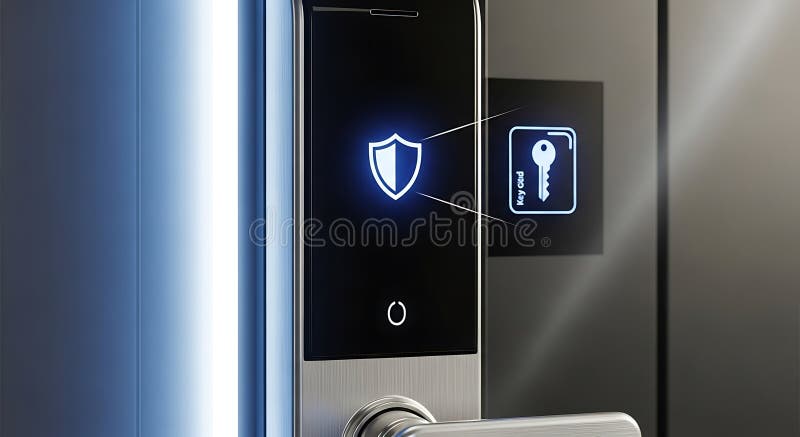
Free with trial Smart door lock with a sleek, metallic design. The lock features a digital touchpad and an illuminated shield icon, indicating security. Below, a power button is visible. Adjacent to the lock, a digital display shows a key and card icon labeled "Key card," suggesting card access functionality. The background is a smooth, metallic panel, contributing to a modern, high-tech appearance suitable for advanced security requirements. Button functionality illustrations Smart door lock with a sleek, metallic design. The lock features a digital touchpa. D and an illuminated shield icon, indicating security. Below, a power button. Smart door lock with a sleek, metallic design. The lock features a digital touchpad and an illuminated shield icon, indicating security. Below, a power button is visible. Adjacent to the lock, a digital display shows a key and card icon labeled "Key card," suggesting card access functionality. The background is a smooth, metallic panel, contributing to a modern, high-tech appearance suitable for advanced security requirements.
Free with trial E-commerce, interactive content, online shopping, secure transactions, digital safety, multimedia. Buy button, person with umbrella video play icon. E-commerce and interactive content concepts. Button functionality vectors Digital Buying Concept Buy Button, Person Holding Umbrella, and Video Play Icon. E-commerce, interactive content, online shopping, secure transactions, digital. E-commerce, interactive content, online shopping, secure transactions, digital safety, multimedia. Buy button, person with umbrella video play icon. E-commerce and interactive content concepts
Free with trial The image showcases a round, blank white button positioned next to its metal fastening component. The button has a smooth, plain surface, and the metal fastener features a pin mechanism with a secure clasp. The button and fastener are displayed against a neutral background, highlighting their simplicity and functionality. Button functionality illustrations Blank white button with metal fastening. The image showcases a round, blank white button positioned next to its metal fastening component. The button has a. The image showcases a round, blank white button positioned next to its metal fastening component. The button has a smooth, plain surface, and the metal fastener features a pin mechanism with a secure clasp. The button and fastener are displayed against a neutral background, highlighting their simplicity and functionality
Free with trial A hand interacts with a futuristic touchscreen device, touching a download button surrounded by a complex circuit board pattern, signifying data transfer and digital technology. The image conveys a sense of modern electronics and user interface. The sleek design suggests advanced technological functionality. Button functionality illustrations Download Button on Touchscreen Interface. A hand interacts with a futuristic touchscreen device, touching a download button surrounded by a complex circuit board. A hand interacts with a futuristic touchscreen device, touching a download button surrounded by a complex circuit board pattern, signifying data transfer and digital technology. The image conveys a sense of modern electronics and user interface. The sleek design suggests advanced technological functionality.
Free with trial This image shows a clean, round, white push button typically used in modern electronic devices. The button has a smooth, glossy finish and appears to be designed for easy and intuitive operation, often found in security systems, appliances, or smart home devices. Its minimalist design suggests a focus on functionality and contemporary aesthetics. Button functionality illustrations A sleek white circular push button for modern electronic device control panels. This image shows a clean, round, white push button typically used in modern. This image shows a clean, round, white push button typically used in modern electronic devices. The button has a smooth, glossy finish and appears to be designed for easy and intuitive operation, often found in security systems, appliances, or smart home devices. Its minimalist design suggests a focus on functionality and contemporary aesthetics
Free with trial Open blue folder containing documents, with a pencil symbolizing editing. An orange "EDIT" button hovers above, emphasizing the action. The background is light blue, creating a clean, digital workspace feel. The pencil features a yellow body with a pink eraser. This imagery suggests document management or editing functionality in a software context. Button functionality illustrations Open blue folder containing documents, with a pencil symbolizing editing. An. Orange 'EDIT' button hovers above, emphasizing the action. The background is light. Open blue folder containing documents, with a pencil symbolizing editing. An orange "EDIT" button hovers above, emphasizing the action. The background is light blue, creating a clean, digital workspace feel. The pencil features a yellow body with a pink eraser. This imagery suggests document management or editing functionality in a software context.
Free with trial This image shows a sleek, modern silver-colored pen with a retractable mechanism and a click button near the cap. The pen features a smooth, ergonomic design, likely made for comfortable writing. The cap is cylindrical and snugly fits the barrel, ensuring the tip is protected when not in use. The overall design suggests a blend of functionality and aesthetics, ideal for office or professional. Button functionality illustrations Stylish silver click pen with retractable tip for professional use. This image shows a sleek, modern silver-colored pen with a retractable mechanism and a click. This image shows a sleek, modern silver-colored pen with a retractable mechanism and a click button near the cap. The pen features a smooth, ergonomic design, likely made for comfortable writing. The cap is cylindrical and snugly fits the barrel, ensuring the tip is protected when not in use. The overall design suggests a blend of functionality and aesthetics, ideal for office or professional
Free with trial Smartwatch icon featuring a heart rate monitor. The display shows a heart shape with a plus sign and a stylized ECG line beneath. The design is minimalist with clean black outlines on a white background, highlighting its functionality in health monitoring. The watch face is rectangular with a single button on the side. Button functionality vectors Flat icon of smartwatch with heart rate monitor icon. Smartwatch icon featuring a heart rate monitor. The display shows a heart shape with a plus sign and a. Smartwatch icon featuring a heart rate monitor. The display shows a heart shape with a plus sign and a stylized ECG line beneath. The design is minimalist with clean black outlines on a white background, highlighting its functionality in health monitoring. The watch face is rectangular with a single button on the side.
Free with trial The image shows a sleek, cylindrical glass tube with a black plastic cap and mechanical components, likely part of a vape pen or similar electronic device. The glass section appears clear, allowing visibility of the internal structure, while the black section includes a button and intricate design elements for functionality and grip. Button functionality illustrations Modern glass tube with black plastic cap and mechanical components. The image shows a sleek, cylindrical glass tube with a black plastic cap and mechanical. The image shows a sleek, cylindrical glass tube with a black plastic cap and mechanical components, likely part of a vape pen or similar electronic device. The glass section appears clear, allowing visibility of the internal structure, while the black section includes a button and intricate design elements for functionality and grip
 Sign in