Free with trial This image shows a pair of wireless earbuds in a glossy black finish. The earbuds feature a minimalist and modern design with a rounded, ergonomic shape that fits comfortably in the ear. Each earbud has a stem with a small control button, likely used for play pause, volume adjustment, and answering calls. The overall design suggests a focus on style and functionality, ideal for users seeking a. Button functionality illustrations Pair of sleek black wireless earbuds with modern design and ergonomic fit. This image shows a pair of wireless earbuds in a glossy black finish. The earbuds. This image shows a pair of wireless earbuds in a glossy black finish. The earbuds feature a minimalist and modern design with a rounded, ergonomic shape that fits comfortably in the ear. Each earbud has a stem with a small control button, likely used for play pause, volume adjustment, and answering calls. The overall design suggests a focus on style and functionality, ideal for users seeking a
Free with trial A close up view of a finger pressing the blue start button on a computer keyboard, symbolizing the beginning of a new task or project in a digital environment. Button functionality illustrations A finger pressing the blue start button on a computer keyboard to begin a new task. A close up view of a finger pressing the blue start button on a computer. A close up view of a finger pressing the blue start button on a computer keyboard, symbolizing the beginning of a new task or project in a digital environment
Free with trial The image shows a simple, clean design of a rectangular media player interface with rounded corners. Centrally positioned inside the rectangle is a solid black triangular play button, indicating media playback functionality. Button functionality illustrations Play button icon on a rectangular media display background isolated on white background. The image shows a simple, clean design of a rectangular media player. The image shows a simple, clean design of a rectangular media player interface with rounded corners. Centrally positioned inside the rectangle is a solid black triangular play button, indicating media playback functionality
Free with trial This elegant envelope clutch purse features a vibrant red exterior with a distinctive woven pattern, complemented by a rich brown leather interior. The purse is secured with a metallic button closure, adding a touch of sophistication to its design. Perfect for evening events or special occasions, this clutch combines functionality with high-end fashion. Button functionality vectors A stylish red and brown leather envelope clutch purse with a metallic button. This elegant envelope clutch purse features a vibrant red exterior with a. This elegant envelope clutch purse features a vibrant red exterior with a distinctive woven pattern, complemented by a rich brown leather interior. The purse is secured with a metallic button closure, adding a touch of sophistication to its design. Perfect for evening events or special occasions, this clutch combines functionality with high-end fashion
Free with trial Two smartphones are positioned on a white surface, one black and one white. Each has a prominent home button at the bottom center and features a sleek, modern design. The displays are turned off, showcasing blank screens. Both phones include speakers and charging ports on the lower edge. The design is minimalistic, emphasizing functionality and aesthetics. The setup highlights the contrast between the dark and light color schemes. Button functionality illustrations Two smartphones are positioned on a white surface, one black and one white. Each has a prominent home button at the bottom center and features a sleek, modern
Free with trial A sleek vector illustration of a blue toggle switch or on off button, a common user interface element. This versatile control is perfect for apps, websites, or any digital platform needing clear, interactive functionality and modern design. vector design Generative AI. Button functionality vectors Blue Toggle Switch UI Element On Off Control Icon Vector, vector design Generative AI. A sleek vector illustration of a blue toggle switch or on off button, a. A sleek vector illustration of a blue toggle switch or on off button, a common user interface element. This versatile control is perfect for apps, websites, or any digital platform needing clear, interactive functionality and modern design. vector design Generative AI
Free with trial Floral Icon with Plus Sign for Add Functionality. Generative AI. Button functionality illustrations Floral Icon with Plus Sign for Add Functionality. Generative AI
Free with trial The image showcases a sophisticated green leather clutch featuring a gold-tone button closure. The clutch has a structured flap design with a contrasting edge trim, giving it a refined and polished appearance. It is likely made for formal events or everyday use, combining functionality with a sleek aesthetic. Button functionality illustrations Elegant green leather clutch with gold-tone button closure and flap design. The image showcases a sophisticated green leather clutch featuring a gold-tone button. The image showcases a sophisticated green leather clutch featuring a gold-tone button closure. The clutch has a structured flap design with a contrasting edge trim, giving it a refined and polished appearance. It is likely made for formal events or everyday use, combining functionality with a sleek aesthetic
Free with trial Business growth, technology, repair tools, media interaction, progress, design principles. Blue arrow, wrench and play button shape. Business growth and technology progress concept. Button functionality vectors Arrow, Wrench, and Play Button Icon Direction, Tools, and Media Concepts. Business growth, technology, repair tools, media interaction, progress, design. Business growth, technology, repair tools, media interaction, progress, design principles. Blue arrow, wrench and play button shape. Business growth and technology progress concept
Free with trial This image showcases a stylish burgundy leather wallet that exudes sophistication and functionality. The wallet features a sleek design with a gold-toned button closure, adding a touch of luxury. The high-quality leather material ensures durability, while the stitching adds a refined detail. The wallet is compact, making it easy to carry in a purse or pocket. Ideal for organizing cash, cards, and. Button functionality illustrations Elegant burgundy leather wallet with gold accents. This image showcases a stylish burgundy leather wallet that exudes sophistication and functionality. The. This image showcases a stylish burgundy leather wallet that exudes sophistication and functionality. The wallet features a sleek design with a gold-toned button closure, adding a touch of luxury. The high-quality leather material ensures durability, while the stitching adds a refined detail. The wallet is compact, making it easy to carry in a purse or pocket. Ideal for organizing cash, cards, and
Free with trial Green play button icons arranged in a split screen style on a white background, forming a grid pattern to the right. Each icon is a rectangle with a white play triangle in the center. The design suggests functionality for video comparison or multimedia interfaces. Button functionality vectors Dual Video Play Button Icon for Split Screen Playback, Video Comparison, Multimedia Interfaces and Digital Entertainment. Green play button icons arranged in a. Green play button icons arranged in a split screen style on a white background, forming a grid pattern to the right. Each icon is a rectangle with a white play triangle in the center. The design suggests functionality for video comparison or multimedia interfaces.
Free with trial Green dual video play button icon featuring two overlapping rectangles, each representing a video screen, with a diagonal line running from the top left to the bottom right. The left rectangle is an outline, while the right has a play symbol inside. The design suggests split-screen functionality for multimedia interfaces and digital entertainment, ideal for video comparison or simultaneous playback. Set against a white background for contrast. Button functionality vectors Dual Video Play Button Icon for Split Screen Playback, Video Comparison, Multimedia Interfaces and Digital Entertainment. Green dual video play button icon. Green dual video play button icon featuring two overlapping rectangles, each representing a video screen, with a diagonal line running from the top left to the bottom right. The left rectangle is an outline, while the right has a play symbol inside. The design suggests split-screen functionality for multimedia interfaces and digital entertainment, ideal for video comparison or simultaneous playback. Set against a white background for contrast.
Free with trial This image depicts a sleek, minimalist smartphone with a black frame and white front screen. The device features a circular home button at the bottom center, a front-facing camera above the screen, and a simple, clean design that emphasizes functionality and modern aesthetics. The phone appears to be turned off, showcasing its design without any distractions from content or apps. Button functionality illustrations Minimalist design of a modern smartphone with a white screen and black frame. This image depicts a sleek, minimalist smartphone with a black frame and white. This image depicts a sleek, minimalist smartphone with a black frame and white front screen. The device features a circular home button at the bottom center, a front-facing camera above the screen, and a simple, clean design that emphasizes functionality and modern aesthetics. The phone appears to be turned off, showcasing its design without any distractions from content or apps
Free with trial The image shows a tablet screen displaying an open document with a play button, indicating audio functionality. Surrounding the tablet are four icons, each depicting a document with a speaker, symbolizing audio recording or playback options. The design suggests features for reading documents aloud or recording audio explanations for digital content, likely for educational or accessibility purposes. Button functionality illustrations Digital tablet displaying a document with audio playback options around it. The image shows a tablet screen displaying an open document with a play button. The image shows a tablet screen displaying an open document with a play button, indicating audio functionality. Surrounding the tablet are four icons, each depicting a document with a speaker, symbolizing audio recording or playback options. The design suggests features for reading documents aloud or recording audio explanations for digital content, likely for educational or accessibility purposes
Free with trial Illustration of a dark gray wallet with a simple, minimalist design. It features a flap secured by a strap with a round, green button or snap closure on the strap. The wallet has a clean outline and appears closed, emphasizing functionality and compactness. The design uses monochromatic tones with a small accent of green for a modern and sleek appearance, likely used as an icon or symbol for finance-related applications. Button functionality illustrations Illustration of a dark gray wallet with a simple, minimalist design. It features a fla. P secured by a strap with a round, green button or snap closure on the. Illustration of a dark gray wallet with a simple, minimalist design. It features a flap secured by a strap with a round, green button or snap closure on the strap. The wallet has a clean outline and appears closed, emphasizing functionality and compactness. The design uses monochromatic tones with a small accent of green for a modern and sleek appearance, likely used as an icon or symbol for finance-related applications.
Free with trial Direction navigation, media playback, inventory management, organization, product display, retail concepts. Large leftward arrow, play button bottled items on a shelf. Direction navigation and media. Button functionality vectors Leftward Arrow with Play Button and Shelf Displaying Bottles, Direction, Media, and Organization. Direction navigation, media playback, inventory management. Direction navigation, media playback, inventory management, organization, product display, retail concepts. Large leftward arrow, play button bottled items on a shelf. Direction navigation and media
Free with trial The image features a close minimize button with a search bar. The button is isolated on a white background. The image is on a transparent background, making it suitable for various design applications. Key elements include a close icon and a search functionality. Button functionality illustrations Close minimize button isolated on white background. The image features a close minimize button with a search bar. The button is isolated on a white background. The image features a close minimize button with a search bar. The button is isolated on a white background. The image is on a transparent background, making it suitable for various design applications. Key elements include a close icon and a search functionality
Free with trial This image shows a sleek, portable external hard drive featuring a predominantly black body with red accents. The device has a single prominent red button or indicator on the top and a USB connection port on the side, indicating its plug-and-play functionality for data storage and transfer. The design suggests it is compact and likely intended for easy transport and use with various electronic. Button functionality illustrations Compact black and red portable external hard drive with usb connection slot. This image shows a sleek, portable external hard drive featuring a predominantly. This image shows a sleek, portable external hard drive featuring a predominantly black body with red accents. The device has a single prominent red button or indicator on the top and a USB connection port on the side, indicating its plug-and-play functionality for data storage and transfer. The design suggests it is compact and likely intended for easy transport and use with various electronic
Free with trial The image displays a compact keychain featuring an integrated flashlight. The keychain has a smooth, minimalist design with rounded edges and a metallic silver finish. The flashlight appears to be embedded along the top edge, likely activated by a button or switch. The overall design suggests functionality combined with a modern aesthetic, making it useful for everyday carry and emergency lighting. Button functionality illustrations Sleek keychain with built-in flashlight for easy portability and visibility. The image displays a compact keychain featuring an integrated flashlight. The. The image displays a compact keychain featuring an integrated flashlight. The keychain has a smooth, minimalist design with rounded edges and a metallic silver finish. The flashlight appears to be embedded along the top edge, likely activated by a button or switch. The overall design suggests functionality combined with a modern aesthetic, making it useful for everyday carry and emergency lighting
Free with trial The image shows a dark blue short-sleeve polo shirt featuring a classic button-down collar and two small chest pockets. The fabric appears to be smooth and slightly textured, with a neat finish around the edges and a subtle sheen. The design is simple and minimalist, focusing on functionality and a clean aesthetic suitable for casual or semi-formal wear. Button functionality vectors Dark blue short-sleeve polo shirt with button-down collar and chest pockets. The image shows a dark blue short-sleeve polo shirt featuring a classic button-down. The image shows a dark blue short-sleeve polo shirt featuring a classic button-down collar and two small chest pockets. The fabric appears to be smooth and slightly textured, with a neat finish around the edges and a subtle sheen. The design is simple and minimalist, focusing on functionality and a clean aesthetic suitable for casual or semi-formal wear
Free with trial This image features a stylish white knitted cardigan designed with a classic V-neck and button closure. The cardigan has a textured knit pattern that adds a touch of sophistication. It includes two front pockets, each secured with a button, providing both functionality and style. The sleeves are long and fitted, perfect for layering over various outfits. The overall design is simple yet chic,. Button functionality vectors Elegant white knitted cardigan with button closure. This image features a stylish white knitted cardigan designed with a classic V-neck and button closure. The. This image features a stylish white knitted cardigan designed with a classic V-neck and button closure. The cardigan has a textured knit pattern that adds a touch of sophistication. It includes two front pockets, each secured with a button, providing both functionality and style. The sleeves are long and fitted, perfect for layering over various outfits. The overall design is simple yet chic,
Free with trial The image shows a clean and modern icon featuring a bright blue square with two white triangular arrows pointing to the right, symbolizing play or forward actions. The design is minimalistic and often used in media players or streaming applications to indicate playback functionality. The icon has a subtle shadow effect, giving it a three-dimensional appearance. Button functionality illustrations Blue play button icon with two arrows on a square background isolated on white background. The image shows a clean and modern icon featuring a bright blue square. The image shows a clean and modern icon featuring a bright blue square with two white triangular arrows pointing to the right, symbolizing play or forward actions. The design is minimalistic and often used in media players or streaming applications to indicate playback functionality. The icon has a subtle shadow effect, giving it a three-dimensional appearance
Free with trial The image depicts a stylized power button icon directly connected to a battery outline, suggesting themes of device power management, charging status, or battery life. The power button is shown as a circle with a vertical bar, while the battery is illustrated with rounded edges and a horizontal line inside it, indicating it is partially charged or in use. This combination is commonly used in user. Button functionality illustrations Power button connected to a battery icon symbolizing device charging or power status. The image depicts a stylized power button icon directly connected to a. The image depicts a stylized power button icon directly connected to a battery outline, suggesting themes of device power management, charging status, or battery life. The power button is shown as a circle with a vertical bar, while the battery is illustrated with rounded edges and a horizontal line inside it, indicating it is partially charged or in use. This combination is commonly used in user
Free with trial A shiny, colors circular button with a white triangle "play" symbol at the center, set against a light gray background. The button has a glossy finish, giving it a three-dimensional appearance with a subtle reflection on its surface. The simple design suggests functionality typical of media or playback interfaces. Button functionality illustrations Play icon music video sign, illustration. A shiny, colors circular button with a white triangle 'play' symbol at the center, set against a light gray background. A shiny, colors circular button with a white triangle "play" symbol at the center, set against a light gray background. The button has a glossy finish, giving it a three-dimensional appearance with a subtle reflection on its surface. The simple design suggests functionality typical of media or playback interfaces.
Free with trial A shiny, colors circular button with a white triangle "play" symbol at the center, set against a light gray background. The button has a glossy finish, giving it a three-dimensional appearance with a subtle reflection on its surface. The simple design suggests functionality typical of media or playback interfaces. Button functionality illustrations Play icon music video sign, illustration. A shiny, colors circular button with a white triangle 'play' symbol at the center, set against a light gray background. A shiny, colors circular button with a white triangle "play" symbol at the center, set against a light gray background. The button has a glossy finish, giving it a three-dimensional appearance with a subtle reflection on its surface. The simple design suggests functionality typical of media or playback interfaces.
Free with trial A shiny, colors circular button with a white triangle "play" symbol at the center, set against a light gray background. The button has a glossy finish, giving it a three-dimensional appearance with a subtle reflection on its surface. The simple design suggests functionality typical of media or playback interfaces. Button functionality illustrations Play icon music video sign, illustration. A shiny, colors circular button with a white triangle 'play' symbol at the center, set against a light gray background. A shiny, colors circular button with a white triangle "play" symbol at the center, set against a light gray background. The button has a glossy finish, giving it a three-dimensional appearance with a subtle reflection on its surface. The simple design suggests functionality typical of media or playback interfaces.
Free with trial A shiny, colors circular button with a white triangle "play" symbol at the center, set against a light gray background. The button has a glossy finish, giving it a three-dimensional appearance with a subtle reflection on its surface. The simple design suggests functionality typical of media or playback interfaces. Button functionality illustrations Play icon music video sign, illustration. A shiny, colors circular button with a white triangle 'play' symbol at the center, set against a light gray background. A shiny, colors circular button with a white triangle "play" symbol at the center, set against a light gray background. The button has a glossy finish, giving it a three-dimensional appearance with a subtle reflection on its surface. The simple design suggests functionality typical of media or playback interfaces.
Free with trial A shiny, colors circular button with a white triangle "play" symbol at the center, set against a light gray background. The button has a glossy finish, giving it a three-dimensional appearance with a subtle reflection on its surface. The simple design suggests functionality typical of media or playback interfaces. Button functionality illustrations Play icon music video sign, illustration. A shiny, colors circular button with a white triangle 'play' symbol at the center, set against a light gray background. A shiny, colors circular button with a white triangle "play" symbol at the center, set against a light gray background. The button has a glossy finish, giving it a three-dimensional appearance with a subtle reflection on its surface. The simple design suggests functionality typical of media or playback interfaces.
Free with trial A shiny, colors circular button with a white triangle "play" symbol at the center, set against a light gray background. The button has a glossy finish, giving it a three-dimensional appearance with a subtle reflection on its surface. The simple design suggests functionality typical of media or playback interfaces. Button functionality illustrations Play icon music video sign, illustration. A shiny, colors circular button with a white triangle 'play' symbol at the center, set against a light gray background. A shiny, colors circular button with a white triangle "play" symbol at the center, set against a light gray background. The button has a glossy finish, giving it a three-dimensional appearance with a subtle reflection on its surface. The simple design suggests functionality typical of media or playback interfaces.
Free with trial A shiny, colors circular button with a white triangle "play" symbol at the center, set against a light gray background. The button has a glossy finish, giving it a three-dimensional appearance with a subtle reflection on its surface. The simple design suggests functionality typical of media or playback interfaces. Button functionality illustrations Play icon music video sign, illustration. A shiny, colors circular button with a white triangle 'play' symbol at the center, set against a light gray background. A shiny, colors circular button with a white triangle "play" symbol at the center, set against a light gray background. The button has a glossy finish, giving it a three-dimensional appearance with a subtle reflection on its surface. The simple design suggests functionality typical of media or playback interfaces.
Free with trial A shiny, colors circular button with a white triangle "play" symbol at the center, set against a light gray background. The button has a glossy finish, giving it a three-dimensional appearance with a subtle reflection on its surface. The simple design suggests functionality typical of media or playback interfaces. Button functionality illustrations Play icon music video sign, illustration. A shiny, colors circular button with a white triangle 'play' symbol at the center, set against a light gray background. A shiny, colors circular button with a white triangle "play" symbol at the center, set against a light gray background. The button has a glossy finish, giving it a three-dimensional appearance with a subtle reflection on its surface. The simple design suggests functionality typical of media or playback interfaces.
Free with trial A shiny, colors circular button with a white triangle "play" symbol at the center, set against a light gray background. The button has a glossy finish, giving it a three-dimensional appearance with a subtle reflection on its surface. The simple design suggests functionality typical of media or playback interfaces. Button functionality illustrations Play icon music video sign, illustration. A shiny, colors circular button with a white triangle 'play' symbol at the center, set against a light gray background. A shiny, colors circular button with a white triangle "play" symbol at the center, set against a light gray background. The button has a glossy finish, giving it a three-dimensional appearance with a subtle reflection on its surface. The simple design suggests functionality typical of media or playback interfaces.
Free with trial A shiny, colors circular button with a white triangle "play" symbol at the center, set against a light gray background. The button has a glossy finish, giving it a three-dimensional appearance with a subtle reflection on its surface. The simple design suggests functionality typical of media or playback interfaces. Button functionality illustrations Play icon music video sign, illustration. A shiny, colors circular button with a white triangle 'play' symbol at the center, set against a light gray background. A shiny, colors circular button with a white triangle "play" symbol at the center, set against a light gray background. The button has a glossy finish, giving it a three-dimensional appearance with a subtle reflection on its surface. The simple design suggests functionality typical of media or playback interfaces.
Free with trial A shiny, colors circular button with a white triangle "play" symbol at the center, set against a light gray background. The button has a glossy finish, giving it a three-dimensional appearance with a subtle reflection on its surface. The simple design suggests functionality typical of media or playback interfaces. Button functionality illustrations Play icon music video sign, illustration. A shiny, colors circular button with a white triangle 'play' symbol at the center, set against a light gray background. A shiny, colors circular button with a white triangle "play" symbol at the center, set against a light gray background. The button has a glossy finish, giving it a three-dimensional appearance with a subtle reflection on its surface. The simple design suggests functionality typical of media or playback interfaces.
Free with trial A shiny, colors circular button with a white triangle "play" symbol at the center, set against a light gray background. The button has a glossy finish, giving it a three-dimensional appearance with a subtle reflection on its surface. The simple design suggests functionality typical of media or playback interfaces. Button functionality illustrations Play icon music video sign, illustration. A shiny, colors circular button with a white triangle 'play' symbol at the center, set against a light gray background. A shiny, colors circular button with a white triangle "play" symbol at the center, set against a light gray background. The button has a glossy finish, giving it a three-dimensional appearance with a subtle reflection on its surface. The simple design suggests functionality typical of media or playback interfaces.
Free with trial A shiny, colors circular button with a white triangle "play" symbol at the center, set against a light gray background. The button has a glossy finish, giving it a three-dimensional appearance with a subtle reflection on its surface. The simple design suggests functionality typical of media or playback interfaces. Button functionality illustrations Play icon music video sign, illustration. A shiny, colors circular button with a white triangle 'play' symbol at the center, set against a light gray background. A shiny, colors circular button with a white triangle "play" symbol at the center, set against a light gray background. The button has a glossy finish, giving it a three-dimensional appearance with a subtle reflection on its surface. The simple design suggests functionality typical of media or playback interfaces.
Free with trial A shiny, colors circular button with a white triangle "play" symbol at the center, set against a light gray background. The button has a glossy finish, giving it a three-dimensional appearance with a subtle reflection on its surface. The simple design suggests functionality typical of media or playback interfaces. Button functionality illustrations Play icon music video sign, illustration. A shiny, colors circular button with a white triangle 'play' symbol at the center, set against a light gray background. A shiny, colors circular button with a white triangle "play" symbol at the center, set against a light gray background. The button has a glossy finish, giving it a three-dimensional appearance with a subtle reflection on its surface. The simple design suggests functionality typical of media or playback interfaces.
Free with trial A shiny, colors circular button with a white triangle "play" symbol at the center, set against a light gray background. The button has a glossy finish, giving it a three-dimensional appearance with a subtle reflection on its surface. The simple design suggests functionality typical of media or playback interfaces. Button functionality illustrations Play icon music video sign, illustration. A shiny, colors circular button with a white triangle 'play' symbol at the center, set against a light gray background. A shiny, colors circular button with a white triangle "play" symbol at the center, set against a light gray background. The button has a glossy finish, giving it a three-dimensional appearance with a subtle reflection on its surface. The simple design suggests functionality typical of media or playback interfaces.
Free with trial A shiny, colors circular button with a white triangle "play" symbol at the center, set against a light gray background. The button has a glossy finish, giving it a three-dimensional appearance with a subtle reflection on its surface. The simple design suggests functionality typical of media or playback interfaces. Button functionality illustrations Play icon music video sign, illustration. A shiny, colors circular button with a white triangle 'play' symbol at the center, set against a light gray background. A shiny, colors circular button with a white triangle "play" symbol at the center, set against a light gray background. The button has a glossy finish, giving it a three-dimensional appearance with a subtle reflection on its surface. The simple design suggests functionality typical of media or playback interfaces.
Free with trial A shiny, colors circular button with a white triangle "play" symbol at the center, set against a light gray background. The button has a glossy finish, giving it a three-dimensional appearance with a subtle reflection on its surface. The simple design suggests functionality typical of media or playback interfaces. Button functionality illustrations Play icon music video sign, illustration. A shiny, colors circular button with a white triangle 'play' symbol at the center, set against a light gray background. A shiny, colors circular button with a white triangle "play" symbol at the center, set against a light gray background. The button has a glossy finish, giving it a three-dimensional appearance with a subtle reflection on its surface. The simple design suggests functionality typical of media or playback interfaces.
Free with trial A shiny, colors circular button with a white triangle "play" symbol at the center, set against a light gray background. The button has a glossy finish, giving it a three-dimensional appearance with a subtle reflection on its surface. The simple design suggests functionality typical of media or playback interfaces. Button functionality illustrations Play icon music video sign, illustration. A shiny, colors circular button with a white triangle 'play' symbol at the center, set against a light gray background. A shiny, colors circular button with a white triangle "play" symbol at the center, set against a light gray background. The button has a glossy finish, giving it a three-dimensional appearance with a subtle reflection on its surface. The simple design suggests functionality typical of media or playback interfaces.
Free with trial A shiny, colors circular button with a white triangle "play" symbol at the center, set against a light gray background. The button has a glossy finish, giving it a three-dimensional appearance with a subtle reflection on its surface. The simple design suggests functionality typical of media or playback interfaces. Button functionality illustrations Play icon music video sign, illustration. A shiny, colors circular button with a white triangle 'play' symbol at the center, set against a light gray background. A shiny, colors circular button with a white triangle "play" symbol at the center, set against a light gray background. The button has a glossy finish, giving it a three-dimensional appearance with a subtle reflection on its surface. The simple design suggests functionality typical of media or playback interfaces.
Free with trial A shiny, colors circular button with a white triangle "play" symbol at the center, set against a light gray background. The button has a glossy finish, giving it a three-dimensional appearance with a subtle reflection on its surface. The simple design suggests functionality typical of media or playback interfaces. Button functionality illustrations Play icon music video sign, illustration. A shiny, colors circular button with a white triangle 'play' symbol at the center, set against a light gray background. A shiny, colors circular button with a white triangle "play" symbol at the center, set against a light gray background. The button has a glossy finish, giving it a three-dimensional appearance with a subtle reflection on its surface. The simple design suggests functionality typical of media or playback interfaces.
Free with trial Black leather men's bifold wallet with a sleek, smooth finish. It features a secure button clasp on a strap for closure. The stitching along the edges is neat and precise, highlighting the craftsmanship. The compact design ensures functionality while maintaining a modern appearance, suitable for everyday use. Button functionality vectors Black Leather Wallet, Men\'s Bifold Wallet, Closeup. Black leather men's bifold wallet with a sleek, smooth finish. It features a secure button clasp on a strap. Black leather men's bifold wallet with a sleek, smooth finish. It features a secure button clasp on a strap for closure. The stitching along the edges is neat and precise, highlighting the craftsmanship. The compact design ensures functionality while maintaining a modern appearance, suitable for everyday use.
Free with trial Finger pressing a button on technology. Close-up of finger pressing button on electronic device. Button functionality illustrations Finger pressing a button on technology. Close-up of finger pressing button on electronic device
Free with trial A vibrant red start button stands out among a series of control buttons, representing the concept of beginning and engagement in technology. Button functionality illustrations A vibrant red start button stands out among a series of control buttons. Representing the concept of beginning and engagement in technology
Free with trial The image shows a metallic gray rectangular panel with a prominently displayed red circular button labeled 'OFF'. The panel has four screws securing it, two on the top and two on the bottom, and the button is centrally placed for easy access and visibility. This setup is typical for emergency stop or control systems in industrial environments. Button functionality illustrations Gray industrial emergency stop button labeled off in a mounted panel setting. The image shows a metallic gray rectangular panel with a prominently displayed red. The image shows a metallic gray rectangular panel with a prominently displayed red circular button labeled 'OFF'. The panel has four screws securing it, two on the top and two on the bottom, and the button is centrally placed for easy access and visibility. This setup is typical for emergency stop or control systems in industrial environments
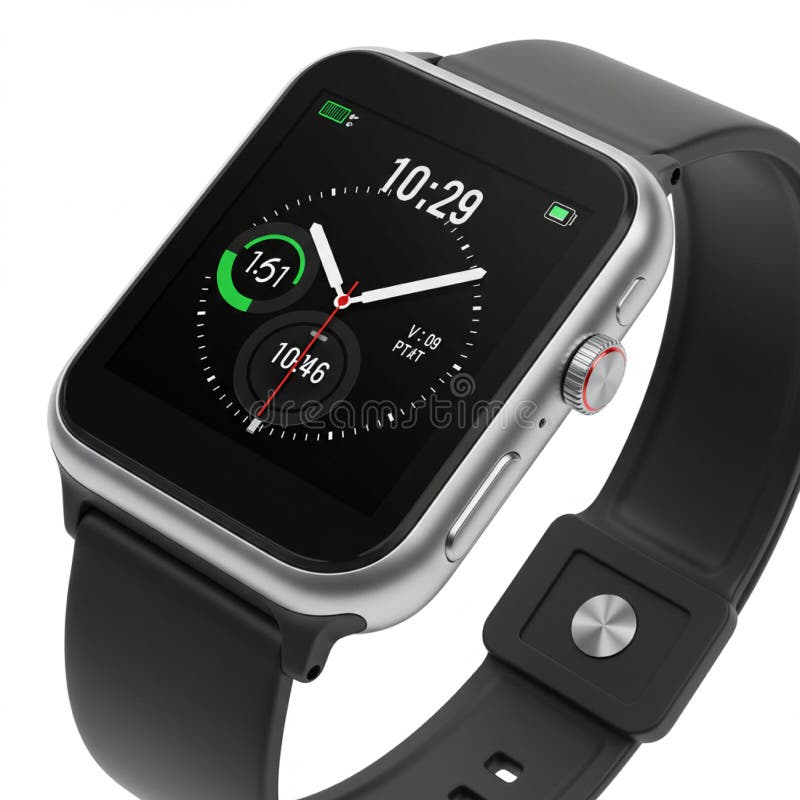
Free with trial Smartwatch with a rectangular touchscreen display showing time and activity metrics. Features include a metal casing with a digital crown on the side and a silicone band. The watch face displays analog-style clock hands with digital elements, battery status, and activity trackers. It has a sleek, modern design, combining functionality and style. The band is adjustable, with a button closure for secure fit. Button functionality illustrations Smartwatch with a rectangular touchscreen display showing time and activity metrics. Features. Include a metal casing with a digital crown on the side and a. Smartwatch with a rectangular touchscreen display showing time and activity metrics. Features include a metal casing with a digital crown on the side and a silicone band. The watch face displays analog-style clock hands with digital elements, battery status, and activity trackers. It has a sleek, modern design, combining functionality and style. The band is adjustable, with a button closure for secure fit.
Free with trial The image showcases a sleek black smartphone with a minimalist design. The phone is displayed from the front, highlighting its large, dark screen and a single home button at the bottom. The side view reveals a slim profile with smooth edges and a camera lens on the top left corner. The phone's design is both modern and elegant, emphasizing simplicity and functionality. Button functionality illustrations Sleek black smartphone displaying minimalist design. The image showcases a sleek black smartphone with a minimalist design. The phone is displayed from the front. The image showcases a sleek black smartphone with a minimalist design. The phone is displayed from the front, highlighting its large, dark screen and a single home button at the bottom. The side view reveals a slim profile with smooth edges and a camera lens on the top left corner. The phone's design is both modern and elegant, emphasizing simplicity and functionality
Free with trial This image displays a light grey polo shirt designed for casual or semi-formal wear. The shirt features a classic button-down collar and short sleeves, providing a neat and tidy appearance. It includes a small chest pocket, which adds both functionality and style. The fabric appears to be a breathable, lightweight material, suitable for everyday wear or light athletic activities. The shirt is. Button functionality illustrations Light grey short-sleeved polo shirt with button-down collar and chest pocket. This image displays a light grey polo shirt designed for casual or semi-formal wear. This image displays a light grey polo shirt designed for casual or semi-formal wear. The shirt features a classic button-down collar and short sleeves, providing a neat and tidy appearance. It includes a small chest pocket, which adds both functionality and style. The fabric appears to be a breathable, lightweight material, suitable for everyday wear or light athletic activities. The shirt is
Free with trial The image showcases a blank white button positioned next to its metal fastener. The button has a smooth, round surface with no visible design or text. The metal fastener is circular and features a pin mechanism on the back, allowing it to be securely attached to clothing or accessories. The button and fastener are both set against a plain white background, emphasizing their simplicity and. Button functionality illustrations Blank white button with metal fastener. The image showcases a blank white button positioned next to its metal fastener. The button has a smooth, round surface. The image showcases a blank white button positioned next to its metal fastener. The button has a smooth, round surface with no visible design or text. The metal fastener is circular and features a pin mechanism on the back, allowing it to be securely attached to clothing or accessories. The button and fastener are both set against a plain white background, emphasizing their simplicity and
Free with trial The image showcases a blank white button positioned next to its metal fastener. The button has a smooth, round surface with no visible design or text. The metal fastener is circular and features a pin mechanism on the back, allowing it to be securely attached to clothing or accessories. The button and fastener are both set against a plain white background, emphasizing their simplicity and. Button functionality illustrations Blank white button with metal fastener. The image showcases a blank white button positioned next to its metal fastener. The button has a smooth, round surface. The image showcases a blank white button positioned next to its metal fastener. The button has a smooth, round surface with no visible design or text. The metal fastener is circular and features a pin mechanism on the back, allowing it to be securely attached to clothing or accessories. The button and fastener are both set against a plain white background, emphasizing their simplicity and
Free with trial A robotic hand pointing towards a glowing, futuristic button, symbolizing advanced technology and automation. Ideal for themes of innovation, AI, and the future of technology. Button functionality illustrations Robot Hand Pressing Futuristic Button, AI Technology Concept. A robotic hand pointing towards a glowing, futuristic button, symbolizing advanced technology and. A robotic hand pointing towards a glowing, futuristic button, symbolizing advanced technology and automation. Ideal for themes of innovation, AI, and the future of technology.
Free with trial This image displays a pair of modern stainless steel elevator doors that feature a clean, minimalist design. The doors are symmetrical with smooth, reflective surfaces and a horizontal center panel. A small push button control panel is located on the right side of the door, indicating functionality and accessibility. The overall appearance is sleek and contemporary, suitable for commercial or. Button functionality illustrations Modern stainless steel elevator doors with sleek design and push button panel. This image displays a pair of modern stainless steel elevator doors that feature a. This image displays a pair of modern stainless steel elevator doors that feature a clean, minimalist design. The doors are symmetrical with smooth, reflective surfaces and a horizontal center panel. A small push button control panel is located on the right side of the door, indicating functionality and accessibility. The overall appearance is sleek and contemporary, suitable for commercial or
Free with trial A clean vector icon of an upward-pointing arrow within a black rectangular button. Ideal for upload functionalities, data transfer, cloud storage, or file sharing interfaces. Its straightforward design ensures clear user instruction and functionality across digital platforms and applications, vector design Generative AI. Button functionality vectors Upload Data Arrow Icon, Digital Transfer Cloud Storage, vector design Generative AI. A clean vector icon of an upward-pointing arrow within a black rectangular. A clean vector icon of an upward-pointing arrow within a black rectangular button. Ideal for upload functionalities, data transfer, cloud storage, or file sharing interfaces. Its straightforward design ensures clear user instruction and functionality across digital platforms and applications, vector design Generative AI
Free with trial Blue button with Ok text, green browser popup window, and book. Ideal for UX, confirmation, interface, technology, accessibility, user action simple flat metaphor. Button functionality illustrations Confirmation Button with Browser Window for Simple Web Interface Design. Blue button with Ok text, green browser popup window, and book. Ideal for UX. Blue button with Ok text, green browser popup window, and book. Ideal for UX, confirmation, interface, technology, accessibility, user action simple flat metaphor
Free with trial This image showcases a stylish black blazer designed for a professional and chic look. The blazer features a single-breasted button closure with a notched lapel, adding a touch of sophistication. It has two flap pockets on the front, providing both functionality and style. The sleeves are long, extending to the wrists, and the fit is tailored to accentuate the silhouette. The blazer is displayed. Button functionality illustrations Elegant black blazer with classic design. This image showcases a stylish black blazer designed for a professional and chic look. The blazer features a single. This image showcases a stylish black blazer designed for a professional and chic look. The blazer features a single-breasted button closure with a notched lapel, adding a touch of sophistication. It has two flap pockets on the front, providing both functionality and style. The sleeves are long, extending to the wrists, and the fit is tailored to accentuate the silhouette. The blazer is displayed
Free with trial A glossy, purple circular play button with a white triangle icon, symbolizing media playback and digital entertainment. It is isolated on a clean, light surface, emphasizing its functionality. Button functionality illustrations Play button on white background. A glossy, purple circular play button with a white triangle icon, symbolizing media playback and digital entertainment. It is. A glossy, purple circular play button with a white triangle icon, symbolizing media playback and digital entertainment. It is isolated on a clean, light surface, emphasizing its functionality
Free with trial Close-up of a finger pressing the start button on a rental car dashboard, featuring illuminated controls and sleek design, highlighting user experience. Button functionality illustrations Close-up of a finger pressing the start button on a rental car dashboard. Featuring illuminated controls and sleek design, highlighting user experience
Free with trial Pharmaceutical transport box featuring a digital display and red button, designed for safe transport of temperature-sensitive medical products and supplies. Button functionality illustrations Pharmaceutical transport container with a digital display and red button, designed for secure storage and transportation of. Pharmaceutical transport box. Pharmaceutical transport box featuring a digital display and red button, designed for safe transport of temperature-sensitive medical products and supplies
Free with trial The image depicts a close-up view of a minimalist, modern device featuring a prominent play button in the center. The device has a white front panel with a purple top edge and matching purple play button, giving it a clean and contemporary look. The design suggests functionality for media playback, likely a smart home device or portable media player. Button functionality illustrations Modern stylish media play button on a sleek white and purple device front panel. The image depicts a close-up view of a minimalist, modern device featuring a. The image depicts a close-up view of a minimalist, modern device featuring a prominent play button in the center. The device has a white front panel with a purple top edge and matching purple play button, giving it a clean and contemporary look. The design suggests functionality for media playback, likely a smart home device or portable media player
Free with trial The image showcases a sleek, silver-toned camera with a vintage-inspired design. The front features a prominent lens with a colorful, prism-like reflection, adding a vibrant touch to the otherwise metallic appearance. The camera has a sturdy, textured grip, dual control dials on top, and a classic shutter button, suggesting a blend of modern functionality with retro aesthetics. The overall build. Button functionality illustrations Elegant silver camera with colorful lens reflection and classic design elements. The image showcases a sleek, silver-toned camera with a vintage-inspired design. The image showcases a sleek, silver-toned camera with a vintage-inspired design. The front features a prominent lens with a colorful, prism-like reflection, adding a vibrant touch to the otherwise metallic appearance. The camera has a sturdy, textured grip, dual control dials on top, and a classic shutter button, suggesting a blend of modern functionality with retro aesthetics. The overall build
Free with trial This image showcases a contemporary emergency stop button featuring a smooth, oval shape with a vibrant red translucent cover and a metallic silver rim. Its design combines functionality with an aesthetic appeal, suitable for modern industrial and office environments. The button is likely used for safety purposes to halt machinery or processes instantly when pressed. Button functionality illustrations The sleek and modern design of a stylish red illuminated emergency stop button. This image showcases a contemporary emergency stop button featuring a smooth. This image showcases a contemporary emergency stop button featuring a smooth, oval shape with a vibrant red translucent cover and a metallic silver rim. Its design combines functionality with an aesthetic appeal, suitable for modern industrial and office environments. The button is likely used for safety purposes to halt machinery or processes instantly when pressed
Free with trial Captions icon, CC sign, media player control, subtitle button. Button functionality vectors Captions button symbol for closed captions icon sign with CC letters inside rounded rectangle indicating subtitle functionality. Captions icon, CC sign, media. Captions icon, CC sign, media player control, subtitle button
Free with trial A high-tech flashlight with a sleek, cylindrical body is depicted. It is primarily dark gray with a ribbed grip for better handling. The flashlight features a prominent power button on its side, colored in yellow-green, suggesting it's in operation. Additionally, a small clip for attachment and a focused beam of light emerges from the front. The design is modern, suggesting functionality and portability, suitable for outdoor or emergency use. The background is a solid dark blue. Button functionality illustrations The area, highlighting the lantern\'s modern, sleek design suitable for. A high-tech flashlight with a sleek, cylindrical body is depicted. It is primarily dark. A high-tech flashlight with a sleek, cylindrical body is depicted. It is primarily dark gray with a ribbed grip for better handling. The flashlight features a prominent power button on its side, colored in yellow-green, suggesting it's in operation. Additionally, a small clip for attachment and a focused beam of light emerges from the front. The design is modern, suggesting functionality and portability, suitable for outdoor or emergency use. The background is a solid dark blue.
Free with trial This image displays a stylized icon combining a power button with a battery symbol. The power button is represented by a circular shape with a vertical line extending upwards, while the battery is depicted as a rectangular shape with three internal bars and a plus sign. This icon is often used to represent actions related to charging, power status, or device power management in user interfaces and. Button functionality illustrations Power button integrated with a battery icon symbolizing device charging or power status. This image displays a stylized icon combining a power button with a. This image displays a stylized icon combining a power button with a battery symbol. The power button is represented by a circular shape with a vertical line extending upwards, while the battery is depicted as a rectangular shape with three internal bars and a plus sign. This icon is often used to represent actions related to charging, power status, or device power management in user interfaces and
Free with trial A simple black power button icon on a white background, representing the universal symbol for turning devices on and off. The icon is a stylized representation of a power button, commonly used in electronic devices and digital interfaces. Button functionality illustrations A simple black power button icon. On a white background, representing the universal symbol for turning devices on and off. The icon is a stylized representation. A simple black power button icon on a white background, representing the universal symbol for turning devices on and off. The icon is a stylized representation of a power button, commonly used in electronic devices and digital interfaces.
Free with trial Online services, subscription models, sustainability, nature tech, eco-friendly solutions, digital tools. Gear symbol, leaves subscribe button. Online services and subscription models concept. Button functionality illustrations Gear Symbol with Leaves and Subscribe Button in Minimalist Design for Digital and Environmental. Online services, subscription models, sustainability, nature. Online services, subscription models, sustainability, nature tech, eco-friendly solutions, digital tools. Gear symbol, leaves subscribe button. Online services and subscription models concept
Free with trial The image depicts a sleek, modern portable speaker with a black and red design. The speaker is cylindrical with a red accent running horizontally around its middle. Above the speaker, there is an illustration of sound waves, indicating its audio functionality. The speaker has a minimalist design with a single button on the front. Button functionality vectors Modern portable speaker with sound waves. The image depicts a sleek, modern portable speaker with a black and red design. The speaker is cylindrical with a red. The image depicts a sleek, modern portable speaker with a black and red design. The speaker is cylindrical with a red accent running horizontally around its middle. Above the speaker, there is an illustration of sound waves, indicating its audio functionality. The speaker has a minimalist design with a single button on the front
Free with trial A sleek, high-tech stainless steel bollard stands isolated against a clean white background. Its brushed metal surface features a subtle geometric pattern, and a single blue button suggests smart functionality, blending modern urban design with advanced security and access control. Button functionality illustrations Modern Stainless Steel Bollard with Blue Accent on White. A sleek, high-tech stainless steel bollard stands isolated against a clean white background. Its. A sleek, high-tech stainless steel bollard stands isolated against a clean white background. Its brushed metal surface features a subtle geometric pattern, and a single blue button suggests smart functionality, blending modern urban design with advanced security and access control
Free with trial A bold vector icon of a right-pointing arrow within a black, rounded button shape. Perfect for navigation, proceeding to the next step, forward movement, or next functionality in digital interfaces. Its clear directionality makes it intuitive for user experience and flow, vector design Generative AI. Button functionality vectors Next Page Right Arrow, Forward Navigation Proceed Symbol, vector design Generative AI. A bold vector icon of a right-pointing arrow within a black, rounded. A bold vector icon of a right-pointing arrow within a black, rounded button shape. Perfect for navigation, proceeding to the next step, forward movement, or next functionality in digital interfaces. Its clear directionality makes it intuitive for user experience and flow, vector design Generative AI
Free with trial A blue power button icon on a white background, symbolizing energy and control in technology. Ideal for digital and graphic projects. Button functionality vectors Blue Power Button Icon Symbol on White Background for Tech Designs. A blue power button icon on a white background, symbolizing energy and control in technology. A blue power button icon on a white background, symbolizing energy and control in technology. Ideal for digital and graphic projects
Free with trial This image features a brown leather phone case designed with a wrist strap for easy carrying. The case has a flap secured by a button closure and includes multiple card slots for storing credit cards or ID. The phone case is designed to protect the phone while adding a touch of elegance and functionality. Button functionality illustrations Brown leather phone case with wrist strap. This image features a brown leather phone case designed with a wrist strap for easy carrying. The case has a flap. This image features a brown leather phone case designed with a wrist strap for easy carrying. The case has a flap secured by a button closure and includes multiple card slots for storing credit cards or ID. The phone case is designed to protect the phone while adding a touch of elegance and functionality
Free with trial Extension Button Outline Vector Icon. Extension Button Modern Outline Style Icon Design. Button functionality vectors Extension Button Outline Vector Icon. Extension Button Modern Outline Style Icon Design
Free with trial This image features a vibrant blue and yellow backpack designed for both style and functionality. The backpack has adjustable straps for comfortable carrying, a front pocket with a button closure, and a main compartment secured with a zipper. The bright colors make it stand out, perfect for students or outdoor enthusiasts. The backpack's design is modern and appealing, making it a great accessory. Button functionality illustrations Bright blue and yellow backpack with adjustable straps. This image features a vibrant blue and yellow backpack designed for both style and functionality. The. This image features a vibrant blue and yellow backpack designed for both style and functionality. The backpack has adjustable straps for comfortable carrying, a front pocket with a button closure, and a main compartment secured with a zipper. The bright colors make it stand out, perfect for students or outdoor enthusiasts. The backpack's design is modern and appealing, making it a great accessory
Free with trial This image showcases a vibrant red puffer jacket designed with a hood and button closure. The jacket features a shiny, metallic finish that adds a touch of elegance to its overall appearance. The hood is lined with a soft material, providing warmth and comfort. The jacket has a full-length zipper complemented by button details on the front, enhancing its stylish look. The sleeves are snug with. Button functionality illustrations Vibrant red puffer jacket with hood and button closure. This image showcases a vibrant red puffer jacket designed with a hood and button closure. The jacket. This image showcases a vibrant red puffer jacket designed with a hood and button closure. The jacket features a shiny, metallic finish that adds a touch of elegance to its overall appearance. The hood is lined with a soft material, providing warmth and comfort. The jacket has a full-length zipper complemented by button details on the front, enhancing its stylish look. The sleeves are snug with
Free with trial This depicts a computer monitor in sleep mode, displaying a power button icon and 'zzz' symbols to indicate rest or standby. The setup includes a matching keyboard and mouse, all rendered in a simple, cartoon style. It visually represents energy-saving features, sleep mode functionality, and the concept of a computer resting. This image can be used for educational materials, tech blogs, tutorials on saving energy, or any content related to computer usage and power management. Button functionality illustrations Computer Sleep Mode with Power Button. This depicts a computer monitor in sleep mode, displaying a power button icon and 'zzz' symbols to indicate rest or. This depicts a computer monitor in sleep mode, displaying a power button icon and 'zzz' symbols to indicate rest or standby. The setup includes a matching keyboard and mouse, all rendered in a simple, cartoon style. It visually represents energy-saving features, sleep mode functionality, and the concept of a computer resting. This image can be used for educational materials, tech blogs, tutorials on saving energy, or any content related to computer usage and power management.
Free with trial This image depicts a sleek, modern kitchen gadget designed for efficient food preparation. The device features a metallic body with a gray handle and a circular control panel at the top. The control panel has a blue button and a digital display, indicating advanced functionality. The gadget is likely used for tasks such as chopping, blending, or processing food with ease. Button functionality illustrations Modern kitchen gadget for efficient food preparation isolated on white background. This image depicts a sleek, modern kitchen gadget designed for efficient food. This image depicts a sleek, modern kitchen gadget designed for efficient food preparation. The device features a metallic body with a gray handle and a circular control panel at the top. The control panel has a blue button and a digital display, indicating advanced functionality. The gadget is likely used for tasks such as chopping, blending, or processing food with ease
Free with trial Stylized illustration of an LED light bulb and a remote control. The bulb is gray and blue, while the remote is red and dark blue, featuring a large button and display area. The design is simplistic with bold outlines, often used to represent smart lighting technology, indicating the functionality of wireless control for LED lighting systems. Button functionality vectors Led lamp controlled with smartphone. Stylized illustration of an LED light bulb and a remote control. The bulb is gray and blue, while the remote is red and dark. Stylized illustration of an LED light bulb and a remote control. The bulb is gray and blue, while the remote is red and dark blue, featuring a large button and display area. The design is simplistic with bold outlines, often used to represent smart lighting technology, indicating the functionality of wireless control for LED lighting systems.
Free with trial This image depicts a sleek, metallic power button icon featuring a circular design with a vertical slider in the center, indicative of on-off functionality. The button has a shiny, reflective surface, giving it a polished and contemporary appearance, suitable for tech interfaces or device designs. Button functionality illustrations Modern silver power button icon with a vertical slider in the center. This image depicts a sleek, metallic power button icon featuring a circular design with a. This image depicts a sleek, metallic power button icon featuring a circular design with a vertical slider in the center, indicative of on-off functionality. The button has a shiny, reflective surface, giving it a polished and contemporary appearance, suitable for tech interfaces or device designs
 Sign in