Free with trial The image shows a sleek, metallic circular button featuring a blue background with a white stylized telephone icon in the center. The button has a reflective, glossy finish around its edge, giving it a polished and professional appearance. This type of icon is commonly used to represent communication or contact functionalities in user interfaces. Button functionality illustrations Modern circular button with a white telephone icon on blue background. The image shows a sleek, metallic circular button featuring a blue background with a white. The image shows a sleek, metallic circular button featuring a blue background with a white stylized telephone icon in the center. The button has a reflective, glossy finish around its edge, giving it a polished and professional appearance. This type of icon is commonly used to represent communication or contact functionalities in user interfaces
Free with trial Hand selecting HR button linked to people icons with adjacent puzzle pieces. Ideal for teamwork, collaboration, human resource, recruitment, problem-solving, strategy, simple landing page. Button functionality vectors HR Button with Connecting Icons and Puzzle Pieces Representing Teamwork and Resource Planning. Hand selecting HR button linked to people icons with adjacent. Hand selecting HR button linked to people icons with adjacent puzzle pieces. Ideal for teamwork, collaboration, human resource, recruitment, problem-solving, strategy, simple landing page
Free with trial This image features a modern computer mouse with a prominent click button, set against a clean white background. The mouse boasts a sleek and ergonomic design, perfect for everyday use. Its intuitive interface and precise control make it an essential tool for navigating digital spaces with ease and efficiency. Button functionality vectors A sleek and modern computer mouse with a click button on a white background. This image features a modern computer mouse with a prominent click button, set. This image features a modern computer mouse with a prominent click button, set against a clean white background. The mouse boasts a sleek and ergonomic design, perfect for everyday use. Its intuitive interface and precise control make it an essential tool for navigating digital spaces with ease and efficiency.
Free with trial A diagram showing a hand with the index finger pressing the left button on a blue wired computer mouse, highlighting the action of clicking with clear labels. A USB cable is attached to the mouse, and the design emphasizes usability and functionality in a digital or office setting. Button functionality illustrations Illustration of index finger clicking blue computer mouse. A diagram showing a hand with the index finger pressing the left button on a blue wired computer mouse. A diagram showing a hand with the index finger pressing the left button on a blue wired computer mouse, highlighting the action of clicking with clear labels. A USB cable is attached to the mouse, and the design emphasizes usability and functionality in a digital or office setting
Free with trial A dark-colored power bank with a rectangular shape featuring a power button and LED indicator lights is shown. It includes two USB Type-A ports and a USB Type-C port on one end. Accompanying the power bank is a blue USB cable with a USB Type-A connector on one end and a Type-C connector on the other. The clean design and simple layout emphasize functionality and style. Button functionality illustrations Is a blue USB cable with a USB Type-A connector on one end and a Type-C. A dark-colored power bank with a rectangular shape featuring a power button and LED. A dark-colored power bank with a rectangular shape featuring a power button and LED indicator lights is shown. It includes two USB Type-A ports and a USB Type-C port on one end. Accompanying the power bank is a blue USB cable with a USB Type-A connector on one end and a Type-C connector on the other. The clean design and simple layout emphasize functionality and style.
Free with trial The image features a sleek, transparent tablet resting on a reflective surface, paired with a metallic stylus. The stylus is equipped with a small button, likely for navigation or selection, and is attached to the tablet via a flexible tether. The tablet has rounded edges and a minimalist design, suggesting a focus on both functionality and aesthetics. The metallic stand holding the stylus is. Button functionality illustrations Modern stylus and transparent tablet with metallic stand. The image features a sleek, transparent tablet resting on a reflective surface, paired with a metallic. The image features a sleek, transparent tablet resting on a reflective surface, paired with a metallic stylus. The stylus is equipped with a small button, likely for navigation or selection, and is attached to the tablet via a flexible tether. The tablet has rounded edges and a minimalist design, suggesting a focus on both functionality and aesthetics. The metallic stand holding the stylus is
Free with trial A minimalistic blue cartoon washing machine features a round central window with a green border, displaying a black and white illustration of a person's face inside, while a grid of buttons and a control panel with a highlighted green button in the top right corner sit above the drum, creating a playful, whimsical, and slightly surreal appliance design that blends household functionality with. Button functionality illustrations Blue cartoon washing machine with face in circular window. A minimalistic blue cartoon washing machine features a round central window with a green border. A minimalistic blue cartoon washing machine features a round central window with a green border, displaying a black and white illustration of a person's face inside, while a grid of buttons and a control panel with a highlighted green button in the top right corner sit above the drum, creating a playful, whimsical, and slightly surreal appliance design that blends household functionality with
Free with trial Large gear icon with a bold plus button and a person holding a sphere symbolizing collaboration, innovation, and system enhancement. Ideal for teamwork, efficiency, growth, creativity, technology. Button functionality illustrations Gear with Plus Button and Person Holding Sphere Representing Innovation and System Improvement. Large gear icon with a bold plus button and a person holding a. Large gear icon with a bold plus button and a person holding a sphere symbolizing collaboration, innovation, and system enhancement. Ideal for teamwork, efficiency, growth, creativity, technology
Free with trial The image showcases a modern black smartwatch with a round face and a black strap. The watch has a minimalistic design with a single button on the side. The strap appears to be made of a soft, flexible material, ensuring comfort for the wearer. The round face is clean and uncluttered, suggesting a focus on simplicity and functionality. Button functionality illustrations Stylish black smartwatch with a sleek round face and a comfortable black strap. The image showcases a modern black smartwatch with a round face and a black strap. The image showcases a modern black smartwatch with a round face and a black strap. The watch has a minimalistic design with a single button on the side. The strap appears to be made of a soft, flexible material, ensuring comfort for the wearer. The round face is clean and uncluttered, suggesting a focus on simplicity and functionality
Free with trial A premium, highly detailed three-dimensional rendered icon of a universal 'Power' (On Off) button. The icon is set on a dark, rounded-square background with an intense, glossy, reflective finish, suggesting polished plastic or obsidian. The central power symbol itself is rendered with a smooth, warm orange or amber glow, creating a striking contrast against the dark background. This luminous effect suggests an active or 'On' state, emphasizing technology and functionality. The overall style is sleek, modern, and high-tech, making it an excellent element for sophisticated user interfaces, mobile apps, or digital dashboards. It is completely isolated on a standard checkerboard transparent background. Button functionality vectors Glossy Dark 3D Power Button Icon with Orange Glow on Transparent Background. A premium, highly detailed three-dimensional rendered icon of a universal 'Power' (. A premium, highly detailed three-dimensional rendered icon of a universal 'Power' (On Off) button. The icon is set on a dark, rounded-square background with an intense, glossy, reflective finish, suggesting polished plastic or obsidian. The central power symbol itself is rendered with a smooth, warm orange or amber glow, creating a striking contrast against the dark background. This luminous effect suggests an active or 'On' state, emphasizing technology and functionality. The overall style is sleek, modern, and high-tech, making it an excellent element for sophisticated user interfaces, mobile apps, or digital dashboards. It is completely isolated on a standard checkerboard transparent background.
Free with trial A digital board with a brightly lit "ON" button in the center. Around the button are microchips with neon blue and orange light accents. Innovation, electronics, starting and turning on devices. Button functionality illustrations A digital board with a brightly lit \'ON\' button in the center. A digital board with a brightly lit 'ON' button in the center. Around the button are microchips. A digital board with a brightly lit "ON" button in the center. Around the button are microchips with neon blue and orange light accents. Innovation, electronics, starting and turning on devices
Free with trial This image showcases a navy blue blazer featuring a classic two-button front design. The blazer has a structured shoulder and a smooth fabric with a subtle sheen. The inside lining is a rich brown color, adding a touch of contrast and sophistication. The blazer includes two flap pockets on the front, adding both functionality and style. It appears to be made of a high-quality material, suitable. Button functionality illustrations Elegant navy blue blazer with brown lining and two-button front design. This image showcases a navy blue blazer featuring a classic two-button front design. The. This image showcases a navy blue blazer featuring a classic two-button front design. The blazer has a structured shoulder and a smooth fabric with a subtle sheen. The inside lining is a rich brown color, adding a touch of contrast and sophistication. The blazer includes two flap pockets on the front, adding both functionality and style. It appears to be made of a high-quality material, suitable
Free with trial This image features a sleek, contemporary button design with a vibrant green background and a metallic silver border. In the center, there is a white telephone icon, symbolizing communication or contact functionality. Button functionality illustrations A modern green circular button with a white telephone icon in the center. This image features a sleek, contemporary button design with a vibrant green background. This image features a sleek, contemporary button design with a vibrant green background and a metallic silver border. In the center, there is a white telephone icon, symbolizing communication or contact functionality
Free with trial Interface design features a search bar with a magnifying glass icon and a "Search" button on the right. Below, options include "Home Dashboard" with metrics overview, "Quarterly Report Q3" for sales data analysis, "Alex Johnson" as Project Manager, and "System Settings" for user preferences. Icons accompany each item: house, report, person, and gear. Layout is structured and user-friendly, emphasizing utility and functionality. Button functionality vectors Search Dashboard With Search Bar With Search Button. Interface design features a search bar with a magnifying glass icon and a 'Search' button on the right. Interface design features a search bar with a magnifying glass icon and a "Search" button on the right. Below, options include "Home Dashboard" with metrics overview, "Quarterly Report Q3" for sales data analysis, "Alex Johnson" as Project Manager, and "System Settings" for user preferences. Icons accompany each item: house, report, person, and gear. Layout is structured and user-friendly, emphasizing utility and functionality.
Free with trial The image shows a modern smartphone with a white frame and a sleek design, connected via a Lightning cable to a matching wireless earbuds case. The earbuds case itself is compact, featuring a minimalist design with a single button on the top. The cable is neatly looped, indicating a tidy and organized setup. The overall aesthetic is clean and minimalistic, emphasizing functionality and style. Button functionality illustrations Smartphone with lightning cable connected to earbuds case. The image shows a modern smartphone with a white frame and a sleek design, connected via a Lightning. The image shows a modern smartphone with a white frame and a sleek design, connected via a Lightning cable to a matching wireless earbuds case. The earbuds case itself is compact, featuring a minimalist design with a single button on the top. The cable is neatly looped, indicating a tidy and organized setup. The overall aesthetic is clean and minimalistic, emphasizing functionality and style
Free with trial The image depicts a cylindrical button featuring a metallic, ribbed texture in the middle section and a dual-tone base with a glowing blue ring. The top of the button is flat and appears to be made of a matte material, contrasting with the reflective metallic ribs below. The design suggests a blend of functionality and modern aesthetics, potentially for use in electronic devices or industrial. Button functionality illustrations Modern cylindrical button with metallic and illuminated base design isolated on white background. The image depicts a cylindrical button featuring a metallic. The image depicts a cylindrical button featuring a metallic, ribbed texture in the middle section and a dual-tone base with a glowing blue ring. The top of the button is flat and appears to be made of a matte material, contrasting with the reflective metallic ribs below. The design suggests a blend of functionality and modern aesthetics, potentially for use in electronic devices or industrial
Free with trial A stylized featuring a green leaf overlapping a printer. The printer, depicted with bold outlines, includes a paper tray and a yellow button, suggesting functionality. The green leaf signifies environmental friendliness or sustainability, often associated with eco-friendly printing practices. The image uses simple, clean lines and limited colors to convey its message effectively. Button functionality illustrations A stylized featuring a green leaf overlapping a printer. The printer, depicted with bold outlines, includes a paper tray and a yellow button, suggesting
Free with trial A minimalist illustration featuring a blue power bank with a silver edge on a yellow and blue background. The blue section has a stylized sun with rays, symbolizing solar energy. The power bank shows a power button and LED indicators, suggesting functionality. The design uses flat colors and simple shapes to convey a clean, modern aesthetic, potentially representing energy efficiency and portability. Button functionality illustrations The blue section has a stylized sun with rays, symbolizing solar energy. A minimalist illustration featuring a blue power bank with a silver edge on a yellow and. A minimalist illustration featuring a blue power bank with a silver edge on a yellow and blue background. The blue section has a stylized sun with rays, symbolizing solar energy. The power bank shows a power button and LED indicators, suggesting functionality. The design uses flat colors and simple shapes to convey a clean, modern aesthetic, potentially representing energy efficiency and portability.
Free with trial The image shows a modern black smartphone featuring a minimalist design with a front panel that includes a single home button at the bottom center. The device has a reflective screen and appears to have a slim profile, showcasing a clean and contemporary aesthetic. The overall look suggests a focus on simplicity and functionality. Button functionality illustrations Black smartphone with sleek design and minimalist front panel displayed against white background. The image shows a modern black smartphone featuring a. The image shows a modern black smartphone featuring a minimalist design with a front panel that includes a single home button at the bottom center. The device has a reflective screen and appears to have a slim profile, showcasing a clean and contemporary aesthetic. The overall look suggests a focus on simplicity and functionality
Free with trial A blue retractable ballpoint pen features a transparent section near the tip, revealing the ink chamber within. The body is primarily blue with a metallic pocket clip and a press button at the end for extending the pen tip. The design is sleek and modern, combining functionality with a simple aesthetic. Button functionality illustrations A transparent section near the tip, revealing the ink chamber. A blue retractable ballpoint pen features a transparent section near the tip, revealing the ink. A blue retractable ballpoint pen features a transparent section near the tip, revealing the ink chamber within. The body is primarily blue with a metallic pocket clip and a press button at the end for extending the pen tip. The design is sleek and modern, combining functionality with a simple aesthetic.
Free with trial Yellow raincoat with hood, designed in a 3D stylized manner. Made from waterproof material with a matte finish. Features include a full-length front zipper, large front pockets with button closures, and adjustable cuffs with button details. The drawstrings on the hood add functionality and style. It has a sleek, modern design suitable for wet weather. The image presents a clean, isolated view on a white background. Button functionality illustrations 3D Stylized Raincoat Ai Generated. Yellow raincoat with hood, designed in a 3D stylized manner. Made from waterproof material with a matte finish. Features. Yellow raincoat with hood, designed in a 3D stylized manner. Made from waterproof material with a matte finish. Features include a full-length front zipper, large front pockets with button closures, and adjustable cuffs with button details. The drawstrings on the hood add functionality and style. It has a sleek, modern design suitable for wet weather. The image presents a clean, isolated view on a white background.
Free with trial This image showcases a stylish metallic vest featuring a prominent shirt collar design at the top. The vest has a structured, rigid appearance with a reflective, shiny finish. It includes multiple pockets: two chest pockets with button flaps, two side pockets, and a zippered pocket on the lower right side. The vest appears to be designed for both functionality and a trendy aesthetic, combining. Button functionality illustrations Sleek metallic vest with shirt collar and multiple pockets. This image showcases a stylish metallic vest featuring a prominent shirt collar design at the top. This image showcases a stylish metallic vest featuring a prominent shirt collar design at the top. The vest has a structured, rigid appearance with a reflective, shiny finish. It includes multiple pockets: two chest pockets with button flaps, two side pockets, and a zippered pocket on the lower right side. The vest appears to be designed for both functionality and a trendy aesthetic, combining
Free with trial A red emergency button is mounted on a light grey wall, near a set of copper pipes. The image, generated by AI, shows a dimly lit corridor or hallway, with the button prominently displayed. The overall atmosphere is one of quiet functionality, suggesting a building such as an office or hospital. Button functionality illustrations Red Emergency Button in Corridor. A red emergency button is mounted on a light grey wall, near a set of copper pipes. The image, generated by AI, shows a dimly. A red emergency button is mounted on a light grey wall, near a set of copper pipes. The image, generated by AI, shows a dimly lit corridor or hallway, with the button prominently displayed. The overall atmosphere is one of quiet functionality, suggesting a building such as an office or hospital.
Free with trial This image showcases a minimalist red electronic device button featuring a modern and clean design. The button has a circular indicator light at the bottom, suggesting functionality for power or interaction control. Its compact and streamlined shape makes it suitable for various modern tech gadgets and appliances. Button functionality illustrations The sleek red modern electronic device button with minimalist design and circular indicator light. This image showcases a minimalist red electronic device button. This image showcases a minimalist red electronic device button featuring a modern and clean design. The button has a circular indicator light at the bottom, suggesting functionality for power or interaction control. Its compact and streamlined shape makes it suitable for various modern tech gadgets and appliances
Free with trial A sleek, rectangular black power bank with rounded edges and a glowing blue power button is pictured beside a coiled white USB charging cable. The cable features a standard USB Type-A connector and a USB Type-C connector, indicating compatibility with various devices. The power bank has multiple ports on its top edge, enhancing its functionality for charging multiple devices simultaneously. Button functionality illustrations Connector and a USB Type-C connector, indicating compatibility with. A sleek, rectangular black power bank with rounded edges and a glowing blue power button is. A sleek, rectangular black power bank with rounded edges and a glowing blue power button is pictured beside a coiled white USB charging cable. The cable features a standard USB Type-A connector and a USB Type-C connector, indicating compatibility with various devices. The power bank has multiple ports on its top edge, enhancing its functionality for charging multiple devices simultaneously.
Free with trial A black icon presenting a plus sign within a distinctive rhombus or diamond shape, offering a unique and eye-catching add button design. This geometric element is perfect for modern dashboards, creative applications, or any interface that seeks to break away from traditional circular or square buttons while maintaining clear functionality. Stylized and fresh, vector design Generative AI. Button functionality vectors Plus sign in rhombus shape, unique add button, vector design Generative AI. A black icon presenting a plus sign within a distinctive rhombus or diamond shape. A black icon presenting a plus sign within a distinctive rhombus or diamond shape, offering a unique and eye-catching add button design. This geometric element is perfect for modern dashboards, creative applications, or any interface that seeks to break away from traditional circular or square buttons while maintaining clear functionality. Stylized and fresh, vector design Generative AI
Free with trial The image shows a close-up of a sleek, black electronic igniter, likely for a grill or camping stove. The device features a metallic, cylindrical body with a textured grip and a prominent red button on the side, which is used for activation. The design suggests it is portable and easy to handle, with a focus on durability and functionality. Button functionality illustrations Close-up view of a modern electronic igniter with red activation button. The image shows a close-up of a sleek, black electronic igniter, likely for a grill or. The image shows a close-up of a sleek, black electronic igniter, likely for a grill or camping stove. The device features a metallic, cylindrical body with a textured grip and a prominent red button on the side, which is used for activation. The design suggests it is portable and easy to handle, with a focus on durability and functionality
Free with trial Compact flashlight design featuring a light green and blue color scheme. The cylindrical body has a solar panel on top for charging, and a large button on the side for operation. The front light is circular and white, designed for efficient illumination. The combination of solar power functionality and a sleek, portable form suggests versatility for outdoor activities and emergencies. Button functionality illustrations Compact flashlight design featuring a light green and blue color scheme. The cylindrical body has a solar panel on top for charging, and a large button on the
Free with trial The image depicts a modern smart doorbell camera device featuring a sleek design with a black and grey color scheme. It has a circular lens at the top center, likely for video recording, and an illuminated button at the bottom, which may be used for notifications or doorbell functionality. The device appears compact and designed for easy installation on exterior walls. Button functionality illustrations Modern smart doorbell camera with illuminated button on sleek black and grey housing isolated on white background. The image depicts a modern smart doorbell. The image depicts a modern smart doorbell camera device featuring a sleek design with a black and grey color scheme. It has a circular lens at the top center, likely for video recording, and an illuminated button at the bottom, which may be used for notifications or doorbell functionality. The device appears compact and designed for easy installation on exterior walls
Free with trial This image showcases a modern black smartwatch with a sleek and minimalist design. The watch features a dark rectangular display that contrasts sharply with its surroundings. The strap is made of durable, perforated rubber, ensuring both comfort and functionality. The watch face is smooth and elegant, with a single red button on the side adding a pop of color. The overall design is contemporary. Button functionality illustrations Modern black smartwatch with sleek design and durable strap. This image showcases a modern black smartwatch with a sleek and minimalist design. The watch. This image showcases a modern black smartwatch with a sleek and minimalist design. The watch features a dark rectangular display that contrasts sharply with its surroundings. The strap is made of durable, perforated rubber, ensuring both comfort and functionality. The watch face is smooth and elegant, with a single red button on the side adding a pop of color. The overall design is contemporary
Free with trial A sleek white alarm clock with a prominent red button is placed on a neatly folded blanket featuring blue and beige stripes. The clock is positioned on the left side, with the red button facing upwards, indicating its functionality. Button functionality vectors Modern white alarm clock with red button on folded blue and beige blanket. A sleek white alarm clock with a prominent red button is placed on a neatly folded. A sleek white alarm clock with a prominent red button is placed on a neatly folded blanket featuring blue and beige stripes. The clock is positioned on the left side, with the red button facing upwards, indicating its functionality
Free with trial Error popup window with red cross icon, textual content, OK button, large yellow star, and three circular gray dots. Ideal for UI feedback, alerts, error states, messaging notifications web design. Button functionality vectors Error Message Popup with OK Button and Decorative Star Design. Error popup window with red cross icon, textual content, OK button, large yellow star, and three. Error popup window with red cross icon, textual content, OK button, large yellow star, and three circular gray dots. Ideal for UI feedback, alerts, error states, messaging notifications web design
Free with trial A clean flat vector illustration of an electronic device with a subtle glow around its central button and two small status lights, ideal for UI UX applications. This modern icon conveys a sense of operational readiness or interactive state. Perfect for digital dashboards, tech product interfaces, or indicating system functionality with elegant simplicity, vector design Generative AI. Button functionality vectors Electronic Device with Status Lights Vector for UI UX Design, vector design Generative AI. A clean flat vector illustration of an electronic device with a subtle. A clean flat vector illustration of an electronic device with a subtle glow around its central button and two small status lights, ideal for UI UX applications. This modern icon conveys a sense of operational readiness or interactive state. Perfect for digital dashboards, tech product interfaces, or indicating system functionality with elegant simplicity, vector design Generative AI
Free with trial A double left arrow icon, universally recognized as a rewind or previous track button in media players. Essential for audio and video control interfaces. Provides clear functionality for navigating media content, enhancing user playback experience, vector design Generative AI. Button functionality vectors Rewind Backwards Icon for Media Player Controls, vector design Generative AI. A double left arrow icon, universally recognized as a rewind or previous track. A double left arrow icon, universally recognized as a rewind or previous track button in media players. Essential for audio and video control interfaces. Provides clear functionality for navigating media content, enhancing user playback experience, vector design Generative AI
Free with trial A digital of a search bar on a light blue background. The search bar features a magnifying glass icon on the left and a larger magnifying glass button on the right. The center area includes the placeholder text "Search... " This minimalist design represents typical user interface elements found in web browsers and applications, focusing on simplicity and functionality. Button functionality illustrations Isometric of a treadmill with a digital console and control. A digital of a search bar on a light blue background. The search bar features a magnifying glass. A digital of a search bar on a light blue background. The search bar features a magnifying glass icon on the left and a larger magnifying glass button on the right. The center area includes the placeholder text "Search..." This minimalist design represents typical user interface elements found in web browsers and applications, focusing on simplicity and functionality.
Free with trial This image displays a clean and minimalistic play button icon set within a circular frame. The button features a gradient effect from light gray to white, with a prominent play arrow symbol in the center. The design is simple, modern, and often used in media players or user interfaces to indicate playback functionality. Button functionality illustrations Modern circular play button icon with sleek gradient design. This image displays a clean and minimalistic play button icon set within a circular frame. The. This image displays a clean and minimalistic play button icon set within a circular frame. The button features a gradient effect from light gray to white, with a prominent play arrow symbol in the center. The design is simple, modern, and often used in media players or user interfaces to indicate playback functionality
Free with trial A gray power bank with a rectangular shape features a power button on the top. It is accompanied by a black charging cable with a USB Type-A connector on one end and a USB Type-C connector on the other. The cable is coiled neatly beside the power bank against a plain white background, emphasizing its simplicity and functionality. Button functionality illustrations By a black charging cable with a USB Type-A connector on one end. A gray power bank with a rectangular shape features a power button on the top. It is. A gray power bank with a rectangular shape features a power button on the top. It is accompanied by a black charging cable with a USB Type-A connector on one end and a USB Type-C connector on the other. The cable is coiled neatly beside the power bank against a plain white background, emphasizing its simplicity and functionality.
Free with trial A sleek, rectangular black portable speaker featuring a textured front grille and a smooth body. The top surface displays a solar panel for charging. Circular control buttons, including a prominent power button, are located on one side. Designed for functionality and convenience, it combines traditional power with solar energy. Ideal for outdoor use, blending modern design with eco-friendly technology. Button functionality illustrations Ideal for outdoor use, blending modern design with eco-friendly technolog. A sleek, rectangular black portable speaker featuring a textured front grille and a. A sleek, rectangular black portable speaker featuring a textured front grille and a smooth body. The top surface displays a solar panel for charging. Circular control buttons, including a prominent power button, are located on one side. Designed for functionality and convenience, it combines traditional power with solar energy. Ideal for outdoor use, blending modern design with eco-friendly technology.
Free with trial A sleek, minimalist power button icon featuring a green lightning bolt inside a circular arrow, indicating on off or reset functionality. The design is set on a metallic silver base with two upright posts, giving a high-tech, industrial look. Ideal for tech, electronics, or user interface designs. Button functionality illustrations Modern power button icon with circular arrows on silver base. A sleek, minimalist power button icon featuring a green lightning bolt inside a circular arrow. A sleek, minimalist power button icon featuring a green lightning bolt inside a circular arrow, indicating on off or reset functionality. The design is set on a metallic silver base with two upright posts, giving a high-tech, industrial look. Ideal for tech, electronics, or user interface designs
Free with trial Circular button with a dark, matte finish, featuring a raised, light green upward arrow at its center. The arrow is slightly three-dimensional, creating a distinct contrast against the button's dark surface. The button has a textured edge with concentric circles, adding depth and visual interest. Its design suggests functionality for navigation or indicating progress. The simplicity and clarity make it suitable for digital interfaces or physical control panels. Button functionality illustrations Green upward arrow icon on dark circular button for navigation and progress. Circular button with a dark, matte finish, featuring a raised, light green upward. Circular button with a dark, matte finish, featuring a raised, light green upward arrow at its center. The arrow is slightly three-dimensional, creating a distinct contrast against the button's dark surface. The button has a textured edge with concentric circles, adding depth and visual interest. Its design suggests functionality for navigation or indicating progress. The simplicity and clarity make it suitable for digital interfaces or physical control panels.
Free with trial A sleek, modern smartwatch featuring a rectangular touch screen with rounded edges. The digital display shows the time as 10:00 AM, weather, heart rate at 75 bpm, and step count of 5000. The watch has a metallic frame with a side button and a textured black strap with pin-and-tuck closure. The design suggests functionality aimed at fitness tracking and connectivity. Button functionality illustrations Time as 10:00 AM, weather, heart rate at 75 bpm, and step count. A sleek, modern smartwatch featuring a rectangular touch screen with rounded edges. The digital. A sleek, modern smartwatch featuring a rectangular touch screen with rounded edges. The digital display shows the time as 10:00 AM, weather, heart rate at 75 bpm, and step count of 5000. The watch has a metallic frame with a side button and a textured black strap with pin-and-tuck closure. The design suggests functionality aimed at fitness tracking and connectivity.
Free with trial Close-up view smartphone screen showcasing highlighted report anonymously button, hand trembling slightly, illustrating urgency anonymous reporting online interactions. Button functionality illustrations Close-up view smartphone screen showcasing highlighted report anonymously button. Hand trembling slightly, illustrating urgency anonymous reporting online
Free with trial This image showcases the progression and diversity in smartphone designs. It illustrates different shapes, button placements, and screen layouts, reflecting technological advancements. The phones vary from early models to modern iterations, emphasizing changes in aesthetics and functionality over the years. Button functionality vectors Evolution and Variety of Modern Smartphone Designs Over Time. This image showcases the progression and diversity in smartphone designs. It illustrates different. This image showcases the progression and diversity in smartphone designs. It illustrates different shapes, button placements, and screen layouts, reflecting technological advancements. The phones vary from early models to modern iterations, emphasizing changes in aesthetics and functionality over the years
Free with trial Futuristic control panel featuring a sleek, metallic design with a digital display showing graphs, a globe icon, and various controls. The interface includes circular dials and buttons accented by blue and green LED lights, arranged symmetrically for functionality. A prominent power button is centered at the bottom, while graphic elements suggest data monitoring or technological operation. The design embodies advanced technology commonly depicted in science fiction, with a user-friendly layout. Button functionality illustrations A sleek, metallic design with a digital display showing graphs, a. Futuristic control panel featuring a sleek, metallic design with a digital display showing. Futuristic control panel featuring a sleek, metallic design with a digital display showing graphs, a globe icon, and various controls. The interface includes circular dials and buttons accented by blue and green LED lights, arranged symmetrically for functionality. A prominent power button is centered at the bottom, while graphic elements suggest data monitoring or technological operation. The design embodies advanced technology commonly depicted in science fiction, with a user-friendly layout.
Free with trial A gray office printer is depicted on a white background. It has a stack of paper in the input tray at the top. The printer has an output tray at the front with a sheet of paper sliding out. Controls, including a button and small display, are located on the top right corner. To the left, a neatly arranged stack of white paper is visible. The design is simple, emphasizing functionality. Button functionality illustrations To the left, a neatly arranged stack of white paper is visible. A gray office printer is depicted on a white background. It has a stack of paper in the input. A gray office printer is depicted on a white background. It has a stack of paper in the input tray at the top. The printer has an output tray at the front with a sheet of paper sliding out. Controls, including a button and small display, are located on the top right corner. To the left, a neatly arranged stack of white paper is visible. The design is simple, emphasizing functionality.
Free with trial Black play button icon featuring a triangular arrow within a circular arrow on a white background. The circular arrow indicates replay or redo functionality, surrounding the play symbol. The minimalist design is suitable for media controls or user interface elements. Button functionality illustrations Play Button Icon Vector Illustration Isolated on White Background. Black play button icon featuring a triangular arrow within a circular arrow on a white. Black play button icon featuring a triangular arrow within a circular arrow on a white background. The circular arrow indicates replay or redo functionality, surrounding the play symbol. The minimalist design is suitable for media controls or user interface elements.
Free with trial The image depicts a sleek, modern smartwatch with a blue illuminated display. The watch features a dark, possibly black or dark gray, body with a robust design. The display shows a digital interface, and there is a green button on the side, adding a touch of color to the otherwise monochromatic device. The watch appears to be designed for both functionality and style, suitable for tech enthusiasts. Button functionality illustrations Modern smartwatch with blue display. The image depicts a sleek, modern smartwatch with a blue illuminated display. The watch features a dark, possibly black or. The image depicts a sleek, modern smartwatch with a blue illuminated display. The watch features a dark, possibly black or dark gray, body with a robust design. The display shows a digital interface, and there is a green button on the side, adding a touch of color to the otherwise monochromatic device. The watch appears to be designed for both functionality and style, suitable for tech enthusiasts
Free with trial The image shows a detailed view of a car door, highlighting the sleek metallic door handle and the integrated window control panel. The window control features a touch-sensitive button with a grid-like design, indicating a modern and possibly smart vehicle interface. The door handle is streamlined and has a smooth finish, suggesting a focus on both aesthetics and functionality. The overall design. Button functionality illustrations Close-up of a modern car door handle and window control panel. The image shows a detailed view of a car door, highlighting the sleek metallic door handle and the. The image shows a detailed view of a car door, highlighting the sleek metallic door handle and the integrated window control panel. The window control features a touch-sensitive button with a grid-like design, indicating a modern and possibly smart vehicle interface. The door handle is streamlined and has a smooth finish, suggesting a focus on both aesthetics and functionality. The overall design
Free with trial A sleek, white, curved electronic device features a solar panel on top, designed for energy efficiency. The smooth edges and minimalist design suggest a modern aesthetic. A subtle symbol on the side may indicate a power button or control panel. The device's white coloring contrasts with the dark solar panel, highlighting its functionality in utilizing renewable energy. Button functionality illustrations White, curved electronic device features a solar panel on top,. A sleek, white, curved electronic device features a solar panel on top, designed for energy. A sleek, white, curved electronic device features a solar panel on top, designed for energy efficiency. The smooth edges and minimalist design suggest a modern aesthetic. A subtle symbol on the side may indicate a power button or control panel. The device's white coloring contrasts with the dark solar panel, highlighting its functionality in utilizing renewable energy.
Free with trial A winding gray path traverses a lush green landscape under a clear blue sky. To the right, a rectangular solar-powered device is positioned, featuring a solar panel on top and a digital screen displaying "ON. " The device has a button and a small indicator light, suggesting functionality related to solar energy. The simplistic design emphasizes clean lines and minimalism. The grassy field is dotted with small tufts of grass, offering a serene and orderly environment. Button functionality illustrations A rectangular solar-powered device is positioned, featuring a solar. A winding gray path traverses a lush green landscape under a clear blue sky. To the right, a. A winding gray path traverses a lush green landscape under a clear blue sky. To the right, a rectangular solar-powered device is positioned, featuring a solar panel on top and a digital screen displaying "ON." The device has a button and a small indicator light, suggesting functionality related to solar energy. The simplistic design emphasizes clean lines and minimalism. The grassy field is dotted with small tufts of grass, offering a serene and orderly environment.
Free with trial Web link entry field with http placeholder, blue confirmation button labeled Ok, and music note. Ideal for technology, online interaction, user interface, communication, web tools, app design. Button functionality vectors Web Address Input Field with Music Note and Confirmation Button. Web link entry field with http placeholder, blue confirmation button labeled Ok, and music note. Web link entry field with http placeholder, blue confirmation button labeled Ok, and music note. Ideal for technology, online interaction, user interface, communication, web tools, app design
Free with trial A stylish icon featuring a plus sign in a dark blue hue within an oval, offering a sophisticated and visually appealing add button. The deep color adds a touch of elegance while maintaining clear functionality. Ideal for premium applications, corporate interfaces, or designs where a subtle yet distinct visual aesthetic is desired for interaction elements, vector design Generative AI. Button functionality vectors Dark blue plus sign in oval, stylish add button, vector design Generative AI. A stylish icon featuring a plus sign in a dark blue hue within an oval, offering a. A stylish icon featuring a plus sign in a dark blue hue within an oval, offering a sophisticated and visually appealing add button. The deep color adds a touch of elegance while maintaining clear functionality. Ideal for premium applications, corporate interfaces, or designs where a subtle yet distinct visual aesthetic is desired for interaction elements, vector design Generative AI
Free with trial A classic play arrow icon shaped as a triangle, commonly used for media playback, video start, or forward navigation. This universally recognized vector graphic is ideal for media players, video streaming platforms, and interactive user interfaces, ensuring clear and intuitive functionality, vector design Generative AI. Button functionality vectors Play Arrow Triangle Media Icon, Start Button Vector Graphic, vector design Generative AI. A classic play arrow icon shaped as a triangle, commonly used for media. A classic play arrow icon shaped as a triangle, commonly used for media playback, video start, or forward navigation. This universally recognized vector graphic is ideal for media players, video streaming platforms, and interactive user interfaces, ensuring clear and intuitive functionality, vector design Generative AI
Free with trial This image showcases a vintage handheld electronic game console featuring a small screen and a variety of colorful buttons. The device has a distinctive design with a red button, blue directional pad, and yellow buttons, all encased in a green body. It also includes a slot for game cartridges, indicating its functionality for playing games. Button functionality illustrations Vintage handheld electronic game console with colorful buttons and screen. This image showcases a vintage handheld electronic game console featuring a small. This image showcases a vintage handheld electronic game console featuring a small screen and a variety of colorful buttons. The device has a distinctive design with a red button, blue directional pad, and yellow buttons, all encased in a green body. It also includes a slot for game cartridges, indicating its functionality for playing games
Free with trial A smart doorbell, mounted on a wooden panel, features a sleek black design with a circular button bordered by a metallic ring. A lens for a camera is positioned above the button, enabling video functionality, and a small perforated speaker grille is located below, allowing for audio communication. The device's rectangular shape is securely affixed to the surface with visible screws, suggesting easy installation on various door frames. Button functionality illustrations On a wooden panel, features a sleek black design with a circular. A smart doorbell, mounted on a wooden panel, features a sleek black design with a circular. A smart doorbell, mounted on a wooden panel, features a sleek black design with a circular button bordered by a metallic ring. A lens for a camera is positioned above the button, enabling video functionality, and a small perforated speaker grille is located below, allowing for audio communication. The device's rectangular shape is securely affixed to the surface with visible screws, suggesting easy installation on various door frames.
Free with trial A macro-level photograph captures a large, prominent red button with the word "RESET" embossed on its surface. The button is set within a sleek, metallic control panel, suggesting a piece of high-tech equipment or a crucial control mechanism. The lighting highlights the button's smooth, curved surface and the texture of the surrounding brushed metal, creating a sense of importance and finality. It conveys a clear command to start over or return to an initial state. Button functionality illustrations Reset Button. A macro-level photograph captures a large, prominent red button with the word 'RESET' embossed on its surface. The button is set within a sleek. A macro-level photograph captures a large, prominent red button with the word "RESET" embossed on its surface. The button is set within a sleek, metallic control panel, suggesting a piece of high-tech equipment or a crucial control mechanism. The lighting highlights the button's smooth, curved surface and the texture of the surrounding brushed metal, creating a sense of importance and finality. It conveys a clear command to start over or return to an initial state.
Free with trial A black and white line drawing depicts a graphic drawing tablet and stylus. The tablet has a rectangular shape with a screen in the center and several buttons on the left side. The stylus, shown at an angle above the tablet, features a pointed tip and a side button. The design emphasizes functionality and simplicity, reflecting tools commonly used by digital artists for creating digital and designs. Button functionality illustrations Shown at an angle above the tablet, features a pointed tip and a. A black and white line drawing depicts a graphic drawing tablet and stylus. The tablet has a. A black and white line drawing depicts a graphic drawing tablet and stylus. The tablet has a rectangular shape with a screen in the center and several buttons on the left side. The stylus, shown at an angle above the tablet, features a pointed tip and a side button. The design emphasizes functionality and simplicity, reflecting tools commonly used by digital artists for creating digital and designs.
Free with trial Digital thermometer with a green and white body. It features an LCD display showing "36. 0" degrees, indicating body temperature. The thermometer has a slender metal tip for accurate readings. A small red button is visible near the display, presumably for activation or mode selection. The background is plain white, emphasizing the thermometer's design and functionality. Commonly used in medical settings or at home for personal health monitoring. Button functionality illustrations Digital thermometer vector illustration on a white background. Digital thermometer with a green and white body. It features an LCD display showing '36.0' degrees. Digital thermometer with a green and white body. It features an LCD display showing "36.0" degrees, indicating body temperature. The thermometer has a slender metal tip for accurate readings. A small red button is visible near the display, presumably for activation or mode selection. The background is plain white, emphasizing the thermometer's design and functionality. Commonly used in medical settings or at home for personal health monitoring.
Free with trial Red button with a trash bin icon. represents a delete or remove function for digital actions. Button functionality vectors Red delete button with trash bin icon indicating removal or erase functionality. Red button with a trash bin icon. represents a delete or remove function for. Red button with a trash bin icon. represents a delete or remove function for digital actions.
Free with trial A minimalist of a desktop computer setup. It features a widescreen monitor with a thin bezel, a compact tower case with a power button and drive slot, a standard QWERTY keyboard, and an optical mouse. The design uses simple black outlines on a white background, emphasizing a clean and modern aesthetic. The lack of color and intricate details suggests a focus on simplicity and functionality, commonly associated with digital illustrations. Button functionality illustrations And drive slot, a standard QWERTY keyboard, and an optical mouse. The. A minimalist of a desktop computer setup. It features a widescreen monitor with a thin. A minimalist of a desktop computer setup. It features a widescreen monitor with a thin bezel, a compact tower case with a power button and drive slot, a standard QWERTY keyboard, and an optical mouse. The design uses simple black outlines on a white background, emphasizing a clean and modern aesthetic. The lack of color and intricate details suggests a focus on simplicity and functionality, commonly associated with digital illustrations.
Free with trial A smartphone displays a digital map with a blue location pin, indicating GPS functionality. The background shows a simplified street grid. The screen includes standard smartphone icons for signal strength, battery status, and a 10:30 AM timestamp. The interface features a "MENU" button and navigation arrows, suggesting an interactive navigation app. The phone has a black body with a central home button and touch-sensitive controls. Button functionality illustrations Includes standard smartphone icons for signal strength, battery. A smartphone displays a digital map with a blue location pin, indicating GPS functionality. The. A smartphone displays a digital map with a blue location pin, indicating GPS functionality. The background shows a simplified street grid. The screen includes standard smartphone icons for signal strength, battery status, and a 10:30 AM timestamp. The interface features a "MENU" button and navigation arrows, suggesting an interactive navigation app. The phone has a black body with a central home button and touch-sensitive controls.
Free with trial A clean 3D render of a purple circle with a white down arrow inside, placed on a white rounded square button. The icon is presented against a plain white background, emphasizing its design and functionality as a download or directional symbol. Button functionality illustrations 3D Rendered Purple Down Arrow Icon on White Square Button download direction. A clean 3D render of a purple circle with a white down arrow inside, placed on a. A clean 3D render of a purple circle with a white down arrow inside, placed on a white rounded square button. The icon is presented against a plain white background, emphasizing its design and functionality as a download or directional symbol
Free with trial This image displays a pair of wireless earbuds that feature a modern and minimalist design. The earbuds are predominantly white with smooth, rounded edges and a compact stem connecting to the ear tip. Each earbud has a small, centrally located control button, suggesting functionality for play pause, volume control, and possibly answering calls. The overall design is sleek, indicating they are. Button functionality illustrations Pair of sleek wireless earbuds with modern design and minimalist aesthetic. This image displays a pair of wireless earbuds that feature a modern and minimalist. This image displays a pair of wireless earbuds that feature a modern and minimalist design. The earbuds are predominantly white with smooth, rounded edges and a compact stem connecting to the ear tip. Each earbud has a small, centrally located control button, suggesting functionality for play pause, volume control, and possibly answering calls. The overall design is sleek, indicating they are
Free with trial A collection of icons on a white background includes a house, clock, gear, person, magnifying glass, and play button. Additional symbols feature thumbs up, share arrows, download arrow, speech bubble, envelope, camera, image, music note, speaker, Wi-Fi, map pin, battery, padlocks, and more. The icons are outlined with minimal use of color, emphasizing functionality and simplicity. Button functionality illustrations The icons are outlined with minimal use of color, emphasizing. A collection of icons on a white background includes a house, clock, gear, person, magnifying. A collection of icons on a white background includes a house, clock, gear, person, magnifying glass, and play button. Additional symbols feature thumbs up, share arrows, download arrow, speech bubble, envelope, camera, image, music note, speaker, Wi-Fi, map pin, battery, padlocks, and more. The icons are outlined with minimal use of color, emphasizing functionality and simplicity.
Free with trial A sleek, modern video doorbell is mounted on a wooden surface. It features a black metallic finish with a circular silver button and a camera lens above it. The device has a small indicator light between the lens and button, suggesting it can record or stream video. Philips head screws secure the doorbell to the wood, emphasizing functionality and security. The wood texture provides a warm contrast to the device's high-tech appearance. Button functionality illustrations The wood texture provides a warm contrast to the device s high-tech appearance. A sleek, modern video doorbell is mounted on a wooden surface. It features a. A sleek, modern video doorbell is mounted on a wooden surface. It features a black metallic finish with a circular silver button and a camera lens above it. The device has a small indicator light between the lens and button, suggesting it can record or stream video. Philips head screws secure the doorbell to the wood, emphasizing functionality and security. The wood texture provides a warm contrast to the device's high-tech appearance.
Free with trial Black compact outdoor animal repellent device featuring a solar panel on top for energy efficiency. The front has a speaker, infrared sensor for motion detection, and a small button. Designed for easy installation with a pointed stake for ground insertion. Ideal for deterring pests in gardens or yards by emitting ultrasonic waves. Sleek, modern design enhances functionality and sustainability in outdoor environments. Button functionality illustrations Ideal for deterring pests in gardens or yards by emitting ultrasonic waves. Black compact outdoor animal repellent device featuring a solar panel on top for. Black compact outdoor animal repellent device featuring a solar panel on top for energy efficiency. The front has a speaker, infrared sensor for motion detection, and a small button. Designed for easy installation with a pointed stake for ground insertion. Ideal for deterring pests in gardens or yards by emitting ultrasonic waves. Sleek, modern design enhances functionality and sustainability in outdoor environments.
Free with trial This image showcases multiple iterations of a modern smartphone, illustrating subtle design changes and variations. Each phone maintains a similar overall structure but varies slightly in features like button placement and screen details, reflecting the evolution in smartphone aesthetics and functionality over recent years. Button functionality vectors Evolution and variations of modern smartphone design over time. This image showcases multiple iterations of a modern smartphone, illustrating subtle design. This image showcases multiple iterations of a modern smartphone, illustrating subtle design changes and variations. Each phone maintains a similar overall structure but varies slightly in features like button placement and screen details, reflecting the evolution in smartphone aesthetics and functionality over recent years
Free with trial Hand pointing at OK button for confirmation, surrounded by three dots. Ideal for user interaction, decision-making, approval, acceptance, selection processes, interfaces, simple flat metaphor. Button functionality vectors Hand Selecting OK Button for Confirmation or Decision Interaction. Hand pointing at OK button for confirmation, surrounded by three dots. Ideal for user. Hand pointing at OK button for confirmation, surrounded by three dots. Ideal for user interaction, decision-making, approval, acceptance, selection processes, interfaces, simple flat metaphor
Free with trial Circular icon resembles a minimalistic pause button design. It features two vertical parallel lines centered within a thin black circle on a white background. The simple, bold lines convey a modern and clear representation of the pause function, typically used in media players and digital interfaces to temporarily stop the progress of audio or visual content. The design emphasizes clarity and functionality. Button functionality illustrations Convey a modern and clear representation of the pause function,. Circular icon resembles a minimalistic pause button design. It features two vertical parallel. Circular icon resembles a minimalistic pause button design. It features two vertical parallel lines centered within a thin black circle on a white background. The simple, bold lines convey a modern and clear representation of the pause function, typically used in media players and digital interfaces to temporarily stop the progress of audio or visual content. The design emphasizes clarity and functionality.
Free with trial A control panel with various buttons and switches, representing an interface for electronic devices or machinery. This illustration is ideal for technology manuals, user guides, or industrial design concepts. Its modular design suggests control, customization, and functionality, vector design Generative AI. Button functionality vectors Button Panel and Control Interface for Electronics, vector design Generative AI. A control panel with various buttons and switches, representing an interface for. A control panel with various buttons and switches, representing an interface for electronic devices or machinery. This illustration is ideal for technology manuals, user guides, or industrial design concepts. Its modular design suggests control, customization, and functionality, vector design Generative AI
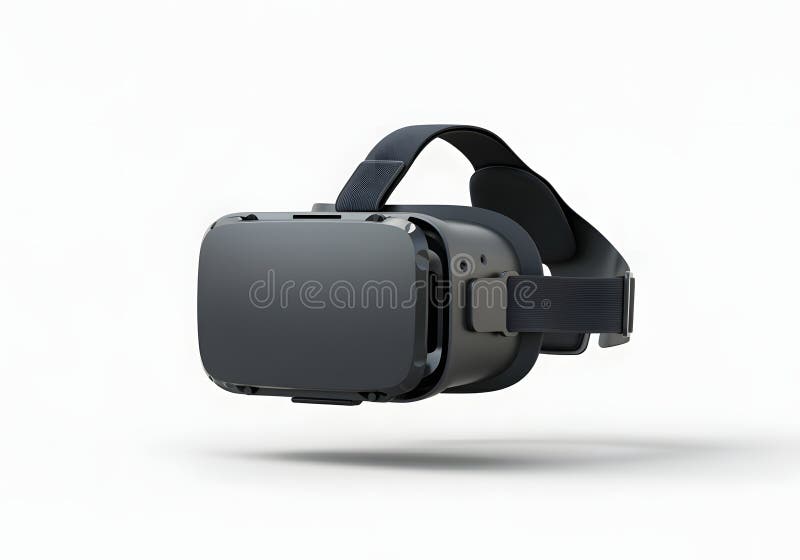
Free with trial A VR headset with a sleek, modern design, featuring a black and gray color scheme. It includes a comfortable, adjustable head strap and a smooth, rounded visor. The headset has multiple ports and button controls, designed for immersive virtual reality experiences. The robust build and minimalist aesthetic reflect advanced technology and user-friendly functionality. Button functionality vectors A VR headset with a sleek, modern design. Featuring a black and gray color scheme. It includes a comfortable, adjustable head strap and a smooth, rounded visor. A VR headset with a sleek, modern design, featuring a black and gray color scheme. It includes a comfortable, adjustable head strap and a smooth, rounded visor. The headset has multiple ports and button controls, designed for immersive virtual reality experiences. The robust build and minimalist aesthetic reflect advanced technology and user-friendly functionality.
Free with trial Female avatar inside a circular icon, magnifying glass symbol, and Send button. Ideal for user profile, search function, communication, exploration, online navigation, digital interaction or simple. Button functionality illustrations User Profile Search with Magnifying Glass and Send Button for Communication or Navigation. Female avatar inside a circular icon, magnifying glass symbol, and. Female avatar inside a circular icon, magnifying glass symbol, and Send button. Ideal for user profile, search function, communication, exploration, online navigation, digital interaction or simple
Free with trial A digital of a drone remote control featuring a sleek, black rectangular design with rounded edges. It includes two control sticks, a central power button, and labeled buttons for "Take Off" and "Landing. " A prominent antenna extends from the top, and there is space for additional controls or a display screen. The overall design emphasizes functionality and ease of use, typical of remote controls used in consumer drones for aerial photography or recreational flying. Button functionality illustrations Control featuring a sleek, black rectangular design with rounded. A digital of a drone remote control featuring a sleek, black rectangular design with rounded. A digital of a drone remote control featuring a sleek, black rectangular design with rounded edges. It includes two control sticks, a central power button, and labeled buttons for "Take Off" and "Landing." A prominent antenna extends from the top, and there is space for additional controls or a display screen. The overall design emphasizes functionality and ease of use, typical of remote controls used in consumer drones for aerial photography or recreational flying.
Free with trial This image depicts a basic wireframe layout for a software application form, showcasing various input fields, checkboxes, and a submit button. It represents an early stage in user interface design, focusing on structure and functionality before visual design elements are applied. Button functionality vectors User interface design wireframe for a software application form. This image depicts a basic wireframe layout for a software application form, showcasing various. This image depicts a basic wireframe layout for a software application form, showcasing various input fields, checkboxes, and a submit button. It represents an early stage in user interface design, focusing on structure and functionality before visual design elements are applied
Free with trial A sleek, modern smart doorbell installed on a door frame. It features a circular button with a surrounding LED light, indicating activation. Below the button, a small camera lens is visible, suggesting video capability. The device is housed in a rectangular black casing with subtle ventilation slots, and is mounted on a textured, dark wooden surface. This design combines functionality with minimalist aesthetics, suitable for contemporary home security systems. Button functionality illustrations Ectangular black casing with subtle ventilation slots, and is. A sleek, modern smart doorbell installed on a door frame. It features a circular button with a. A sleek, modern smart doorbell installed on a door frame. It features a circular button with a surrounding LED light, indicating activation. Below the button, a small camera lens is visible, suggesting video capability. The device is housed in a rectangular black casing with subtle ventilation slots, and is mounted on a textured, dark wooden surface. This design combines functionality with minimalist aesthetics, suitable for contemporary home security systems.
Free with trial This image showcases a modern smartphone with a minimalist design, featuring a circular home button that is illuminated in blue. The phone is connected to a charging cable, which is plugged into the bottom of the device. The phone appears to have a metallic frame, a large display, and a clean, uncluttered back surface. The charging cable is positioned to the right side of the phone, indicating it. Button functionality illustrations Sleek smartphone with illuminated home button and charging cable. This image showcases a modern smartphone with a minimalist design, featuring a circular home. This image showcases a modern smartphone with a minimalist design, featuring a circular home button that is illuminated in blue. The phone is connected to a charging cable, which is plugged into the bottom of the device. The phone appears to have a metallic frame, a large display, and a clean, uncluttered back surface. The charging cable is positioned to the right side of the phone, indicating it
 Sign in