Free with trial The image displays a car key fob featuring a sleek black design with three lock buttons and a prominent red panic button labeled 'PANIC'. The key fob is attached to a set of metallic car keys via a metal keyring. The key fob also includes a 'TRUNK VALVE' button, indicating its functionality for modern vehicle access and security systems. Button functionality illustrations Car key fob with panic button and attached keychain for vehicle security isolated on white background. The image displays a car key fob featuring a sleek black. The image displays a car key fob featuring a sleek black design with three lock buttons and a prominent red panic button labeled 'PANIC'. The key fob is attached to a set of metallic car keys via a metal keyring. The key fob also includes a 'TRUNK VALVE' button, indicating its functionality for modern vehicle access and security systems
Free with trial Black and white of a stopwatch with a circular face and a single hand pointing to the 1 o'clock position. The stopwatch features minute and second markers along its edge. A rectangular button on top suggests functionality for starting or stopping the timer. Simple, minimalist design emphasizes clarity. Button functionality illustrations The stopwatch features minute and second markers along its edge. Black and white of a stopwatch with a circular face and a single hand pointing to the 1 o'clock. Black and white of a stopwatch with a circular face and a single hand pointing to the 1 o'clock position. The stopwatch features minute and second markers along its edge. A rectangular button on top suggests functionality for starting or stopping the timer. Simple, minimalist design emphasizes clarity.
Free with trial Copy Button Outline Vector Icon. Copy Button Modern Outline Style Icon Design. Button functionality vectors Copy Button Outline Vector Icon. Copy Button Modern Outline Style Icon Design
Free with trial Black and white of a closed wallet with a snap button closure. The wallet features simple stitching along the edges, indicating its construction. The design shows multiple compartments visible from the side, suggesting functionality for holding various items. The minimalist style and clean lines give it a straightforward and practical look, suited for everyday use. Button functionality illustrations Style and clean lines give it a straightforward and practical look,. Black and white of a closed wallet with a snap button closure. The wallet features simple. Black and white of a closed wallet with a snap button closure. The wallet features simple stitching along the edges, indicating its construction. The design shows multiple compartments visible from the side, suggesting functionality for holding various items. The minimalist style and clean lines give it a straightforward and practical look, suited for everyday use.
Free with trial A black icon featuring a plus sign within a horizontally elongated rhombus shape, offering a sleek and modern add button. This geometric design is perfect for contemporary user interfaces, dashboards with specific aspect ratios, or any application that seeks to combine clear functionality with a distinct and stylish visual form. Elegant and functional, vector design Generative AI. Button functionality vectors Plus sign in horizontal rhombus, sleek add button, vector design Generative AI. A black icon featuring a plus sign within a horizontally elongated rhombus shape. A black icon featuring a plus sign within a horizontally elongated rhombus shape, offering a sleek and modern add button. This geometric design is perfect for contemporary user interfaces, dashboards with specific aspect ratios, or any application that seeks to combine clear functionality with a distinct and stylish visual form. Elegant and functional, vector design Generative AI
Free with trial Profile card with user details, calendar grid, circular button icon, and digital signature field. Ideal for scheduling, identity, user interface, authentication, planning organization simple flat. Button functionality illustrations User Profile with Calendar Grid, Button, and Signature Area for Multifunctional Interface Design. Profile card with user details, calendar grid, circular button. Profile card with user details, calendar grid, circular button icon, and digital signature field. Ideal for scheduling, identity, user interface, authentication, planning organization simple flat
Free with trial A black smartphone displays a minimalist home screen with white background. Three icons—speech bubble, bell with notification, and envelope—are at the center. Below are colored icons for phone (green), camera (blue), music (red), and settings (yellow), aligned horizontally. The device has a circular home button, front camera, and speaker, typical design features of older models. The layout emphasizes simplicity and functionality. Button functionality illustrations Icons for phone (green), camera (blue), music (red), and settings. A black smartphone displays a minimalist home screen with white background. Three icons—. A black smartphone displays a minimalist home screen with white background. Three icons—speech bubble, bell with notification, and envelope—are at the center. Below are colored icons for phone (green), camera (blue), music (red), and settings (yellow), aligned horizontally. The device has a circular home button, front camera, and speaker, typical design features of older models. The layout emphasizes simplicity and functionality.
Free with trial A continuous line drawing of a wallet with a strap and button closure. The design is simple and minimalist, capturing the outline of a wallet in a single, fluid stroke. The wallet appears to have multiple compartments, indicated by the layered sections. The artwork emphasizes simplicity and clarity, with a focus on functionality through an uninterrupted line. Button functionality illustrations Design is simple and minimalist, capturing the outline of a wallet. A continuous line drawing of a wallet with a strap and button closure. The design is simple. A continuous line drawing of a wallet with a strap and button closure. The design is simple and minimalist, capturing the outline of a wallet in a single, fluid stroke. The wallet appears to have multiple compartments, indicated by the layered sections. The artwork emphasizes simplicity and clarity, with a focus on functionality through an uninterrupted line.
Free with trial This image features a sleek, modern stainless steel electric kettle. The kettle has a shiny, metallic finish and a black handle and base. It is designed with a spout for easy pouring and a power button located at the bottom. The kettle is positioned against a plain white background, emphasizing its contemporary design and functionality. Button functionality illustrations Modern stainless steel electric kettle. This image features a sleek, modern stainless steel electric kettle. The kettle has a shiny, metallic finish and a black. This image features a sleek, modern stainless steel electric kettle. The kettle has a shiny, metallic finish and a black handle and base. It is designed with a spout for easy pouring and a power button located at the bottom. The kettle is positioned against a plain white background, emphasizing its contemporary design and functionality
Free with trial Sleek, modern key organizer made of brushed metal with a rectangular shape. Features a gold circular button near the top. It is placed on a reflective glass surface, creating a soft reflection. The background consists of a marble or stone-like texture with muted tones, lending a minimalistic and elegant setting. The design is streamlined, emphasizing functionality and style. Button functionality illustrations Key Organizer. Sleek, modern key organizer made of brushed metal with a rectangular shape. Features a gold circular button near the top. It is placed on a. Sleek, modern key organizer made of brushed metal with a rectangular shape. Features a gold circular button near the top. It is placed on a reflective glass surface, creating a soft reflection. The background consists of a marble or stone-like texture with muted tones, lending a minimalistic and elegant setting. The design is streamlined, emphasizing functionality and style.
Free with trial Smartwatch with a black strap and rectangular screen. Displays various fitness metrics: heart rate at 148 bpm, 278 steps, 258 calories burned, activity progress at 23%, and a distance of 0. 25 km. The icons and text are in vibrant red, green, and white against a dark background, providing clear visibility and contrast. The side button and sleek design highlight functionality and modern aesthetics, suitable for fitness tracking and daily use. Button functionality illustrations And white against a dark background, providing clear visibility. Smartwatch with a black strap and rectangular screen. Displays various fitness metrics: heart. Smartwatch with a black strap and rectangular screen. Displays various fitness metrics: heart rate at 148 bpm, 278 steps, 258 calories burned, activity progress at 23%, and a distance of 0.25 km. The icons and text are in vibrant red, green, and white against a dark background, providing clear visibility and contrast. The side button and sleek design highlight functionality and modern aesthetics, suitable for fitness tracking and daily use.
Free with trial The image showcases a modern smartwatch with a white strap and a black rectangular display. The watch features a silver button on the side and is set against a clean white background, highlighting its elegant design and functionality. Button functionality illustrations A sleek white smartwatch with a black display and silver accents on a white background. The image showcases a modern smartwatch with a white strap and a black. The image showcases a modern smartwatch with a white strap and a black rectangular display. The watch features a silver button on the side and is set against a clean white background, highlighting its elegant design and functionality
Free with trial This image showcases a modern blue smartwatch with a sleek design and functional features. The watch has a square face with a black screen, surrounded by a blue frame. The strap is made of a soft, flexible material, ensuring comfort during wear. The watch features a button on the right side, adding to its functionality. The overall design is contemporary and stylish, making it a perfect accessory. Button functionality illustrations Modern blue smartwatch with sleek design and functional features. This image showcases a modern blue smartwatch with a sleek design and functional features. The. This image showcases a modern blue smartwatch with a sleek design and functional features. The watch has a square face with a black screen, surrounded by a blue frame. The strap is made of a soft, flexible material, ensuring comfort during wear. The watch features a button on the right side, adding to its functionality. The overall design is contemporary and stylish, making it a perfect accessory
Free with trial A macro-level photograph captures a large, prominent red button with the word "RESET" embossed on its surface. The button is set within a sleek, metallic control panel, suggesting a piece of high-tech equipment or a crucial control mechanism. The lighting highlights the button's smooth, curved surface and the texture of the surrounding brushed metal, creating a sense of importance and finality. It conveys a clear command to start over or return to an initial state. Button functionality illustrations Red Reset Button. A macro-level photograph captures a large, prominent red button with the word 'RESET' embossed on its surface. The button is set within a sleek. A macro-level photograph captures a large, prominent red button with the word "RESET" embossed on its surface. The button is set within a sleek, metallic control panel, suggesting a piece of high-tech equipment or a crucial control mechanism. The lighting highlights the button's smooth, curved surface and the texture of the surrounding brushed metal, creating a sense of importance and finality. It conveys a clear command to start over or return to an initial state.
Free with trial Digital alerts, media playback, communication, notifications, content streaming, user interaction. Gradient bars in warm tones with a bell and play button. Notifications and media playback concept. Button functionality vectors Notification Bell and Play Button Symbols with Gradient Color Bars in Retro Design Style. Digital alerts, media playback, communication, notifications, content. Digital alerts, media playback, communication, notifications, content streaming, user interaction. Gradient bars in warm tones with a bell and play button. Notifications and media playback concept
Free with trial Ai-themed interface design with prominent generate button. ideal for enhancing ai user interaction. Button functionality vectors Ai interface with generate button for artificial intelligence user experience design. Ai-themed interface design with prominent generate button. ideal for. Ai-themed interface design with prominent generate button. ideal for enhancing ai user interaction.
Free with trial A minimalist black-and-white line drawing of a closed wallet with a strap and button closure. The design is set against a plain white background, framed by four rounded corner marks, suggesting it could be used as an icon or symbol. The wallet's simple linear style emphasizes functionality and classic design. Button functionality illustrations Black-and-white line drawing of a closed wallet with a strap. A minimalist black-and-white line drawing of a closed wallet with a strap and button closure. The. A minimalist black-and-white line drawing of a closed wallet with a strap and button closure. The design is set against a plain white background, framed by four rounded corner marks, suggesting it could be used as an icon or symbol. The wallet's simple linear style emphasizes functionality and classic design.
Free with trial This image features a red leather key holder with a key ring attached. The key holder is designed with a flap and a button closure. The background of the image is white, and the image itself has a transparent background, making it suitable for various design applications. The key holder is the central focus of the image, providing a clear and detailed view of its design and functionality. Button functionality illustrations Red leather key holder isolated on white background. This image features a red leather key holder with a key ring attached. The key holder is designed with a. This image features a red leather key holder with a key ring attached. The key holder is designed with a flap and a button closure. The background of the image is white, and the image itself has a transparent background, making it suitable for various design applications. The key holder is the central focus of the image, providing a clear and detailed view of its design and functionality
Free with trial A dark gray phone case and a clear screen protector are displayed side by side on a light background. The phone case features a camera hole and button cutouts, indicating a design for protection and functionality. The screen protector is transparent, suggesting it is intended to safeguard the screen from scratches and damage. Both items appear to be for a smartphone, offering practical accessories for users. Button functionality illustrations Appear to be for a smartphone, offering practical accessories. A dark gray phone case and a clear screen protector are displayed side by side on a light. A dark gray phone case and a clear screen protector are displayed side by side on a light background. The phone case features a camera hole and button cutouts, indicating a design for protection and functionality. The screen protector is transparent, suggesting it is intended to safeguard the screen from scratches and damage. Both items appear to be for a smartphone, offering practical accessories for users.
Free with trial A simple, black play button icon inside a circle is centered on a white background. The play button is represented by a right-facing triangle. The design is minimalistic, using thin lines to form the shapes. This icon is commonly used to indicate media playback functionality in digital interfaces. Button functionality illustrations The design is minimalistic, using thin lines to form the shapes. A simple, black play button icon inside a circle is centered on a white background. The play. A simple, black play button icon inside a circle is centered on a white background. The play button is represented by a right-facing triangle. The design is minimalistic, using thin lines to form the shapes. This icon is commonly used to indicate media playback functionality in digital interfaces.
Free with trial A blue play button icon on a white background, commonly used for multimedia content, representing the start of playback or action, with a clean and modern design aesthetic. Button functionality vectors A blue play button icon on a white background for multimedia content. A blue play button icon on a white background, commonly used for multimedia content. A blue play button icon on a white background, commonly used for multimedia content, representing the start of playback or action, with a clean and modern design aesthetic.
Free with trial Silver laptop with black screen and keyboard, accompanied by a wired black computer mouse and a blue USB flash drive. The laptop features a trackpad centered below the keyboard. The USB flash drive is upright, highlighting its compact design. The mouse has a single button and a scroll wheel, with its cable extending to the right. All objects are set against a plain white background, emphasizing their modern design and functionality. Button functionality illustrations White background, emphasizing their modern design and functionalit. Silver laptop with black screen and keyboard, accompanied by a wired black computer mouse and. Silver laptop with black screen and keyboard, accompanied by a wired black computer mouse and a blue USB flash drive. The laptop features a trackpad centered below the keyboard. The USB flash drive is upright, highlighting its compact design. The mouse has a single button and a scroll wheel, with its cable extending to the right. All objects are set against a plain white background, emphasizing their modern design and functionality.
Free with trial Modern hydrogen generator in a kitchen setting. Features a sleek design with a digital display indicating "H₂ Purity: 99. 99%" and a flow rate of "500 ml min". The device has an 'On Off' touch button. A transparent chamber next to the display shows water with bubbles, indicating hydrogen production. The kitchen counter in the background is subtle with a stovetop visible. The device combines functionality with an aesthetic modern look, emphasizing clean energy technology. Button functionality illustrations Nctionality with an aesthetic modern look, emphasizing clean energy. Modern hydrogen generator in a kitchen setting. Features a sleek design with a digital. Modern hydrogen generator in a kitchen setting. Features a sleek design with a digital display indicating "H₂ Purity: 99.99%" and a flow rate of "500 ml min". The device has an 'On Off' touch button. A transparent chamber next to the display shows water with bubbles, indicating hydrogen production. The kitchen counter in the background is subtle with a stovetop visible. The device combines functionality with an aesthetic modern look, emphasizing clean energy technology.
Free with trial This image shows a sleek, compact smart speaker with a vibrant yellow and white color scheme. The device features a rounded, cube-like shape with a prominent circular button in the center, likely used for voice control or power management. Its minimalist design suggests functionality in a modern, smart home environment. Button functionality illustrations Modern yellow smart speaker with minimalist design and circular center button. This image shows a sleek, compact smart speaker with a vibrant yellow and white. This image shows a sleek, compact smart speaker with a vibrant yellow and white color scheme. The device features a rounded, cube-like shape with a prominent circular button in the center, likely used for voice control or power management. Its minimalist design suggests functionality in a modern, smart home environment
Free with trial Elegant rectangular gray gift box with a textured fabric exterior. The closure features a natural wooden button, fastened with a cord, adding a rustic charm. The box has a clean, minimalist design with precise edges. Ideal for presenting gifts, it combines functionality with an aesthetically pleasing look, making it suitable for various occasions. The textured surface provides a sophisticated contrast to the smooth button, elevating its overall appearance. Button functionality illustrations Elegant gray gift box with wooden button closure and textured exterior design. Elegant rectangular gray gift box with a textured fabric exterior. The closure. Elegant rectangular gray gift box with a textured fabric exterior. The closure features a natural wooden button, fastened with a cord, adding a rustic charm. The box has a clean, minimalist design with precise edges. Ideal for presenting gifts, it combines functionality with an aesthetically pleasing look, making it suitable for various occasions. The textured surface provides a sophisticated contrast to the smooth button, elevating its overall appearance.
Free with trial A sleek, futuristic USB hub with a glowing power button and LED lighting accents is displayed on a gradient background, showcasing its compact design, multiple ports, and vibrant illumination for enhanced visibility and aesthetic appeal. The device features a smooth, rounded shape with a central power button that emits a soft glow, while the edges are lined with LED lights that create a dynamic. Button functionality illustrations Modern glowing USB hub with illuminated power button and LED accents. A sleek, futuristic USB hub with a glowing power button and LED lighting accents is. A sleek, futuristic USB hub with a glowing power button and LED lighting accents is displayed on a gradient background, showcasing its compact design, multiple ports, and vibrant illumination for enhanced visibility and aesthetic appeal. The device features a smooth, rounded shape with a central power button that emits a soft glow, while the edges are lined with LED lights that create a dynamic
Free with trial This image features a sleek, modern smartwatch with a black strap and a dark display. The smartwatch has a single button on the right side and is set against a transparent background, making it stand out prominently. The image is ideal for showcasing the smartwatch's design and functionality. Button functionality illustrations Smartwatch isolated on white background. This image features a sleek, modern smartwatch with a black strap and a dark display. The smartwatch has a single button. This image features a sleek, modern smartwatch with a black strap and a dark display. The smartwatch has a single button on the right side and is set against a transparent background, making it stand out prominently. The image is ideal for showcasing the smartwatch's design and functionality
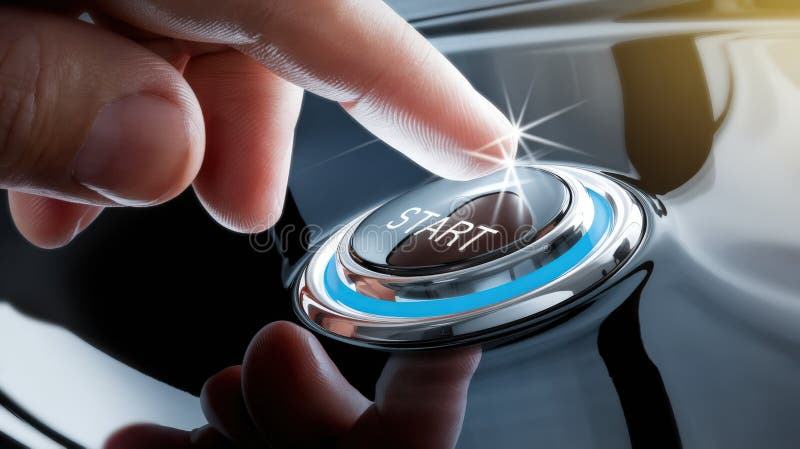
Free with trial Close-up of a finger pressing the START button on a modern device with a shiny surface. Button functionality illustrations Close-up of a finger pressing the START button on a modern device with a shiny surface.
Free with trial A hand pressing a bright red button on a modern control panel, symbolizing power and control in technology and innovation, Generative AI. Button functionality illustrations Hand pressing a bright red button on a modern control panel, symbolizing power and control in technology and innovation. A hand pressing a bright red button on a. A hand pressing a bright red button on a modern control panel, symbolizing power and control in technology and innovation, Generative AI
Free with trial The image shows a modern, white tablet device placed on a plain surface. The tablet appears to have a minimalist design with rounded edges and a clean, uncluttered front screen, reflecting a sleek and professional aesthetic. The device has a single home button located at the bottom center of the screen, and the overall build suggests a focus on simplicity and functionality. Button functionality illustrations Sleek white tablet device positioned on a flat surface with a minimalist design. The image shows a modern, white tablet device placed on a plain surface. The. The image shows a modern, white tablet device placed on a plain surface. The tablet appears to have a minimalist design with rounded edges and a clean, uncluttered front screen, reflecting a sleek and professional aesthetic. The device has a single home button located at the bottom center of the screen, and the overall build suggests a focus on simplicity and functionality
Free with trial This image features a sleek, white stylus pen set against a transparent background. The stylus pen is depicted in a diagonal position, showcasing its design and functionality. Ideal for digital artists and designers, the pen has a smooth finish and a button near the tip. The image is SEO-friendly and suitable for various design and tech-related applications. Button functionality illustrations White stylus pen isolated on white background. This image features a sleek, white stylus pen set against a transparent background. The stylus pen is depicted in. This image features a sleek, white stylus pen set against a transparent background. The stylus pen is depicted in a diagonal position, showcasing its design and functionality. Ideal for digital artists and designers, the pen has a smooth finish and a button near the tip. The image is SEO-friendly and suitable for various design and tech-related applications
Free with trial This image showcases a sophisticated grey suit jacket featuring a classic two-button design. The jacket has a subtle pinstripe pattern, notched lapels, and a slightly textured fabric. It includes two flap pockets on the chest and a single vent on the back, providing both style and functionality for formal occasions. The jacket appears to be made from a high-quality material, suitable for business. Button functionality illustrations Elegant grey two-button suit jacket with subtle pinstripes and notched lapels. This image showcases a sophisticated grey suit jacket featuring a classic two. This image showcases a sophisticated grey suit jacket featuring a classic two-button design. The jacket has a subtle pinstripe pattern, notched lapels, and a slightly textured fabric. It includes two flap pockets on the chest and a single vent on the back, providing both style and functionality for formal occasions. The jacket appears to be made from a high-quality material, suitable for business
Free with trial Cylindrical camping lantern with a sleek, metallic finish. It features a central frosted glass or plastic panel surrounded by a metal frame. The lantern has vertical grips on either side and a circular button at the front for operation. The overall design is modern, combining both functionality and style, suitable for camping or outdoor use. The top and bottom sections are solid metal, adding durability. Button functionality illustrations Camping Lantern. Cylindrical camping lantern with a sleek, metallic finish. It features a central frosted glass or plastic panel surrounded by a metal frame. The. Cylindrical camping lantern with a sleek, metallic finish. It features a central frosted glass or plastic panel surrounded by a metal frame. The lantern has vertical grips on either side and a circular button at the front for operation. The overall design is modern, combining both functionality and style, suitable for camping or outdoor use. The top and bottom sections are solid metal, adding durability.
Free with trial Digital marketing, ecommerce, communication, mobile applications, technology, online transactions. Smartphone interface with chat bubble and icons next to a send button concept. Digital marketing. Button functionality vectors Digital Communication and Messaging Solutions Concept with Smartphone Interface and Send Button. Digital marketing, ecommerce, communication, mobile applications. Digital marketing, ecommerce, communication, mobile applications, technology, online transactions. Smartphone interface with chat bubble and icons next to a send button concept. Digital marketing
Free with trial A digital of a solar-powered fan. The fan features a circular base with a small solar panel and a power button. The fan head consists of multiple blades enclosed in a wire cage, oriented to direct airflow. The design is outlined in black with shades of blue, giving a modern and efficient appearance. The simple and clean style suggests functionality focused on eco-friendly energy use. Button functionality illustrations Design is outlined in black with shades of blue, giving a modern and. A digital of a solar-powered fan. The fan features a circular base with a small solar panel. A digital of a solar-powered fan. The fan features a circular base with a small solar panel and a power button. The fan head consists of multiple blades enclosed in a wire cage, oriented to direct airflow. The design is outlined in black with shades of blue, giving a modern and efficient appearance. The simple and clean style suggests functionality focused on eco-friendly energy use.
Free with trial Illustration of a video game controller features a classic layout. It includes a left joystick and a directional pad on the left, with a right joystick on the opposite side. The center has a start button and a select button, and four circular buttons on the right in red, blue, yellow, and green. The controller is white, with black outlines and detailing, typical of modern gaming devices. The design is straightforward, emphasizing functionality and simplicity. Button functionality illustrations Is white, with black outlines and detailing, typical of modern gaming. Illustration of a video game controller features a classic layout. It includes a left. Illustration of a video game controller features a classic layout. It includes a left joystick and a directional pad on the left, with a right joystick on the opposite side. The center has a start button and a select button, and four circular buttons on the right in red, blue, yellow, and green. The controller is white, with black outlines and detailing, typical of modern gaming devices. The design is straightforward, emphasizing functionality and simplicity.
Free with trial A black winter jacket with a faux fur-lined hood. It features a front zipper and snap button closure, four flap pockets with button closures, and decorative stitching. The jacket has adjustable straps near the hood and snap-button cuffs. The material appears to be a sturdy, weather-resistant fabric. The design combines functionality with a stylish, versatile look suitable for cold weather. Button functionality illustrations Mock up black winter jacket with a faux fur-lined hood. A black winter jacket with a faux fur-lined hood. It features a front zipper and snap button closure. A black winter jacket with a faux fur-lined hood. It features a front zipper and snap button closure, four flap pockets with button closures, and decorative stitching. The jacket has adjustable straps near the hood and snap-button cuffs. The material appears to be a sturdy, weather-resistant fabric. The design combines functionality with a stylish, versatile look suitable for cold weather.
Free with trial A prominent square icon, universally recognized as the stop button for media playback. Essential for audio and video players, recording software, and presentation tools. Provides clear functionality for terminating media, ensuring full user control over content, vector design Generative AI. Button functionality vectors Stop Media Playback Icon for Audio and Video Controls, vector design Generative AI. A prominent square icon, universally recognized as the stop button for media. A prominent square icon, universally recognized as the stop button for media playback. Essential for audio and video players, recording software, and presentation tools. Provides clear functionality for terminating media, ensuring full user control over content, vector design Generative AI
Free with trial A set of three standard metal keys is attached to a keychain featuring a small white rectangular device. The device includes a solar panel and a circular button. The keys and keychain are linked by a metal ring. The background is a light pastel green, providing a simple and clean context. The image presents a modern, practical everyday object combination, emphasizing functionality with the inclusion of solar technology. Button functionality illustrations Metal keys is attached to a keychain featuring a small white. A set of three standard metal keys is attached to a keychain featuring a small white rectangular. A set of three standard metal keys is attached to a keychain featuring a small white rectangular device. The device includes a solar panel and a circular button. The keys and keychain are linked by a metal ring. The background is a light pastel green, providing a simple and clean context. The image presents a modern, practical everyday object combination, emphasizing functionality with the inclusion of solar technology.
Free with trial A hand is gently pressing a contemporary white button on a clean surface, emphasizing modern aesthetics and minimalism, with ample copy space available. Button functionality illustrations Hand pressing a modern white button on a smooth surface, showcasing sleek design and minimalism, with copy space for text or. A hand is gently pressing a. A hand is gently pressing a contemporary white button on a clean surface, emphasizing modern aesthetics and minimalism, with ample copy space available
Free with trial The image shows a sleek, spherical device with a prominent blue button labeled 'GPS' on its surface. The design is minimalistic, featuring a gradient background with a white base and a black top, giving it a futuristic look. The button stands out clearly, indicating the device’s GPS capabilities. Button functionality illustrations Modern spherical device highlighting gps functionality with illuminated button. The image shows a sleek, spherical device with a prominent blue button labeled '. The image shows a sleek, spherical device with a prominent blue button labeled 'GPS' on its surface. The design is minimalistic, featuring a gradient background with a white base and a black top, giving it a futuristic look. The button stands out clearly, indicating the device’s GPS capabilities
Free with trial Illustration of a digital dog food bowl featuring a light blue container with a stylized bone icon. The bowl appears above a base with a solar panel design. Beneath the bowl are rotating blades or fans, depicted with motion lines, suggesting airflow or movement. The base has a small "ON" button, indicating functionality. The design combines elements of technology and pet care, emphasizing a futuristic concept. Button functionality illustrations Design. Beneath the bowl are rotating blades or fans, depicted with. Illustration of a digital dog food bowl featuring a light blue container with a stylized. Illustration of a digital dog food bowl featuring a light blue container with a stylized bone icon. The bowl appears above a base with a solar panel design. Beneath the bowl are rotating blades or fans, depicted with motion lines, suggesting airflow or movement. The base has a small "ON" button, indicating functionality. The design combines elements of technology and pet care, emphasizing a futuristic concept.
Free with trial Close up view of a single button on a cellular device, highlighting its texture and functionality ,Generative ai. Button functionality illustrations Closeup of cell phone button, a detailed exploration of texture and design in mobile technology. Close up view of a single button on a cellular device. Close up view of a single button on a cellular device, highlighting its texture and functionality ,Generative ai
Free with trial A compact black bicycle headlight features a built-in solar panel for charging. The front of the device has a clear lens revealing an LED bulb, designed to produce a strong beam of light. On the top, there's a circular button for power or mode adjustment. The sleek rectangular design highlights a combination of functionality and portability, making it suitable for eco-friendly lighting solutions. Button functionality illustrations Device has a clear lens revealing an LED bulb, designed to produce a. A compact black bicycle headlight features a built-in solar panel for charging. The front. A compact black bicycle headlight features a built-in solar panel for charging. The front of the device has a clear lens revealing an LED bulb, designed to produce a strong beam of light. On the top, there's a circular button for power or mode adjustment. The sleek rectangular design highlights a combination of functionality and portability, making it suitable for eco-friendly lighting solutions.
Free with trial This image depicts a close-up view of a circular, metallic button featuring an intricate grid design in the center. The button has a rugged, industrial look with a textured surface and additional smaller elements around the perimeter, giving it a high-tech, almost retro-futuristic appearance. The overall design suggests functionality combined with aesthetic appeal, possibly indicative of a control. Button functionality illustrations Futuristic metallic button with intricate grid and circular design elements isolated on white background. This image depicts a close-up view of a circular. This image depicts a close-up view of a circular, metallic button featuring an intricate grid design in the center. The button has a rugged, industrial look with a textured surface and additional smaller elements around the perimeter, giving it a high-tech, almost retro-futuristic appearance. The overall design suggests functionality combined with aesthetic appeal, possibly indicative of a control
Free with trial Blue wallet illustration with a simple, clean design. The wallet appears closed, featuring a curved flap secured by a tan strap with a button. Its shape is rectangular with smooth edges. The color scheme is primarily pastel blue and beige, giving a minimalist and modern look. The outlines are bold, adding a graphic, cartoon-like quality to the image. The wallet suggests functionality and style, ideal for secure financial transactions. Button functionality vectors Stylish blue wallet for secure financial transactions today. Blue wallet illustration with a simple, clean design. The wallet appears closed, featuring a curved. Blue wallet illustration with a simple, clean design. The wallet appears closed, featuring a curved flap secured by a tan strap with a button. Its shape is rectangular with smooth edges. The color scheme is primarily pastel blue and beige, giving a minimalist and modern look. The outlines are bold, adding a graphic, cartoon-like quality to the image. The wallet suggests functionality and style, ideal for secure financial transactions.
Free with trial A digital illustration of a tablet with a stylus on a white background. The tablet has a black frame, a central circular button, and a front-facing camera. The stylus features a gray body with orange and teal accents, positioned diagonally across the screen. The minimalist design emphasizes functionality and modern aesthetics, suitable for digital art or note-taking. Button functionality illustrations A digital illustration of a tablet with a stylus on a white background. The tablet has a black frame, a central circular button, and a front-facing camera. The
Free with trial Button red buttons illustration sleek minimalist, modern electronic, color monochromatic button red buttons. Button functionality illustrations Button red buttons. Illustration sleek minimalist, modern electronic, color monochromatic AI generated. button red buttons illustration sleek minimalist, modern electronic, color monochromatic button red buttons
Free with trial A clean, white wallet with a simple button closure is depicted in a minimalist vector illustration, showcasing its sleek design and compact size against a plain background. The wallet appears to be made of smooth material with subtle stitching details along the edges, emphasizing its modern and functional aesthetic. Button functionality illustrations White wallet with button closure, minimalist design, vector illustration. A clean, white wallet with a simple button closure is depicted in a minimalist vector. A clean, white wallet with a simple button closure is depicted in a minimalist vector illustration, showcasing its sleek design and compact size against a plain background. The wallet appears to be made of smooth material with subtle stitching details along the edges, emphasizing its modern and functional aesthetic
Free with trial Vibrant flowers in bloom, a bold play button, and a shopping cart icon blended in a modern style. Ideal for nature, media, e-commerce, digital marketing, online services innovation minimalism. Flat. Button functionality vectors Blooming Flowers, Play Button, and Shopping Cart Icon in Minimalist Design. Vibrant flowers in bloom, a bold play button, and a shopping cart icon blended in a. Vibrant flowers in bloom, a bold play button, and a shopping cart icon blended in a modern style. Ideal for nature, media, e-commerce, digital marketing, online services innovation minimalism. Flat
Free with trial Black speaker icon with a minus sign to the right, set against a white background. The speaker graphic features a large triangle pointing left, symbolizing sound output, while the minus sign indicates volume reduction or mute functionality. Minimalist design commonly used in digital interfaces for sound control. Button functionality illustrations Volume low Button. Black speaker icon with a minus sign to the right, set against a white background. The speaker graphic features a large triangle pointing left. Black speaker icon with a minus sign to the right, set against a white background. The speaker graphic features a large triangle pointing left, symbolizing sound output, while the minus sign indicates volume reduction or mute functionality. Minimalist design commonly used in digital interfaces for sound control.
Free with trial Illustration of a wooden birdhouse featuring a slanted roof with a circular solar panel. The front has a round camera lens positioned above a small button. The structure is simple, emphasizing functionality and integration of technology for monitoring or capturing of avian visitors. It's designed to blend traditional design with modern features. Button functionality illustrations And integration of technology for monitoring or capturing of avian. Illustration of a wooden birdhouse featuring a slanted roof with a circular solar panel. The. Illustration of a wooden birdhouse featuring a slanted roof with a circular solar panel. The front has a round camera lens positioned above a small button. The structure is simple, emphasizing functionality and integration of technology for monitoring or capturing of avian visitors. It's designed to blend traditional design with modern features.
Free with trial A compact, rectangular, black electronic device featuring a grid-patterned solar panel on top. It has rounded edges and includes a power button symbol on the side. The design suggests functionality for solar-powered charging or energy storage, indicative of portable solar technology. Button functionality illustrations Solar-powered charging or energy storage, indicative of portable. A compact, rectangular, black electronic device featuring a grid-patterned solar panel on top. A compact, rectangular, black electronic device featuring a grid-patterned solar panel on top. It has rounded edges and includes a power button symbol on the side. The design suggests functionality for solar-powered charging or energy storage, indicative of portable solar technology.
Free with trial Power Symbol Icon Black Circular Line with Switch On and Off Digital Interface Sign for Control and Functionality. AI generated. Button functionality illustrations Power Symbol Icon Black Circular Line with Switch On and Off Digital Interface Sign for Control and Functionality. AI generated
Free with trial A modern white hair dryer is positioned on a white surface with a subtle grey gradient. The appliance features black accents on the nozzle and rear vent, along with a prominent red power button and a smaller black switch. The power cord is visible, extending from the handle. The design is sleek and contemporary, highlighting its functionality as a personal grooming tool. Button functionality illustrations Modern White Hair Dryer with Black Accents and Red Button on White Background hairdryer. A modern white hair dryer is positioned on a white surface with a subtle. A modern white hair dryer is positioned on a white surface with a subtle grey gradient. The appliance features black accents on the nozzle and rear vent, along with a prominent red power button and a smaller black switch. The power cord is visible, extending from the handle. The design is sleek and contemporary, highlighting its functionality as a personal grooming tool
Free with trial A sleek black power bank is positioned beside a USB charging cable with a USB-A and a USB-C connector. The power bank features a power button and LED indicator. The cable is black with USB symbols on the connectors. The background is a light green, providing a neutral contrast to the dark devices, while the arrangement suggests functionality and preparedness for charging electronic devices. Button functionality illustrations Displayed on the cart's screen, suggesting interactive and automated. A sleek black power bank is positioned beside a USB charging cable with a USB-A and a USB-C. A sleek black power bank is positioned beside a USB charging cable with a USB-A and a USB-C connector. The power bank features a power button and LED indicator. The cable is black with USB symbols on the connectors. The background is a light green, providing a neutral contrast to the dark devices, while the arrangement suggests functionality and preparedness for charging electronic devices.
Free with trial A digital illustration shows a solar-powered hanging lamp. The design features a rectangular solar panel on top supported by four slim metallic legs. A glowing spherical bulb hangs beneath the panel, connected by a cable. A power button is visible on the panel. The lamp blends futuristic aesthetics with practical solar technology, emphasizing renewable energy use. The background is white, highlighting the lamp's modern design and functionality. Button functionality illustrations Design features a rectangular solar panel on top supported by four slim metalli. A digital illustration shows a solar-powered hanging lamp. The design features a. A digital illustration shows a solar-powered hanging lamp. The design features a rectangular solar panel on top supported by four slim metallic legs. A glowing spherical bulb hangs beneath the panel, connected by a cable. A power button is visible on the panel. The lamp blends futuristic aesthetics with practical solar technology, emphasizing renewable energy use. The background is white, highlighting the lamp's modern design and functionality.
Free with trial Various designs of search bars, displayed in a grid pattern. Each search bar is slightly different, with variations in color, button placement, and style. The search icons are prominent on each bar, providing a focal point for functionality. The colors used are shades of pink and brown, creating a cohesive visual theme. These elements suggest digital interface components, possibly for web design or software development. The background is a clean, light beige. Button functionality illustrations Minimalist Peach Search Bar Interface. Various designs of search bars, displayed in a grid pattern. Each search bar is slightly different, with variations in. Various designs of search bars, displayed in a grid pattern. Each search bar is slightly different, with variations in color, button placement, and style. The search icons are prominent on each bar, providing a focal point for functionality. The colors used are shades of pink and brown, creating a cohesive visual theme. These elements suggest digital interface components, possibly for web design or software development. The background is a clean, light beige.
Free with trial Illustration of a wall-mounted air conditioning unit. The design features a sleek, rectangular shape with a front vent and control panel. The casing is primarily white with subtle gray accents. Two small indicator lights are visible on the left, while a larger green button is on the right. Simple, minimalistic design suggests modern technological functionality for efficient cooling or heating in residential or office spaces. Suitable for indoor climate regulation. Button functionality illustrations Design features a sleek, rectangular shape with a front vent and control. Illustration of a wall-mounted air conditioning unit. The design features a sleek. Illustration of a wall-mounted air conditioning unit. The design features a sleek, rectangular shape with a front vent and control panel. The casing is primarily white with subtle gray accents. Two small indicator lights are visible on the left, while a larger green button is on the right. Simple, minimalistic design suggests modern technological functionality for efficient cooling or heating in residential or office spaces. Suitable for indoor climate regulation.
Free with trial A stylish brown leather wallet featuring a gold zipper for secure closure and a single gold button for added elegance. The wallet is designed with multiple card slots and a central compartment for cash, offering both functionality and sophistication. Button functionality illustrations Brown leather wallet with a gold zipper and a single gold button closure isolated on transparent background, isolated on white. A stylish brown leather wallet. A stylish brown leather wallet featuring a gold zipper for secure closure and a single gold button for added elegance. The wallet is designed with multiple card slots and a central compartment for cash, offering both functionality and sophistication
Free with trial Modern minimalist architecture features rectangular buildings with flat roofs. Walls are smooth and light gray with sparse darker patches resembling bricks. A white security sensor with a blue button is mounted on the foreground wall. Windows are black-framed, and a single black door is visible. The setting conveys a sense of simplicity and functionality. The background includes a clear blue sky and green ground, providing contrast to the buildings' muted tones. Button functionality illustrations Minimalist architecture features rectangular buildings with flat. Modern minimalist architecture features rectangular buildings with flat roofs. Walls are smooth. Modern minimalist architecture features rectangular buildings with flat roofs. Walls are smooth and light gray with sparse darker patches resembling bricks. A white security sensor with a blue button is mounted on the foreground wall. Windows are black-framed, and a single black door is visible. The setting conveys a sense of simplicity and functionality. The background includes a clear blue sky and green ground, providing contrast to the buildings' muted tones.
Free with trial Three leather wallets are displayed on a pastel-colored background. The wallets are arranged diagonally and differ in color: mustard yellow, navy blue, and salmon pink. Each wallet has a simple design with a button snap closure. The background features geometric shapes in light blue, peach, and white, adding to the minimalist and modern aesthetic. The wallets appear compact and are likely designed for essentials, emphasizing style and functionality. Button functionality illustrations Generated using AI.Three leather wallets are displayed on a pastel-colored background. Three leather wallets are displayed on a pastel-colored background. The. Three leather wallets are displayed on a pastel-colored background. The wallets are arranged diagonally and differ in color: mustard yellow, navy blue, and salmon pink. Each wallet has a simple design with a button snap closure. The background features geometric shapes in light blue, peach, and white, adding to the minimalist and modern aesthetic. The wallets appear compact and are likely designed for essentials, emphasizing style and functionality.
Free with trial Close up of a finger pressing the glowing start button on a modern electronic device interface, Generated by AI. Button functionality illustrations Close up of a finger pressing the glowing start button on a modern electronic device interface. Generated by AI
Free with trial Magnifying glass, video camera symbol, and Ok button in simple flat design. Ideal for search, surveillance, video analysis, confirmation, approval interface design and functionality. Simple flat. Button functionality vectors Magnifying Glass, Video Camera Symbol, and Ok Button Minimalist Design. Magnifying glass, video camera symbol, and Ok button in simple flat design. Ideal for. Magnifying glass, video camera symbol, and Ok button in simple flat design. Ideal for search, surveillance, video analysis, confirmation, approval interface design and functionality. Simple flat
Free with trial This image features a 3D rendering of a red fire alarm button with a digital display, isolated on a transparent background. The button includes a yellow emergency indicator light and a clear, readable display. Perfect for use in safety and emergency preparedness materials, this detailed image highlights the button's design and functionality. The transparent background makes it ideal for web and graphic design projects. Button functionality vectors 3d red fire alarm button with digital display isolated on transparent background. This image features a 3D rendering of a red fire alarm button with a digital. This image features a 3D rendering of a red fire alarm button with a digital display, isolated on a transparent background. The button includes a yellow emergency indicator light and a clear, readable display. Perfect for use in safety and emergency preparedness materials, this detailed image highlights the button's design and functionality. The transparent background makes it ideal for web and graphic design projects.
Free with trial Digital soil pH meter featuring two metallic probes and a rectangular body with a grid-like solar panel on top. A circular button marked "pH" and a sun icon suggest dual functionality for measuring soil acidity and light levels. The simple, handheld design is practical for gardening and agricultural use. Button functionality illustrations The simple, handheld design is practical for gardening and agricultural. Digital soil pH meter featuring two metallic probes and a rectangular body with a grid. Digital soil pH meter featuring two metallic probes and a rectangular body with a grid-like solar panel on top. A circular button marked "pH" and a sun icon suggest dual functionality for measuring soil acidity and light levels. The simple, handheld design is practical for gardening and agricultural use.
Free with trial A circular, glossy icon with a red rim and a black center. It features a white, bold triangular arrow pointing to the left, indicating a "back" or "rewind" function commonly used in digital interfaces. The color contrast and sharp design highlight its functionality as a playback or navigation button in media players or applications. ai. Button functionality illustrations A circular, glossy icon with a red rim and a black center. It features a white. Bold triangular arrow pointing to the left, indicating a 'back' or 'rewind'. A circular, glossy icon with a red rim and a black center. It features a white, bold triangular arrow pointing to the left, indicating a "back" or "rewind" function commonly used in digital interfaces. The color contrast and sharp design highlight its functionality as a playback or navigation button in media players or applications.ai.
Free with trial A digital board with a brightly glowing button in the center. Around the button, there are microchips with neon blue light accents. Innovation, electronics, device launches, and activations. Button functionality illustrations A digital board with a brightly glowing button in the center. Around the button, there are microchips with neon blue light accents. Innovation, electronics
Free with trial An illustration of a person wearing an orange and gray helmet with a visor, suggesting a futuristic or tactical design. The helmet features angular lines and shading for depth. The individual is dressed in an orange uniform with a high collar and button details. The style is simple and streamlined, emphasizing functionality and modernity. The background is plain white, focusing attention on the subject. Button functionality illustrations An illustration of a person wearing an orange and gray helmet with a visor,. Suggesting a futuristic or tactical design. The helmet features angular lines and. An illustration of a person wearing an orange and gray helmet with a visor, suggesting a futuristic or tactical design. The helmet features angular lines and shading for depth. The individual is dressed in an orange uniform with a high collar and button details. The style is simple and streamlined, emphasizing functionality and modernity. The background is plain white, focusing attention on the subject.
Free with trial Glossy blue button featuring a shopping cart icon, ideal for online shopping applications, promoting user engagement and seamless purchasing experience on smartphones. Button functionality illustrations Blue glossy buy now button with shopping cart icon, designed for online shopping platforms, enhancing user experience and. Glossy blue button featuring a. Glossy blue button featuring a shopping cart icon, ideal for online shopping applications, promoting user engagement and seamless purchasing experience on smartphones
Free with trial Download now button UI icon 3D. A 3D icon showing a download now button, ideal for apps and websites promoting digital downloads. Button functionality illustrations Download now button UI icon 3D. A 3D icon showing a download now button, ideal for apps and websites promoting digital downloads
Free with trial Black and white of a simple stopwatch. The design features a circular outer edge with evenly spaced ticks representing seconds or minutes. Two hands, one short and one long, indicate time positions. There's a small button on top used for operating the stopwatch. The entire drawing is minimalistic with clean, bold lines on a white background, conveying clarity and functionality typically associated with timing devices. Button functionality illustrations Clean, bold lines on a white background, conveying clarity and functional. Black and white of a simple stopwatch. The design features a circular outer edge with. Black and white of a simple stopwatch. The design features a circular outer edge with evenly spaced ticks representing seconds or minutes. Two hands, one short and one long, indicate time positions. There's a small button on top used for operating the stopwatch. The entire drawing is minimalistic with clean, bold lines on a white background, conveying clarity and functionality typically associated with timing devices.
Free with trial A black icon featuring a plus sign enclosed within a horizontal oval shape, serving as a wider or stretched add button. This elongated design is perfect for user interfaces where horizontal space is abundant, offering a distinct visual alternative to a circular add button. It maintains clear functionality with an adaptable form, vector design Generative AI. Button functionality vectors Plus sign within horizontal oval, stretched add button, vector design Generative AI. A black icon featuring a plus sign enclosed within a horizontal oval shape. A black icon featuring a plus sign enclosed within a horizontal oval shape, serving as a wider or stretched add button. This elongated design is perfect for user interfaces where horizontal space is abundant, offering a distinct visual alternative to a circular add button. It maintains clear functionality with an adaptable form, vector design Generative AI
Free with trial This image depicts a simple, black-and-white line drawing of an older-style smartphone. The phone has a front-facing camera positioned at the top center, a rectangular screen below it, and a circular home button at the bottom center of the front panel. The design is clean and abstract, emphasizing basic functionality without additional details. Button functionality illustrations Minimalist icon of a classic smartphone with a front-facing camera and home button. This image depicts a simple, black-and-white line drawing of an older-style. This image depicts a simple, black-and-white line drawing of an older-style smartphone. The phone has a front-facing camera positioned at the top center, a rectangular screen below it, and a circular home button at the bottom center of the front panel. The design is clean and abstract, emphasizing basic functionality without additional details
Free with trial Digital thermometer with a white plastic body and a small display screen, designed for easy temperature reading. It features a metallic probe at the tip for accurate measurement and a single button below the display for operation. The device is suitable for home or clinical use, providing quick and precise readings. The design is minimalistic, ensuring user-friendly functionality. Button functionality illustrations Digital Thermometer. With a white plastic body and a small display screen, designed for easy temperature reading. It features a metallic probe at the tip for. Digital thermometer with a white plastic body and a small display screen, designed for easy temperature reading. It features a metallic probe at the tip for accurate measurement and a single button below the display for operation. The device is suitable for home or clinical use, providing quick and precise readings. The design is minimalistic, ensuring user-friendly functionality.
Free with trial A clear outline icon of a double arrow pointing right, representing fast forward functionality, speed, and media playback control. Ideal for video players, audio apps, or presentation software. This universal graphic is perfect for indicating rapid progression and efficient content navigation, vector design Generative AI. Button functionality vectors Fast Forward Button Icon, Speed and Media Control, vector design Generative AI. A clear outline icon of a double arrow pointing right, representing fast forward. A clear outline icon of a double arrow pointing right, representing fast forward functionality, speed, and media playback control. Ideal for video players, audio apps, or presentation software. This universal graphic is perfect for indicating rapid progression and efficient content navigation, vector design Generative AI
Free with trial A box with a red button on transparent background. Button functionality illustrations A box with a red button on transparent background. A box with a red button isolated on transparent background
Free with trial A sleek, white, ceiling-mounted smoke detector with a central power button and a small red LED indicator light, designed for early fire detection in residential or commercial settings. The device features a circular, perforated design for optimal airflow and functionality, ensuring safety and reliability in modern environments. Button functionality illustrations Modern Ceiling-Mounted Smoke Detector with Power Button and LED Indicator. A sleek, white, ceiling-mounted smoke detector with a central power button and a small. A sleek, white, ceiling-mounted smoke detector with a central power button and a small red LED indicator light, designed for early fire detection in residential or commercial settings. The device features a circular, perforated design for optimal airflow and functionality, ensuring safety and reliability in modern environments
 Sign in