Free with trial A charming toy digital camera, rendered in a playful yellow and black color scheme with bright orange accents, is showcased against a clean white background. The camera features a prominent yellow lens, a flash unit, and various buttons and dials, mimicking a real camera's functionality in a child-friendly design. Button functionality illustrations Yellow and Black Toy Digital Camera with Orange Accents on a White Background children. A charming toy digital camera, rendered in a playful yellow and black. A charming toy digital camera, rendered in a playful yellow and black color scheme with bright orange accents, is showcased against a clean white background. The camera features a prominent yellow lens, a flash unit, and various buttons and dials, mimicking a real camera's functionality in a child-friendly design
Free with trial The image shows a red digital combination lock featuring a numeric keypad with numbers from 0 to 9. The lock has a metallic shackle attached to it, designed to secure objects by requiring a numeric code for access. The design focuses on functionality and security, with a clear and easy-to-read keypad layout. Button functionality illustrations Red digital combination lock with numeric keypad and shackle. The image shows a red digital combination lock featuring a numeric keypad with numbers from 0 to 9. The image shows a red digital combination lock featuring a numeric keypad with numbers from 0 to 9. The lock has a metallic shackle attached to it, designed to secure objects by requiring a numeric code for access. The design focuses on functionality and security, with a clear and easy-to-read keypad layout
Free with trial Vibrant health tracking app icon with smartwatch and smartphone. High Quality 3D illustration. Button functionality vectors Vibrant health tracking app icon with smartwatch and smartphone. High Quality 3D illustration
Free with trial The image showcases a set of oral care products against a clean white background. It includes a toothbrush with blue bristles, a clear mouthwash bottle filled with blue liquid, and a small flossing device with a blue button on top. The items are neatly arranged in a row, emphasizing their functionality for dental hygiene. Button functionality illustrations Oral Care Essentials: Toothbrush, Mouthwash Bottle, and Flosser. The image showcases a set of oral care products against a clean white background. It includes a. The image showcases a set of oral care products against a clean white background. It includes a toothbrush with blue bristles, a clear mouthwash bottle filled with blue liquid, and a small flossing device with a blue button on top. The items are neatly arranged in a row, emphasizing their functionality for dental hygiene.
Free with trial A sleek, black, oval-shaped tech device hovers above a calm water surface, creating concentric ripples. The device's smooth, glossy finish reflects the muted, warm light of the sky above. Its minimalistic design features a side button, suggesting functionality. The reflection in the water enhances the tranquil atmosphere, emphasizing the device's modern, futuristic appearance. Button functionality illustrations A sleek, black, oval-shaped tech device hovers above a calm water. Surface, creating concentric ripples. The device's smooth, glossy finish reflects the muted. A sleek, black, oval-shaped tech device hovers above a calm water surface, creating concentric ripples. The device's smooth, glossy finish reflects the muted, warm light of the sky above. Its minimalistic design features a side button, suggesting functionality. The reflection in the water enhances the tranquil atmosphere, emphasizing the device's modern, futuristic appearance.
Free with trial This image shows a classic black corded office telephone featuring a numeric keypad with buttons for numbers 0-9, symbols such as *, #, and additional function keys. The handset is connected by a coiled cord, and the phone includes a small display panel above the keypad. The design suggests functionality for both traditional and possibly basic digital communication. Button functionality illustrations Black corded office telephone with numeric keypad and handset. This image shows a classic black corded office telephone featuring a numeric keypad with buttons. This image shows a classic black corded office telephone featuring a numeric keypad with buttons for numbers 0-9, symbols such as *, #, and additional function keys. The handset is connected by a coiled cord, and the phone includes a small display panel above the keypad. The design suggests functionality for both traditional and possibly basic digital communication
Free with trial Smartwatch with a sleek, rectangular design, featuring a blank white screen ideal for app UI design mockups. The device has a shiny metallic frame and a black wristband. A side button is visible, suggesting functionality and interaction options. The background is a simple gradient of brown and gray tones, highlighting the watch's modern aesthetic. This setup is commonly used in presentations for app developers to showcase user interface designs. Button functionality illustrations Premium Smartwatch with Blank Screen Mockup for App UI Design. Smartwatch with a sleek, rectangular design, featuring a blank white screen ideal for app UI. Smartwatch with a sleek, rectangular design, featuring a blank white screen ideal for app UI design mockups. The device has a shiny metallic frame and a black wristband. A side button is visible, suggesting functionality and interaction options. The background is a simple gradient of brown and gray tones, highlighting the watch's modern aesthetic. This setup is commonly used in presentations for app developers to showcase user interface designs.
Free with trial A graphic representation of various sewing supplies including a machine, scissors, needles, thread, and a zipper. Button functionality vectors Collection of sewing tools and notions for crafting and tailoring. A graphic representation of various sewing supplies including a machine, scissors, needles. A graphic representation of various sewing supplies including a machine, scissors, needles, thread, and a zipper.
Free with trial A sleek, over-ear headphone with a built-in microphone and control buttons for volume and play pause, designed for comfort and functionality. Button functionality illustrations Modern over-ear headphones with microphone and volume control. A sleek, over-ear headphone with a built-in microphone and control buttons for volume and play. A sleek, over-ear headphone with a built-in microphone and control buttons for volume and play pause, designed for comfort and functionality
Free with trial This image showcases a stylish hooded cape featuring a sleek, pointed hood and a front closure with vertical stitching details. The cape appears to be made of a structured fabric, likely designed for both fashion and functionality, suitable for cooler weather or as a statement outerwear piece. The clean lines and minimalistic design give it a modern, sophisticated look. Button functionality illustrations Elegant hooded cape with vertical stitching details. This image showcases a stylish hooded cape featuring a sleek, pointed hood and a front closure with vertical. This image showcases a stylish hooded cape featuring a sleek, pointed hood and a front closure with vertical stitching details. The cape appears to be made of a structured fabric, likely designed for both fashion and functionality, suitable for cooler weather or as a statement outerwear piece. The clean lines and minimalistic design give it a modern, sophisticated look
Free with trial Play icon on transparent background for media. Vector illustration. Button functionality vectors Play icon on transparent background for media. Vector illustration
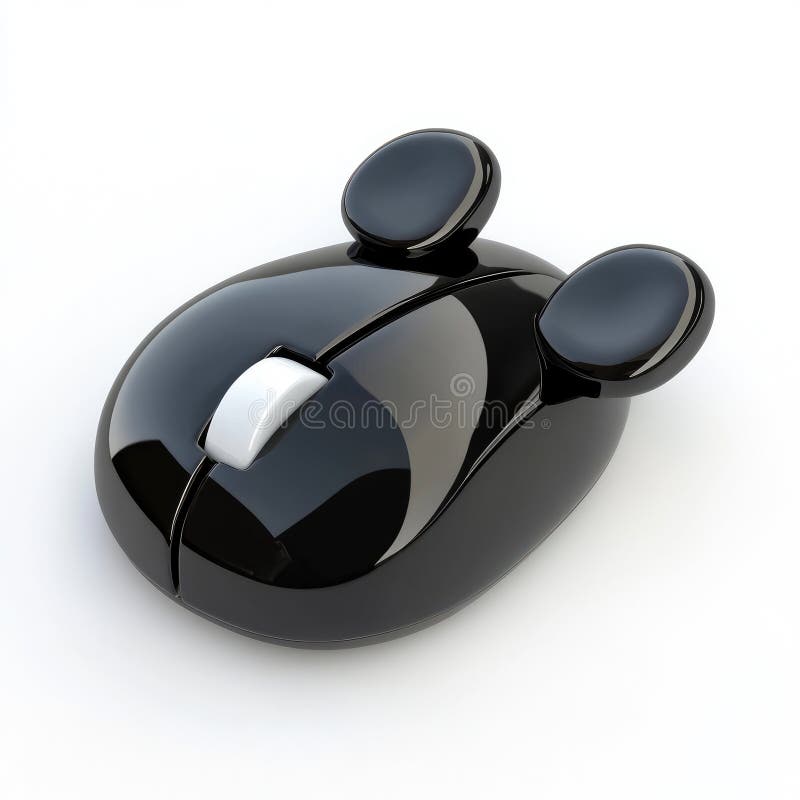
Free with trial Sleek, modern black computer mouse featuring a unique ear-like design. Perfect for tech-related projects, presentations, or websites. Button functionality illustrations Stylish Black Computer Mouse with Ear Design. Sleek, modern black computer mouse featuring a unique ear-like design. Perfect for tech-related projects. Sleek, modern black computer mouse featuring a unique ear-like design. Perfect for tech-related projects, presentations, or websites.
Free with trial Close-up of a sleek, modern kitchen appliance, possibly a dishwasher or oven, featuring a digital display and subtle LED accent lighting. Button functionality illustrations Modern Kitchen Appliance with Digital Display and LED Lighting. Close-up of a sleek, modern kitchen appliance, possibly a dishwasher or oven, featuring a digital. Close-up of a sleek, modern kitchen appliance, possibly a dishwasher or oven, featuring a digital display and subtle LED accent lighting
Free with trial A clean, minimalist graphic icon representing a magnifying glass with a minus symbol inside, commonly used in user interface design to signify a zoom out or decrease function. The design features a bold, dark outline with flat blue accents, suitable for web applications, software interfaces, mobile apps, and digital navigation tools requiring intuitive control symbols for viewing content. Button functionality vectors Magnifying Glass Icon with Minus Sign for Zoom Out Functionality. A clean, minimalist graphic icon representing a magnifying glass with a minus symbol inside. A clean, minimalist graphic icon representing a magnifying glass with a minus symbol inside, commonly used in user interface design to signify a zoom out or decrease function. The design features a bold, dark outline with flat blue accents, suitable for web applications, software interfaces, mobile apps, and digital navigation tools requiring intuitive control symbols for viewing content.
Free with trial A sleek, modern white computer mouse positioned on a polished wooden desk. This image captures an elegant workspace ideal for both home and office settings, showcasing technology in an aesthetically pleasing manner. Button functionality illustrations Sleek White Computer Mouse on Wooden Desk in Modern Workspace. A sleek, modern white computer mouse positioned on a polished wooden desk. This image captures an. A sleek, modern white computer mouse positioned on a polished wooden desk. This image captures an elegant workspace ideal for both home and office settings, showcasing technology in an aesthetically pleasing manner
Free with trial A clean, minimalist electric kettle with a white body, black handle, and black lid sits upright on its matching white base. The kettle features a visible heating element at the bottom and a sleek, modern design with a hinged lid. The base is designed with a power cord and a button for operation, emphasizing functionality and simplicity. Button functionality illustrations Minimalist white electric kettle beside matching base and lid. A clean, minimalist electric kettle with a white body, black handle, and black lid sits upright on. A clean, minimalist electric kettle with a white body, black handle, and black lid sits upright on its matching white base. The kettle features a visible heating element at the bottom and a sleek, modern design with a hinged lid. The base is designed with a power cord and a button for operation, emphasizing functionality and simplicity
Free with trial This image showcases a modern digital tape measure, generated by AI, featuring a sleek black design with red accents and a clear digital display. The tape measure is extended, displaying measurements in both centimeters and inches, indicating precision and functionality. Button functionality illustrations Digital Tape Measure. This image showcases a modern digital tape measure, generated by AI, featuring a sleek black design with red accents and a clear digital. This image showcases a modern digital tape measure, generated by AI, featuring a sleek black design with red accents and a clear digital display. The tape measure is extended, displaying measurements in both centimeters and inches, indicating precision and functionality.
Free with trial The image shows a modern, circular autonomous robotic vacuum cleaner. It features a sleek design with a predominantly black and white color scheme. The vacuum has a central brush roll and side brushes for effective cleaning. The front panel displays a control button and an indicator light, suggesting smart functionality and navigation capabilities. The unit is designed for easy floor maintenance. Button functionality illustrations Autonomous robotic vacuum cleaner with smart navigation system. The image shows a modern, circular autonomous robotic vacuum cleaner. It features a sleek design. The image shows a modern, circular autonomous robotic vacuum cleaner. It features a sleek design with a predominantly black and white color scheme. The vacuum has a central brush roll and side brushes for effective cleaning. The front panel displays a control button and an indicator light, suggesting smart functionality and navigation capabilities. The unit is designed for easy floor maintenance
Free with trial Yellow cordless speaker with a streamlined rectangular design, featuring a circular grille at one end. It includes a large button on top, possibly for function control. A braided cable, combining white and yellow strands, is attached to one side, adding portability. The background is plain white, enhancing the speaker's bright yellow color. Compact and modern, this speaker's bold color and simple design offer both aesthetic appeal and functionality. Button functionality illustrations Yellow Cordless Speaker with Braided Cable on White Background. Yellow cordless speaker with a streamlined rectangular design, featuring a circular grille at one. Yellow cordless speaker with a streamlined rectangular design, featuring a circular grille at one end. It includes a large button on top, possibly for function control. A braided cable, combining white and yellow strands, is attached to one side, adding portability. The background is plain white, enhancing the speaker's bright yellow color. Compact and modern, this speaker's bold color and simple design offer both aesthetic appeal and functionality.
Free with trial This image was created using Generative AI. Digital icon of a printer with an upward arrow indicating upload or scan functionality. Blue color scheme on white background. Suitable for web design and apps. Button functionality vectors Blue printer icon with upload arrow symbol on white background. This image was created using Generative AI. Digital icon of a printer with an upward arrow. This image was created using Generative AI. Digital icon of a printer with an upward arrow indicating upload or scan functionality. Blue color scheme on white background. Suitable for web design and apps
Free with trial Light blue suitcase featuring a textured leather-like material with a prominent blue front pocket. The pocket is secured with metal rivets and a brass-colored button. White accents, including a small patch and corner reinforcements, add contrast to the design. Brass studs and gold-toned hardware decorate the top edge. A sturdy handle suggests practicality, while the overall design combines elegance and functionality. The suitcase is set against a softly blurred background. Button functionality illustrations Flawless Visual of a Blue Suitcase with a White Shirt and Blue Pocket. Light blue suitcase featuring a textured leather-like material with a prominent blue front. Light blue suitcase featuring a textured leather-like material with a prominent blue front pocket. The pocket is secured with metal rivets and a brass-colored button. White accents, including a small patch and corner reinforcements, add contrast to the design. Brass studs and gold-toned hardware decorate the top edge. A sturdy handle suggests practicality, while the overall design combines elegance and functionality. The suitcase is set against a softly blurred background.
Free with trial This image features a comprehensive collection of outline-style user interface (UI) icons, perfect for web and mobile applications. The set includes essential symbols such as settings gears, user profile, home, document, search, mail, share, add, like, shopping cart, and heart. These versatile vector icons are designed with a clean, minimalist aesthetic, making them suitable for various digital projects, user experience designs, and graphic illustrations. They represent common functionalities and actions, enhancing usability and visual communication across platforms. Button functionality vectors Universal Outline UI Icons Set for Web and Mobile Applications. This image features a comprehensive collection of outline-style user interface (UI) icons. This image features a comprehensive collection of outline-style user interface (UI) icons, perfect for web and mobile applications. The set includes essential symbols such as settings gears, user profile, home, document, search, mail, share, add, like, shopping cart, and heart. These versatile vector icons are designed with a clean, minimalist aesthetic, making them suitable for various digital projects, user experience designs, and graphic illustrations. They represent common functionalities and actions, enhancing usability and visual communication across platforms.
Free with trial A sleek, white cubic power strip and hub features multiple colorful ports, buttons, and sockets on its surfaces. Surrounded by pastel-colored geometric blocks and connected cables, this modern electronic accessory highlights innovative design and functionality. Ideal for technology, smart home, office organization, modern gadget, electrical equipment, energy management, and minimalist interior design concepts. Button functionality illustrations Modern Multi-Port Power Strip Cube in Colorful Minimalist Room. A sleek, white cubic power strip and hub features multiple colorful ports, buttons, and sockets. A sleek, white cubic power strip and hub features multiple colorful ports, buttons, and sockets on its surfaces. Surrounded by pastel-colored geometric blocks and connected cables, this modern electronic accessory highlights innovative design and functionality. Ideal for technology, smart home, office organization, modern gadget, electrical equipment, energy management, and minimalist interior design concepts.
Free with trial Minimalistic modern toggle switch design for innovative home automation. Generated by AI. Button functionality illustrations Minimalistic modern toggle switch design for innovative home automation. Generated by AI
Free with trial Mobile Phone Touch Screen Tap Icon. A minimalist graphic of a hand tapping a modern cellphone display, symbolizing digital interaction, user interface, and app functionality. Button functionality vectors (Mobile Phone Touch Screen Tap Icon. A minimalist graphic of a hand ta. Mobile Phone Touch Screen Tap Icon. A minimalist graphic of a hand tapping a modern. Mobile Phone Touch Screen Tap Icon. A minimalist graphic of a hand tapping a modern cellphone display, symbolizing digital interaction, user interface, and app functionality
Free with trial A sleek, modern white wireless computer mouse with a scroll wheel, presented on a pristine white background, highlighting its minimalist design and functionality. Button functionality vectors White Wireless Computer Mouse Isolated on a Clean Background. A sleek, modern white wireless computer mouse with a scroll wheel, presented on a pristine white. A sleek, modern white wireless computer mouse with a scroll wheel, presented on a pristine white background, highlighting its minimalist design and functionality
Free with trial Gear setting sign on white background. Gear setting sign isolated on white background. Button functionality illustrations Gear setting sign on white background. Gear setting sign isolated on white background
Free with trial A flat graphic of a smartphone screen featuring a prominent green battery icon with a lightning bolt symbol in the center. The design represents mobile device power, energy status, and charging functionality. The minimalist style uses a blue background with a dark frame, suitable for technology-themed projects, UI design elements, or concepts related to digital connectivity and battery management. Button functionality vectors Smartphone Screen Displaying a Green Battery Charging Icon Symbol. A flat graphic of a smartphone screen featuring a prominent green battery icon with a. A flat graphic of a smartphone screen featuring a prominent green battery icon with a lightning bolt symbol in the center. The design represents mobile device power, energy status, and charging functionality. The minimalist style uses a blue background with a dark frame, suitable for technology-themed projects, UI design elements, or concepts related to digital connectivity and battery management.
Free with trial Control Panel Device with Knobs and Indicators. Electric Control Panel with Knobs and Indicators AI generated. Button functionality vectors Control Panel Device with Knobs and Indicators. Electric Control Panel with Knobs and Indicators AI generated
Free with trial This image features a sleek black leather keychain with a metallic ring attached. The keychain is designed with a textured surface and two small buttons on the front. It is isolated on a white background, making it stand out clearly. The keychain is ideal for holding keys and can be used for both functionality and decoration. Button functionality illustrations Black leather keychain with ring, isolated on white background. This image features a sleek black leather keychain with a metallic ring attached. The keychain is. This image features a sleek black leather keychain with a metallic ring attached. The keychain is designed with a textured surface and two small buttons on the front. It is isolated on a white background, making it stand out clearly. The keychain is ideal for holding keys and can be used for both functionality and decoration
Free with trial This image shows a modern white doorbell with a built-in camera and speaker, mounted on a plain gray wall. The device has a clean and minimalist design, with a black camera lens at the top and a round button in the middle. The speaker is located at the bottom of the doorbell. The overall aesthetic is sleek and futuristic, suggesting a high-tech gadget for smart home security and communication. Button functionality illustrations A sleek white doorbell with a built-in camera and speaker on a wall. This image shows a modern white doorbell with a built-in camera and speaker, mounted on a. This image shows a modern white doorbell with a built-in camera and speaker, mounted on a plain gray wall. The device has a clean and minimalist design, with a black camera lens at the top and a round button in the middle. The speaker is located at the bottom of the doorbell. The overall aesthetic is sleek and futuristic, suggesting a high-tech gadget for smart home security and communication.
Free with trial This premium executive office chair combines traditional elegance with modern ergonomic functionality. Featuring rich brown leather upholstery, it includes a sophisticated button-tufted backrest, a supportive wingback silhouette, and a polished metallic base with smooth-rolling casters. Designed for comfort and professional style, it is an ideal centerpiece for workspaces. Button functionality vectors A Luxurious Brown Leather Ergonomic Office Chair Featuring Classic Tufted Backrest Design. This premium executive office chair combines traditional elegance with. This premium executive office chair combines traditional elegance with modern ergonomic functionality. Featuring rich brown leather upholstery, it includes a sophisticated button-tufted backrest, a supportive wingback silhouette, and a polished metallic base with smooth-rolling casters. Designed for comfort and professional style, it is an ideal centerpiece for workspaces
Free with trial Sleek, modern black computer mouse with unique ear-like side buttons perfect for adding a touch of fun to your desktop. High-resolution 3D render. Button functionality illustrations Stylish Black Computer Mouse with Mouse Ears Design. Sleek, modern black computer mouse with unique ear-like side buttons perfect for adding a touch of fun to. Sleek, modern black computer mouse with unique ear-like side buttons perfect for adding a touch of fun to your desktop. High-resolution 3D render.
Free with trial The image displays two circular app icons with a glossy, three-dimensional appearance. Both icons feature a clean white checkmark centered on a gradient green background, transitioning from light to dark shades. The design is sleek and modern, emphasizing simplicity and functionality, commonly used in productivity or verification applications. Button functionality illustrations Two vibrant app icons showcasing a minimalist checkmark design. The image displays two circular app icons with a glossy, three-dimensional appearance. Both icons. The image displays two circular app icons with a glossy, three-dimensional appearance. Both icons feature a clean white checkmark centered on a gradient green background, transitioning from light to dark shades. The design is sleek and modern, emphasizing simplicity and functionality, commonly used in productivity or verification applications
Free with trial Modern metal toggle switch poised to activate control representing decision making and activation of technology. Button functionality illustrations Modern Metal Toggle Switch Controls Power or Functionality. Modern metal toggle switch poised to activate control representing decision making and activation of. Modern metal toggle switch poised to activate control representing decision making and activation of technology
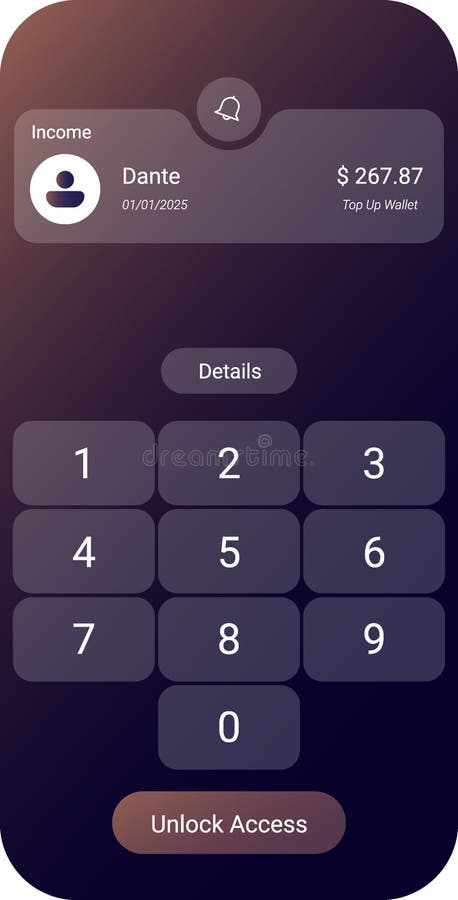
Free with trial A sleek mobile banking UI featuring an income summary at the top, a numeric password keypad, and a secure Unlock Access button. Button functionality vectors Secure Mobile Banking User Interface with Password Input Screen. A sleek mobile banking UI featuring an income summary at the top, a numeric password keypad, and. A sleek mobile banking UI featuring an income summary at the top, a numeric password keypad, and a secure Unlock Access button
Free with trial The image shows a professional-grade espresso machine in operation. A wooden handle, likely used for latte art, is positioned above a cup filled with freshly brewed espresso. The machine features multiple ports and control buttons, indicating its advanced functionality. The setup is clean and modern, suggesting a barista or coffee shop environment. Button functionality illustrations Espresso machine brewing coffee with a wooden handle attachment. The image shows a professional-grade espresso machine in operation. A wooden handle, likely used. The image shows a professional-grade espresso machine in operation. A wooden handle, likely used for latte art, is positioned above a cup filled with freshly brewed espresso. The machine features multiple ports and control buttons, indicating its advanced functionality. The setup is clean and modern, suggesting a barista or coffee shop environment
Free with trial A detailed sketch of a rugged military-style jacket featuring multiple pockets, zippers, and a hood. The jacket is designed with functionality in mind, suitable for outdoor activities. Button functionality illustrations Illustrated outdoor military-style jacket with multiple pockets. A detailed sketch of a rugged military-style jacket featuring multiple pockets, zippers, and a. A detailed sketch of a rugged military-style jacket featuring multiple pockets, zippers, and a hood. The jacket is designed with functionality in mind, suitable for outdoor activities
Free with trial A modern audio device sits prominently on a polished wooden table, emitting a wisp of smoke, likely representing advanced functionality. The device has a metallic finish with a prominent circular screen and controls. The soft lighting suggests an indoor setting, potentially a living room or office. This image could be used in marketing materials, product presentations, or editorial features , captivating background. Button functionality illustrations Modern audio device on wooden table with smoke against interior background for multimedia or technological imagery. A modern audio device sits prominently on a. A modern audio device sits prominently on a polished wooden table, emitting a wisp of smoke, likely representing advanced functionality. The device has a metallic finish with a prominent circular screen and controls. The soft lighting suggests an indoor setting, potentially a living room or office. This image could be used in marketing materials, product presentations, or editorial features , captivating background
Free with trial Image generated by AI. A striking close-up of a keyboard's red cancel key, with sharp focus and minimalistic composition. The high contrast adds a modern and functional feel. Button functionality illustrations Bold Red Cancel Key Focus. Image generated by AI. A striking close-up of a keyboard's red cancel key, with sharp focus and minimalistic composition. The high. Image generated by AI. A striking close-up of a keyboard's red cancel key, with sharp focus and minimalistic composition. The high contrast adds a modern and functional feel
Free with trial This bold, black-and-white graphic features a stylized maximize window icon. The design employs clean lines and sharp angles to convey functionality in a modern context. Button functionality vectors Maximize Window Graphic in Black and White for Minimalist Design. This bold, black-and-white graphic features a stylized maximize window icon. The design employs. This bold, black-and-white graphic features a stylized maximize window icon. The design employs clean lines and sharp angles to convey functionality in a modern context.
Free with trial A detailed sketch of a rugged military-style jacket featuring multiple pockets, zippers, and a hood. The jacket is designed with functionality in mind, suitable for outdoor activities. Button functionality illustrations Illustrated outdoor military-style jacket with multiple pockets. A detailed sketch of a rugged military-style jacket featuring multiple pockets, zippers, and a. A detailed sketch of a rugged military-style jacket featuring multiple pockets, zippers, and a hood. The jacket is designed with functionality in mind, suitable for outdoor activities
Free with trial A clean, flat vector-style icon depicting a magnifying glass positioned over a document file. The design uses a professional blue color palette, symbolizing data analysis, information retrieval, file management, and digital search functionality. This simple, minimalist graphic is ideal for user interface design, web development, software applications, and business documentation portals, representing the concept of searching for specific information within digital records or archives. Button functionality vectors Document Search Icon Featuring a Magnifying Glass Over a File Symbol. A clean, flat vector-style icon depicting a magnifying glass positioned over a document. A clean, flat vector-style icon depicting a magnifying glass positioned over a document file. The design uses a professional blue color palette, symbolizing data analysis, information retrieval, file management, and digital search functionality. This simple, minimalist graphic is ideal for user interface design, web development, software applications, and business documentation portals, representing the concept of searching for specific information within digital records or archives.
Free with trial A flat-style graphic icon depicting a speaker symbol with radiating sound waves in vibrant colors. The design features a green speaker body with blue, orange, and yellow curved lines representing audio output or volume levels. This minimalist, modern icon is suitable for user interface design, digital media applications, website navigation, or communication technology concepts, providing a clear and recognizable visual representation of sound control and audio functionality. Button functionality vectors Colorful Speaker Icon Representing Sound Volume and Audio Settings. A flat-style graphic icon depicting a speaker symbol with radiating sound waves in vibrant. A flat-style graphic icon depicting a speaker symbol with radiating sound waves in vibrant colors. The design features a green speaker body with blue, orange, and yellow curved lines representing audio output or volume levels. This minimalist, modern icon is suitable for user interface design, digital media applications, website navigation, or communication technology concepts, providing a clear and recognizable visual representation of sound control and audio functionality.
Free with trial A glass chess piece, resembling the architectural structure of the CN Tower in Toronto, Canada, isolated on a white background. The piece is made of clear, reflective glass with smooth curves and a pointed top, mimicking the tower's iconic spire and bulbous observation decks. The base is wide and rounded, ensuring stability. The design showcases fine craftsmanship, highlighting both elegance and functionality. Button functionality illustrations High Detail Visual of a Photo Shift, Isolated on a White Background. A glass chess piece, resembling the architectural structure of the CN Tower in Toronto. A glass chess piece, resembling the architectural structure of the CN Tower in Toronto, Canada, isolated on a white background. The piece is made of clear, reflective glass with smooth curves and a pointed top, mimicking the tower's iconic spire and bulbous observation decks. The base is wide and rounded, ensuring stability. The design showcases fine craftsmanship, highlighting both elegance and functionality.
Free with trial This black leather sleeve varsity jacket features a classic design with a combination of fabric and leather materials. The jacket has a ribbed collar, cuffs, and hem with white contrasting stripes. It includes buttoned closure at the front and a single chest pocket for added functionality. The leather sleeves add a touch of sophistication and durability to the overall look. Button functionality illustrations Black leather sleeve varsity jacket isolated on white background. This black leather sleeve varsity jacket features a classic design with a combination of fabric. This black leather sleeve varsity jacket features a classic design with a combination of fabric and leather materials. The jacket has a ribbed collar, cuffs, and hem with white contrasting stripes. It includes buttoned closure at the front and a single chest pocket for added functionality. The leather sleeves add a touch of sophistication and durability to the overall look
Free with trial A minimalist black icon featuring two overlapping square shapes, commonly used to represent duplication, copying, or layering actions in user interfaces. Button functionality vectors Duplicate Icon Vector Design for Copy and Paste Functionality. A minimalist black icon featuring two overlapping square shapes, commonly used to represent. A minimalist black icon featuring two overlapping square shapes, commonly used to represent duplication, copying, or layering actions in user interfaces
Free with trial Innovative control interface showcases sleek design and technology. A futuristic control panel with glowing features captivates users. Button functionality illustrations Innovative control interface showcases sleek design and technology. A futuristic control panel with glowing features captivates users
Free with trial Small 3D-style drone with a sleek white and blue body hovering against a soft blue background. Equipped with four rotors, each with blurred motion, indicating flight. A prominent camera lens is mounted at the front, featuring multiple optical elements. The drone's design shows smooth contours and an aerodynamic shape, with minimalistic landing gear. The central unit displays a power button symbol, emphasizing its electronic functionality for aerial photography or videography. Button functionality illustrations 3D flying drone icon with camera lens and white-blue body. Small 3D-style drone with a sleek white and blue body hovering against a soft blue background. Small 3D-style drone with a sleek white and blue body hovering against a soft blue background. Equipped with four rotors, each with blurred motion, indicating flight. A prominent camera lens is mounted at the front, featuring multiple optical elements. The drone's design shows smooth contours and an aerodynamic shape, with minimalistic landing gear. The central unit displays a power button symbol, emphasizing its electronic functionality for aerial photography or videography.
Free with trial Rounded smart home speaker hub with a sleek, metallic finish. Features a prominent light ring with blue and orange LED accents encircling the top edge. Central control dial includes play, pause, and skip symbols. Smooth cylindrical body with a small circular button on the side, indicative of modern design and functionality. The device rests on a reflective surface, enhancing its futuristic aesthetic. Ideal for integrating with smart home systems. Button functionality illustrations 3D icon of rounded smart home speaker hub with light ring. Rounded smart home speaker hub with a sleek, metallic finish. Features a prominent light ring with. Rounded smart home speaker hub with a sleek, metallic finish. Features a prominent light ring with blue and orange LED accents encircling the top edge. Central control dial includes play, pause, and skip symbols. Smooth cylindrical body with a small circular button on the side, indicative of modern design and functionality. The device rests on a reflective surface, enhancing its futuristic aesthetic. Ideal for integrating with smart home systems.
Free with trial Square smart home speaker with rounded edges, featuring a prominent circular light ring in the center. The ring emits a gradient of colors, transitioning from blue to orange. The device has a sleek, minimalist design with a small central button. The material appears to be a smooth, matte plastic. Small circular indicators or sensors are present on the surface. The overall look is modern, emphasizing functionality and aesthetics typically associated with smart home technology. Button functionality illustrations 3D icon of rounded smart home speaker hub with light ring. Square smart home speaker with rounded edges, featuring a prominent circular light ring in the center. Square smart home speaker with rounded edges, featuring a prominent circular light ring in the center. The ring emits a gradient of colors, transitioning from blue to orange. The device has a sleek, minimalist design with a small central button. The material appears to be a smooth, matte plastic. Small circular indicators or sensors are present on the surface. The overall look is modern, emphasizing functionality and aesthetics typically associated with smart home technology.
Free with trial Rounded 3D icon representing a smart home speaker hub. The design features a central button surrounded by a glowing light ring, emitting a blue hue. The outer casing is circular, with a sleek and smooth surface, suggesting a modern, tech-oriented aesthetic. The lighting effect adds a sense of depth and functionality, reminiscent of interactive home technology devices. The color palette is primarily cool-toned, emphasizing the contemporary and digital nature of the icon. Button functionality illustrations 3D icon of rounded smart home speaker hub with light ring. Rounded 3D icon representing a smart home speaker hub. The design features a central button surrounded. Rounded 3D icon representing a smart home speaker hub. The design features a central button surrounded by a glowing light ring, emitting a blue hue. The outer casing is circular, with a sleek and smooth surface, suggesting a modern, tech-oriented aesthetic. The lighting effect adds a sense of depth and functionality, reminiscent of interactive home technology devices. The color palette is primarily cool-toned, emphasizing the contemporary and digital nature of the icon.
Free with trial Analytics dashboard displaying bar chart next to hands unlocking smartphone. Ideal for data security, technology, privacy, analytics, mobile access, encryption, and modern tech visuals in a simple. Button functionality vectors Data Analysis Dashboard and Mobile Device Security with Unlock Functionality. Analytics dashboard displaying bar chart next to hands unlocking smartphone. Ideal. Analytics dashboard displaying bar chart next to hands unlocking smartphone. Ideal for data security, technology, privacy, analytics, mobile access, encryption, and modern tech visuals in a simple
Free with trial The image shows a retro-designed microphone with a mesh-covered head and an intricate star pattern on its surface. The microphone is mounted on a sturdy stand with a built-in control unit at the base, featuring buttons and a dial likely for volume or gain adjustment. The overall aesthetic combines modern functionality with a classic design reminiscent of mid-20th century technology. Button functionality illustrations Vintage-style microphone with integrated sound system on a stand. The image shows a retro-designed microphone with a mesh-covered head and an intricate star. The image shows a retro-designed microphone with a mesh-covered head and an intricate star pattern on its surface. The microphone is mounted on a sturdy stand with a built-in control unit at the base, featuring buttons and a dial likely for volume or gain adjustment. The overall aesthetic combines modern functionality with a classic design reminiscent of mid-20th century technology
Free with trial The image shows a close-up of a control panel with multiple screens displaying various information. The panel is gray and has several buttons with different colors, including red, green, and yellow. The screens appear to be part of a larger machine or system, possibly in a manufacturing or industrial setting. - This image was created using AI, Midjourney 6 to be specifc. Button functionality illustrations Control Panel with Information Screens. The image shows a close-up of a control panel with multiple screens displaying various information. The panel is gray and. The image shows a close-up of a control panel with multiple screens displaying various information. The panel is gray and has several buttons with different colors, including red, green, and yellow. The screens appear to be part of a larger machine or system, possibly in a manufacturing or industrial setting. - This image was created using AI, Midjourney 6 to be specifc.
Free with trial Settings, icon in line design. Gear, options, configuration, adjustment, preferences, control, setup on white background vector. Settings, icon in line design editable stroke icon. Button functionality vectors Settings, icon in line design. Gear, options, configuration, adjustment, preferences, control, setup on white background. Vector. Settings, icon in line design
Free with trial A sleek and modern smartwatch featuring a round, minimalist design with a black digital display. The watch has a polished stainless steel frame and adjustable side buttons, giving it a refined and sophisticated appearance. The face is entirely black, suggesting a touchscreen interface or an inactive screen, while the overall build emphasizes simplicity and functionality. Button functionality illustrations Elegant smartwatch with minimalist round design and black display. A sleek and modern smartwatch featuring a round, minimalist design with a black digital. A sleek and modern smartwatch featuring a round, minimalist design with a black digital display. The watch has a polished stainless steel frame and adjustable side buttons, giving it a refined and sophisticated appearance. The face is entirely black, suggesting a touchscreen interface or an inactive screen, while the overall build emphasizes simplicity and functionality
Free with trial This is a modern white light switch, perfect for any home. Its sleek design and simple functionality make it a great addition to any room. It is easy to install. Button functionality illustrations A white light switch isolated on white background, modern and minimalist. This is a modern white light switch, perfect for any home. Its sleek design and simple. This is a modern white light switch, perfect for any home. Its sleek design and simple functionality make it a great addition to any room. It is easy to install
Free with trial A high-quality professional camera with a large lens is displayed on a white background. The camera features various buttons and a digital screen on the back, indicating advanced functionality. Button functionality illustrations Professional camera with large lens on white background isolated on white background. A high-quality professional camera with a large lens is displayed on a. A high-quality professional camera with a large lens is displayed on a white background. The camera features various buttons and a digital screen on the back, indicating advanced functionality
Free with trial Various green icons represent user interface functions such as volume control, closed captions, play buttons, and upload options. Button functionality vectors Collection of green user interface icons related to accessibility features and media controls for digital content. Various green icons represent user interface. Various green icons represent user interface functions such as volume control, closed captions, play buttons, and upload options.
Free with trial A set of six distinct black and white icons representing various digital interface elements and controls. Button functionality vectors Collection of modern ui icons for digital interfaces and controls. A set of six distinct black and white icons representing various digital interface elements. A set of six distinct black and white icons representing various digital interface elements and controls.
Free with trial This clean, flat icon represents a digital interface or web browser window. It features a simplified layout with a header, text lines, and two distinctive squares containing plus symbols, suggesting functionality for adding content, new elements, or expanding features within a user-friendly application or a modern website design context. Button functionality vectors A minimalist black and white browser window icon featuring two prominent plus sign buttons. This clean, flat icon represents a digital interface or web browser. This clean, flat icon represents a digital interface or web browser window. It features a simplified layout with a header, text lines, and two distinctive squares containing plus symbols, suggesting functionality for adding content, new elements, or expanding features within a user-friendly application or a modern website design context
Free with trial A pair of professional dark grey work pants stands upright against a clean white background. These durable utility trousers feature multiple practical pockets, including cargo pockets and smaller slots, with tools like screwdrivers visible in the side pockets. Ideal for tradespeople, construction workers, or DIY enthusiasts, the workwear emphasizes functionality, comfort, and readiness for manual labor. Perfect for product showcases, advertising, or articles on professional attire. Button functionality illustrations Professional Dark Grey Work Pants with Tools on White Background. A pair of professional dark grey work pants stands upright against a clean white background. A pair of professional dark grey work pants stands upright against a clean white background. These durable utility trousers feature multiple practical pockets, including cargo pockets and smaller slots, with tools like screwdrivers visible in the side pockets. Ideal for tradespeople, construction workers, or DIY enthusiasts, the workwear emphasizes functionality, comfort, and readiness for manual labor. Perfect for product showcases, advertising, or articles on professional attire.
Free with trial Closing cross set. Cancellation delete icons. Exit error Vector. Black red circular elements. Transparent grid pattern. EPS 10. Button functionality vectors Closing cross set. Cancellation delete icons. Exit error Vector. Black red circular elements. Transparent grid pattern. EPS 10
Free with trial A modern dishwasher with a sleek stainless steel finish stands against a bright white background. The appliance features a digital display and push-button controls, representing a contemporary design for the modern kitchen. Button functionality illustrations Modern Dishwasher with Stainless Steel Finish and Digital Display Isolated. A modern dishwasher with a sleek stainless steel finish stands against a bright white. A modern dishwasher with a sleek stainless steel finish stands against a bright white background. The appliance features a digital display and push-button controls, representing a contemporary design for the modern kitchen
Free with trial A high-quality detailed shot of a shiny metallic control knob, showcasing its design and texture, mounted on a minimalistic appliance. Button functionality illustrations Close-up View of a Metallic Control Knob on a Modern Appliance With a Sleek Design and Fine Detail. A high-quality detailed shot of a shiny metallic control knob. A high-quality detailed shot of a shiny metallic control knob, showcasing its design and texture, mounted on a minimalistic appliance
Free with trial Cancel 3D icon. Isolated on transparent background. Button functionality illustrations Cancel 3D icon. Isolated on transparent background
Free with trial A close-up of a modern light switch being pressed by a finger in a sleek hallway. The design showcases contemporary lighting elements and elegant interior aesthetics. Button functionality illustrations Modern Light Switch Being Pressed in Contemporary Interior Hallway. A close-up of a modern light switch being pressed by a finger in a sleek hallway. The design. A close-up of a modern light switch being pressed by a finger in a sleek hallway. The design showcases contemporary lighting elements and elegant interior aesthetics
Free with trial This image features a retro-designed instant camera primarily in a vibrant yellow hue with contrasting orange accents. The camera appears to have a classic, analog aesthetic with a simple, rounded lens and a minimalist button layout. The design suggests functionality and nostalgia, reminiscent of mid-20th-century photography equipment. Button functionality vectors Vintage-style instant camera with bright yellow and orange details. This image features a retro-designed instant camera primarily in a vibrant yellow hue with. This image features a retro-designed instant camera primarily in a vibrant yellow hue with contrasting orange accents. The camera appears to have a classic, analog aesthetic with a simple, rounded lens and a minimalist button layout. The design suggests functionality and nostalgia, reminiscent of mid-20th-century photography equipment
Free with trial 3D rendering of a smartwatch with a black, rectangular face and a turquoise silicone band. The band features an adjustable clasp with a metallic button. The watch face is rounded at the edges, and a prominent dial is located on the side, enhancing functionality. The smartwatch is set against a white background, emphasizing its sleek and modern design. Button functionality illustrations 3D icon of Smartwatch with turquoise band isolated on white background. 3D rendering of a smartwatch with a black, rectangular face and a turquoise silicone band. 3D rendering of a smartwatch with a black, rectangular face and a turquoise silicone band. The band features an adjustable clasp with a metallic button. The watch face is rounded at the edges, and a prominent dial is located on the side, enhancing functionality. The smartwatch is set against a white background, emphasizing its sleek and modern design.
Free with trial This image shows a pair of over-ear headphones featuring a sleek black headband and ear cups. The ear cushions are padded in a soft yellow material, providing comfort for extended listening sessions. The headphones have a microphone attached to the right ear cup and a control button on the left ear cup. The overall design suggests a blend of style and functionality, suitable for both casual. Button functionality illustrations Over-ear headphones with padded ear cushions and black frame in yellow and black. This image shows a pair of over-ear headphones featuring a sleek black headband. This image shows a pair of over-ear headphones featuring a sleek black headband and ear cups. The ear cushions are padded in a soft yellow material, providing comfort for extended listening sessions. The headphones have a microphone attached to the right ear cup and a control button on the left ear cup. The overall design suggests a blend of style and functionality, suitable for both casual
Free with trial A minimalist 3D white icon featuring a square outline with two arrows pointing towards each other from opposite corners, suggesting expansion or zoom functionality. The icon is rendered with subtle shading and sits on a plain white background. Button functionality illustrations 3D White Icon Symbolizing Expansion or Zoom In and Out image photo. A minimalist 3D white icon featuring a square outline with two arrows pointing towards each. A minimalist 3D white icon featuring a square outline with two arrows pointing towards each other from opposite corners, suggesting expansion or zoom functionality. The icon is rendered with subtle shading and sits on a plain white background
Free with trial A sleek, minimalist spice grinder with clear glass and black accents stands on a textured grey surface, perfect for adding sophisticated functionality to any modern kitchen setting. Button functionality illustrations Modern Black and White Glass Spice Grinder on Textured Surface. A sleek, minimalist spice grinder with clear glass and black accents stands on a textured grey. A sleek, minimalist spice grinder with clear glass and black accents stands on a textured grey surface, perfect for adding sophisticated functionality to any modern kitchen setting
Free with trial Explore a modern smart home control panel featuring a sleek design and advanced digital interface. Perfect for showcasing innovative technology integration at home. Button functionality illustrations Modern Smart Home Control Panel Design. Explore a modern smart home control panel featuring a sleek design and advanced digital interface. Perfect for showcasing. Explore a modern smart home control panel featuring a sleek design and advanced digital interface. Perfect for showcasing innovative technology integration at home
Free with trial A close-up studio shot features a blue and pink computer mouse with a white cable. The device is isolated, highlighting its design and functionality for computer interaction on a plain backdrop. Button functionality illustrations Close up of a blue and pink computer mouse isolated on white background. A close-up studio shot features a blue and pink computer mouse with a white cable. The. A close-up studio shot features a blue and pink computer mouse with a white cable. The device is isolated, highlighting its design and functionality for computer interaction on a plain backdrop
Free with trial The image features a sleek and contemporary smartwatch with a striking black casing. The watch is accentuated by a vibrant orange band, which adds a pop of color to its overall appearance. The band is securely fastened with a buckle, ensuring a snug fit for the wearer. The watch face is dark, possibly indicating that it is turned off or in a low-power mode. The design is minimalistic, with a. Button functionality illustrations Modern smartwatch with vibrant orange band against black background. The image features a sleek and contemporary smartwatch with a striking black casing. The. The image features a sleek and contemporary smartwatch with a striking black casing. The watch is accentuated by a vibrant orange band, which adds a pop of color to its overall appearance. The band is securely fastened with a buckle, ensuring a snug fit for the wearer. The watch face is dark, possibly indicating that it is turned off or in a low-power mode. The design is minimalistic, with a
Free with trial A professional studio shot featuring a blank, black polo shirt hanging straight on a dark wooden hanger. This shirt is made from a smooth, dark material and includes specific design details, notably the ribbed texture panels running vertically down the sides, suggesting an athletic or performance wear functionality. It maintains the classic elements of a polo shirt, including a fold-over collar and a two-button placket. The sleeves also feature a subtly ribbed cuff. The background is a sophisticated, graduated dark gray, which subtly highlights the silhouette of the black garment without distracting from the product itself. The lighting is soft and even, highlighting the fabric's slight sheen and the design details. This image is excellent for e-commerce product listings, apparel catalogs, mock-ups for branding or logo placement on athletic or corporate attire, and content related to casual wear, golf attire, uniform design, and versatile fashion. Button functionality illustrations Black Short-Sleeve Polo Shir Wooden Hanger Ribbed Sides - Athletic Wear and Work Uniform - E-commerce Product Display Mockup. A professional studio shot. A professional studio shot featuring a blank, black polo shirt hanging straight on a dark wooden hanger. This shirt is made from a smooth, dark material and includes specific design details, notably the ribbed texture panels running vertically down the sides, suggesting an athletic or performance wear functionality. It maintains the classic elements of a polo shirt, including a fold-over collar and a two-button placket. The sleeves also feature a subtly ribbed cuff. The background is a sophisticated, graduated dark gray, which subtly highlights the silhouette of the black garment without distracting from the product itself. The lighting is soft and even, highlighting the fabric's slight sheen and the design details. This image is excellent for e-commerce product listings, apparel catalogs, mock-ups for branding or logo placement on athletic or corporate attire, and content related to casual wear, golf attire, uniform design, and versatile fashion.
Free with trial A modern white cordless vacuum cleaner is shown against a vibrant green backdrop. Dust trails swirl behind the vacuum, suggesting cleaning in progress. The image highlights the product's design and functionality. Button functionality illustrations Modern Cordless Vacuum Cleaner with Dust Trails on Green Background. A modern white cordless vacuum cleaner is shown against a vibrant green backdrop. Dust. A modern white cordless vacuum cleaner is shown against a vibrant green backdrop. Dust trails swirl behind the vacuum, suggesting cleaning in progress. The image highlights the product's design and functionality
Free with trial The image shows a close-up view of a toggle switch with a red handle positioned to the left, indicating it is set to off. The switch is mounted on a metallic, rectangular base with the words 'on' and 'off' engraved beneath each position. The design is simple and industrial, likely used for controlling electrical devices or machinery. Button functionality illustrations A red and silver toggle switch in the off position on a metallic base. The image shows a close-up view of a toggle switch with a red handle positioned to the. The image shows a close-up view of a toggle switch with a red handle positioned to the left, indicating it is set to off. The switch is mounted on a metallic, rectangular base with the words 'on' and 'off' engraved beneath each position. The design is simple and industrial, likely used for controlling electrical devices or machinery
 Sign in