Free with trial Set of dark circular control knobs and adjustment dials isolated on white background, used for user interface design, audio equipment, volume settings, software dashboards, and digital technology interactive systems. Button functionality vectors Volume control knobs set with adjustment dials for interface design. Set of dark circular control knobs and adjustment dials isolated on white background, used. Set of dark circular control knobs and adjustment dials isolated on white background, used for user interface design, audio equipment, volume settings, software dashboards, and digital technology interactive systems.
Free with trial Yellow power drill with a sleek, modern design, featuring a T-shaped handle and metallic drill bit. The body is vibrant yellow with black accents, including a vent and trigger button. Positioned on a neutral white background, showcasing its contours and ergonomic shape. The drill bit appears to be a Phillips head, suggesting its suitability for various screwing tasks. The digital rendering provides a clear and detailed view of its design and functionality. Button functionality illustrations Yellow drill on a white background. 3d rendering. Computer digital drawing. Yellow power drill with a sleek, modern design, featuring a T-shaped handle and. Yellow power drill with a sleek, modern design, featuring a T-shaped handle and metallic drill bit. The body is vibrant yellow with black accents, including a vent and trigger button. Positioned on a neutral white background, showcasing its contours and ergonomic shape. The drill bit appears to be a Phillips head, suggesting its suitability for various screwing tasks. The digital rendering provides a clear and detailed view of its design and functionality.
Free with trial Military field radio transceiver featuring a rugged olive-green design. Equipped with a prominent black whip antenna on top, various dials, a digital frequency display, and multiple input output connectors. The front panel includes labeled knobs for tuning and control, a meter display, and a coiled black cable connecting to a handheld microphone with a "PTT" (push-to-talk) button. Designed for durability and functionality in field operations, enabling secure communication over long distances. Button functionality vectors Military field radio transceiver with antenna and microphone. Military field radio transceiver featuring a rugged olive-green design. Equipped with a prominent. Military field radio transceiver featuring a rugged olive-green design. Equipped with a prominent black whip antenna on top, various dials, a digital frequency display, and multiple input output connectors. The front panel includes labeled knobs for tuning and control, a meter display, and a coiled black cable connecting to a handheld microphone with a "PTT" (push-to-talk) button. Designed for durability and functionality in field operations, enabling secure communication over long distances.
Free with trial Card reader with receipt and wireless payment icon, billing document with button, and person holding light bulb. Ideal for payment systems, technology, innovation, finance, creativity, e-commerce. Button functionality illustrations Contactless Payment Concept with Card Reader, Receipt, and Person Holding Light Bulb for Innovative Ideas. Card reader with receipt and wireless payment icon. Card reader with receipt and wireless payment icon, billing document with button, and person holding light bulb. Ideal for payment systems, technology, innovation, finance, creativity, e-commerce
Free with trial This image showcases a contemporary square control panel with six orange buttons on a white background. Ideal for user interface, technology, and app design concepts. Button functionality illustrations Modern Orange and White Control Panel Interface. This image showcases a contemporary square control panel with six orange buttons on a white background. Ideal. This image showcases a contemporary square control panel with six orange buttons on a white background. Ideal for user interface, technology, and app design concepts.
Free with trial The image displays two search bars. The top search bar has a red outline with a magnifying glass icon on the right side. The bottom search bar is gray with a magnifying glass icon on the left side and a plus icon on the right side. Button functionality illustrations Two distinct search bars with different designs and functionalities. The image displays two search bars. The top search bar has a red outline with a magnifying. The image displays two search bars. The top search bar has a red outline with a magnifying glass icon on the right side. The bottom search bar is gray with a magnifying glass icon on the left side and a plus icon on the right side
Free with trial A sleek, modern smartwatch with a black strap and case is displayed against a dark background. Its screen is illuminated, showing a circular interface with numbers and icons, possibly indicating time, date, and activity metrics. The watch features a button on the side, and the screen content includes digital information, such as text and graphics. The minimal, futuristic design emphasizes functionality and technology. Button functionality illustrations The image shows a wooden spoon with honey dripping from it on a white background. A sleek, modern smartwatch with a black strap and case is displayed against a. A sleek, modern smartwatch with a black strap and case is displayed against a dark background. Its screen is illuminated, showing a circular interface with numbers and icons, possibly indicating time, date, and activity metrics. The watch features a button on the side, and the screen content includes digital information, such as text and graphics. The minimal, futuristic design emphasizes functionality and technology.
Free with trial The image depicts a modern, ergonomic computer mouse with a sleek, futuristic design. The mouse features a contoured shape to fit the natural grip of a hand, a textured surface for enhanced control, and a scroll wheel positioned for easy access. The top surface includes multiple buttons, likely programmable for various functions. The design emphasizes both aesthetics and functionality, with a blue. Button functionality illustrations Futuristic ergonomic mouse designed for precision and comfort. The image depicts a modern, ergonomic computer mouse with a sleek, futuristic design. The mouse. The image depicts a modern, ergonomic computer mouse with a sleek, futuristic design. The mouse features a contoured shape to fit the natural grip of a hand, a textured surface for enhanced control, and a scroll wheel positioned for easy access. The top surface includes multiple buttons, likely programmable for various functions. The design emphasizes both aesthetics and functionality, with a blue
Free with trial A clean, minimalist flat icon representing a shopping basket, featuring a simple grid pattern design. This graphic element is ideal for use in e-commerce websites, mobile applications, retail marketing materials, and user interface design to signify shopping carts, checkout processes, or purchasing functionality. The straightforward, modern aesthetic ensures high visibility and clarity across various digital platforms and print media. Button functionality illustrations Simple Flat Icon of a Shopping Basket for Retail and E-commerce Design. A clean, minimalist flat icon representing a shopping basket, featuring a simple grid. A clean, minimalist flat icon representing a shopping basket, featuring a simple grid pattern design. This graphic element is ideal for use in e-commerce websites, mobile applications, retail marketing materials, and user interface design to signify shopping carts, checkout processes, or purchasing functionality. The straightforward, modern aesthetic ensures high visibility and clarity across various digital platforms and print media.
Free with trial A clean, minimalist flat icon representing a standard table fork. The design features a simple, solid dark shape with clear lines, suitable for use in culinary websites, restaurant menus, food-related apps, or dining concepts. The icon is rendered in a modern, graphic style that is easy to scale and integrate into various digital or print layouts, emphasizing simplicity and functionality in kitchen and dining iconography. Button functionality illustrations Minimalist Flat Icon of a Simple Table Fork for Dining and Food Design. A clean, minimalist flat icon representing a standard table fork. The design features a. A clean, minimalist flat icon representing a standard table fork. The design features a simple, solid dark shape with clear lines, suitable for use in culinary websites, restaurant menus, food-related apps, or dining concepts. The icon is rendered in a modern, graphic style that is easy to scale and integrate into various digital or print layouts, emphasizing simplicity and functionality in kitchen and dining iconography.
Free with trial This image displays a pair of over-ear headphones featuring a modern and minimalistic black design. The headphones appear to have cushioned ear pads for comfort, a padded headband for extended wear, and a sleek, ergonomic build. The ear cups are large, suggesting good noise isolation, and there is a control button on the right ear cup, indicating potential built-in functionality for play pause,. Button functionality illustrations Over-ear wireless noise-cancelling headphones in sleek black design. This image displays a pair of over-ear headphones featuring a modern and minimalistic black. This image displays a pair of over-ear headphones featuring a modern and minimalistic black design. The headphones appear to have cushioned ear pads for comfort, a padded headband for extended wear, and a sleek, ergonomic build. The ear cups are large, suggesting good noise isolation, and there is a control button on the right ear cup, indicating potential built-in functionality for play pause,
Free with trial A clean and modern blue circular icon featuring a white downward-pointing arrow, indicating download functionality. The icon has a sleek, rounded shape with a subtle shadow effect, giving it a polished and professional look. Perfect for use in user interfaces, websites, and digital applications to signify downloading files or content. Button functionality illustrations Blue circular download arrow icon on light background isolated on white background. A clean and modern blue circular icon featuring a white downward-pointing. A clean and modern blue circular icon featuring a white downward-pointing arrow, indicating download functionality. The icon has a sleek, rounded shape with a subtle shadow effect, giving it a polished and professional look. Perfect for use in user interfaces, websites, and digital applications to signify downloading files or content
Free with trial White short-sleeved tunic displayed against a white background. Features include a V-neck and asymmetrical front closure with a top snap button. Two large patch pockets are positioned at the lower front, and a smaller pocket is on the upper left chest. Made of smooth fabric, designed for practical use in professional settings. The simple design emphasizes functionality and cleanliness, typical of garments used in healthcare or service industries. Button functionality illustrations Detailed Color Picture of a Photo Tunic, Isolated on a White Background. White short-sleeved tunic displayed against a white background. Features include a V. White short-sleeved tunic displayed against a white background. Features include a V-neck and asymmetrical front closure with a top snap button. Two large patch pockets are positioned at the lower front, and a smaller pocket is on the upper left chest. Made of smooth fabric, designed for practical use in professional settings. The simple design emphasizes functionality and cleanliness, typical of garments used in healthcare or service industries.
Free with trial A cellphone is displayed from the front, featuring a blank, white screen. The device is isolated, highlighting its design and functionality. Ideal for showcasing apps or mobile technology. Button functionality illustrations Front view of a cellphone with a blank screen isolated on white background. A cellphone is displayed from the front, featuring a blank, white screen. The device. A cellphone is displayed from the front, featuring a blank, white screen. The device is isolated, highlighting its design and functionality. Ideal for showcasing apps or mobile technology
Free with trial The image shows two matching red leather card holders positioned side by side. Each card holder has a sleek, polished finish and is secured with a metallic clasp button. These holders are designed to neatly store and protect cards, such as credit cards, IDs, or business cards, offering both functionality and a stylish appearance. The vibrant red color adds a touch of sophistication and versatility. Button functionality vectors Elegant red leather card holders with metal clasps displayed side by side. The image shows two matching red leather card holders positioned side by side. Each. The image shows two matching red leather card holders positioned side by side. Each card holder has a sleek, polished finish and is secured with a metallic clasp button. These holders are designed to neatly store and protect cards, such as credit cards, IDs, or business cards, offering both functionality and a stylish appearance. The vibrant red color adds a touch of sophistication and versatility
Free with trial A set of nine black arrow icons on a white background, representing various concepts of expansion and contraction. The icons include outward-facing arrows in a square layout, diagonally oriented arrows, and arrows within a square that suggest resizing. Some icons depict arrows converging inward, while others show arrows outlining a square boundary. The designs are simple and minimalist, utilizing straight lines and right angles to convey functionality such as full-screen or collapse features in digital interfaces. Button functionality vectors Full screen icon set. Expand icon set. Arrow icons. A set of nine black arrow icons on a white background, representing various concepts of expansion and. A set of nine black arrow icons on a white background, representing various concepts of expansion and contraction. The icons include outward-facing arrows in a square layout, diagonally oriented arrows, and arrows within a square that suggest resizing. Some icons depict arrows converging inward, while others show arrows outlining a square boundary. The designs are simple and minimalist, utilizing straight lines and right angles to convey functionality such as full-screen or collapse features in digital interfaces.
Free with trial A clean, modern graphic icon representing volume control, featuring a central speaker symbol with sound waves, enclosed within a circular progress bar or segmented ring. The design uses a professional blue color palette, making it ideal for user interface design, mobile applications, web development, multimedia software, and digital audio settings. The minimalist style provides a clear visual representation of sound level adjustment and audio management functionality for various digital platforms. Button functionality vectors Volume Control Icon with Circular Progress Indicator for Audio Settings. A clean, modern graphic icon representing volume control, featuring a central speaker. A clean, modern graphic icon representing volume control, featuring a central speaker symbol with sound waves, enclosed within a circular progress bar or segmented ring. The design uses a professional blue color palette, making it ideal for user interface design, mobile applications, web development, multimedia software, and digital audio settings. The minimalist style provides a clear visual representation of sound level adjustment and audio management functionality for various digital platforms.
Free with trial A blue user interface element featuring lines and buttons, perfect for digital design projects. Ideal for applications, websites, or technical presentations. Button functionality illustrations Blue User Interface Element with Lines and Buttons for Digital Design. A blue user interface element featuring lines and buttons, perfect for digital design. A blue user interface element featuring lines and buttons, perfect for digital design projects. Ideal for applications, websites, or technical presentations
Free with trial Attractive colorful 3D blocks forming an app interface ideal for presentations and digital projects. Button functionality illustrations Colorful 3D Interface Blocks: App Design Elements. Attractive colorful 3D blocks forming an app interface ideal for presentations and digital projects. Attractive colorful 3D blocks forming an app interface ideal for presentations and digital projects.
Free with trial A circular, bright yellow icon featuring a white video camera symbol in the center. The icon has a subtle 3D effect and is placed on a light gray, subtly textured background. The video camera symbol is stylized and minimalist, representing video functionality or recording. Button functionality illustrations Yellow Circular Icon with White Video Camera Symbol on Gray Background technology communication. A circular, bright yellow icon featuring a white video camera. A circular, bright yellow icon featuring a white video camera symbol in the center. The icon has a subtle 3D effect and is placed on a light gray, subtly textured background. The video camera symbol is stylized and minimalist, representing video functionality or recording
Free with trial This vibrant 3D render showcases a variety of symbols, including a keypad, embracing couple, map pointers, and tools, all set against a clean white backdrop. The scene suggests concepts of connection, location, and functionality, suitable for illustrating digital interfaces, relationships, or practical applications. Button functionality illustrations Diverse 3 d icon set connection navigation settings and relationships. This vibrant 3D render showcases a variety of symbols, including a keypad, embracing. This vibrant 3D render showcases a variety of symbols, including a keypad, embracing couple, map pointers, and tools, all set against a clean white backdrop. The scene suggests concepts of connection, location, and functionality, suitable for illustrating digital interfaces, relationships, or practical applications
Free with trial A close up view captures a person wearing fingerless tactical gloves while gripping a black electronic communication device. The handheld transmitter features an orange button for push to talk functionality. Natural light illuminates the rugged equipment against a blurred green park backdrop, creating a professional atmosphere for security, coordination, or field operations. Button functionality illustrations Hand holding a portable two way radio transmitter in outdoor setting. A close up view captures a person wearing fingerless tactical gloves while gripping a black. A close up view captures a person wearing fingerless tactical gloves while gripping a black electronic communication device. The handheld transmitter features an orange button for push to talk functionality. Natural light illuminates the rugged equipment against a blurred green park backdrop, creating a professional atmosphere for security, coordination, or field operations
Free with trial A sleek, black wireless mouse featuring a distinctive purple scroll wheel, designed for both style and functionality. Button functionality illustrations Modern wireless mouse with purple scroll wheel on white background. A sleek, black wireless mouse featuring a distinctive purple scroll wheel, designed for both. A sleek, black wireless mouse featuring a distinctive purple scroll wheel, designed for both style and functionality
Free with trial A detailed close-up of a black on off switch on a gray panel in a modern electrical device with soft lighting conveying functionality and clean design ideal for technology and electronics marketing. Button functionality illustrations Close-up of Black on Off Switch on Gray Panel in Modern Electrical Device. A detailed close-up of a black on off switch on a gray panel in a modern electrical. A detailed close-up of a black on off switch on a gray panel in a modern electrical device with soft lighting conveying functionality and clean design ideal for technology and electronics marketing
Free with trial Clean and modern flat design gear icon in black, ideal for user interface, settings, technology, and business applications. Perfect for web, app, and print projects. Button functionality illustrations Minimalist black gear icon isolated on white background vector design. Clean and modern flat design gear icon in black, ideal for user interface, settings. Clean and modern flat design gear icon in black, ideal for user interface, settings, technology, and business applications. Perfect for web, app, and print projects
Free with trial A shiny red square safe with a metallic knob, isolated on white background. Perfect for security, protection, and banking concepts. Button functionality illustrations Red Square Security Safe with Metal Knob 3D Render. A shiny red square safe with a metallic knob, isolated on white background. Perfect for security, protection. A shiny red square safe with a metallic knob, isolated on white background. Perfect for security, protection, and banking concepts.
Free with trial A circular black icon with a subtle bevel is displayed on a white background. Inside the icon, a bright, glowing teal check mark is positioned on the left, and a matching teal plus symbol is on the right. The symbols appear to emit a soft light, creating a modern and clean visual for confirmation or addition. Button functionality illustrations Black Circle Icon with Glowing Teal Check Mark and Plus Symbol on White Background tick plus sign. A circular black icon with a subtle bevel is displayed on a. A circular black icon with a subtle bevel is displayed on a white background. Inside the icon, a bright, glowing teal check mark is positioned on the left, and a matching teal plus symbol is on the right. The symbols appear to emit a soft light, creating a modern and clean visual for confirmation or addition
Free with trial A 3D rendered car key fob is presented on a white background. The fob is dark gray with two prominent yellow buttons, one displaying a lock icon and the other an unlock icon. The metallic key blade extends from the bottom of the fob. The design is clean and modern, highlighting the functionality of the remote. Button functionality illustrations 3D Rendered Car Key Fob with Lock and Unlock Buttons on a White Background remote automobile. A 3D rendered car key fob is presented on a white background. The. A 3D rendered car key fob is presented on a white background. The fob is dark gray with two prominent yellow buttons, one displaying a lock icon and the other an unlock icon. The metallic key blade extends from the bottom of the fob. The design is clean and modern, highlighting the functionality of the remote
Free with trial The image shows a sleek, black electric kettle featuring a digital display panel and control buttons on the front. The kettle has a modern design with a handle on the right side, a spout for pouring, and a transparent water level indicator. The control panel includes a power button, temperature adjustment, and a keep-warm function. The overall design suggests convenience and advanced functionality. Button functionality illustrations Modern black electric kettle with digital display and control buttons. The image shows a sleek, black electric kettle featuring a digital display panel and. The image shows a sleek, black electric kettle featuring a digital display panel and control buttons on the front. The kettle has a modern design with a handle on the right side, a spout for pouring, and a transparent water level indicator. The control panel includes a power button, temperature adjustment, and a keep-warm function. The overall design suggests convenience and advanced functionality
Free with trial The image showcases a stylish red trench coat designed with a hood for added warmth and protection. The coat features a double-breasted front with black buttons, long cuffs, and an adjustable belt at the waist, adding a tailored fit. The fabric appears to be durable and suitable for fall or early winter wear, combining both functionality and a classic aesthetic. Button functionality illustrations Elegant red trench coat with hood and adjustable belt for fall fashion. The image showcases a stylish red trench coat designed with a hood for added warmth and. The image showcases a stylish red trench coat designed with a hood for added warmth and protection. The coat features a double-breasted front with black buttons, long cuffs, and an adjustable belt at the waist, adding a tailored fit. The fabric appears to be durable and suitable for fall or early winter wear, combining both functionality and a classic aesthetic
Free with trial This stylish 3D app icon presents a neat grid of essential digital functions: a play button for media, gear icons for settings, and a speech bubble for chat or messaging. Rendered in a pleasing combination of blue and green with white symbols, it embodies modern technology and user interface design. Ideal for illustrating software applications, mobile functionality, or general tech concepts. Button functionality illustrations A modern 3D app icon featuring a grid of media, settings, and chat symbols. This stylish 3D app icon presents a neat grid of essential digital functions: a play. This stylish 3D app icon presents a neat grid of essential digital functions: a play button for media, gear icons for settings, and a speech bubble for chat or messaging. Rendered in a pleasing combination of blue and green with white symbols, it embodies modern technology and user interface design. Ideal for illustrating software applications, mobile functionality, or general tech concepts.
Free with trial This image showcases a unique transparent tool featuring colorful inner mechanisms and gold accents. Ideal for design and engineering themes. Button functionality illustrations Unique Transparent Tool with Colorful Inner Mechanisms and Gold Accents. This image showcases a unique transparent tool featuring colorful inner mechanisms and. This image showcases a unique transparent tool featuring colorful inner mechanisms and gold accents. Ideal for design and engineering themes
Free with trial A clean, minimalist graphic icon representing cloud upload functionality. The design features a stylized blue cloud shape with a white upward-pointing arrow and a green vertical bar, symbolizing the process of transferring files to a remote server or cloud storage system. This simple, flat design is ideal for user interface elements, website navigation, software applications, and digital technology concepts related to connectivity, internet services, and data management. Button functionality vectors Cloud Upload Icon Representing Data Transfer and Digital Storage Concepts. A clean, minimalist graphic icon representing cloud upload functionality. The design. A clean, minimalist graphic icon representing cloud upload functionality. The design features a stylized blue cloud shape with a white upward-pointing arrow and a green vertical bar, symbolizing the process of transferring files to a remote server or cloud storage system. This simple, flat design is ideal for user interface elements, website navigation, software applications, and digital technology concepts related to connectivity, internet services, and data management.
Free with trial The image showcases a sleek, minimalist pink leather wallet featuring a single flap closure secured by a metallic buckle. The wallet has multiple card slots on the front, a cash compartment with a snap button, and a smooth, polished finish. Its compact size and soft texture make it suitable for everyday use, providing both functionality and a touch of sophistication. Button functionality illustrations Elegant pink leather wallet with a classic flap closure and card slots. The image showcases a sleek, minimalist pink leather wallet featuring a single flap. The image showcases a sleek, minimalist pink leather wallet featuring a single flap closure secured by a metallic buckle. The wallet has multiple card slots on the front, a cash compartment with a snap button, and a smooth, polished finish. Its compact size and soft texture make it suitable for everyday use, providing both functionality and a touch of sophistication
Free with trial Close up view of an electronic device, featuring prominent knobs and a robust heat sink, emphasizing its intricate industrial design and advanced functionality for various applications. Button functionality illustrations Electronic device with knobs and heat sink showcasing industrial design. Close up view of an electronic device, featuring prominent knobs and a robust heat sink. Close up view of an electronic device, featuring prominent knobs and a robust heat sink, emphasizing its intricate industrial design and advanced functionality for various applications
Free with trial Minimalist 3D icon representing a backward arrow, ideal for navigation, user interface designs, or multimedia controls. Button functionality illustrations Backward 3D Icon Isolated on White Background. Minimalist 3D icon representing a backward arrow, ideal for navigation, user interface designs, or multimedia. Minimalist 3D icon representing a backward arrow, ideal for navigation, user interface designs, or multimedia controls.
Free with trial A close-up of a keyboard featuring a bright green key labeled key, symbolizing digital security. The image emphasizes the significance of secure online practices in today's technology-driven world. Button functionality illustrations Green key on keyboard highlighting the importance of digital security measures. A close-up of a keyboard featuring a bright green key labeled key, symbolizing. A close-up of a keyboard featuring a bright green key labeled key, symbolizing digital security. The image emphasizes the significance of secure online practices in today's technology-driven world
Free with trial A detailed illustration of a classic military-style leather jacket featuring multiple pockets and buckles, perfect for both style and functionality. Button functionality illustrations Classic military-style leather jacket with multiple pockets and buckles. A detailed illustration of a classic military-style leather jacket featuring multiple. A detailed illustration of a classic military-style leather jacket featuring multiple pockets and buckles, perfect for both style and functionality
Free with trial Minimalist Scandinavian-inspired gaming mouse featuring soft rounded geometry, seamless matte finish, hidden button integration, and clean premium simplicity. Designed with a calm modern workspace aesthetic blended with gaming functionality for a refined futuristic appearance. Ultra detailed commercial 3D render isolated on transparent background with clean edges and no shadow, ideal for technology branding, gaming accessories, workspace visuals, ecommerce, UI presentations, and modern product showcase projects. Button functionality vectors AI Generated Minimal Scandinavian Gaming Mouse with Modern Matte Design. AI Generated minimalist Scandinavian-inspired gaming mouse featuring soft rounded. minimalist Scandinavian-inspired gaming mouse featuring soft rounded geometry, seamless matte finish, hidden button integration, and clean premium simplicity. Designed with a calm modern workspace aesthetic blended with gaming functionality for a refined futuristic appearance. Ultra detailed commercial 3D render isolated on transparent background with clean edges and no shadow, ideal for technology branding, gaming accessories, workspace visuals, ecommerce, UI presentations, and modern product showcase projects.
Free with trial This image showcases a retro-designed instant camera featuring a predominantly white body with prominent orange accents around the lens, flash, and buttons. The camera has a classic, chunky design with a large lens in the center, a built-in flash on top, and several round, tactile buttons, giving it a nostalgic and playful appearance. The overall aesthetic combines modern functionality with a. Button functionality illustrations Vintage-style instant camera with bright orange accents and white body. This image showcases a retro-designed instant camera featuring a predominantly white body. This image showcases a retro-designed instant camera featuring a predominantly white body with prominent orange accents around the lens, flash, and buttons. The camera has a classic, chunky design with a large lens in the center, a built-in flash on top, and several round, tactile buttons, giving it a nostalgic and playful appearance. The overall aesthetic combines modern functionality with a
Free with trial A simple black paperclip icon on a white background, representing attachment or office stationery. Button functionality illustrations Black Paperclip Icon for Office Supplies or Attachment Functionality. A simple black paperclip icon on a white background, representing attachment or office. A simple black paperclip icon on a white background, representing attachment or office stationery
Free with trial Hand touching digital ear icon white background. Generative AI. Button functionality illustrations Hand touching digital ear icon white background. Hand touching digital ear icon, white background. Generative AI
Free with trial The image depicts a sleek, contemporary paper shredder in a light blue and white color scheme. It has a digital control panel with buttons and a display, and a document is being fed into the top slot. The shredder is actively cutting the paper into long, narrow strips, which are falling into the collection bin below. The design suggests a blend of functionality and modern aesthetics, likely. Button functionality illustrations Modern paper shredder with document being processed and cut into strips. The image depicts a sleek, contemporary paper shredder in a light blue and white color. The image depicts a sleek, contemporary paper shredder in a light blue and white color scheme. It has a digital control panel with buttons and a display, and a document is being fed into the top slot. The shredder is actively cutting the paper into long, narrow strips, which are falling into the collection bin below. The design suggests a blend of functionality and modern aesthetics, likely
Free with trial Mobile app control, connected icons, digital interface. Button functionality illustrations Mobile app control, connected icons, digital interface.
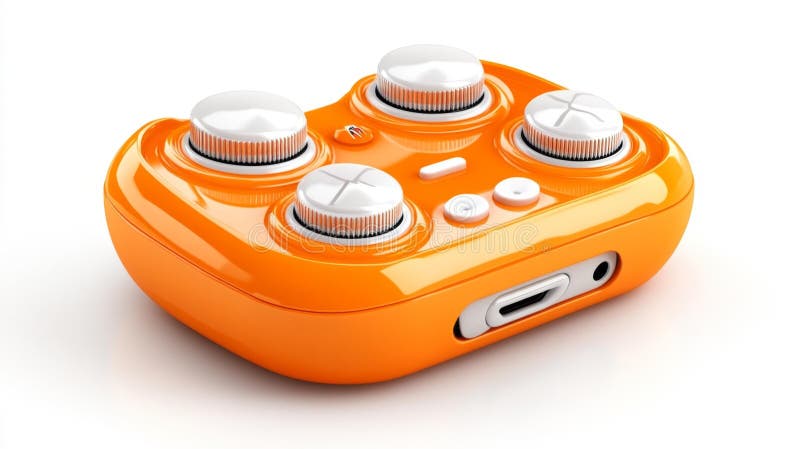
Free with trial A modern orange and white gaming controller featuring sleek knobs and buttons with advanced design and functionality, isolated on white background.. Generative AI. Button functionality illustrations Modern Orange and White Game Controller with Knobs and Buttons. A modern orange and white gaming controller featuring sleek knobs and buttons with advanced. A modern orange and white gaming controller featuring sleek knobs and buttons with advanced design and functionality, isolated on white background.. Generative AI
Free with trial This image shows a sleek, rugged action camera designed for durability and functionality. The device features a prominent manual control dial for settings adjustment, a recording indicator light, and a small screen for playback or live view. It includes a strap mount on top for easy carrying, and various ports and buttons for connectivity and control. The camera is likely waterproof and built for. Button functionality illustrations Compact action camera with manual control dial and recording indicators. This image shows a sleek, rugged action camera designed for durability and functionality. This image shows a sleek, rugged action camera designed for durability and functionality. The device features a prominent manual control dial for settings adjustment, a recording indicator light, and a small screen for playback or live view. It includes a strap mount on top for easy carrying, and various ports and buttons for connectivity and control. The camera is likely waterproof and built for
Free with trial Collection of various UI arrow icons, including basic directions and circled arrows, for navigation. Button functionality vectors UI arrow icons collection in black, perfect for user interface navigation. Collection of various UI arrow icons, including basic directions and circled arrows. Collection of various UI arrow icons, including basic directions and circled arrows, for navigation
Free with trial This image features twelve distinct icons in a glossy style that each have a distinct reflection. These icons represent various functions, including cloud, cancel, notification, download, upload, user, location and eye functionality for user interface or web design. Button functionality vectors Collection of twelve glossy and reflective web icons on white background. This image features twelve distinct icons in a glossy style that each have a distinct. This image features twelve distinct icons in a glossy style that each have a distinct reflection. These icons represent various functions, including cloud, cancel, notification, download, upload, user, location and eye functionality for user interface or web design.
Free with trial A modern smartwatch features a sleek black face embedded in a silver case, displaying the time as 10:09 along with heart rate and other health metrics. The strap is a striking combination of gray on the outside and red on the inside, made of flexible material for comfort. The watch's design includes a side button and a digital interface for user interaction, emphasizing functionality in fitness and health monitoring. Button functionality illustrations Modern smartwatch with red and gray strap displaying time and health metrics. A modern smartwatch features a sleek black face embedded in a silver case. A modern smartwatch features a sleek black face embedded in a silver case, displaying the time as 10:09 along with heart rate and other health metrics. The strap is a striking combination of gray on the outside and red on the inside, made of flexible material for comfort. The watch's design includes a side button and a digital interface for user interaction, emphasizing functionality in fitness and health monitoring.
Free with trial Icon set illustrating digital accessibility and inclusive technology concepts. Features a keyboard with navigation arrows, a computer screen displaying text with an audio bar, a monitor with a magnifying glass, a toggle switch for night mode, a document with accessibility and checkmark symbols, and a large button with a plug and joystick. Colors primarily include purple, blue, and black, emphasizing functionality such as speech, magnification, light adjustment, and user interface enhancements. Button functionality vectors Computer Digital Accessibility and Inclusive Technology Concept Icon Set. Icon set illustrating digital accessibility and inclusive technology concepts. Features. Icon set illustrating digital accessibility and inclusive technology concepts. Features a keyboard with navigation arrows, a computer screen displaying text with an audio bar, a monitor with a magnifying glass, a toggle switch for night mode, a document with accessibility and checkmark symbols, and a large button with a plug and joystick. Colors primarily include purple, blue, and black, emphasizing functionality such as speech, magnification, light adjustment, and user interface enhancements.
Free with trial A blue circular arrow icon in a digital graphic style. It represents refresh, reload, or undo actions, making it ideal for user interface design in websites, applications, and technology projects. It signifies reset functionality. Button functionality illustrations Blue reload circular arrow icon for web interface and application design. A blue circular arrow icon in a digital graphic style. It represents refresh, reload. A blue circular arrow icon in a digital graphic style. It represents refresh, reload, or undo actions, making it ideal for user interface design in websites, applications, and technology projects. It signifies reset functionality
Free with trial Scattered black circular app icons with various symbols rest on an orange surface. The icons feature minimalist line art designs representing diverse functions, likely representing a range of digital services or applications. The overall design is clean, modern, and visually appealing. Button functionality illustrations Black App Icons on Orange Background. Scattered black circular app icons with various symbols rest on an orange surface. The icons feature minimalist line art. Scattered black circular app icons with various symbols rest on an orange surface. The icons feature minimalist line art designs representing diverse functions, likely representing a range of digital services or applications. The overall design is clean, modern, and visually appealing.
Free with trial A close-up of a black wall outlet showing a unique charging port with a wire plugged in. The design features a circular button nearby, enhancing user convenience and modern style. Button functionality illustrations Innovative power outlet design with modern charging features and sleek aesthetics. A close-up of a black wall outlet showing a unique charging port with a wire. A close-up of a black wall outlet showing a unique charging port with a wire plugged in. The design features a circular button nearby, enhancing user convenience and modern style.
Free with trial A sleek and minimalist vector icon featuring a bold downward arrow with a curved base, perfect for illustrating download actions in apps, websites, or presentations. Clean design with sharp lines and a contemporary feel, ideal for tech, software, and digital media projects. Suitable for various backgrounds and uses, emphasizing simplicity and functionality. Button functionality illustrations Modern download arrow icon with curved base isolated on white background. A sleek and minimalist vector icon featuring a bold downward arrow with a curved base. A sleek and minimalist vector icon featuring a bold downward arrow with a curved base, perfect for illustrating download actions in apps, websites, or presentations. Clean design with sharp lines and a contemporary feel, ideal for tech, software, and digital media projects. Suitable for various backgrounds and uses, emphasizing simplicity and functionality
Free with trial A sleek green retro-style digital camera featuring a small display screen and a central control dial, isolated on a transparent background for easy integration into designs. The camera has a nostalgic, vintage look with modern functionality, ideal for tech, retro, or photography-themed projects. Button functionality illustrations Green retro digital camera with screen isolated on transparent background. A sleek green retro-style digital camera featuring a small display screen and a. A sleek green retro-style digital camera featuring a small display screen and a central control dial, isolated on a transparent background for easy integration into designs. The camera has a nostalgic, vintage look with modern functionality, ideal for tech, retro, or photography-themed projects
Free with trial A round, wooden container with a metallic lid is set against a white background with delicate fabric drapes. The container features a control panel with a button and indicator light. It is surrounded by small greenery and smooth fabric, creating a soft, tranquil scene. The lighting highlights the container's texture and curves, emphasizing its sleek, modern design. Button functionality illustrations Photorealistic image of a cordless airtight rest puck on a white background. A round, wooden container with a metallic lid is set against a white background with. A round, wooden container with a metallic lid is set against a white background with delicate fabric drapes. The container features a control panel with a button and indicator light. It is surrounded by small greenery and smooth fabric, creating a soft, tranquil scene. The lighting highlights the container's texture and curves, emphasizing its sleek, modern design.
Free with trial The image showcases a white smartphone with a large, blank screen and a minimalistic design. The device features a single front camera, a home button, and a few basic function buttons on the front. The overall design is clean and modern, with a focus on simplicity and functionality. Button functionality illustrations A sleek and modern white smartphone with a large screen and minimalistic design. The image showcases a white smartphone with a large, blank screen and a. The image showcases a white smartphone with a large, blank screen and a minimalistic design. The device features a single front camera, a home button, and a few basic function buttons on the front. The overall design is clean and modern, with a focus on simplicity and functionality
Free with trial This image was created using Generative AI. A clean black and white rocker switch icon representing toggle functionality. Ideal for user interface design, web buttons, mobile applications, and power control. Button functionality vectors Black and White Rocker Switch Icon Showing ON and OFF Positions for UI Design. This image was created using Generative AI. A clean black and white rocker switch. This image was created using Generative AI. A clean black and white rocker switch icon representing toggle functionality. Ideal for user interface design, web buttons, mobile applications, and power control
Free with trial This image shows a detailed schematic of a pipeline project featuring yellow pipes, valves, and connectors. It includes a placeholder for a project title and description, along with a 'read more' button, suggesting it could be used for presentations or project documentation in industrial or engineering fields. The design is clean and modern, focusing on clarity and functionality. Button functionality illustrations Illustrated pipeline project layout with industrial valves and connectors. This image shows a detailed schematic of a pipeline project featuring yellow pipes. This image shows a detailed schematic of a pipeline project featuring yellow pipes, valves, and connectors. It includes a placeholder for a project title and description, along with a 'read more' button, suggesting it could be used for presentations or project documentation in industrial or engineering fields. The design is clean and modern, focusing on clarity and functionality
Free with trial A close-up view of a control panel switch for high-orbit satellite range, featuring a distinct ON and OFF indicator light. The modern design highlights advanced technology in satellite communication. Button functionality illustrations Control Panel Switch for High-Orbit Satellite Range with ON and OFF Indicator Light. A close-up view of a control panel switch for high-orbit satellite range. A close-up view of a control panel switch for high-orbit satellite range, featuring a distinct ON and OFF indicator light. The modern design highlights advanced technology in satellite communication
Free with trial This image showcases a modern, ergonomically designed gaming controller in a vibrant purple color with contrasting orange accents. The controller features a directional pad, multiple action buttons, two analog sticks, and a share button, all designed for a comfortable gaming experience. The overall build suggests a focus on both aesthetics and functionality, suitable for console gaming. Button functionality illustrations A sleek purple gaming controller with orange accents and ergonomic design. This image showcases a modern, ergonomically designed gaming controller in a vibrant. This image showcases a modern, ergonomically designed gaming controller in a vibrant purple color with contrasting orange accents. The controller features a directional pad, multiple action buttons, two analog sticks, and a share button, all designed for a comfortable gaming experience. The overall build suggests a focus on both aesthetics and functionality, suitable for console gaming
Free with trial A sleek smartwatch featuring a black screen and a rectangular face with smooth, rounded edges. The frame is metallic with a polished, shiny finish. The band is black, crafted from a textured metal mesh, adding a modern and sophisticated touch. The watch includes a prominent crown button on the side, enhancing its functionality. Set against a black background, the elegant design is emphasized, highlighting its minimalist and premium aesthetic. Button functionality illustrations Black smartwatch with metal band. A sleek smartwatch featuring a black screen and a rectangular face with smooth, rounded edges. The frame is metallic with a. A sleek smartwatch featuring a black screen and a rectangular face with smooth, rounded edges. The frame is metallic with a polished, shiny finish. The band is black, crafted from a textured metal mesh, adding a modern and sophisticated touch. The watch includes a prominent crown button on the side, enhancing its functionality. Set against a black background, the elegant design is emphasized, highlighting its minimalist and premium aesthetic.
Free with trial The image shows a close-up of a person's hand holding a compact, ergonomic computer mouse. The mouse features a prominent scroll wheel in the center and two buttons on the left side, with a smooth, dark plastic surface. The hand is positioned naturally, gripping the mouse for precise control, likely indicating an emphasis on user-friendly design and functionality for computing tasks. Button functionality illustrations Hand gripping a sleek wireless computer mouse with scroll wheel. The image shows a close-up of a person's hand holding a compact, ergonomic computer mouse. The. The image shows a close-up of a person's hand holding a compact, ergonomic computer mouse. The mouse features a prominent scroll wheel in the center and two buttons on the left side, with a smooth, dark plastic surface. The hand is positioned naturally, gripping the mouse for precise control, likely indicating an emphasis on user-friendly design and functionality for computing tasks
Free with trial A grid of nine distinct black and white icons, each depicting a different symbol or control element. Button functionality vectors Collection of black and white icons representing various symbols and controls. A grid of nine distinct black and white icons, each depicting a different symbol. A grid of nine distinct black and white icons, each depicting a different symbol or control element.
Free with trial The image showcases a modern, compact power bank with a predominantly blue body accented by silver edges and a clasp closure. The power bank has a minimalist design with a small circular button on the top right corner, likely for power or connectivity. Its streamlined shape and color scheme suggest a blend of functionality and style, ideal for on-the-go charging needs. The clasp ensures secure. Button functionality illustrations Sleek blue and silver portable power bank with clasp. The image showcases a modern, compact power bank with a predominantly blue body accented by silver edges. The image showcases a modern, compact power bank with a predominantly blue body accented by silver edges and a clasp closure. The power bank has a minimalist design with a small circular button on the top right corner, likely for power or connectivity. Its streamlined shape and color scheme suggest a blend of functionality and style, ideal for on-the-go charging needs. The clasp ensures secure
Free with trial The image shows a single car key with a gold-colored metal blade and a black plastic key fob. The key is positioned vertically against a plain white background, with the fob at the top and the blade extending downward. The key fob has a small button and a slot for attaching additional key rings. Button functionality illustrations A single gold-colored car key with a black plastic fob on a white background. The image shows a single car key with a gold-colored metal blade and a black. The image shows a single car key with a gold-colored metal blade and a black plastic key fob. The key is positioned vertically against a plain white background, with the fob at the top and the blade extending downward. The key fob has a small button and a slot for attaching additional key rings
Free with trial A clean, modern, flat icon depicting a duplicate file or copy document action. The design features two overlapping document pages, with the top page in a light blue color and the bottom page in a dark grey, both featuring a folded corner. This simple, minimalist graphic is ideal for user interface design, software applications, web development, and digital file management systems to represent duplication or copying tasks. Button functionality vectors Flat Vector Icon Representing Duplicate Files or Copy Document Functionality. A clean, modern, flat icon depicting a duplicate file or copy document action. The. A clean, modern, flat icon depicting a duplicate file or copy document action. The design features two overlapping document pages, with the top page in a light blue color and the bottom page in a dark grey, both featuring a folded corner. This simple, minimalist graphic is ideal for user interface design, software applications, web development, and digital file management systems to represent duplication or copying tasks.
Free with trial Retro gaming controller white isolated background. Generative AI. Button functionality illustrations Retro gaming controller white isolated background. Retro gaming controller, white isolated background. Generative AI
Free with trial A black smartwatch is depicted, floating against a neutral background. It features a square face with rounded edges and a glossy, black screen. The smooth, flexible black band is visible, showcasing an adjustable buckle and multiple holes for sizing. A side button is prominent on the watch body, indicating interactive functionality. The minimalist design suggests a modern and sleek aesthetic suitable for everyday wear. Button functionality vectors A black smartwatch floating horizontally in mid-air. A black smartwatch is depicted, floating against a neutral background. It features a square face with. A black smartwatch is depicted, floating against a neutral background. It features a square face with rounded edges and a glossy, black screen. The smooth, flexible black band is visible, showcasing an adjustable buckle and multiple holes for sizing. A side button is prominent on the watch body, indicating interactive functionality. The minimalist design suggests a modern and sleek aesthetic suitable for everyday wear.
Free with trial A grey smartwatch with a sleek design and a black screen display features a digital interface. The screen shows heart rate monitoring details in bright pink and white numbers, indicating a heart rate of 70. 30 with a progress bar. The watch has a smooth silicone strap and a minimalist button for adjustments. Its modern and functional style makes it suitable for fitness and everyday use. The image focuses on functionality and design, highlighting the watch against a plain white backdrop. Button functionality illustrations A grey smartwatch with a black screen display isolated on white background. A grey smartwatch with a sleek design and a black screen display features a digital. A grey smartwatch with a sleek design and a black screen display features a digital interface. The screen shows heart rate monitoring details in bright pink and white numbers, indicating a heart rate of 70.30 with a progress bar. The watch has a smooth silicone strap and a minimalist button for adjustments. Its modern and functional style makes it suitable for fitness and everyday use. The image focuses on functionality and design, highlighting the watch against a plain white backdrop.
Free with trial A digital tablet with a sleek, rectangular design featuring a prominent touchscreen. It is accompanied by a stylus pen, positioned diagonally across the tablet's surface. The stylus has a cylindrical shape with a pointed tip for precision input. The edges of the tablet show a power button and volume controls. The minimalistic design is depicted in black and white, highlighting the essential features and functionality of the device without additional distractions or colors. Button functionality illustrations To the side, a set of battery indicators display charge levels in green and. A digital tablet with a sleek, rectangular design featuring a prominent touchscreen. A digital tablet with a sleek, rectangular design featuring a prominent touchscreen. It is accompanied by a stylus pen, positioned diagonally across the tablet's surface. The stylus has a cylindrical shape with a pointed tip for precision input. The edges of the tablet show a power button and volume controls. The minimalistic design is depicted in black and white, highlighting the essential features and functionality of the device without additional distractions or colors.
Free with trial The image shows a modern car key fob in black with four distinct buttons, including a red power button and a silver keyring attached. The keyring holds three metallic keys, all neatly aligned. The key fob and keys are set against a plain white background, highlighting their design and functionality. Button functionality illustrations Car key fob with attached metal keychain and keys on a white background. The image shows a modern car key fob in black with four distinct buttons, including a. The image shows a modern car key fob in black with four distinct buttons, including a red power button and a silver keyring attached. The keyring holds three metallic keys, all neatly aligned. The key fob and keys are set against a plain white background, highlighting their design and functionality
Free with trial A minimalist black icon symbol showing a double arrow pointing to the left, commonly used for rewind or replay functions in digital media players. Button functionality vectors Black Rewind Icon Symbol for Backward Direction or Replay Functionality. A minimalist black icon symbol showing a double arrow pointing to the left, commonly. A minimalist black icon symbol showing a double arrow pointing to the left, commonly used for rewind or replay functions in digital media players
Free with trial The presents a series of elegant, minimalist designs, showcasing a variety of iconic symbols rendered in clean, continuous lines. Each silhouette captures the essence of everyday objects, animals, and nature, offering a modern, refined aesthetic. Perfect for those who appreciate simplicity and precision, this collection merges artistic expression with functionality, creating visually striking icons that are both timeless and versatile for any design project. Button functionality vectors Lineart Icon Silhouette Artwork Collection. The presents a series of elegant, minimalist designs, showcasing a variety of iconic symbols rendered in clean. The presents a series of elegant, minimalist designs, showcasing a variety of iconic symbols rendered in clean, continuous lines. Each silhouette captures the essence of everyday objects, animals, and nature, offering a modern, refined aesthetic. Perfect for those who appreciate simplicity and precision, this collection merges artistic expression with functionality, creating visually striking icons that are both timeless and versatile for any design project.
Free with trial A flat-style graphic icon featuring a stylized dark gray loudspeaker or megaphone emitting purple sound waves to the right. The design is clean, modern, and minimalist, suitable for representing audio, volume, broadcasting, communication, or media settings in digital interfaces, web design, or presentation materials. The high-contrast color palette and simple geometric shapes make it an effective symbol for sound-related functionality and multimedia applications. Button functionality vectors Flat Icon of a Loudspeaker Emitting Sound Waves for Audio and Media Concepts. A flat-style graphic icon featuring a stylized dark gray loudspeaker or megaphone. A flat-style graphic icon featuring a stylized dark gray loudspeaker or megaphone emitting purple sound waves to the right. The design is clean, modern, and minimalist, suitable for representing audio, volume, broadcasting, communication, or media settings in digital interfaces, web design, or presentation materials. The high-contrast color palette and simple geometric shapes make it an effective symbol for sound-related functionality and multimedia applications.
 Sign in