Free with trial Closeup of a white electronic device dial. A close-up view of a white electronic devices dial and screen. Generative AI. Button functionality illustrations Closeup of a white electronic device dial. A close-up view of a white electronic devices dial and screen. Generative AI
Free with trial A close-up of a compact, white portable desk fan featuring multiple blades and a built-in circular LED light on the side. The device is positioned against a plain background, highlighting its sleek design and functionality. Button functionality illustrations Portable Desk Fan with Built-in LED Light. A close-up of a compact, white portable desk fan featuring multiple blades and a built-in circular LED light on the. A close-up of a compact, white portable desk fan featuring multiple blades and a built-in circular LED light on the side. The device is positioned against a plain background, highlighting its sleek design and functionality.
Free with trial A close-up shot shows a hand holding a circular blue token featuring a white shopping cart symbol against a bright yellow backdrop, representing digital commerce concepts. This vibrant and simple depiction of online retail functionality was Rendered by Ai for visual effect. Button functionality illustrations Hand holding shopping cart icon on yellow background. A close-up shot shows a hand holding a circular blue token featuring a white shopping cart symbol against a. A close-up shot shows a hand holding a circular blue token featuring a white shopping cart symbol against a bright yellow backdrop, representing digital commerce concepts. This vibrant and simple depiction of online retail functionality was Rendered by Ai for visual effect
Free with trial A sleek, modern design of a wireless remote control icon, perfect for app interfaces, websites, or presentations. The icon features a simple, minimalist style with clear lines and a focus on functionality. Button functionality vectors Wireless Remote Control Icon, Simple and Modern Design. A sleek, modern design of a wireless remote control icon, perfect for app interfaces, websites, or. A sleek, modern design of a wireless remote control icon, perfect for app interfaces, websites, or presentations. The icon features a simple, minimalist style with clear lines and a focus on functionality.
Free with trial Classic black polo shirt in multiple views. A versatile black polo shirt displayed from the front, side, and back, showcasing its sleek design and functionality. Button functionality illustrations Classic black polo shirt in multiple views. A versatile black polo shirt displayed from the front, side, and back, showcasing its sleek design and functionality
Free with trial A minimalist vector illustration featuring a grey wireless remote control, likely for a car or smart system, set against a clean white background. The device prominently displays a white unlock padlock icon in its center, indicating security access or disarming. Curved signal waves emanate from both sides, symbolizing wireless communication and functionality. This flat design graphic is perfect for conveying concepts of remote access, security systems, smart technology, and automotive features in digital interfaces, presentations, or informational materials. Button functionality illustrations Wireless Remote Control Unlock Signal Icon. A minimalist vector illustration featuring a grey wireless remote control, likely for a car or smart system, set. A minimalist vector illustration featuring a grey wireless remote control, likely for a car or smart system, set against a clean white background. The device prominently displays a white unlock padlock icon in its center, indicating security access or disarming. Curved signal waves emanate from both sides, symbolizing wireless communication and functionality. This flat design graphic is perfect for conveying concepts of remote access, security systems, smart technology, and automotive features in digital interfaces, presentations, or informational materials.
Free with trial A pair of black cargo pants with multiple pockets, designed for both style and functionality. Button functionality illustrations Black cargo pants with multiple pockets isolated on white background. A pair of black cargo pants with multiple pockets, designed for both style and. A pair of black cargo pants with multiple pockets, designed for both style and functionality
Free with trial A minimalist of a smartphone with a prominent red down arrow symbol displayed on the screen. The clean lines and a flat aesthetic, set against a white background. The arrow points downward, suggesting download or save functionality in a digital interface context. Button functionality illustrations Minimalist smartphone with red down arrow symbol on white background. A minimalist of a smartphone with a prominent red down arrow symbol displayed on the screen. A minimalist of a smartphone with a prominent red down arrow symbol displayed on the screen. The clean lines and a flat aesthetic, set against a white background. The arrow points downward, suggesting download or save functionality in a digital interface context
Free with trial A collection of blue glass buttons displayed in a grid on a dark background, highlighting their sleek design and reflective surfaces, perfect for digital projects,. Button functionality illustrations Blue glass buttons arranged in a grid pattern on a dark surface, showcasing a modern design aesthetic with reflections and. A collection of blue glass buttons. A collection of blue glass buttons displayed in a grid on a dark background, highlighting their sleek design and reflective surfaces, perfect for digital projects,
Free with trial Calculator with buttons, arrow pointing to open box, and sun, symbolizing calculation, energy efficiency, and transformation. Ideal for finance, education, technology environment corporate. Button functionality illustrations Calculator with Arrow Pointing to Box and Sun Symbol Representing Data Input and Conversion. Calculator with buttons, arrow pointing to open box, and sun. Calculator with buttons, arrow pointing to open box, and sun, symbolizing calculation, energy efficiency, and transformation. Ideal for finance, education, technology environment corporate
Free with trial A sleek, black wireless computer mouse with a scroll wheel and two buttons, captured from an elevated angle against a pristine white background, highlighting its modern design and functionality. Button functionality vectors Black Wireless Computer Mouse Isolated on White Background. A sleek, black wireless computer mouse with a scroll wheel and two buttons, captured from an elevated. A sleek, black wireless computer mouse with a scroll wheel and two buttons, captured from an elevated angle against a pristine white background, highlighting its modern design and functionality
Free with trial A smartphone screen displaying an expense tracking application. The left side shows an interface with expense categories, a plus button for adding new entries, and a list of transactions. The right side features a summary section with a bar chart representing financial data and a checkmark indicating tracked expenses. The background is a light blue wooden surface, providing a clean and professional look. Button functionality illustrations Expense tracking app interface on smartphone. A smartphone screen displaying an expense tracking application. The left side shows an interface with expense. A smartphone screen displaying an expense tracking application. The left side shows an interface with expense categories, a plus button for adding new entries, and a list of transactions. The right side features a summary section with a bar chart representing financial data and a checkmark indicating tracked expenses. The background is a light blue wooden surface, providing a clean and professional look.
Free with trial A clean, minimalist image featuring a modern white rocker-style light switch mounted on a white wall. The switch has a subtle power symbol etched onto its surface, indicating its function. The lighting is bright and even, highlighting the smooth texture and contemporary design of the switch. This image is perfect for illustrating concepts related to home automation, electricity, control, and interior design. Button functionality illustrations Modern White Light Switch with Power Symbol. A clean, minimalist image featuring a modern white rocker-style light switch mounted on a white wall. The switch has. A clean, minimalist image featuring a modern white rocker-style light switch mounted on a white wall. The switch has a subtle power symbol etched onto its surface, indicating its function. The lighting is bright and even, highlighting the smooth texture and contemporary design of the switch. This image is perfect for illustrating concepts related to home automation, electricity, control, and interior design.
Free with trial The image depicts a professional digital camera with a large lens attached. The camera features a sleek black design with red accents, including a prominent red stripe along the grip and lens. The camera has various buttons and dials on the top and back, indicating advanced functionalities. The lens is extended and appears to be a high-quality, versatile model, suitable for various photography. Button functionality illustrations Professional digital camera with large lens. The image depicts a professional digital camera with a large lens attached. The camera features a sleek black design. The image depicts a professional digital camera with a large lens attached. The camera features a sleek black design with red accents, including a prominent red stripe along the grip and lens. The camera has various buttons and dials on the top and back, indicating advanced functionalities. The lens is extended and appears to be a high-quality, versatile model, suitable for various photography
Free with trial A clean and modern blue question mark icon symbolizing inquiry, doubt, or search functionality in digital interfaces and designs. Button functionality illustrations Blue question mark icon on white background. A clean and modern blue question mark icon symbolizing inquiry, doubt, or search functionality in digital interfaces. A clean and modern blue question mark icon symbolizing inquiry, doubt, or search functionality in digital interfaces and designs
Free with trial A close-up photograph shows a hand holding a modern car key fob with multiple buttons, including lock, unlock, and panic alarms. The key fob is attached to a set of metallic keys, emphasizing the sleek design and functionality of contemporary vehicle access systems. Button functionality illustrations Hand holding car key fob with attached keys. A close-up photograph shows a hand holding a modern car key fob with multiple buttons, including lock, unlock, and. A close-up photograph shows a hand holding a modern car key fob with multiple buttons, including lock, unlock, and panic alarms. The key fob is attached to a set of metallic keys, emphasizing the sleek design and functionality of contemporary vehicle access systems
Free with trial This image shows a high-tech handheld device, possibly a specialized camera or scanner, with an orange and black design. The device features a lens, various buttons, and an ergonomic grip. This detailed product shot was generated by AI for illustrative purposes. Button functionality illustrations High-Tech Orange Handheld Device. This image shows a high-tech handheld device, possibly a specialized camera or scanner, with an orange and black design. The. This image shows a high-tech handheld device, possibly a specialized camera or scanner, with an orange and black design. The device features a lens, various buttons, and an ergonomic grip. This detailed product shot was generated by AI for illustrative purposes.
Free with trial Set of four minimalistic icons depicting arrows entering or exiting rectangular outlines. Icons suggest directional movement: two arrows pointing right and two arrows pointing left. Each design involves a simple line drawing style on a plain white background, emphasizing clarity and functionality. Perfect for user interface elements indicating entry and exit actions. Button functionality vectors Login and Logout icon set. Sign in and Sign out icon set. Set of four minimalistic icons depicting arrows entering or exiting rectangular outlines. Icons. Set of four minimalistic icons depicting arrows entering or exiting rectangular outlines. Icons suggest directional movement: two arrows pointing right and two arrows pointing left. Each design involves a simple line drawing style on a plain white background, emphasizing clarity and functionality. Perfect for user interface elements indicating entry and exit actions.
Free with trial Purple smartphone with a sleek design and three-dimensional health-themed icons on a white background. The icons include a white heart on a yellow square, a plus sign with lines on another yellow rectangle, and a purple square with a white heartbeat symbol. The arrangement suggests health or medical app functionality, with a playful aesthetic due to the vibrant colors and 3D style. The phone features rounded edges and two buttons on the side. Button functionality illustrations Purple phone with health icons on white background. Purple smartphone with a sleek design and three-dimensional health-themed icons on a white background. The. Purple smartphone with a sleek design and three-dimensional health-themed icons on a white background. The icons include a white heart on a yellow square, a plus sign with lines on another yellow rectangle, and a purple square with a white heartbeat symbol. The arrangement suggests health or medical app functionality, with a playful aesthetic due to the vibrant colors and 3D style. The phone features rounded edges and two buttons on the side.
Free with trial A clean, flat-style graphic featuring a dark blue gear silhouette with a light blue wrench icon centered inside. This minimalist design represents concepts such as maintenance, engineering, repair, technical support, industrial settings, and mechanical operations. The high-contrast, simple aesthetic makes it an ideal choice for user interface design, app icons, website buttons, or technical documentation. Its clear visual language effectively communicates functionality, troubleshooting, and professional service, making it a versatile asset for various corporate, industrial, or educational projects requiring a symbol for repair and mechanical efficiency. Button functionality illustrations Gear Icon With Spanner Tool Symbol Flat Design. A clean, flat-style graphic featuring a dark blue gear silhouette with a light blue wrench icon centered inside. A clean, flat-style graphic featuring a dark blue gear silhouette with a light blue wrench icon centered inside. This minimalist design represents concepts such as maintenance, engineering, repair, technical support, industrial settings, and mechanical operations. The high-contrast, simple aesthetic makes it an ideal choice for user interface design, app icons, website buttons, or technical documentation. Its clear visual language effectively communicates functionality, troubleshooting, and professional service, making it a versatile asset for various corporate, industrial, or educational projects requiring a symbol for repair and mechanical efficiency.
Free with trial Close-up of a black gaming keyboard featuring illuminated green keys, highlighting the key layout and texture against a wooden background. Button functionality illustrations Close-up view of a black gaming keyboard with green backlit keys, showcasing detailed key layout and texture on a wooden surface. Close-up of a black gaming. Close-up of a black gaming keyboard featuring illuminated green keys, highlighting the key layout and texture against a wooden background
Free with trial Hand pressing buttons on a remote control. Close-up of a hand holding and pressing buttons on a remote control. Button functionality illustrations Hand pressing buttons on a remote control. Close-up of a hand holding and pressing buttons on a remote control
Free with trial A grid of nine black and white icons representing various public information, directional, and alert symbols. Button functionality vectors Collection of nine distinct public information and directional signage icons. A grid of nine black and white icons representing various public information. A grid of nine black and white icons representing various public information, directional, and alert symbols.
Free with trial Web designers making interface of website page. Team working on widgets of social media, application for desktop ot smartphone. UX and UI usability and navigation. Editing and functionality of sites. Button functionality vectors Team of designers making interface of website page. Web designers making interface of website page. Team working on widgets of social media, application for. Web designers making interface of website page. Team working on widgets of social media, application for desktop ot smartphone. UX and UI usability and navigation. Editing and functionality of sites
Free with trial A 3D icon features a stylized document with horizontal lines, symbolizing text. Overlaid is a bright green upward-pointing arrow, representing an upload action. The document is a light gray with darker lines, and the arrow is prominently placed at the bottom left corner. The background is plain white, emphasizing the icon's functionality related to document uploading, commonly used in digital interfaces. Button functionality illustrations Green arrow pointing to document upload icon. A 3D icon features a stylized document with horizontal lines, symbolizing text. Overlaid is a bright green upward. A 3D icon features a stylized document with horizontal lines, symbolizing text. Overlaid is a bright green upward-pointing arrow, representing an upload action. The document is a light gray with darker lines, and the arrow is prominently placed at the bottom left corner. The background is plain white, emphasizing the icon's functionality related to document uploading, commonly used in digital interfaces.
Free with trial Set of four minimalist refrigerator icons, each within a square frame showing a simplified fridge outline with handles. The designs vary in background color: white, black, teal, and light gray. The icons themselves are in contrasting shades to the backgrounds, providing clear visibility. The simplistic line art style emphasizes modernity and functionality, ideal for representing kitchen appliances in digital designs. Button functionality illustrations Refrigerator Icon Set for Kitchen Appliances. Set of four minimalist refrigerator icons, each within a square frame showing a simplified fridge outline with. Set of four minimalist refrigerator icons, each within a square frame showing a simplified fridge outline with handles. The designs vary in background color: white, black, teal, and light gray. The icons themselves are in contrasting shades to the backgrounds, providing clear visibility. The simplistic line art style emphasizes modernity and functionality, ideal for representing kitchen appliances in digital designs.
Free with trial Collection of simple black outline icons arranged in grid on white background including home, search, user, settings gear, notification bell, shopping cart, location pin, chat bubble, envelope, download arrow, calendar and menu dots. Clean minimalist linear style perfect for mobile apps, websites, user interfaces and digital projects. Versatile symbols for navigation, communication, e-commerce and functionality. Button functionality vectors Minimalist Line Icons Set for Web Interface. Collection of simple black outline icons arranged in grid on white background including home, search, user, settings. Collection of simple black outline icons arranged in grid on white background including home, search, user, settings gear, notification bell, shopping cart, location pin, chat bubble, envelope, download arrow, calendar and menu dots. Clean minimalist linear style perfect for mobile apps, websites, user interfaces and digital projects. Versatile symbols for navigation, communication, e-commerce and functionality.
Free with trial Smartphone showing a digital voting screen with multiple checkboxes, each ticked. The background is a plain, light surface, emphasizing simplicity and focus on the device. The smartphone is centrally positioned, showcasing a user interface with a clean design. The screen displays options for selection, likely part of an app or voting system, indicating interactivity and user engagement. The image suggests functionality in a minimalist setting, possibly for educational or demonstrative purposes. Button functionality illustrations A flat lay image of a smartphone displaying a clean digital voting screen with multiple selection options, set against a. Smartphone showing a digital voting. Smartphone showing a digital voting screen with multiple checkboxes, each ticked. The background is a plain, light surface, emphasizing simplicity and focus on the device. The smartphone is centrally positioned, showcasing a user interface with a clean design. The screen displays options for selection, likely part of an app or voting system, indicating interactivity and user engagement. The image suggests functionality in a minimalist setting, possibly for educational or demonstrative purposes.
Free with trial A vibrant illustration showcasing a smartwatch, wireless earbuds, stylish sunglasses, and a fitness tracker, perfect for tech enthusiasts. Button functionality vectors Collection of Modern Gadgets - Smartwatch, Earbuds, Sunglasses, and Fitness Tracker. A vibrant illustration showcasing a smartwatch, wireless earbuds, stylish. A vibrant illustration showcasing a smartwatch, wireless earbuds, stylish sunglasses, and a fitness tracker, perfect for tech enthusiasts
Free with trial An antique pocket watch with an open ornate lid is displayed against a warm yellow background. The watch face features Roman numerals and a visible mechanical movement at the center. A sturdy chain is attached to the watch's winding crown. The intricate design on the inner lid adds an elegant touch, showcasing fine craftsmanship. The watch hands are positioned over the transparent dial section, partly revealing the internal gears. This classic timepiece combines functionality with decorative art. Button functionality illustrations A pocket watch with a chain around it. An antique pocket watch with an open ornate lid is displayed against a warm yellow background. The watch face features. An antique pocket watch with an open ornate lid is displayed against a warm yellow background. The watch face features Roman numerals and a visible mechanical movement at the center. A sturdy chain is attached to the watch's winding crown. The intricate design on the inner lid adds an elegant touch, showcasing fine craftsmanship. The watch hands are positioned over the transparent dial section, partly revealing the internal gears. This classic timepiece combines functionality with decorative art.
Free with trial A close-up view of two toggle switches demonstrating ON and OFF states. The green switch is set to ON, while the red switch is set to OFF, symbolizing control and functionality. Button functionality illustrations Two toggle switches one on green one off red showing power and control concepts. A close-up view of two toggle switches demonstrating ON and OFF states. The. A close-up view of two toggle switches demonstrating ON and OFF states. The green switch is set to ON, while the red switch is set to OFF, symbolizing control and functionality
Free with trial Hand is pressing the glowing lock key on a laptop keyboard, highlighting themes of security and privacy in the context of digital technology. Button functionality illustrations Close-up of a hand pressing the illuminated lock key on a laptop keyboard, symbolizing security and privacy in digital technology. Hand is pressing the glowing. Hand is pressing the glowing lock key on a laptop keyboard, highlighting themes of security and privacy in the context of digital technology
Free with trial These stylish switches, generated by AI, feature vibrant red and blue accents against a minimalist cream background. Perfect for modern interiors, these digitally created images showcase sleek design and functionality. Button functionality illustrations AI-Generated Colorful Switches. These stylish switches, generated by AI, feature vibrant red and blue accents against a minimalist cream background. Perfect for. These stylish switches, generated by AI, feature vibrant red and blue accents against a minimalist cream background. Perfect for modern interiors, these digitally created images showcase sleek design and functionality.
Free with trial A hand pressing a glowing light switch on a wall, representing control, innovation, and modern technology in daily life. Button functionality illustrations A hand pressing a glowing light switch on a wall. Representing control, innovation, and modern technology in daily life
Free with trial A sleek and modern of a white computer keyboard with minimalist design. The image features clean lines, uniformly sized keys, and a rectangular layout, emphasizing simplicity and functionality. Ideal for technology-related content, web design, office themes, digital communication, and user interface concepts. Perfect for use in graphic design projects, presentations, and educational materials. Button functionality illustrations Modern Minimalist White Keyboard Illustration. A sleek and modern of a white computer keyboard with minimalist design. The image features clean lines, uniformly. A sleek and modern of a white computer keyboard with minimalist design. The image features clean lines, uniformly sized keys, and a rectangular layout, emphasizing simplicity and functionality. Ideal for technology-related content, web design, office themes, digital communication, and user interface concepts. Perfect for use in graphic design projects, presentations, and educational materials.
Free with trial Black Automotive Interior Light Switch Control Panel: 3D Render of a Modern Car Part. A sleek black automotive interior light switch. Modern design, 3D render. Button functionality illustrations Black Automotive Interior Light Switch Control Panel: 3D Render of a Modern Car Part. A sleek black automotive interior light switch. Modern design, 3D render
Free with trial Close-up of hand interacting with smartwatch. Persons hand touching smartwatch screen with blurred background. Button functionality illustrations Close-up of hand interacting with smartwatch. Persons hand touching smartwatch screen with blurred background
Free with trial The image showcases a sleek, wireless mouse placed centrally on a smooth, white surface. The mouse has a minimalist design with a matte finish, featuring two primary buttons and a scroll wheel. The surface appears to be a mouse pad or desk, providing a clean and uncluttered environment. The overall aesthetic is modern and minimalistic, emphasizing functionality and simplicity. Button functionality vectors Modern wireless mouse on a sleek white surface. The image showcases a sleek, wireless mouse placed centrally on a smooth, white surface. The mouse has a. The image showcases a sleek, wireless mouse placed centrally on a smooth, white surface. The mouse has a minimalist design with a matte finish, featuring two primary buttons and a scroll wheel. The surface appears to be a mouse pad or desk, providing a clean and uncluttered environment. The overall aesthetic is modern and minimalistic, emphasizing functionality and simplicity
Free with trial Four minimalist logo designs featuring the letter "S" within a map pin shape. Each logo is displayed in a different color scheme: blue on white, white on black, white on dark green, and black on light gray. The designs use clean lines and bold simplicity to create a modern aesthetic. The shape resembles both an "S" and a location pin, suggesting themes of navigation or location. The consistent geometric style emphasizes clarity and functionality. Button functionality illustrations Letter S Map Pin Logo Modern Minimalist Design. Four minimalist logo designs featuring the letter 'S' within a map pin shape. Each logo is displayed in a. Four minimalist logo designs featuring the letter "S" within a map pin shape. Each logo is displayed in a different color scheme: blue on white, white on black, white on dark green, and black on light gray. The designs use clean lines and bold simplicity to create a modern aesthetic. The shape resembles both an "S" and a location pin, suggesting themes of navigation or location. The consistent geometric style emphasizes clarity and functionality.
Free with trial The image showcases fifteen distinct, glossy icons, presented on a clean white background. The icons feature diverse functionalities like shipping, sharing, refreshing, notification, agreement, and synchronization. With a consistent aesthetic and shading, they can be used in user interface designs. Button functionality vectors Collection of Glossy UI Icons on a White Background Represents Functionality. The image showcases fifteen distinct, glossy icons, presented on a clean white. The image showcases fifteen distinct, glossy icons, presented on a clean white background. The icons feature diverse functionalities like shipping, sharing, refreshing, notification, agreement, and synchronization. With a consistent aesthetic and shading, they can be used in user interface designs.
Free with trial Flat play icon illustration in a modern design, isolated on white background, perfect for digital media, video, and entertainment themes. Button functionality illustrations \'Play Icon Illustration Isolated on White Background. Flat play icon illustration in a modern design, isolated on white background, perfect for digital media. Flat play icon illustration in a modern design, isolated on white background, perfect for digital media, video, and entertainment themes
Free with trial A clean, flat of a digital alarm clock showing the time 00:30. The design features a dark blue frame with a lighter blue display area and white digital numerals. There are orange and green buttons on the top, suggesting functionality for settings or alarms. This minimalist graphic is perfect for web design, mobile applications, educational materials, or projects related to time management, scheduling, wake-up routines, and technology. The simple, modern aesthetic makes it highly versatile for various creative layouts and UI elements. Button functionality vectors Flat Vector Illustration of a Digital Alarm Clock. A clean, flat of a digital alarm clock showing the time 00:30. The design features a dark blue frame with a. A clean, flat of a digital alarm clock showing the time 00:30. The design features a dark blue frame with a lighter blue display area and white digital numerals. There are orange and green buttons on the top, suggesting functionality for settings or alarms. This minimalist graphic is perfect for web design, mobile applications, educational materials, or projects related to time management, scheduling, wake-up routines, and technology. The simple, modern aesthetic makes it highly versatile for various creative layouts and UI elements.
Free with trial The image showcases a modern smart watch featuring a glowing dial and luminous hands, set against a dark background. With its sleek design and precision timekeeping capabilities, this futuristic device is the epitome of modern technology. The circular display glows with blue light, emphasizing its minimalist style and innovative features. It's a perfect personal accessory that combines fashion with functionality, designed for users who appreciate advanced electronic gadgets. This image is created with AI. Button functionality vectors Modern Smart Watch Glowing Dial Timepiece Futuristic Device. The image showcases a modern smart watch featuring a glowing dial and luminous hands, set against a. The image showcases a modern smart watch featuring a glowing dial and luminous hands, set against a dark background. With its sleek design and precision timekeeping capabilities, this futuristic device is the epitome of modern technology. The circular display glows with blue light, emphasizing its minimalist style and innovative features. It's a perfect personal accessory that combines fashion with functionality, designed for users who appreciate advanced electronic gadgets. This image is created with AI.
Free with trial A clean, minimalist icon featuring a smartphone silhouette centered between radiating curved lines representing wireless connectivity, signal strength, or data transmission. The black and white graphic design is perfect for user interface elements, mobile application development, telecommunications websites, and technology-related marketing materials. The icon clearly communicates concepts of Wi-Fi, cellular networks, NFC, Bluetooth, or general mobile communication, making it an essential asset for designers creating modern digital interfaces, tech tutorials, or infographics about wireless connectivity and smart device functionality. Button functionality vectors Smartphone Icon With Wireless Signal Waves Symbol. A clean, minimalist icon featuring a smartphone silhouette centered between radiating curved lines. A clean, minimalist icon featuring a smartphone silhouette centered between radiating curved lines representing wireless connectivity, signal strength, or data transmission. The black and white graphic design is perfect for user interface elements, mobile application development, telecommunications websites, and technology-related marketing materials. The icon clearly communicates concepts of Wi-Fi, cellular networks, NFC, Bluetooth, or general mobile communication, making it an essential asset for designers creating modern digital interfaces, tech tutorials, or infographics about wireless connectivity and smart device functionality.
Free with trial The image showcases a sleek, white wireless mouse placed centrally on a matching white mousepad. The mouse features a minimalist design with a scroll wheel and two visible buttons. The mousepad has a smooth, flat surface, and the entire setup is presented against a clean, white background. The simplicity and elegance of the design suggest a modern and professional aesthetic, ideal for both work. Button functionality illustrations Modern wireless mouse on a sleek mousepad. The image showcases a sleek, white wireless mouse placed centrally on a matching white mousepad. The mouse features a. The image showcases a sleek, white wireless mouse placed centrally on a matching white mousepad. The mouse features a minimalist design with a scroll wheel and two visible buttons. The mousepad has a smooth, flat surface, and the entire setup is presented against a clean, white background. The simplicity and elegance of the design suggest a modern and professional aesthetic, ideal for both work
Free with trial Three stacked horizontal rectangles enclosed in a circle, symbolizing data storage, database, or server functionality. Clean design suitable for various applications. Button functionality vectors Three Horizontal Rectangular Boxes inside a Circle Icon Simple Data Storage Concept. Three stacked horizontal rectangles enclosed in a circle, symbolizing data. Three stacked horizontal rectangles enclosed in a circle, symbolizing data storage, database, or server functionality. Clean design suitable for various applications.
Free with trial This minimalist digital icon features a vibrant teal speech bubble shape containing a clean, white outlined magnifying glass. The design symbolizes digital communication, search functionality, inquiry, or investigative dialogue. It is presented on a plain white background, making it ideal for user interface design, app buttons, or web navigation. Button functionality vectors A teal speech bubble icon featuring a white magnifying glass search symbol. This minimalist digital icon features a vibrant teal speech bubble shape containing a. This minimalist digital icon features a vibrant teal speech bubble shape containing a clean, white outlined magnifying glass. The design symbolizes digital communication, search functionality, inquiry, or investigative dialogue. It is presented on a plain white background, making it ideal for user interface design, app buttons, or web navigation
Free with trial This sleek gaming controller hub, generated by AI, features multiple programmable buttons and multiple ports for enhanced gaming experience. Its stylish design and vibrant red lighting make it a perfect addition to any gaming setup. Button functionality illustrations AI-Generated Gaming Controller Hub. This sleek gaming controller hub, generated by AI, features multiple programmable buttons and multiple ports for enhanced. This sleek gaming controller hub, generated by AI, features multiple programmable buttons and multiple ports for enhanced gaming experience. Its stylish design and vibrant red lighting make it a perfect addition to any gaming setup.
Free with trial Clean line art icon featuring central gear with two blue arrows indicating movement and progress in systems. Button functionality illustrations Cogwheel icon with double rotating arrows showing synchronization and automatic update functionality. Clean line art icon featuring central gear with two blue. Clean line art icon featuring central gear with two blue arrows indicating movement and progress in systems
Free with trial A sleek modern metal keychain featuring a brushed silver geometric fob with circular center detail and durable braided steel wire ring, isolated on clean white background. Minimalist industrial design showcases premium craftsmanship, technology and functionality. Perfect for automotive, security, everyday carry, gift, accessory and product advertising concepts, highlighting style, durability, innovation and contemporary lifestyle. Button functionality vectors Modern Metallic Keychain with Steel Cable Ring. A sleek modern metal keychain featuring a brushed silver geometric fob with circular center detail and durable. A sleek modern metal keychain featuring a brushed silver geometric fob with circular center detail and durable braided steel wire ring, isolated on clean white background. Minimalist industrial design showcases premium craftsmanship, technology and functionality. Perfect for automotive, security, everyday carry, gift, accessory and product advertising concepts, highlighting style, durability, innovation and contemporary lifestyle.
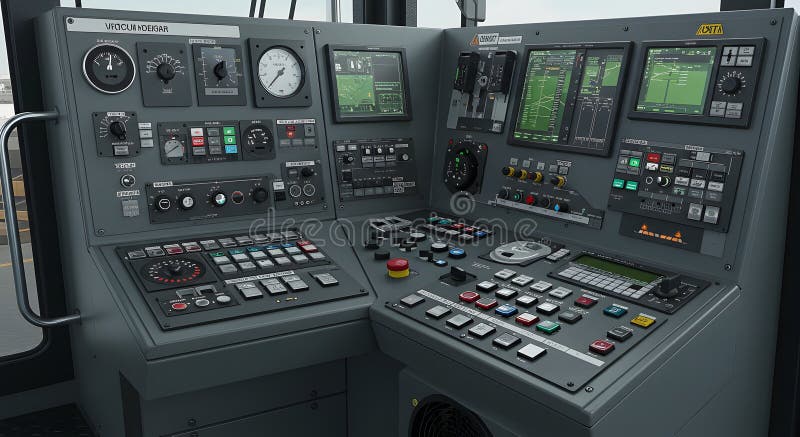
Free with trial Detailed view of a sophisticated train control panel, showcasing a multitude of digital displays, gauges, switches, and buttons. This image is ideal for illustrating advanced railway systems, transportation technology, and industrial control interfaces. The grey color scheme adds a professional tou. Button functionality illustrations High-Tech Train Control Panel: Modern Transportation Technology. Detailed view of a sophisticated train control panel, showcasing a multitude of digital displays. Detailed view of a sophisticated train control panel, showcasing a multitude of digital displays, gauges, switches, and buttons. This image is ideal for illustrating advanced railway systems, transportation technology, and industrial control interfaces. The grey color scheme adds a professional tou
Free with trial A close-up shot of a hand pressing a small light switch on the wall, casting a shadow and highlighting the simplicity of modern design. Button functionality illustrations A hand pressing a small light switch on the wall. A close-up shot of a hand pressing a small light switch on the wall, casting a shadow and highlighting the. A close-up shot of a hand pressing a small light switch on the wall, casting a shadow and highlighting the simplicity of modern design.
Free with trial This image features an overhead shot of a vibrant row of push-buttons, prominently displaying one labeled 'START'. The clear white background enhances the colors and details of the buttons. Button functionality illustrations Colorful Push-Buttons Overhead View. This image features an overhead shot of a vibrant row of push-buttons, prominently displaying one labeled 'START'. The clear. This image features an overhead shot of a vibrant row of push-buttons, prominently displaying one labeled 'START'. The clear white background enhances the colors and details of the buttons.
Free with trial A professional studio shot featuring two identical beige winter parka jackets displayed side-by-side against a clean, neutral white background. The jackets feature a durable outer shell, large front pockets, a protective hood, and high-quality zippers, suggesting functionality and warmth. The minimalist presentation highlights the design, texture, and construction of the outerwear. This image is ideal for e-commerce fashion catalogs, outdoor clothing advertisements, retail websites, or lifestyle marketing campaigns focused on winter apparel, travel gear, and modern functional fashion for men or women. Button functionality illustrations Two Identical Beige Hooded Winter Parka Jackets. A professional studio shot featuring two identical beige winter parka jackets displayed side-by-side against a. A professional studio shot featuring two identical beige winter parka jackets displayed side-by-side against a clean, neutral white background. The jackets feature a durable outer shell, large front pockets, a protective hood, and high-quality zippers, suggesting functionality and warmth. The minimalist presentation highlights the design, texture, and construction of the outerwear. This image is ideal for e-commerce fashion catalogs, outdoor clothing advertisements, retail websites, or lifestyle marketing campaigns focused on winter apparel, travel gear, and modern functional fashion for men or women.
Free with trial Minimalist wireless optical mouse with scroll wheel, designed for ergonomic use on a neutral gray background, ideal for tech and office imagery. Button functionality illustrations Modern wireless computer mouse on clean surface. Minimalist wireless optical mouse with scroll wheel, designed for ergonomic use on a neutral gray background. Minimalist wireless optical mouse with scroll wheel, designed for ergonomic use on a neutral gray background, ideal for tech and office imagery.
Free with trial An illustration featuring a row of vibrant push-buttons, each adorned with a unique symbol, conveying functionality and interaction. Button functionality illustrations Colorful push-buttons with symbols. An illustration featuring a row of vibrant push-buttons, each adorned with a unique symbol, conveying functionality and. An illustration featuring a row of vibrant push-buttons, each adorned with a unique symbol, conveying functionality and interaction.
Free with trial The image depicts a person resetting a tripped circuit breaker on a control panel after an overload. This concept conveys themes of troubleshooting, problem-solving, and maintenance in electrical systems. It symbolizes the importance of vigilance and quick response to prevent damage and ensure the smooth operation of machinery. The image captures the moment of taking action to restore functionality and prevent further disruptions. Button functionality illustrations Resetting tripped circuit breaker on control panel after overload. The image depicts a person resetting a tripped circuit breaker on a control panel after an. The image depicts a person resetting a tripped circuit breaker on a control panel after an overload. This concept conveys themes of troubleshooting, problem-solving, and maintenance in electrical systems. It symbolizes the importance of vigilance and quick response to prevent damage and ensure the smooth operation of machinery. The image captures the moment of taking action to restore functionality and prevent further disruptions.
Free with trial A versatile icon set featuring a computer monitor with a gear symbol on its screen. This is presented in two distinct styles: a solid black fill version and a clean black outline version, both on a white background. The gear icon universally represents settings, configuration, system preferences, and technical support. Ideal for user interface design, web applications, software development, IT services, and any project requiring visual elements for system management, customization, or technical operations. Perfect for conveying concepts of control, optimization, and administration. Button functionality vectors Computer Monitor Settings Gear Icon Vector Set. A versatile icon set featuring a computer monitor with a gear symbol on its screen. This is presented in two. A versatile icon set featuring a computer monitor with a gear symbol on its screen. This is presented in two distinct styles: a solid black fill version and a clean black outline version, both on a white background. The gear icon universally represents settings, configuration, system preferences, and technical support. Ideal for user interface design, web applications, software development, IT services, and any project requiring visual elements for system management, customization, or technical operations. Perfect for conveying concepts of control, optimization, and administration.
Free with trial An illustrated depiction of a compact, stylish electronic gadget featuring a mesh speaker grille at the top, circular volume dials, and a digital display showing '50'. The design includes clean lines and vibrant colors, emphasizing functionality and modern aesthetics. Ideal for showcasing portable audio devices, tech gadgets, or digital interfaces in product marketing and educational materials. Button functionality vectors Modern Tech Device with Speaker and Volume Controls. An illustrated depiction of a compact, stylish electronic gadget featuring a mesh speaker grille at the top. An illustrated depiction of a compact, stylish electronic gadget featuring a mesh speaker grille at the top, circular volume dials, and a digital display showing '50'. The design includes clean lines and vibrant colors, emphasizing functionality and modern aesthetics. Ideal for showcasing portable audio devices, tech gadgets, or digital interfaces in product marketing and educational materials.
Free with trial The image shows a retro-designed hair dryer painted in a bold red hue. It features a streamlined, elongated body with two air vents at the front for even heat and airflow distribution. The handle includes a switch and a cord, with visible buttons for controlling heat and speed settings. The design suggests a blend of functionality and classic aesthetics, reminiscent of mid-20th-century appliances. Button functionality illustrations Vintage-style red hair dryer with dual air vents. The image shows a retro-designed hair dryer painted in a bold red hue. It features a streamlined, elongated. The image shows a retro-designed hair dryer painted in a bold red hue. It features a streamlined, elongated body with two air vents at the front for even heat and airflow distribution. The handle includes a switch and a cord, with visible buttons for controlling heat and speed settings. The design suggests a blend of functionality and classic aesthetics, reminiscent of mid-20th-century appliances
Free with trial A grid of nine distinct black and white icons showcasing abstract shapes and digital interface elements. Button functionality vectors Collection of black and white icons representing various digital controls and games. A grid of nine distinct black and white icons showcasing abstract shapes and. A grid of nine distinct black and white icons showcasing abstract shapes and digital interface elements.
Free with trial A collection of sewing and crafting items including a sewing machine, scissors, thread, and buttons. Button functionality vectors Silhouette of sewing machine and essential crafting tools arranged artistically. A collection of sewing and crafting items including a sewing machine, scissors. A collection of sewing and crafting items including a sewing machine, scissors, thread, and buttons.
Free with trial A collection of three distinct magnifying glass icons displayed in a horizontal row. Each icon features a lens containing plus and minus symbols, representing zoom-in and zoom-out functionality. The set includes a linear outline style, a solid black filled style, and a vibrant orange colored version. These icons are perfect for user interface design, web development, software applications, and digital tools that require magnification features. The clean, minimalist graphics are versatile and easy to integrate into various digital projects, websites, and mobile apps for intuitive navigation and user interaction. Button functionality vectors Set of Magnifying Glass Icons with Zoom Controls. A collection of three distinct magnifying glass icons displayed in a horizontal row. Each icon features a lens. A collection of three distinct magnifying glass icons displayed in a horizontal row. Each icon features a lens containing plus and minus symbols, representing zoom-in and zoom-out functionality. The set includes a linear outline style, a solid black filled style, and a vibrant orange colored version. These icons are perfect for user interface design, web development, software applications, and digital tools that require magnification features. The clean, minimalist graphics are versatile and easy to integrate into various digital projects, websites, and mobile apps for intuitive navigation and user interaction.
Free with trial A collection of three distinct stopwatch icons presented in a clean, minimalist design. The set includes a linear outline version, a solid dark silhouette version, and a vibrant color-filled version with a red frame. These icons are perfect for representing concepts of time management, speed, efficiency, deadlines, sports timing, and countdowns. The simple, modern aesthetic makes them highly versatile for use in web design, mobile applications, presentations, infographics, and productivity tools, providing a professional and clear visual representation of time-tracking functionality. Button functionality vectors Set of three stopwatch icons in different styles. A collection of three distinct stopwatch icons presented in a clean, minimalist design. The set includes a. A collection of three distinct stopwatch icons presented in a clean, minimalist design. The set includes a linear outline version, a solid dark silhouette version, and a vibrant color-filled version with a red frame. These icons are perfect for representing concepts of time management, speed, efficiency, deadlines, sports timing, and countdowns. The simple, modern aesthetic makes them highly versatile for use in web design, mobile applications, presentations, infographics, and productivity tools, providing a professional and clear visual representation of time-tracking functionality.
Free with trial A flat of a mobile device screen interface featuring a camera icon centered within a focus frame. Below the camera icon, there are two prominent, rounded rectangular buttons labeled 'Sortling' in green and 'Override' in red. The design uses a clean, modern aesthetic with a dark blue background, suitable for UI UX design concepts, mobile application development, software interface mockups, or technology-related presentations. The minimalist style conveys functionality, user interaction, and digital control, making it an ideal asset for tech blogs, software tutorials, and digital marketing materials. Button functionality vectors Mobile App Interface With Camera And Action Buttons. A flat of a mobile device screen interface featuring a camera icon centered within a focus frame. Below the. A flat of a mobile device screen interface featuring a camera icon centered within a focus frame. Below the camera icon, there are two prominent, rounded rectangular buttons labeled 'Sortling' in green and 'Override' in red. The design uses a clean, modern aesthetic with a dark blue background, suitable for UI UX design concepts, mobile application development, software interface mockups, or technology-related presentations. The minimalist style conveys functionality, user interaction, and digital control, making it an ideal asset for tech blogs, software tutorials, and digital marketing materials.
Free with trial Fi wall switch illustration connectivity remote, control app, home system fi wall switch. Button functionality illustrations Fi wall switch. Illustration connectivity remote, control app, home system AI generated. fi wall switch illustration connectivity remote, control app, home system fi wall switch
Free with trial Minimalist elevator interior showcasing sleek stainless steel walls, handrails, and recessed lighting. The modern design makes this space suitable for architectural projects, transportation themes, and interior design concepts. Button functionality illustrations Modern Elevator Interior with Stainless Steel Finishes. Minimalist elevator interior showcasing sleek stainless steel walls, handrails, and recessed lighting. Minimalist elevator interior showcasing sleek stainless steel walls, handrails, and recessed lighting. The modern design makes this space suitable for architectural projects, transportation themes, and interior design concepts
Free with trial This vector illustration showcases a comprehensive collection of user interface elements, including various styles of toggle switches, horizontal sliders, and radio buttons. The elements are depicted in both 'ON' (active, blue) and 'OFF' (inactive, grey) states, often accompanied by text labels. This versatile set is ideal for web design, mobile application development, UI UX prototyping, and graphic design projects requiring modern and clean control components. It provides essential tools for representing settings, options, and interactive functionalities in digital interfaces. Button functionality illustrations UI Toggle Switches, Sliders, and Radio Buttons Set. This vector illustration showcases a comprehensive collection of user interface elements, including various. This vector illustration showcases a comprehensive collection of user interface elements, including various styles of toggle switches, horizontal sliders, and radio buttons. The elements are depicted in both 'ON' (active, blue) and 'OFF' (inactive, grey) states, often accompanied by text labels. This versatile set is ideal for web design, mobile application development, UI UX prototyping, and graphic design projects requiring modern and clean control components. It provides essential tools for representing settings, options, and interactive functionalities in digital interfaces.
Free with trial Detailed closeup of modern car interior exploring design luxury and functionality. Close-up view of car interior showcasing design and features ,Generative ai. Button functionality illustrations Detailed closeup of modern car interior exploring design luxury and functionality. Close-up view of car interior showcasing design and features ,Generative ai
Free with trial A control panel with colorful switches and wires mounted on a white wall, showcasing its design and functionality. Button functionality illustrations Control panel with colorful switches and wires on white wall isolated on white background. A control panel with colorful switches and wires mounted on a white. a control panel with colorful switches and wires mounted on a white wall, showcasing its design and functionality
Free with trial This image showcases a clean, isometric illustration of a smartphone displaying a minimalist clock interface. The design emphasizes simplicity and clean lines, focusing on the device's form and functionality. The muted color palette provides a modern aesthetic. Button functionality illustrations Smartphone Isometric Illustration. This image showcases a clean, isometric illustration of a smartphone displaying a minimalist clock interface. The design. This image showcases a clean, isometric illustration of a smartphone displaying a minimalist clock interface. The design emphasizes simplicity and clean lines, focusing on the device's form and functionality. The muted color palette provides a modern aesthetic.
Free with trial Splash on wall revealing digital lock. Button functionality illustrations Splash on wall revealing digital lock
Free with trial A collection of glossy square buttons in various colors, perfect for website or app design. Ideal for modern user interfaces and graphic projects. Button functionality illustrations Colorful Glossy Square Buttons in Various Shades for User Interface Design Elements. A collection of glossy square buttons in various colors, perfect for website. A collection of glossy square buttons in various colors, perfect for website or app design. Ideal for modern user interfaces and graphic projects
Free with trial A disassembled portable fan is shown in a clean, white studio setting. The image reveals the internal components of the fan, including the motor and blades, which are highlighted by a blue light effect inside the cylindrical body. The design emphasizes functionality and modern aesthetics. Button functionality illustrations Disassembled Portable Fan with Blue Light Effect. A disassembled portable fan is shown in a clean, white studio setting. The image reveals the internal. A disassembled portable fan is shown in a clean, white studio setting. The image reveals the internal components of the fan, including the motor and blades, which are highlighted by a blue light effect inside the cylindrical body. The design emphasizes functionality and modern aesthetics.
Free with trial A sleek, compact portable Bluetooth speaker is shown against a white background. The device features a black exterior with a perforated grille for sound output on the left side and four control buttons (play/pause, skip forward/backward) on the right side. The minimalist design emphasizes functionality. Button functionality illustrations Compact Portable Bluetooth Speaker with Controls. A sleek, compact portable Bluetooth speaker is shown against a white background. The device features a black. A sleek, compact portable Bluetooth speaker is shown against a white background. The device features a black exterior with a perforated grille for sound output on the left side and four control buttons (play/pause, skip forward/backward) on the right side. The minimalist design emphasizes functionality.
Free with trial Vector graphic featuring four minimalist refresh icons arranged in a 2x2 grid. Each icon depicts a stylized circular arrow inside a pot-like shape. The top left icon is blue on a white background, the top right is blue on black, the bottom left is white on a teal background, and the bottom right is black on a light gray background. The design is simple and uses contrasting colors to highlight the icons' functionality. Button functionality illustrations Minimalist Refresh Icon Set Vector Graphic Design. Vector graphic featuring four minimalist refresh icons arranged in a 2x2 grid. Each icon depicts a stylized. Vector graphic featuring four minimalist refresh icons arranged in a 2x2 grid. Each icon depicts a stylized circular arrow inside a pot-like shape. The top left icon is blue on a white background, the top right is blue on black, the bottom left is white on a teal background, and the bottom right is black on a light gray background. The design is simple and uses contrasting colors to highlight the icons' functionality.
Free with trial A minimalist black and white icon of a telephone receiver, featuring a classic handset design with curved lines. The image is clean and simple, suitable for communication, technology, or business-related projects. Ideal for use in apps, websites, or print materials requiring a clear and modern symbol for phone or call functionality. Button functionality vectors Black Telephone Receiver Icon on White Background. A minimalist black and white icon of a telephone receiver, featuring a classic handset design with curved. A minimalist black and white icon of a telephone receiver, featuring a classic handset design with curved lines. The image is clean and simple, suitable for communication, technology, or business-related projects. Ideal for use in apps, websites, or print materials requiring a clear and modern symbol for phone or call functionality.
Free with trial The image depicts a minimalist, elongated remote control device with a predominantly black and grey color scheme. The design includes a small, protruding rectangular section on the left side, likely housing buttons or sensors. The overall shape is streamlined and ergonomic, suggesting modern functionality and a focus on user-friendly interaction. The device appears to be made of a matte material,. Button functionality illustrations Sleek black and grey modern remote control device. The image depicts a minimalist, elongated remote control device with a predominantly black and grey color. The image depicts a minimalist, elongated remote control device with a predominantly black and grey color scheme. The design includes a small, protruding rectangular section on the left side, likely housing buttons or sensors. The overall shape is streamlined and ergonomic, suggesting modern functionality and a focus on user-friendly interaction. The device appears to be made of a matte material,
Free with trial A grid of nine distinct black and white icons representing various user interface elements and controls. Button functionality vectors Collection of modern minimalist ui icons for digital interfaces and applications. A grid of nine distinct black and white icons representing various user. A grid of nine distinct black and white icons representing various user interface elements and controls.
Free with trial The image depicts a wireless mouse with a sleek purple design and grey accents. The mouse features a standard layout with a scroll wheel and multiple buttons. Above the mouse, there is a purple Wi-Fi symbol indicating its wireless functionality. Button functionality illustrations Wireless mouse with purple design. The image depicts a wireless mouse with a sleek purple design and grey accents. The mouse features a standard layout with a. The image depicts a wireless mouse with a sleek purple design and grey accents. The mouse features a standard layout with a scroll wheel and multiple buttons. Above the mouse, there is a purple Wi-Fi symbol indicating its wireless functionality
 Sign in